







USB (UVC) 至模擬視頻 (CVBS) 轉換板
USB 攝像頭轉 NTSC / PAL 複合視頻輸出
目錄
概觀
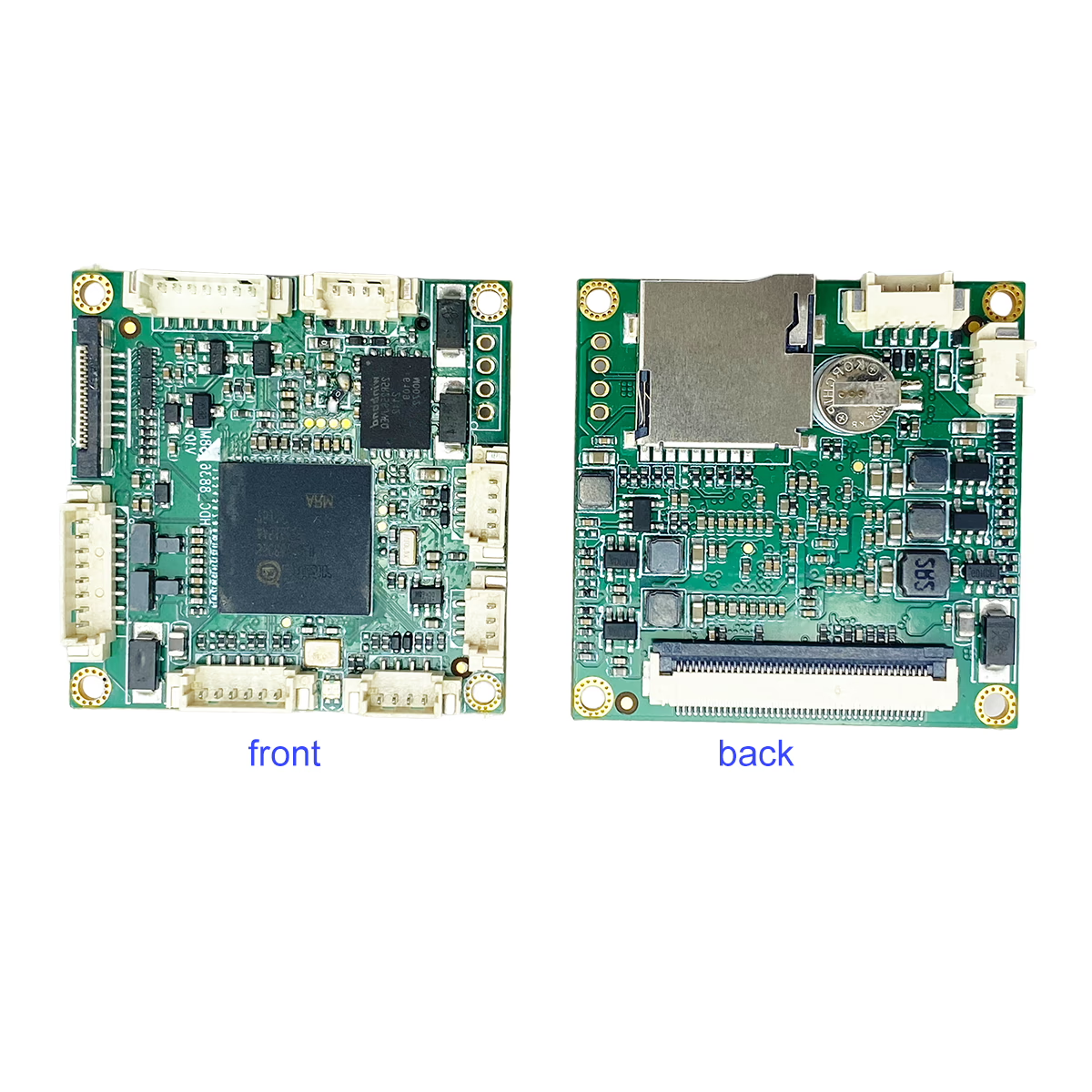
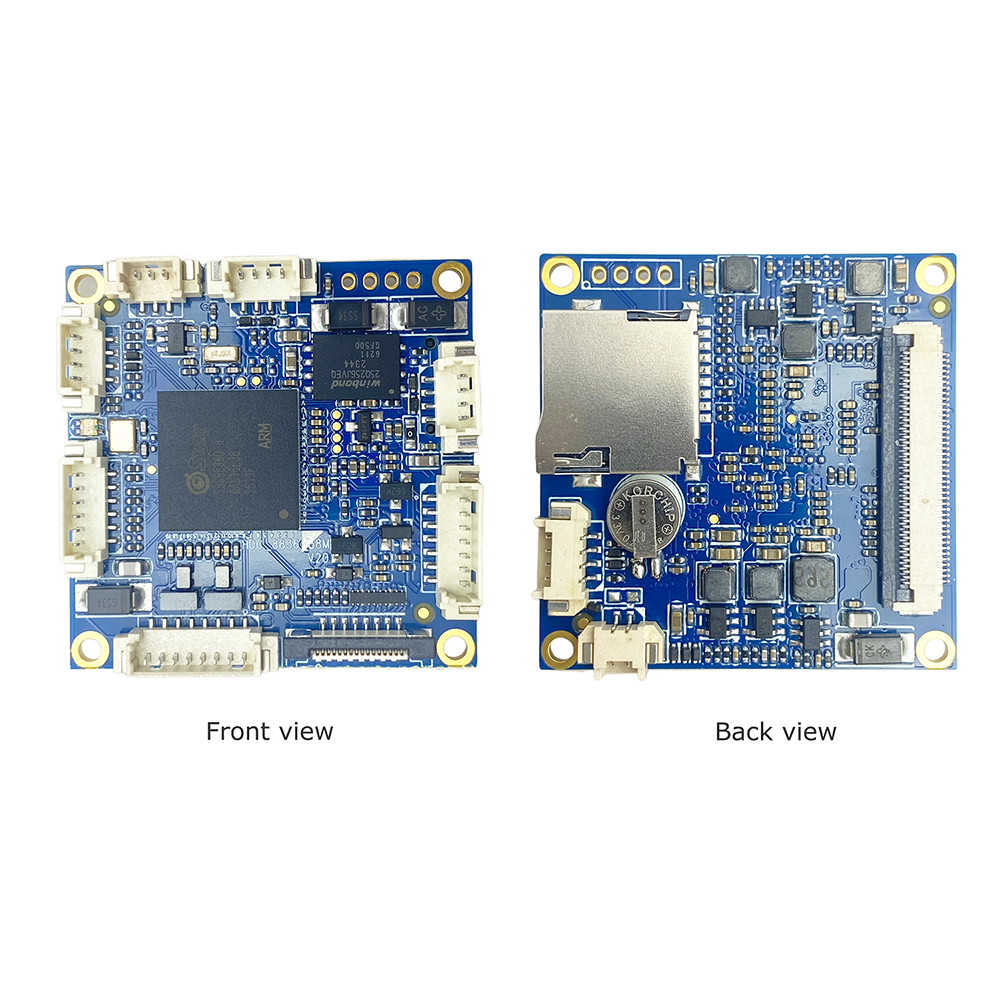
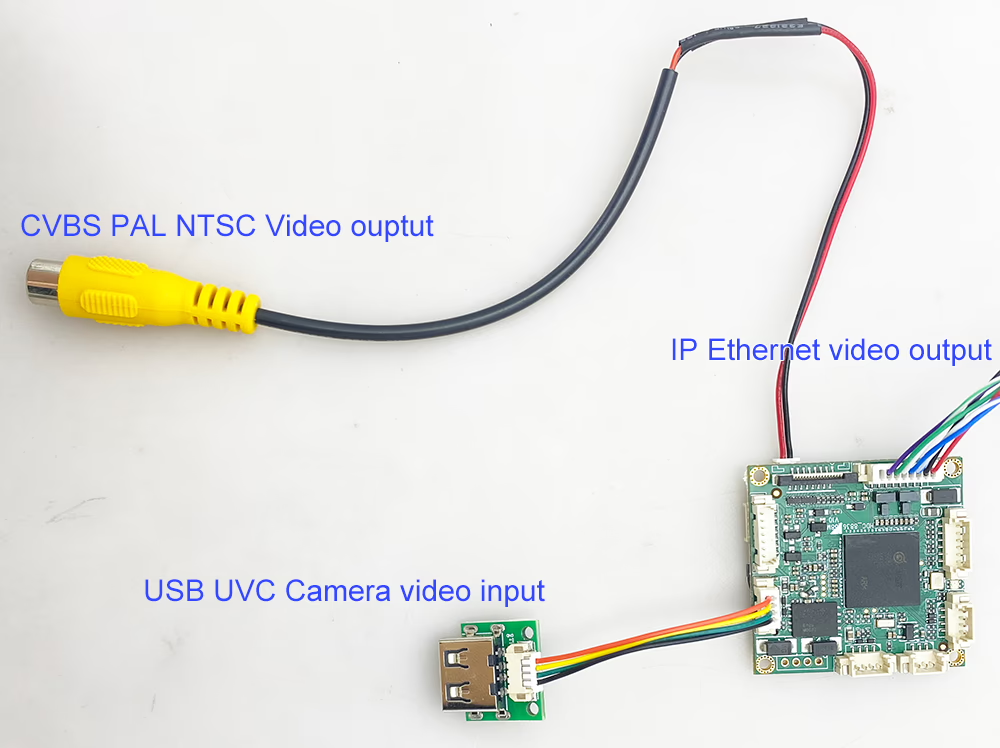
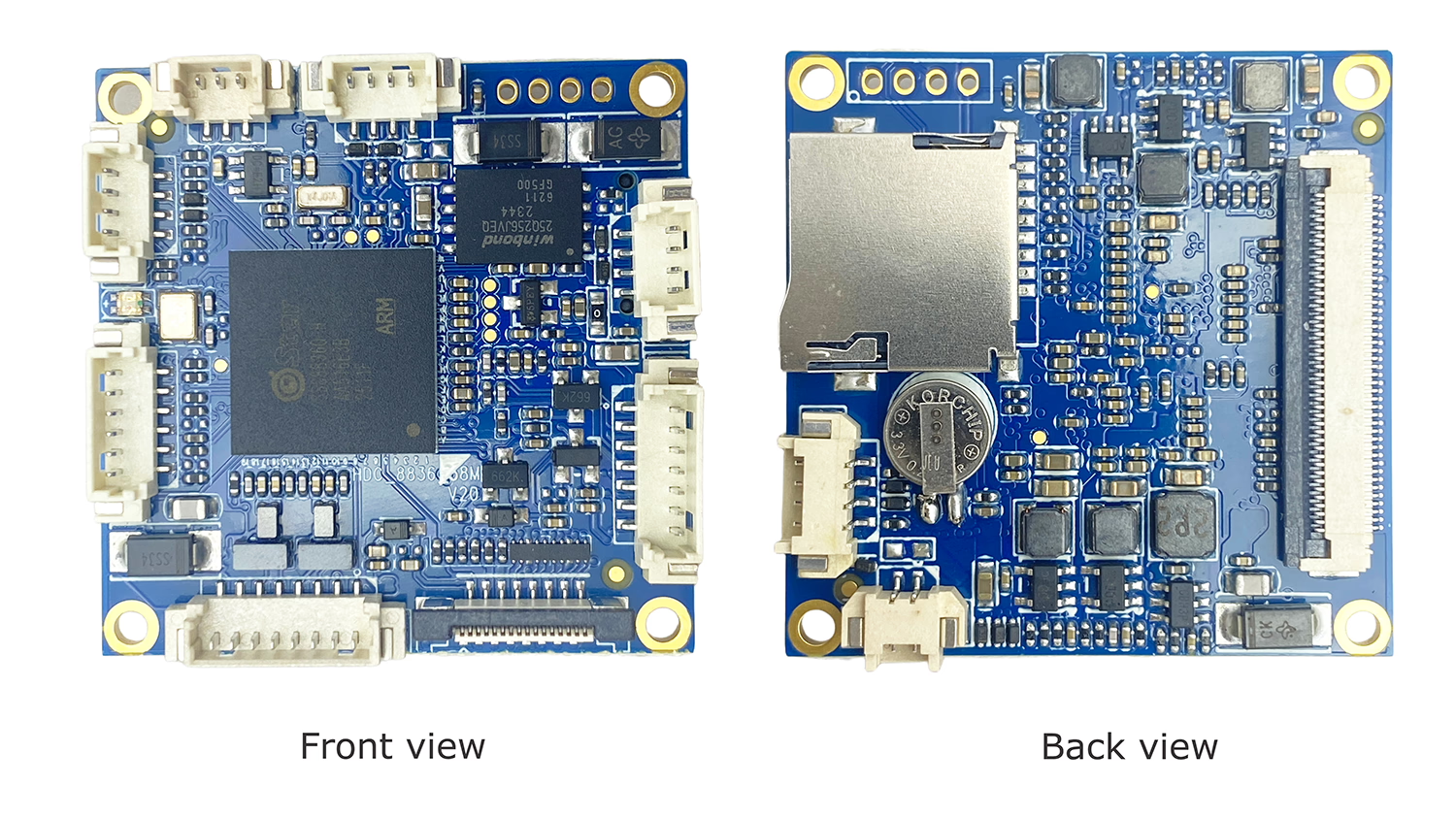
該 USB (UVC) 至模擬視頻 (CVBS) 轉換板 是一款緊湊且可靠的視頻轉換模塊,旨在轉換 符合 UVC 標準的 USB 攝像頭視頻 進入 標準模擬複合視頻 (CVBS) 產量.
該模塊使現代 USB相機 與使用 傳統模擬視頻系統, 支持兩者 NTSC和PAL 標準. 非常適合 FPV 無人機, 模擬監視器, 硬盤錄像機系統, 工業設備, 以及需要模擬視頻輸入的嵌入式平台.
具有即插即用的 UVC 兼容性, 低延遲處理, 穩定的CVBS輸出, 該轉換器板為 USB 轉模擬視頻集成提供了簡單且經濟高效的解決方案.
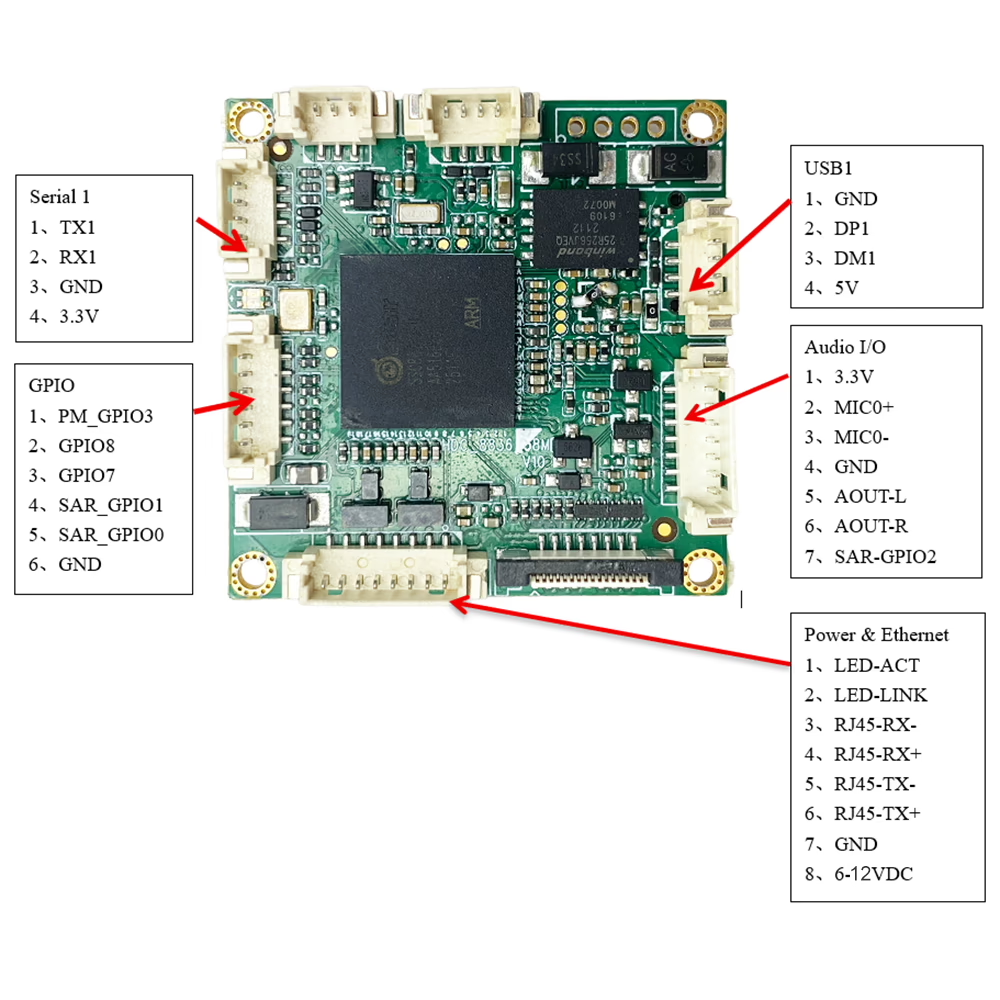
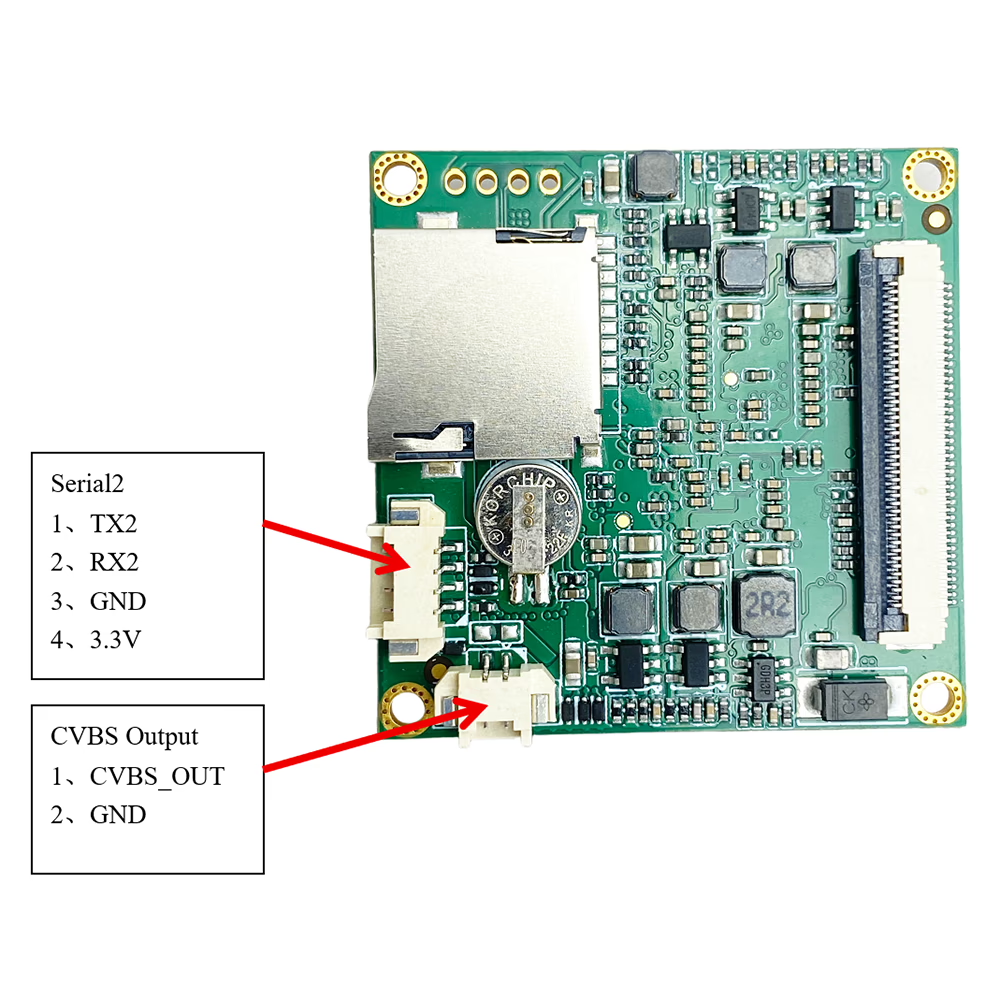
特徵
-
USB (UVC) 到 CVBS 轉換
將 UVC USB 攝像頭視頻直接轉換為模擬複合視頻輸出. -
NTSC / 支持 PAL
支持標準 NTSC 和 PAL CVBS 格式,實現全球兼容性. -
即時視訊輸出
低延遲USB到模擬轉換,適用於FPV和實時監控. -
USB 相機兼容性
支持標準 UVC USB 相機 (可見光和兼容的熱像儀). -
CVBS視頻輸出接口
專用視音頻 / CVBS 視頻輸出連接器,可輕鬆與模擬設備集成. -
即插即用操作
UVC 相機無需特殊驅動程序. -
緊湊型設計
外形尺寸小, 適用於嵌入式系統和空間有限的安裝. -
靈活的功率輸入 6-12V
專為移動和工業環境中穩定運行而設計.
產品規格
模型: UVC-CVBS-轉換器
視頻輸入:
-
1 ×USB UVC相機輸入
-
最高支持1080P USB攝像頭輸入 (針對 CVBS 輸出進行縮小)
視頻輸出:
-
1 × CVBS (複合視頻)
-
輸出標準: NTSC / 朋友
-
模擬視頻格式: CVBS (作者:)
視頻處理:
-
實時數模視頻轉換
-
USB 攝像頭輸入自動格式適配
潛伏:
-
超低延遲,適合 FPV 和監控應用
電源:
-
直流輸入 (根據項目需求定制)
工作溫度:
-
-20°C 至 +70°C
外形尺寸:
-
緊湊型嵌入式闆卡設計 (OEM定制)
應用
-
FPV 無人機和無人機系統
USB 攝像頭轉模擬 FPV 監視器或視頻發射器. -
模擬監視器和顯示器
使 USB 攝像頭能夠與傳統 AV 顯示器配合使用. -
DVR 和錄音系統
為現有模擬 DVR 提供 CVBS 輸入兼容性. -
工業和嵌入式系統
集成到模擬控制平台的 USB 視覺設備. -
安檢設備
現有基礎設施所需的模擬視頻輸出.

常問問題
Q: Why does the image of my USB video to CVBS PAL video encoder board stay green?
一個: A green image usually indicates no signal input or that the device is in standby mode. Please check the following:
- Ensure that your source device is powered on and properly connected.
- Verify that the signal cable (例如, USB) is not too long or damaged, as excessive length may cause signal interruption.
- Try using a shorter or different cable to see if the issue persists.
- Test via network output: Our USB to CVBS encoder board also supports network video streaming. You can connect it to a network cable and use a VLC player to view the video stream. If the video stream is normal, the issue is likely in the CVBS output or connection. If the stream is still green, the problem is likely with the input signal.
Q: What frame rate does the USB to CVBS converter board use when opening the camera?
一個: 預設情況下, the board opens the camera at 1920 × 1080 resolution with 30 FPS (1080UAV/UGV/車身攝像頭/隱藏裝置).
If the camera’s maximum supported resolution is lower than 1080P, the board will automatically open the camera at the highest resolution supported by the camera.
Q: Does the board generate log files that customers can upload for troubleshooting?
一個: The board does not generate detailed log files for upload.
For troubleshooting and debugging, 你可以 connect through the serial port (UART) to obtain the boot/startup logs, which can then be shared with our support team for analysis.
Q: 支持什麼類型的 USB 攝像頭?
一個: 該轉換器支持 符合 UVC 標準的 USB 相機, 包括標準可見光 USB 相機和兼容的熱成像相機.
Q2: 支持哪些模擬視頻格式?
一個: 板子輸出 CVBS (複合視頻) 並支持兩者 NTSC和PAL 標準.
Q3: 是否需要驅動或軟件?
一個: 沒有. 自動識別標準UVC相機, 並將視頻實時轉換為CVBS輸出.
Q4: 可以在 NTSC 和 PAL 之間切換嗎?
一個: 是. 可以根據系統或區域要求選擇輸出視頻標準.
Q5: 我可以連接多個 USB 攝像頭嗎?
一個: 沒有. 系統支持 只有一個USB攝像頭輸入. 不支持USB集線器或多攝像頭切換.
Q6: 該模塊可以輸出HDMI或IP視頻嗎?
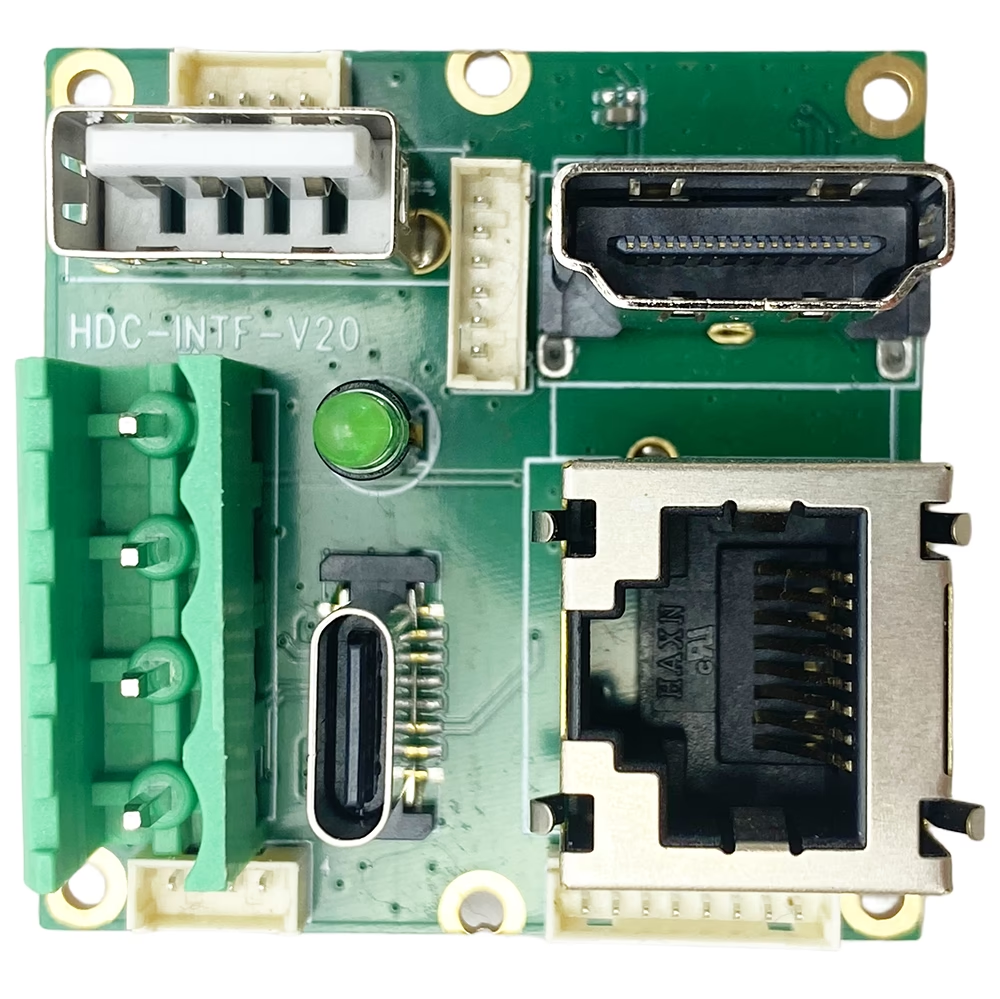
一個: 該型號專為 USB to analog CVBS and IP Ethernet video conversion.
如果您需要 HDMI輸出, 我們可以提供 額外的 HDMI 輸出擴展板.
Q7: 適合FPV應用嗎?
一個: 是. 低延遲CVBS輸出使其適用於FPV無人機, 模擬發射機, 和實時監控系統.
Q8: CVBS輸出連接器可以定制嗎?
一個: 是. CVBS輸出接口和連接器類型可為OEM或ODM項目定制.
Q9: 這個轉換器的主要用途是什麼?
一個: 它允許 現代USB攝像機 與使用 傳統模擬視頻設備 需要 NTSC 或 PAL CVBS 輸入.
Q10: 該USB轉CVBS轉換器的工作溫度範圍是多少?
一個: 該產品的標準工作溫度 USB轉CVBS轉換板 已經過測試和驗證 -20°C至 +50°C. 這確保了 USB 攝像頭到模擬視頻轉換在大多數環境條件下的可靠性能, 包括工業, FPV無人機, 和嵌入式系統應用.
目前, 超越操作 -20°C 或以上 +50°C 尚未得到充分驗證. 如果您需要更寬的溫度範圍, 請聯繫我們討論可能的情況 定制選項.
Q: 什麼是視頻延遲 (潛伏) 此 USB 轉 CVBS 轉換器?
一個: 這個視頻延遲 USB轉CVBS轉換板 大約是 100 毫秒. 這種超低延遲可確保 USB 攝像頭流暢、實時的模擬視頻輸出, 使其成為諸如以下應用的理想選擇 FPV無人機, 工業監控, 硬盤錄像機系統, 和嵌入式視頻解決方案.
Q: USB 轉 CVBS 模塊是否為車輛應用提供減振或圖像穩定功能?
一個: 沒有. 該模塊是 只有一塊USB視頻轉CVBS轉換板. 確實如此 不執行任何圖像處理.
具體來說:
-
模塊輸出 完全相同的圖像 它從 USB 攝像頭接收.
-
無振動阻尼, 沒有電子圖像穩定 (電化學阻抗譜), 和 沒有圖像校正 已應用.
-
如果相機圖像存在振動或晃動 (例如, 當安裝在移動的車輛上時), 這種振動會 也出現在 CVBS 輸出中.
如果需要減振, 它必須由:
-
一個 具有內置光學或電子穩定功能的 USB 攝像頭, 要么
-
一個 外部圖像處理系統 在將 USB 視頻輸入該模塊之前.
USB 轉 CVBS 板本身的功能純粹是作為 視頻格式轉換器, 不是圖像增強或穩定設備.
Q: 支持哪些遠程訪問和軟件定制選項?
一個: 該設備 支持Telnet訪問, 但 不支持SSH. 不支持基於SDK的二次開發, 並且客戶端軟件開發不開放.
對於 一般軟件要求或標準功能修改, 客戶只需提供詳細規格. 我們的 工程團隊將直接實施所需的更改 技術評估後. 客戶無需進行SDK開發或編程.
Q: How to upgrade the firmware?
一個: To install or apply the update, use our IPC Search Windows Tool by following these steps:
- Install and launch IPC Search on a Windows PC.
- Connect the device to the same network as the PC.
- Use IPC Search to detect the device.
- Load the provided upgrade package into the tool.
- Execute the upgrade process via IPC Search.
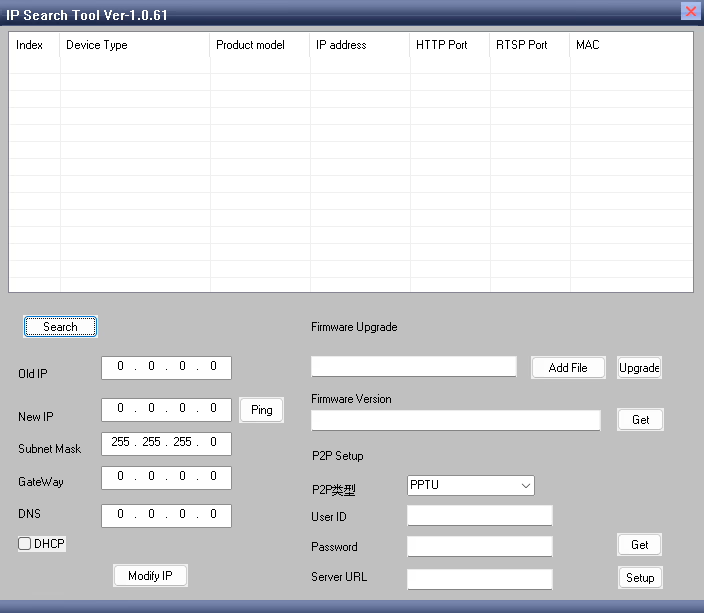
Download link, IP搜索工具 no Linux, only Windows OS.
You can use this software to perform various functions, 包含: Setting the gateway, Modifying the IP address, Configuring the P2P server, Performing software upgrades, And other device management tasks.
Q: Why can my USB to CVBS encoder be discovered by the IPC search tool, but I still cannot open the web management page in the browser even after entering the correct IP address?
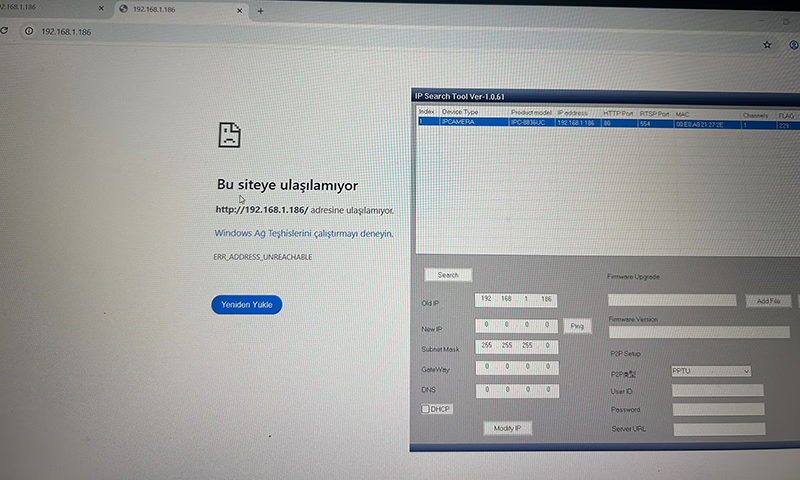
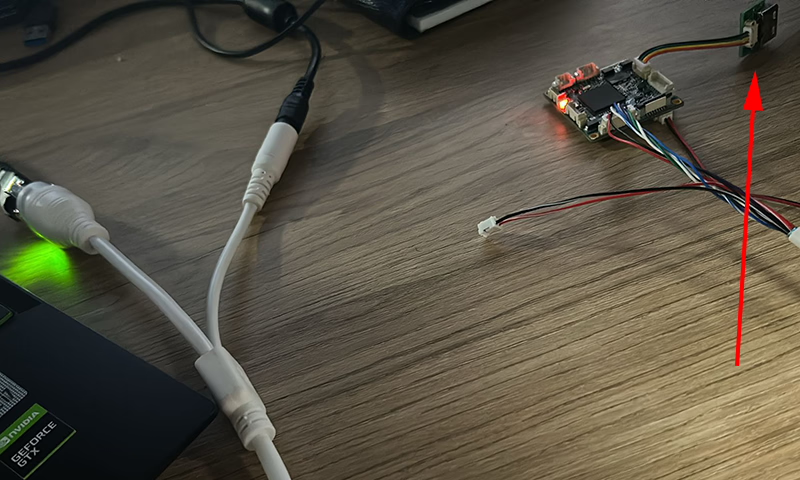
一個: 根據您提供的圖片, the USB input is not connected to a camera. When there is no valid USB video source connected, the encoder cannot detect an input signal. 因此, the device will continuously reboot while attempting to identify a USB signal source.
Please connect a USB camera to the encoder. Once a valid video input is detected, the device will operate normally and you will be able to access the web management page through the browser to modify parameters.
Q: How can I remove the time watermark displayed in the top-right corner of the network video stream?
一個: Please log in to the web management page of the encoder.
前往 音訊和視訊 標籤, 然後找到 螢幕顯示設定.
在 顯示時間 選項, uncheck the box to disable it.
儲存設定後, the time watermark will no longer be displayed in the video stream.
編碼器模塊板








解碼器模塊板




可定制
Q: What is IR_CUT mode?
一個: IR_CUT mode supports external IR LED lights. Our encoder board can control external infrared LEDs to enhance the camera’s illumination, improving visibility in low-light or nighttime conditions. It also enables automatic switching between color (day) and infrared (night) 模式, allowing the camera to provide clear images in both bright and dark environments.
Q: Besides the USB to CVBS card, what other analog video outputs are supported? Does it support AHD?
一個: 目前, this device only supports CVBS (PAL / NTSC) output and IP Ethernet RTSP video streaming. AHD, TVI or other analog video outputs are not supported.


iVcan.com –
這款 USB 轉 CVBS 轉換器在性能和易用性方面超出了我的預期. 該設備可將 USB 攝像頭信號無縫轉換為 NTSC/PAL 複合視頻, 這非常適合我的 FPV 無人機系統. 視頻質量非常好, 並且延遲極低, 允許實時監控,無延遲. 設置快速且直觀, 緊湊的設計使安裝非常方便. 我強烈推薦這款轉換器板給任何想要穩定的人, 高質量, USB 攝像頭與模擬視頻設備集成的高效解決方案.