




IP MESH Ad Hoc network user guide
Version number: iVcan-20230606
目錄
Brief introduction
- Our Ad hoc network communication radio station, as a mobile self-organizing network, supports any network topology.
- Unlike traditional wireless networks, it is a wireless broadband system with no center, 分散式, 多跳中繼, 動態路由, strong invulnerability, and good scalability.
- Some routing protocols complete the wireless communication between nodes through wireless multi-hop forwarding.
- An ad hoc distributed broadband wireless network transmission system with an efficient MAC layer transmission protocol and a two-layer routing protocol.
- All nodes are completely equal, without any infrastructure, and can quickly build a dedicated self-organizing network between mobile nodes, provide instant adaptive communication, have excellent broadband performance, and support the real-time transmission of multimedia information such as video coding and audio coding.
- The system technology has the advantages of strong anti-interference ability, 高頻效率, 傳輸距離長, 抗褪色能力, 和較強的繞射能力.
- It can realize real-time and high-quality wireless two-way data transmission functions in complex and non-line-of-sight environments.
Technical Features
- There is no need to set up a central station and complex system configuration. After the site is powered on, it will automatically form a network, and the communication can be started in “秒”;
- Arbitrary topology, 多跳中繼, 中繼轉發;
- The logical attributes of each node can be flexibly configured;
- 現在, the same frequency network can support the interconnection of ≥32 nodes;
- The channel is encrypted with AES;
- The system data bandwidth peak value is 90Mbps;
- 抗干擾能力強, 高頻效率, 傳輸距離長, 抗干擾
- Strong falling ability and diffraction ability
技術參數
- Communication frequency: 1412~1452MHz, adjustable in 5MHz steps;
- 發射功率: 2*30dBm的 (2*1W¯¯), 1dBm 步進可調。
- 頻寬模式: 5 / 10 / 20 兆赫;
- 調製方式: 多載波TDD-COFDM;
- 載波調製: BPSK/QPSK/16QAM/64QAM (自適應或固定);
- 接收靈敏度: -98dBm @ 10MHz;
- Communication distance: 30千米 (ground-air/air-air line-of-sight), 8千米 (ground-ground line-of-sight);
- Communication rate: peak 90Mbps (adaptive);
- 傳輸延遲: Single jump about 2ms;
- Multi-hop capability: 取決於 8 video jumps;
- Start time: ≤25S;
- 網路存取時間: less than 1 第二;
- 路由切換: less than 1 第二;
- 資料介面: network port x 2, RS232 x 2;
- 能量消耗: 2~8W
- 防護等級: IP65;
- 工作溫度: -40~+70℃;
- 方面: 長度: 72.8mm*width 47.3mm*height 17.9mm
- 重量: 78G
Software operation Instructions
Support 5M, 10中號, and 20M bandwidth, real-time graphical interface display, real-time map indication, 等等.
The software disables DHCP by default, and the default IP address is 192.168.17.1 If you forget the address, please connect the 9th pin of the 26PIN cable to the ground to reset the parameters.
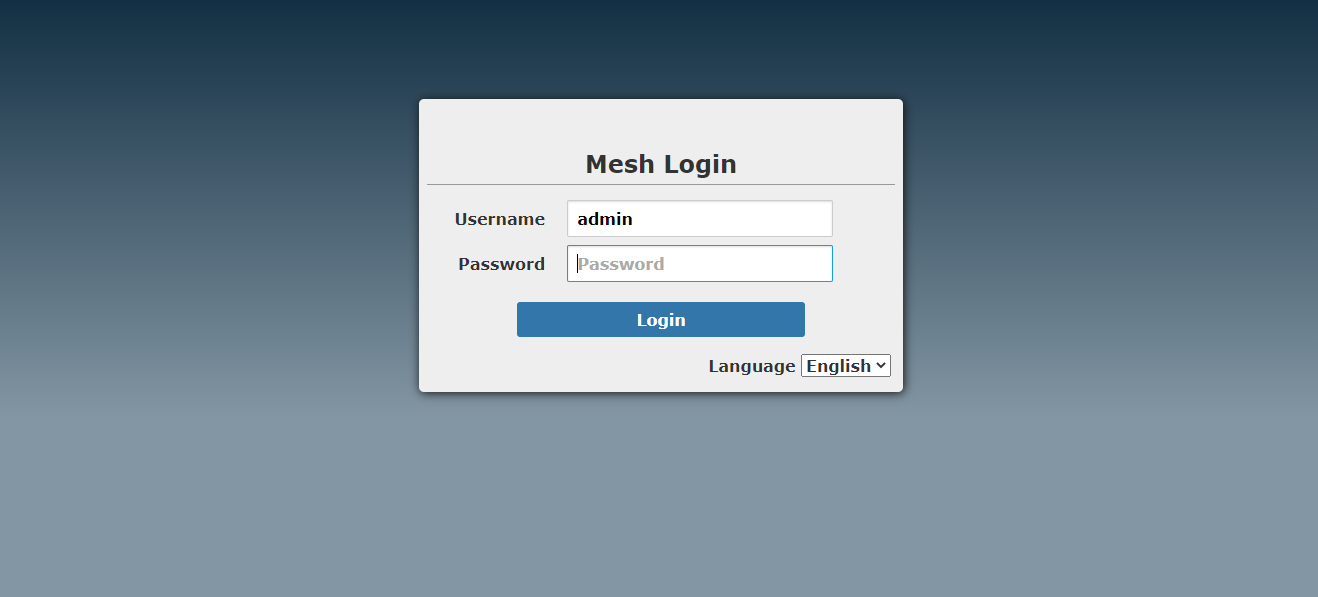
Enter the IP address of the module in the browser, and the default username and password are both admin. It takes about 20s for the module to connect to the network from power-on. The recommended browser is Chrome.
After entering, it defaults to simple mode, click expert mode to unlock more settings, suitable for professional debugging.
Status section:
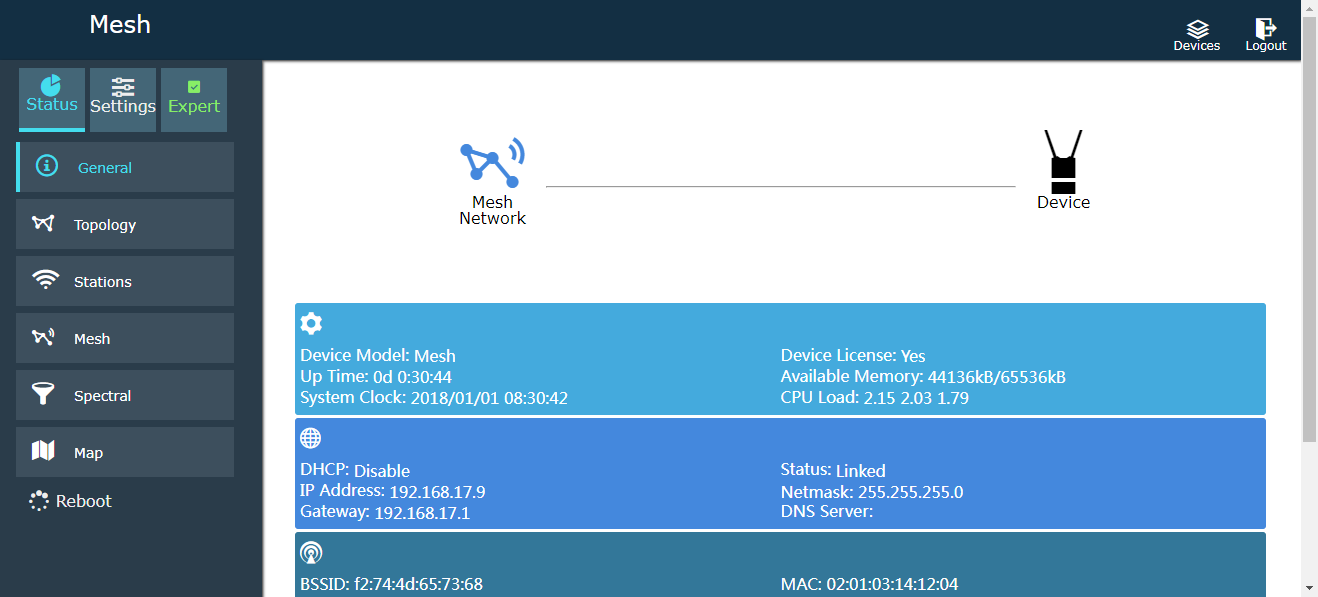
概觀:
Topology map: (automatic refresh is turned off by default to save bandwidth, you can check automatic refresh)
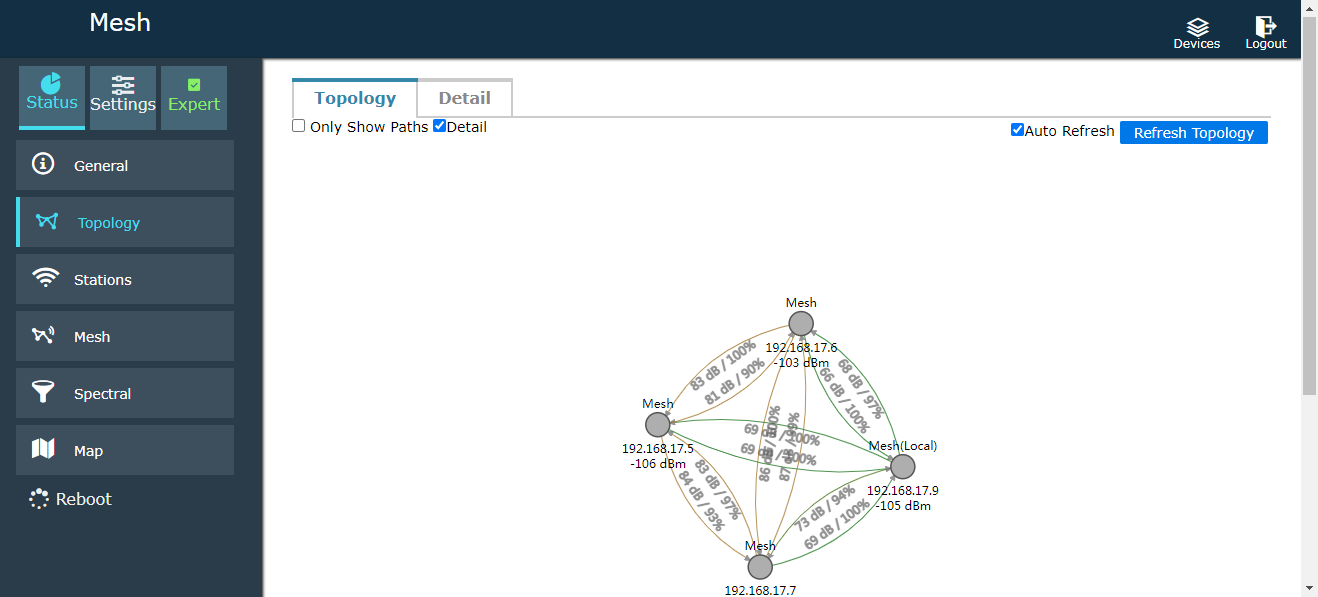
Check only the display path, you can know the direct jump point relationship of each module
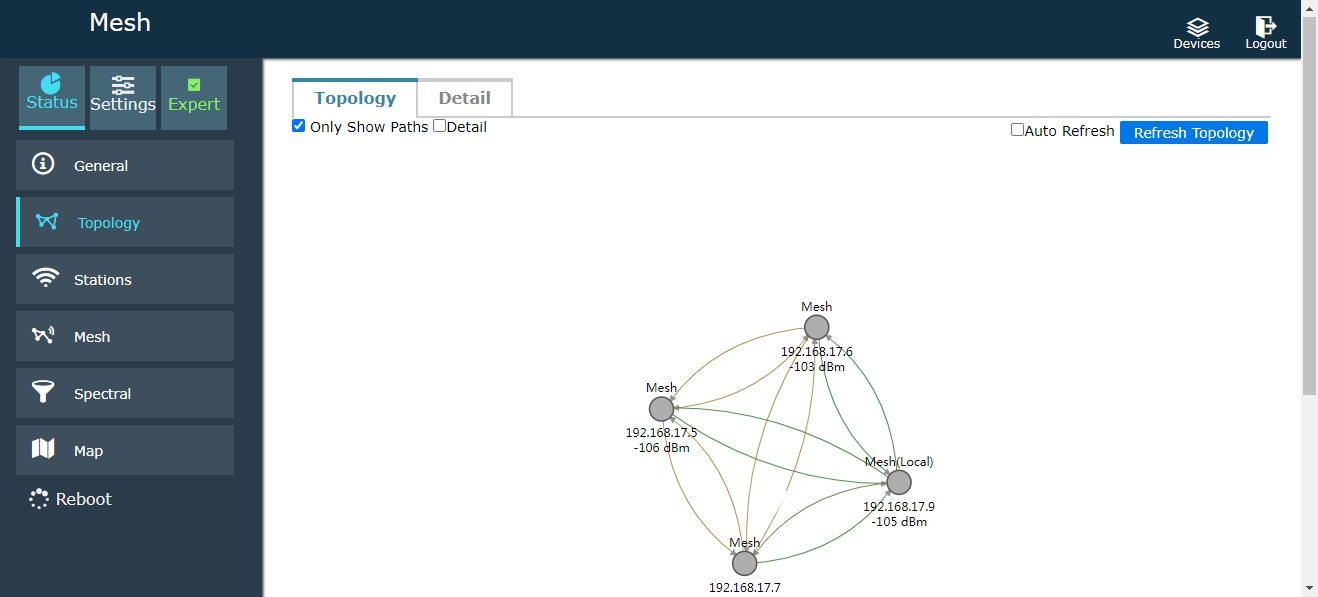
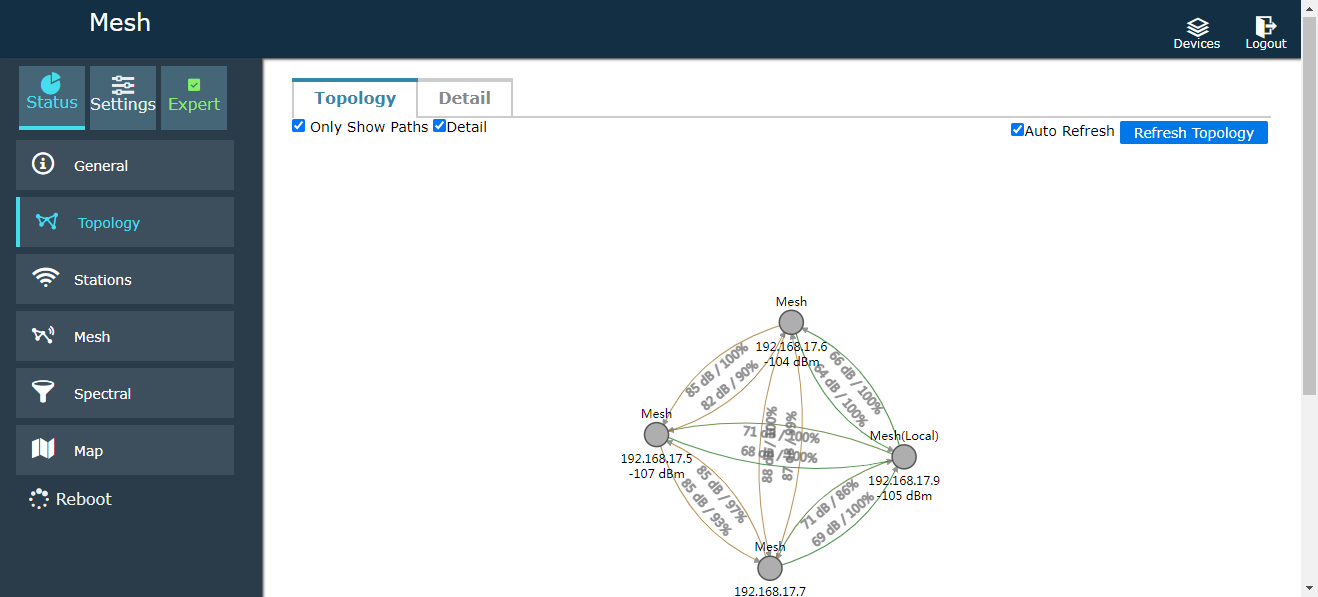
Check the details to judge the data connection status of each module. These are displayed dynamically in real time
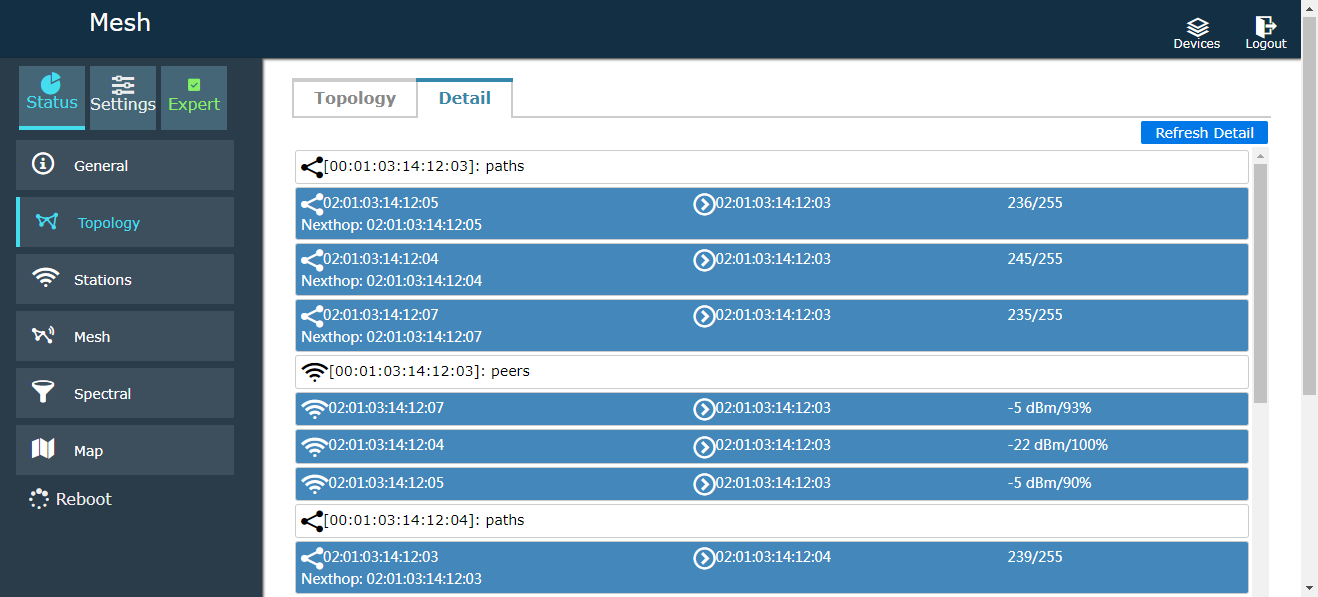
Click Details: You can know the specific situation of each module directly:
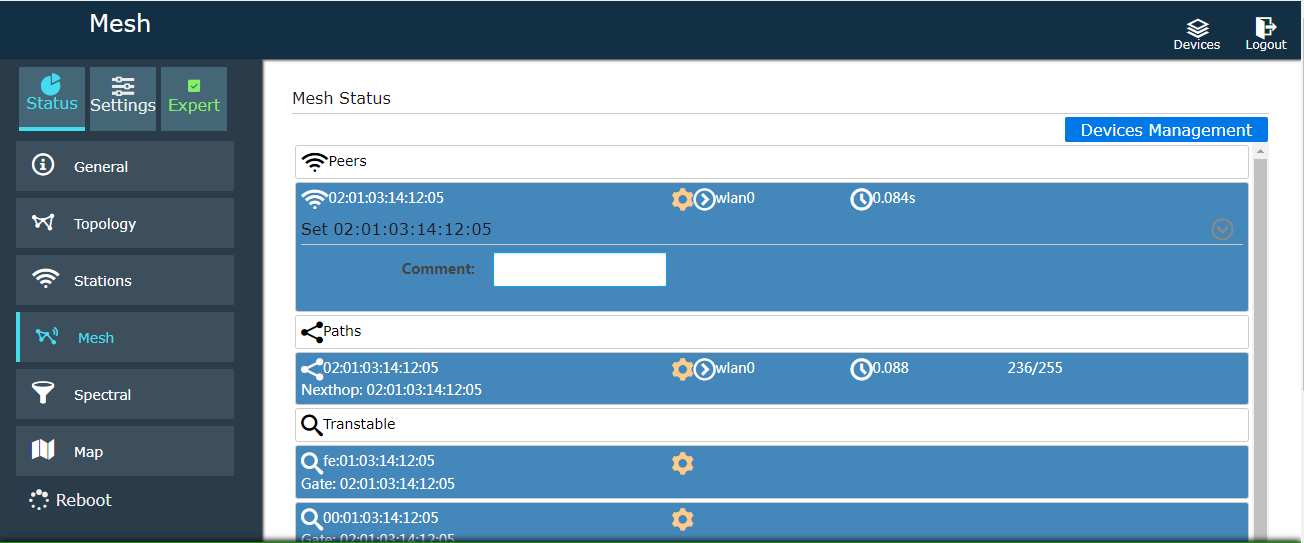
Terminal state:

Ad hoc network: You can remark the name, 當然, it can also be operated in the terminal state.
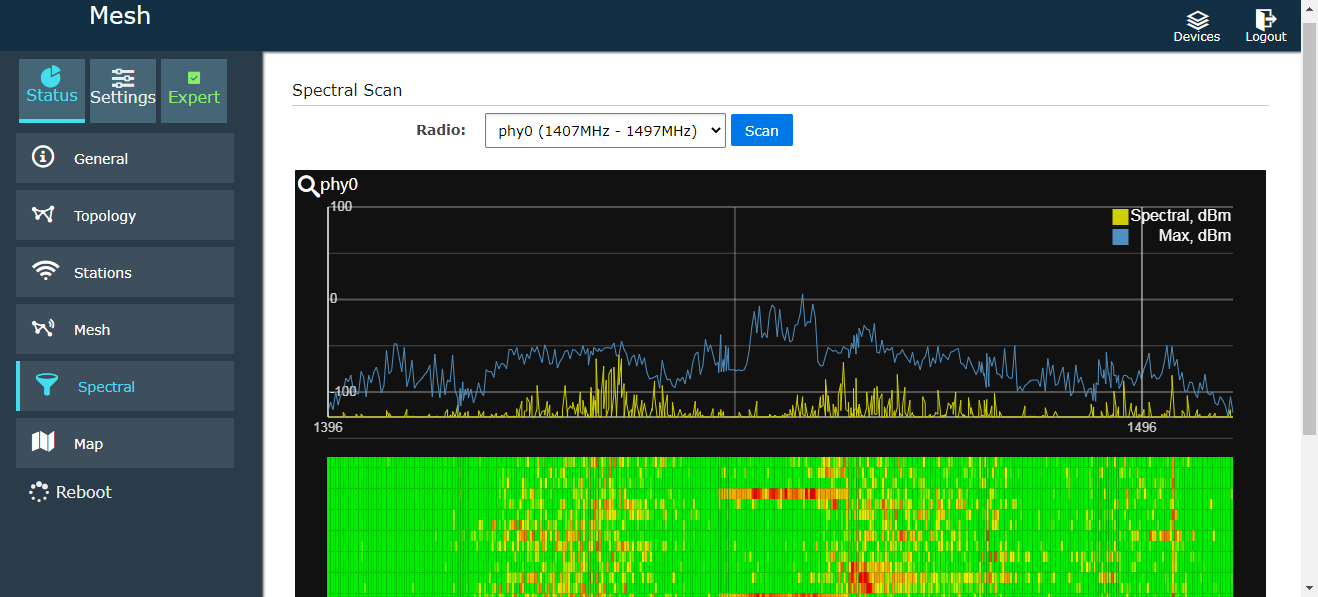
Spectrum scanning: Check the interference of each frequency band. 當然, the frequency bands of different modules are purchased, and the scanning frequency bands are different.
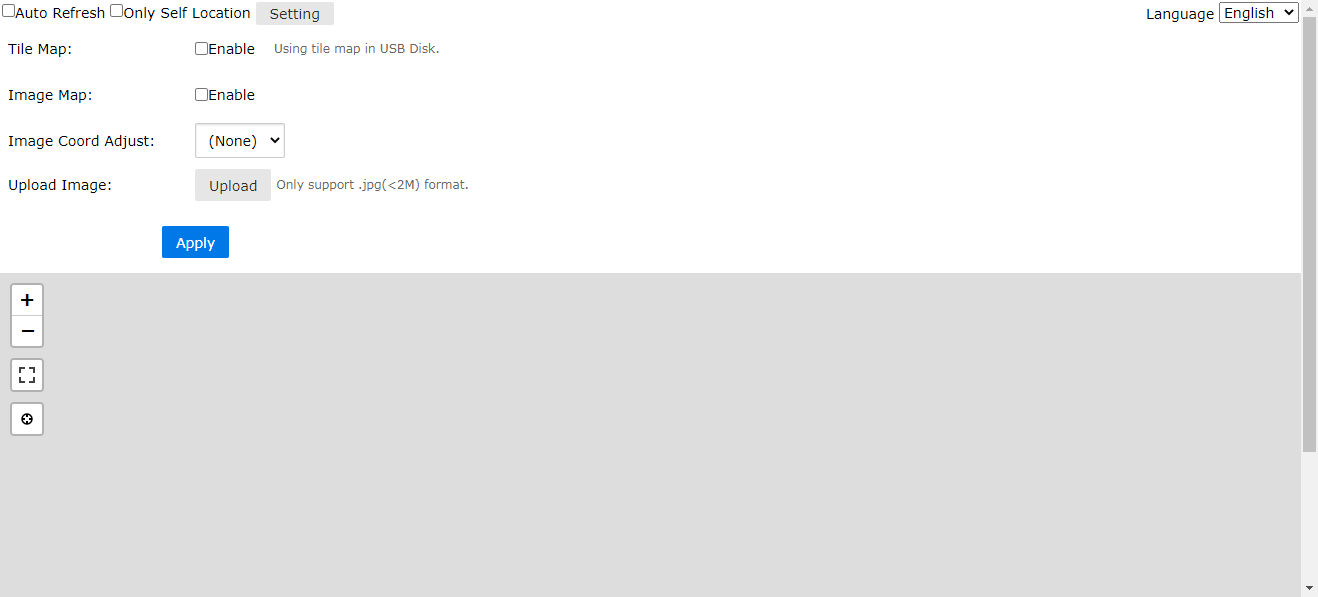
Map: (當然, to know the location information of each terminal, GNSS modules such as GPS or Beidou need to be installed)
Support tile maps, image maps, network maps, 等等.
Configuration section
模式: 1. MESH node or bridge configuration
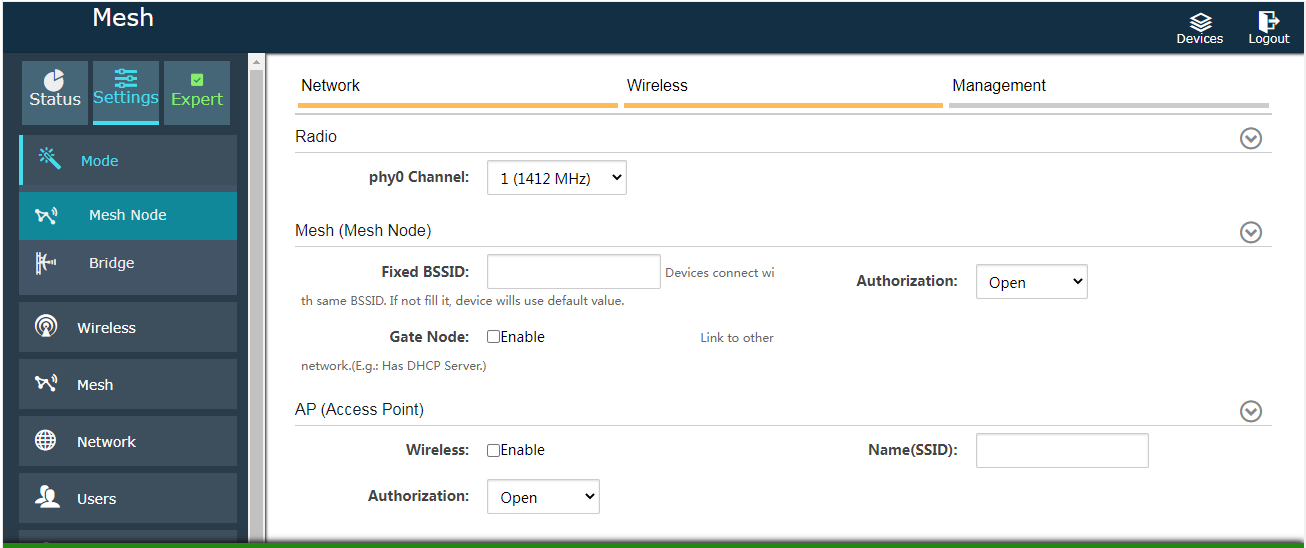
2. Wireless configuration:
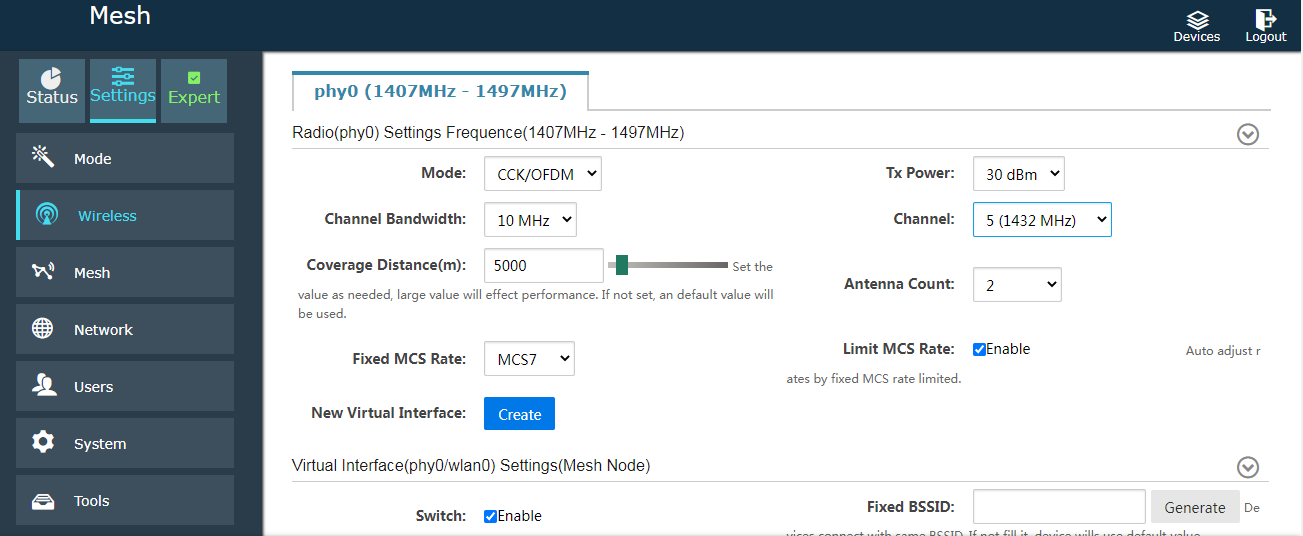
2.1 Transmission power configuration, the power of different products purchased is different.
Channel bandwidth: 5M 10M 20M 40M
頻道: Different channels are used to purchase different products
The coverage distance (米) needs to be filled in according to the actual situation. If it is set to 3000 米, it is impossible to actually run to 5000 米.
Number of Antennas 2
Fixed MCS rate: Can be set to off for automatic selection. If you want stable transmission, it is recommended to set the manual, 範圍 (MCS0 to MCS15)
帶寬, 調製, 速度
Limit MCS rate: It is recommended to enable it. After enabling it, if the fixed rate is MCS4, the software will automatically select the best modulation method from MCS0 to MCS4 during the test.
| 5中號 | 10中號 | 20中號 | 40中號 | ||
| MCS0 | BPSK 1/2 | 1.7中號 | 3.3米 | 6.5中號 | 13.5中號 |
| MCS1 | QPSK 1/2 | 3.2米 | 6.5中號 | 13米 | 27米 |
| MCS2 | QPSK 3/4 | 4.8米 | 9.8米 | 19.5中號 | 40.5中號 |
| MCS3 | 16QAM 1/2 | 6.5中號 | 13米 | 26中號 | 54中號 |
| MCS4 | 16QAM 3/4 | 9.7中號 | 19.5中號 | 39中號 | 81中號 |
| MCS5 | 64QAM 2/3 | 13米 | 26中號 | 52米 | 108中號 |
| MCS6 | 64QAM 3/4 | 14.5中號 | 29中號 | 58.5中號 | 121中號 |
| MCS7 | 64QAM 5/6 | 16中號 | 32.5中號 | 65米 | 135中號 |
| MCS8 | BPSK 1/2 | 3.2米 | 6.5中號 | 13米 | 27米 |
| MCS9 | QPSK 1/2 | 6.5中號 | 13米 | 26中號 | 54中號 |
| MCS10 | QPSK 3/4 | 9.7中號 | 19.5中號 | 39中號 | 81中號 |
| MCS11 | 16QAM 1/2 | 13米 | 26中號 | 52米 | 108中號 |
| MCS12 | 16QAM 3/4 | 19.5中號 | 39中號 | 78中號 | 162中號 |
| MCS13 | 64QAM 2/3 | 26中號 | 52米 | 104中號 | 216中號 |
| MCS14 | 64QAM 3/4 | 29中號 | 58.5中號 | 117中號 | 243中號 |
| MCS15 | 64QAM 5/6 | 32.5中號 | 65米 | 130中號 | 270中號 |
From MCS0 to MCS7, two wireless ports send the same data in order to improve stability during the movement.
From MCS8 to MCS15, the two wireless ports send different data, which can make the rate X2
If it is in a mobile state, it is recommended to use BPSK or QPSK to transmit data. 16QAM and 64QAM are suitable for use with fixed transmission.
If MCS8 to MCS15 is used, it is recommended that the antennas of the two ports be 90 degrees from each other, 例如, one is vertical and the other is horizontal.
If drones are used, MCS0 to MCS2 is recommended.
The greater the bandwidth, the lower the sensitivity. The same goes for modulation.
above rate unit bps
3. Network:
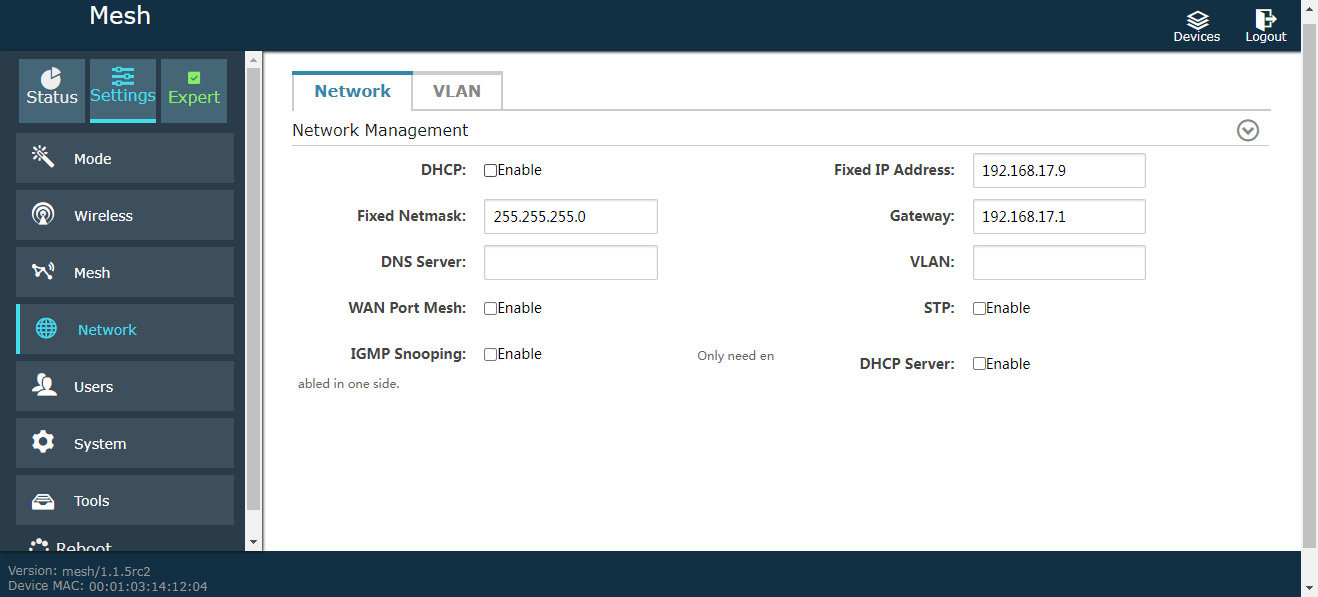
4. User management:
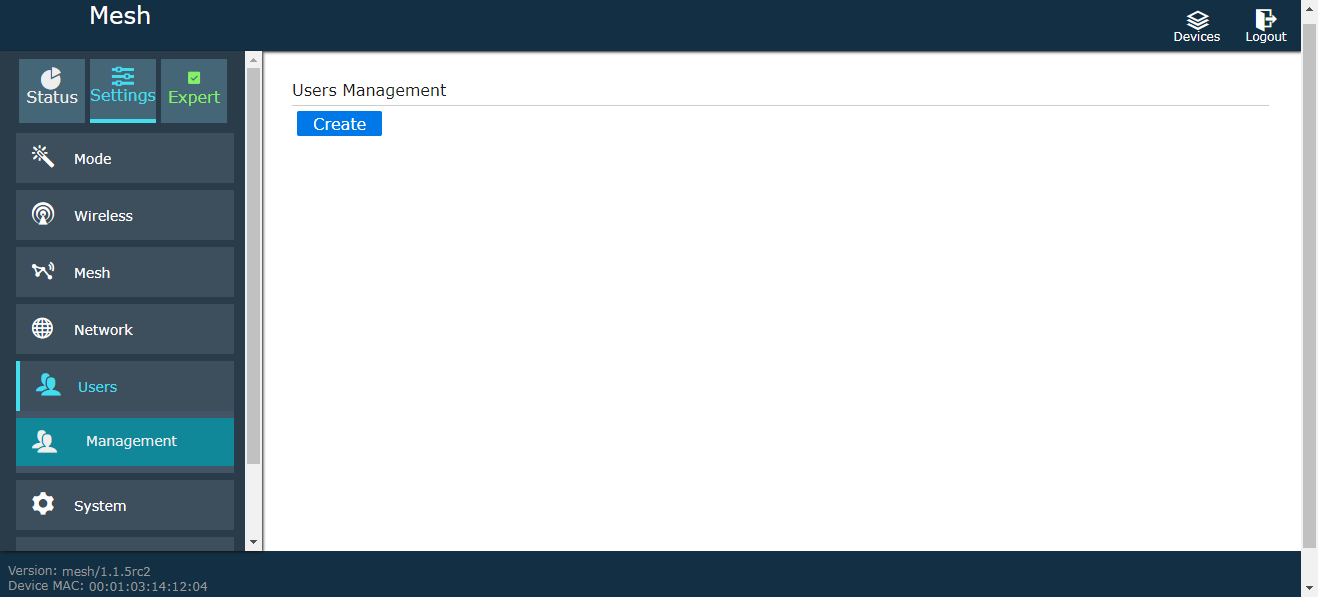
5. 系統
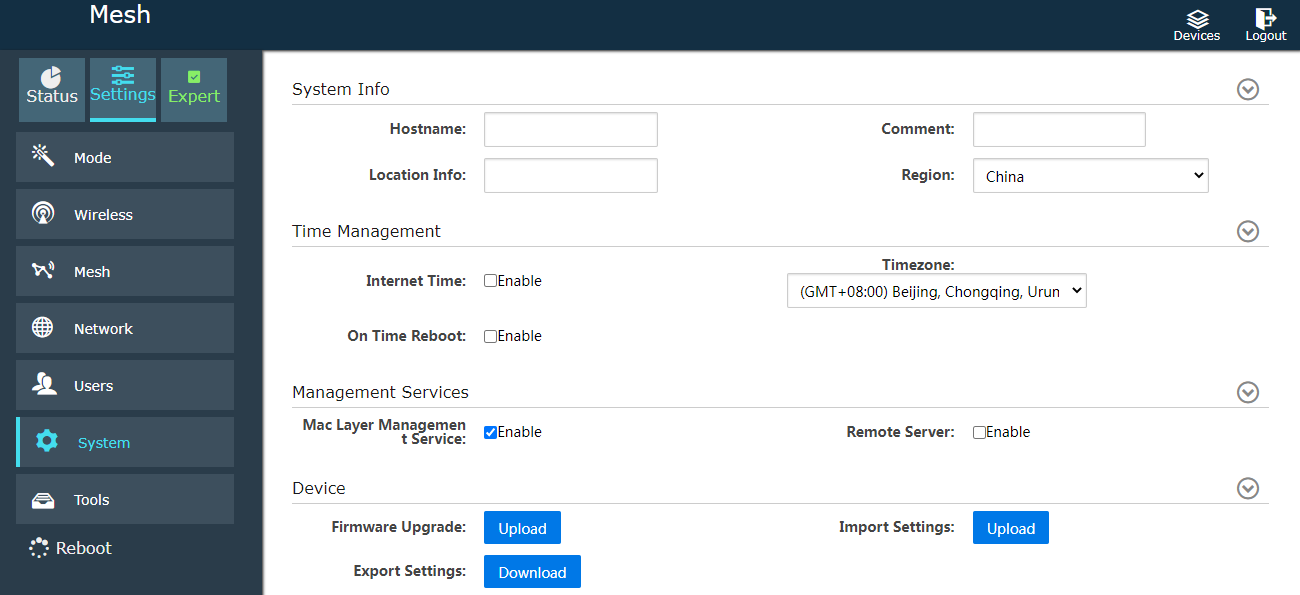
6. Tools Configure serial port, GPS/Beidou/GNSS, 4G/5G access, 及其他參數
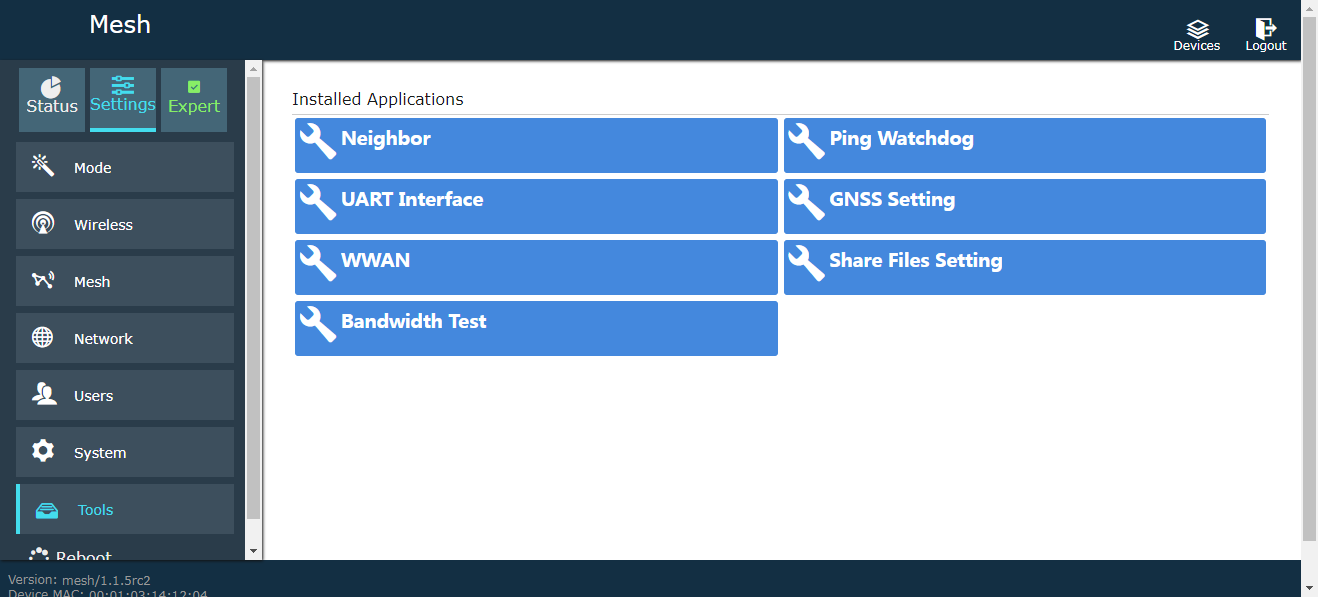
6.1 Multi-device management, in the upper right corner, you can log in and manage users remotely, and it is also a real-time dynamic interface display or map display.
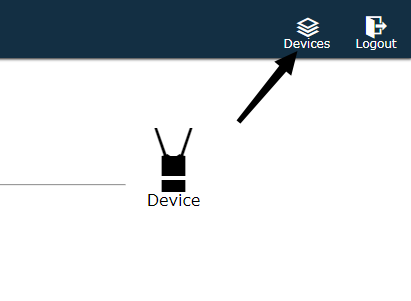
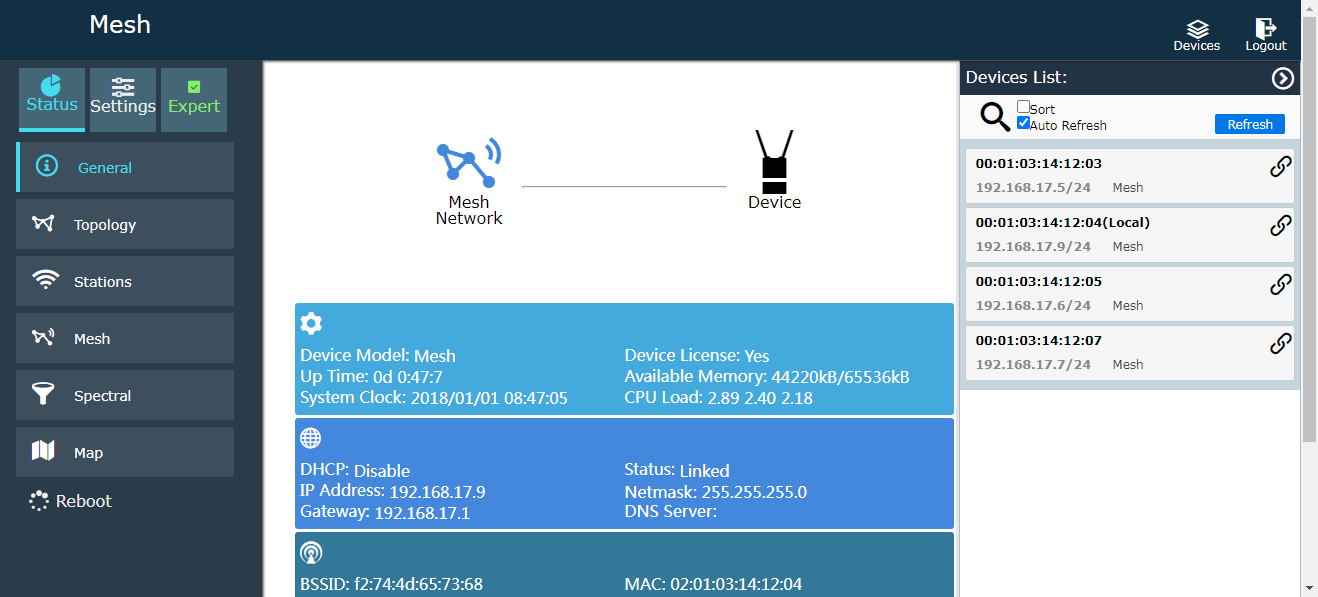
6.2 Serial port software settings:
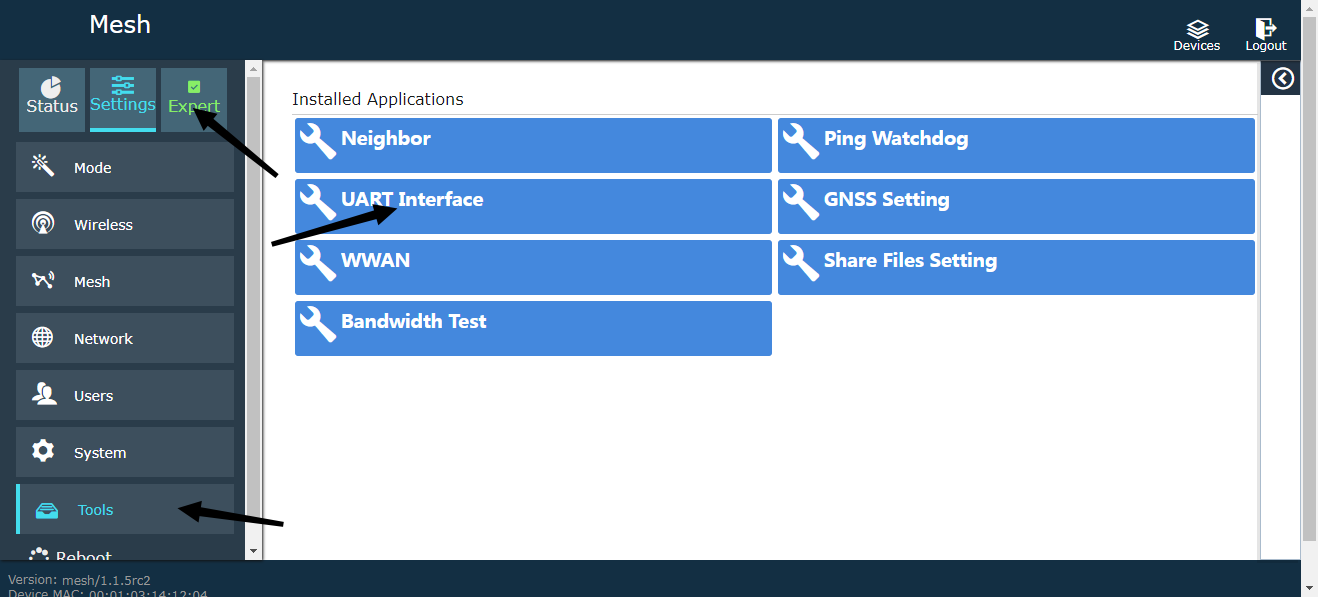
Select Expert Mode, Tools, and UART Interface.
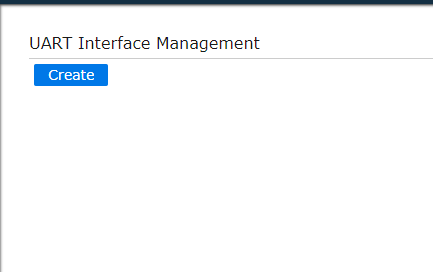
choose new
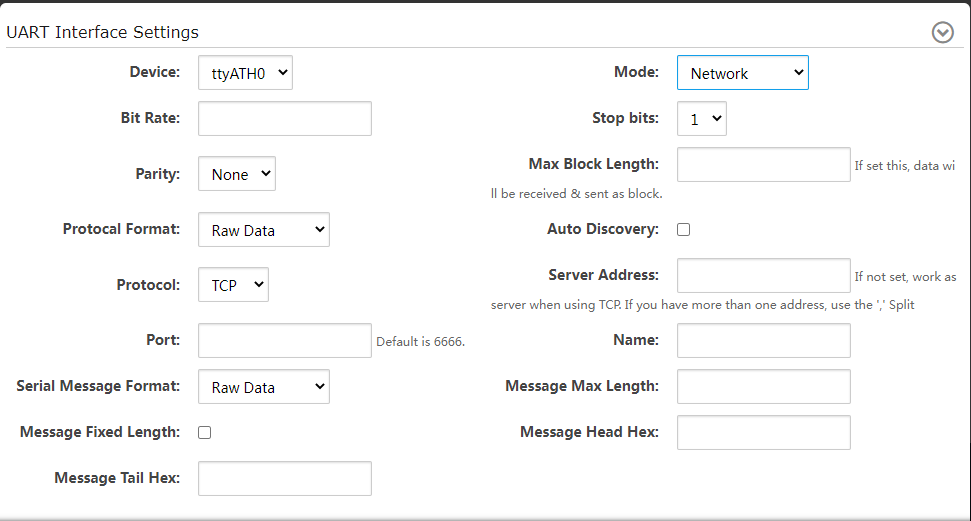
Attention, if you use the serial port to transmit serial data, you have to choose ttyS0 (COM1 of hardware) and ttyUSB0 (COM2 of hardware), ttyATH0 is invalid, 模式: 網路
波特率 115200, 停止位 1, parity none.
名稱 1, protocol UDP, IP位址, 192.168.55.100 (the IP address here is the IP address of the other device, 例如, input the IP of the computer for the computer, and input the IP of the device for the device).
港口 20005, 20003. Choose a port number
The computer’s IP is set to a fixed 192.168.17.100
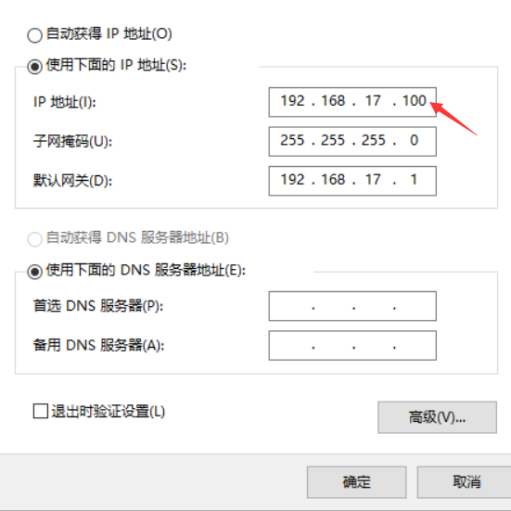
Short the TX RX pins of COM1 and COM2 of the device.
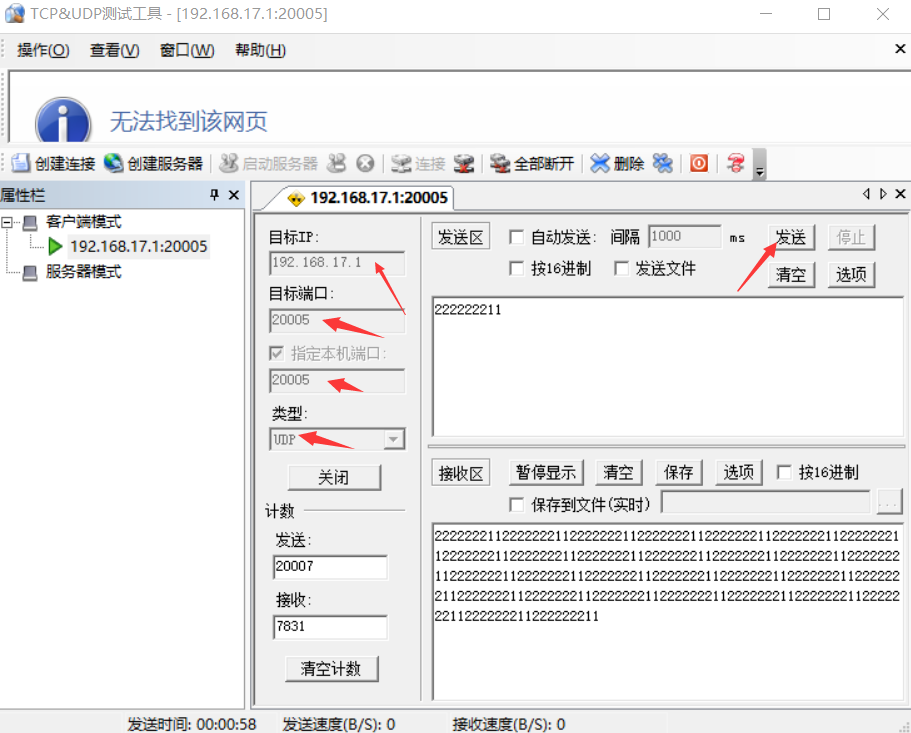
Use the TCP UDP test tool to fill in the IP and port of the device.
Send it to loop back the data.
問一個問題
感謝你的回應。 ✨