


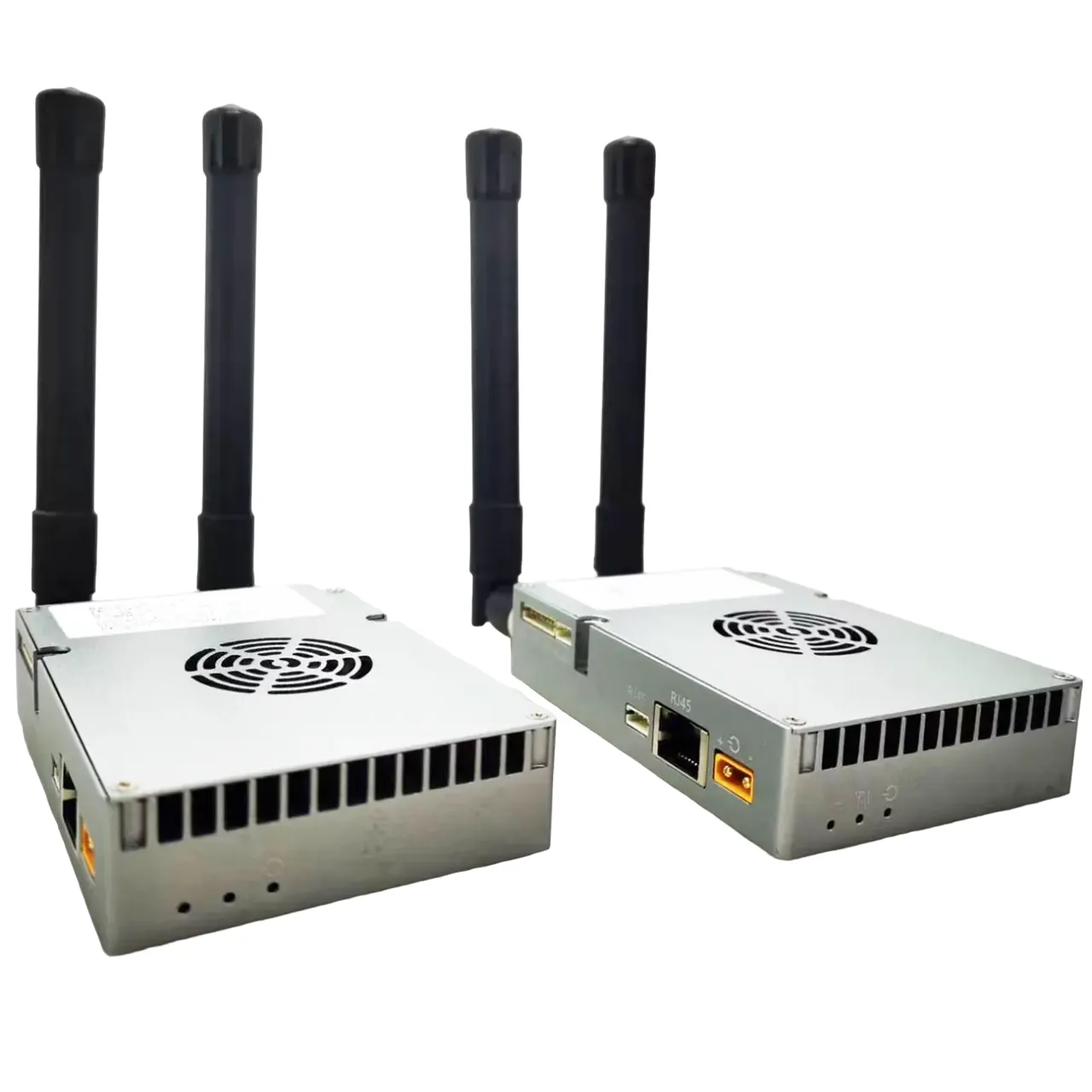
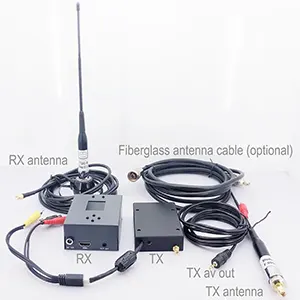


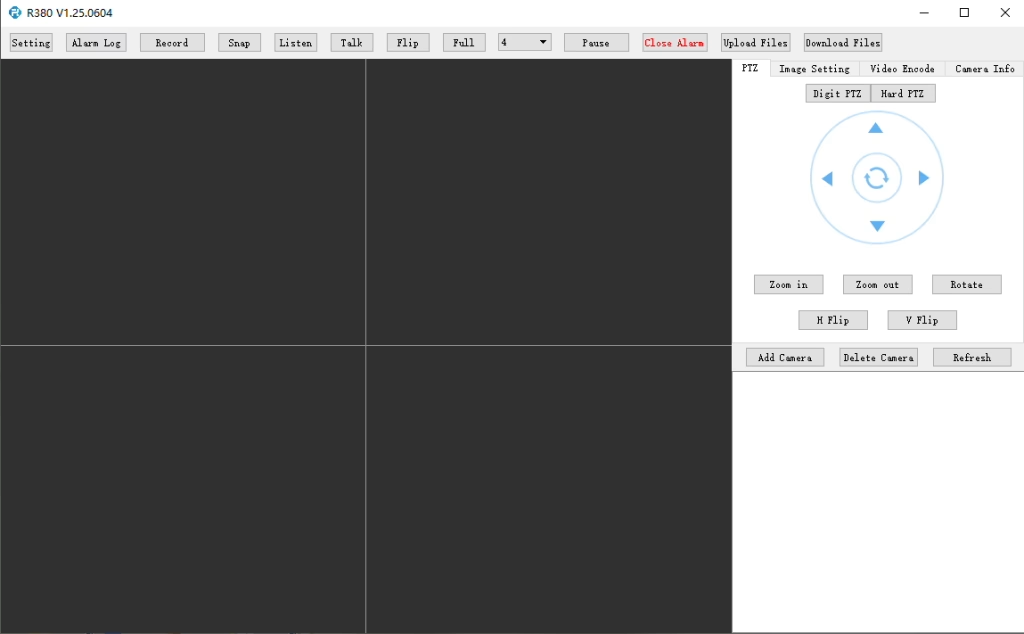
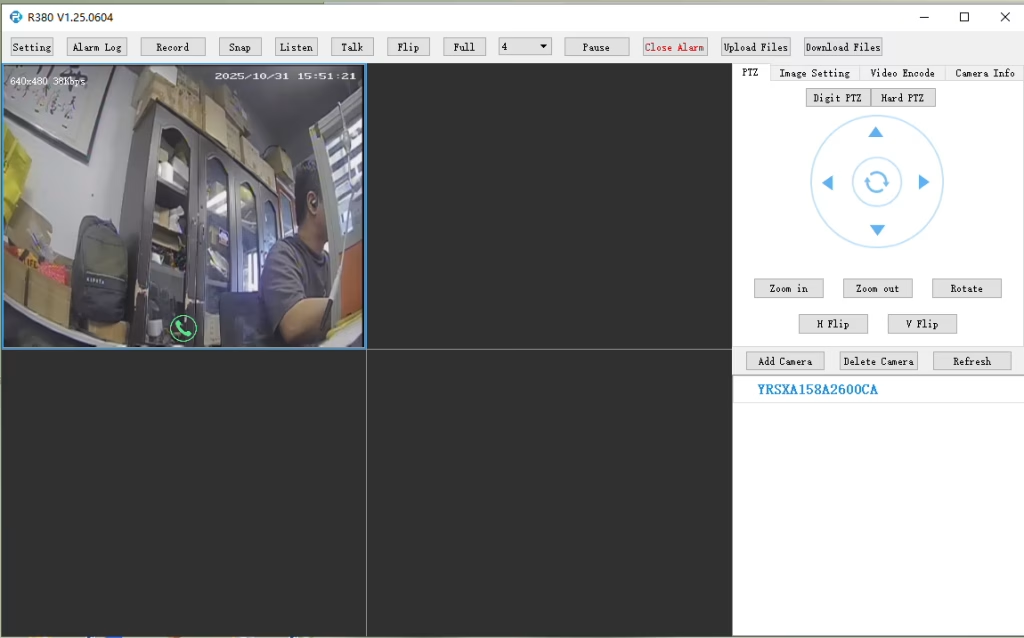
အဘို့ ကျော် IP ဗီဒီယို encoder ကျော် + 4ဆ module, ကျနော်တို့ R380 ကစားသမားကိုအသုံးပြုရန်အကြံပြုပါသည်.
မာတိကာ
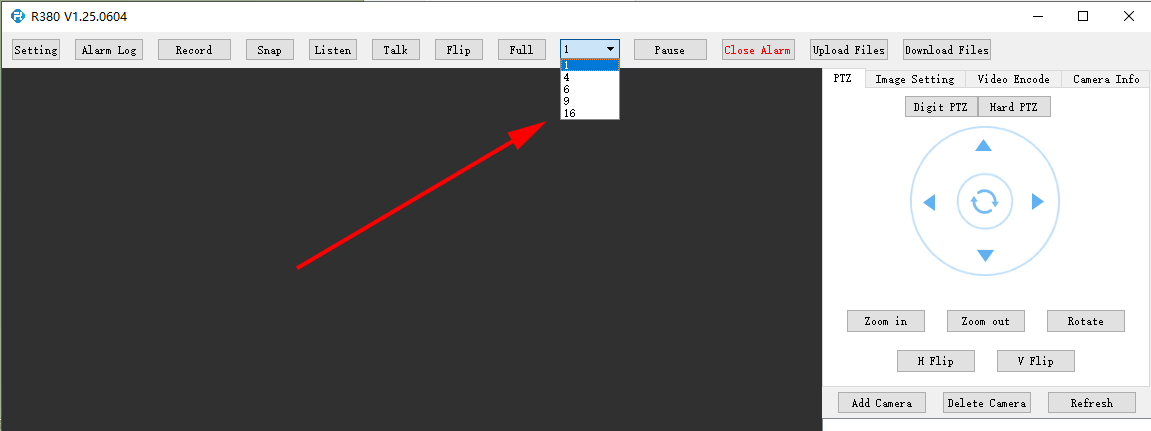
R380 ကစားသမားသည်မျက်နှာပြင်ပေါင်းစုံမျက်နှာပြင်သို့မဟုတ်တစ်ပြိုင်နက်တည်းဗီဒီယိုပြန်ဖွင့်ခြင်းများကိုထောက်ပံ့ပါသလား?
R380 ကစားသမားမှာ, ဒီမှာထားနိုင်ပါတယ်.
မေး: လိုအပ်သော APN ကို စနစ်ထည့်သွင်းရန် LTE ဝဘ် UI ကို ချိတ်ဆက်ရန် လိုအပ်ပါသည်။. ကျွန်ုပ်၏ SIM သည် သီးသန့် APN ကို အသုံးပြုပြီး အများသူငှာ အင်တာနက် အသုံးပြုခွင့်ကို မပေးပါ။, ဒါပေမယ့် ဒေသခံ IP လိပ်စာကို သတ်မှတ်ပေးတယ်။. ကျွန်ုပ်သည် ကျွန်ုပ်၏ရုံးခန်းမှ RTSP ထုတ်လွှင့်မှုကို 4G LTE ချိတ်ဆက်မှုမှတစ်ဆင့် အဝေးထိန်းကုဒ်ဒါတစ်ခုသို့ တည်ထောင်ရန် ဤဒေသခံ IP ကို ဝင်ရောက်အသုံးပြုလိုပါသည်. ဒါကို ထောက်ခံပါသလား။?
အခုအချိန်မှာ, ဤအသုံးပြုမှုကိစ္စအား လက်ရှိ Firmware တွင် အပြည့်အဝ မပံ့ပိုးပါ။.
APN ဖွဲ့စည်းမှုကန့်သတ်ချက်
လက်ရှိ firmware သည် LTE ဝဘ် UI သို့မဟုတ် 4G မော်ဂျူး အင်တာဖေ့စ်မှတဆင့် APN ၏ တိုက်ရိုက်အသုံးပြုသူဖွဲ့စည်းပုံကို မပံ့ပိုးပါ။.
လက်ရှိစနစ် အပြုအမူ
ရှိပြီးသားဒီဇိုင်းထဲမှာ, APN ဆက်တင်များကို ပင်မ SoC မှ စီမံခန့်ခွဲပါသည်။, dial-up လုပ်ငန်းစဉ်ကို ကိုင်တွယ်ပေးသည်။. ရလဒ်အနေနှင့်, APN ဖွဲ့စည်းမှုပုံစံကို LTE မော်ဂျူးကိုယ်တိုင်က တိုက်ရိုက်မဟုတ်ဘဲ ကျွန်ုပ်တို့၏ကုဒ်ဒါ module မှတဆင့် လုပ်ဆောင်ရပါမည်။.
ကွန်ရက်ချိတ်ဆက်မှု ထည့်သွင်းစဉ်းစားခြင်း။
မင်းရဲ့ဇာတ်လမ်းထဲမှာ, SIM သည် အင်တာနက်အသုံးပြုခွင့်မရှိဘဲ သီးသန့် APN ကိုအသုံးပြုပြီး ဒေသတွင်း IP ကိုသာ ထောက်ပံ့ပေးသောကြောင့်ဖြစ်သည်။, device ကိုဝင်ရောက်ကြည့်ရှုခြင်း။ (e.g., RTSP ထုတ်လွှင့်မှုအတွက်) အော်ပရေတာ၏သီးသန့်ကွန်ရက်လမ်းကြောင်းပေါ် မူတည်. ၎င်းသည် အဆုံးမှ အဆုံး ချိတ်ဆက်မှုကို ဖွင့်ရန် သင့်လျော်သော APN ဖွဲ့စည်းမှုစနစ်နှင့် ကွန်ရက်ဘက်ခြမ်း ပံ့ပိုးမှု လိုအပ်သည်။.
Planned Improvement
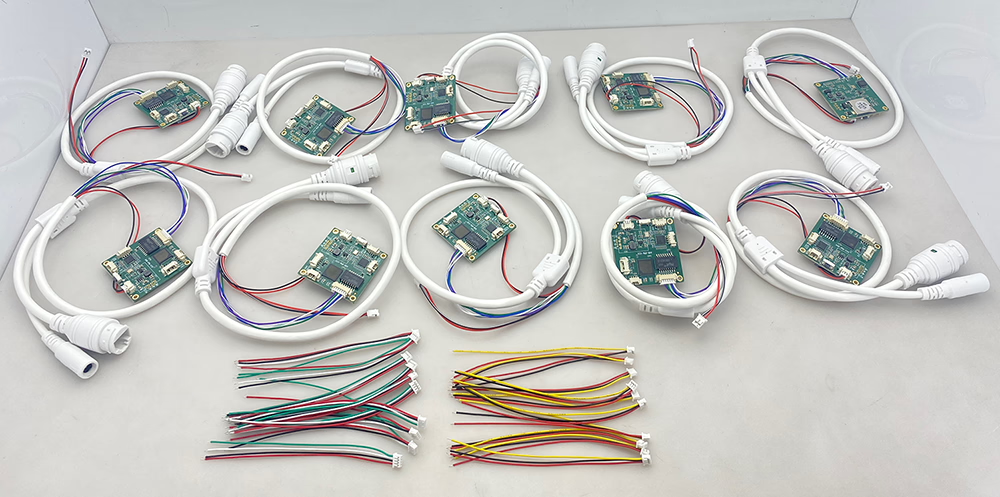
ကျွန်ုပ်တို့၏အင်ဂျင်နီယာအဖွဲ့သည် အသုံးပြုသူ-ပြင်ဆင်သတ်မှတ်နိုင်သော APN ပံ့ပိုးမှုပေါင်းထည့်ရန် ဖာမ်းဝဲလ်အပ်ဒိတ်ကို အကဲဖြတ်နေသည်။. ဤအဆင့်မြှင့်တင်မှုသည် သင့်ကဲ့သို့သော သီးသန့်ကွန်ရက်ဖြန့်ကျက်မှုအတွက် လိုက်လျောညီထွေရှိစေမည်ဖြစ်သည်။. ခန့်မှန်းခြေ ဖွံ့ဖြိုးတိုးတက်မှု အချိန်ဇယားသည် ခန့်မှန်းခြေ ဖြစ်သည်။ 7-၁၀ ရက်.10 pcs ကုဒ်ပြောင်းကိရိယာ analog သို့ ဒစ်ဂျစ်တယ်ပြောင်းသည့်ကိရိယာ မေး: TF ကတ် အလိုအလျောက် အသံဖမ်းခြင်း လုပ်ဆောင်ချက်ကို ဘယ်လိုဖွင့်ရမလဲ?
တစ်ဦးက: TF ကတ် အလိုအလျောက် အသံဖမ်းခြင်းကို ဖွင့်ရန်, ကျေးဇူးပြု၍ စက်ပစ္စည်းသို့ ဝင်ရောက်ပါ။ Web Configuration Interface မှတ်တမ်းတင်ခြင်း ဆက်တင်များကို ကိုယ်တိုင် စီစဉ်သတ်မှတ်ပါ။.
ဤအဆင့်များကို သင်လိုက်နာနိုင်ပါသည်။:
- သင့်ဘရောက်ဆာတွင် စက်ဝဘ် UI ကိုဖွင့်ပါ။.
- ကိုသွားပါ ချိန်ညှိချက်များ သို့မဟုတ် Storage Configuration.
- ကိုရှာပါ။ TF ကဒ်မှတ်တမ်းတင်ခြင်း option ကို.
- လိုအပ်သလို TF ကတ် ရိုက်ကူးခြင်းကို ဖွင့်ပါ သို့မဟုတ် ပိတ်ပါ။.
- TF ကတ်အခြေအနေနှင့် စွမ်းရည်အချက်အလက်ကို စစ်ဆေးပါ။:
- TF ကတ်ကို မှန်ကန်စွာ တွေ့ရှိခြင်း ရှိမရှိ အတည်ပြုပါ။.
- ရရှိနိုင်သော သိုလှောင်မှုပမာဏကို စစ်ဆေးပါ။.
- TF ကတ် အခြေအနေကို ပြသခြင်း ရှိမရှိ စစ်ဆေးပါ။ ဖတ်နိုင်သော သို့မဟုတ် ပုံမဖော်ဘဲ.
TF card မှာဆိုရင်တော့ ပုံအတိုင်းပါပဲ။ ပုံမဖော်ဘဲ, အသံသွင်းခြင်းကို မဖွင့်မီ ကတ်ကို ပုံစံချပါ။.
မှတ်စု: တွဲဖက်အသုံးပြုရန် အကြံပြုထားသည်။, တည်ငြိမ်သောအသံသွင်းခြင်းစွမ်းဆောင်ရည်အတွက် မြန်နှုန်းမြင့် TF ကတ်.
cvbs ၏ tf ကတ်တွင် ip encoder board သို့ အသံသွင်းခြင်းကို ဖွင့်ပါ။ အသံသွင်းခြင်းဆက်တင်ကို ဖွင့်ထားခြင်း ဟုတ်မဟုတ် စစ်ဆေးရန် TF ကတ်အရွယ်အစားကို စစ်ဆေးပါ။


မေးခွန်း: CVBS သည် အားနည်းသောအချက်ပြပြီးနောက် IP Encoder သို့ အဖြူအမည်းသို့ ပြောင်းသည်။
TO IP ကုဒ်နံပါတ်ဖြင့် ပြဿနာအချို့ကို ကြုံတွေ့နေရသည်။. analog video receiver မှ signal ကိုပြောင်းရန် ၎င်းကိုအသုံးပြုနေပါသည်။ (VRX). အချက်ပြအရည်အသွေးကောင်းသောအခါ, ရုပ်ပုံသည် အရောင်အသွေးကောင်းမွန်သည်။. သို့သျောလညျး, လက်ခံသူထံမှ signal ကိုအချိန်တိုတိုအတွင်းအားနည်းသွားသည်နှင့်တပြိုင်နက်, converter board သည် အဖြူအမည်းမုဒ်သို့ ပြောင်းသည်။, ထို့နောက် ၎င်းသည် အရောင်ပုံရိပ်ကို အလိုအလျောက် ပြန်လည်ရယူရန် မဖြစ်နိုင်တော့ပါ။. ဤပြဿနာကို မည်သို့ဖြေရှင်းနိုင်မည်နည်း။?
အဖွေ
သင့်အကြံပြုချက်အတွက် ကျေးဇူးတင်ပါသည်။. ဤပြဿနာသည် အများအားဖြင့် analog receiver မှ မတည်ငြိမ်သော သို့မဟုတ် အားနည်းသော CVBS ဗီဒီယိုအချက်ပြမှုများကြောင့်ဖြစ်သည်။. အချက်ပြမှုသည် ဒီကုဒ်ဒါအဆင့်အောက်သို့ ခေတ္တကျဆင်းသွားသည့်အခါ, ပုံမှန် CVBS-to-IP ကုဒ်ဒါဘုတ်များသည် အရောင်ထပ်တူပြုခြင်းကို ဆုံးရှုံးနိုင်သည်။ (PAL/NTSC ခရိုမာလော့ခ်) နှင့် အချက်ပြမှု ပြန်ကောင်းလာပြီးနောက် အဖြူအမည်းမုဒ်တွင် ရှိနေသည်။.
အကြောင်းရင်းအတိအကျကို အတည်ပြုရန် ကျွန်ုပ်တို့ကို ကူညီရန်, ကျေးဇူးပြု၍ သင်လက်ရှိအသုံးပြုနေသော ကုဒ်ဒါဘုတ်ဘုတ်၏ ဓာတ်ပုံကို ကျွန်ုပ်တို့ထံ ပေးပို့နိုင်ပါသလား။?
ကျွန်ုပ်တို့၏ အသစ်သော အဆင့်မြှင့်ထားသော မော်ဒယ်ကိုလည်း အသုံးပြုရန် အကြံပြုပါသည်။, အားနည်းပြီး မတည်ငြိမ်သော analog ဗီဒီယိုအချက်ပြမှုများအတွက် အထူးဒီဇိုင်းပြုလုပ်ထားသည်။. ၎င်းတွင် ပိုမိုကောင်းမွန်သော အချက်ပြလော့ခ်ချခြင်းနှင့် ပိုမိုတည်ငြိမ်သော အရောင်ပြန်လည်ရယူခြင်း စွမ်းဆောင်ရည်တို့ ပါရှိသည်။.
ထုတ်ကုန်လင့်ခ်:
CVBS မှ Ethernet IP Encoder - အားနည်းသောအချက်ပြမှုတွင် တည်ငြိမ်သည်။ / Low Signal Lock ဗားရှင်း
ဗားရှင်းအသစ်၏ အားသာချက်များ
- အားနည်းသော analog ဗီဒီယိုအချက်ပြမှုများကို သည်းခံနိုင်မှု ပိုကောင်းသည်။
- PAL/NTSC အလိုအလျောက် ထောက်လှမ်းမှုကို မြှင့်တင်ထားသည်။
- အချက်ပြပြတ်တောက်ပြီးနောက် ပြန်လည်ရယူမှု ပိုမိုမြန်ဆန်သည်။
- ယာယီအချက်ပြမှုပျောက်ဆုံးပြီးနောက် အမြဲတမ်းအဖြူအမည်းမုဒ်ကို တားဆီးပေးသည်။
- ကြိုးမဲ့ VRX အပလီကေးရှင်းများအတွက် ပိုမိုတည်ငြိမ်သောလုပ်ဆောင်ချက်
ထပ်လောင်းအကြံပြုချက်များ
- VRX အထွက်အချက်ပြအဆင့်သည် တည်ငြိမ်ကြောင်း သေချာပါစေ။
- အရည်အသွေးမြင့် CVBS ကြိုးများကို အသုံးပြုပါ။
- ကြိုးအရှည်လွန်ကဲခြင်း သို့မဟုတ် ပါဝါဝင်ရောက်စွက်ဖက်ခြင်းကို ရှောင်ကြဉ်ပါ။
- ဗီဒီယိုဖော်မတ်ကို အတည်ပြုပါ။ (Pal သို့မဟုတ် NTSC) ကုဒ်ပြောင်းကိရိယာ ဆက်တင်များနှင့် ကိုက်ညီသည်။
ကုဒ်နံပါတ် မော်ဂျူးဘုတ်များ
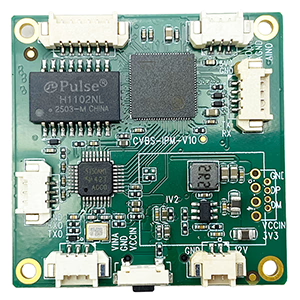
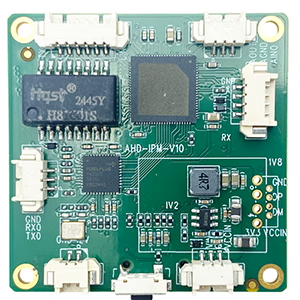
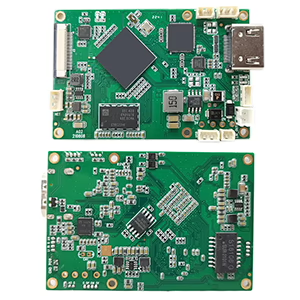
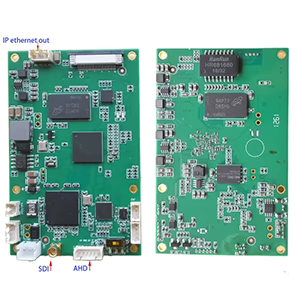
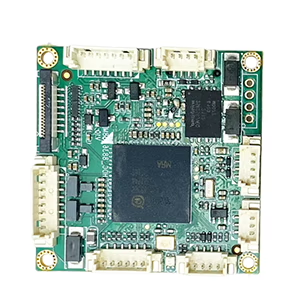
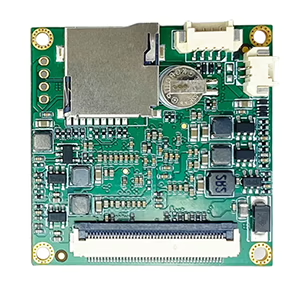
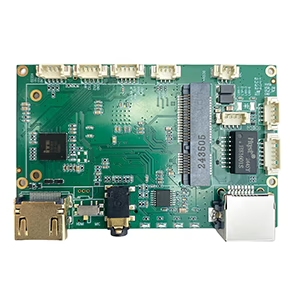
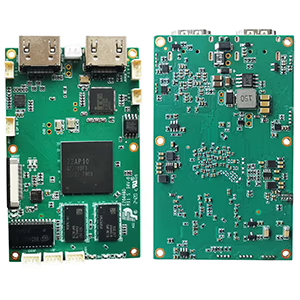
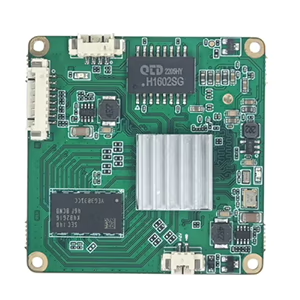
Decoder Modules ဘုတ်များ
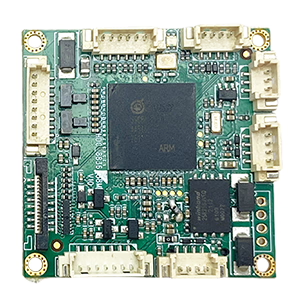
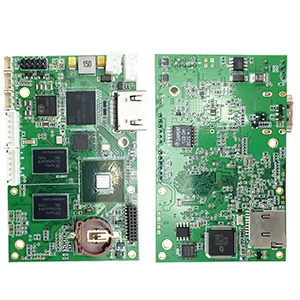
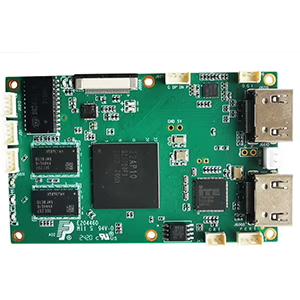
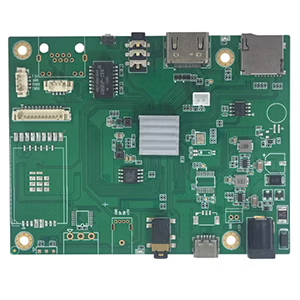
Customization အတွက် ရနိုင်ပါသည်။
ကုဒ်နံပါတ် ထုတ်ကုန်အသစ်များ
| အဘယ်သူမျှမ. | ထုတ်ကုန်အမည် | configuration | အဓိကအင်္ဂါရပ်များ | အဆင့်အတန်း |
|---|---|---|---|---|
| 1 | Dual-Channel USB UVC Visible Light Video Encoder | 2× USB ထည့်သွင်းမှု | dual USB ကင်မရာ ဗီဒီယိုကုဒ်ကို ပံ့ပိုးပေးသည်။, နှင့် RTSP ထုတ်လွှင့်ခြင်း။; ပြည်တွင်း CVBS/HDMI အထွက်; ပြောင်းနိုင်သော display မုဒ်များ | အစုလိုက်အပြုံလိုက်ထုတ်လုပ်မှု |
| 2 | Dual-Channel Encoder (1× USB မြင်နိုင်သောအလင်းရောင် + 1× USB အပူပုံရိပ်ဖမ်းကင်မရာ) | 2× USB ထည့်သွင်းမှု | Dual USB ကင်မရာကို ထောက်ပံ့ပေးသည်။ (မြင်နိုင်သည်။ + အပူ) ဖမ်းဆီး, ကုဒ်, နှင့် RTSP ထုတ်လွှင့်ခြင်း။; ပြည်တွင်း CVBS/HDMI အထွက်; ပြောင်းနိုင်သော display မုဒ်များ | အစုလိုက်အပြုံလိုက်ထုတ်လုပ်မှု |
| 3 | RTSP အသံချဲ့စက် HDMI/CVBS ပြသမှု မော်ဂျူး | HDMI + CVBS အထွက် | 4×1080P@30fps RTSP stream decoding အထိ ပံ့ပိုးပေးသည်။; ဗီဒီယို streaming ပရိုတိုကော ထပ်ဆင့်ပို့ခြင်းကို ပံ့ပိုးပါ။; HDMI/CVBS အထွက် မျက်နှာပြင် | နမူနာရနိုင်သည်။ |
| 4 | RTSP ကုဒ်ဒါဖြင့် HDMI/CVBS Display Module 4.3"/5" LCD ကို | HDMI output + LCD မျက်နှာပြင် | 4×1080P@30fps RTSP stream decoding အထိ ပံ့ပိုးပေးသည်။; ပရိုတိုကော ထပ်ဆင့်ပို့ခြင်း။; HDMI/CVBS အထွက် မျက်နှာပြင် | အမှားရှာပြင်ခြင်း။ |
| 5 | Dual-Channel Encoder (1× USB မြင်နိုင်သောအလင်းရောင် + 1× CVBS အင်နာလော့) | 1× CVBS + 1× USB UVC ထည့်သွင်းခြင်း။ | ဗီဒီယိုနှစ်ခု (ယူအက်စ်ဘီ + CVBS), encoding နှင့် RTSP streaming; ပြည်တွင်း CVBS/HDMI အထွက်; ပြောင်းနိုင်သော display မုဒ်များ | အမှားရှာပြင်ခြင်း။ |
| 6 | Dual-Channel Encoder (1× USB UVC + 1× AHD အင်နာလော့) | 1× AHD + 1× USB UVC ထည့်သွင်းခြင်း။ | Dual ဗီဒီယိုရိုက်ခြင်း။ (ယူအက်စ်ဘီ + AHD), encoding နှင့် RTSP streaming; ပြည်တွင်း CVBS/HDMI အထွက်; ပြောင်းနိုင်သော display မုဒ်များ | အမှားရှာပြင်ခြင်း။ |
| 7 | Dual-Channel Encoder (1× CVBS + 1× AHD အင်နာလော့ဗီဒီယို) | CVBS + AHD 2 ဗီဒီယိုထည့်သွင်းခြင်း။ | Dual analog ဗီဒီယိုရိုက်ခြင်း။, encoding နှင့် RTSP streaming; ပြည်တွင်း CVBS/HDMI အထွက်; ပြောင်းနိုင်သော display မုဒ်များ | အမှားရှာပြင်ခြင်း။ |
| 8 | Dual-Channel Encoder (1× CMOS ကင်မရာ + 1× USB အပူပုံရိပ်ဖမ်းကင်မရာ) | 1× USB မျက်နှာပြင် | CMOS ကိုထောက်ပံ့သည်။ + USB အပူကင်မရာ ဖမ်းယူမှု, encoding နှင့် RTSP streaming; ပြည်တွင်း CVBS/HDMI အထွက်; ပြောင်းနိုင်သော display မုဒ်များ | အစုလိုက်အပြုံလိုက်ထုတ်လုပ်မှု |
ကျွန်ုပ်တို့၏ထုတ်ကုန်များတွင်ဖော်ပြထားခြင်းမရှိသော စိတ်ကြိုက်ဗီဒီယိုအဝင်/အထွက်ပြောင်းလဲခြင်းဖြေရှင်းချက်များအတွက်, ကျေးဇူးပြု၍ OEM/ODM ပံ့ပိုးမှုအတွက် ကျွန်ုပ်တို့ထံ ဆက်သွယ်ပါ။. ကျွန်ုပ်တို့သည် သင့်လိုအပ်ချက်များအပေါ်အခြေခံ၍ အံဝင်ခွင်ကျ ထုတ်ကုန်များကို ဖန်တီးနိုင်ပါသည်။.
မေးခွန်းတစ်ခုမေး
သင့်စာကို ပို့ပြီးပါပြီ။