





중요 공지:
This page provides legacy ISDB-T firmware information for existing iVcan customers and users of our previous digital TV products.
Firmware files are hardware-specific. Please confirm the exact model, 칩셋, and hardware version before upgrading.
Wrong firmware may cause startup failure, remote-control problems,or loss of device functions.
2026 업데이트
우리의 현재 제품 초점은:
새로운 프로젝트의 경우, 제발 연락하다 우리 엔지니어링 팀.
목차
ISDB-T Firmware Update Information (2026)
We continue to provide ISDB-T firmware support information for our existing customers and legacy digital TV receiver products.
Please note that ISDB-T firmware is hardware-specific. The correct software depends on:
- ISDB-T chipset model
- Main processor
- Tuner module
- Remote control code
- PCB hardware version
- Country TV standard
Before downloading or upgrading firmware, please send us:
- Photo of your ISDB-T receiver
- Current firmware version
- Chipset information (가능하다면)
- Description of the problem
Our engineers will check compatibility before recommending an upgrade file.
ISDB-T firmware upgrade steps
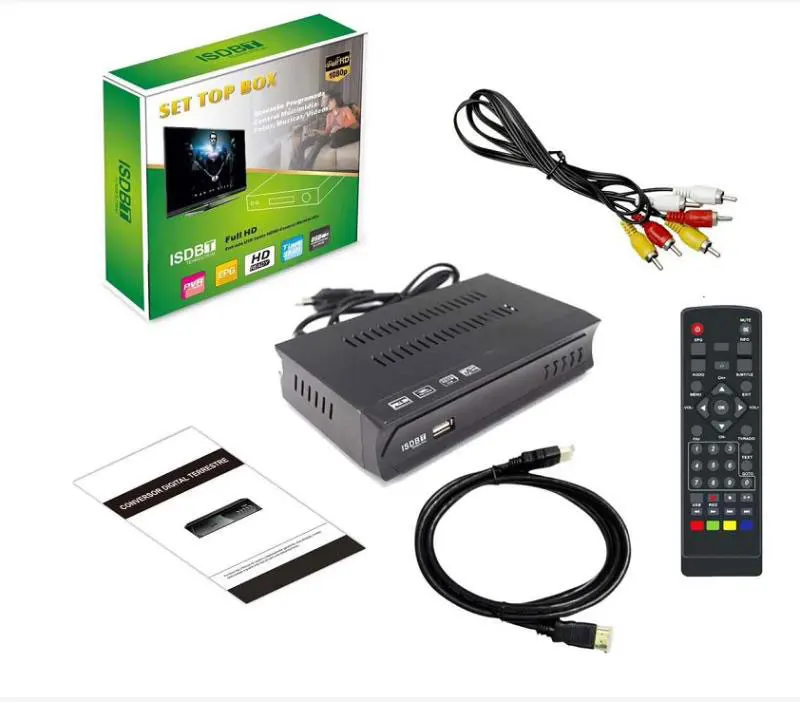
Please upgrade like the below steps. 제발 저희에게 연락주세요 for the latest ISDB-T firmware.
ISDB-T Upgrade Steps:
- Please Copy the upgrade file to USB Stick, it is better that there is no other file on the USB stick.
- Disconnect the power of the tv box
- Plug the USB Stick into the TV box USB connector
- Re-connect the power of the tv box.
- The tv box will upgrade automatically, please don’t power off during upgrading, 그렇지 않으면, the tv box will lose firmware.
- After the upgrade is ok, it will restart automatically, then you can auto-search the tv program
ISDB-T firmware upgrade has a problem, 저희에게 연락주세요.

아래 펌웨어는 기존 고객용으로 나열되어 있습니다., 기계를 업그레이드하거나 수리해야 하는 경우, 하드웨어가 당사와 동일한지 확인하거나 먼저 확인하도록 요청하십시오.. 확인하지 않은 업그레이드 작업으로 인해 하드웨어가 손상되면 리모콘 기능이 손실되거나 기기가 다시 시작되지 않을 수 있습니다. (칩셋) 다르다, 마지막 해결책은 TV 박스 생산 공장에서 올바른 펌웨어 IC를 교체하는 것입니다.. (See the video, ~에 how to upgrade the software from computer to tv boxboard)
펌웨어가 일반 PC 소프트웨어와 다르기 때문에, 소프트웨어는 대부분의 경우 하드웨어를 고려할 필요가 없습니다.. The firmware is working only on the right and on the same model as the main chipset. I/O를 제어하고 데이터를 저장합니다. 리모컨 코드 at the firmware. 서로 다른 공장이나 공급업체는 완전히 다른 펌웨어를 사용했습니다., 심지어 상자도 똑같아 보여요. 서로 다른 칩셋과 리모컨 코드를 사용할 수 있습니다..
ISDB-T software firmware download
Here are some ISDB-T software firmware upgrades for download.
| Vcan1047 | 8M ISDB-T with Bots View starting Logo for 보츠와나 Real Test Video | 다운로드 |
| Vcan1046 | 6M ISDB-T with EWBS (EWBS 비상경보방송시스템) ~을 위한 페루 필리핀 제도 | 다운로드 |
| Vcan1047 | 8M ISDB-T for the Maldives | 문의하기 |
| ISDB-T9821 | ISDB-T9821 Solve 1 channel audio video Synchronize problem for Brazil, version picture | 다운로드 |
| Vcan1779 | 8M ISDB-T upgrade firmware for Botswana Market 8M Bandwidth ISDB-T is only for Botswana and Maldives, Japan Philippines and South America ISDB-T Bandwidth is 6M, please don’t download to use this. | 다운로드 |
| Vcan1047 | 6M ISDB-T receiver for 필리핀 제도 Digital TV Receiver | 다운로드 |
| ISDB-T7800 | Four-antenna ISDB-T in-car tv box for Japan 日本のカーデジタルテレビ | 다운로드 |
USB ISDB-T PC software driver download
| Vcan1717 | Driver and software for ISDB-T USB stick of R820T2 Chipset | 다운로드 |
| Vcan1717 | Driver and software for ISDB-T USB stick of F0012 Chipset | 다운로드 |
FAQ
Q1: 내 TV 박스에 대한 범용 업그레이드 펌웨어가 있나요??
A1: 아니. 각 TV 박스 공장은 다양한 튜너와 디코더 칩셋을 사용했기 때문에, 이 칩셋에는 다른 소프트웨어 코드가 있습니다. 엔지니어들이 이 TV 박스를 디자인할 때, TV 박스 레이아웃을 제어하고 인쇄 회로 기판을 설계하기 위해 서로 다른 I/O 핀을 사용합니다.. 그래서 같은 공장이라도 다양한 모델이, 업그레이드 소프트웨어도 다릅니다. 그리고 더, some remote control like the same but the inside user code and function code is different according to the buyers’ requirement when ordering.
따라서 업그레이드 펌웨어를 얻을 수 있는 가장 좋고 올바른 솔루션은 다음과 같습니다., 공급업체나 대리점에 문의하세요..
그렇지 않으면, the wrong firmware will be dysfunctional on your tv box.
2분기: What should I do if the tv box is frozen when loaded after upgrading the wrong firmware?
A2: 죄송합니다, I don’t know your tv box hardware details, maybe the upgrade firmware is not compatible with your hardware. Please try to ask your tv box supplier (공장) to offer you the correct upgrade firmware, USB 스틱에서 어떤 펌웨어를 로드해야 하는지, and re-write the correct firmware back to your tv box.
Some tv boxes used the same appearance or the gift box, 하지만 하드웨어, 칩셋, 제어 i/o, and remote control code are different from the different produce factories. Please make sure that the upgrade firmware is suitable for your tv box or not before upgrading.
Q3: Can iVcan provide firmware for third-party ISDB-T receivers?
A3: Because ISDB-T devices use different chipsets, tuner modules,
memory sizes and remote-control codes, we cannot provide universal firmware.
Please contact your original supplier or provide detailed hardware information.
4분기: What products does iVcan provide now?
A4: iVcan mainly develops wireless video transmission products, including COFDM video links, FPV 송신기, video encoders and customized wireless communication systems.
Q5: How do I know if my ISDB-T receiver needs a firmware update?
A5: An ISDB-T receiver may need a firmware update when you experience problems such as:
Channel scanning failure
Missing TV channels
Audio and video synchronization problems
Receiver freezing
Startup logo stuck
Incorrect menu language
Remote control operation problems
하지만, firmware update is only useful when the problem is related to software. Some issues are caused by hardware limitations or incorrect signal settings.
Q6: Can I use ISDB-T firmware from another receiver model?
A6: 아니. ISDB-T firmware is usually designed for a specific hardware platform.
Different receivers may use different:
ISDB-T demodulator chipset
CPU processor
Flash memory size
Tuner module
Remote control code
PCB design
Even if two ISDB-T boxes look similar, the firmware may not be compatible.
Using the wrong firmware may cause:
No boot
No signal reception
Remote control failure
Receiver malfunction
Always confirm the exact model before upgrading.
Q7: Can firmware update change ISDB-T frequency or TV standard?
A7: Firmware can sometimes improve channel scanning compatibility, but it cannot change the hardware-supported TV standard.
예를 들어:
일본 ISDB-T
Brazil ISDB-Tb
필리핀 ISDB-T
Botswana 8MHz ISDB-T
may have different broadcast parameters.
Please confirm your country and ISDB-T standard before updating.
Q8: Can I upgrade an ISDB-T receiver to support new channels?
A8: It depends on the receiver hardware.
A firmware update may help with:
New channel scanning tables
Software bugs
Menu improvements
Stability improvements
But firmware cannot add missing hardware functions such as:
New decoder chipset
New tuner capability
Different broadcast standard support
Q9: My ISDB-T receiver stopped working after a wrong firmware update. 어떻게 해야 하나요??
A9: If the receiver cannot start after an incorrect firmware upgrade:
Do not repeatedly install different firmware files.
Check the original model number.
Find the correct firmware from the manufacturer.
필요한 경우, rewrite the firmware chip using a programmer.
Please provide:
Receiver photo
Model number
Chipset information
Previous firmware version
for troubleshooting.
Q10: Does ISDB-T firmware support Android devices or USB receivers?
A10: Some ISDB-T USB sticks and Android ISDB-T receivers require special software or drivers.
The required software depends on:
USB chipset
ISDB-T tuner chip
Operating system
Application version
Please check the receiver model before downloading drivers or firmware.
Q11: Why does my ISDB-T receiver have video but no sound?
A11: Possible reasons include:
Audio codec incompatibility
Incorrect firmware version
Broadcast audio format difference
Receiver hardware limitation
Firmware update may solve some compatibility issues, but not all audio decoder limitations can be fixed by software.
Q12: Do you provide ISDB-T firmware for all brands?
A12: 아니.
There are many ISDB-T receiver manufacturers and models.
We provide firmware information mainly for our own products and confirmed compatible devices.
Before firmware upgrade, please contact us with your device information.
잘못된 펌웨어를 업그레이드하거나 TV 박스 프로그래밍 가능 칩셋에 펌웨어가 손실된 경우, 컴퓨터에서 TV 박스에 펌웨어를 다시 작성해야 합니다. 아래 영상으로 작동 확인해주세요.
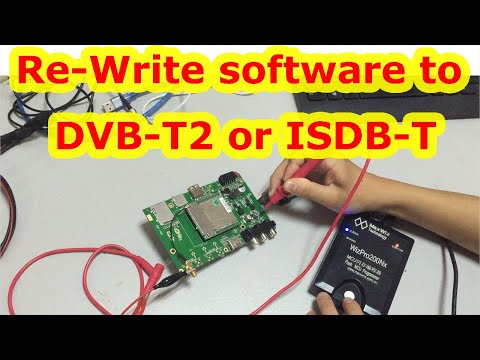
ISDB-T Upgrade from PC to TV box (프로그램, burn chipset)

ISDB-T EWBS

ISDB-T 8M Bandwidth for Maldives and Botswana

ISDB-T 6M For Philippines, Costa Rica, 남아메리카
ISDB-T 채택 국가
ISDB-T Categories
ISDB-T 대역폭
ISDB-T 세그먼트
ISDB-T 안테나 수량
ISDB-T 주파수
ISDB-T 관련
ISDB-T Chipset
ISDB-T knowledge
-
 단일 안테나 자동차 ISDB-T 디지털 TV 상자 HD fullSeg 수신기 브라질 칠레 페루에 대한 모바일 디지털 TV 수신기
 -
4×4 terrestrial digital tuner FT44F 4×4 지상 디지털 튜너
-
자동차 ISDB-T TV STB USB 전체 세그먼트 셋톱 박스 원격 제어 안테나
-
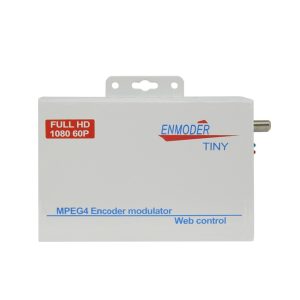
ISDB-T 변조기 인코더 DVB-T의 디지털 HDMI CVBS ISDB-T RF 출력 변환기 1 Vcan1474 경로
-
ISDB-T 디지털 TV 수신기
-
VCAN0870 ISDB-T MPEG4 디지털 TV 수신기 지상파 튜너 셋톱 박스 아날로그 변환기 안테나
-
웹 NMS 관리를 통한 MPEG4 H264 인코더 확장기의 HDMI 동축 1080P 출력을 통해 HDMI를 DVB-T 또는 ISDB-T로 변환
-
14 인치 디지털 TV DVB-T2 H.265 ISDB-T ATSC 휴대용 플레이어 Vcan1616
-
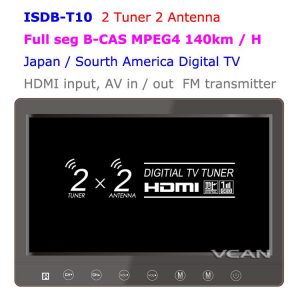
2 조율사 2 안테나 isdb-t 디지털 TV 수신기 10.1 일본 미니 b-cas 카드 리더기 고속 이동용 인치 풀 세그먼트 디지털 TV 수신기
-
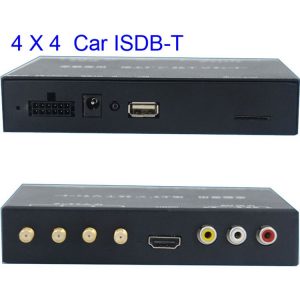
ISDB-T7800 자동차 4 튜너 ISDB-T 전체 원 세그먼트 4 안테나 미니 B-cas 카드
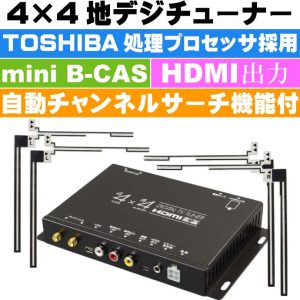
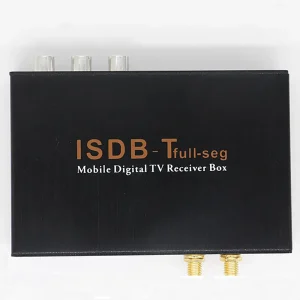
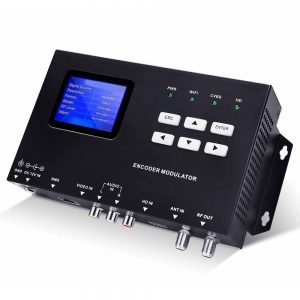
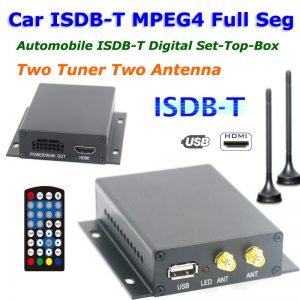
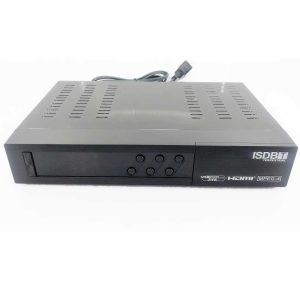
제발 저희에게 연락주세요 for the ISDB-T firmware upgrade if you have any questions.
1508_ISDBT_512M, Adv-isdbt06, AR928, Cordya TB-1, DTV-4000 Aquario, HW: 7805836650, ISDBT_R850X, ISDB-T7805, Keen, LWGBO, MCD 888, MSD7805, MSD7085-ISDBT, MT-PTV10T2, Novacom, NOVA ISDBT-T7102 DECODIFICADOR TDA, UTECH DTV-1000, Vmade,


Do you have upgrade firmware for strong decorders?
Buenas actualizador para modelo ISDBT U-006
DZ-CO3S requiere actualizar se congela iptv , YouTube para PERU
Se você atualizar o firmware errado, talvez o controle remoto esteja com defeito, talvez a caixa de TV não consiga inicializar corretamente. Agora é melhor encontrar o firmware de atualização original para atualizar novamente.
Obrigado. Não temos o novo firmware de atualização para seus dispositivos.
comprei uma multmidia aguia power, modelo ap-7006, usa o progama do isdb-t acho que estar desatualizado, pq nao abre, queria saber se tem atualização. obrigado boa noite
Atualizei com a versão errado, o que devo fazer agora?
após atualizar não pegou mais nenhum canal!