





COFDM Receiver Configuration and Streaming Protocol Guide for vcan1776-RX.

목차
나. 준비
- Download the upgrade firmware of COFDM receiver, which is support three firmware for three different streaming protocol. Download Here.
- 펌웨어 업그레이드 후, the receiver will restore factory default parameters:
- 중심 주파수: 320 메가 헤르츠
- Wireless Bandwidth: 6 메가 헤르츠
- Ethernet Port IP Address: 192.168.0.215
- Please use the LCD parameter configuration board to adjust the center frequency and bandwidth so that they match the transmitter’s saved settings.
- Customers can access the receiver’s web server interface to modify:
- The receiver’s own IP address. (로컬 IP)
- The Windows PC IP address that the receiver will connect to. (원격 IP)
 메모:
메모:
에이) 원격 IP refers to your Windows PC IP. Configure it according to your actual setup.
비) 포트 refers to the UDP streaming port, 기본 1234.
기음) After making changes, restart the receiver for the settings to take effect.
- Select the required Ethernet output protocol.
 메모:
메모: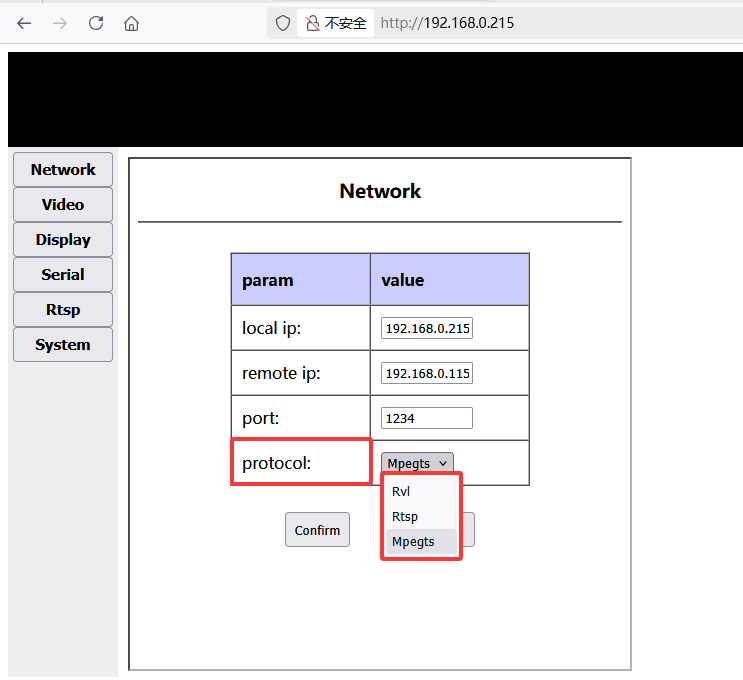
II. Protocol Overview
1. Rvl Protocol
Rvl is a custom protocol used between the COFDM transmitter and receiver. It streams video directly over UDP. The PC can only decode and play this stream using 스플레이어.
에이) Splayer Configuration
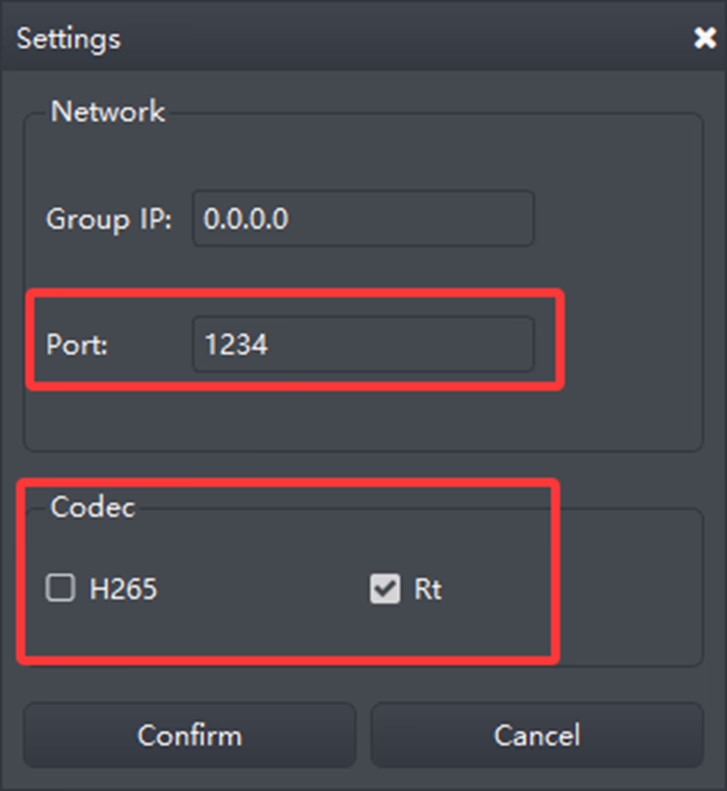
메모:
- Ensure the 포트 로 설정되어 있습니다 1234, consistent with the web server settings.
- Configure the 코덱 according to the video stream type. 예를 들어, for H.264 low-latency video, use the corresponding codec settings.
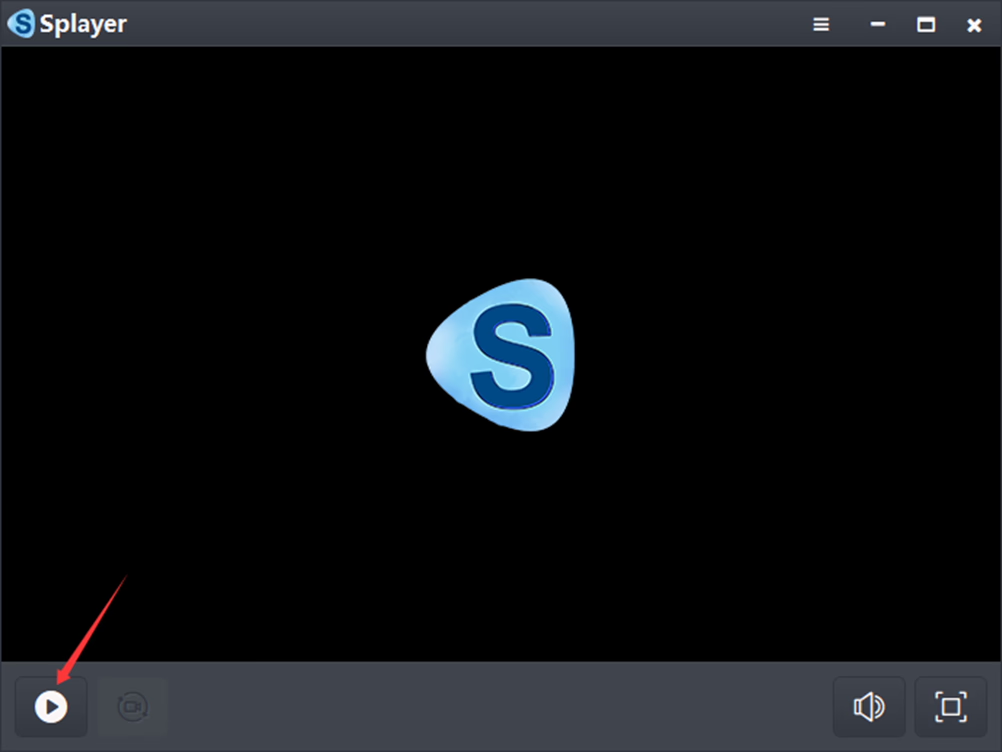
비) 구성 후, click the “Confirm” button to save the settings. Then press the play button (bottom left). The Windows PC will begin decoding and playing the UDP stream immediately upon receiving it.
2. RTSP Protocol
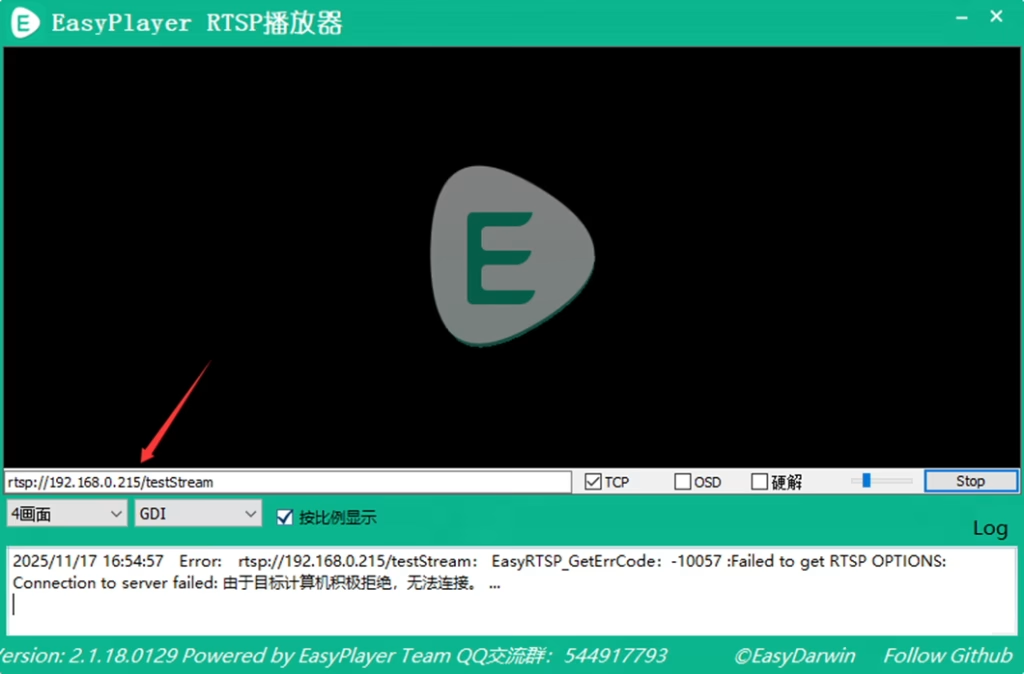
RTSP streaming is supported and can be played using VLC, 이지플레이어, and other RTSP-capable players.
에이) The RTSP streaming URL can be found on the receiver’s web server RTSP page.
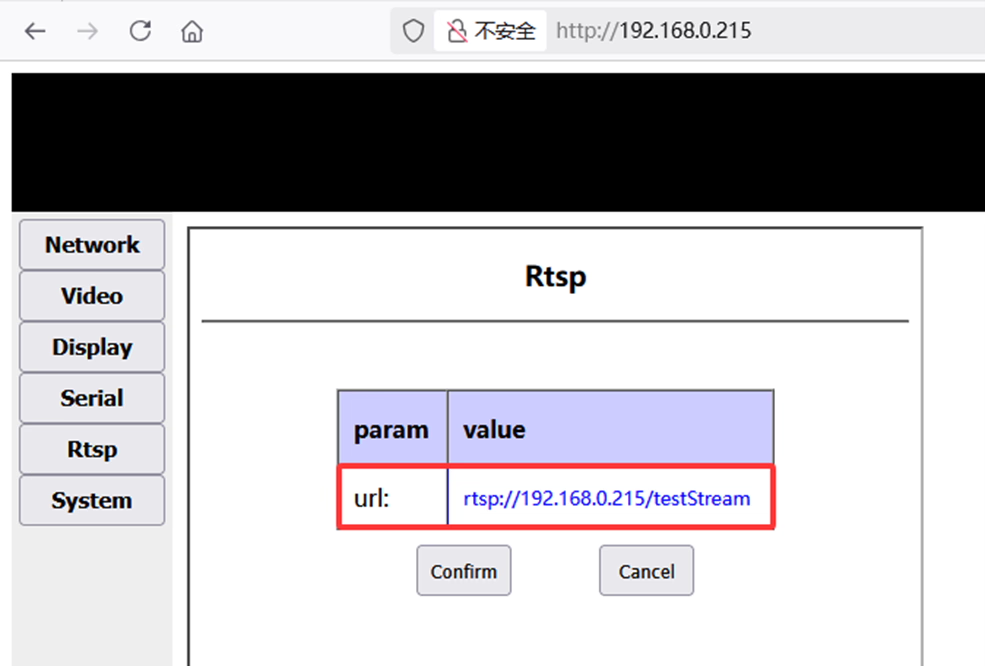
비) In EasyPlayer, simply enter the corresponding RTSP URL to start streaming.
3. MPEG-TS Protocol
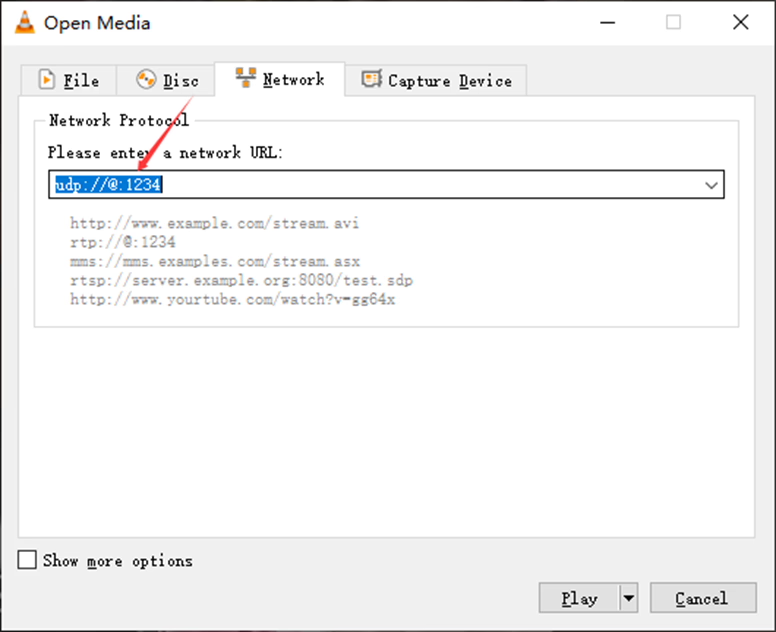
MPEG-TS is a standard TS protocol streamed over UDP. The PC can decode and play the stream using VLC or similar players.
에이) In VLC, enter the corresponding URL and click “Play”. The Windows PC will begin decoding and displaying the UDP stream immediately.

질문하기
응답해 주셔서 감사합니다. ✨