





Lettore RTSP per trasmettitore e ricevitore video wireless a bassa latenza
Sommario
1. Lettore VLC
How can I play the video on the VLC player better?
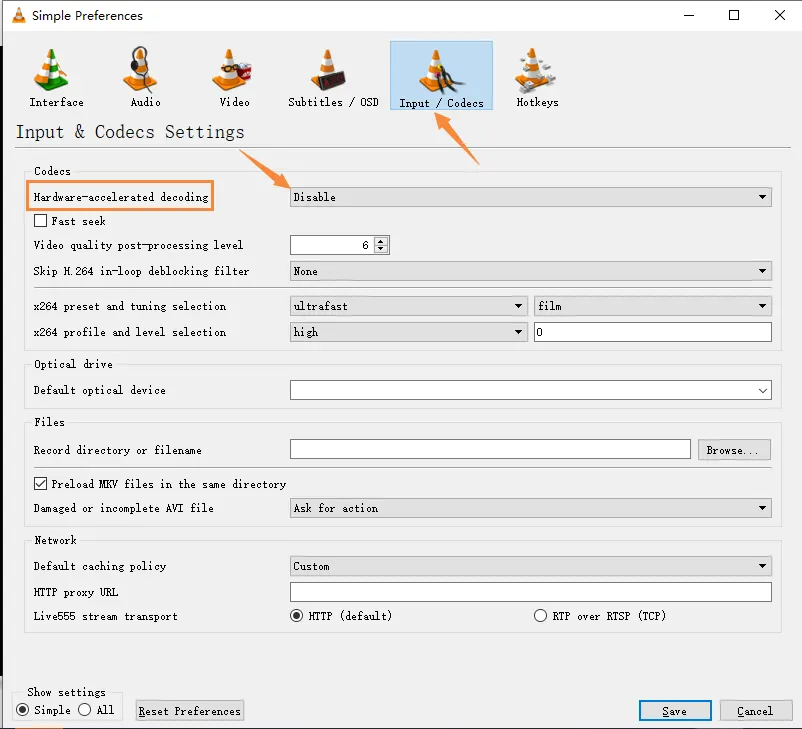
1.1 Open the VLC player and choose Tools->Preferences

1.2 Click “Input/Codecs”, choose “Disable” on “Hardware-accelerated decoding”, and save.
2. EasyPlayer RTSP
https://github.com/tsingsee/EasyPlayer-RTSP-Win/archive/refs/tags/v3.0.19.0415.zip
Our engineers and QC workmates are using this version, EasyPlayer-RTSP-Win-v2.1.18.0129.
Q: Please propose a streaming player that has a stable operation with RTSP stream from a demodulator under 8/10/11 Finestre. The player has to restart its playing automatically after interruption of the video stream, reconnecting network connection (reconnection of RJ-45 connector on Demodulator), or RF path interruption.
UN: We did not develop the Rtsp player, We have been using EasyPlayer, and some domestic customers also use it, and they have not encountered any problems.
In view of the fact that the current Rtsp streaming player, whether it is EasyPlayer or VLC, is not ideal, the only way I can think of is to modify the firmware of the receiving end, use UDP to push the stream to the window pc, and then use our self-developed player to decode (the source code is available for your secondary development), I hope the new player will perform well under your windows pc, you can consult your company’s customer opinions (I am afraid that your company’s customers will resist our independent The developed player feels unsafe or something).
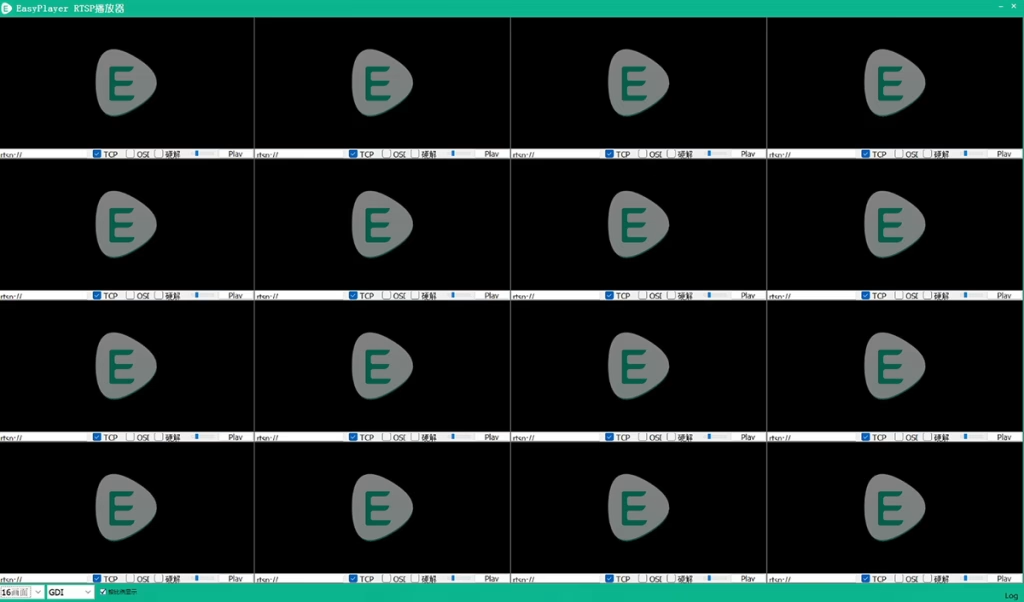
Q: Can Easyplayer display multiple video streams simultaneously on a single screen?
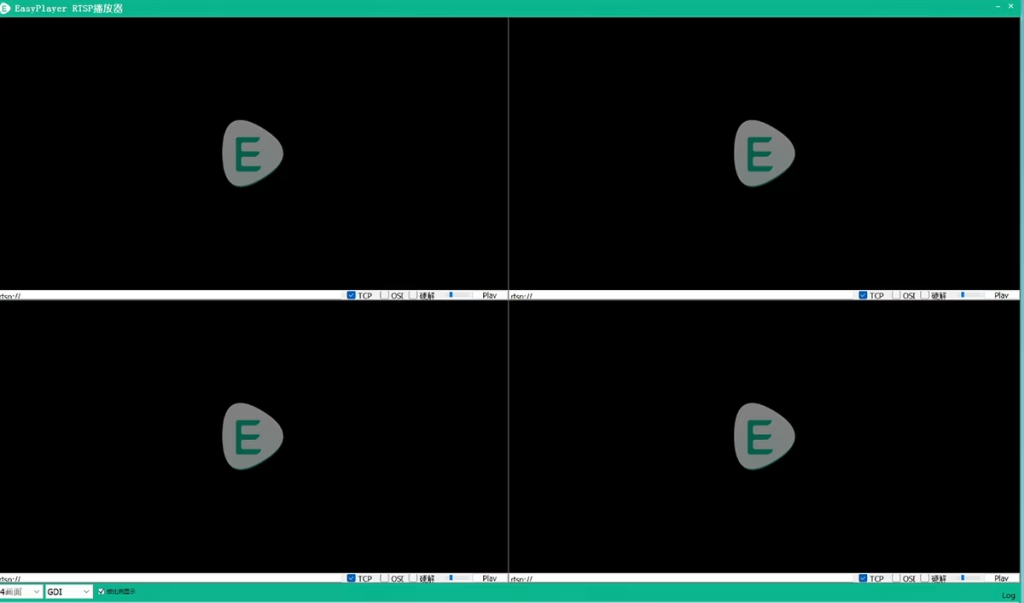
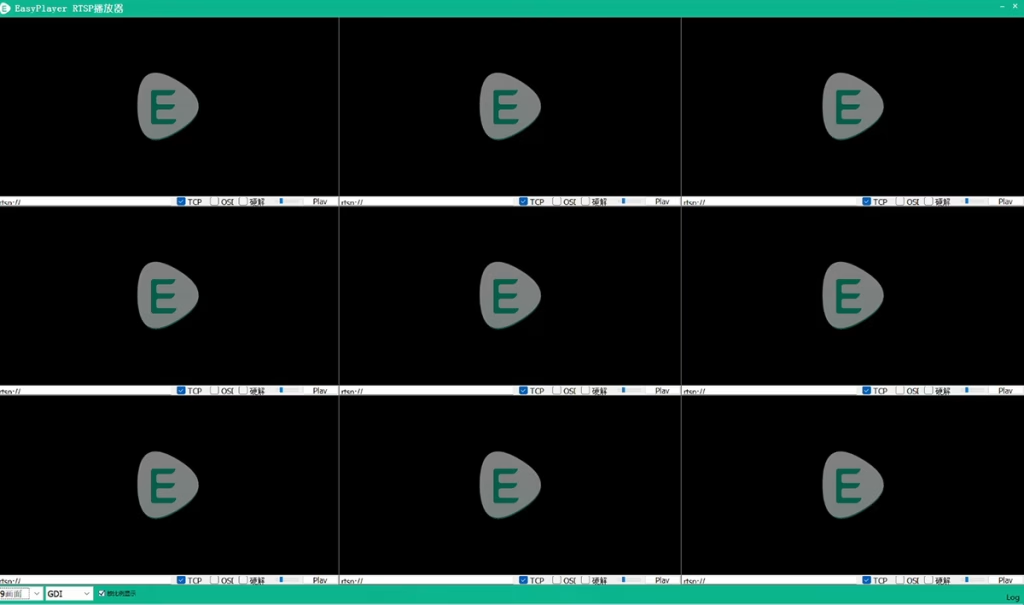
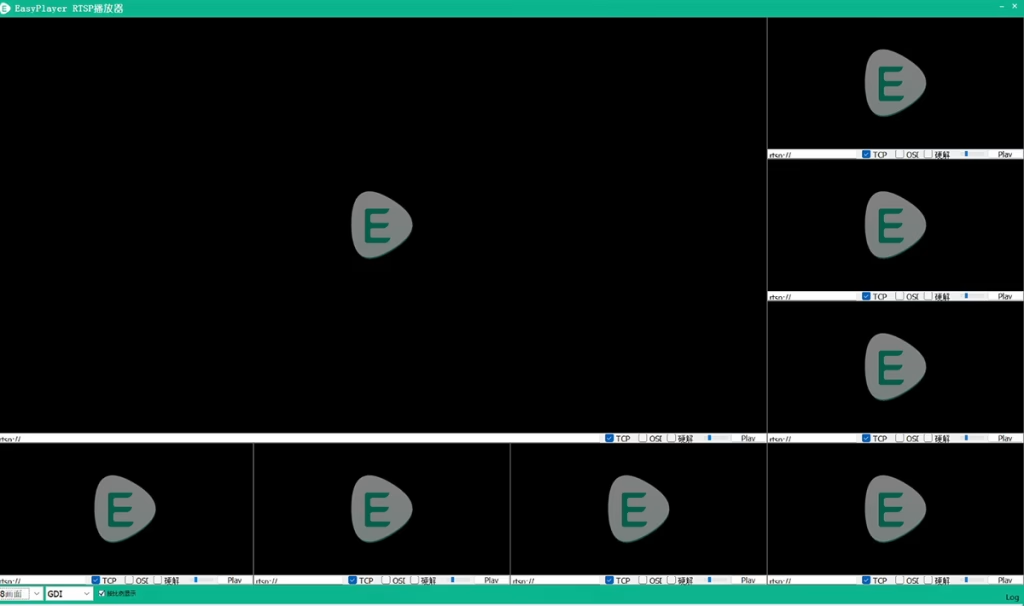
UN: sì, it supports 1X video streams, 4X video streams, 8X video streams, 16X video streams.
Q: Can Easy Player be integrated with our software?
UN: Infatti, any software that supports RTSP will work. Easy Player is one option, and its source code is accessible.
https://github.com/tsingsee/EasyPlayer
Q: How to know the bandwidth required for an IP camera’s network port output through Easy Player?
UN: Connect the IP camera to the computer via an Ethernet cable, and input the RTSP video source of your camera on the Easy Player. When the OSD is checked in the player, the top of the screen will display the current network camera’s pixels, velocità in bit, and required bandwidth, such as 1920×1080 25FPS 2Mbps etc. 
To activate the on-screen display, close and reopen the application. The software has a small bug. Try turning the OSD off and on again.
3. Splayer for UDP stream
Please download it at the below link. Splayer player setting details
Splayer_v4.2_2020.6.6
https://drive.google.com/file/d/1ihzUhfnx2Wo3zLO8UAs1aUQeLswonJD-/view?usp=sharing
Splayer_v4.3_2022.10.22
https://drive.google.com/file/d/1PQc-LZ55qGnjeMsjkHYSloHfY3NEUsGH/view?usp=drive_link
4. GStreamer
https://gstreamer.freedesktop.org
RTSP GStreamer Streaming UDP & Correzione della latenza per le termocamere
FAQ
Do you have a version of Splayer for Linux?
Scusa, NO, now only for Windows OS.
The Splayer player is only for UDP, not RTSP?
sì, For RTSP, we always use Easyplayer.
COFDM ( cvbs to IP encoder) is one-way, better to use UDP for lower latency.
How to test the ethernet output?
1. For our video encoder board, there are HDMI CVBS video input and Ethernet RJ45 output.
2. Please connect your video source to our video encoder board input, and connect the net cable from our video encoder board to your PC.
3. Al computer, at the RTSP player, type the address, and then you will get the video online or any worldwide place via the internet.
Schede Moduli Encoder









Decoder Modules Boards




Available for Customization
Nuovi prodotti encoder
| NO. | Nome del prodotto | Configurazione | Key Features | Stato |
|---|---|---|---|---|
| 1 | Encoder video a luce visibile USB UVC a doppio canale | 2× ingresso USB | Supporta la codifica video della doppia fotocamera USB, e streaming RTSP; local CVBS/HDMI output; switchable display modes | Produzione di massa |
| 2 | Dual-Channel Encoder (1× USB Visible Light + 1× USB Thermal Imaging camera) | 2× ingresso USB | Supporta la doppia fotocamera USB (visible + termico) catturare, codifica, e streaming RTSP; local CVBS/HDMI output; switchable display modes | Produzione di massa |
| 3 | RTSP Decoder HDMI/CVBS Display Module | HDMI + Uscita CVBS | Supporta la decodifica del flusso RTSP fino a 4×1080P@30fps; Supporta l'inoltro del protocollo di streaming video; Visualizzazione dell'uscita HDMI/CVBS | Campione disponibile |
| 4 | Decodificatore RTSP Modulo display HDMI/CVBS con 4.3"/5" schermo LCD | Uscita HDMI + Schermo LCD | Supporta la decodifica del flusso RTSP fino a 4×1080P@30fps; protocol forwarding; Visualizzazione dell'uscita HDMI/CVBS | Debugging |
| 5 | Dual-Channel Encoder (1× USB Visible Light + 1× CVBS Analog) | 1× CVBS + 1× Ingresso USB UVC | Doppio video (USB + CVBS), codifica e streaming RTSP; local CVBS/HDMI output; switchable display modes | Debugging |
| 6 | Dual-Channel Encoder (1× USB UVC + 1×AHD analogico) | 1× AHD + 1× Ingresso USB UVC | Doppia acquisizione video (USB + AHD), codifica e streaming RTSP; local CVBS/HDMI output; switchable display modes | Debugging |
| 7 | Dual-Channel Encoder (1× CVBS + 1× Video analogico AHD) | CVBS + AHD 2 ingresso video | Dual analog video capture, codifica e streaming RTSP; local CVBS/HDMI output; switchable display modes | Debugging |
| 8 | Dual-Channel Encoder (1× Fotocamera CMOS + 1× USB Thermal Imaging camera) | 1×Interfaccia USB | Supporta CMOS + Acquisizione tramite termocamera USB, codifica e streaming RTSP; local CVBS/HDMI output; switchable display modes | Produzione di massa |
For customized video input/output conversion solutions not listed in our products, please contact us for OEM/ODM support. Possiamo sviluppare prodotti su misura in base alle vostre esigenze.
Fai una domanda
Grazie per la risposta. ✨