






Radio in mesh al manuale dei comandi
Il comando AT può avere un po 'di diverso modello/versione, Questo documento di comando è una descrizione di base del comando AT per il tuo riferimento.
Adatto i modelli di seguito di versione mesh.
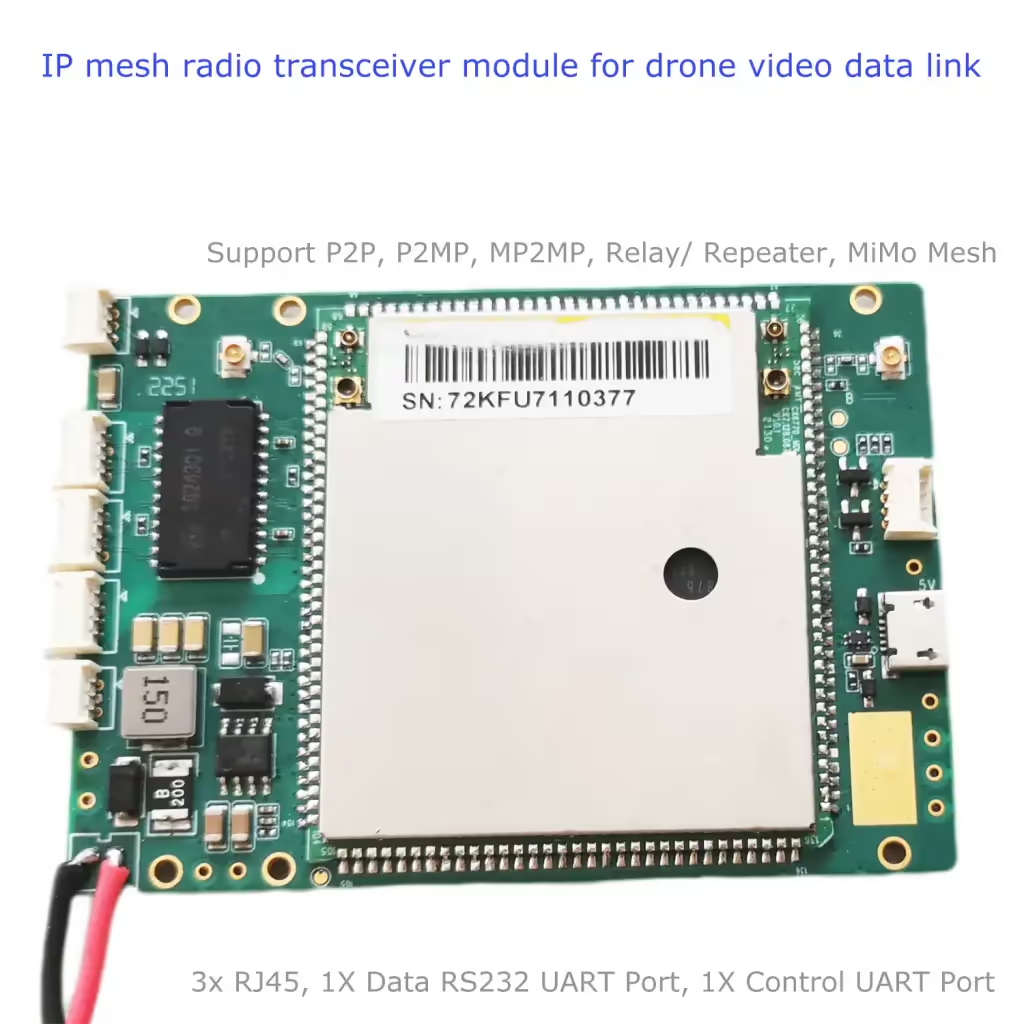
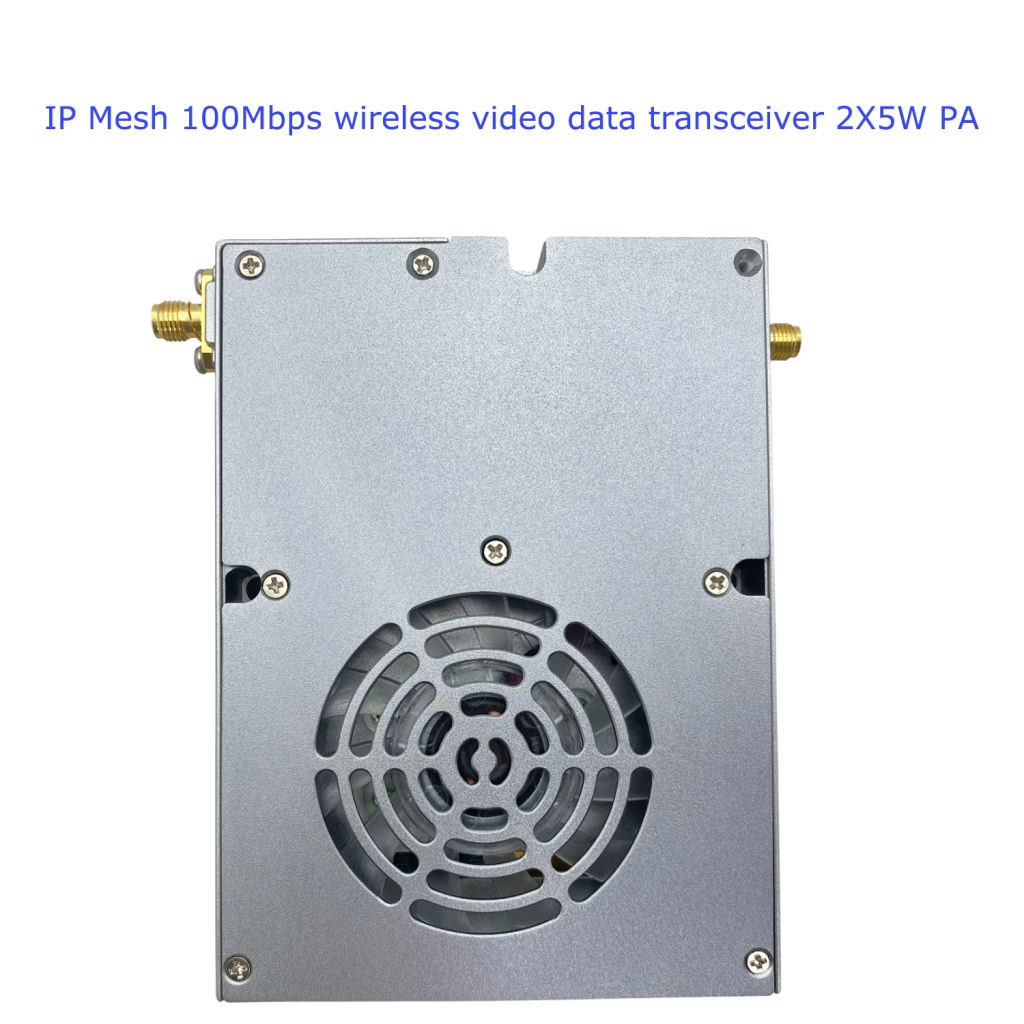
Sommario
1.A+cfun: Configurazione switch abilita link wireless
| Comando | Possibile risposta(S) |
| AT+CFUN=[<fun>[,<rst>]] | |
| A+cfun? | +CFUN:<fun> |
| AT+CFUN=? | +CFUN:(elenco dei supportati<fun>S),(list of support<rst>S) |
Descrizione
Run the command to set the MT’s <fun> function level, full functinality is the highest level, minimum Functionality is the minimum level, there is a user-defined level between the highest and lowest levels, il < RST > parameter is valid if the user defines the level.
Final result code
ok
Riuscito
ERRORE o +CME ERRORE: <errare>
Esecuzione del comando non riuscita
Valori definiti
<fun>: tipo intero
0: Minimum Functionality
1: Full functionality
<rst>: tipo intero
0: do not reset the MT before setting it to <fun> livello di potenza.
Esempio
AT+CFUN=1<CR>
<CR><Lf>ok<CR><Lf>
A+cfun?<CR>
<CR><Lf>+CFUN:1<CR><Lf>
<CR><Lf>ok<CR><Lf>
AT+CFUN=?<CR>
<CR><Lf>+CFUN:(0~1)<CR><Lf>
<CR><Lf>ok<CR><Lf>
2.A+cmee: Indica che il comando AT è anormale
| Comando | Possibile risposta(S) |
| AT+CMEE=[<n>] | |
| A+cmee? | +CMEE:<n> |
| AT+CMEE=? | +CMEE:(elenco dei supportati<n>S) |
Descrizione
Run this command to enable or disable the format of the final ERROR report. When MT is turned on, the format of the ERROR report is +CME ERROR:<errare> instead of general ERROR.However, if the ERROR is caused by invalid parameter values or syntax errors, the ERROR is normally reported as well.
Final result code
ok
Riuscito
ERRORE o +CME ERRORE: <errare>
Esecuzione del comando non riuscita
Valori definiti
<n>: tipo intero
0: disable +CME ERROR:<errare> result code and use ERROR instead
1: enable +CME ERROR:<errare> result code and use numeric <errare> valore.
2: enable +CME ERROR:<errare> result code and use verbose <errare> valore.
Esempio
AT+CMEE=1<CR>
<CR><Lf>ok<CR><Lf>
A+cmee?<CR>
<CR><Lf>+CMEE:1<CR><Lf>
<CR><Lf>ok<CR><Lf>
AT+CMEE=?
<CR><Lf>+CMEE:(0-2)<CR><Lf>
<CR><Lf>ok<CR><Lf>
3.A^dacs: stato di accesso
| Comando | Possibile risposta(S) |
| AT^DACS=<n> | |
| A^dacs? | ^DACS: <n>,<stato> |
| AT^DACS=? | ^DACS: (elenco dei supportati <n>S) |
Descrizione
The DACSI: <stato> command is used to set the status of the DACSI: <stato> report. The status of the DACSI: <stato> report is reported by default when the DACSI: <stato> is started.Active reporting When this function is enabled, the UE proactively reports the access status indicator after successful access.After the network of the main control node is successfully deployed, the main control node is successfully connected.
Query commands are used to query the status of the current reporting switch and access status.
Test commands are used to test whether the command is supported and query the value range of <n> parametri.
Final result code
ok
Riuscito
ERRORE o +CME ERRORE: <errare>
Esecuzione del comando non riuscita
Valori definiti
<n>: tipo intero: indicates the status of the proactively reported switch
0: shut down
1: aprire
2: queries the current access status
<stato>: tipo intero, indicando lo stato di accesso
Zero: no access
1: have access
Esempio
AT^DACS=1<CR><Lf>
<CR><Lf>^DACSI: 0<CR><Lf>
<CR><Lf>ok<CR><Lf>
<CR><Lf>^DACSI: 1<CR><Lf>
A^dacs?<CR><Lf>
< CR > < Lf > ^ DACS: 1, 1 < CR > < Lf >
<CR><Lf>ok<CR><Lf>
AT^DACS=?<CR><Lf>
<CR><Lf>^DACS: (0-2)<CR><Lf>
<CR><Lf>ok<CR><Lf>
4.E^drpc: I parametri wireless collegati hanno effetto in tempo reale
| Comando | Possibile risposta(S) |
| AT^DRPC=<freq>[,la larghezza di banda] [,<cellid>] | |
| E^drpc? | ^DRPC: (<freq>,<la larghezza di banda>), (<scellfreq>,< scellBandwidth >), cellid |
| AT^DRPC=? | ^DRPC: (elenco dei supportati <freq>S), (elenco dei supportati <la larghezza di banda>S), (elenco dei supportati <cellid>S) |
Descrizione
Run commands to set parameters in the access state.
Query commands are used to query the current parameter Settings.
Test commands are used to test whether the command is supported and the range of query parameters.
NOTA: If CA is supported, cellid must be set and cannot be empty.If CA is not supported, cellid cannot be set.
For the default preset frequency points, see the appendix. The preset frequency points must be in the preset frequency points list. If they are not in the list, Viene visualizzato l'impostazione di errore.
Final result code
ok
Riuscito
ERRORE o +CME ERRORE: <errare>
Esecuzione del comando non riuscita
Valori definiti
<freq>: tipo intero, indicando la frequenza dei punti, nell'unità di 100kHz
(5660-6780, 14200-15300)
<la larghezza di banda>: tipo intero: indica la larghezza di banda
Zero: 1.4 M
1: 3M
2: 5M
3: 10M
4: 15M(non supportato)
5: 20M
<cellid> tipo intero , ID cellula fisica
0: PCELL PRIMARY CELL
1: Seconda cella con SCELL
Altro valore riservato.
Esempio
At ^ drpc = 14300,3,0 < CR > < Lf >
<CR><Lf>ok<CR><Lf>
E^drpc?<CR><Lf>
< CR > < Lf > ^ Drpc: (14300, 3), 0655 (35), e 0 < CR > < Lf >
<CR><Lf>ok<CR><Lf>
At ^ drpc = 14300,5,1 < CR > < Lf >
E^drpc?<CR><Lf>
< CR > < Lf > ^ Drpc (14300, 3), (14600, 3), 1 < CR > < Lf >
<CR><Lf>ok<CR><Lf>
AT^DRPC=?<CR><Lf>
<CR><Lf>^DRPC:( 5660-6780, 14200-15300),(0-5) ,(0-1)<CR><Lf>
<CR><Lf>ok<CR><Lf>
5.A^DRPS: Configurazione dei parametri wireless disconnessa
| Comando | Possibile risposta(S) |
| AT^DRPS=<freq>,<la larghezza di banda>,<energia>[,<cellid>] | |
| A^DRPS? | ^DRPS: (<freq>,<la larghezza di banda>,<energia>), (<scellfreq>,< SCELLPOWER >),cellid |
| AT^DRPS=? | ^DRPS: (elenco dei supportati <freq>S), (elenco dei supportati <la larghezza di banda>S, (elenco dei supportati <energia>S, (elenco dei supportati <cellid>S) |
Descrizione
Il comando viene utilizzato per salvare i parametri su NVRAM, che entrerà in vigore dopo il volo.
I comandi di query vengono utilizzati per interrogare le impostazioni del parametro NVRAM corrente.
Test commands are used to test whether the command is supported and the range of query parameters.
NOTA: If CA is supported, cellid must be set and cannot be empty.If CA is not supported, cellid cannot be set.
For the default preset frequency points, see the appendix. The preset frequency points must be in the preset frequency points list. If they are not in the list, Viene visualizzato l'impostazione di errore
Final result code
ok
Riuscito
ERRORE o +CME ERRORE: <errare>
Esecuzione del comando non riuscita
Valori definiti
<freq>: tipo intero, indicando la frequenza dei punti, nell'unità di 100kHz
(5660-6780, 14200-15300)
<la larghezza di banda>: tipo intero: indica la larghezza di banda
Zero: 1.4 M
1: 3M
2: 5M
3: 10M
4: 15M(non supportato)
5: 20M
<energia>: “numero intero” genere, indicando il potere, in dbm, che vanno da “-40” a “40”
<cellid> tipo intero , ID cellula fisica
0: PCELL PRIMARY CELL
1: Seconda cella con SCELL
Altro valore riservato.
Esempio
L'AT ^ DRPS = 14300, 3, '40 “, 0 < CR > < Lf >
<CR><Lf>ok<CR><Lf>
A^DRPS?<CR><Lf>
< CR > < Lf > ^ DRPS: (14300, 3, '40 “), (0655, 35, “15”), e 0 < CR > < Lf >
<CR><Lf>ok<CR><Lf>
L'AT ^ DRPS = 14300, 5, 10 “, “1 < CR > < Lf >
<CR><Lf>ok<CR><Lf>
A^DRPS?<CR><Lf>
< CR > < Lf > ^ DRPS (14300, 3, '40 “), (14500, 3, “10”), 1 < CR > < Lf >
<CR><Lf>ok<CR><Lf>
AT^DRPS=?<CR><Lf>
< CR > < Lf > ^ DRPS: (5660-6780, 14200-15300), (0 a 5), (” – “~ 40” 40 “), (0-1) < CR > < Lf >
<CR><Lf>ok<CR><Lf>
6.A^drpr: Reporting dei parametri wireless
| Comando | Possibile risposta(S) |
| At^drpr =<n> | |
| A^drpr? | ^DRPR: <n> |
| At^drpr =? | ^DRPR: (elenco dei supportati <n>S) |
Descrizione
Esegui il seguente comando per impostare i parametri wireless locali per il reporting ^drpri: <cell_index>,<Earfcn>,<cell_id>,<Nodeflag>,<Indirizzo IPv4>,<SN >,<indice>,<RSSI>,<Pathloss>,<RSRP>,<Snr>,<distanza>,<tx_power>,<rx_throughput_total_tbs>,<rx_tb_error_per>,<max_data_per _second >, < tx_mcs >, < tx_rb_num >, < rx_mcs >, < rx_rb_num >, < wide_qi >, < ri >, < rx_tb_error_percent_total >, < Max_snr >, < Minr > Stato Stato, L'avvio iniziale è disabilitato per impostazione predefinita.
Query commands are used to query the current parameter Settings.
Test commands are used to test whether the command is supported and the range of query parameters.
Final result code
ok
Riuscito
ERRORE o +CME ERRORE: <errare>
Esecuzione del comando non riuscita
Valori definiti
<n>: tipo intero: indicates the status of the proactively reported switch
0: shut down
1: aprire
2: interroga il valore riportato
<cell_index>: Tipo intero, indicando la cellula primaria o la cella secondaria
Zero: PCell (Area principale)
1: Scell (cella ausiliaria)
<Earfcn>: tipo intero
<cell_id>: tipo intero
< Nodeflag >: tipo intero, che identifica se il nodo one-hop vicino è un nodo a senso unico
0: nodo a doppio passaggio
1: nodo solo passa
<indirizzo IP> Tipo di stringa. Il valore è costituito da quattro gruppi di cifre (0-255) separato da periodi (.) nel formato di A1.A2.A3.A3.A4.
<SN>: indica un nodo vicino a un hop. Il valore è un numero esadecimale a 7 cifre che va da 0000000 a ffffffff
<indice>: tipo intero, indicando il numero dell'indice della porta
1: porta 1
2: porta 2
< RSSI >: tipo di stringa, dBm, Misurazione RSSI della porta 1 e porto 2 su un nodo adiacente al luppolo, formato “±valore”(tranne “0”)
“-141” a “-44”: indica il valore di misurazione RSSI
“+ 32767” : valori non validi
<Pathloss>: tipo intero, Valore pathloss,dBm
0 a 191: danno stradale
32767: valori non validi
< Prezzo consigliato >: tipo di stringa, dBm, Valore di misurazione RSRP, formato “±valore”(tranne “0”)
“-141” a “-44”: Valore di misurazione RSRP
“+ 32767” : valori non validi
< SNR >: tipo di stringa,Valore di misurazione SNR. Formato: “±valore”(tranne “0”)
“-50” a “+50”: Valore di misurazione SNR
“+ 32767” : valori non validi
< distanza >: tipo intero, Distanza dal nodo peer, in metri, gamma [0, 5000]
< tx_power >:tipo di stringa, Potenza di trasmissione inviata da questo nodo a ciascun nodo vicino a un hop, in dbm, nel formato di “±valore”(tranne “0”).
“-50” a “+50”: indica la potenza trasmessa
“+ 32767” : valori non validi
< rx_throughput_total_tbs > : tipo intero, riceve le informazioni di throughput, la dimensione totale della tubercolosi nel periodo di segnalazione, l'unità di byte, la gamma di [0120000]
< rx_tb_error_per >: Tipo intero, Ricezione della struttura BLER, percentuale di bit di errore nel periodo di segnalazione, gamma da 0 a 100
< max_data_per_second >: tipo intero: indica la velocità di picco teorica quando il pacchetto viene riempito.
< tx_mcs >: Il tipo di intero specifica gli MC istantanei degli ultimi dati inviati entro il periodo di segnalazione. Il valore varia da 0 a 29.
<tx_rb_num>: Il tipo di intero specifica il RB_NUM istantaneo degli ultimi dati inviati entro il periodo di segnalazione. Il valore varia da 6,100.
< rx_mcs >: Il tipo di intero specifica gli ultimi MC istantanei ricevuti da un nodo vicino nel periodo di segnalazione. Il valore varia da 0 a 29.
<rx_rb_num>: Il tipo di intero specifica il rb_num istantaneo di un nodo vicino ricevuto per l'ultima volta nel periodo di segnalazione. Il valore varia da 6,100.
< wide_qi >: tipo intero, indicando il CQI a banda larga ricevuta del nodo vicino. Il valore varia da 1 a 15, e il valore medio è riportato in un periodo
<ri>: tipo intero, rango RI con i nodi vicini. L'intervallo di valori è [1,2]. RI = 2 indica che MIMO è abilitato.
< rx_tb_percent_total >: tipo intero, Dopo essere entrato nello stato di connessione, receive the cumulative bit error rate corresponding to the neighboring node data, gamma [0,100]
<Max_snr>: tipo intero, the maximum SNR in 1000ms of the two antennas corresponding to the data received from the adjacent node. L'intervallo di valori è [-40,40].
<Minr>: tipo intero, the minimum SNR in 1000ms for the two antennas corresponding to the data received from adjacent nodes, [-40,40]
Esempio
AT^DRPR=1<CR><Lf>
<CR><Lf>ok<CR><Lf>
A^drpr?<CR><Lf>
<CR><Lf>^DRPR: 1<CR><Lf>
<CR><Lf>ok<CR><Lf>
<CR><Lf>^DRPRI: 0,1,1000,16, “192.168.1.13”, 4020096, “- 46”, 20, “60”, “195”, “0”, 4000, “- 36”, 10000000500000,10,1,15,3,15 < CR > < Lf >
< CR > < Lf > ^ DRPRI: 1, 2100 dicembre, “192.168.1.13”, 4020096, “106”, 115, “100”, “194”, “+ 20, 4000,” – 36 “, 10000000500000,10,2, 15,3,15 < CR > < Lf > l'AT ^ DRPR =?<CR><Lf>
<CR><Lf>^DRPR: (0-2)<CR><Lf>
<CR><Lf>ok<CR><Lf>
7.At^daocndi: Configurazione della banda di frequenza utente
| Comando | Possibile risposta(S) |
| AT^DAOCNDI=<banda_bitmap> [,<scell_band_bitmap>] | |
| At^daocndi? | ^DAOCNDI: <banda_bitmap> , <scell_band_bitmap> |
| AT^DAOCNDI=? |
Descrizione
This command is used to set the working frequency band of the AD hoc network communication device.
Query commands are used to query information about the working frequency band of AD hoc communication devices.
Test commands are used to test whether the command is supported.
NOTA: If CA is supported, scell_band_bitmap must be set.If CA is not supported, scell_band_bitmap cannot be set.
Final result code
ok
Riuscito
ERRORE o +CME ERRORE: <errare>
Esecuzione del comando non riuscita
Valori definiti
<banda_bitmap>: tipo di stringa(senza virgolette doppie),in formato esadecimale, il bit più a destra è il bit meno significativo (LSB/bit0).
Bit0: (prenotato)
Bit2: 1.4G banda: [1420,1530]MHz, corrispondente a band66
Bit3: (prenotato)
Bit4: (prenotato)
Bit5: (prenotato)
Bit6: (prenotato)
Bit7: (prenotato)
Bit8: (prenotato)
Bit9: (prenotato)
Bit10: 600M banda: [566,678] MHz, corrispondente a band71
<scell_band_bitmap>: tipo di stringa(senza virgolette doppie),in formato esadecimale, Il più giusto è il bit meno significativo (LSB/bit0).
Bit0: (prenotato)
Bit2: 1.4G banda: [1420,1530]MHz, corrispondente a band66
Bit3: (prenotato)
Bit4: (prenotato)
Bit5: (prenotato)
Bit6: (prenotato)
Bit7: (prenotato)
Bit8: (prenotato)
Bit9: (prenotato)
Bit10: 600M banda: [566,678] MHz, corrispondente a band71
Esempio
AT^DAOCNDI=04<CR><Lf>// Imposta pcell banda come 1,4 g <CR><Lf>ok<CR><Lf>
At^daocndi?<CR><Lf>
<CR><Lf>^DAOCNDI: 04<CR><Lf>
<CR><Lf>ok<CR><Lf>
AT^DAOCNDI=?<CR><Lf>
<CR><Lf>ok<CR><Lf>
8.E^dapi: Configurazione della chiave di accesso
| Comando | Possibile risposta(S) |
| E^DOVE=<password_id> | |
| E^dapi? | ^Dapi: <password_id> |
| E^DOVE=? |
Descrizione
I comandi di impostazione vengono utilizzati per impostare l'ID password del dispositivo di rete ad hoc.
I comandi di query vengono utilizzati per interrogare l'ID password del dispositivo di rete ad hoc.
Test commands are used to test whether the command is supported.
Final result code
ok
Riuscito
ERRORE o +CME ERRORE: <errare>
Esecuzione del comando non riuscita
Valori definiti
<password_id>: tipo di stringa, in formato esadecimale
La lunghezza della configurazione del parametro di input deve essere uniforme.
Esempio
At ^ fbfa dapi = “30313233” < CR > < Lf >
<CR><Lf>ok<CR><Lf>
E^dapi?<CR><Lf>
< CR > < Lf > ^ Dapi: “30313233 fbfa” < CR > < Lf >
<CR><Lf>ok<CR><Lf>
E^DOVE=?<CR><Lf>
<CR><Lf>ok<CR><Lf>
9.A^dipan: Interroga l'elenco SN di tutti i nodi raggiungibili
| Comando | Possibile risposta(S) |
| A^dipan =<n> | ^Dip: <m>[,<Sn_1>[,Sn_2>,…[,<Sn_m>]]] |
| A^dipan? | ^Dip: <n> |
| A^dipan =? | ^Dip: (elenco dei supportati <n>S) |
Descrizione
Esegui questo comando per abilitare o disabilitare il report SN attivo per nodi raggiungibili. Questa funzione è abilitata per impostazione predefinita. Se questa funzione è abilitata, Le informazioni sul nodo raggiungibile corrente verranno segnalate una volta., La corrente delle informazioni sul nodo viene modificata, Modem Active Reporting ^ dipani: < m > [,, < Sn_1 > [, Sn_2 >,… [, < Sn_m >]]].
Query commands are used to query the status of the reporting switch.
Test commands are used to test whether the command is supported and query the value range of <n>.
Final result code
ok
Riuscito
ERRORE o +CME ERRORE: <errare>
Esecuzione del comando non riuscita
Unsolicited result code
^DIPANI: <m>[,< Sn_1>, [,Sn_2>,…[,<Sn_m>]]]
Valori definiti
<n>: tipo intero: indicates the status of the proactively reported switch
0: shut down
1: aprire
2: Queries information about the current reachable nodes
<m>: tipo intero, indicating the number of reachable nodes
<SN>: a hexadecimal number of 7 digits ranging from 0000000 a ffffffff
Esempio
AT^DIPAN=1<CR><Lf>
<CR><Lf>^Dip: 0<CR><Lf>
<CR><Lf>ok<CR><Lf>
<CR><Lf>^DIPANI: 1, A020001<><CR><Lf>
<CR><Lf>^DIPANI:2, A020001, A021201<><CR><Lf>
A^dipan?<CR><Lf>
<CR><Lf>^Dip: 1<CR><Lf>
<CR><Lf>ok<CR><Lf>
A^dipan =?<CR><Lf>
<CR><Lf>^Dip: (0-2)<CR><Lf>
<CR><Lf>ok<CR><Lf>
10.A^Dubr: Configurazione della velocità di baud di com-uart
| Comando | Possibile risposta(S) |
| AT^DUBR=<valutare> | |
| A^Dubr? | ^DUBR: <valutare> |
| AT^DUBR=? | ^DUBR: (elenco dei supportati <valutare>S) |
Descrizione
Run this command to set the baud rate parameters of the COM-UART port.
Query commands are used to query the current parameter Settings.
Test commands are used to test whether the command is supported and the range of query parameters.
Final result code
ok
Riuscito
ERRORE o +CME ERRORE: <errare>
Esecuzione del comando non riuscita
Valori definiti
<valutare>: tipo intero, indicating the baud rate of the UART port. The values are as follows:
1200: 1200 byte/s
2400: 2400 byte/s
4800: 4800 byte/s
9600: 9600 byte/s
19200: 19200 byte/s
28800: 28800 byte/s
38400: 38400 byte/s
57600: 57600 byte/s
76800: 76800 byte/s
115200: 115200 byte/s
Esempio
AT^DUBR=57600<CR>
<CR><Lf>ok<CR><Lf>
A^Dubr?<CR><Lf>
<CR><Lf>^DUBR: 57600<CR><Lf>
<CR><Lf>ok<CR><Lf>
AT^DUBR=?<CR>
< CR > < Lf > ^ DUBR: (1200240 0480 0960 0192 00288 00384 00576 00768 00115 200) < CR > < Lf >
<CR><Lf>ok<CR><Lf>
11.A^dsonrirpt: Switch of Route Information Reporting
| Comando | Possibile risposta(S) |
| AT^DSONRIRPT=<operation_type> | ^DSONRIRPT: <routeinfotype>,<destSN>,<salto>,<nextSN> |
| AT^DSONRIRPT=? | (elenco dei supportati <operation_type>S) |
Descrizione
Run these commands to enable or disable the active route report function or query the current route information.When the route information reporting switch is enabled, the terminal reports ^DSONRIRPTI: < routeInfoType >,<destSN>,<salto>,<nextSN> whenever the route information changes.
Test commands are used to test whether the command is supported and query the value range of <operation_type>
Final result code
ok
Riuscito.
ERRORE o +CME ERRORE: <errare>
Esecuzione del comando non riuscita.
Unsolicited result code
^DSONRIRPTI: <routeinfotype>,<destSN>,<salto>,<nextSN>
this unsolicited result code is returned when the route information changed.
Valori definiti
<operation_type>: tipo intero, which identifies the type of operation to be performed
0: Close route info report Disables active route information reporting
1: Open route info Report Enables active route information reporting
2: Query route info Queries routing information
< routeInfoType > : tipo intero, indicating the type of the route information
0: indicates a dynamic routing table. Routing algorithms are generated
1: static routing table, which is manually configured and generated
<destSN> : indicates the SN of the destination node. Il valore varia da 0000000 a ffffffff, per esempio, 4020006.
<nextSN> : indicates the SN of the next hop node. Il valore è un numero esadecimale a 7 cifre che va da 0000000 a ffffffff, per esempio, 4020006.
<salto>: tipo intero, indicating the number of hops
Esempio
AT^DSONRIRPT=?<CR>
<CR><Lf>^DSONRIRPT: (0-2)<CR><Lf>
<CR><Lf>ok<CR><Lf>
AT^DSONRIRPT=1<CR>
<CR><Lf>ok<CR><Lf>
< CR > < Lf > ^ DSONRIRPTI: 0, 4134567412345 < CR > < Lf >
AT^DSONRIRPT=2<CR>
< CR > < Lf > ^ DSONRIRPT: 0, 4134567412345 < CR > < Lf >
<CR><Lf>ok<CR><Lf>
12.A^dsonricfg: Configurazione di gestione del percorso fissata
| Comando | Possibile risposta(S) |
| AT^DSONRICFG=<in poi>,<DstSN>,<NxtSN> | |
| AT^DSONRICFG=? | (elenco dei supportati <in poi>S) |
Descrizione
Il <DstSN> parameter is used as the identifier of each route record. Questo è, if the same <DstSN> route record already exists when you add a route record, the original record will be overwritten. If the same <DstSN> route record does not exist when you delete a route record, the deletion is ignored and success is displayed.Added routing entries to support saving in NVRAM.
Test commands are used to test whether the command is supported and query the range of the <in poi> parametro
Nota: Add each route entry to a destination node. You can only set the number of next hop nodes to 1.
Final result code
ok
Riuscito.
ERRORE o +CME ERRORE: <errare>
Esecuzione del comando non riuscita.
Valori definiti
<in poi>: Tipo intero, which identifies the operation type to be performed
0: Adds a route record
1: deletes a route record
2: Deletes the entire static routing table. In this operation, delete all routes and restart the static routes or save the original static routes
3: Deletes the entire static routing table. After the restart, static routes are empty
<DstSN>: indicates the SN of the destination node.The SN of the destination node is a 7-digit hexadecimal number ranging from 0000000 a ffffffff, per esempio, 4020006.
<NxtSN>: indicates the SN of the next hop node. Il valore è un numero esadecimale a 7 cifre che va da 0000000 a ffffffff, per esempio, 4020006.
Esempio
The AT ^ DSONRICFG = 0400001401210 < CR >
<CR><Lf>ok<CR><Lf>
AT^DSONRICFG=1, 4002001<CR>
<CR><Lf>ok<CR><Lf>
AT^DSONRICFG=?<CR>
<CR><Lf>^DSONRICFG: (0-3)<CR><Lf>
<CR><Lf>ok<CR><Lf>
13.A^dsonmirpt: Rapporti informazioni sul nodo di controllo principale logico
| Comando | Possibile risposta(S) |
| AT^DSONMIRPT=<n> | ^DSONMIRPT: <MstrSN> |
| A^dsonmirpt? | ^DSONMIRPT: <n> |
| AT^DSONMIRPT=? | (elenco dei supportati <in poi>S) |
Descrizione
Run commands to enable or disable the active information reporting function of the main control node or query the information about the current main control node.When the main control node information reporting switch is turned on, the terminal reports ^DSONMIRPTI: <MstrSN> whenever the main control node information changes.
Query commands are used to query the status of active information reporting on the current main control node.
Test commands are used to test whether the command is supported and query the range of the <in poi> parametro
Final result code
ok
Riuscito.
ERRORE o +CME ERRORE: <errare>
Esecuzione del comando non riuscita.
Unsolicited result code
^DSONMIRPTI: <MstrSN>
this unsolicited result code is returned when the master node information changed.
Valori definiti
<n>: tipo intero, which identifies the operation type
0: Disables the active information reporting function of the main control node
1: Enable the active information reporting function of the main control node
2: Queries information about the current main control node
< MstrSN>: indicates the SN of the main control node. Il valore è un numero esadecimale a 7 cifre che va da 0000000 a ffffffff, per esempio, 4020006.
Esempio
A^dsonmirpt?<CR>
<CR><Lf>^DSONMIRPT: 0<CR><Lf>
<CR><Lf>ok<CR><Lf>
AT^DSONMIRPT=1<CR>
<CR><Lf>ok<CR><Lf>
<CR><Lf>^DSONMIRPTI: 4023456<CR><Lf>
AT^DSONMIRPT=2<CR>
<CR><Lf>^DSONMIRPT: 4023456<CR><Lf>
<CR><Lf>ok<CR><Lf>
AT^DSONMIRPT=?<CR>
<CR><Lf>^DSONMIRPT: (0-2)<CR><Lf>
<CR><Lf>ok<CR><Lf>
14.A^dsonipnn: Query the IP address of the network node
| Comando | Possibile risposta(S) |
| AT^DSONIPNN=<Modalità> | ^DSONIPNN: <Num>,<RecvMsgAll>[,<SN1> [,SN2>,…[,<SNm>]] When Mode=3 ^DSONIPNN: <Num>,<RecvMsgAll> [,<SN1>,<IPAddr1> [, SN2 >, < IPAddr2 >,… [,<SNm>,<IPAddrm>]]] |
| A^dsonipnn? | ^DSONIPNN: <Modalità> |
| AT^DSONIPNN=? | ^DSONIPNN: (elenco dei supportati <Modalità>S) |
Descrizione
Run these commands to enable or disable active node information reporting.When the reporting switch is turned on, the terminal reports ^DSONIPNNI: <Num>,<RecvMsgAll>[,<SN1> [,SN2>…[,<SNm>]] whenever the network node information changes in the entire network.
Query commands are used to query the status of active node reporting.
Test commands are used to test whether the command is supported and the range of query parameters.
When mode is 0 o 1, the parameters need to be stored in NVRAM, che entrerà in vigore dopo il volo.
Final result code
ok
Riuscito
ERRORE o +CME ERRORE: <errare>
Esecuzione del comando non riuscita
Unsolicited result code
^DSONIPNNI: <Num>,<RecvMsgAll>[ ,<SN1> [,SN2>,…[,<SNm>]]]
Valori definiti
<Modalità>: tipo intero: indicates the status of the switch that is proactively reported
0: shut down
1: aprire
2: queries the information about the current nodes on the network
3: Query the IP address and SN of the current node on the network
<Num>: tipo intero, which indicates the number of nodes in the network
<RecvMsgAll> : tipo intero, indicando se vengono raccolte le informazioni dell'intera rete (I messaggi SIB1 possono essere seguiti, e le informazioni riportate devono essere indicate)
0: Non raccolto
1: Raccogli tutto
<SN>: indica il SN del nodo di rete. Il valore è un numero esadecimale che va da 0000000 a ffffffff, per esempio, 4020006
<IPaddr >: indica l'indirizzo IPv4. Il valore è costituito da quattro gruppi di cifre (0-255) separato da periodi (.) nel formato di A1.A2.A3.A3.A4.
Esempio
A^dsonipnn?<CR><Lf>
<CR><Lf>^DSONIPNN: 0<CR><Lf>
<CR><Lf>ok<CR><Lf>
A^dsonipnn = 1<CR><Lf>
<CR><Lf>ok<CR><Lf>
<CR><Lf>^DSONIPNNI: 1, 1, A023456<><CR><Lf>
<CR><Lf>^DSONIPNNI: 2, 1, A023456, A120345<><CR><Lf>
A^dsonipnn = 3<CR><Lf>
<CR><Lf>^DSONIPNN: 2, 1<CR><Lf>
A023456, 170.168.1.56 < CR > < Lf >
A120345, 170.168.1.45 < CR > < Lf >
AT^DSONIPNN=?<CR><Lf>
<CR><Lf>^DSONIPNN: (0-3)<CR><Lf>
<CR><Lf>ok<CR><Lf>
15.AT^DSONNMF: subnet merge control switch
| Comando | Possibile risposta(S) |
| A^dsonnmf =<fun> | |
| AT^DSONNMF? | ^Dsonnmf: <fun> |
| A^dsonnmf =? | ^Dsonnmf: (elenco dei supportati <fun>S) |
Descrizione
Esegui questo comando per abilitare o disabilitare la funzione di fusione della sottorete.
I comandi di query vengono utilizzati per interrogare se la funzione di unione della sottorete è abilitata.
I parametri impostati sono archiviati in NVRAM e entrano in vigore dopo che sono stati salvati e usciti dal volo.
Final result code
ok
Riuscito
ERRORE o +CME ERRORE: <errare>
Esecuzione del comando non riuscita
Valori definiti
<fun>: Tipo intero, che indica se la funzione di ammissione della sottorete è abilitata o disabilitata. Gamma: 0: disabilitato.1: Aprire.
Esempio
A^dsonnmf = 1<CR>
<CR><Lf>ok<CR><Lf>
AT^DSONNMF?<CR>
<CR><Lf>^Dsonnmf: 1<CR><Lf>
<CR><Lf>ok<CR><Lf>
A^dsonnmf =?<CR>
<CR><Lf>^Dsonnmf: (0-1)<CR><Lf>
<CR><Lf>ok<CR><Lf>
16.AT^DSONNST: network stability time
| Comando | Possibile risposta(S) |
| A^dsonnst =<tempo> | |
| A^dsonnst =? | ^Dsonnst: <tempo> |
| AT^DSONNST? |
Descrizione
Esegui questo comando per impostare il passaggio per stabilizzare una sottorete. Il tempo effettivo per stabilizzare una sottorete è 15 secondi.
I comandi di query vengono utilizzati per interrogare la dimensione del passaggio corrente.
Test commands are used to test whether the command is supported.
I parametri impostati sono archiviati in NVRAM e hanno effetto dopo che sono stati salvati e usciti dal volo. Il passaggio di salvataggio predefinito in NVRAM è 4, il che significa che il tempo di stabilità della sottorete è 60 secondi.
Final result code
ok
Riuscito
ERRORE o +CME ERRORE: <errare>
Esecuzione del comando non riuscita
Valori definiti
<tempo>: Il tipo di intero indica il passaggio del tempo di stabilità della sottorete. L'unità è 15 secondi. Se il valore è impostato su 1, Il valore è 15 secondi, e se il valore è impostato su 2, Il valore è 30 secondi, e così via.
Esempio
A^dsonnst = 1<CR><Lf>
<CR><Lf>ok<CR><Lf>
A^dsonnst =?<CR><Lf>
<CR><Lf>^Dsonnst: 1<CR><Lf>
<CR><Lf>ok<CR><Lf>
AT^DSONNST?<CR><Lf>
<CR><Lf>ok<CR><Lf>
17.AT^DSONSDA: indicates the destination address of the Com-uart data transmission.
| Comando | Possibile risposta(S) |
| That^dSonsda =<Indirizzo IPv4> | |
| AT^DSONSDA? | ^ Dsonswanda: <Indirizzo IPv4> |
| That^dSonsda =? |
Descrizione
I comandi di impostazione vengono utilizzati per impostare l'indirizzo di destinazione dei pacchetti COM-uart.
Comando query per interrogare l'indirizzo del pacchetto della porta COM-UART corrente.
Test commands are used to test whether the command is supported.
Final result code
ok
Riuscito.
ERRORE o +CME ERRORE: <errare>
Esecuzione del comando non riuscita.
Valori definiti
<Indirizzo IPv4> Tipo di stringa. Sono supportati solo gli indirizzi IPv4
Esempio
The At ^ dsonsda = “192.168.1.20” < CR > < Lf >
<CR><Lf>ok<CR><Lf>
AT^DSONSDA?<CR><Lf>
< CR > < Lf > ^ Dsonswanda: “192.168.1.20” < CR > < Lf >
<CR><Lf>ok<CR><Lf>
That^dSonsda =?<CR><Lf>
<CR><Lf>ok<CR><Lf>
18.A^DCIAC: encryption algorithm selection
| Comando | Possibile risposta(S) |
| A^dciac =<Arit> | |
| A^DCIAC? | ^DCIAC: <Arit> |
| A^dciac =? | ^DCIAC: (elenco dei supportati <Arit>S) |
Descrizione
Esegui questi comandi per impostare gli algoritmi di crittografia e sicurezza. Le impostazioni hanno effetto per i voli in entrata e in uscita.
Query commands are used to query the current parameter Settings.
Test commands are used to test whether the command is supported and the range of query parameters.
Nota: L'algoritmo del nodo di rete si basa sul nodo di rete. L'algoritmo configurato dall'utente si regolerà durante il processo di accesso.
Final result code
ok
Riuscito
ERRORE o +CME ERRORE: <errare>
Esecuzione del comando non riuscita
Valori definiti
<Arit>: tipo intero: indica l'algoritmo di crittografia e completamento. L'intervallo di valori è il seguente:
0: nessuna cifratura e integralità
1: NEVE3G
2: AES
3: ZUC
Esempio
A^dciac = 2<CR>
<CR><Lf>ok<CR><Lf>
A^DCIAC?<CR><Lf>
<CR><Lf>^DCIAC: 2<CR><Lf>
<CR><Lf>ok<CR><Lf>
A^dciac =?<CR>
<CR><Lf>^DCIAC: (0-3) <CR><Lf>
<CR><Lf>ok<CR><Lf>
19.AT^DSONSFTP: Fixed Tx power configuration
| Comando | Possibile risposta(S) |
| A^dSonsftp =<Modalità>[,<Energia>[,<cellid>]] | |
| AT^DSONSFTP? | ^DSonsftp: <Modalità>,<pcellpower>[,<SCELLPOWER>,cellid] |
| A^dSonsftp =? | ^DSonsftp: (elenco dei supportati < Modalità>S), (elenco dei supportati < energia>S) [, (elenco dei supportati < cellid>S)] |
Descrizione
Questo comando viene utilizzato per abilitare o disabilitare l'impostazione di potenza fissa. L'interruttore abilitante di potenza fissa ha effetto immediatamente. Lo switch viene salvato su NVRAM e disabilitato per impostazione predefinita. Quando è acceso, lo switch consente all'utente di impostare l'alimentazione fissa, che ha effetto immediatamente e viene salvato su NVRAM.
I comandi di query vengono utilizzati per interrogare le impostazioni del parametro NVRAM corrente.
Test commands are used to test whether the command is supported and the range of query parameters.
Final result code
ok
Riuscito
ERRORE o +CME ERRORE: <errare>
Esecuzione del comando non riuscita
Valori definiti
<Modalità>: Tipo intero: indica lo stato di controllo dell'interruttore di alimentazione fisso configurato dall'utente
0: shut down
1: aprire
<energia>: tipo intero: Specifica la potenza di trasmissione fissa di un nodo, espresso in DBM. Il valore varia da -40 a 40. Se il valore supera il valore massimo supportato dal terminale, Il valore è il valore massimo supportato dal terminale.
<cellid> tipo intero , ID cellula fisica
0: PCELL PRIMARY CELL
1: Seconda cella con SCELL
Altro valore riservato.
Esempio
At ^ dSonsftp = 1, “- 10”, 0 < CR > < Lf >
<CR><Lf>ok<CR><Lf>
AT^DSONSFTP?<CR><Lf>
< CR > < Lf > 1, “10”, “0”, 0 < CR > < Lf >
<CR><Lf>ok<CR><Lf>
A^dSonsftp =?<CR><Lf>
< CR > < Lf > ^ DSonsftp: (0-1), “- 40”, “40”, (0-1) < CR > < Lf >
<CR><Lf>ok<CR><Lf>
A^dSonsftp = 0<CR><Lf>
<CR><Lf>ok<CR><Lf>
AT^DSONSFTP?<CR><Lf>
< CR > < Lf > 0, “10”, “0”, 0 < CR > < Lf >
<CR><Lf>ok<CR><Lf>
At ^ dSonsftp = 1, “- 10” < CR > < Lf >
<CR><Lf>ok<CR><Lf>
AT^DSONSFTP?<CR><Lf>
< CR > < Lf > 0, “10” < CR > < Lf >
<CR><Lf>ok<CR><Lf>
20.AT^DSONSNA: Node movement attribute configuration
| Comando | Possibile risposta(S) |
| A^dsonsna =<Mobilitytype> | |
| AT^DSONSNA? | ^Dsonsna: <Mobilitytype> |
| A^dsonsna =? | ^Dsonsna: (elenco dei supportati < MobilityAttribute >S) |
Descrizione
Esegui questo comando per impostare gli attributi del nodo del dispositivo. L'attributo di mobilità viene utilizzato per impostare se il nodo è un nodo mobile o un nodo non mobile.
I comandi di query vengono utilizzati per interrogare le proprietà del controller corrente..
Test commands are used to test whether the command is supported
Nota1: Se si tratta di un modello di prodotto non mobile, L'errore viene restituito quando l'attributo nodo è impostato su spostarsi. Se il modello di prodotto è mobile, È possibile impostare il nodo su mobile o fisso.
Note2: I nodi non mobili servono come bauli di routing della spina dorsale.
Final result code
ok
Riuscito
ERRORE o +CME ERRORE: <errare>
Esecuzione del comando non riuscita
Valori definiti
< Mobilitytype >: tipo intero, indicando se l'attributo nodo è spostato o fisso;
0: fisso
1: mobile
Esempio
A^dsonsna = 1<CR><Lf>
<CR><Lf>ok<CR><Lf>
A^dsonsna =?<CR><Lf>
<CR><Lf>^Dsonsna: 1<CR><Lf>
<CR><Lf>ok<CR><Lf>
A^dsonsna =?<CR>
<CR><Lf>^Dsonsna: (0-1)<CR><Lf>
<CR><Lf>ok<CR><Lf>
21.AT^DSONSBR: set the operating frequency range
| Comando | Possibile risposta(S) |
| At ^ dSonsbr = < banda >, < EARFCN_START >, < Earfcn_end > [, < banda >, < EARFCN_START >, < Earfcn_end > [, < banda >, < EARFCN_START >, < Earfcn_end >]…]. | |
| AT^DSONSBR? | ^ DSonsbr: < banda >, < EARFCN_START >, < Earfcn_end > [, < banda >, < EARFCN_START >, < Earfcn_end > [, < banda >, < EARFCN_START >, < Earfcn_end >]…]. |
| A^dSonsbr =? | ^DSonsbr: <banda>,(elenco dei supportati <Earfcn>S), <banda>,(elenco dei supportati <Earfcn>S),… |
Descrizione
Questi comandi vengono utilizzati per configurare l'intervallo di frequenza di ciascuna sottoband, Salva la configurazione su NVRAM, e entrare in vigore dentro e fuori il volo.
I comandi di query vengono utilizzati per interrogare le configurazioni delle gamme sottoband.
I comandi di test vengono utilizzati per testare se il comando è supportato e l'intervallo di frequenza consentito di ciascun subband.
Nota:
1) Questa impostazione è in superamento. Se è impostata una sola banda di frequenza, Il nodo è considerato per supportare solo una banda di frequenza.
2) Assicurarsi che la banda di frequenza impostata da questo comando si sovrapponga a quella impostata da^daocndi. Altrimenti, Impostato su^daocndi prima del riavvio. Altrimenti, La banda di frequenza impostata dalla banda sub-frequenza è supportata.
3) Assicurarsi che le informazioni sul punto di frequenza preimpostazione dell'attuale larghezza di banda supportate dal nodo siano incluse nell'intervallo subband (impostato da a^dsonpfcfg); altrimenti, the node will select the center frequency point supporting the subband range as the preset frequency point, and the supported bandwidth may change.
Final result code
ok
Riuscito
ERRORE o +CME ERRORE: <errare>
Esecuzione del comando non riuscita
Valori definiti
<banda>: tipo intero, numero di sottobanda
64: BANDA64 (prenotato)
65: BANDA65 (prenotato)
66: BANDA66
67: BAND67 (prenotato)
68: BAND68 (prenotato)
69: BAND69 (prenotato)
46: BAND46 (prenotato)
71: BAND71
< EARfCN_start >: tipo intero, starting frequency number. The value range is related to the subband and must not be greater than < EARfCN_end >
BANDA64: (Prenotato)
BANDA65: (Prenotato)
BANDA66: 14200-15300
BAND67: (Prenotato)
BAND68: (Prenotato)
BAND69: (Prenotato)
BAND46 :(prenotato)
BAND71:5660-6780
< EARfCN_end >: tipo intero, indicating the end frequency. The value range is related to the subband and cannot be smaller than <EARFCN_START>
BANDA64 :(prenotato)
BANDA65 :(prenotato)
BANDA66: 14200-15300
BAND67 :(prenotato)
BAND68 :(prenotato)
BAND69 :(prenotato)
BAND46 :(prenotato)
BAND71:5660-6780
Esempio
At ^ dSonsbr = 66142, 00148, 00 < CR > < Lf >
<CR><Lf>ok<CR><Lf>
AT^DSONSBR?<CR><Lf>
< CR > < Lf > ^ DSonsbr: 66142 00148 0 < CR > < Lf >
<CR><Lf>ok<CR><Lf>
A^dSonsbr =?<CR><Lf>
<CR><Lf>^DSonsbr: 66,(14200-15299), <CR><Lf>
<CR><Lf>ok<CR><Lf>
22.AT^DFHC: Frequency hopping switch control
| Comando | Possibile risposta(S) |
| AT^DFHC=<n> | |
| AT^DFHC? | ^DFHC: <n> |
| AT^DFHC=? | ^DFHC: (elenco dei supportati <n>S) |
Descrizione
Run commands to set frequency hopping parameters and save them to NVRAM. The Settings take effect immediately.
Query commands are used to query the current parameter Settings.
Test commands are used to test whether the command is supported and the range of query parameters.
Final result code
ok
Riuscito
ERRORE o +CME ERRORE: <errare>
Esecuzione del comando non riuscita
Valori definiti
<n>: tipo intero, che indica l'impostazione della funzione salto di frequenza
0: Disables the frequency hopping function
1: Enable the frequency hopping function
Esempio
AT^DFHC=0<CR><Lf>
<CR><Lf>ok<CR><Lf>
AT^DFHC?<CR><Lf>
<CR><Lf>^DFHC:0<CR><Lf>
<CR><Lf>ok<CR><Lf>
AT^DFHC=?<CR><Lf>
<CR><Lf>^DFHC: (0-1)<CR><Lf>
<CR><Lf>ok<CR><Lf>
23.AT^DSONTFT: TFT rule table configuration for different services
| Comando | Possibile risposta(S) |
| AT^DSONTFT=<op_type>,<dati_pri> [,<packet filter identifier>,<evaluation precedence index> [,<source address and subnet mask> [,<protocol number (ipv4) / next header (ipv6)> [,<destination port range> [,<source port range> [,<IPSEC Parametro Security Index (sp)> [,<Tipo di servizio (tot) (ipv4) e maschera / classe di traffico (ipv6) e maschera> [,<Etichetta di flusso (ipv6)>[,<direzione>]]]]]]]]]] | |
| AT^DSONTFT? | [^DSontft: < dati_pri>,<packet filter identifier>,<evaluation precedence index>,<source address and subnet mask>,<protocol number (ipv4) / next header (ipv6)>,<destination port range>,<source port range>,<IPSEC Parametro Security Index (sp)>,<Tipo di servizio (tot) (ipv4) e maschera / classe di traffico (ipv6) e maschera>,<Etichetta di flusso (ipv6)>] [<CR><Lf>^DSontft: < dati_pri>,<packet filter identifier>,<evaluation precedence index>,<source address and subnet mask>,<protocol number (ipv4) / next header (ipv6)>,<destination port range>,<source port range>,<IPSEC Parametro Security Index (sp)>,<Tipo di servizio (tot) (ipv4) e maschera / classe di traffico (ipv6) e maschera>,<Etichetta di flusso (ipv6)> […]] |
| AT^DSONTFT=? | ^DSontft: (elenco dei supportati <op_type>S), (elenco dei supportati <dati_pri>S), (elenco dei supportati <packet filter identifier>S),(elenco dei supportati <evaluation precedence index>S),(elenco dei supportati <source address and subnet mask>S),(elenco dei supportati <protocol number (ipv4) / next header (ipv6)>S),(elenco dei supportati <destination port range>S),(elenco dei supportati <source port range>S),(elenco dei supportati <IPSEC Parametro Security Index (sp)>S),(elenco dei supportati <Tipo di servizio (tot) (ipv4) e maschera / classe di traffico (ipv6) e maschera>S),(elenco dei supportati <Etichetta di flusso (ipv6)>S) [<CR><Lf>^DSontft: …] |
Descrizione
I comandi di impostazione vengono utilizzati per eliminare, impostato, e aggiorna il TFT nel MT. Attualmente, Sono supportati solo i parametri TFT IPv4.<dati_pri> indica la priorità del servizio che soddisfa la configurazione di filtro TFT. Determina il portatore di dati in cui risiede il TFT.<op_type> indica il tipo di operazione. Per personalizzare le impostazioni TFT, Puoi correre a^dSontft = 1, Xxx, Xxx…Imposta le regole TFT personalizzate uno per uno, e poi eseguire a^dsontft = 2, Xxx per far entrare le regole TFT personalizzate precedenti. Nota: Le precedenti regole TFT personalizzate hanno effetto solo dopo aver eseguito a^dSontft = 2, Xxx.
Per personalizzare le regole TFT, È necessario configurarli prima a+cfun = 1. Dopo la configurazione, Le regole TFT non si ripristinano quando voli di nuovo dentro e fuori. La configurazione precedente verrà cancellata solo quando si accende e si spegne di nuovo.
Il comando di lettura restituisce le impostazioni correnti per tutti i filtri dei pacchetti per ciascun portatore definito.
Il comando test restituisce i valori supportati come valore composto. Nella versione corrente, Solo IPv6(Tipo IP) è supportato.
Final result code
ok
Riuscito
ERRORE o +CME ERRORE: <errare>
Esecuzione del comando non riuscita
Valori definiti
<op_type>: tipo intero, Spende il tipo di operazione.
0: Elimina tutto personalizzato (Tutti i portatori predefiniti e dedicati)
1: Imposta filtro pacchetto TFT personalizzato
2: Aggiorna TFT personalizzato già impostato
<dati_pri>: Tipo intero,Specifica la priorità di ogni TFT abbinata alla stessa portata di priorità. Indica i dati che portano priorità. Il valore varia da 1 a 3. Un valore inferiore indica una priorità più elevata
<packet filter identifier>: tipo intero,ID TFT
1-16: Gamma valida di ID TFT.
<evaluation precedence index>: tipo intero
0-255: Intervallo valido di indice
<source address and subnet mask>: tipo di stringa(senza virgolette doppie),È composto da parametri numerici separati a punta sul modulo "A1.A2.A3.A4.M1.M2.M3.M4", for IPv4 and ‘a1.a2.a3.a4.a5.a6.a7.a8.a9.a10.a11.a12.a13.a14.a15.a16.m1.m2.m3.m4.m5.m6.m7.m8.m9.m10.m11.m12.m13.m14.m15.m16’, for IPv6.
0-255.
<protocol number (ipv4) / next header (ipv6)>: tipo intero
0-255: Valid range of parameters
<destination port range>: tipo di stringa(senza virgolette doppie),Consists of dot-separated numeric parameters on the form ‘f.t’.
0-65535: Valid range of each number
<source port range>: tipo di stringa(senza virgolette doppie),Consists of dot-separated numeric parameters on the form ‘f.t’.
0-65535: Valid range of each number
<IPSEC Parametro Security Index (sp)>: tipo di stringa(senza virgolette doppie),Hexadecimal parameter
00000000 – FFFFFFFF: Valid range
<Tipo di servizio (tot) (ipv4) e maschera / classe di traffico (ipv6) e maschera>: tipo di stringa(senza virgolette doppie),Dot-separated numeric parameters on the form ‘t.m’.
0-255.
<Etichetta di flusso (ipv6)>: tipo di stringa(senza virgolette doppie),Hexadecimal parameter,valid for IPv6 only.
0000 – FFFF
<direzione>: tipo intero,speifies the transmission direction in which the packet filter shall be applied.
0: Pre-release 7 TFT filter (see 3GPP TS 24.008 [8], Tavolo 10.5.162)
1: the Uplink
2: Downlink
3: Birectional (Su & Downlink) (Default if omitted)
Implementazione
Opzionale
Esempio
The AT ^ DSONTFT = 1, 1, 0, 1.2.3.4.5.6.7.8.9.10.11.12.13.14.15.16.1.2.3.4.5.6.7.8.9.10.11.12.13.14.15.16,,1.1 6, 2.2, 1.3, e 1 < CR >
<CR><Lf>ok<CR><Lf>
The AT ^ DSONTFT = 2, 1 < CR >
<CR><Lf>ok<CR><Lf>
AT^DSONTFT?<CR>
<CR><Lf>^DSontft: 1,2,1,0, ,1.1 1.2.3.4.5.6.7.8.9.10.11.12.13.14.15.16.1.2.3.4.5.6.7.8.9.10.11.12.13.14.15.165, 6, 2.2, 1.3, e 1 < CR > < Lf > ^ DSONTFT: 2,2,1,0, ,1.1 1.2.3.4.5.6.7.8.9.10.11.12.13.14.15.16.1.2.3.4.5.6.7.8.9.10.11.12.13.14.15.165, 6, 2.2, 2.3, e 1 < CR > < Lf > ^ DSONTFT: 3,2,1,0 1.2.3.4.5.6.7.8.9.10.11.12.13.14.15.16.1.2.3.4.5.6.7.8.9.10.11.12.13.14.15.165,,1.1 6, 2.2, 3.3, e 1 < CR > < Lf >
<CR><Lf>ok<CR><Lf>
AT^DSONTFT=?<CR>
^DSontft: (0-2), (1-3), (1-16), (0-255), (‘ a1.a2.a3.a4.a5.a6.a7.a8.a9.a10.a11.a12.a13.a14.a15.a16.m1.m2.m3.m4.m5.m6.m7.m8.m9.m10.m11.m12.m13.m14.m15.m16’),(0-255), (0-65535).(0-65535),(0-65535).(0-65535),(0x00000000-0xFFFFFFFF),(0-255).(0-255),(0x00000-0xFFFFF),(0-3)<CR><Lf>
<CR><Lf><CR><Lf>ok<CR><Lf>
24.AT^DSONMOC: Channel measurement switch configuration
| Comando | Possibile risposta(S) |
| AT^DSONMOC=<valore> | |
| AT^DSONMOC? | ^DSONMOC: <valore> |
| AT^DSONMOC=? | ^DSONMOC: (elenco dei supportati <valore>S) |
Descrizione
Run commands to set measurement objects.
Query commands are used to query measurement objects.
I parametri impostati sono archiviati in NVRAM e entrano in vigore dopo che sono stati salvati e usciti dal volo.
Final result code
ok
Riuscito
ERRORE o +CME ERRORE: <errare>
Esecuzione del comando non riuscita
Valori definiti
<valore>: Tipo intero: indicates the type of the measurement object.
0: detects only frequency points under the current bandwidth.
1: detects the frequency points of all bandwidths currently supported;
Esempio
AT^DSONMOC=1<CR>
<CR><Lf>ok<CR><Lf>
AT^DSONMOC?<CR>
<CR><Lf>^DSONMOC: 1<CR><Lf>
<CR><Lf>ok<CR><Lf>
AT^DSONMOC=?<CR>
<CR><Lf>^DSONMOC: (0-1)<CR><Lf>
<CR><Lf>ok<CR><Lf>
25.AT^DSONSMFL: Network node scale configuration
| Comando | Possibile risposta(S) |
| AT^DSONSMFL=<valore> | |
| AT^DSONSMFL? | ^DSONSMFL: <valore> |
| AT^DSONSMFL=? | ^DSONSMFL: (elenco dei supportati <valore>S) |
Descrizione
Run this command to set the maximum number of nodes on a subnetwork.
Query commands are used to query the maximum number of nodes on a subnetwork.
I parametri impostati sono archiviati in NVRAM e entrano in vigore dopo che sono stati salvati e usciti dal volo.
Final result code
ok
Riuscito
ERRORE o +CME ERRORE: <errare>
Esecuzione del comando non riuscita
Valori definiti
<valore>: tipo intero, which indicates the maximum number of nodes.
0: 32.
1: indicates 16.
2: indicates eight.
3: indicates four.
Esempio
AT^DSONSMFL=1<CR>
<CR><Lf>ok<CR><Lf>
AT^DSONSMFL?<CR>
<CR><Lf>^DSONSMFL: 1<CR><Lf>
<CR><Lf>ok<CR><Lf>
AT^DSONSMFL=?<CR>
<CR><Lf>^DSONSOMFL: (0-3)<CR><Lf>
<CR><Lf>ok<CR><Lf>
26.AT^DSONSCAP: MIMO and CA feature selection configuration switch
| Comando | Possibile risposta(S) |
| AT^DSONSCAP=<modalità>[,<genere>] | |
| AT^DSONSCAP? | ^DSONSCAP: <modalità>,<genere> |
| AT^DSONSCAP=? | ^DSONSCAP: (elenco dei supportati <modalità>S), (elenco dei supportati <genere>S) |
Descrizione
Setting commands are used to enable or disable THE CA MIMO capability.Incoming and outgoing flight Settings take effect;When type is 1, you can set the full network capability only after the node is connected to the network.When Type is 0, there is no restriction on the setting time.
I comandi di query vengono utilizzati per interrogare lo stato della funzionalità CA MIMO.
Il comando di test restituisce il supporto <modalità>,<genere> valori;
Final result code
ok
Riuscito
ERRORE o +CME ERRORE: <errare>
Esecuzione del comando non riuscita
Valori definiti
<modalità>: tipo intero, il tipo di operazione da eseguire
0: Ca mimo non è supportato
1: CA è supportato (prenotato)
2: Supporta MIMO
3: Ca+Mime(prenotato)
<genere>:tipo intero, che limita l'operazione all'intera rete o al nodo locale
0: Cambia il nodo locale
1: Cambia l'intera rete
Esempio
The At ^ dsonScap = 1, 0 < CR >
<CR><Lf>ok<CR><Lf>
A^ dsoncap?<CR>
< CR > < Lf > ^ Dsoncap: 1, 0 < CR > < Lf >
<CR><Lf>ok<CR><Lf>
AT^DSONSCAP=?<CR>
<CR><Lf>^DSONSCAP: (0-3) ,(0-1)<CR><Lf>
<CR><Lf>ok<CR><Lf>
27.AT^DSONPFCFG: preset frequency point list configuration
| Comando | Possibile risposta(S) |
| At ^ dsonpfcfg = < modalità > [, < FREQ1 > [, < Bandwidthbit1 >] [, < FREQ2 > [, < Bandwidthbit2 >]]… [, < Freqn > [, < Bandwidthbitn >]]]] | |
| AT^DSONPFCFG? | ^Dsonpfcfg: <Totalnum>[, (< FREQ1>,<Bandwidthbit1>)]… [, (<Freqn>,<Bandwidthbitn>)] |
| A^dsonpfcfg =? | ^Dsonpfcfg: (elenco dei supportati <modalità>S) |
Descrizione
I comandi di impostazione vengono utilizzati per aggiungere, Elimina, o cancellare i punti di frequenza di premioria. I punti di frequenza impostati vengono salvati in NVRAM, che entrerà in vigore dopo essere entrato e lasciato il volo.
I comandi di query vengono utilizzati per interrogare informazioni su tutti i punti di frequenza pre-archiviati in NVRAM.
Test se il comando è supportato e interroga l'intervallo dei valori dei parametri.
Nota: Quando si aggiunge il punto di frequenza prestesori, Assicurarsi che la banda di frequenza sia all'interno dell'intervallo supportato dal nodo (può essere cambiato attraverso^daocndi e at^dsonbr); altrimenti, Verrà restituito un errore.
Final result code
ok
Riuscito.
ERRORE o +CME ERRORE: <errare>
Esecuzione del comando non riuscita.
Valori definiti
<modalità>: tipo intero, which identifies the operation type to be performed
0: Aggiunge il punto di frequenza prememoria
1: Elimina i punti di frequenza prememoria
2: Cancella tutti i punti di frequenza di prestigio
<Totalnum>: Numero totale di punti di frequenza pre-archiviati
<Freq>: Informazioni sulla frequenza
<Bandwidthbit> : Quando viene aggiunto un determinato punto di frequenza, Le informazioni sulla larghezza di banda corrispondenti al punto di frequenza sono rappresentate da Bitmap, dove:
Bit0: indica se appartiene a 1,4 m
Bit1: indica se appartiene a 3m
Bit2: indica se appartiene a 5m
Bit3: indica se è 10 m
Bit4: Indica se appartiene a 15 m
Bit5: indica se appartiene a 20 m
Se un punto di frequenza appartiene a più larghezze di banda, I bit corrispondenti sono impostati su 1
Esempio
At ^ dsonpfcfg = 0, 51600, 47579, 00,47 < CR >
<CR><Lf>ok<CR><Lf>
AT^DSONPFCFG?<CR>
^Dsonpfcfg: 15, 51600,47,52050,47,52500,47,52950,47,53400,47,53850, 47543, 00, 47547, 50, 47552, 00, 47556, 50, 47561, 00, 50, 47565 47570, 00, 47574 50, 47579, 00,47 < CR > < Lf >
<CR><Lf>ok<CR><Lf>
A^dsonpfcfg =?<CR>
<CR><Lf>^Dsonpfcfg: (0-2) <CR><Lf>
<CR><Lf>ok<CR><Lf>
28.AT^DSONMWLS: Whitelist switch configuration
| Comando | Possibile risposta(S) |
| A^dsonmwls =<modalità> | |
| AT^DSONMWLS? | ^Dsonmwls: <modalità> |
| A^dsonmwls =? | ^Dsonmwls: (elenco dei supportati <modalità>S) |
Descrizione
I comandi di impostazione vengono utilizzati per abilitare o disabilitare la funzione Whitelist dell'indirizzo Mac. Può essere impostato solo dopo che il nodo è collegato alla rete, e ha effetto dopo essere entrato e lasciato il volo;Prima di cambiare lo stato abilitante, assicurarsi che lo stato abilitante dell'intera rete sia coerente. Altrimenti, Lo stato abilitante fallisce.
I comandi di query vengono utilizzati per interrogare lo stato della funzione Whitelist di indirizzo Mac.
I comandi di prova restituiscono supportati <modalità> valori;
Final result code
ok
Riuscito
ERRORE o +CME ERRORE: <errare>
Esecuzione del comando non riuscita
Valori definiti
<modalità>: tipo intero, il tipo di operazione da eseguire
0: Disabilita la funzione di whitelist di indirizzo Mac
1: Abilita la funzione Whitelist di indirizzo Mac
Esempio
A^dsonmwls = 1<CR>
<CR><Lf>ok<CR><Lf>
AT^DSONMWLS?<CR>
^Dsonmwls: 1
<CR><Lf>ok<CR><Lf>
A^dsonmwls =?<CR>
^Dsonmwls: (0-1)
<CR><Lf>ok<CR><Lf>
29.AT^DSONMWLM: Whitelist list configuration
| Comando | Possibile risposta(S) |
| A^dsonmwlm =<modalità>[,<Ma'adr1>[,<Naqdr2>] …[,<Aquila>]]] | |
| AT^DSONMWLM? | ^ Dsonmwlm: < Totalnum >, < n > [, < Ma'adr1 > [, < Naqdr2 >]… [, < Aquila >]] [< CR > < Lf > ^ Dsonmwlm: < Totalnum >, < n >, < Ma'adr1 > [, < Naqdr2 >]… [, < Aquila >] […]] |
| A^dsonmwlm =? |
Descrizione
I comandi di impostazione vengono utilizzati per aggiungere o eliminare i record dalla whitelist dell'indirizzo Mac. Un massimo di 16 i record possono essere aggiunti o eliminati alla volta. Un massimo di 32 I record possono essere salvati nella whitelist di indirizzo MAC. L'impostazione ha effetto immediatamente. Puoi cambiare la whitelist solo dopo l'accensione dell'interruttore della whitelist. Altrimenti, il fallimento viene restituito.
Se il controllo Whitelist non è abilitato, L'operazione di whitelist fallisce.
I comandi di query vengono utilizzati per interrogare tutti i record nell'attuale Whitelist di indirizzo MAC.
Test se il reso del comando supporta il comando;
Final result code
ok
Riuscito
ERRORE o +CME ERRORE: <errare>
Esecuzione del comando non riuscita
Valori definiti
<modalità>: tipo intero, il tipo di operazione da eseguire
0: Aggiunge record alla whitelist di indirizzo Mac
1: Elimina la whitelist di indirizzo Mac
2: Elimina tutti i record dalla whitelist di indirizzo MAC
<Totalnum>: indica il numero totale di indirizzi MAC in Whitelist
<n>: indica il numero di indirizzi MAC restituiti da questo messaggio
Il < Icedr > : Indirizzo MAC
Esempio
At ^ dsonmwlm = 0, “00:01:00:12:23:34”, “00:01:02:12:34:56 < CR >”
<CR><Lf>ok<CR><Lf>
AT^DSONMWLM?<CR>
^ Dsonmwlm: 2, 2, “00:01:00:12:23:34”, “00:01:02:12:34:56”
<CR><Lf>ok<CR><Lf>
A^dsonmwlm =?<CR>
<CR><Lf>ok<CR><Lf>
30.AT^MACCFG: private MAC address configuration
| Comando | Possibile risposta(S) |
| A^maccfg =<selezione>[,<indirizzi MAC>] | |
| AT^MACCFG? | ^ Maccfg: < 0 >, < mac_address > ^ Maccfg: < 1 >, < mac_address > |
| A^maccfg =? | ^Maccfg: (elenco dei supportati < selezione >S) |
Descrizione
Run this command to set the MAC address (note that after setting AT^ MACCFG =0, you need to manually restart the system).
Query commands are used to query the MAC address of the current module.
Test commands are used to test whether the command is supported and the range of query parameters.
| Risposta | risultato |
| ok | Riuscito |
| ERRORE o +CME ERRORE: <errare> | Esecuzione del comando non riuscita |
Valori definiti
< selezione >: integer of default or configed by at command
0:default mac address
1:at config mac address
[,<indirizzi MAC>]: Indirizzo MAC
Se < selezione > è 0, the MAC address is not set
Se < selezione > è 1, MAC address needs to be set
Esempio
The AT ^ MACCFG = 0
<CR><Lf>ok<CR><Lf>
The AT ^ MACCFG = 1, “circa. 01.00.00:1 B: 7”
<CR><Lf>ok<CR><Lf>
AT^MACCFG?<CR><Lf>
< CR > < Lf > ^ Maccfg: 1, “circa. 01.00.00:1 B: 7” < CR > < Lf >
<CR><Lf>ok<CR><Lf>
A^maccfg =?<CR><Lf>
MACCFG: (0-1), [hex MAC address]<CR><Lf>
<CR><Lf>ok<CR><Lf>
31.AT^DSONCTX: Continuous wireless signal trasmettere
| Comando | Possibile risposta(S) |
| AT^DSONCTX =<modalità>[,<freq >,<la larghezza di banda>,<energia>,<tx_mode>,< single_tone >[,<modu_type>]] | |
| AT^DSONCTX? | ^DSONCTX: <modalità>[,<freq >,<la larghezza di banda>,<energia>,<tx_mode>,<single_tone>[,<modu_type>]] |
| AT^DSONCTX=? | ^DSONCTX: (elenco dei supportati <modalità>S), (elenco dei supportati <freq>S),(elenco dei supportati <la larghezza di banda>S), (elenco dei supportati < energia >S) ,(elenco dei supportati < tx_mode >S), (elenco dei supportati < single_tone>S), (elenco dei supportati < modu_type>S) |
Descrizione
This instruction is used to indicate whether the node is enabled with the function of long hair. After the function is enabled, the node will continuously send and be full in the time domain and frequency domain of each sub-frame.The command takes effect after being reset.
Final result code
ok
Riuscito
ERRORE o +CME ERRORE: <errare>
Esecuzione del comando non riuscita
Valori definiti
<modalità> : tipo intero, il tipo di operazione da eseguire:
0: Turn off long hair function;
1: Abilita la funzione dei capelli lunghi;
<freq>: tipo intero, rappresentando la frequenza dei punti in 100kHz. Fare riferimento alle istruzioni su^dSonsbr per la gamma
<la larghezza di banda>: Tipo intero: indica la larghezza di banda. Per la modalità di modulazione, Sono supportati solo 10m 20m. Per la modalità tono singolo, 1.4M 3M 5M 10M 20M è supportato
Zero: 1.4 M
1: 3M
2: 5M
3: 10M
4: 15M(non supportato)
5: 20M
<energia>: tipo intero: indica il potere, espresso in DBM. Il valore varia da -40 a 40. Se la potenza supera il valore massimo supportato dal terminale, Il valore è il valore massimo supportato dal terminale.
< tx_mode >:tipo intero, indicando la modalità di invio:
0: antenna singola;
1: Doppia trasmissione dell'antenna;
< single_tone >:tipo intero, indicando se è un solo tono. Se è un solo tono, modu_type non è impostato:
0: non monofonico;
1: Monofonico;
<modu_type >:tipo intero, indicando la modalità di modulazione:
QPSK; 0:
16 QAM.
“4 QAM;
Esempio
At ^ dSonctx = 0, 5, 1145 “23”, 0, 0, < CR >
<CR><Lf>ok<CR><Lf>
AT^DSONCTX?<CR>
^ Dsonctx: 1, 14500, 5, “23”, 0, 0
<CR><Lf>ok<CR><Lf>
A^dsonctx = 0<CR>
<CR><Lf>ok<CR><Lf>
AT^DSONCTX =?<CR>
^ Dsonctx: (0 e 1), (14200-15300566-6780), (0 a 5),
(” – “~ 40” 40 “), (0-1), (0-1), (0, 2)
<CR><Lf>ok<CR><Lf>
32.AT^ELFUN: ELog function configuration
| Comando | Possibile risposta(S) |
| A^elfun =<modalità> | |
| AT^ELFUN? | ^Elfun : <modalità> |
| A^elfun =? | ^Elfun : (elenco dei supportati <modalità>S) |
Descrizione
Esegui comandi per accendere o disattivare il modulo ELOG.
I comandi di query vengono utilizzati per interrogare lo stato dell'interruttore ELOG.
Test commands are used to test whether the command is supported and the range of query parameters.
| Risposta | risultato |
| ok | Riuscito |
| ERRORE o +CME ERRORE: <errare> | Esecuzione del comando non riuscita |
Valori definiti
< modalità >: tipo intero
0: Chiudi il modulo Elog
1: Apri modulo EGOG
Esempio
A^ elfun = 0<CR><Lf>
<CR><Lf>ok<CR><Lf>
A^ Elfun?<CR><Lf>
<CR><Lf>^ Elfun:0<CR><Lf>
<CR><Lf>ok<CR><Lf>
A^ elfun =?<CR><Lf>
<CR><Lf>^ Elfun: (0-1)<CR><Lf>
<CR><Lf>ok<CR><Lf>
33.AT^APLFUN: APLog function configuration
| Comando | Possibile risposta(S) |
| A^aplfun =<n> | |
| AT^APLFUN? | ^Aplfun: <n> |
| A^aplfun =? | ^Aplfun: (elenco dei supportati <n>S) |
Descrizione
Esegui questo comando per abilitare la funzione del registro AP.
Final result code
ok
Riuscito
ERRORE o +CME ERRORE: <errare>
Esecuzione del comando non riuscita
Valori definiti
<n>: tipo intero, che indica l'impostazione della funzione di salto di frequenza rapida
0: Disabilita la funzione del registro AP
1: Abilita la funzione del registro AP
Esempio
AT^APLFUN=0<CR><Lf>
<CR><Lf>ok<CR><Lf>
AT^APLFUN?<CR><Lf>
<CR><Lf>^Aplfun:0<CR><Lf>
<CR><Lf>ok<CR><Lf>
A^ aplfun =?<CR><Lf>
<CR><Lf>^Aplfun(0-1)<CR><Lf>
<CR><Lf>ok<CR><Lf>
34.AT^NETIFCFG: indicates the device IP address
| Comando | Possibile risposta(S) |
| A^ netifcfg =<selezione>,<indirizzo master_ip>[,<indirizzi sub_ip>] | |
| A^ netifcfg? | ^ Netifcfg: < 0 >, < ip_address >, < ip_address > ^ Netifcfg: < 1 >, < ip_address >, < ip_address > |
| A^ netifcfg =? | ^ Netifcfg: (elenco dei supportati < selezione >S) |
Descrizione
Esegui questo comando per impostare gli indirizzi IP dei moduli primari e secondari.
I comandi di query vengono utilizzati per interrogare l'indirizzo IP del modulo corrente.
Test commands are used to test whether the command is supported and the range of query parameters.
| Risposta | risultato |
| ok | Riuscito |
| ERRORE o +CME ERRORE: <errare> | Esecuzione del comando non riuscita |
Valori definiti
< selezione >: intero del tipo di scheda di rete selezionata
0:Rndis
1:RJ45
< indirizzo master_ip > stringa di indirizzo IP dell'interfaccia della scheda di rete, Indirizzo IP host
< indirizzi ub_ip > stringa di indirizzo IP dell'interfaccia della scheda di rete, L'indirizzo IP della machine degli schiavi
Esempio
At ^ netifcfg = 0, “192.168.43.128”
<CR><Lf>ok<CR><Lf>
AT^NETIFCFG?<CR><Lf>
< CR > < Lf > ^ Netifcfg: 0, “192.168.43.128” < CR > < Lf >
<CR><Lf>ok<CR><Lf>
A^netifcfg =?<CR><Lf>
<CR><Lf>^Netifcfg: (0-1)<CR><Lf>
<CR><Lf>ok<CR><Lf>
What is Mesh Radios?
Radio a rete sono dispositivi di comunicazione wireless che fanno parte di a rete a maglie, dove ogni radio (o nodo) si collega direttamente agli altri, Creazione di una rete decentralizzata e auto-guarigione.
Key Features of Mesh Radios:
- Comunicazione peer-to-peer: Ogni dispositivo può comunicare con gli altri senza fare affidamento su un hub centrale.
- Autoguarigione: Se un nodo fallisce o è fuori portata, I dati percorri automaticamente attraverso altri nodi.
- Gamma estesa: I nodi inoltrano i dati reciproci, estendendo la rete ben oltre la gamma di un singolo dispositivo.
- Scalabilità: L'aggiunta di più dispositivi generalmente migliora l'affidabilità e la copertura della rete.
Casi d'uso:
- Risposta di emergenza (zone di disastro, incendi)
- Operazioni militari e tattiche
- Comunicazione off-grid (escursionismo, campeggio, aree remote)
- Città intelligenti e IoT reti
- Reti radio e comunitali di amatoriale
Fai una domanda
Grazie per la risposta. ✨