





A client told us that he hopes to increase 2dBi on the power amplifier of our COFDM wireless HDMI video transmitter and receiver.
So our engineer made a customized firmware for his wireless HDMI COFDM video transmitter, COFDM-907T.
Table of Contents
Download the update power amplifier firmware of COFDM Video Transmitter
Power Update Tool
https://drive.google.com/file/d/1S0anb2a6A4XxIHyRM6XHp9CO0_Kl8rLy/view?usp=drive_link
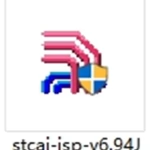
Including stcai-isp-v6.94J.exe (update programmer on Windows PC) and UART1.hex (new power amplifier PA firmware)
Video Operation Guide about the update power amplifier firmware of COFDM Video Transmitter

Here is the update of the power amplifier firmware flashing steps.
1: Connect the transmitter to the serial port tool, the connection method of the wire: GND to GND, TX to TX, RX to RX.
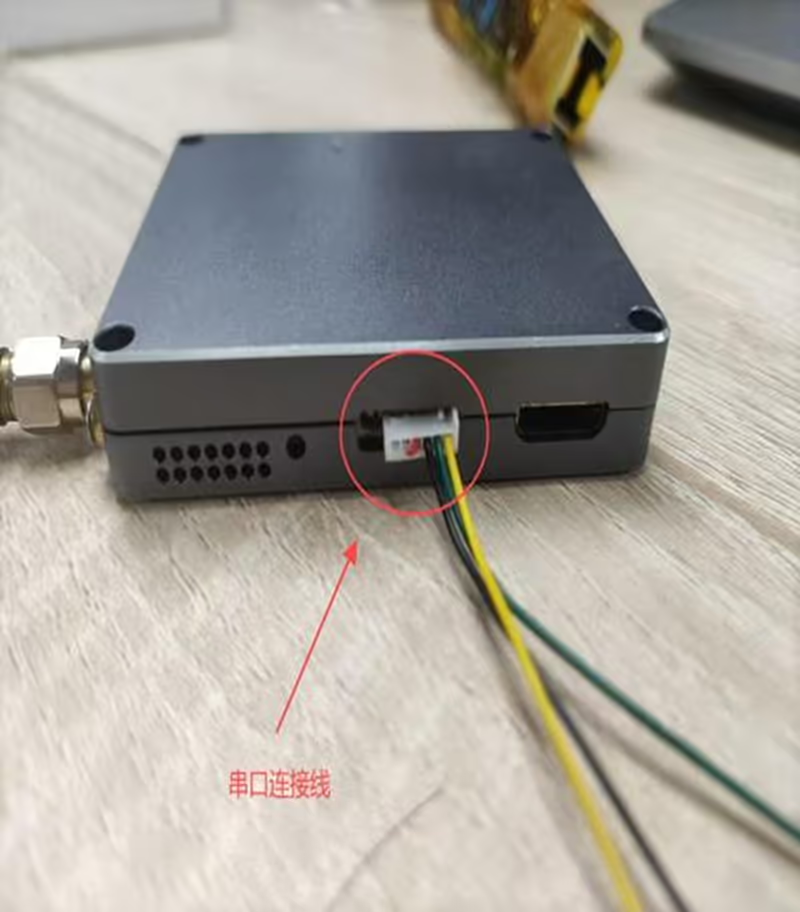
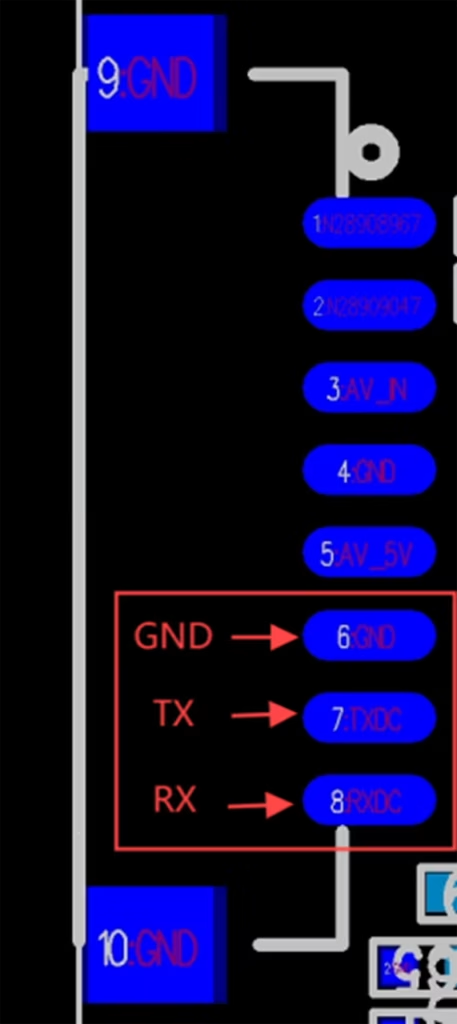
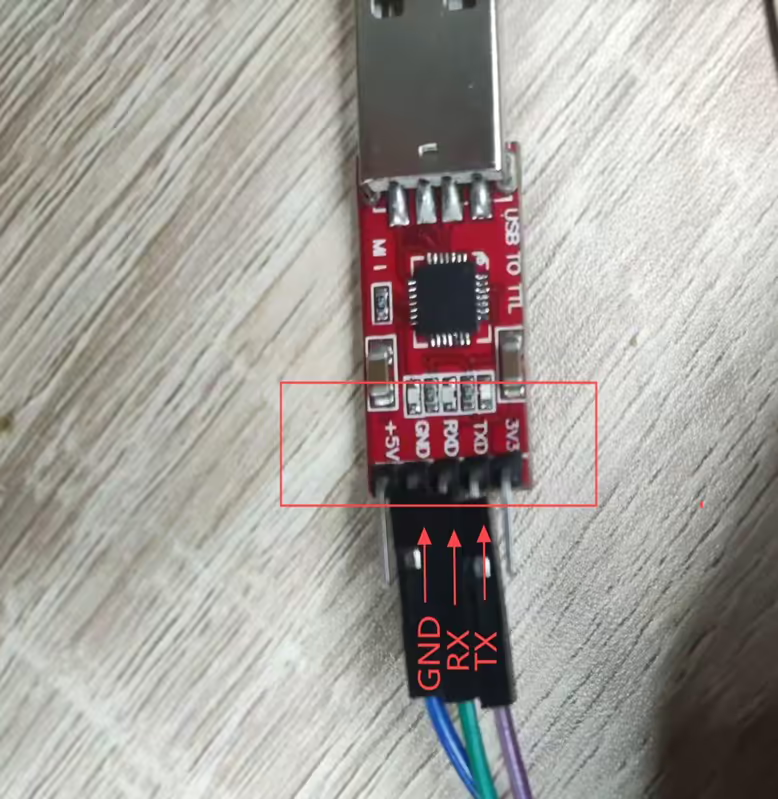
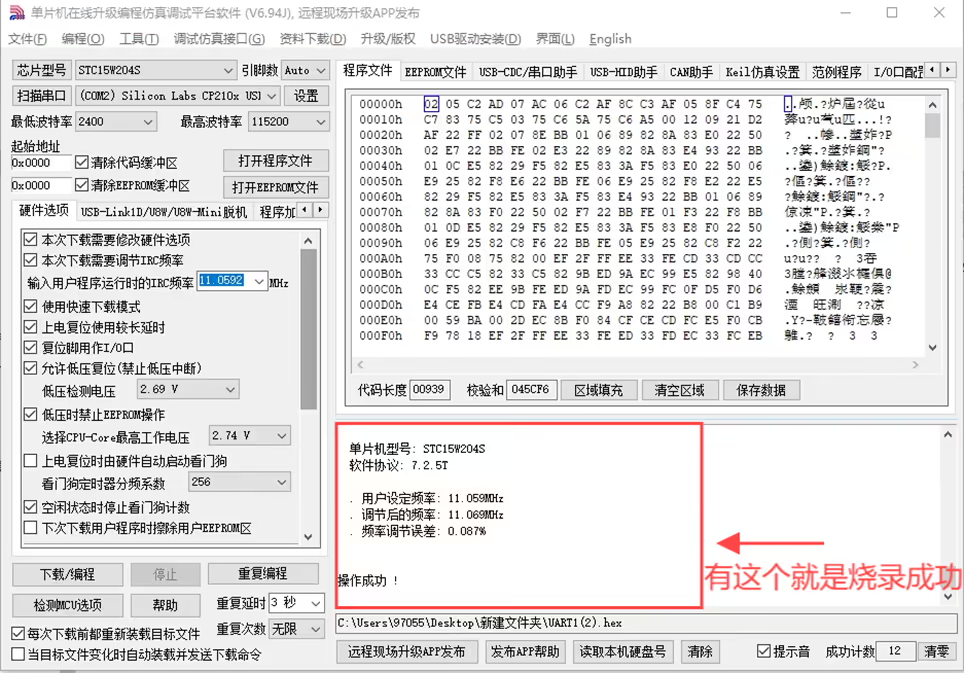
2: Open and burn stcai-isp-v6.94J.
3: Click to select the chip model.
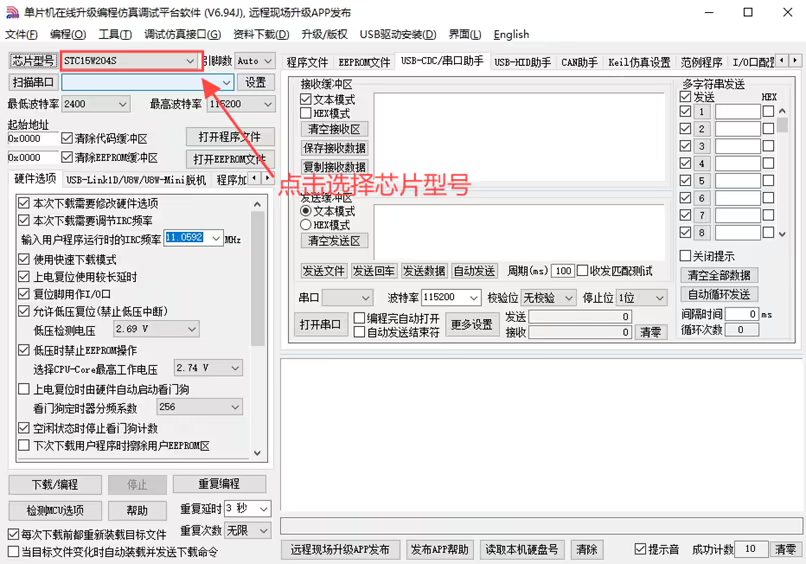
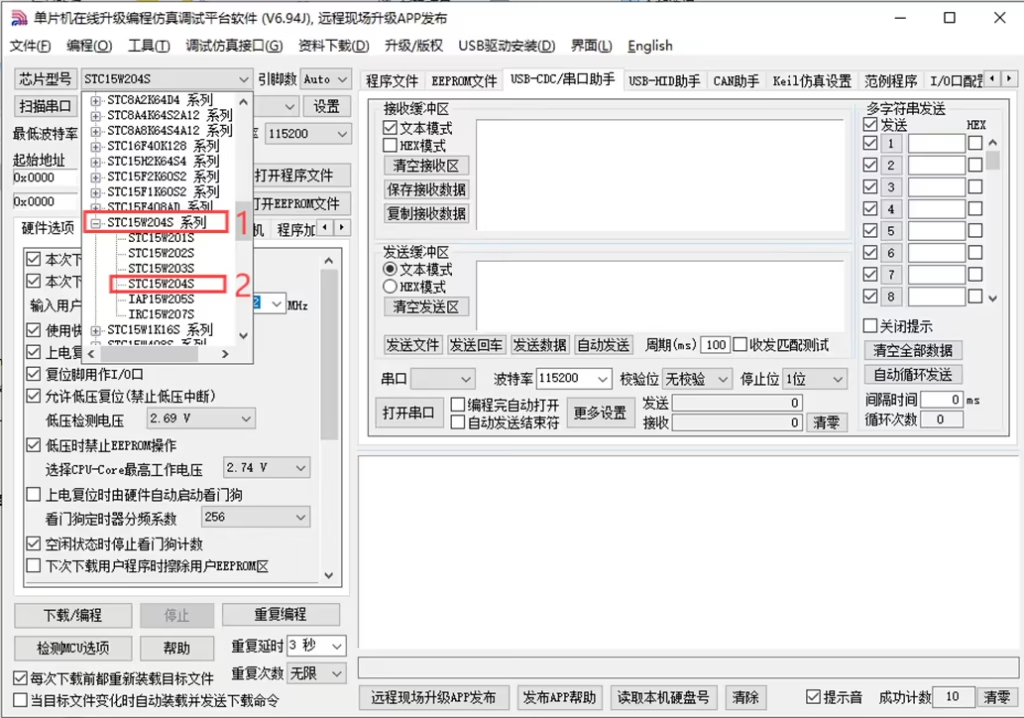
4: Click to select the chip model STC15W204S.
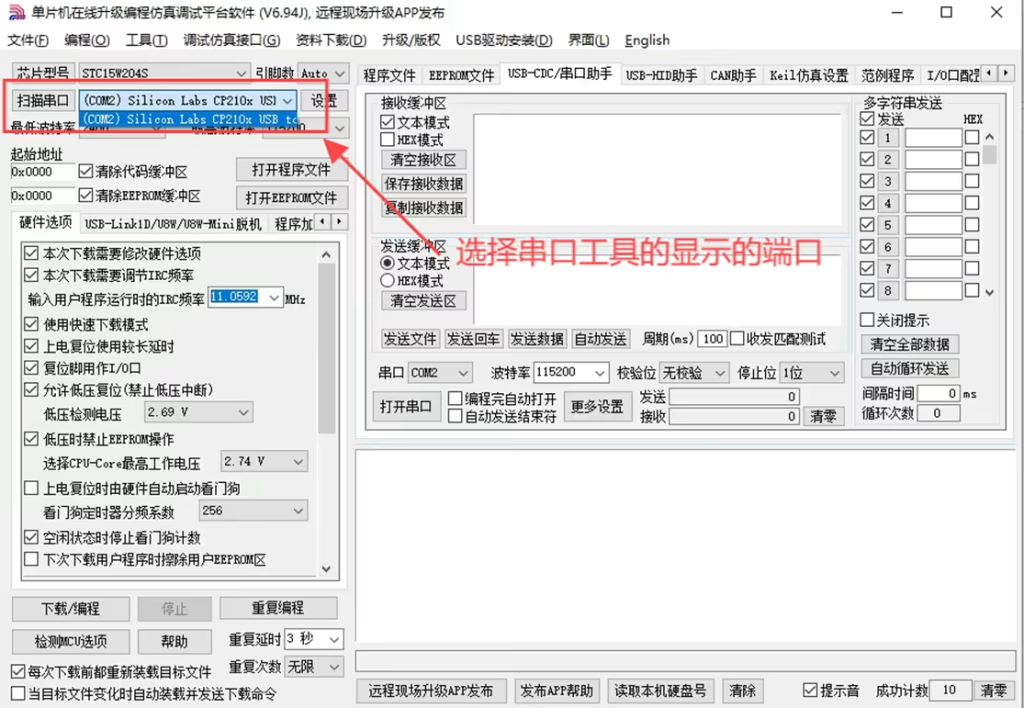
5: Click Scan serial port and select the displayed port number.
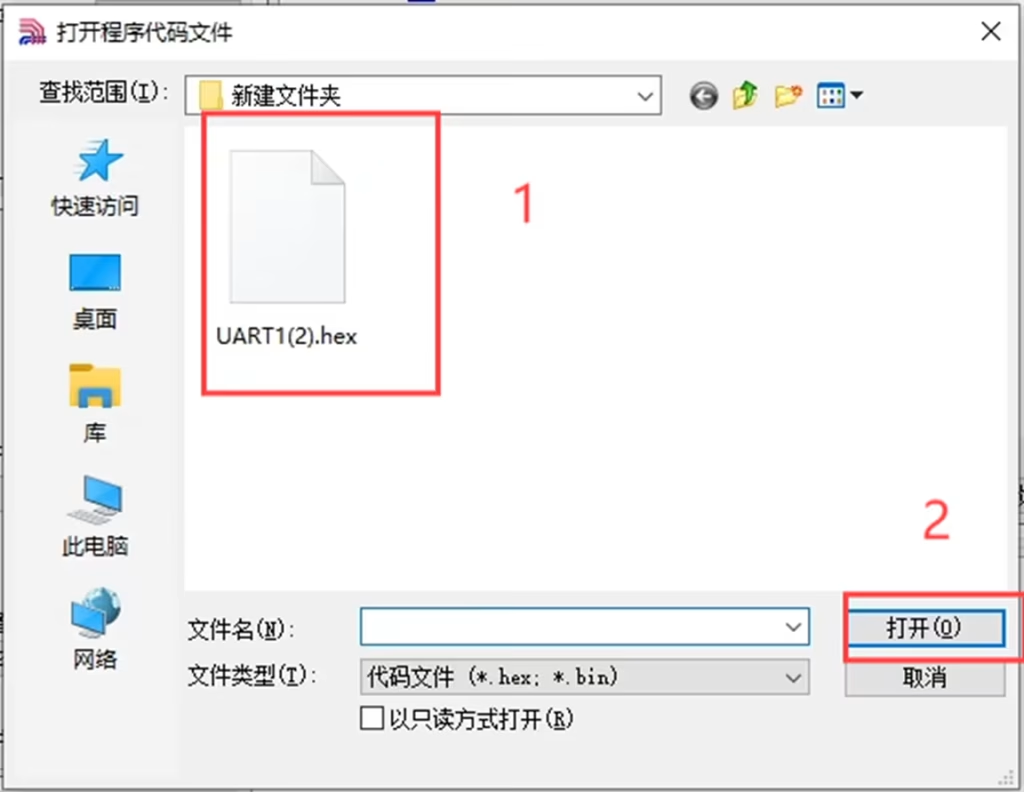
6: Click to open the program firmware.
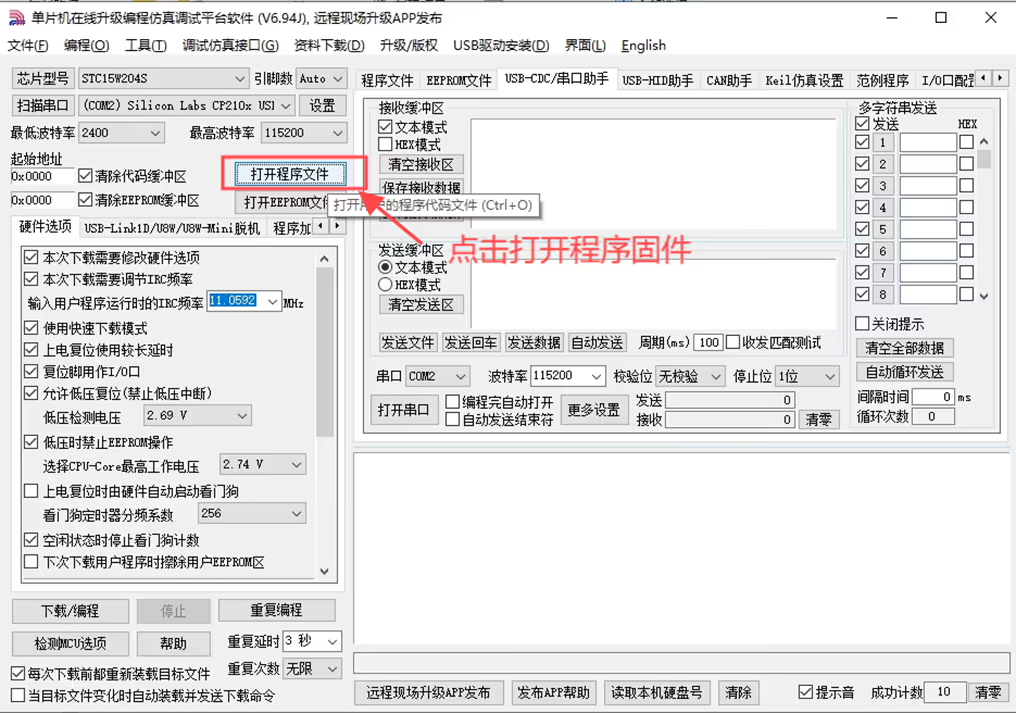
7: Select the program firmware and click Open.
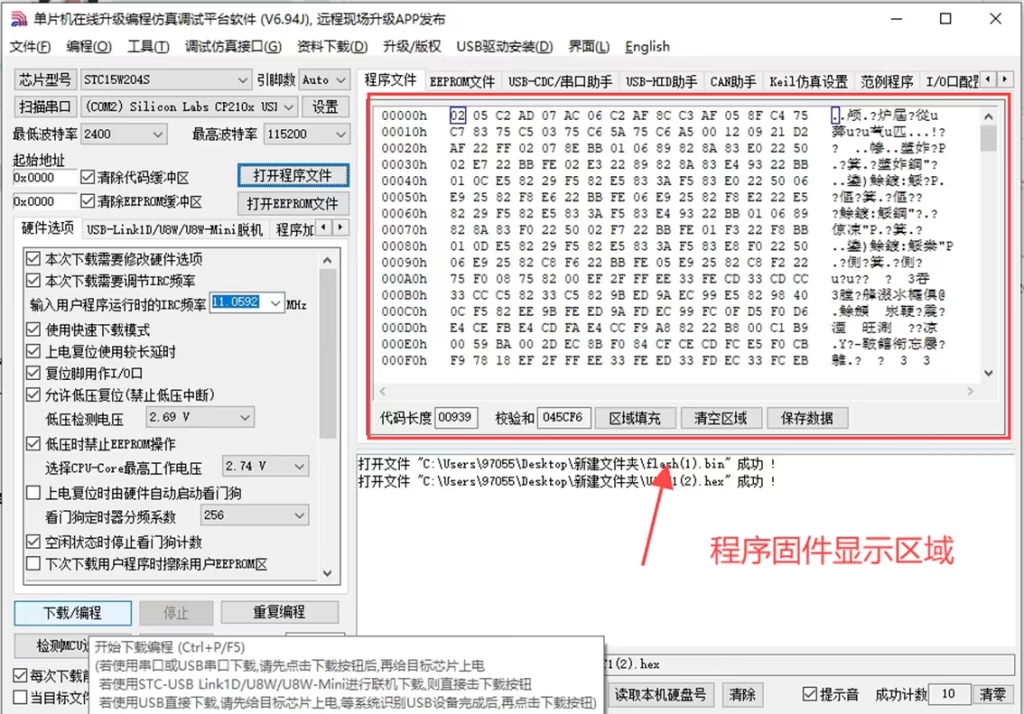
8: There is a program firmware display area.
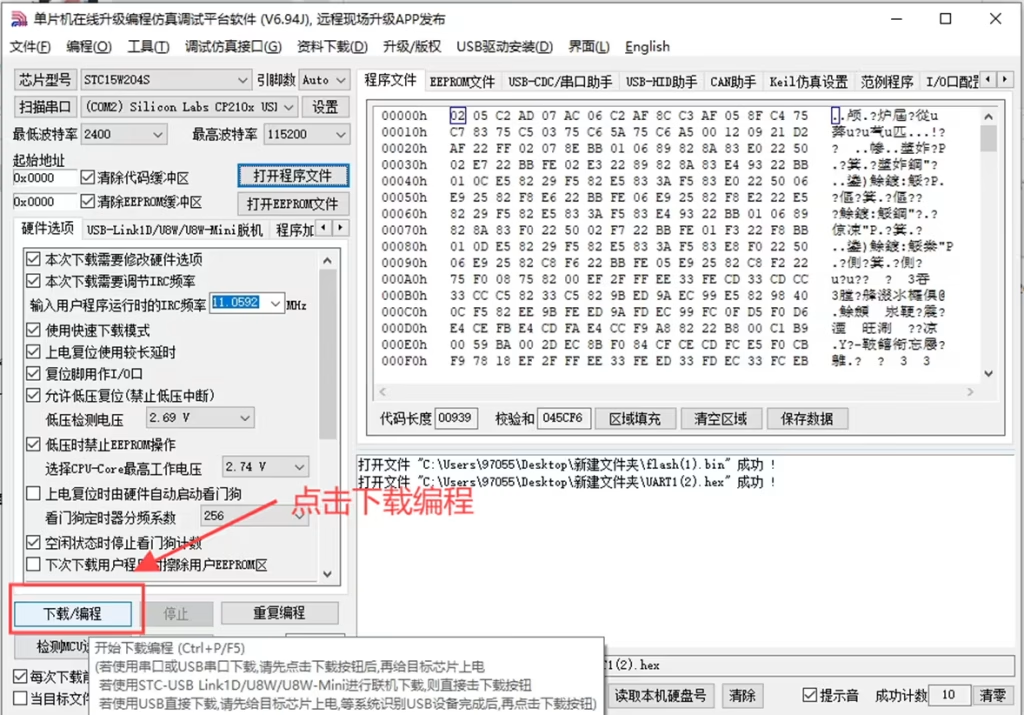
9: Click Download Programming.
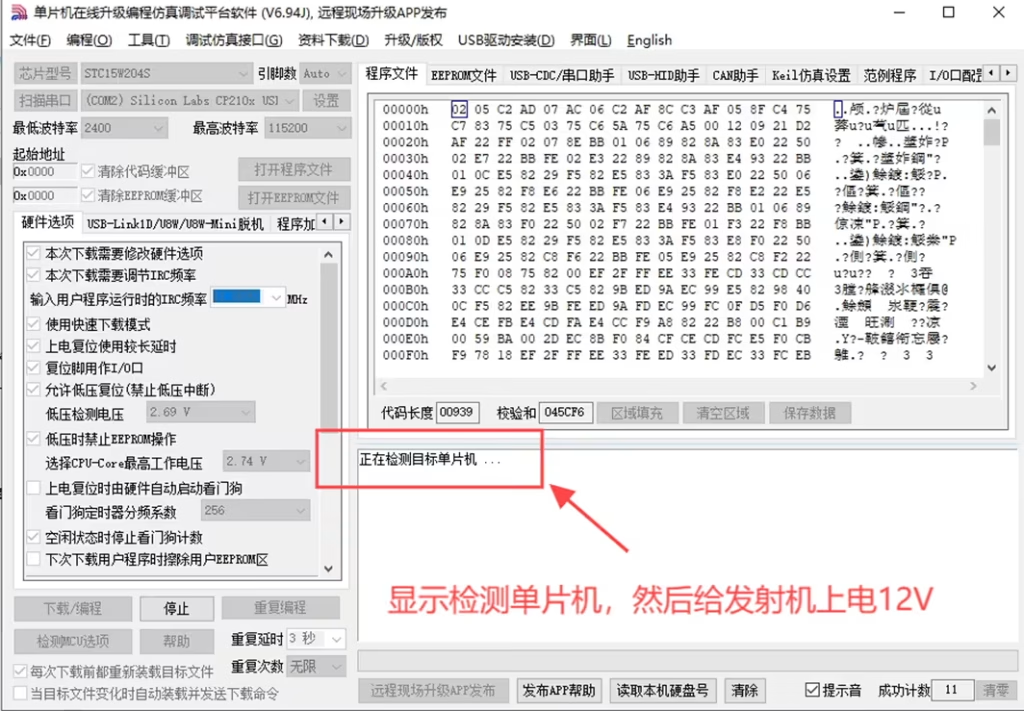
10: There is a display to detect the single-chip microcomputer, and then power on the transmitter 12V.
11: If the operation is successful, the firmware is burned successfully.
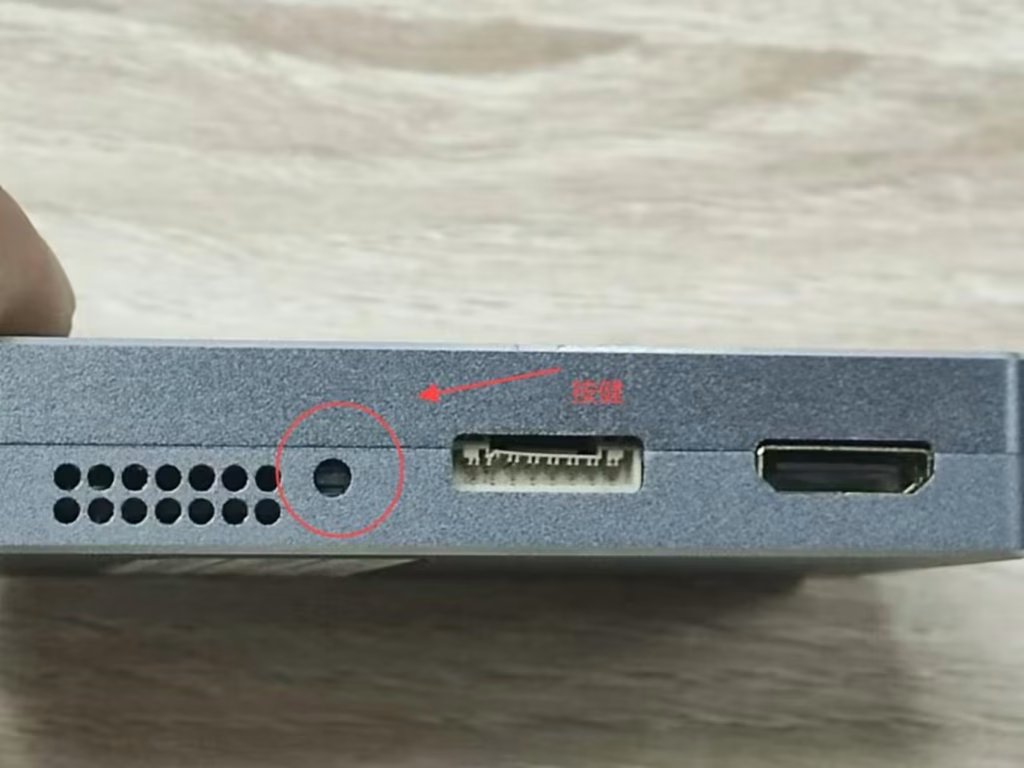
12: After the burning is completed, press the button on the transmitter to produce the effect.
Post from VF-202404
Ask A Question
Vielen Dank für deine Antwort. ✨