






红外热像仪串口板参数配置板
目录
介绍
该 Serial Port Parameter Configuration Board for Infrared Thermal Imaging Cameras is a compact and lightweight accessory designed to simplify the operation and parameter adjustment of thermal imaging devices. Traditionally, users had to rely on complex command-line debugging via UART in order to change color palettes, adjust display modes, or enable zoom functions. This process can be inconvenient and time-consuming, especially for field users who require fast and reliable operation. Our configuration board eliminates this hassle by offering a simple and intuitive solution—allowing users to control key functions through a physical button interface without the need for additional programming.
With just a single click, operators can cycle through different pseudo-color display modes, making it easy to select the optimal thermal image visualization for their specific application. A double click activates the zoom function, allowing smooth transitions between X1, X2, and X4 magnification levels. This feature is particularly valuable for drone-based thermal imaging, 监视, and inspection tasks, where quick adjustments are critical for mission success.
Despite its advanced functionality, the board is extremely lightweight, 仅称重 6.6 克. Its compact form factor ensures seamless integration with infrared thermal imaging cameras, including models such as the Vcan2036 analog thermal imaging camera designed for FPV drones. Both back and front layouts are engineered for convenient installation, making it suitable for UAVs, 机器人技术, 安全系统, and handheld devices.
此外, the board supports customizable solutions to meet diverse industry requirements. 例如, pre-set UART commands are available for popular modes like “White Hot” and “Fusion 2.” Users seeking compatibility with third-party thermal cameras may also send in their devices for free verification and testing.
全面的, this configuration board is an ideal tool for professionals who demand a fast, 可靠的, and user-friendly method to optimize the performance of their thermal imaging systems in real-world scenarios.
联系
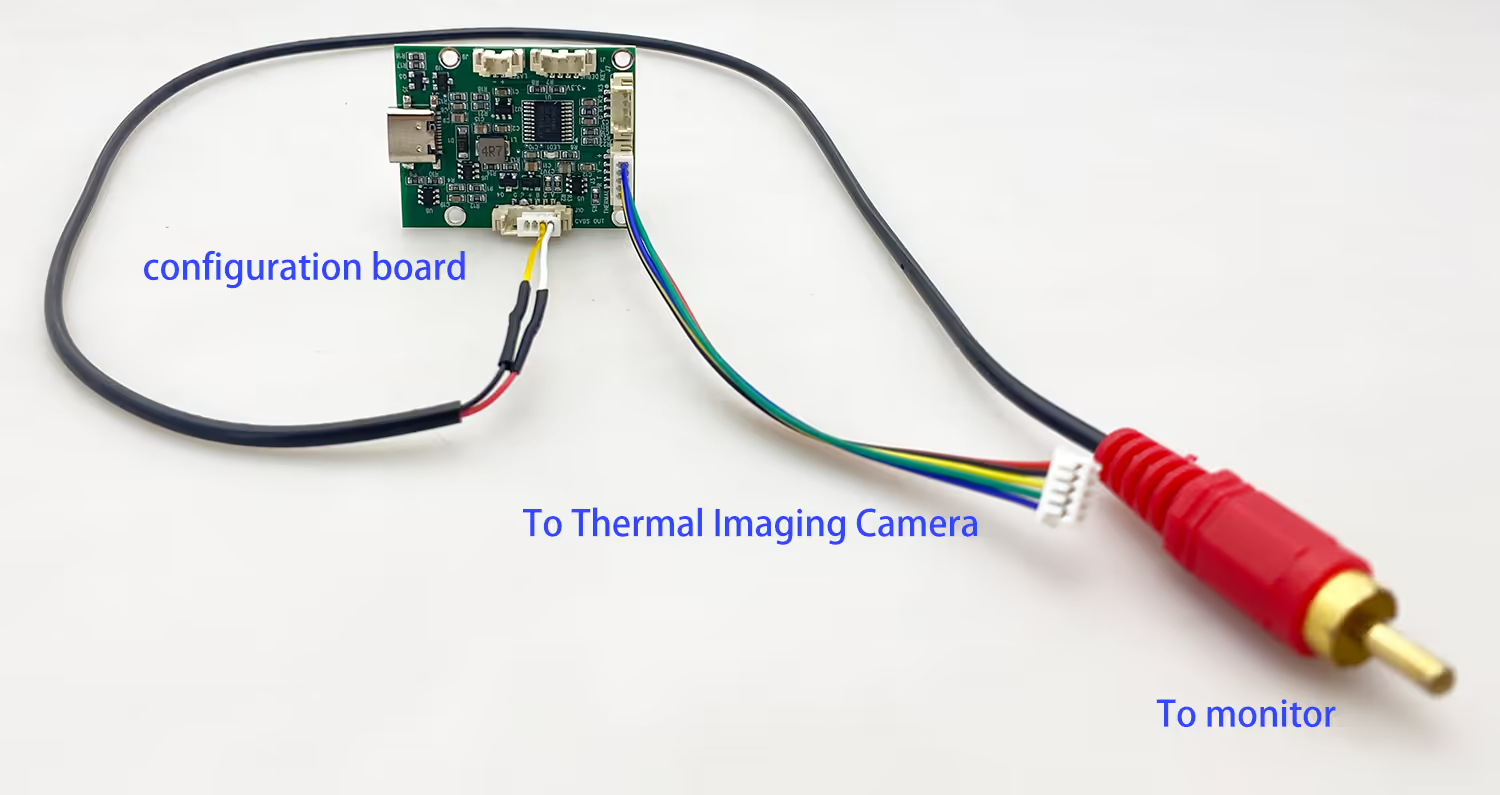
手术
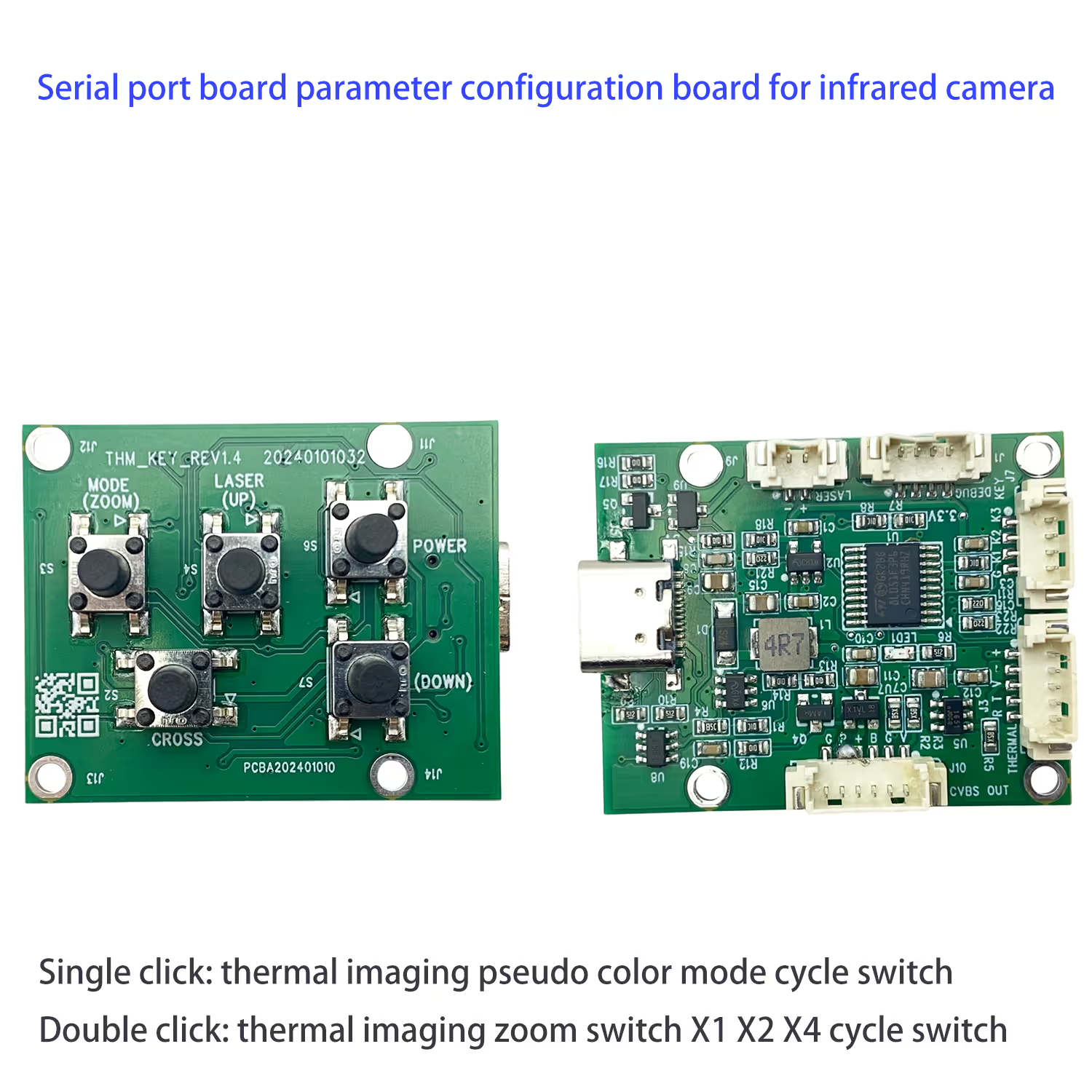
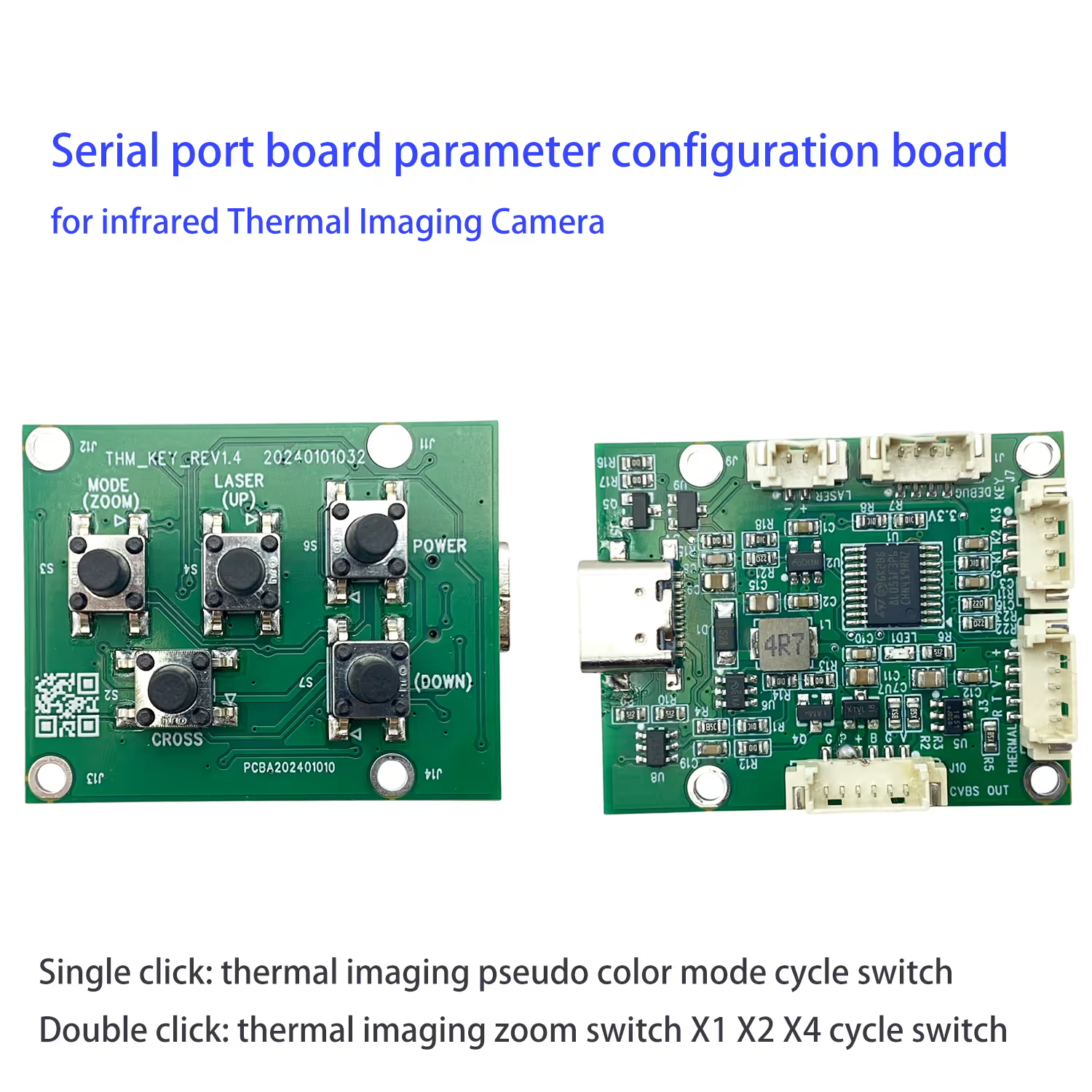
模式 (Zoom) 按钮
- Single click: thermal imaging pseudo color mode cycle switch
- Double click: thermal imaging zoom switch X1 X2 X4 cycle switch
For the below models

重量
仅有的 6.6 克
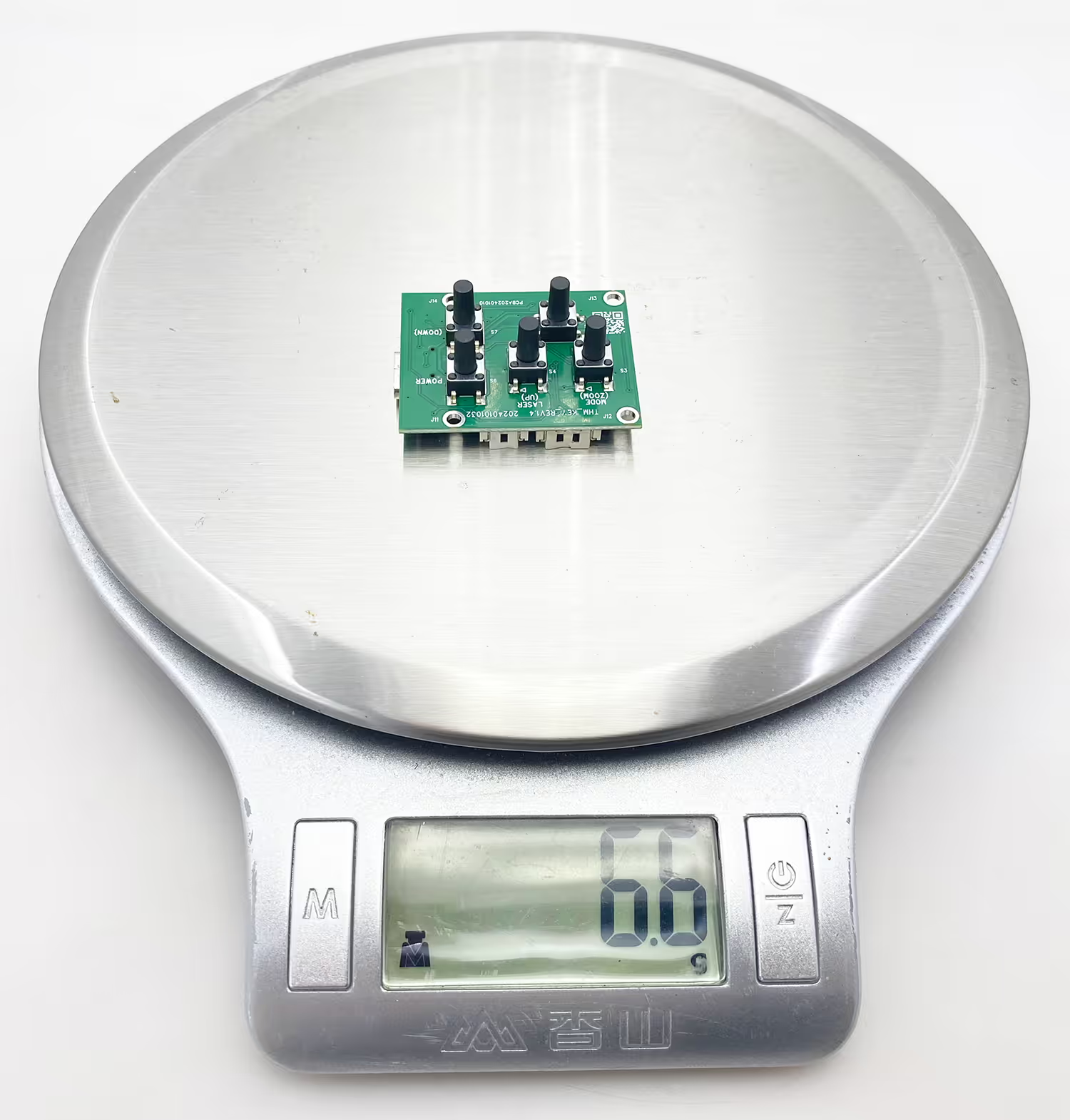
Back and Front Viewing
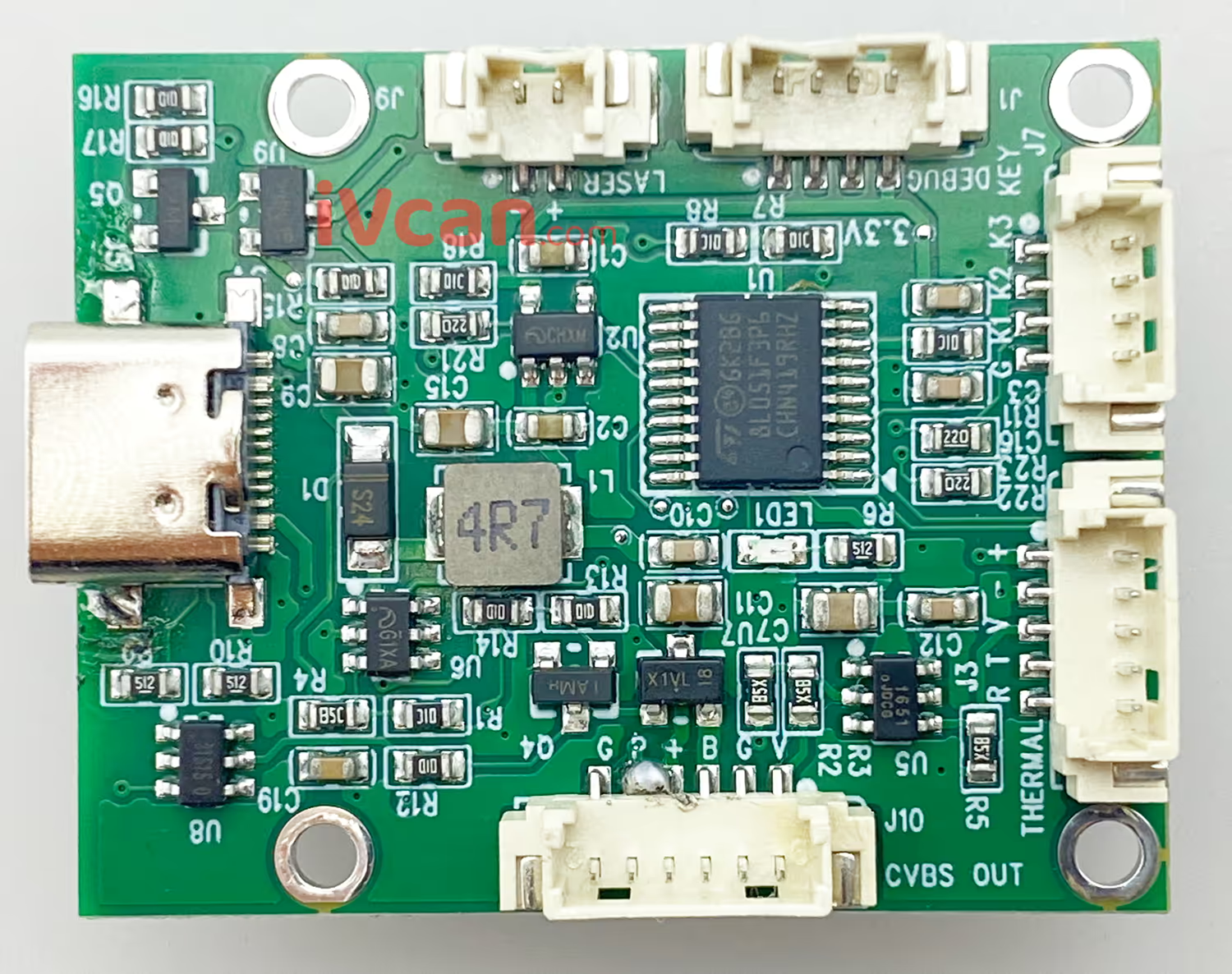
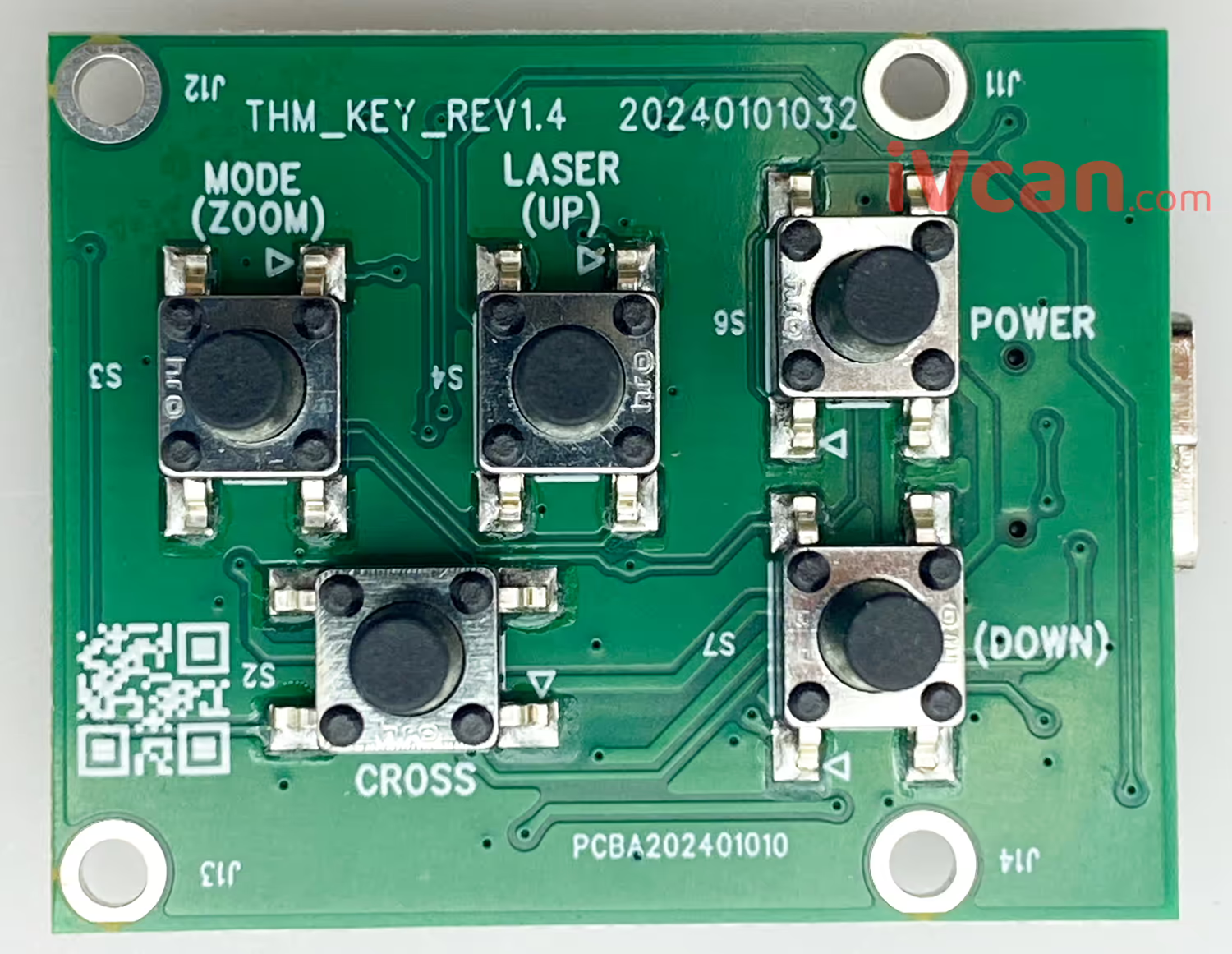
Front-View


This is an optional extra configuration board for a thermal imaging camera. Pressing a button lets you switch the thermal cameras’ display color. This is much more convenient than having to do calculations first and then send commands through the serial port. We can provide you with customizable thermal imaging solutions.
常问问题
Q: I’m having trouble debugging the command line via UART. Do you have pre-set color-changing commands?
一个: F0 05 36 78 20 00 00 CE FF White hot and F0 05 36 78 20 00 04 D2 FF fusion 2.
Q: Does your 8X camera tooI work well for an axis 640×512 热像仪?
一个: This thermal imaging camera’s 8x magnification and color change tool has been tested and verified to work correctly on our cameras. We haven’t tested it on the camera you mentioned, so we can’t confirm its functionality.
或者, please ship your camera to us, 和 we can test and verify it free of charge.





iVcan.com –
I recently added the Serial Port Parameter Configuration Board to my thermal imaging setup, and it has made a huge difference. Before, I always had to deal with UART command lines just to change color modes, which was frustrating and time-consuming. 现在, with a simple button click, I can quickly switch between pseudo-color palettes or zoom levels, even while operating in the field. The board is incredibly lightweight, 易于安装, and works flawlessly with my thermal camera. 强烈推荐!