





AAT是自动天线跟踪器的缩写. The good recommended AAT is 维坎1916.
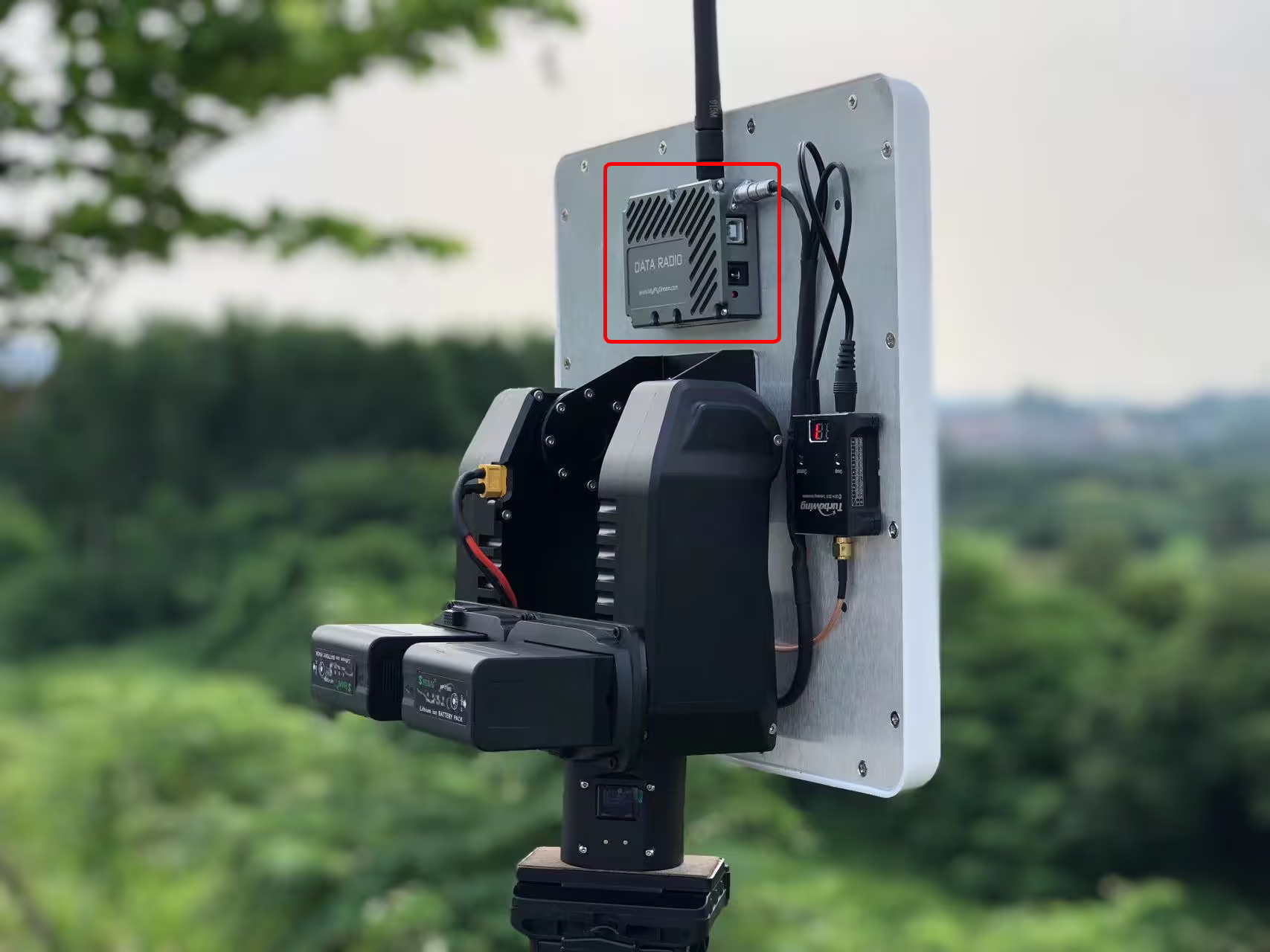
It allows the flat directional antenna to always face the drone through GPS positioning, greatly improving the signal strength of the drone’s data and video transmission links and increasing the transmission distance.
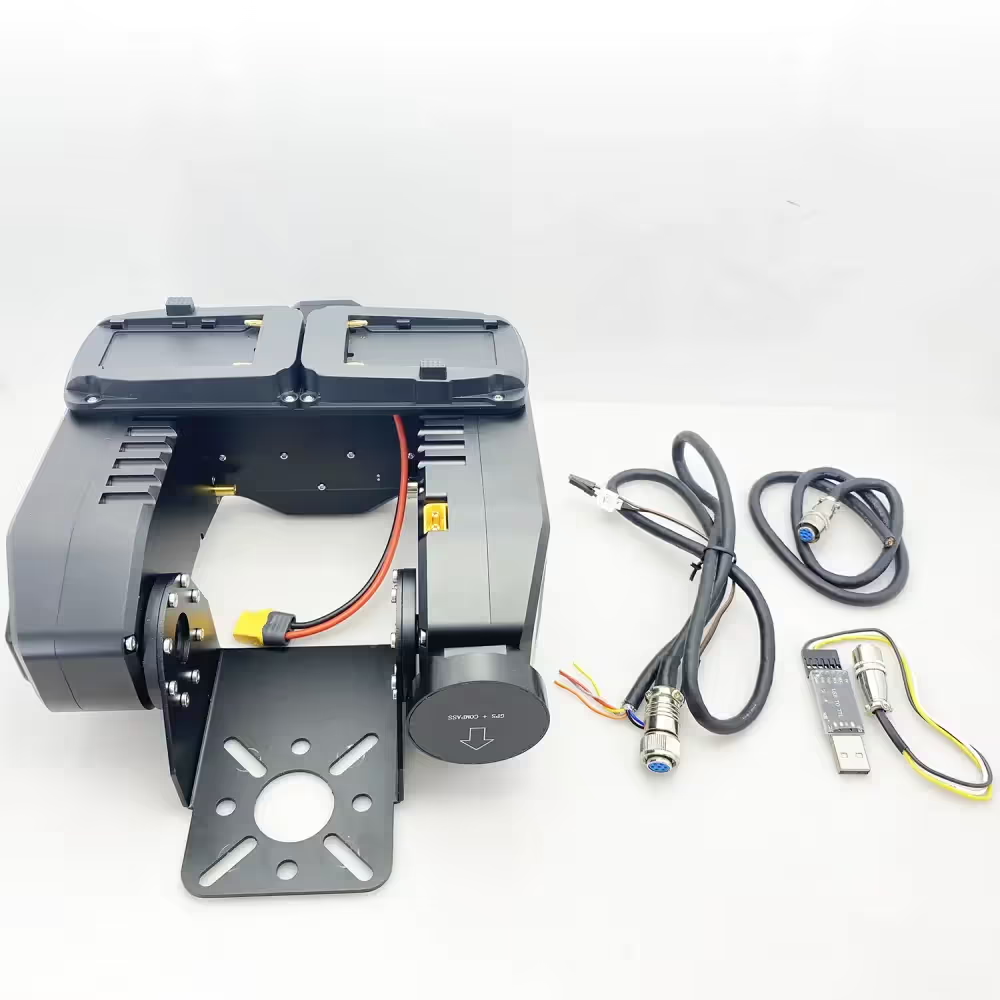
During use, customers may encounter problems of one kind or another. Customers may want to optimize or improve the integration with the GCS Ground Control Station according to their requirements or send instructions to keep a fixed angle when there is no signal in the UAV wireless video data link. These can be achieved by downloading and updating the firmware of the AAT.
如何下载和升级AAT自动天线跟踪器固件?
Please download the upgrade firmware at the below link.
Table of Contents
MFDAATV1_92A1
https://drive.google.com/file/d/1hW5GaW3ww6wrMQt6pQN6_3qxgQMnWAM6/view?usp=drive_link
MFD_Update
https://drive.google.com/file/d/1reEgXk0NAIxr7IR1WC5QVwQo5-Xt3j42/view?usp=drive_link
USB to TTL Driver (CH341SER)
https://drive.google.com/file/d/1zidiKP21VVDbeH3mgh5MtjE7cnURndIo/view?usp=drive_link
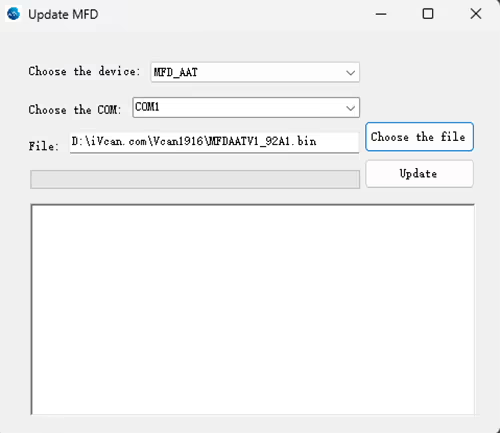
One client should download and upgrade the firmware of AAT automatic antenna tracker. Here is his process.
客户: During the update process, my connection was lost and the update failed. How i can reset the AAT? The display doesn’t show anything. When I plug in power. I can hear some bip-bip sound.
维康: Continue to repeat the update process, Power off the AAT, and then update again.
客户: The software cannot connect to the AAT, 请检查下面的图片.
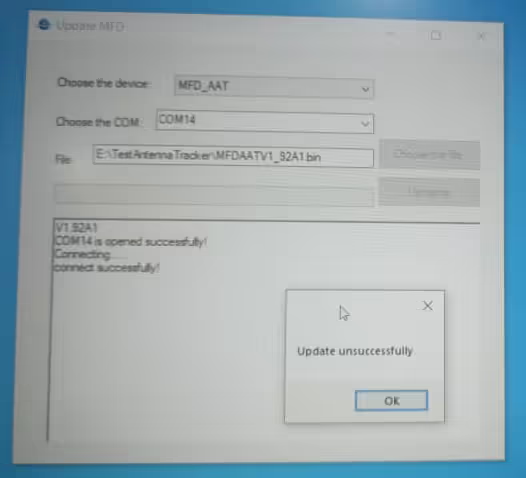
The operation step suggested by our engineer is the below:
- The operation step suggested by our engineer is the below
- Plug in the downloader and connect it to the computer.
- Turn on the power.
- Wait for the gimbal to beep 6 次
- Start the update program again.
We just did a test locally. After the update fails, you can resume the update as I said. Pay attention to checking the TTL connection line.
客户: My connection is ok. I hear a beep 6 次, After I press update I hear 1 beep, but the result is unsuccessful.
Please check them one by one, The engineer did a test on our side, and it is ok. Would you like to take your operation video? let our engineer “看” which step is wrong. We can not find the problem from text only.
The client has sent us his operation video.
Please unplug and replug the USB-TTL after your video ends and update again.
Please change our default USB TTL tool in the package accessory and test again.
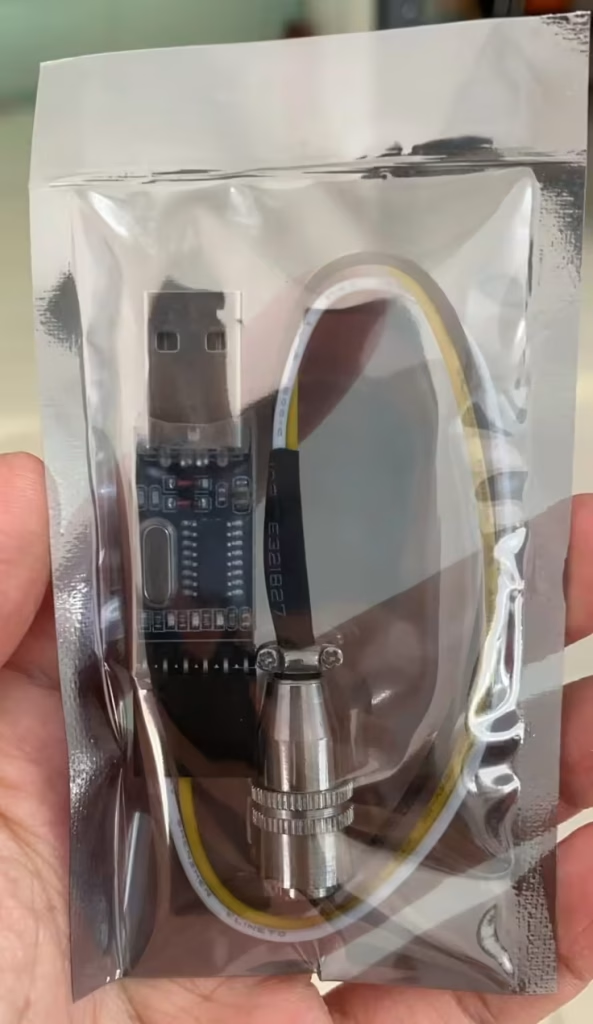
客户: 好的. I updated the firmware. And the device is ok, My TTL to USB didn’t work. The AAT work with MAVLinkProj now.
Please tell me if you have any questions about the download and upgrade of the firmware of AAT Automatic Antenna Tracker.
AAT for the flat panel directional fiberglass antenna is very useful to increase the signal strength and transmission range. As a good supplier of long-range wireless video and data transmitters and receivers, we are always online to offer you free technical support.

常见问题解答
对不起, 不.
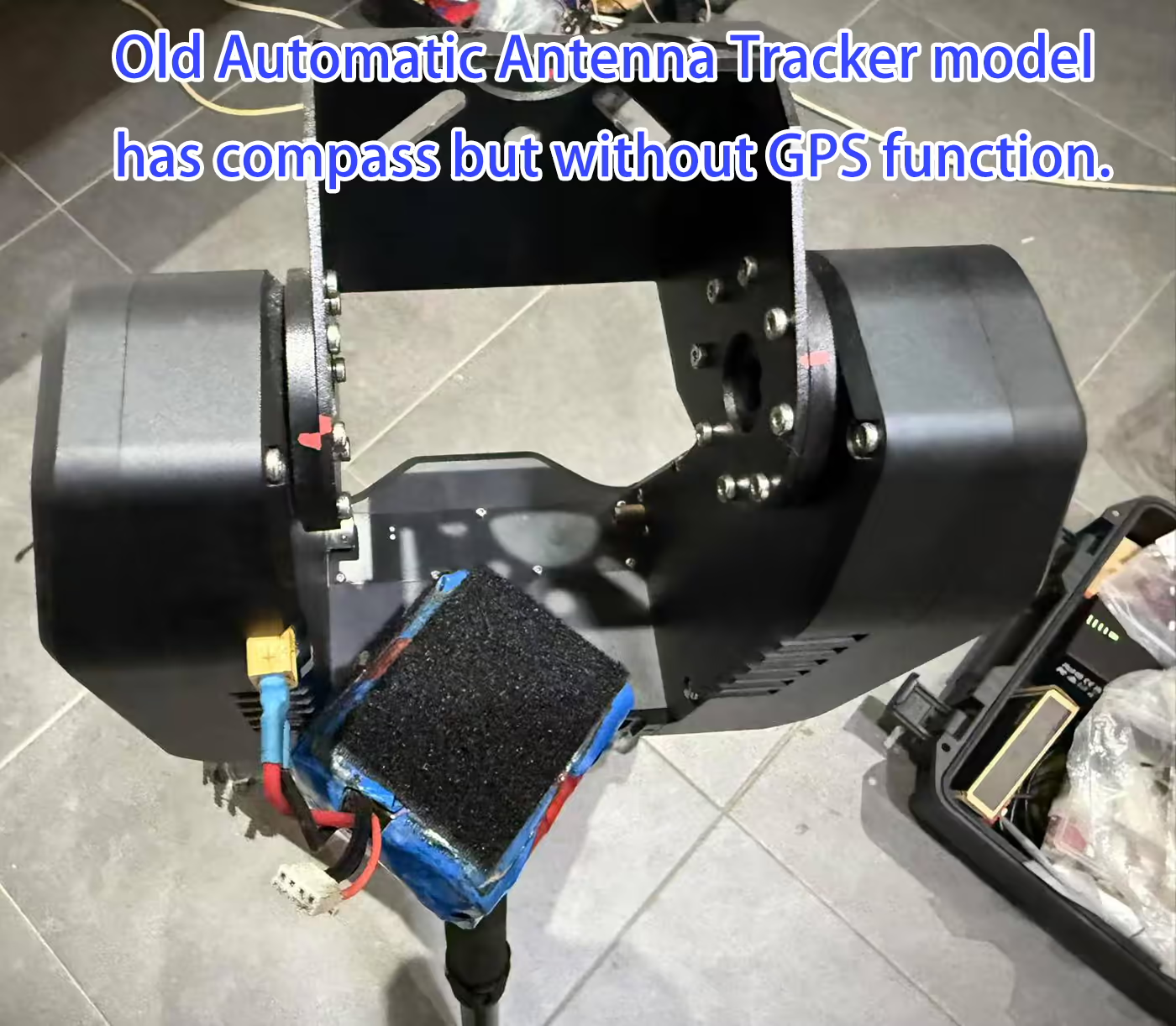
现在自动天线跟踪云台仅支持较少的3G频率.
如果频率超过3.3g, 您的接收器必须位于平面天线上, 请检查下面的图片.
Q: 我应该为连续准备旋转接头吗 360 旋转?
一个: 云台内置滑环,支持360度旋转.
天线参数有哪些? (获得, 健康体重, ETC)
追踪器的接口是什么? 如何控制追踪器?
零航向是如何制作的?
第四季度: 是否也可以进行 RSSI 跟踪?
A4: 不, 无人机将 GPS 数据发送至跟踪器, 它使用 GPS 进行跟踪. 无人机视频数据链可以向接收器发送RSSI. 然而, 根据GPS位置进行跟踪,保持天线始终面向无人机.
定向天线重量应小于 2.5 千克.
工程师建议购买我们的外部 GPS 装置, 补充说这将花费额外的费用 $89.
追踪器需要 两个都 以下 MAVLink 消息中的:
-
MAVLINK_MSG_ID_GPS_RAW_INT– 提供原始 GPS 数据, 包括位置和高度. -
MAVLINK_MSG_ID_GLOBAL_POSITION_INT– 提供全球位置信息, 包括纬度, 经度, 和相对高度.
⚠️注意: 即使您的飞行控制器发送其他 MAVLink 消息 (例如, 心跳), 如果这两条消息丢失, 追踪器将显示“DLink:1% 味精?” 表示未收到所需数据.
-
最低频率: 1 Hz – 确保跟踪器接收基本位置更新.
-
推荐频率: 5 Hz 或更高 – 提供更流畅、响应更灵敏的实时跟踪.
💡 例子: 对于 ArduPilot Mega, 你可以搜索
SR1_在 Mission Planner 的参数列表中并设置SR1_POSITION到 5 Telemetry1 端口 Hz 或更高.
-
ALT=气压模式: 用途
GLOBAL_POSITION_INT.relative_alt作为高度源. 适用于大多数 ArduPilot 系统和定制飞行控制器. -
ALT=GPS 模式: 使用海拔高度
GPS_RAW_INT信息. 适用于大多数 Pixhawk 飞行控制器.
用户可以检查
FlightInfo -> ALT/BARO查看 GPS 高度和气压高度,以确认跟踪器正在使用正确的数据源.

如何将自动跟踪器天线 AAT 安装到无人机无线视频数据发射器和接收器

适用于无人机视频发射器天线跟踪器的自动天线跟踪 AAT Mavlink 协议

自动天线跟踪器万向架结构和接口

适用于无人机视频发射器天线跟踪器的自动天线跟踪 AAT Mavlink 协议
Ask A Question
感谢您的回复。 ✨