如何配置無人機視頻數據空氣發射器和接地接收器, 合適的下面型號.
$722.00 – $1,250.00價格範圍: $722.00 通過 $1,250.00
如何配置無人機視頻數據空氣發射機
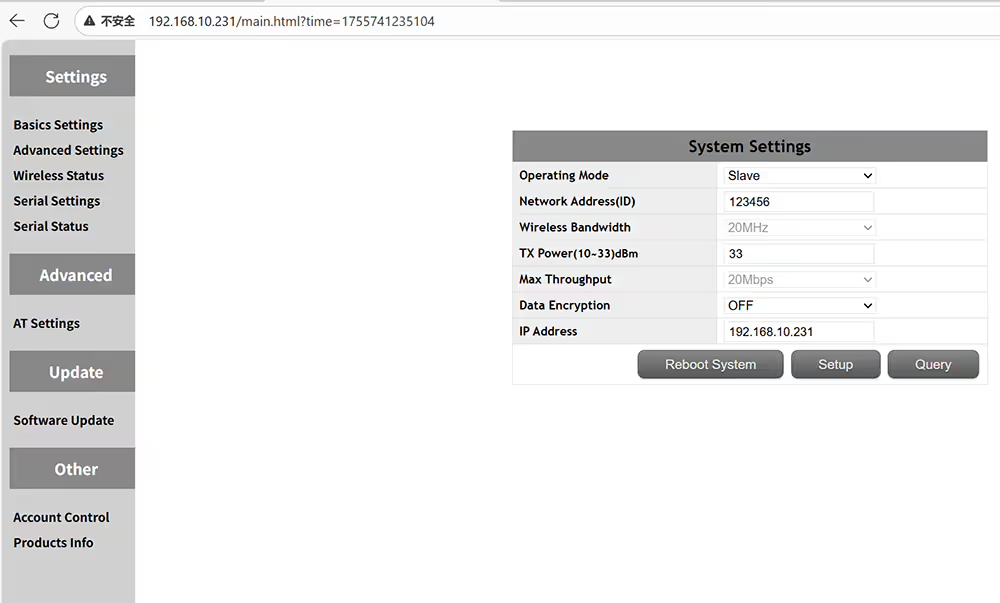 如何設置空氣單元無人機視頻數據發射器
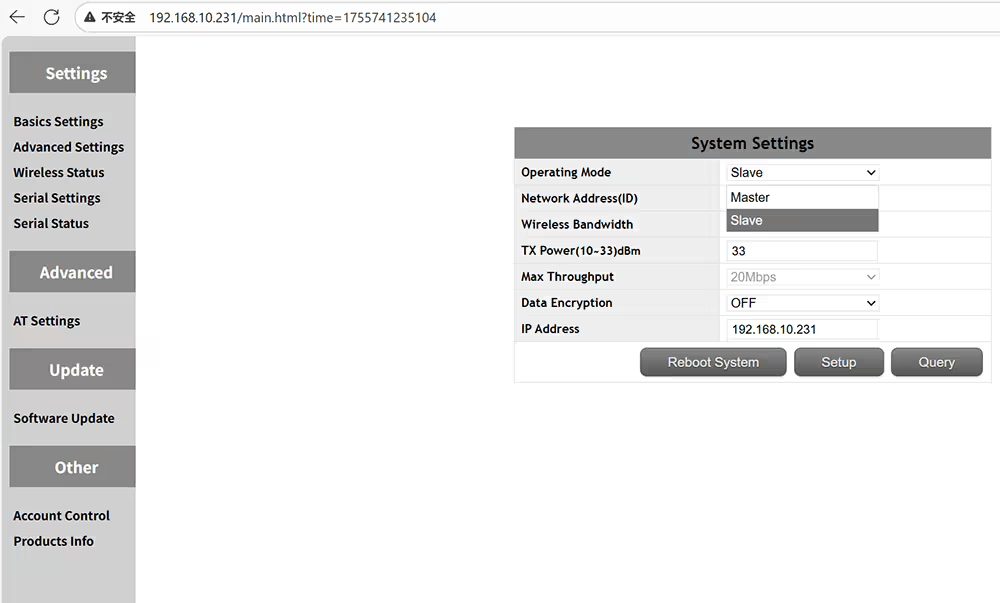 主是中央節點的主節點接收器從屬訪問節點是指空氣發射機
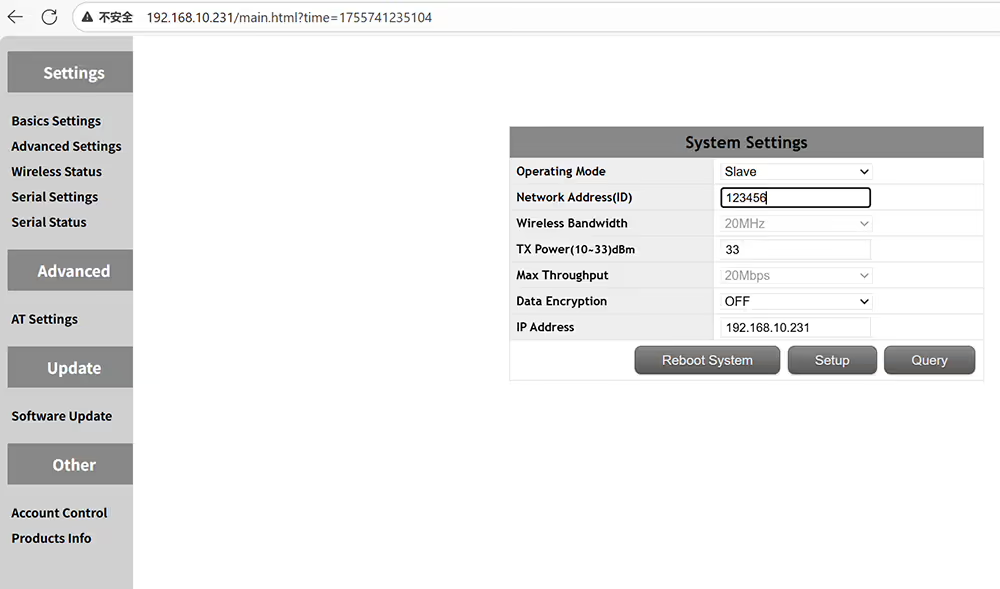 如果要配對發射器和接收器,請設置相同的ID
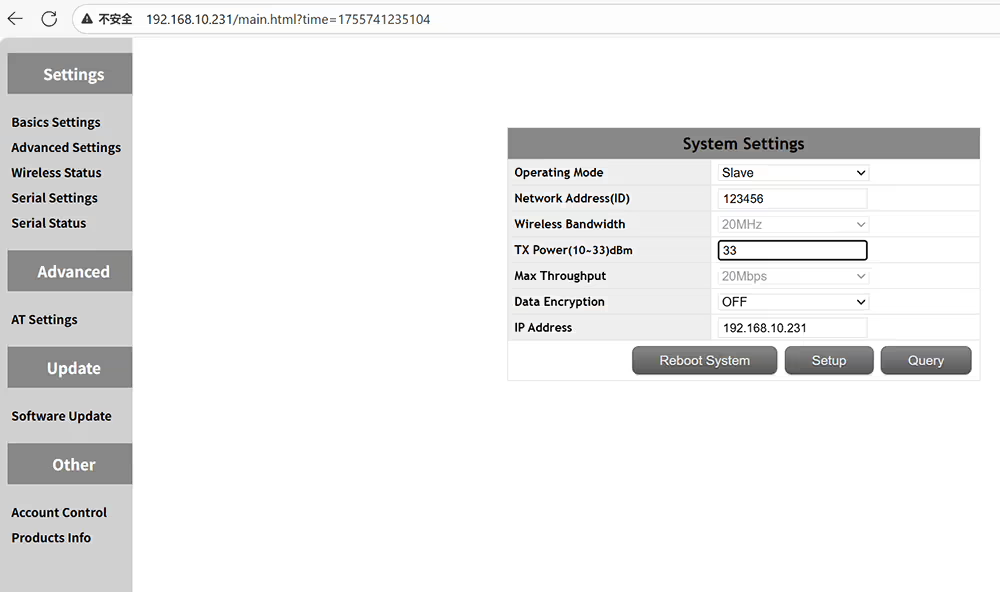 輸出功率放大器可以設置為小於 2 瓦
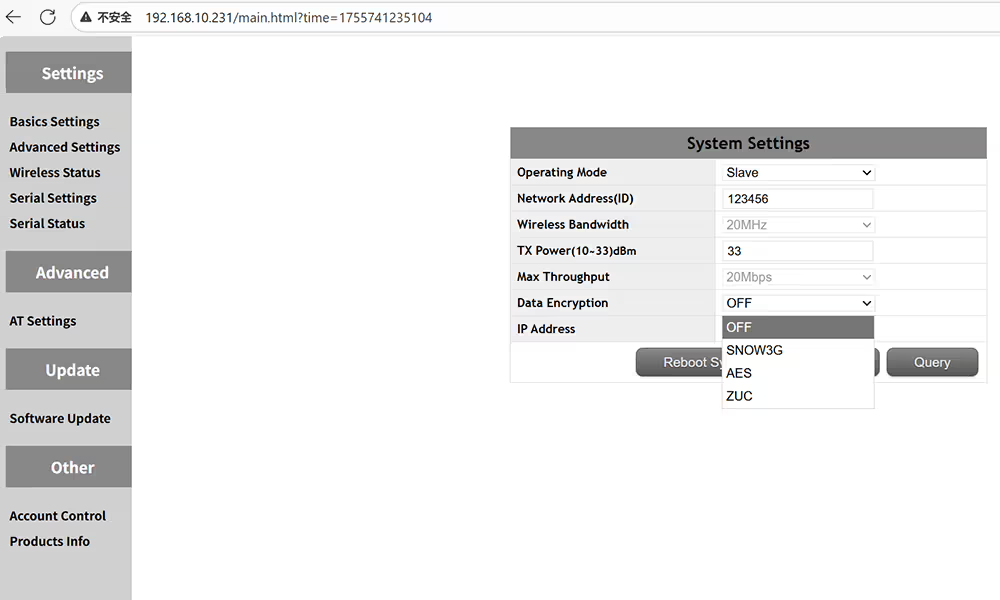 可選的加密方法Snow3G AES ZUC
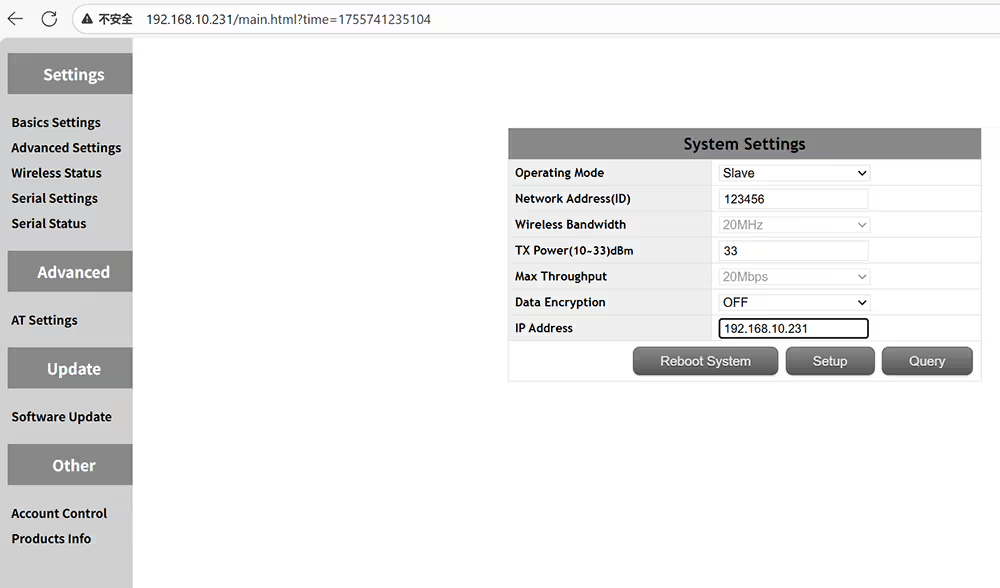 自定義設備的IP地址並確保在同一網絡段中
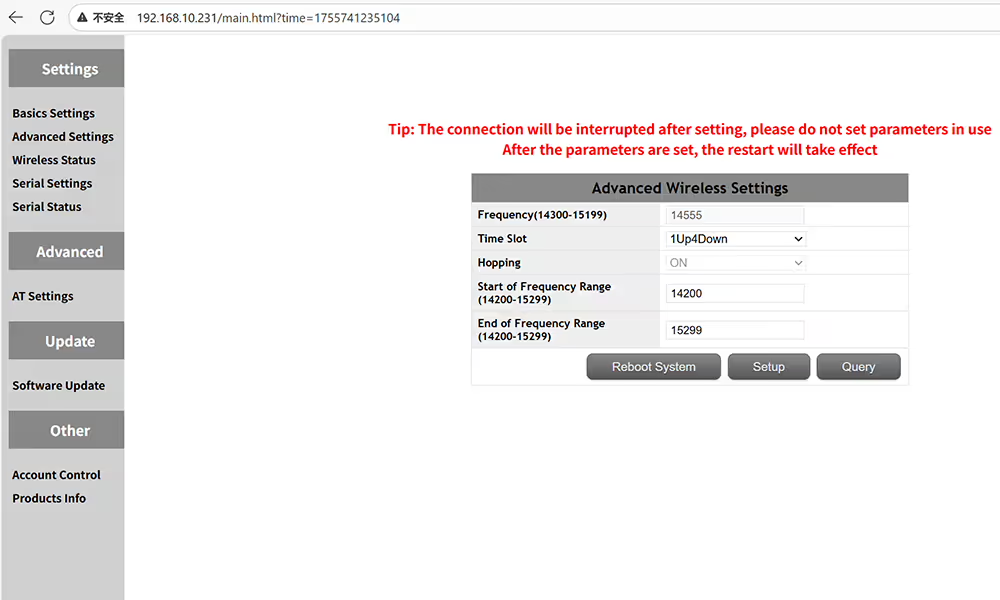 空氣側頻率和時間插槽的高級設置
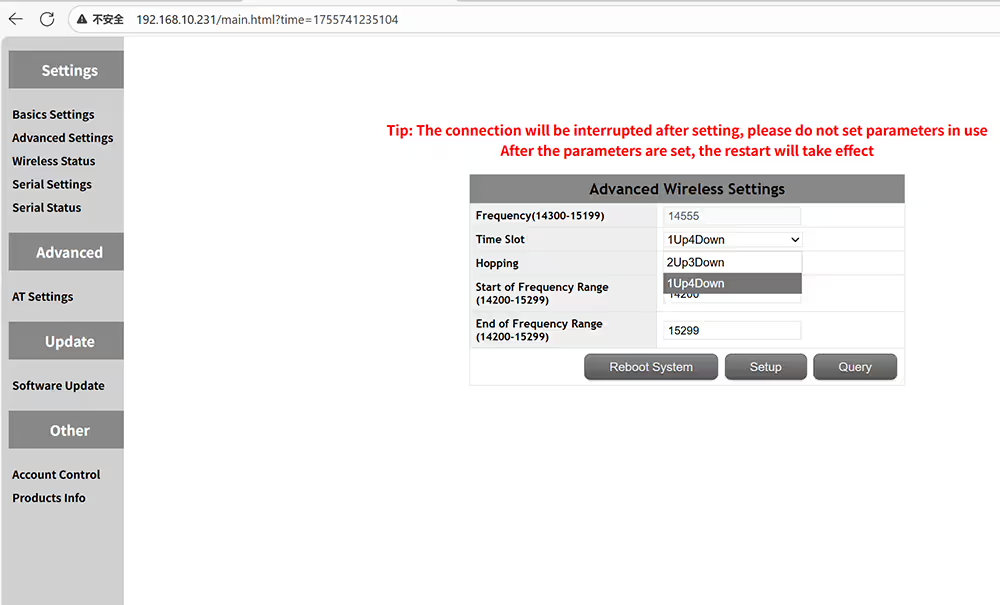 請確保主插槽相同
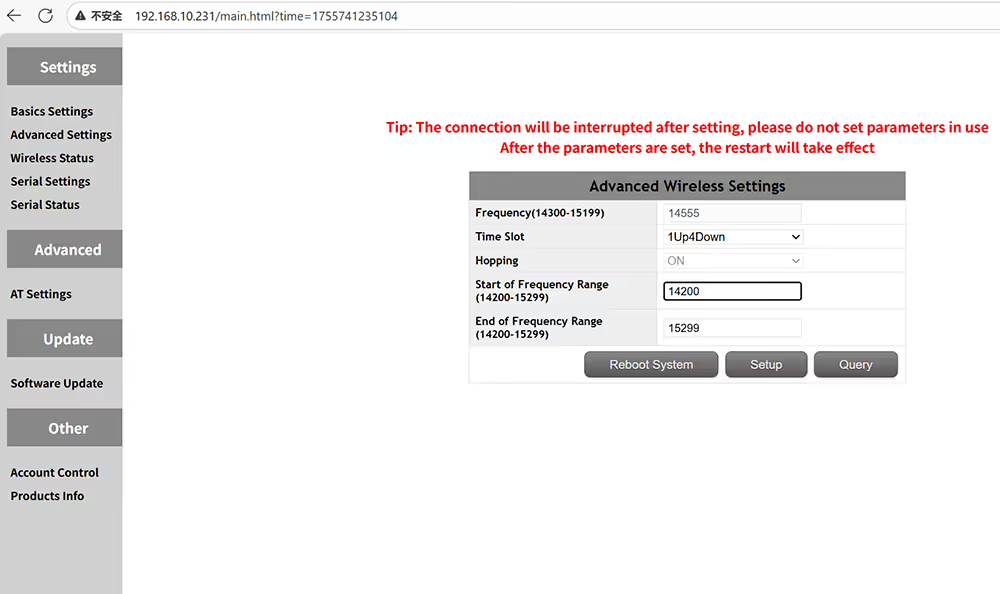 設置工作頻率範圍的起始頻率
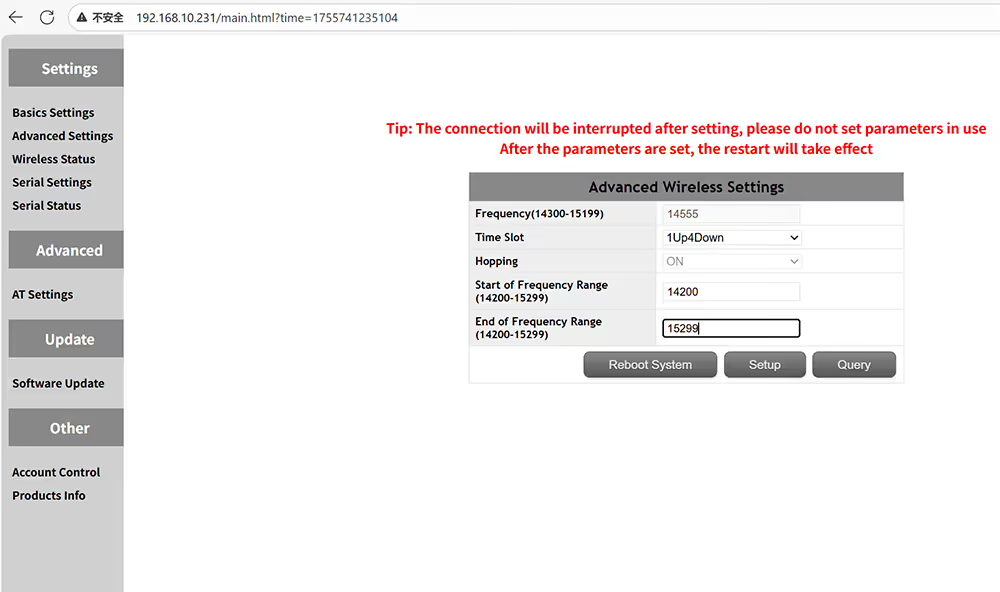 設置運行頻率範圍的終點
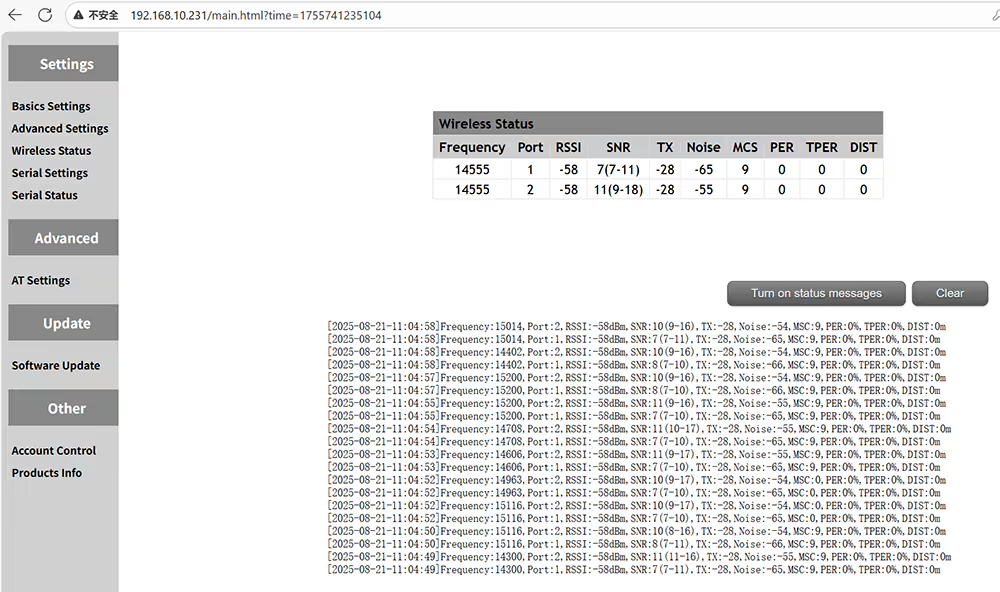 查詢無線狀態,包括頻率RSSI SNR噪聲MSC每提款距離
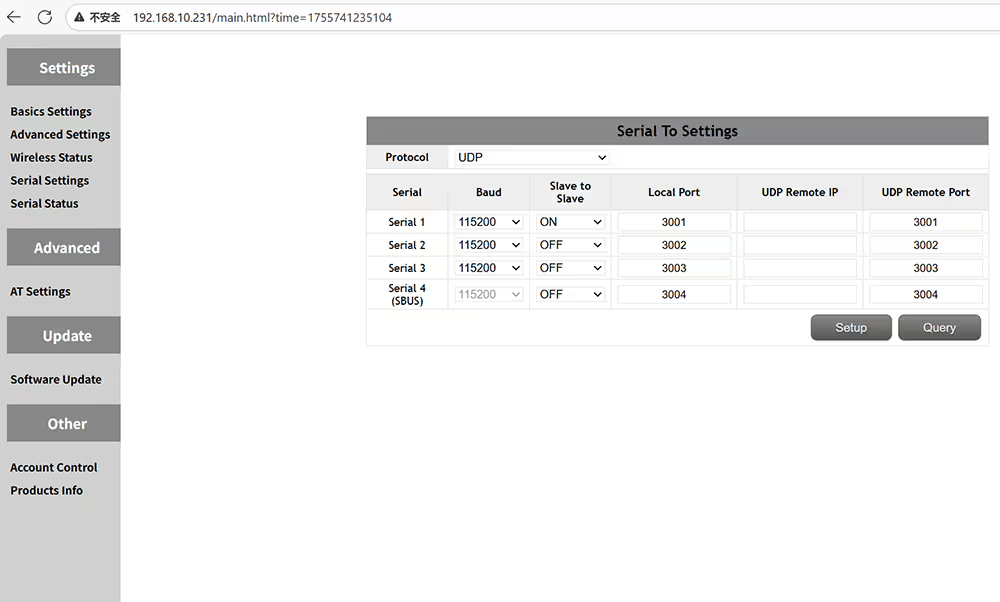 數據序列端口定義設置
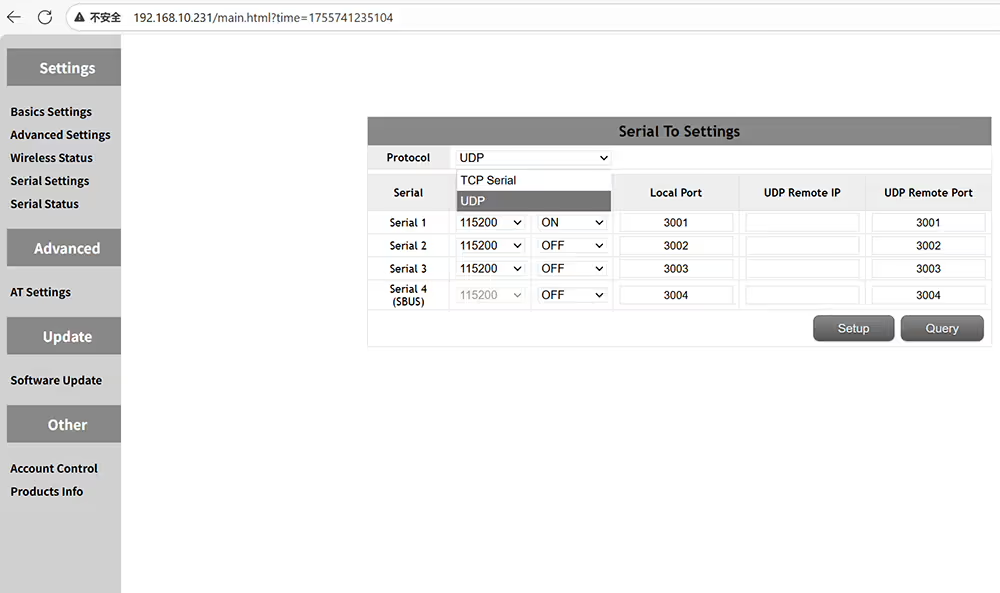 支持的協議是TCP和UDP
 支持的波特率包括 9600, 19200, 38400, 57600, 115200, 230400, 和 460800
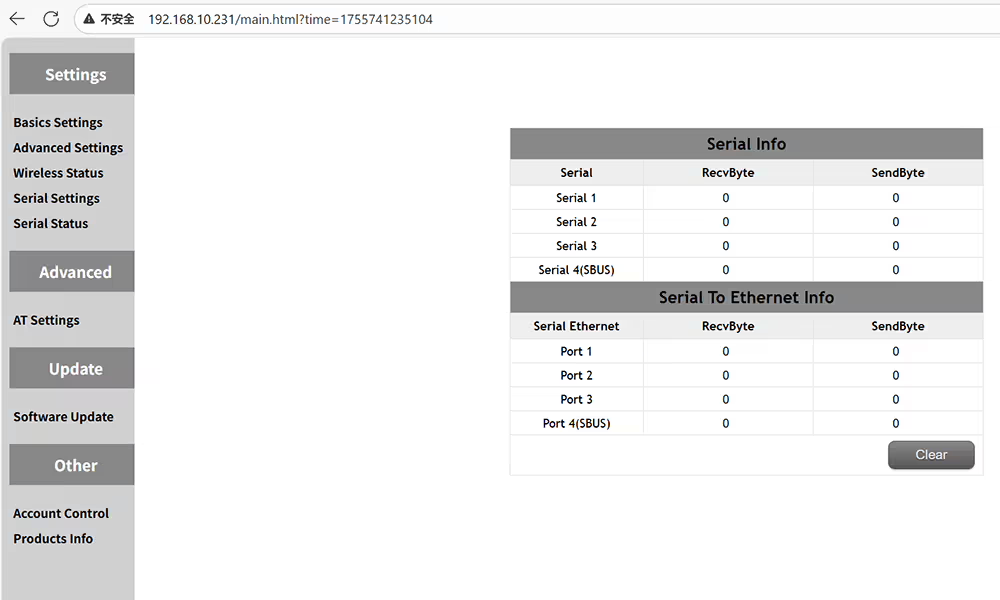 檢查串行端口的狀態, 例如發送和接收的數據量
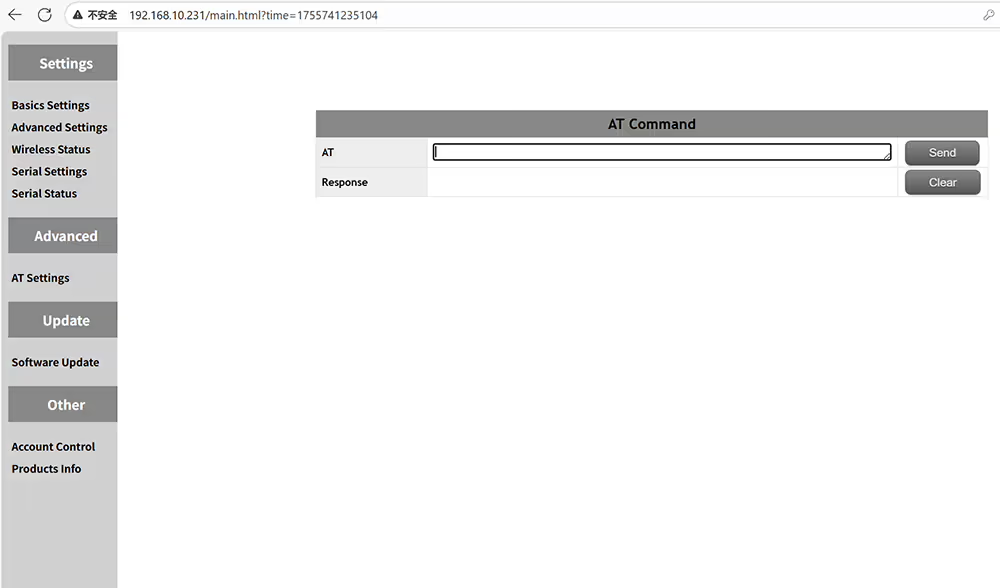 發送命令以獲取更多功能信息
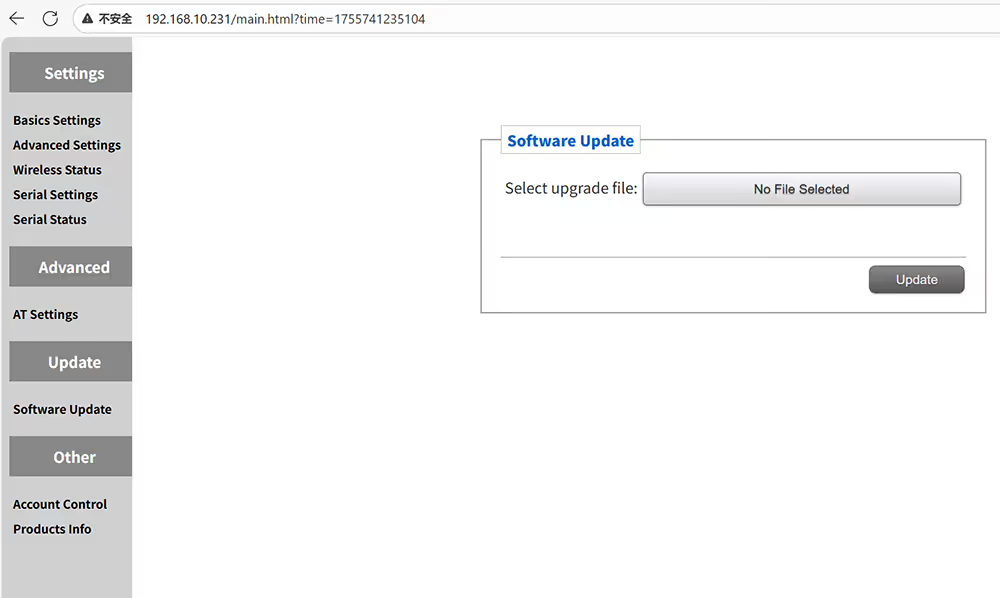 升級無人機的視頻數據收發器
 修改Web UI管理頁面的用戶名和密碼
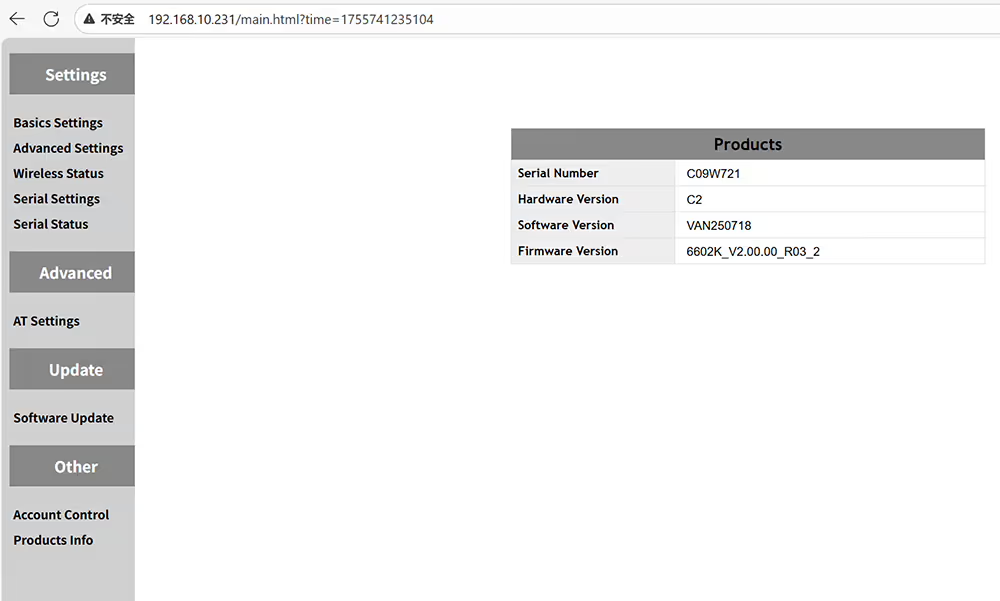 查詢當前設備的硬件和軟件信息
如何配置無人機視頻數據接地接收器
 如何設置角色ID帶寬TX功率加密IP地址的IP地址
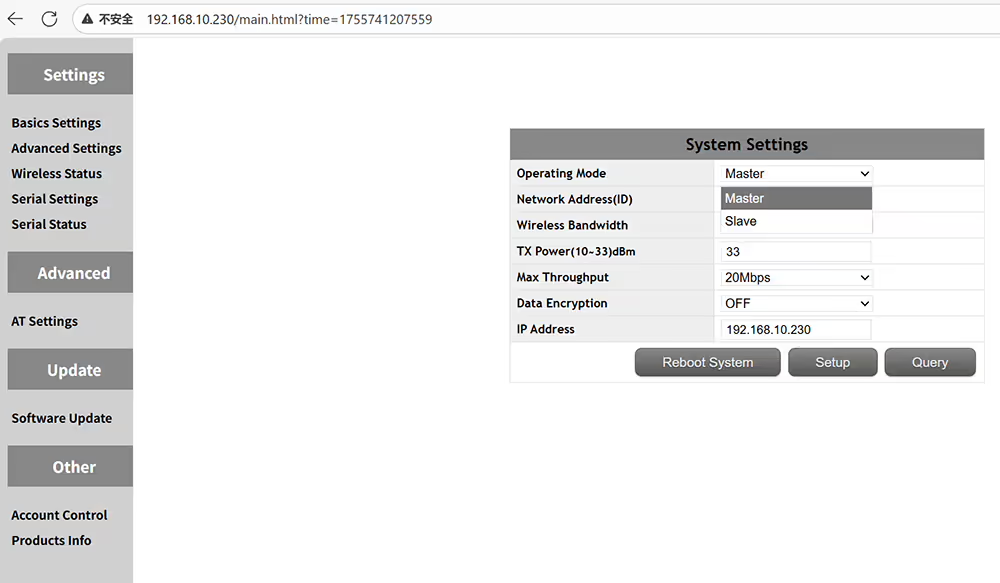 無人機接地接收器是主機,空氣發射器是奴隸
 只能使用相同的ID進行配對
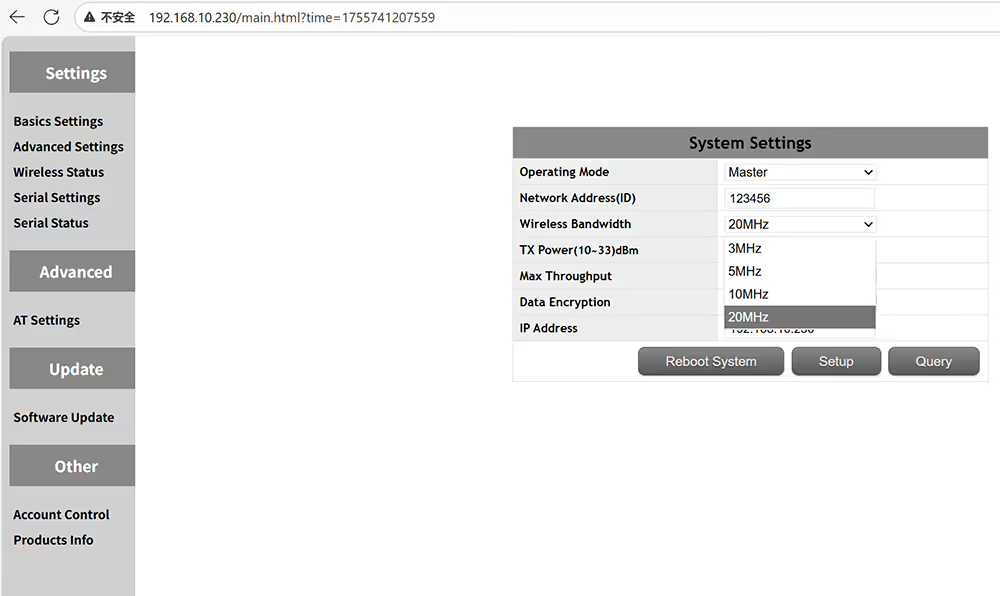 可選的傳輸無線帶寬3MHz 5MHz 10MHz 20MHz
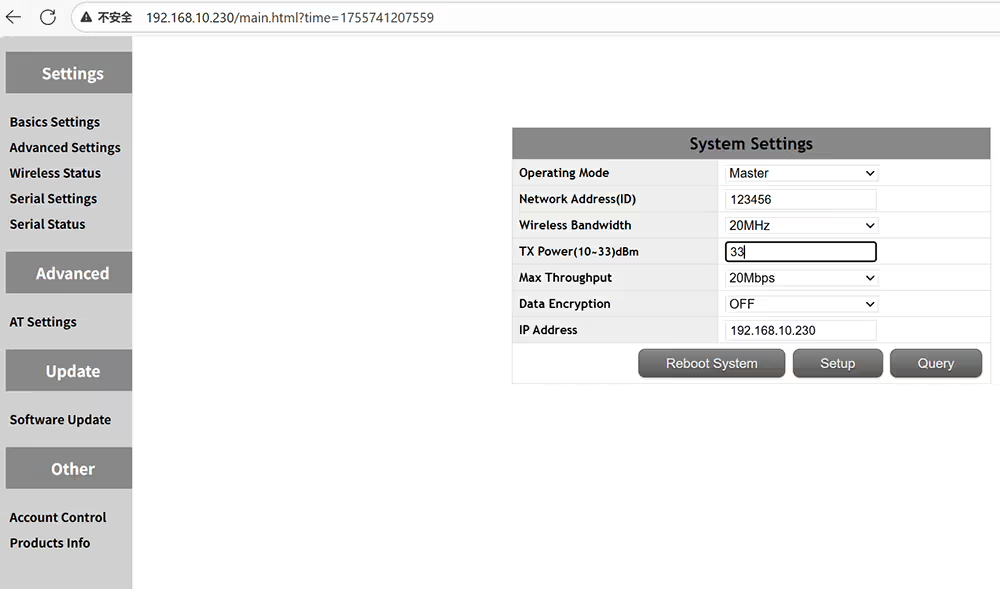 可選的傳輸功率輸出 10-33 dBm的
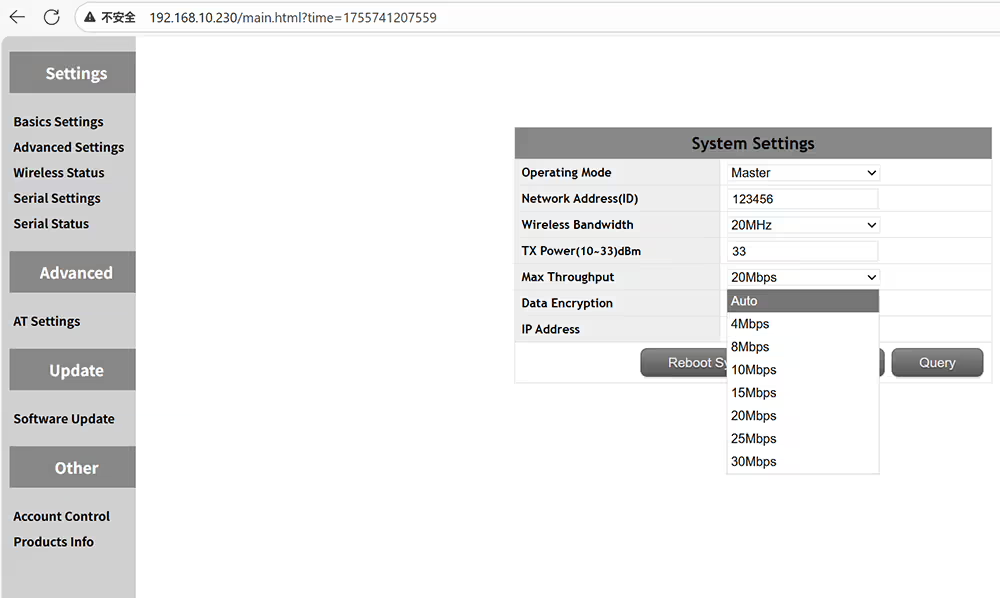 可選傳輸最大吞吐量自動4-8-10-15-20-25-30Mbps
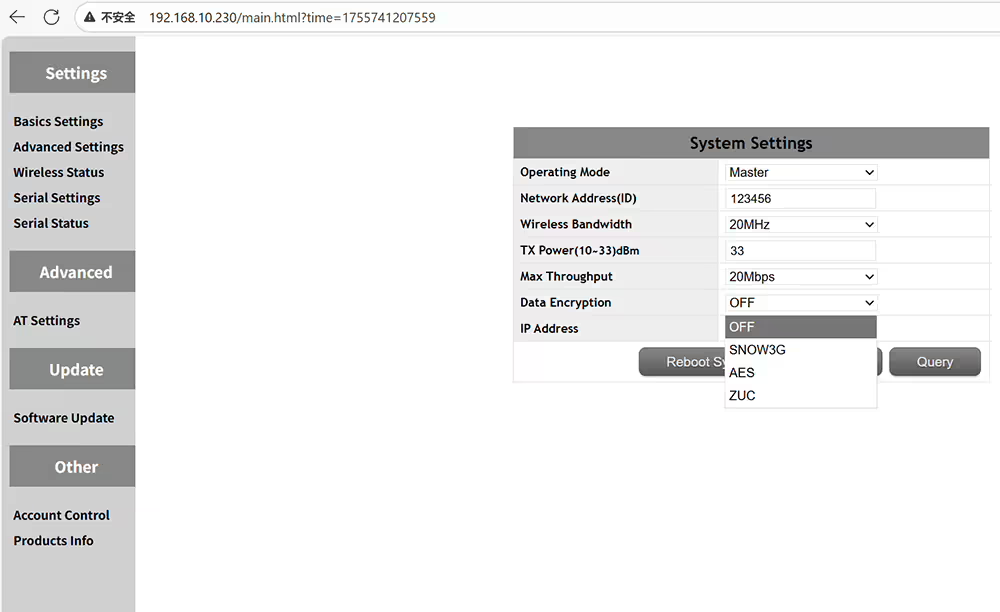 可選數據加密方法Snow3G AES ZUC
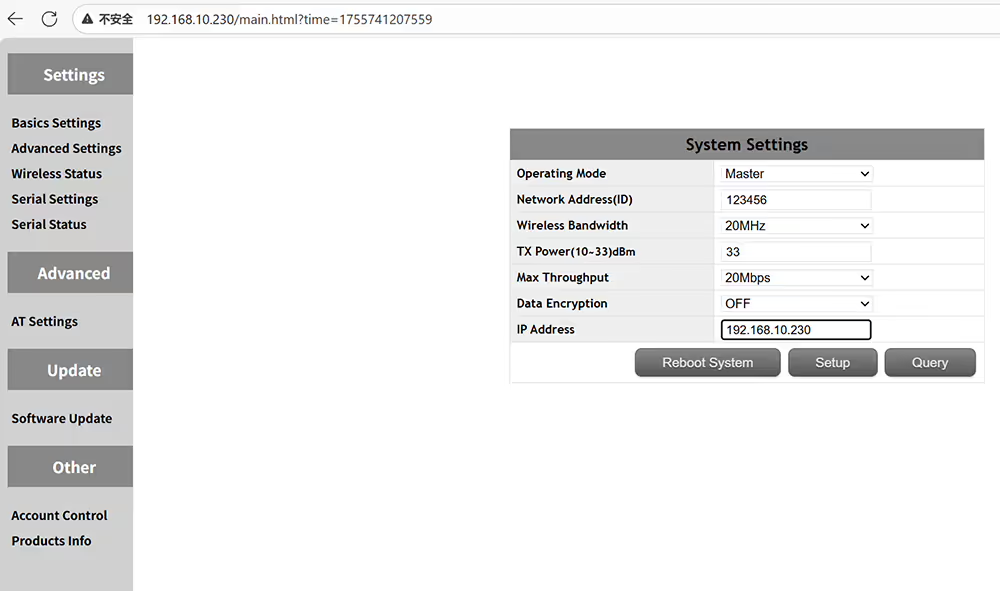 設置IP地址 + 必須在同一網絡段中使用空氣發射機
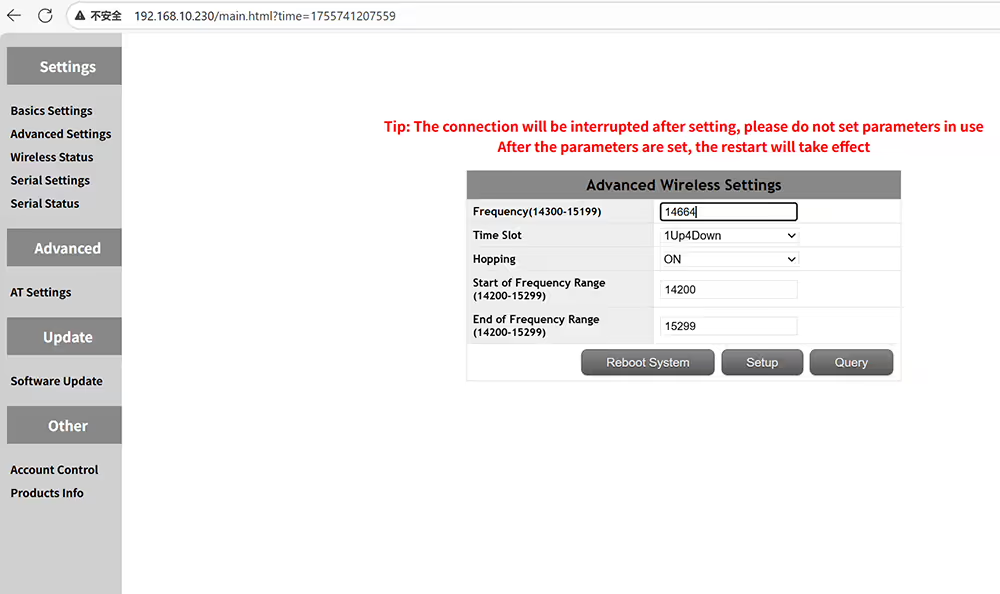 頻率跳躍,然後您可以修復工作頻率
 P2P或2UP3Down的1UP4Dows設置的時間插槽用於中繼網絡
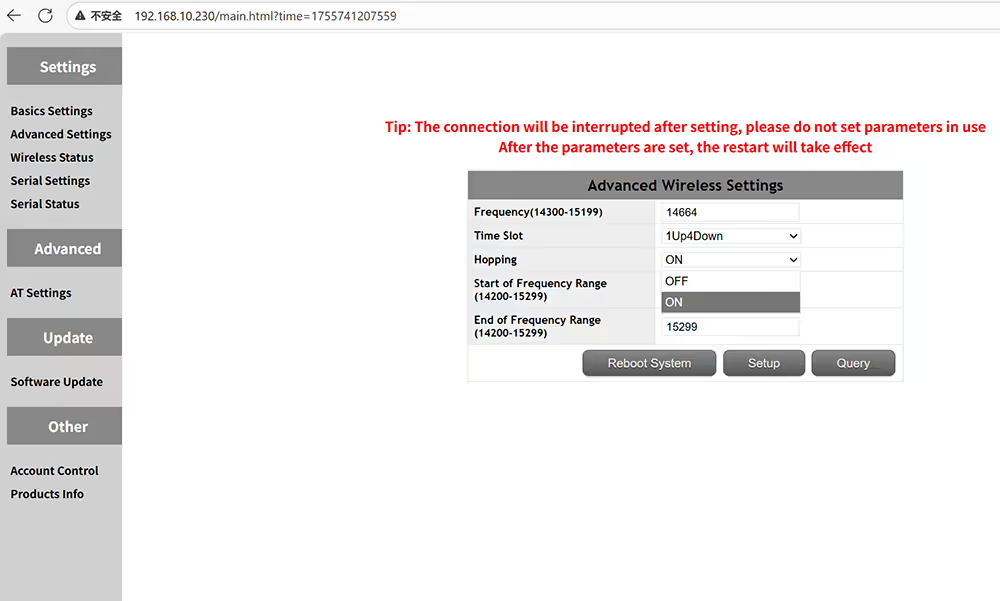 FHSS打開或關閉以允許頻率跳躍以避免干擾
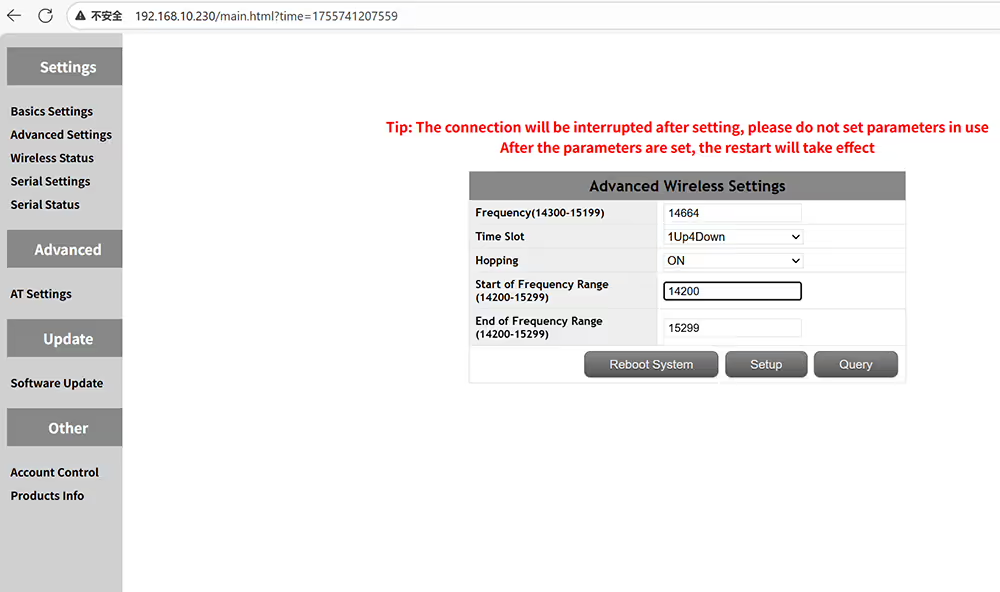 手動輸入傳輸頻率範圍的起始頻率
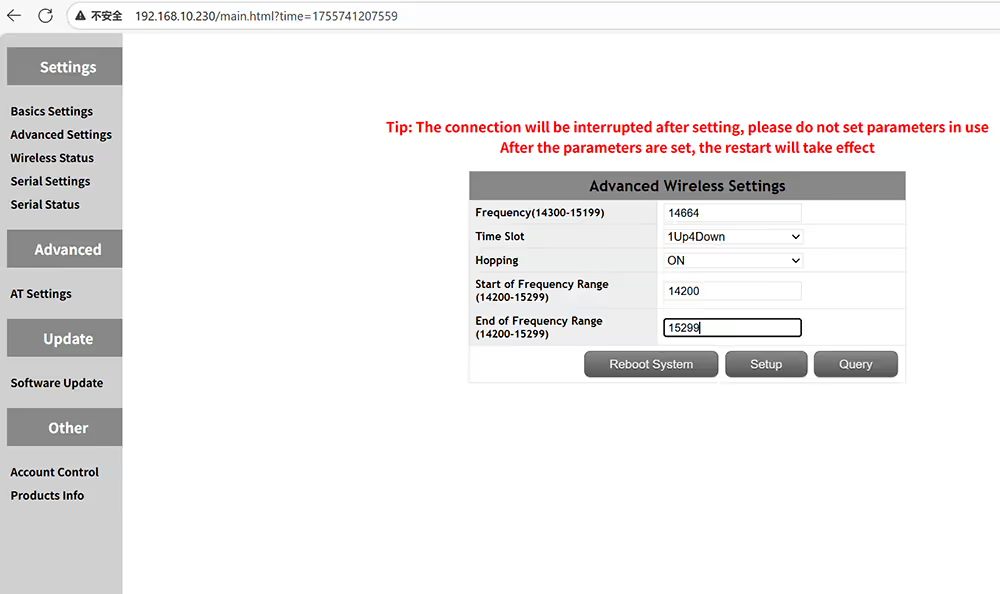 手動輸入傳輸頻率範圍的最終頻率
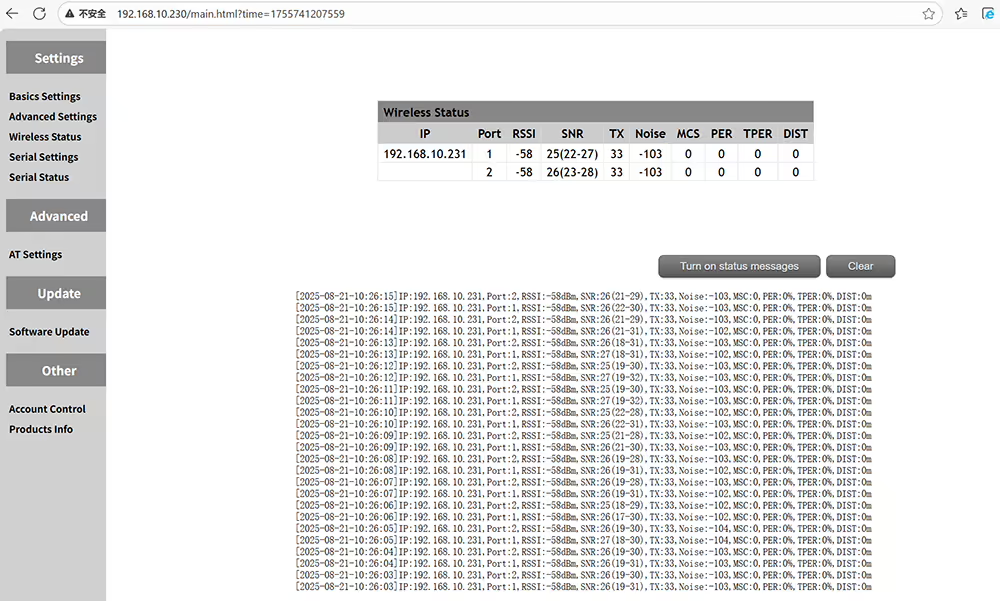 RSSI SNR和傳輸距離的無線狀態
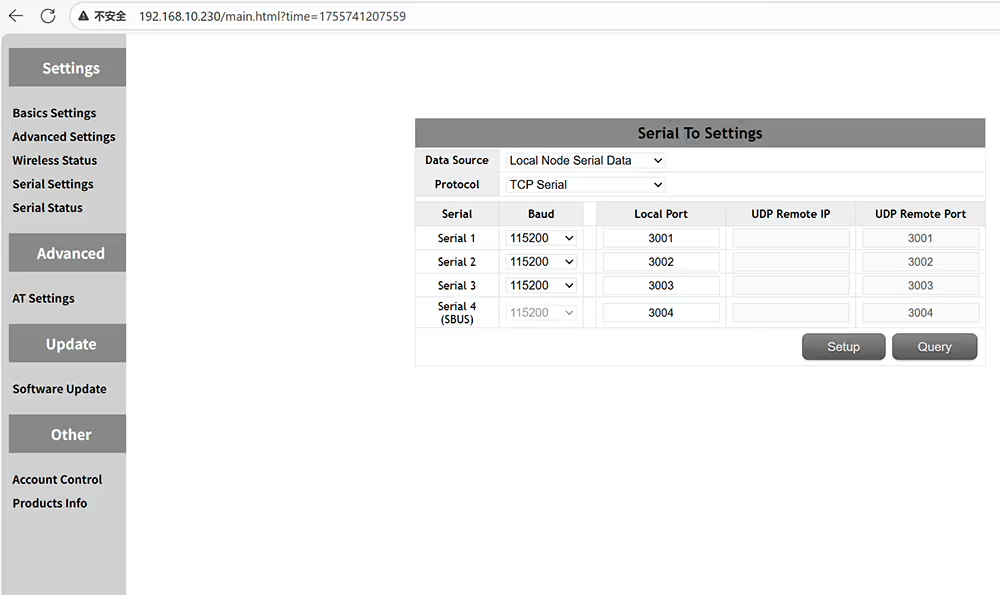 四個串行端口可以設置波特率和端口號
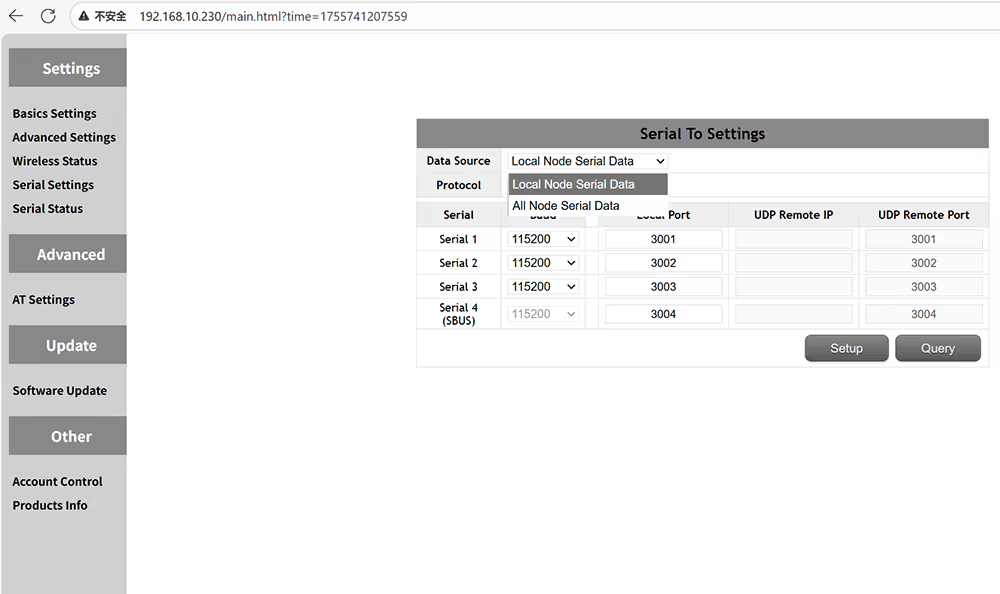 本地節點序列數據或所有節點序列數據
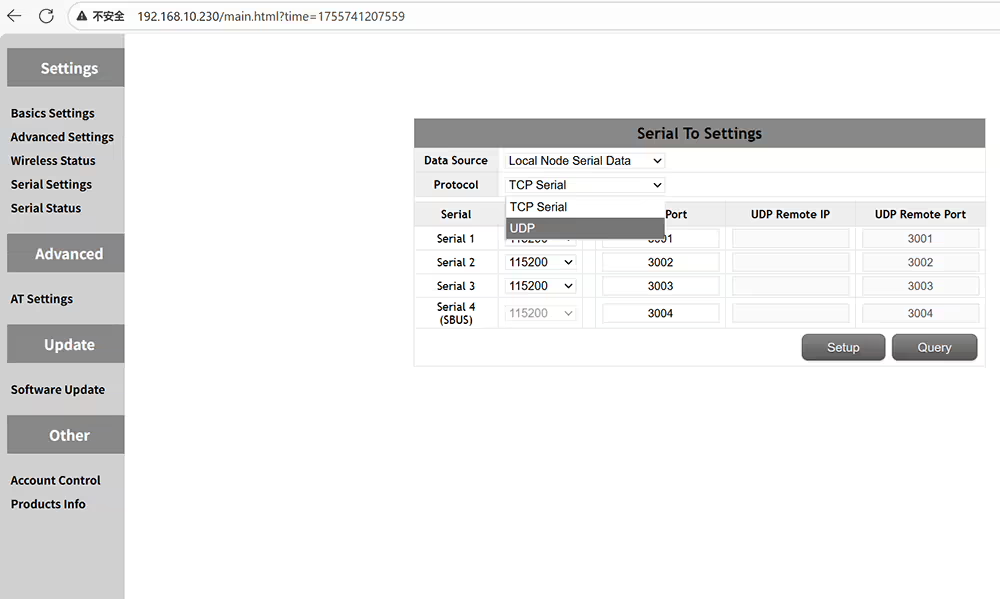 選擇UDP或TCP串行協議
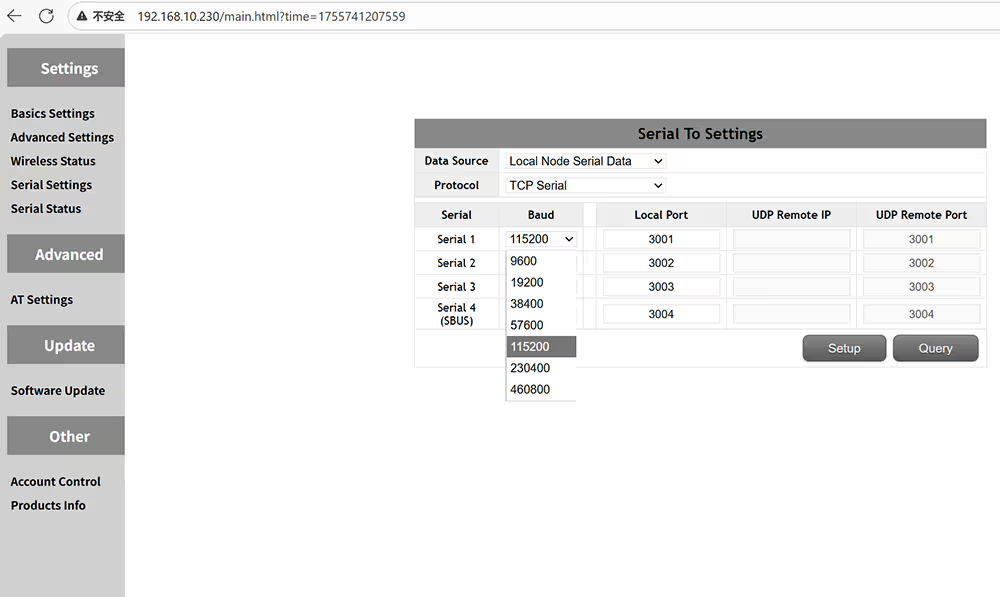 根據飛行控制器或設備規格更改波特率
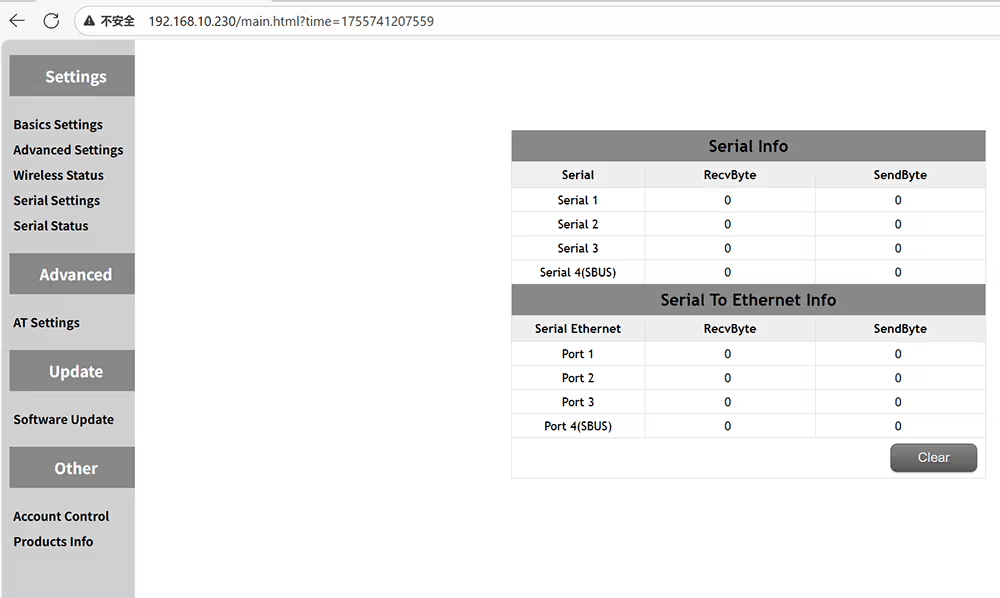 檢查發射器和接收器的數據傳輸狀態和接收
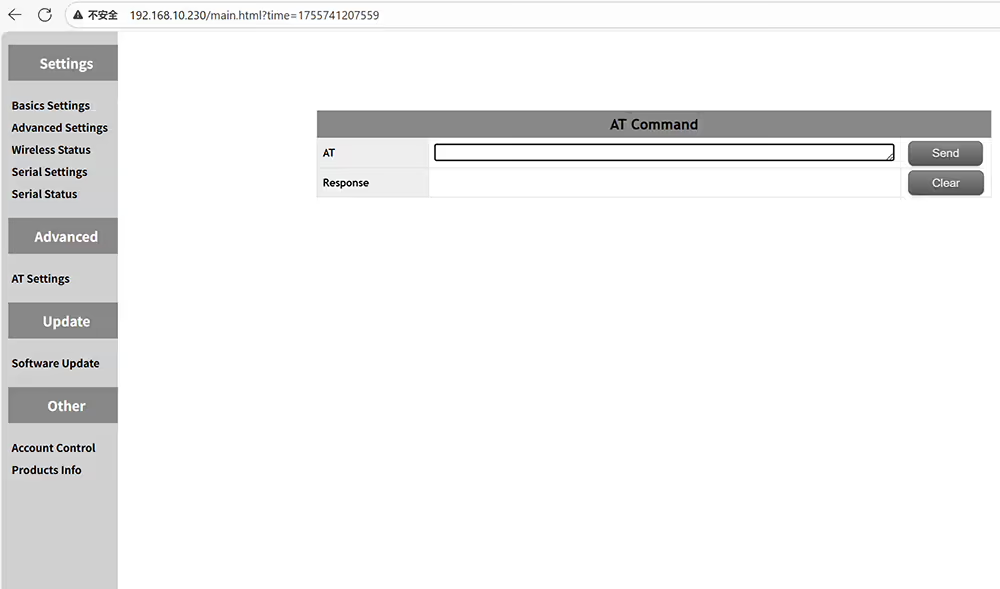 AT命令可用於查詢或執行其他功能
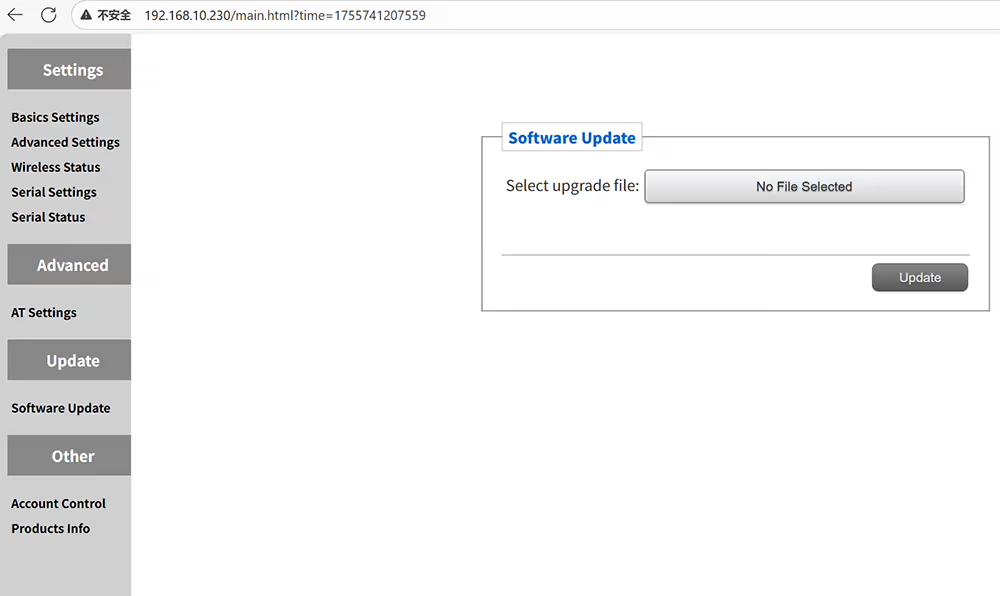 它可以升級到最新的固件
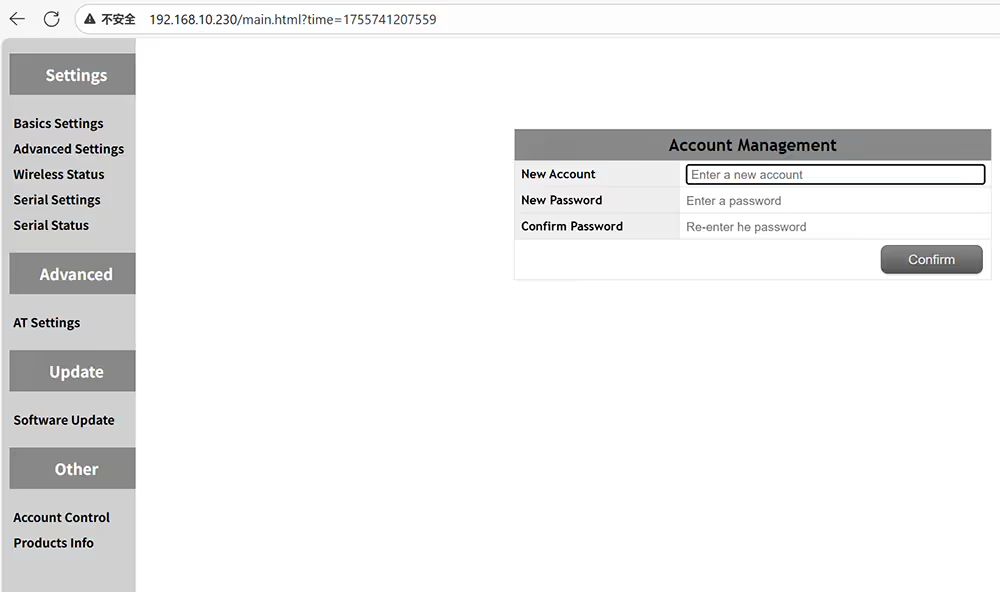 為管理面板設置密碼以防止未經授權的訪問和修改
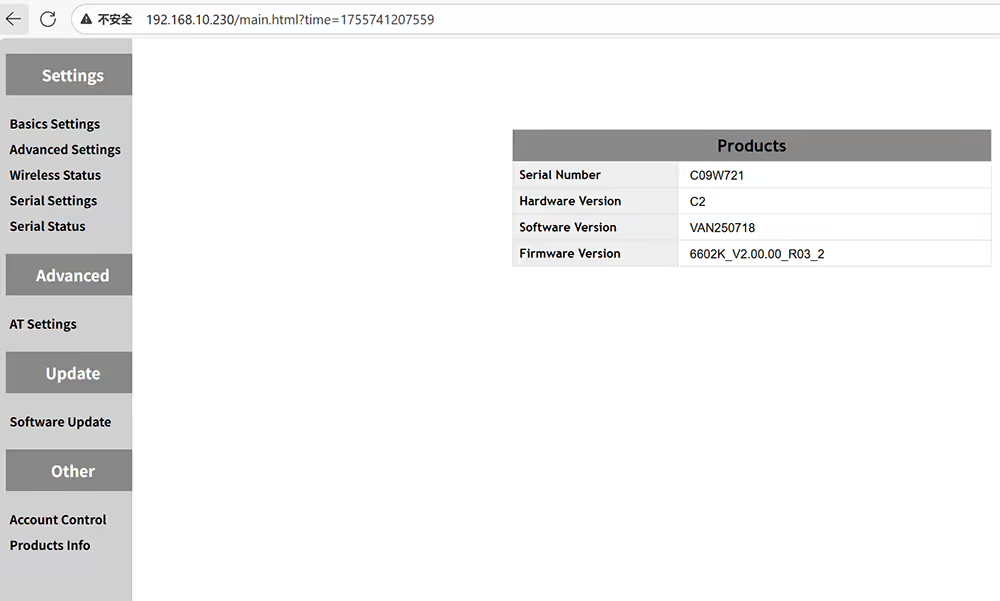 檢查設備的硬件軟件和固件版本
$722.00 – $1,250.00價格範圍: $722.00 通過 $1,250.00







問一個問題
感謝你的回應。 ✨