






目錄
Thermal Camera Module UART CVBS Communication Protocol Guide
前言
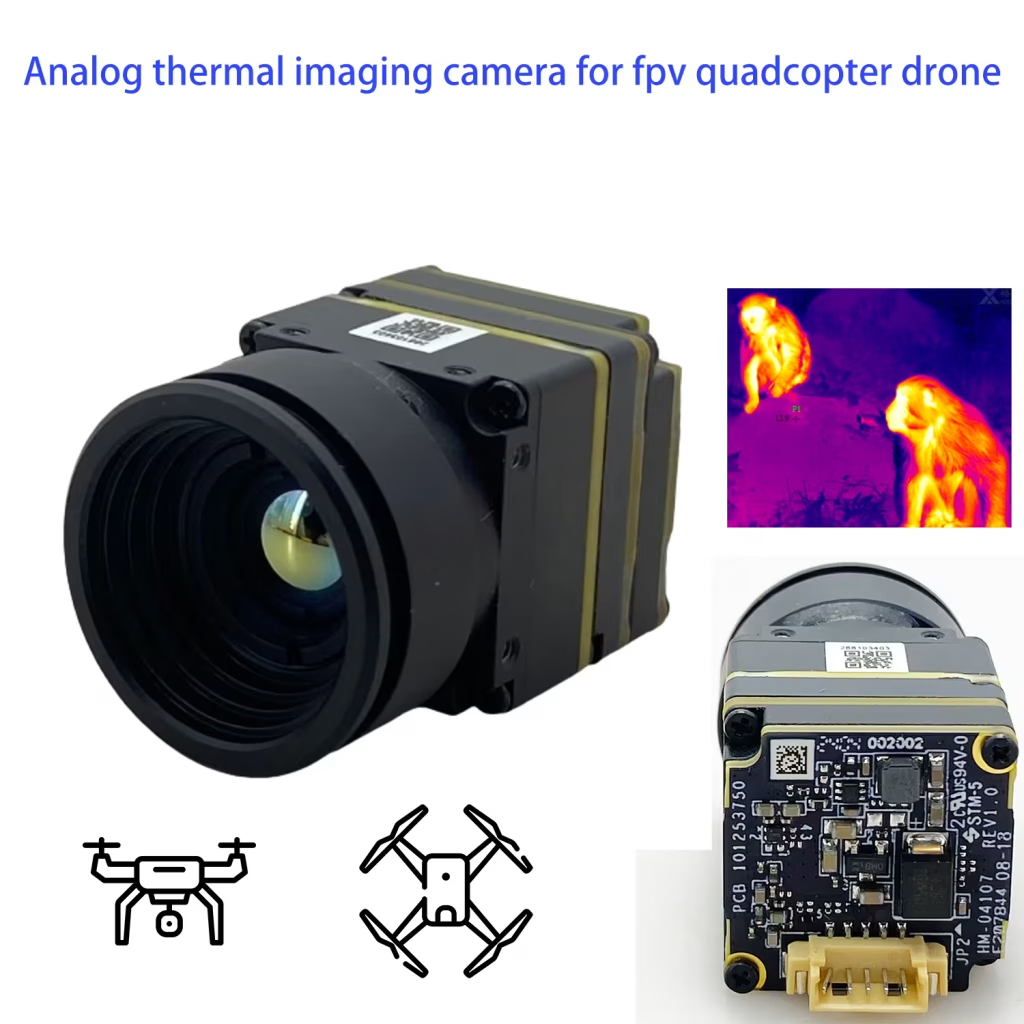
This manual is applicable to the thermal camera modules of HM-TM5X-XRG/C series, and introduces the UART serial communication and CVBS video communication protocols and related commands for this series of thermal camera modules.
CONTENTS
1.1 Communication Protocols. 1
2.1.1 Serial Communication Format 2
2.1.2 Data Transmitting and Receiving. 2
2.2.1 Reading the Model of the Module (只讀). 6
2.2.2 Reading the FPGA Program Version Number (只讀). 6
2.2.3 Reading FPGA Program Compilation Time (只讀). 7
2.2.4 Reading the Module Software Version Number (只讀). 8
2.2.5 Reading the Module Software Compilation Time (只讀). 8
2.2.6 Reading the Camera Process Calibration Version Time (只讀). 9
2.2.7 Reading the ISP Parameter Version Number (只讀). 9
2.2.8 Saving Current Settings (Write-Only). 10
2.2.10 Manual Shutter Calibration (Write-Only). 11
2.2.11 Manual Background Correction (Write-Only). 11
2.2.12 Vignetting Correction (Write-Only). 12
2.2.13 Automatic Shutter Control (Read/Write). 12
2.2.14 Setting the Automatic Shutter Switching Interval (Read/Write). 14
2.2.15 Defective Pixel Correction (Write-Only). 15
2.2.16 Brightness Setting (Read/Write). 17
2.2.17 Contrast Setting (Read/Write). 18
2.2.18 Setting Image Detail Digital Enhancement (Read/Write). 18
2.2.19 Setting Static Denoising Level (Read/Write). 19
2.2.20 Setting Dynamic Denoising Level (Read/Write). 20
2.2.21 Palette Setting (Read/Write). 21
2.2.22 Setting Image Mirroring (Read/Write). 22
2.3 Reading Initialization State (只讀). 23
2.4 Serial Command Transmitting and Verification. 24
1. 介紹
1.1 Communication Protocols
The thermal camera modules support UART serial communication and CVBS video communication protocols.
UART串行通信
Users can send commands to the thermal camera modules through serial port to control the modules to perform corresponding actions, such as image parameter settings, function adjustment, 等等.
The data transmission and reception of serial communication shall follow the requirements of the communication packet format.
CVBS Video Communication
Thermal images and video streams follow the CVBS video communication protocol. Video data is output as soon as the module is powered on (no enabling control).
1.2 準備
Users can connect the module (“device” end) to the device to be developed (“主持人” 結尾) via the serial port.
Once the module is connected and powered on, it will send the image data to the host via the CVBS protocol. The host will parse the obtained data and then display the image or use it for other purposes.
Users can send serial port commands to the module through the host to control the module, such as setting image parameters.
2 串行通信
2.1 介紹
The modules use UART (通用非同步接收器/發送器) 連續交流. The host (user-developed device) can send commands to the module through the serial port and control the module to perform the corresponding actions. Communication commands need to be sent in the specified packet format.
2.1.1 Serial Communication Format
與主機建立通訊之前, you need to set the communication parameters on the host according to Table 2-1, which shows the serial communication format of the thermal camera modules.
| 項目 | 描述 |
| 波特率 | 115200 基點 |
| Start | 1 位 |
| 數據 | 8 位元 |
| End | 1 位 |
| 查看 | 沒有任何 |
2.1.2 Data Transmitting and Receiving
Data Packet Transmitting
The serial communication packet of the thermal camera modules contains multiple fields, as shown in Figure 2-1.
桌子 2-2 describes the fields of the data packet.
- 定義 Transmitting Data Packet
| 場地 | Bytes | 描述 | 價值 | Offset | |
| 開始 | 1 | Command packet starts. | 0xF0 | 1 | |
| 尺寸 | 1 | Lenth of the command packet. | N+4 bytes, as shown in Figure 2-1. | 2 | |
| 裝置 地址 | 1 | Address of the module device. | 0x36 | 3 | |
| Class Address | 1 | Class address of the command. | 看到 Commands for the details. | 4 | |
| Subclass Address | 1 | Subclass address of the command. | 看到 Commands for the details. | 5 | |
| R/W Flag | 1 | Packet transmitting from host. | Read/Write Flag | 寫: 0x00Read: 0x01 | 6 |
| Packet feedback from device. | Normal return. | 0x03 | |||
| Return of error code. | 0x04 | ||||
| 數據 | FIAT Ducato 防水 CCD 剎車燈攝像頭帶音頻夜視紅外 LED VCAN1338 | Packet transmitting from host. | Transmit the data content. | 默認: 0x00. 看到 Commands for the details. | 7〜 (N+6) |
| Packet feedback from device. | Feedback of normal commands | Success: 0x01Failed: No return | |||
| Feedback of abnormal commands | No command: 0x00, the command sent by the host does not belong to the commands of the module.Threshold exceeded: 0x01 | ||||
| 數據內容 | When a read command is received, the data content is returned. | ||||
| CHK | 1 | Summation check. | After adding the fields: 設備位址, Class Address, Subclass Address , R/W Flag and DATA, 採取較低的 8 位元. | (N+7) | |
| 結尾 | 1 | Command packet ends. | 0xFF | (N+8) | |
Data Packet Receiving
In the command packet the thermal camera module returns to the host, DATA0 is the high byte and DATA(N-1) is the low byte.
- Receiving Data Packet Fields
桌子 2-3 describes the fields of the data packet.
- Definition of Receiving Data Packet
| 場地 | Bytes | 描述 | 價值 | Offset |
| 開始 | 1 | Command packet starts. | 0xF0 | 1 |
| 尺寸 | 1 | Lenth of the command packet. | N+4 bytes, as shown in Figure 2-2. | 2 |
| 裝置 地址 | 1 | Address of the module device. | 0x36 | 3 |
| Class Address | 1 | Class address of the command. | 看到 Commands for the details. | 4 |
| Subclass Address | 1 | Subclass address of the command. | 看到 Commands for the details. | 5 |
| Return Flag | 1 | Return Flag. | 0x03 | 6 |
| 數據 | FIAT Ducato 防水 CCD 剎車燈攝像頭帶音頻夜視紅外 LED VCAN1338 | 數據 | 看到 Commands for the details. 默認: 0x00 (no data). | 7〜 (N+6) |
| CHK | 1 | Summation check. | After adding the fields: 設備位址, Class Address, Subclass Address , Return Flag and DATA, 採取較低的 8 位元. | (N+7) |
| 結尾 | 1 | Command packet ends. | 0xFF | (N+8) |
- 注意
- When the host sends a write command to the module, the module will return the actual executing state of the command after completely receiving it.
- 0x01: indicates that a write command has been received, but does not mean that the command has been executed.
- 0x00: indicates that the write command was not received.
- When the module receives a read command, it reads the contents in the register and returns it to the host according to the protocol, and the specific DATA analysis can be referred to Table 2-3.
Example of Serial Communication
This example is to “Set the brightness parameter of the thermal camera module to 100.”
腳步
- Query the Device Address, Class Address, Subclass Address and R/W Flag of the brightness setting command.
- Query the serial communication command table in Serial Communication Commands to obtain the Device Address (0x36), Class Address (0x78), Subclass Address (0x02) and R/W Flag (寫: 0x00) of the brightness setting command.
- Calculate the field values: 尺寸, DATA and CHK.
- 尺寸: N+4. The number of bytes for the DATA field of the brightness setting command is N=1, so the SIZE is 5 (0x05).
- 數據: The hexadecimal value corresponding to the brightness of 100 is 0x64.
- CHK: The summation 0x(36+78+02+00+64)=0x114, 採取較低的 8 bits for the CHK field, that is 0x14.
- Combining the above parameters, the host sends the command 0x F0 05 36 78 02 00 64 14 FF to the module.
- Host Transmitting Command to Set Brightness to 100
- Combining the above parameters, the host sends the command 0x F0 05 36 78 02 00 64 14 FF to the module.
| 場地 | 開始 | 尺寸 | 裝置 地址 | 類 地址 | Subclass 地址 | Flag | 數據 | CHK | 結尾 |
| Host Transmitting | 0xF0 | 0x05 | 0x36 | 0x78 | 0x02 | 0x00 | 0x64 | 0x14 | 0xFF |
- The module feeds back the command 0x F0 05 36 78 02 03 01 B4 FF.
- Module Feedback Command to Set Brightness to 100
| 場地 | 開始 | 尺寸 | 裝置 地址 | 類 地址 | Subclass 地址 | Flag | 數據 | CHK | 結尾 |
| Module Feedback | 0xF0 | 0x05 | 0x36 | 0x78 | 0x02 | 0x03 | 0x01 | 0xB4 | 0xFF |
- 尺寸: N+4. The number of bytes for the DATA field of the brightness setting command is N=1, so the SIZE is 5 (0x05).
- 數據: The module receives the brightness setting command and returns 0x01.
- CHK: The summation 0x(36+78+02+00+01)=0xB4, 採取較低的 8 bits for the CHK field, that is 0xB4.
- Check whether the screen brightness changes to determine whether the setting is successful, or you can use the brightness query command to check it.
2.2 Commands
This section introduces the reading and writing rules for each command, interprets the information fed back from the module, and notes for the commands. For the complete list of commands, 參考 Serial Communication Commands.
2.2.1 Reading the Model of the Module (只讀)
The host can read the model of the thermal camera module via this command. The hexadecimal data returned by the module needs to be converted to ASCII characters.
Commands and Parameters
| 場地 | 尺寸 | 裝置 地址 | 類 地址 | Subclass 地址 | Flag | 數據 | CHK |
| Host Transmitting | 0x05 | 0x36 | 0x74 | 0x02 | 0x01 | 沒有任何. 0x00 by default. | TBD |
| Module Feedback | TBD | 0x36 | 0x74 | 0x02 | 0x03 | The model of the module, needs to be converted to ASCII characters. | TBD |
Command Descriptions
- Refer to Data Transmitting and Receiving to edit commands or interpret feedback data.
- For the calculation of SIZE and CHK fields, 參考 Data Transmitting and Receiving.
2.2.2 Reading the FPGA Program Version Number (只讀)
The host can read the FPGA program version number of the module via this command.
Commands and Parameters
| 場地 | 尺寸 | 裝置 地址 | 類 地址 | Subclass 地址 | Flag | 數據 | CHK |
| Host Transmitting | 0x05 | 0x36 | 0x74 | 0x03 | 0x01 | 沒有任何. 0x00 by default. | TBD |
| Module Feedback | TBD | 0x36 | 0x74 | 0x03 | 0x03 | The FPGA program version number of the module, with the length of 3 bytes and the MSB is the high byte. | TBD |
Command Descriptions
- Refer to Data Transmitting and Receiving to edit commands or interpret feedback data.
- For the calculation of SIZE and CHK fields, 參考 Data Transmitting and Receiving.
- The value of the DATA field is the version number of the FPGA program. The length is 3 bytes and the MSB is the high byte, e.g. 0x050112 represents 5.1.12.
2.2.3 Reading FPGA Program Compilation Time (只讀)
The host can read the FPGA program compilation time of the module via this command.
Commands and Parameters
| 場地 | 尺寸 | 裝置 地址 | 類 地址 | Subclass 地址 | Flag | 數據 | CHK |
| Host Transmitting | 0x05 | 0x36 | 0x74 | 0x04 | 0x01 | 沒有任何. 0x00 by default. | TBD |
| Module Feedback | TBD | 0x36 | 0x74 | 0x04 | 0x03 | The compilation time of the FPGA program. The length is 4 bytes and the MSB is the high byte. | TBD |
Command Descriptions
- Refer to Data Transmitting and Receiving to edit commands or interpret feedback data.
- For the calculation of SIZE and CHK fields, 參考 Data Transmitting and Receiving.
- The value of the DATA field is the compilation time of the FPGA program. The length is 4 bytes and the MSB is the high byte, e.g. 0x20140820 indicates that the compilation time is 20140820.
2.2.4 Reading the Module Software Version Number (只讀)
The host can read the software version number of the module via this command.
Commands and Parameters
| 場地 | 尺寸 | 裝置 地址 | 類 地址 | Subclass 地址 | Flag | 數據 | CHK |
| Host Transmitting | 0x05 | 0x36 | 0x74 | 0x05 | 0x01 | 沒有任何. | TBD |
| Module Feedback | TBD | 0x36 | 0x74 | 0x05 | 0x03 | The software version number of the module. The length is 3 bytes and the MSB is the high byte. | TBD |
Command Descriptions
- Refer to Data Transmitting and Receiving to edit commands or interpret feedback data.
- For the calculation of SIZE and CHK fields, 參考 Data Transmitting and Receiving.
- The value of the DATA field is the software version number of the module. The length is 3 bytes and the MSB is the high byte, e.g. 0x050112 represents 5.1.12.
2.2.5 Reading the Module Software Compilation Time (只讀)
The host can read the software program compilation time of the module via this command.
Commands and Parameters
| 場地 | 尺寸 | 裝置 地址 | 類 地址 | Subclass 地址 | Flag | 數據 | CHK |
| Host Transmitting | 0x05 | 0x36 | 0x74 | 0x06 | 0x01 | 沒有任何. 0x00 by default. | TBD |
| Module Feedback | TBD | 0x36 | 0x74 | 0x06 | 0x03 | The software compilation time of the module. The length is 4 bytes and the MSB is the high byte. | TBD |
Command Descriptions
- Refer to Data Transmitting and Receiving to edit commands or interpret feedback data.
- For the calculation of SIZE and CHK fields, 參考 Data Transmitting and Receiving.
- The value of the DATA field is the software version number of the module. The length is 4 bytes and the MSB is the high byte, e.g. 0x20140820 indicates that the compilation time is 20140820.
2.2.6 Reading the Camera Process Calibration Version Time (只讀)
The host can read the camera process calibration version time of the module via this command.
Commands and Parameters
| 場地 | 尺寸 | 裝置 地址 | 類 地址 | Subclass 地址 | Flag | 數據 | CHK |
| Host Transmitting | 0x05 | 0x36 | 0x74 | 0x0B | 0x01 | 沒有任何. 0x00 by default. | TBD |
| Module Feedback | TBD | 0x36 | 0x74 | 0x0B | 0x03 | The camera process calibration version time of the module. The length is 4 bytes and the MSB is the high byte. | TBD |
Command Descriptions
- Refer to Data Transmitting and Receiving to edit commands or interpret feedback data.
- For the calculation of SIZE and CHK fields, 參考 Data Transmitting and Receiving.
- The value of the DATA field is the camera process calibration version time of the module. The length is 4 bytes and the MSB is the high byte, e.g. 0x20170101 indicates the time is January 1, 2017.
2.2.7 Reading the ISP Parameter Version Number (只讀)
The host can read the ISP parameter version number of the module via this command.
Commands and Parameters
| 場地 | 尺寸 | 裝置 地址 | 類 地址 | Subclass 地址 | Flag | 數據 | CHK |
| Host Transmitting | 0x05 | 0x36 | 0x74 | 0x0C | 0x01 | 沒有任何. 0x00 by default. | TBD |
| Module Feedback | TBD | 0x36 | 0x74 | 0x0C | 0x03 | 4 bytes are valid. | TBD |
Command Descriptions
- Refer to Data Transmitting and Receiving to edit commands or interpret feedback data.
- For the calculation of SIZE and CHK fields, 參考 Data Transmitting and Receiving.
- The module returns the ISP parameter version number. The valid length is 4 字節. E.g. if the ISP version number is 5, 0x00000005 is returned.
2.2.8 Saving Current Settings (Write-Only)
Save the current settings of the module via this command.
Commands and Parameters
| 場地 | 尺寸 | 裝置 地址 | 類 地址 | Subclass 地址 | Flag | 數據 | CHK |
| Host Transmitting | 0x05 | 0x36 | 0x74 | 0x10 | 0x00 | 沒有任何. 0x00 by default. | TBD |
| Module Feedback | 0x05 | 0x36 | 0x74 | 0x10 | 0x03 | 0x01 | TBD |
Command Descriptions
- Refer to Data Transmitting and Receiving to edit commands or interpret feedback data.
- For the calculation of SIZE and CHK fields, 參考 Data Transmitting and Receiving.
2.2.9 恢復出廠設置 (Write-Only)
Restore the module to factory settings via this command.
Commands and Parameters
| 場地 | 尺寸 | 裝置 地址 | 類 地址 | Subclass 地址 | Flag | 數據 | CHK |
| Host Transmitting | 0x05 | 0x36 | 0x74 | 0x0F | 0x00 | 沒有任何. 0x00 by default. | TBD |
| Module Feedback | 0x05 | 0x36 | 0x74 | 0x0F | 0x03 | 0x01 | TBD |
Command Descriptions
- Refer to Data Transmitting and Receiving to edit commands or interpret feedback data.
- For the calculation of SIZE and CHK fields, 參考 Data Transmitting and Receiving.
2.2.10 Manual Shutter Calibration (Write-Only)
This command is used to perform a manual shutter calibration for the module, known as Flat Field Calibration (FFC), which is used to correct the non-uniformity of the image and improve the image quality.
Commands and Parameters
| 場地 | 尺寸 | 裝置 地址 | 類 地址 | Subclass 地址 | Flag | 數據 | CHK |
| Host Transmitting | 0x05 | 0x36 | 0x7C | 0x02 | 0x00 | 沒有任何. 0x00 by default. | TBD |
| Module Feedback | 0x05 | 0x36 | 0x7C | 0x02 | 0x03 | 0x01 | TBD |
Command Descriptions
- Refer to Data Transmitting and Receiving to edit commands or interpret feedback data.
- For the calculation of SIZE and CHK fields, 參考 Data Transmitting and Receiving.
2.2.11 Manual Background Correction (Write-Only)
This command is used to perform a background correction for the module. Background correction reduces the distortion of the background image to make it display normally.
Commands and Parameters
| 場地 | 尺寸 | 裝置 地址 | 類 地址 | Subclass 地址 | Flag | 數據 | CHK |
| Host Transmitting | 0x05 | 0x36 | 0x7C | 0x03 | 0x00 | 沒有任何. 0x00 by default. | TBD |
| Module Feedback | 0x05 | 0x36 | 0x7C | 0x03 | 0x03 | 0x01 | TBD |
Command Descriptions
- Refer to Data Transmitting and Receiving to edit commands or interpret feedback data.
- For the calculation of SIZE and CHK fields, 參考 Data Transmitting and Receiving.
2.2.12 Vignetting Correction (Write-Only)
This command allows you to manually perform vignetting correction.
Vignetting correction is to correct image non-uniformity caused by the transmittance of the device’s lens and internal radiation (pot lid defect) to make the image more uniform.
When using this function, you need to face the lens towards a uniform surface. Otherwise the current lens scene will be superimposed, which will affect the image display.
Commands and Parameters
| 場地 | 尺寸 | 裝置 地址 | 類 地址 | Subclass 地址 | Flag | 數據 | CHK |
| Host Transmitting | 0x05 | 0x36 | 0x7C | 0x0C | 0x00 | 0x02: Vignetting Correction. | TBD |
| Module Feedback | 0x05 | 0x36 | 0x7C | 0x0C | 0x03 | 0x01 | TBD |
Command Descriptions
- Refer to Data Transmitting and Receiving to edit commands or interpret feedback data.
- For the calculation of SIZE and CHK fields, 參考 Data Transmitting and Receiving.
2.2.13 Automatic Shutter Control (Read/Write)
This command is used to switch the automatic shutter control mode of the module. 4 modes are selectable: automatic control off, timing control, temperature difference control and full-automatic control (默認, 0x03). It is recommended to keep the default setting.
After setting the switching mode (timing, temperature control, full-automatic), the shutter is periodically closed according to the set conditions, which helps to improve the uniformity of the thermal imaging.
Commands and Parameters
Write command of automatic shutter control.
| 場地 | 尺寸 | 裝置 地址 | 類 地址 | Subclass 地址 | Flag | 數據 | CHK |
| Host Transmitting | 0x05 | 0x36 | 0x7C | 0x04 | 0x00 | 0x00: Automatic control off 0x01: 自動切換, timing control 0x02: 自動切換, temperature difference control 0x03: Full-automatic control (默認) | TBD |
| Module Feedback | 0x05 | 0x36 | 0x7C | 0x04 | 0x03 | 0x01 | TBD |
Read command of automatic shutter control.
| 場地 | 尺寸 | 裝置 地址 | 類 地址 | Subclass 地址 | Flag | 數據 | CHK |
| Host Transmitting | 0x05 | 0x36 | 0x7C | 0x04 | 0x01 | 沒有任何. 0x00 by default. | TBD |
| Module Feedback | 0x05 | 0x36 | 0x7C | 0x04 | 0x03 | 0x00: Automatic control off 0x01: 自動切換, timing control 0x02: 自動切換, temperature difference control 0x03: Full-automatic control | TBD |
Command Descriptions
- Refer to Data Transmitting and Receiving to edit commands or interpret feedback data.
- For the calculation of SIZE and CHK fields, 參考 Data Transmitting and Receiving.
- 有 4 values for the DATA field.
- 0x00: The automatic shutter control is turned off.
- 0x01: The timing control is enabled, and the default shutter switching interval is 10 分鐘, which is not recommended for users to modify. Refer to Setting the Automatic Shutter Switching Interval.
- 0x02: The temperature difference shutter control is turned on. The module automatically controls the shutter according to the temperature difference. No additional user setup is required.
- 0x03: Default setting. The timing control and temperature difference control for the shutter are turned on at the same time. The default shutter switching interval is 10 分鐘, which is not recommended for users to modify. Refer to Setting the Automatic Shutter Switching Interval. The temperature difference control is controlled by the module and does not require user settings.
2.2.14 Setting the Automatic Shutter Switching Interval (Read/Write)
When the automatic shutter control is set to 0x01 or 0x03 (參考 Automatic Shutter Control), the automatic shutter switching interval can be adjusted as needed. The module will close the shutter at a set interval, 10 minutes by default, and it is not recommended to modify it.
Commands and Parameters
Write command of automatic shutter switching interval.
| 場地 | 尺寸 | 裝置 地址 | 類 地址 | Subclass 地址 | Flag | 數據 | CHK |
| Host Transmitting | TBD | 0x36 | 0x7C | 0x0 | 0x00 | {DATA0,DATA1}: shutter interval, in minutes, valid for 2 字節. | TBD |
| Module Feedback | 0x05 | 0x36 | 0x7C | 0x05 | 0x03 | 0x01 | TBD |
Read command of automatic shutter switching interval.
| 場地 | 尺寸 | 裝置 地址 | 類 地址 | Subclass 地址 | Flag | 數據 | CHK |
| Host Transmitting | 0x05 | 0x36 | 0x7C | 0x05 | 0x01 | 沒有任何. 0x00 by default. | TBD |
| Module Feedback | TBD | 0x36 | 0x7C | 0x05 | 0x03 | {DATA0,DATA1}: shutter interval, in minutes, valid for 2 字節. | TBD |
Command Descriptions
- Refer to Data Transmitting and Receiving to edit commands or interpret feedback data.
- For the calculation of SIZE and CHK fields, 參考 Data Transmitting and Receiving.
- The shutter interval is in minutes, 和 2 bytes are valid. The default setting is 10 分鐘 (0x00 0A)
2.2.15 Defective Pixel Correction (Write-Only)
Defective pixels are pixels on the detector that are insensitive to thermal radiation and cannot reflect the temperature changes of the measured target. During the integration of the module into the host, new dead pixels may arise that need to be corrected.
This module can correct defective pixels on the client software, as well as via serial port commands. The following describes how to correct defective pixels by using serial commands.
腳步
- Turn on the cursor display: 0x F0 05 36 78 1一個 00 0F D7 FF
- Move the cursor to the defective pixel position. The cursor movement commands are as follows:
- Cursor up: F0 05 36 78 1一個 00 02 CA FF
- Cursor up for N pixels: F0 05 36 78 1一個 00 2N CHK FF (N is the step size, CHK is the check field)
- Cursor down: F0 05 36 78 1一個 00 03 CB FF
- Cursor down for N pixels: F0 05 36 78 1一個 00 3N CHK FF (N is the step size, CHK is the check field)
- Cursor shifted left: F0 05 36 78 1一個 00 04 CC FF
- Cursor shifted left for N pixels: F0 05 36 78 1一個 00 4N CHK FF (N is the step size, CHK is the check field)
- Cursor shifted right: F0 05 36 78 1一個 00 05 CD FF
- Cursor shifted right for N pixels: F0 05 36 78 1一個 00 5N CHK FF (N is the step size, CHK is the check field)
- Cursor to the center: F0 05 36 78 1一個 00 06 CE FF
- Defective pixel correction: F0 05 36 78 1一個 00 0D D5 FF
- 注意
When a defective pixel appears in the image, you can use this command to add the pixel to the defective pixel sequence and the pixel will be removed in the image.
- Cancel defective pixel correction: F0 05 36 78 1一個 00 0E D6 FF
- 注意
When a non-defective pixel is corrected and the pixel is mistakenly removed from the image, you can send this command to remove the pixel from the defective pixel sequence and restore it in the image.
Commands and Parameters
Turn on/off the cursor display.
| 場地 | 尺寸 | 裝置 地址 | 類 地址 | Subclass 地址 | Flag | 數據 | CHK |
| Host Transmitting | 0x05 | 0x36 | 0x78 | 0x1a | 0x00 | 0x00: Turn off the cursor display 0x0F: Turn on the cursor display | TBD |
| Module Feedback | 0x05 | 0x36 | 0x78 | 0x1a | 0x03 | 0x01 | TBD |
Move the cursor.
| 場地 | 尺寸 | 裝置 地址 | 類 地址 | Subclass 地址 | Flag | 數據 | CHK |
| Host Transmitting | 0x05 | 0x36 | 0x78 | 0x1a | 0x00 | 0x02: Cursor up 0x03: Cursor down 0x04: Cursor shifted left 0x05: Cursor shifted right 0x06: Cursor to the center 0x2N: Cursor up for N pixels (FIAT Ducato 防水 CCD 剎車燈攝像頭帶音頻夜視紅外 LED VCAN1338: 0x1~0xF) 0x3N: Cursor down for N pixels (FIAT Ducato 防水 CCD 剎車燈攝像頭帶音頻夜視紅外 LED VCAN1338: 0x1~0xF) 0x4N: Cursor shifted left for N pixels (FIAT Ducato 防水 CCD 剎車燈攝像頭帶音頻夜視紅外 LED VCAN1338: 0x1~0xF) 0x5N: Cursor shifted right for N pixels (FIAT Ducato 防水 CCD 剎車燈攝像頭帶音頻夜視紅外 LED VCAN1338: 0x1~0xF) | TBD |
| Module Feedback | 0x05 | 0x36 | 0x78 | 0x1a | 0x03 | 0x01 | TBD |
Add/remove a defective pixel.
| 場地 | 尺寸 | 裝置 地址 | 類 地址 | Subclass 地址 | Flag | 數據 | CHK |
| Host Transmitting | 0x05 | 0x36 | 0x78 | 0x1a | 0x00 | 0x0D: Add the pixel to the defective pixel table. 0x0E: Remove the pixel from the defective pixel table. | TBD |
| Module Feedback | 0x05 | 0x36 | 0x78 | 0x1a | 0x03 | 0x01 | TBD |
Command Descriptions
- Refer to Data Transmitting and Receiving to edit commands or interpret feedback data.
- For the calculation of SIZE and CHK fields, 參考 Data Transmitting and Receiving.
2.2.16 Brightness Setting (Read/Write)
This command is used to set the image brightness, which can be set in the range of 0~100 (decimal), and the default value is 50 (0x32).
Commands and Parameters
Write command of brightness setting.
| 場地 | 尺寸 | 裝置 地址 | 類 地址 | Subclass 地址 | Flag | 數據 | CHK |
| Host Transmitting | 0x05 | 0x36 | 0x78 | 0x02 | 0x00 | 0~100, 默認 50 (decimal). Needs to be converted to hexadecimal value. | TBD |
| Module Feedback | 0x05 | 0x36 | 0x78 | 0x02 | 0x03 | 0x01 | TBD |
Read command of brightness setting.
| 場地 | 尺寸 | 裝置 地址 | 類 地址 | Subclass 地址 | Flag | 數據 | CHK |
| Host Transmitting | 0x05 | 0x36 | 0x78 | 0x02 | 0x01 | 沒有任何. 0x00 by default. | TBD |
| Module Feedback | 0x05 | 0x36 | 0x78 | 0x02 | 0x03 | 0~100 (decimal). Needs to be converted to hexadecimal value. | TBD |
Command Descriptions
- Refer to Data Transmitting and Receiving to edit commands or interpret feedback data.
- For the calculation of SIZE and CHK fields, 參考 Data Transmitting and Receiving.
- The value of DATA field is the brightness parameter that needs to be set or read, if the parameter is 100 (decimal), the value of DATA field is 0x64.
2.2.17 Contrast Setting (Read/Write)
Adjust the contrast of the module image or read the current contrast parameter of the module.
Commands and Parameters
Write command of contrast setting.
| 場地 | 尺寸 | 裝置 地址 | 類 地址 | Subclass 地址 | Flag | 數據 | CHK |
| Host Transmitting | TBD | 0x36 | 0x78 | 0x03 | 0x00 | 0~100, 默認 50 (decimal). Needs to be converted to hexadecimal value. | TBD |
| Module Feedback | 0x05 | 0x36 | 0x78 | 0x03 | 0x03 | 0x01 | TBD |
Read command of contrast setting.
| 場地 | 尺寸 | 裝置 地址 | 類 地址 | Subclass 地址 | Flag | 數據 | CHK |
| Host Transmitting | 0x05 | 0x36 | 0x78 | 0x03 | 0x01 | 沒有任何. 0x00 by default. | TBD |
| Module Feedback | TBD | 0x36 | 0x78 | 0x03 | 0x03 | 0~100 (decimal). Needs to be converted to hexadecimal value. | TBD |
Command Descriptions
- Refer to Data Transmitting and Receiving to edit commands or interpret feedback data.
- For the calculation of SIZE and CHK fields, 參考 Data Transmitting and Receiving.
- The value of DATA field is the contrast parameter that needs to be set or read, if the parameter is 65 (decimal), the value of DATA field is 0x41.
2.2.18 Setting Image Detail Digital Enhancement (Read/Write)
This command is used to set the digital enhancement level of image details. The higher the enhancement level, the better the detail, but at the same time the image noise will be more pronounced.
Commands and Parameters
Write command of digital enhancement setting.
| 場地 | 尺寸 | 裝置 地址 | 類 地址 | Subclass 地址 | Flag | 數據 | CHK |
| Host Transmitting | TBD | 0x36 | 0x78 | 0x10 | 0x00 | 0~100, 默認 50 (decimal). Needs to be converted to hexadecimal value. | TBD |
| Module Feedback | 0x05 | 0x36 | 0x78 | 0x10 | 0x03 | 0x01 | TBD |
Read command of digital enhancement setting.
| 場地 | 尺寸 | 裝置 地址 | 類 地址 | Subclass 地址 | Flag | 數據 | CHK |
| Host Transmitting | 0x05 | 0x36 | 0x78 | 0x10 | 0x00 | 沒有任何. 0x00 by default. | TBD |
| Module Feedback | TBD | 0x36 | 0x78 | 0x10 | 0x03 | 0~100 (decimal). Needs to be converted to hexadecimal value. | TBD |
Command Descriptions
- Refer to Data Transmitting and Receiving to edit commands or interpret feedback data.
- For the calculation of SIZE and CHK fields, 參考 Data Transmitting and Receiving.
- The value of DATA field is the digital enhancement parameter that needs to be set or read, if the parameter is 65 (decimal), the value of DATA field is 0x41.
2.2.19 Setting Static Denoising Level (Read/Write)
This command is used to set the static denoising level of the image, which can reduce the image noise when the denoising level increases, but it also reduces the sharpness of the image, which needs to be adjusted according to the actual image effect.
Commands and Parameters
Write command of denoising level setting.
| 場地 | 尺寸 | 裝置 地址 | 類 地址 | Subclass 地址 | Flag | 數據 | CHK |
| Host Transmitting | TBD | 0x36 | 0x78 | 0x15 | 0x00 | 0~100, 默認 50 (decimal). Needs to be converted to hexadecimal value. | TBD |
| Module Feedback | 0x05 | 0x36 | 0x78 | 0x15 | 0x03 | 0x01 | TBD |
Read command of denoising level setting.
| 場地 | 尺寸 | 裝置 地址 | 類 地址 | Subclass 地址 | Flag | 數據 | CHK |
| Host Transmitting | 0x05 | 0x36 | 0x78 | 0x15 | 0x01 | 沒有任何. 0x00 by default. | TBD |
| Module Feedback | TBD | 0x36 | 0x78 | 0x15 | 0x03 | 0~100 (decimal). Needs to be converted to hexadecimal value. | TBD |
Command Descriptions
- Refer to Data Transmitting and Receiving to edit commands or interpret feedback data.
- For the calculation of SIZE and CHK fields, 參考 Data Transmitting and Receiving.
- The value of DATA field is the denoising level that needs to be set or read, if the parameter is 65 (decimal), the value of DATA field is 0x41.
2.2.20 Setting Dynamic Denoising Level (Read/Write)
This command is used to set the dynamic denoising level of the image, which can reduce the image noise when the denoising level increases, but it also reduces the sharpness of the image, which needs to be adjusted according to the actual image effect.
Commands and Parameters
Write command of denoising level setting.
| 場地 | 尺寸 | 裝置 地址 | 類 地址 | Subclass 地址 | Flag | 數據 | CHK |
| Host Transmitting | TBD | 0x36 | 0x78 | 0x16 | 0x00 | 0~100, 默認 50 (decimal). Needs to be converted to hexadecimal value. | TBD |
| Module Feedback | 0x05 | 0x36 | 0x78 | 0x16 | 0x03 | 0x01 | TBD |
Read command of denoising level setting.
| 場地 | 尺寸 | 裝置 地址 | 類 地址 | Subclass 地址 | Flag | 數據 | CHK |
| Host Transmitting | 0x05 | 0x36 | 0x78 | 0x16 | 0x01 | 沒有任何. 0x00 by default. | TBD |
| Module Feedback | TBD | 0x36 | 0x78 | 0x16 | 0x03 | 0~100 (decimal). Needs to be converted to hexadecimal value. | TBD |
Command Descriptions
- Refer to Data Transmitting and Receiving to edit commands or interpret feedback data.
- For the calculation of SIZE and CHK fields, 參考 Data Transmitting and Receiving.
- The value of DATA field is the denoising level that needs to be set or read, if the parameter is 65 (decimal), the value of DATA field is 0x41.
2.2.21 Palette Setting (Read/Write)
Thermal images are based on infrared radiation intensity and have no color information. The image algorithms map a set of colors based on grayscale values, known as palettes. The module supports a variety of palettes for users to choose. 白熱化 (0x00) is set by default.
Commands and Parameters
Write command of palette setting.
| 場地 | 尺寸 | 裝置 地址 | 類 地址 | Subclass 地址 | Flag | 數據 | CHK |
| Host Transmitting | TBD | 0x36 | 0x78 | 0x20 | 0x00 | 0x00: White Hot 0x01: Black Hot 0x02: 融合 1 0x03: Rainbow 0x04: 融合 2 0x05: 鐵紅 1 0x06: 鐵紅 2 0x07: Dark Brown 0x08: 顏色 1 0x09: 顏色 2 0x0A: Ice Fire 0x0B: Rain 0x0C: Green Hot 0x0D: Red Hot 0x0E: Deep Blue | TBD |
| Module Feedback | 0x05 | 0x36 | 0x78 | 0x20 | 0x03 | 0x01 | TBD |
Read command of palette setting.
| 場地 | 尺寸 | 裝置 地址 | 類 地址 | Subclass 地址 | Flag | 數據 | CHK |
| Host Transmitting | 0x05 | 0x36 | 0x78 | 0x20 | 0x01 | 沒有任何. 0x00 by default. | TBD |
| Module Feedback | TBD | 0x36 | 0x78 | 0x20 | 0x03 | 0x00: White Hot 0x01: Black Hot 0x02: 融合 1 0x03: Rainbow 0x04: 融合 2 0x05: 鐵紅 1 0x06: 鐵紅 2 0x07: Dark Brown 0x08: 顏色 1 0x09: 顏色 2 0x0A: Ice Fire 0x0B: Rain 0x0C: Green Hot 0x0D: Red Hot 0x0E: Deep Blue | TBD |
Command Descriptions
- Refer to Data Transmitting and Receiving to edit commands or interpret feedback data.
- For the calculation of SIZE and CHK fields, 參考 Data Transmitting and Receiving.
- 白熱化 (0x00) is set by default.
- Palette switching will take a while. You need to wait after sending the command to check the switching result.
2.2.22 Setting Image Mirroring (Read/Write)
Set the mirroring mode of the image, or read the current mirroring status of the module.
Commands and Parameters
Write command of image mirroring setting.
| 場地 | 尺寸 | 裝置 地址 | 類 地址 | Subclass 地址 | Flag | 數據 | CHK |
| Host Transmitting | 0x05 | 0x36 | 0x70 | 0X11 | 0x00 | 0x00: No mirroring. 0x01: Central mirroring. 0x02: Left and right mirroring. 0x03: Up and down mirroring. | TBD |
| Module Feedback | 0x05 | 0x36 | 0x70 | 0X11 | 0x03 | 0x01 | TBD |
Read command of image mirroring setting.
| 場地 | 尺寸 | 裝置 地址 | 類 地址 | Subclass 地址 | Flag | 數據 | CHK |
| Host Transmitting | 0x05 | 0x36 | 0x70 | 0X11 | 0x01 | 沒有任何. 0x00 by default. | TBD |
| Module Feedback | 0x05 | 0x36 | 0x70 | 0X11 | 0x03 | 0x00: No mirroring. 0x01: Central mirroring. 0x02: Left and right mirroring. 0x03: Up and down mirroring. | TBD |
Command Descriptions
- Refer to Data Transmitting and Receiving to edit commands or interpret feedback data.
- For the calculation of SIZE and CHK fields, 參考 Data Transmitting and Receiving.
- No mirroring (0x00) is set by default.
2.3 Reading Initialization State (只讀)
This command is used by the host to read the initialization state of the module.
When the module is in the initializing state, it is loading video streams. When the initialization is completed, video streams will be output.
Commands and Parameters
Write command of image mirroring setting.
| 場地 | 類 地址 | Subclass 地址 | Flag | 數據 | 備註 |
| Host Transmitting | 0x7C | 0x14 | 0x00 | 0x00 | |
| Module Feedback | 0x7D | 0x06 | 0x03 | 0x00: Loading 0x01: 視頻輸出 |
- 注意
If the command is successfully executed, and the module feedback Flag field is “Normal return (0x03)”, and DATA field is “0x00” (loading state) 要么 “0x01” (video output state).
2.4 Serial Command Transmitting and Verification
For this module, usually after sending a command, the data returned by the module only indicates whether the command has been received, but not whether it has taken effect.
For some image setting commands, you can check whether the commands take effect through the image changes. For the other commands, you need to send the read command of the corresponding function to query the device status.
The procedure is as follows.
腳步
- Send a write command.
- Wait for the device to execute the command. The waiting time varies according to different commands.
- Send the read command for the corresponding function.
- Check the data returned by the module and check whether the parameters have been modified.
- Wait for the device to execute the command. The waiting time varies according to different commands.
- 注意
Do not send write commands to the module frequently, as it will freeze when exceeding the processing capacity.
3 常問問題
Frequently asked questions about the device.
Why can’t connect the module to the development tool or can’t set parameters of the module?
- Please check whether the serial port is properly connected with the module.
- Please check whether the baud rate and COM port of the connected module are selected correctly, and the corresponding COM port is also available on the PC.
- If you use USB to serial port, please confirm whether the USB to serial port driver is installed.
How to upgrade the module?
Once the module has been connected to the development tool, use the upgrade function to upgrade the module.
- Serial Communication Commands
- Information Query Commands
| 命令 | 裝置 地址 | 類 地址 | Subclass 地址 | Flag | 數據 | 備註 |
| Reading the Model of the Module | 0x36 | 0x74 | 0x02 | 0x01 | 沒有任何 | 5 bytes valid. Return the model of the module. |
| Reading the FPGA Program Version Number | 0x36 | 0x74 | 0x03 | 0x01 | 沒有任何 | E.g. 0x050112 indicates 5.1.12. 5 is the major version, which is the 3RD 字節; 1 is the minor version, which is the 2ND 字節, 12 is the subdivided version, which is the 1英石 字節. 3 bytes valid, MSB is the high byte. |
| Reading FPGA Program Compilation Time | 0x36 | 0x74 | 0x04 | 0x01 | 沒有任何 | 4 bytes valid, MSB is the high byte. E.g. 0x20140820 means 20140820. |
| Reading the Module Software Version Number | 0x36 | 0x74 | 0x05 | 0x01 | 沒有任何 | Refer to Reading the FPGA Program Version Number 以上. |
| Reading the Module Software Compilation Time | 0x36 | 0x74 | 0x06 | 0x01 | 沒有任何 | Refer to Reading FPGA Program Compilation Time 以上. |
| Reading the Camera Process Calibration Version Time | 0x36 | 0x74 | 0x0B | 0x01 | 沒有任何 | 4 bytes valid, MSB is the high byte. E.g. 0x20170101 means 20170101. |
| Reading the ISP Parameter Version Number | 0x36 | 0x74 | 0x0C | 0x01 | 沒有任何 | 4 bytes valid. E.g. if the ISP version number is 5, 0x00000005 will be returned. |
- Function Setting Commands
| 命令 | 裝置 地址 | 類 地址 | Subclass 地址 | Flag | 數據 | 默認 |
| Manual Shutter Calibration | 0x36 | 0x7C | 0x02 | 0x00 | Write-Only | |
| Manual Background Correction | 0x36 | 0x7C | 0x03 | 0x00 | Write-Only | |
| Automatic Shutter Control | 0x36 | 0x7C | 0x04 | 0x00 | 0x00: Automatic control off 0x01: 自動切換, timing control 0x02: 自動切換, temperature difference control 0x03: Full-automatic control | 0x03 |
| Setting the Automatic Shutter Switching Interval | 0x36 | 0x7C | 0x05 | 0x00 | The shutter interval is in minutes, 和 2 bytes are valid. The default setting is 10 分鐘 (0x00 0A) | 0x00 0A |
| Vignetting Correction | 0x36 | 0x7C | 0x0C | 0x00 | 0x02: Vignetting Correction | |
| Brightness Setting | 0x36 | 0x78 | 0x02 | 0x00 | 1 byte valid. Value range: 0~100, 默認 50 (decimal). | 0x32 |
| Contrast Setting | 0x36 | 0x78 | 0x03 | 0x00 | 1 byte valid. Value range: 0~100, 默認 50 (decimal). | 0x32 |
| Setting Image Detail Digital Enhancement | 0x36 | 0x78 | 0x10 | 0x00 | 1 byte valid. Value range: 0~100, 默認 50 (decimal). | 0x32 |
| Setting Static Denoising Level | 0x36 | 0x78 | 0x15 | 0x00 | 1 byte valid. Value range: 0~100, 默認 50 (decimal). | 0x32 |
| Setting Dynamic Denoising Level | 0x36 | 0x78 | 0x16 | 0x00 | 1 byte valid. Value range: 0~100, 默認 50 (decimal). | 0x32 |
| Defective Pixel Correction | 0x36 | 0x78 | 0x1a | 0x00 | 0x00: Turn off the cursor display 0x0F: Turn on the cursor display 0x02: Cursor up 0x03: Cursor down 0x04: Cursor shifted left 0x05: Cursor shifted right 0x06: Cursor to the center 0x0D: Add the pixel to the defective pixel table. 0x0E: Remove the pixel from the defective pixel table. 0x2N: Cursor up for N pixels (FIAT Ducato 防水 CCD 剎車燈攝像頭帶音頻夜視紅外 LED VCAN1338: 0x1~0xF) 0x3N: Cursor down for N pixels (FIAT Ducato 防水 CCD 剎車燈攝像頭帶音頻夜視紅外 LED VCAN1338: 0x1~0xF) 0x4N: Cursor shifted left for N pixels (FIAT Ducato 防水 CCD 剎車燈攝像頭帶音頻夜視紅外 LED VCAN1338: 0x1~0xF) 0x5N: Cursor shifted right for N pixels (FIAT Ducato 防水 CCD 剎車燈攝像頭帶音頻夜視紅外 LED VCAN1338: 0x1~0xF) | 0x00 |
| Palette Setting | 0x36 | 0x78 | 0x20 | 0x00 | 0x00: White Hot 0x01: Black Hot 0x02: 融合 1 0x03: Rainbow 0x04: 融合 2 0x05: 鐵紅 1 0x06: 鐵紅 2 0x07: Dark Brown 0x08: 顏色 1 0x09: 顏色 2 0x0A: Ice Fire 0x0B: Rain 0x0C: Green Hot 0x0D: Red Hot 0x0E: Deep Blue | 0x00 |
| 恢復出廠設置 | 0x36 | 0x74 | 0x0F | 0x00 | Write-Only | |
| Save Current Settings | 0x36 | 0x74 | 0x10 | 0x00 | Save the modified parameters of the module. | |
| Setting Image Mirroring | 0x36 | 0x70 | 0X11 | 0x00 | 0x00: No mirroring. 0x01: Central mirroring. 0x02: Left and right mirroring. 0x03: Up and down mirroring. | 0x00 |
- Update History
| 日期 | Changes |
| Feburary 27, 2024 | First Edition. |
PDF Download

第一視角相機


第一視角相機

第一視角相機


第一視角相機

人工智能網絡攝像機

人工智能網絡攝像機

第一視角相機
問一個問題
感謝你的回應。 ✨