






Anten truyền video không dây
$1,399.00
Cách nâng cấp chương trình cơ sở theo dõi ăng-ten tự động?

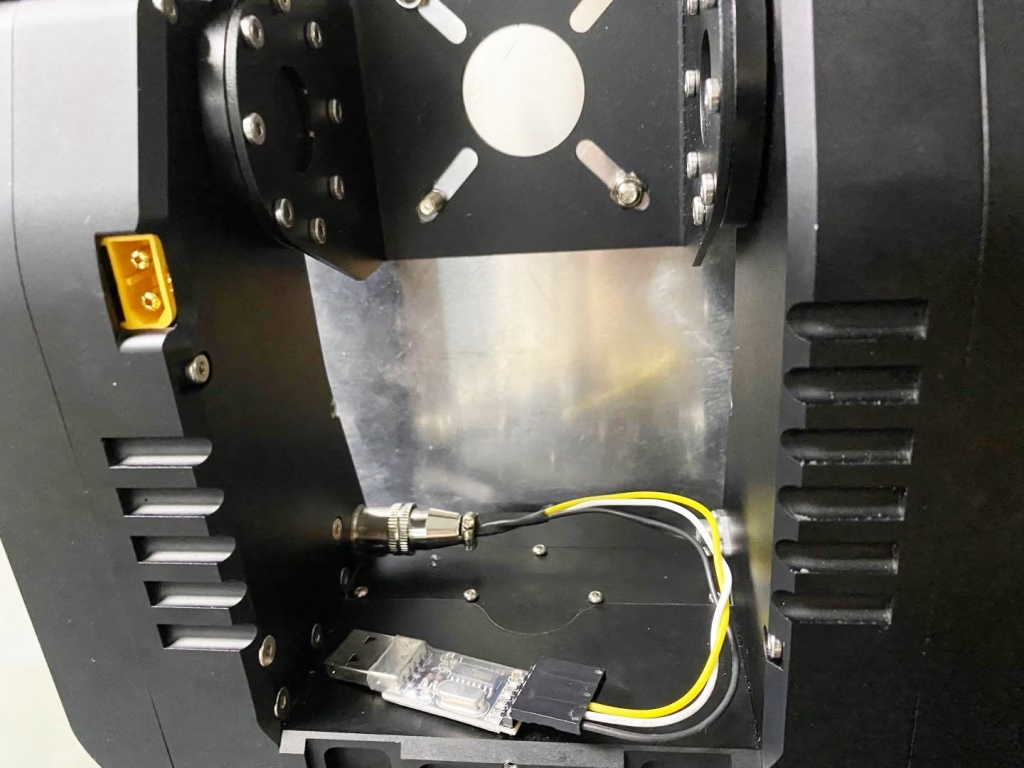
- Please connect the upgrade tool line to your Automatic Antenna Tracker.
- Insert the USB plug to your Windows OS PC.
- Install the driver for USB-TTL if necessary. CH340G.rar
- Download the MFD FW & update tool (you need .Net 4.0 framework to use it) MFD_Update.rar

- Download the latest upgrade file. AAT_92B4.zip
- Chọn “38400” baudrate for Automatic Antenna Tracker
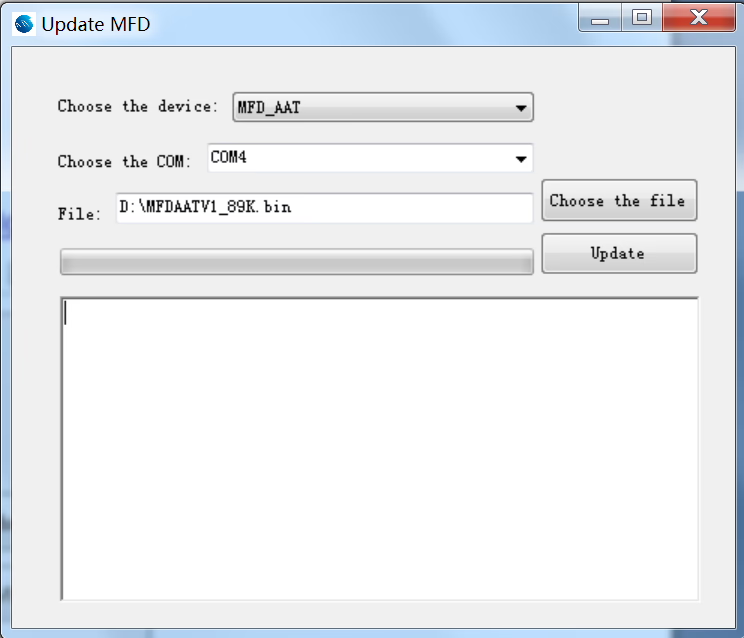
You need to power on your AAT to update firmwares - Run MFD_Update.exe. Chọn “MFD_AAT”. Choose correct COM port of your computer (The specific COM port number depends on your system). Browse for the firmware on your computer by clicking “choose the file”. Then click “Cập nhật” cái nút. A popup window will appear to ask you to confirm the update. nhấp chuột “ĐÚNG”. Just wait for a few seconds until the update finishes.
- Please check these settings after update:
- Set Baudrate to the value that you need to work with your gears.
- Set Current of your 2 motors by menu “MotorCurr”. Usually you can use 2000ma for both
động cơ. - Calibrate the compass module with menu “CalCompass”. If you have an external
GPS+compass module please plug it to the tracker before calibration.
Anten truyền video không dây
$1,399.00
Đặt một câu hỏi
Tin nhắn của bạn đã được gửi