






Inhoudsopgave
RTSP real-time audio- en videostreamadres:
- Formaat: rtsp://ik p:poort/streamnummer
- Standaardpoort: 554
- Stream-ID: 0 (hoofdstroom), 1 (secundaire stroom)
- Bijvoorbeeld, om de substream van het apparaatadres op te halen 192.168.1.188, de URL is:
- rtsp://192.168.1.1 8 8 :554 / 1
De klant (mobiele app) verkrijgt en stelt cameraparameters in via het TCP-protocol;
De camera fungeert als TCP-server, waarbij de standaard TCP-poort is 8866.
TCP-communicatiegegevensformaat:
pure JSON-tekenreeks
Camerastatus ophalen:
Gegevensstructuur:
typedef-structuur
{
char s8DevId[64]; // Apparaat-ID, standaard ingesteld op IP als er geen ID is ingesteld.
u32 u32TfRecord; // Opnamestatus van de TF-kaart, 0: geen opname; 1: opname bezig
}JSON_DEV_STATUS_INFO_S;
Commando karakters:
#definieer JS_CMD _GET_DEV_STATUS “GetDevStatus”
Ervan uitgaande dat het IP-adres van het apparaat dat is 192.168.1.188, de client verzendt de volgende JSON-gegevens:
{
” GetDevStatus “: { }
}
Nadat de camera de gegevens met succes heeft ontvangen, het retourneerde de volgende JSON-gegevens:
{
” GetDevStatus “: {
” s8DevId ” : ” 192.168.1.188 ” ,
“ u32TfRecord ” : 0
}
}
Verwerving/instelling van videocoderingsparameters:
Gegevensstructuur:
typedef-structuur
{
u8 u8VideoEncChn; //0 : hoofdstroom; 1: secundaire stroom;
u8 u8VideoCodecType; // 1:h264 ; 2:p265
u16 u16Videobreedte; // Videobreedte
u16 u16VideoHoogte; // Videohoogte
u16 u8Framesnelheid; // Frame rate (1-30)
u16 u8IframeInterval; // ik- frame-intervalgrootte (1-100)
u8 u8BitrateControl-modus; //Bitrate-controlemodus: 0: CBR 1: VBR
u16 u16BitRateKps; // Bitsnelheidgrootte
char s8VideoSizeName[256]; // Lijst met ondersteunde resoluties }JSON_VIDEO_ENC_PARAM_S;
Commando karakters:
Parameters ophalen:
#definieer JS_CMD_GET_VIDEO_ENC_PARAM “getVideoEncParam”
Parameters instellen:
#definieer JS_CMD_SET_VIDEO_ENC_PARAM “setVideoEncParam”
Bijvoorbeeld:
De client haalt de volgende JSON-gegevens op met de coderingsparameters van de hoofdbitstream van de camera:
{
” getVideoEncParam “: {
” u8VideoEncChn “: 0
}
}
De door de camera geretourneerde JSON-gegevens zijn als volgt;
{
” getVideoEncParam “: {
” u8VideoEncChn “: 0,
“ u8VideoCodecType ” : 1,
“ u16Videobreedte ” : 3840,
” u16VideoHoogte ” : 1080,
“u8FrameRate” : 30,
” u8IframeInterval ” : 60,
” u8BitrateControl-modus ” : 0,
“u16BitRateKps” : 4096,
” s8VideoSizeNaam ” : ” 3840×1080,1920×540 “
}
}
De client stelt de framesnelheid van de secundaire stream van de camera in 15 en de bitrate naar 1024K in JSON-formaat, als volgt:
{
” setVideoEncParam “: {
” u8VideoEncChn “: 1,
” u8Framesnelheid “: 15,
” u16BitRateKps “: 1024
}
}
Na succesvolle installatie, de camera retourneert WAAR.
Verwerving/instelling van audiocoderingsparameters:
Gegevensstructuur:
typedef-structuur
{
u8 u8Inschakelen; //0: Uitzetten; 1: Inschakelen;
u32 u32ChnNum; // 1 : mono; 2: Stereo
u8 u8EncodeType; //6 : AAC; 8: G711A; 9: G711U; u32 u32SampleRate; // Bemonsteringssnelheid: 8000, 16000, 24000, 32000, 48000
u8 u8AoutVolume; // Volumegrootte: [0–100] }JSON_VIDEO_ENC_PARAM_S;
Commando karakters:
Parameters ophalen:
#definieer JS_CMD_GET_AUDIO_PARAM “getAudioParam”
Parameters instellen:
#definieer JS_CMD_SET_AUDIO_PARAM “setAudioParam”
Bijvoorbeeld:
De client haalt de volgende JSON-gegevens op van de audiocoderingsparameters van de camera:
{
” getAudioParam “: { }
}
De door de camera geretourneerde JSON-gegevens zijn als volgt;
{
” getAudioParam “: {
” u8Inschakelen “: 1,
“ u32ChnNum ” : 1,
“ u8EncodeType ” : 8,
“ u32SampleRate ” : 8000,
“ u8AoutVolume ” : 80,
}
}
De instellingen aan de clientzijde voor het coderen van camera-audio zijn AAC, stereo, en een bemonsteringsfrequentie van 48 kHz. De JSON-gegevens zijn als volgt:
{
” setAudioParam “: {
“ u32ChnNum ” : 2,
“ u8EncodeType ” : 6,
“ u32SampleRate ” : 48000
}
}
Na succesvolle installatie, de camera retourneert WAAR.
Verwerving/instelling van videobeeldparameters:
Gegevensstructuur:
typedef-structuur
{
u8 u8VideoIspChn; //ISP-kanaal; [0-4]
u8 u8Helderheid; // Helderheid: [0~100]
u8 u8Contrast; // Contrast ratio: [0~100]
u8 u8Hue; // Chromaticiteit: [0~100]
u8 u8Verzadiging; // Verzadigingsniveau: [0~100]
u8 u8Scherpte; // Scherpte: [0~100]
}JSON_IMAGE_PARAM_S;
Commando karakters:
Parameters ophalen:
#definieer JS_CMD_GET_IMAGE_PARAM “getImageParam”
Parameters instellen:
#definieer JS_CMD_SET_IMAGE_PARAM “setImageParam”
Bijvoorbeeld:
De client haalt de volgende JSON-gegevens op van de afbeeldingsparameters voor het kanaal 0 van de ISP van de camera:
{
” getImageParam “: {
“ u8VideoIspChn ” : 0
}
}
De door de camera geretourneerde JSON-gegevens zijn als volgt;
{
” getImageParam “: {
” u8VideoIspChn “: 0,
“ u8Helderheid ” : 50,
“u8Contrast” : 50,
“u8Hue” : 50,
“ u8Verzadiging ” : 50,
“ u8Scherpte ” : 50
}
}
De JSON-gegevensinstelling aan de clientzijde voor de helderheid van de camera is 53, contrast is 60, en verzadiging is 56 is als volgt:
{
” setImageParam “: {
“ u8VideoIspChn ” : 0,
“ u8Helderheid ” : 53,
“u8Contrast” : 60,
“ u8Verzadiging ” : 56
}
}
Na succesvolle installatie, de camera retourneert WAAR.
Ophalen van TF-kaartinformatie;
Gegevensstructuur:
typedef-structuur
{
u32 u32Totalegrootte; // Totale grootte in MB
u32 u32GebruiktMaat; // Gebruikte capaciteitseenheid (MB)
u32 u32Beschikbare maat; // Beschikbare capaciteit in MB
}JSON_SD_CARD_INFO_S;
Parameters ophalen:
#definieer JS_CMD_GET_SD_CARD_INFO “getSdCardInfo”
Bijvoorbeeld:
De client haalt de volgende JSON-gegevens op met betrekking tot de TF-kaartinformatie van de camera:
{
” getSdCardInfo “: { }
}
De door de camera geretourneerde JSON-gegevens zijn als volgt;
{
” getSdCardInfo “: {
” u32Totalegrootte “: 31254,
“ u32Gebruikte maat ” : 20000,
” u32Beschikbare maat ” : 11254
}
}
Configuratie van opname op TF-kaart:
Gegevensstructuur:
typedef-structuur
{
u8 u8AutoRecordInschakelen; //1: Opname inschakelen; 0: Schakel opname uit
u8 u8RecordStrChn; // Selectie van opnamestream: 0: primaire stroom; 1: secundaire stroom
u8 u8PreRecordSeconden; // Vooropnametijd [0-10] in seconden
u16 u16RecordSecondenPerBestand; // Duur van een enkel opnamebestand [10-1000] seconden
}JSON_RECORD_CONTROL_PARAM_S;
Parameters ophalen:
#definieer JS_CMD_GET_RECORD_CONTROL_PARAM “getRecordControlParam”
Parameters instellen:
#definieer JS_CMD_SET_RECORD_CONTROL_PARAM “setRecordControlParam”
Bijvoorbeeld:
De client haalt de volgende JSON-gegevens op met betrekking tot de opnameconfiguratie van de TF-kaart van de camera:
{
” getRecordControlParam “: { }
}
De door de camera geretourneerde JSON-gegevens zijn als volgt;
{
” getRecordControlParam “: {
” u8AutoRecordInschakelen “: 1,
“ u8RecordStrChn ” : 0,
” u8PrecordSeconden ” : 0,
” u16RecordSecondenPerBestand ” : 300
}
}
IP-configuratie van bekabeld netwerk:
Gegevensstructuur:
typedef-structuur
{
u8 u8DhcpInschakelen; // 0: Statisch ip; 1: DHCP;
teken s8IP[16]; //IP adres
char s8Submasker[16]; // Subnetmasker
char s8GateWay[16]; // Gateway-IP
char s8Dns[16]; //DNS-adres
}JSON_NET_PARAM_S;
Parameters ophalen:
#definieer JS_CMD_GET_NET_IP_PARAM “getNetIpParam”
Parameters instellen:
#definieer JS_CMD_SET_NET_IP_PARAM “setNetIpParam”
Bijvoorbeeld:
De client haalt de IP-informatie van de camera als volgt op met behulp van JSON-gegevens:
{
” getNetIpParam “: { }
}
De door de camera geretourneerde JSON-gegevens zijn als volgt;
{
” getNetIpParam “: {
” u8DhcpInschakelen “: 0,
” s8IP ” : ” 192.168.1.188 ” ,
” s8Submasker ” : ” 255.255.255.0 ” ,
” s8GateWay ” : ” 192.168.1.1 ” ,
” s8Dns ” : ” 192.168.1.1 “
}
}
De client is geconfigureerd met het IP-adres van de camera als 192.168.3.10, poort als 192.168.3.1, en DNS als 192.168.3.1. De JSON-gegevens zijn als volgt:
{
” setNetIpParam “: {
” s8IP ” : ” 192.168.3.10 ” ,
” s8GateWay ” : ” 192.168.3.1 ” ,
” s8Dns ” : ” 192.168.3.1 “
}
}
Na succesvolle installatie, de camera retourneert geen gegevens, en de client moet opnieuw verbinding maken met het apparaat met het nieuwe IP-adres.
Configuratie van WiFi-parameters:
De client/app haalt een lijst op met SSID's van de routers die door het apparaat zijn gevonden.
{
“getAPSsidLijst” :{ }
}
Het apparaat retourneert een lijst met SSID's: Selecteer een route-SSID uit de lijst waarmee u verbinding wilt maken.
Configureer de wifi van uw apparaat om in STA-modus te werken:
{
“setWifiSsidParam”:{
“u8Modus”: 0,
“s8Ss”: ” jrx8888 “,
“s8PassWd”: “987545598400
}
}
Configureer de Wi-Fi van het apparaat om te werken in de hotspot AP-modus:
{
“setWifiSsidParam”:{
“u8Modus”: 1
}
}
Haal de wifi-status van het apparaat op:
{
“getWifiSsidParam” : { }
}
Tijdsynchronisatie:
Gegevensstructuur:
typedef-structuur
{
u8 u8Tijdzone; // Tijdzonewaarde RT_TIMEZONE_E
char s8DateTime[64]; // Tijdformaat: “2019-06-12_12:56:59_3”
}JSON_DATE_TIME_INFO_S;
Definitie van tijdzonewaarde:
typedef enum
{
RT_TIMEZONE_InternationalDateLineWest = 0, /* UTC-12:00 */
RT_TIMEZONE_MidwayIslandSamoa = 1, /* UTC-11:00 */
RT_TIMEZONE_Hawaï = 2, /* UTC-10:00 */
RT_TIMEZONE_Alaska = 3, /* UTC-9:00 */
RT_TIMEZONE_TijuanaCalifornian = 4, /* UTC-8:00 */
RT_TIMEZONE_PacificTimeUSCanada = 5, /* UTC-8:00 */
RT_TIMEZONE_MountainTimeUSCanada = 6, /* UTC-7:00 */
RT_TIMEZONE_ChihuahuaLapazMazatlan = 7, /* UTC-7:00 */
RT_TIMEZONE_Arizona = 8, /* UTC-7:00 */
RT_TIMEZONE_Saskatchewan = 9, /* UTC-7:00 */
RT_TIMEZONE_GuaddlajaraMexicoCityMonterrey = 10, /* UTC-6:00 */
RT_TIMEZONE_CentralTimeUSCanada = 11, /* UTC-6:00 */
RT_TIMEZONE_CentraalAmerika = 12, /* UTC-6:00 */
RT_TIMEZONE_BogotaLimaQuito = 13, /* UTC-5:00 */
RT_TIMEZONE_EasternTimeUSCanada = 14, /* UTC-5:00 */
RT_TIMEZONE_IndianaOost = 15, /* UTC-5:00 */
RT_TIMEZONE_Caracas = 16, /* UTC-4:30 */
RT_TIMEZONE_AtlanticTimeCanada = 17, /* UTC-4:00 */
RT_TIMEZONE_GeorgetownLapazSanJuan = 18, /* UTC-4:00 */
RT_TIMEZONE_Santiago = 19, /* UTC-4:00 */
RT_TIMEZONE_NenfoundLand = 20, /* UTC-3:30 */
RT_TIMEZONE_Brasilia = 21, /* UTC-3:00 */
RT_TIMEZONE_BuenosAiresGeorgentown = 22, /* UTC-3:00 */
RT_TIMEZONE_Groenland = 23, /* UTC-3:00 */
RT_TIMEZONE_MidAtlantic = 24, /* UTC-2:00 */
RT_TIMEZONE_KaapVerdeIs = 25, /* UTC-1:00 (Republiek Kaapverdië) */
RT_TIMEZONE_Azoren = 26, /* UTC-1:00 (Azoren) */
RT_TIMEZONE_GreenwichMeanTimeDublinEdinburghLissabonLonden = 27, /* UTC-0:00 */
RT_TIMEZONE_Casablanca = 28, /* UTC-0:00 */
RT_TIMEZONE_Monrovia = 29, /* UTC-0:00 */
RT_TIMEZONE_AmsterdamBerlijnBernRomeStockholmWenen = 30, /* UTC+1:00 */
RT_TIMEZONE_BelgradeBratislavaBoedapestLjubljanaPraag = 31, /* UTC+1:00 */
RT_TIMEZONE_BrusselsKopenhagenMadridParijs = 32, /* UTC+1:00 */
RT_TIMEZONE_SarajevoSkopjeWarschauZagreb = 33, /* UTC+1:00 */
RT_TIMEZONE_WestCentralAfrica = 34, /* UTC+1:00 */
RT_TIMEZONE_RarePretoria = 35, /* UTC+2:00 */
RT_TIMEZONE_HelsinkiKyivRigaSofiaTallinnVilnius = 36, /* UTC+2:00 */
RT_TIMEZONE_Caïro = 37, /* UTC+2:00 */
RT_TIMEZONE_Minsk = 38, /* UTC+2:00 */
RT_TIMEZONE_AthensBoekarestIstanboel = 39, /* UTC+2:00 */
RT_TIMEZONE_Jeruzalem = 40, /* UTC+2:00 */
RT_TIMEZONE_Bagdad = 41, /* UTC+3:00 */
RT_TIMEZONE_Tbilisi = 42, /* UTC+3:00 */
RT_TIMEZONE_KoeweitRiyad = 43, /* UTC+3:00 */
RT_TIMEZONE_MoskouStPetersburgVolgograd = 44, /* UTC+3:00 */
RT_TIMEZONE_Nairobi = 45, /* UTC+3:00 */
RT_TIMEZONE_Teheran = 46, /* UTC+3:30 */
RT_TIMEZONE_AbuDhabiMuscat = 47, /* UTC+4:00 */
RT_TIMEZONE_BakuJerevan = 48, /* UTC+4:00 */
RT_TIMEZONE_Kaboel = 49, /* UTC+4:30 */
RT_TIMEZONE_Tasjkent = 50, /* UTC+5:00 */
RT_TIMEZONE_Jekaterinenburg = 51, /* UTC+5:00 */
RT_TIMEZONE_IslamabadKarachi = 52, /* UTC+5:00 */
RT_TIMEZONE_ChennaiKolkataMumbaiNewDelhi = 53, /* UTC+5:30 */
RT_TIMEZONE_Kathmandu = 54, /* UTC+5:45 */
RT_TIMEZONE_AlmatyNovosibirsk = 55, /* UTC+6:00 */
RT_TIMEZONE_AstanaDhaka = 56, /* UTC+6:00 */
RT_TIMEZONE_Rangoon = 57, /* UTC+6:30 */
RT_TIMEZONE_Krasnojarsk = 58, /* UTC+7:00 */
RT_TIMEZONE_BangkokHanoiJakarta = 59, /* UTC+7:00 */
RT_TIMEZONE_BeijingChongqingHongKongUrumqi = 60, /* UTC+8:00 */
RT_TIMEZONE_KualaLumpurSingapore = 61, /* UTC+8:00 */
RT_TIMEZONE_Perth = 62, /* UTC+8:00 */
RT_TIMEZONE_Taipei = 63, /* UTC+8:00 */
RT_TIMEZONE_IrkutskUlaanBataar = 64, /* UTC+8:00 */
RT_TIMEZONE_OsakaSapporoTokyo = 65, /* UTC+9:00 */
RT_TIMEZONE_Seoel = 66, /* UTC+9:00 */
RT_TIMEZONE_Jakoetsk = 67, /* UTC+9:00 */
RT_TIMEZONE_Adelaide = 68, /* UTC+9:30 */
RT_TIMEZONE_Brisbane = 69, /* UTC+10:00 */
RT_TIMEZONE_Vladivostok = 70, /* UTC+10:00 */
RT_TIMEZONE_GuamMoresby = 71, /* UTC+10:00 */
RT_TIMEZONE_Hobart = 72, /* UTC+10:00 */
RT_TIMEZONE_CanberraMelbourneSydney = 73, /* UTC+10:00 */
RT_TIMEZONE_MagadanSolomonNieuw-Caledonië = 74, /* UTC+11:00 */
RT_TIMEZONE_AucklandWellington = 75, /* UTC+12:00 */
RT_TIMEZONE_FijiKamchatkaMarshallIs = 76, /* UTC+12:00 */
RT_TIMEZONE_Nukualofa = 77, /* UTC+13:00 */
RT_TIMEZONE_BUTT
}RT_TIMEZONE_E;
Parameters ophalen:
#definieer JS_CMD_GET_DEV_DATE_TIME “GetDevDateTime”
Parameters instellen:
#definieer JS_CMD_SET_DEV_DATE_TIME “setDevDateTime”
Haal de JSON-gegevens van het apparaat op :
{
” GetDevDateTime ” : {}
}
Het apparaat retourneert JSON-gegevens:
{
” GetDevDateTime ” : {
“u8Tijdzone” : 60,
“s8DatumTijd” : “2020-03-06_12:56:59_3”
}
}
De JSON-gegevens stellen de apparaattijd in op donderdag, maart 12, 2020, op 3:38:30 P.M:
{
” setDevDateTime ” : {
“s8DatumTijd” : “2020-03-12_15:38:30_4”
}
}
Het apparaat retourneerde TRUE na een succesvolle installatie.
Beheer van apparatuur:
JSON-gegevens voor het opnieuw opstarten van het apparaat:
{
” setSysControlParam ” : {
“u8Herstart” : 1
}
}
JSON-gegevens voor het herstellen van fabrieksinstellingen:
{
” setSysControlParam ” : {
“u8ResetStandaard” : 1
}
}
JSON-gegevens van SD-kaart formatteren:
{
” setSysControlParam ” : {
“u8FormatSdCard” : 1
}
}
PTZ-bediening:
Gegevensstructuur:
typedef-structuur
{
u8 u8Cmd; // Commandocode PTZ_CONTROL_CODE
u8 u8Snelheid; // Snelheid (1-64)
u8 u8Data1; // Gereserveerd; dit wordt gebruikt voor vooraf ingestelde posities.
u8 u8Data2; // Gereserveerd, dit wordt gebruikt voor speciale PTZ-opdrachten.
}JSON_PTZ_CONTROL_S;
enum PTZ_CONTROL_CODE
{
PTZ_STOP = 0, // Hou op
PTZ_UP=1, // omhoog
PTZ_DOWN=2, // omlaag
PTZ_LEFT=3, // Links
PTZ_RIGHT=4, // rechts
PTZ_LEFT_UP=5, // linksboven
PTZ_LEFT_DOWN=6, // linksonder
PTZ_RIGHT_UP=7, // rechtsboven
PTZ_RIGHT_DOWN=8, // 8 : rechtsonder
PTZ_ZOOM_IN=9, // 9 : Zoom in
PTZ_ZOOM_OUT=10, // 10: UITZOOMEN=10, // 10 : UITZOOMEN=10
PTZ_FOCUS_NEAR=11, // 11 : Focus op dichtbij
PTZ_FOCUS_FAR=12, // 12 : Focus op ver
PTZ_IRIS_ADD=13, // 13 : Diafragma vergroten
PTZ_IRIS_REDUCE=14, // 14 : Diafragma verkleind
PTZ_GOTO_POINT = 15, // 15 : Voorkeuzebit oproepen
PTZ_CLEAR_POINT = 16, // 16 : Wis vooraf ingesteld bit
PTZ_PERSET_POINT = 17, // 17 : Vooraf ingesteld bit instellen
PTZ_AUTO_RUN = 18, // 18 : Horizontale automatische scan
};
PTZ-bediening:
#definieer JS_CMD_PTZ_CONTROL “PtzControlCmd”
JSON-opdrachten bestuurd door Ptz:
- Naar beneden bewegen met een snelheid van 30:
{
” PtzControlCmd “: {
” u8Cmd “: 2,
” u8Snelheid ” : 30
}
}
- 1. Vooraf ingestelde positie instellen 2:
{
” PtzControlCmd “: {
” u8Cmd “: 17,
“u8Snelheid” : 30,
“ u8Data1 ” : 2
}
}
Zoeken naar TF-kaartbestanden:
( 1) Commando om op dezelfde dag naar alle videobestanden binnen een specifieke tijdsperiode te zoeken:
{
“zoekRecordFileList”:{
“u32Jaar”:2020, // jaar
“u8Maand”:7, // Maand
“u8Dag”:14, // Dag
“u8StartUur”:0, // Starttijd in uren
“u8StartMinuut”:0, // Starttijd in minuten
“u8Einduur”:23, // Eindtijd in uren
“u8Eindminuut”:59, // Eindtijd in minuten
“u8EncChn”:0, // 0 is de standaardwaarde.
“u8RecordTye”:0, // Bestandstype: 0: Alle bestanden, 1: Geplande opname; 2: Alarmopname; 3: Afbeeldingen;
“u32StartIdx”:0, // Het volgnummer van het startbestand
“u32Verwachtetelling”: 10 // Aantal bestanden dat door het verzoek is geretourneerd, momenteel is de maximale waarde 32.
}
}
Gegevens die door het apparaat worden geretourneerd:
{
“zoekRecordFileList”: {
“u32RecordFileTotalCount”: 7, // Totaal aantal bestanden dat binnen deze periode is doorzocht
“stRecordFileLijst”: [ // Bestandsnaam met pad, bestandsgrootte]
“/dev/disk/0/part0/rec-pic/20200714/0/000_180149_0_0300_2.mp4”, 251649649, “/dev/disk/0/part0/rec-pic/20200714/0/001_180644_0_0169_256.mp4”, 144935215, “/dev/disk/0/part0/rec-pic/20200714/0/002_181001_0_0300_2.mp4”, 251650689, “/dev/disk/0/part0/rec-pic/20200714/0/003_181458_0_0300_2.mp4”, 251657016, “/dev/disk/0/part0/rec-pic/20200714/0/004_181958_0_0300_2.mp4”, 301449467, “/dev/disk/0/part0/rec-pic/20200714/0/005_182458_0_0000_256.mp4”, 37801991, “/dev/disk/0/part0/rec-pic/20200714/0/006_182642_0_0244_256.mp4”, 200069913
]
}
}
Handmatig een JPG-afbeelding vastleggen:
Stuur de volgende opdracht naar het apparaat.
{
“HandleidingSnapJpg”:{
}
}
Met succes geretourneerd:
{
“HandleidingSnapJpg”: WAAR
}
PWM-bediening past de LED-helderheid aan:
Haal de huidige PWM-waarde op:
{
“getPwmParam”:{
“u32PwmChn”: 0
}
}
Met succes geretourneerd:
{
“getPwmParam”:{
“u32PwmChn”:0,
“u8Inschakelen”:1,
“u8DutyWaarde”:20
}
}
- Stel de PWM-waarde in:
{
“setPwmParam”:{
“u32PwmChn”: 0,
“u8Inschakelen”: 1,
“u8DutyWaarde”: 60
}
}
Met succes geretourneerd:
{
“setPwmParam”:WAAR
}
Notitie : u32PwmChn is standaard ingesteld op 0 en mag niet willekeurig worden gewijzigd. u8Enable heeft een waarde van 0/1, waar 0 schakelt PWM-uitvoer uit en 1 maakt PWM-uitvoer mogelijk. u8DutyValue heeft een waardebereik van 0-100.
17. OSD-tekstverwerving/-instelling:
(1) Verkrijg het opgegeven videokanaal, OSD-tekstparameters:
{“getVideoOsdTextInfo”:{
“u8IspChn”:0,
“u8TextIdx”:1
}}
Met succes geretourneerd:
{
“getVideoOsdTextInfo”:{
“u8IspChn”:0, // Videokanaal 0, invullen 0 voor één camera
“u8TextIdx”:1, // Het nummer van het OSD-tekstvak, ondersteuning van meerdere tekstvakken.
“u8Inschakelen”:0, // Inschakelen, 0: niet weergeven; 1: Scherm
“u16XRatioBase50000”:40000, // Relatieve coördinaten van de horizontale positie, met een maximale waarde van 50000.
“u16YRatioBase50000”:1600, // Relatieve coördinaten van de verticale positie, met een maximale waarde van 50000.
“u8FgTransparantie”:10, // Transparantie van de voorgrond [0-255]
“u8BgTransparantie”:255, // Achtergrondtransparantiewaarde [0-255]
“u8SizeType”:1, // Tekstgrootte, waardebereik [0-3]
“u32TextColor_BGRA8888”:4294967295, // Tekstkleur ARGB888-waarde
“aszTekst”:”” // In het tekstvak wordt de inhoudsreeks weergegeven
}
}
(2) Stel het opgegeven videokanaal in, OSD-tekstparameters:
{
“setVideoOsdTextInfo”:{
“u8IspChn”:0,
“u8TextIdx”:1,
“u8Inschakelen”:1,
“u16XRatioBase50000”:40000,
“u16YRatioBase50000”:1600,
“u8FgTransparantie”:10,
“u8BgTransparantie”:255,
“u8SizeType”:1,
“u32TextColor_BGRA8888”:4294967295,
“aszTekst”:”testen 11111222233334444″
}
}
Met succes geretourneerd:
{
“setVideoOsdTextInfo”:WAAR
}
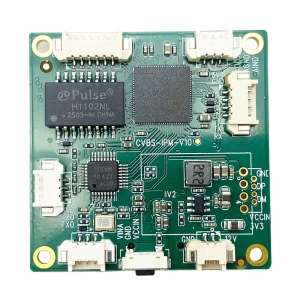
CVBS HDMI naar IP -encoder
CVBS naar Ethernet IP-encoder stabiel in zwak signaalbestendig, Laag signaalvergrendeling
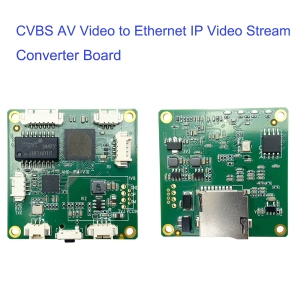
CVBS HDMI naar IP -encoder
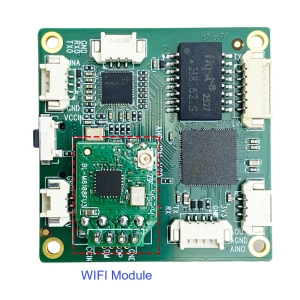
CVBS HDMI naar IP -encoder
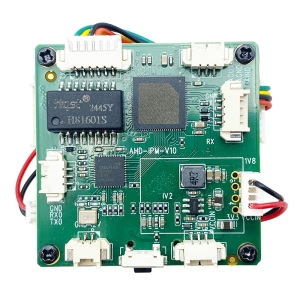
Een vraag stellen
Bedankt voor je reactie. ✨