





Troubleshooting Guide: When One RS232 Port Does Not Work on VCAN1401-Mesh
This document summarizes a real case and provides a clear procedure to help customers diagnose why one RS232 port works and the other does not, even when both ports have identical settings.

Sommario
1. Problem Description
A customer using the VCAN1401-Mesh radio encountered the following issue:
- The radio has two RS232 ports.
- Only one port works normally.
- The second port outputs only the following message at boot and then stops responding:
▒/EV-INFO start▒▒j
$CFGSYS,h10
- Both ports are configured identically (AT Command mode, 9600 UART).
- On another radio, both ports work correctly, so the customer suspects a hardware issue.
2. Fare un passo 1: Verify UART Settings in Web UI
Vai a:
Setting-Tool → UART
Confirm the following for Entrambi RS232 ports:
- UART mode is set correctly
- Baud rate matches your device
- Protocollo (AT command or Data UART) is correctly selected
- No unexpected changes were made
In the customer’s case, both ports were configured properly and matched the settings on the working radio.



3. Fare un passo 2: Provide Parameter Screenshots
If the problem persists, provide:
- Web UI screenshots of both UART ports
- Any wiring photos
- A short video showing the behavior
This helps engineers check for configuration inconsistencies that may not be obvious from text alone.
4. Fare un passo 3: Check Possible Hardware or Wiring Issues
Even if the Web UI settings are correct, the issue may come from:
- Loose or damaged TX, RX, or GND wires
- Wrong pin mapping
- Poor contact in the connector
- Short circuits on the port
- Damaged external serial device
In many cases, the serial wiring is the root cause, not the radio module.
5. Fare un passo 4: Perform a UART Loopback Test (Importante)
To confirm whether the RS232 port hardware is functioning, use this method:
(1) Switch the port to normal “Data UART” mode
AT Command mode may block echo responses.
(2) Prepare a loopback
- Corto Texas E RX together on the cable connected to the problematic port.
- Mantenere TERRA connected.
(3) Use a serial terminal
- Open your RS232 terminal on a PC
- Send characters (e.g., “12345”)
(4) Check the result
✔ If characters echo back:
The port hardware is working (Texas, RX, and GND lines are good).
The issue is likely external wiring or device connection.
✘ If characters do non echo back:
This strongly indicates:
- Incorrect cable wiring
- Damaged connector
- Short/open circuit on TX/RX
- Hardware failure of the serial port on the radio
This test quickly narrows down whether the issue is internal or external.
6. Fare un passo 5: Report Results to Support
Condividere:
- Loopback test results
- Photos of wiring
- Any additional observations
This allows engineers to determine the next step: repair, replacement, or further debugging.
7. Conclusione
When one RS232 port works and the other does not on a VCAN1401-Mesh radio, the issue is typically related to wiring or hardware on the non-working port.
Following these steps—especially the loopback test—helps confirm whether the problem is external wiring or the port hardware itself.
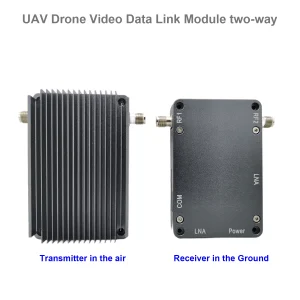
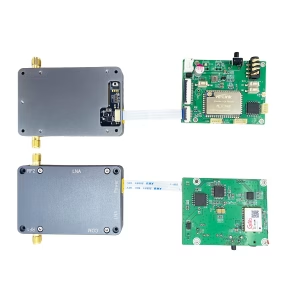
Wireless Video trasmissione
Transoceiver MANET MESH IP con scheda audio-IP bidirezionale per robot UAV drone
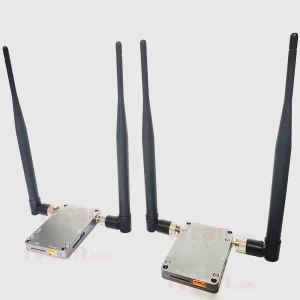
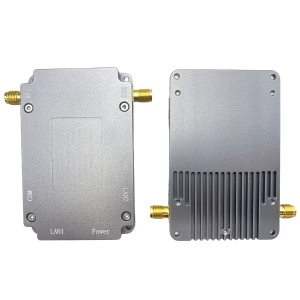
Trasmissione robotica
Fai una domanda
Grazie per la risposta. ✨