






Բովանդակություն
Why do we need to change D3 from the Transparent serial port to the AT command interaction
D3 սերիական պորտի լռելյայն առաքման կոնֆիգուրացիան օգտագործվում է որպես թափանցիկ սերիական նավահանգիստ. Եթե հաճախորդը պետք է փոփոխի այն AT հրամանի փոխազդեցության համար, ներքին AT հրամանը կարող է ուղարկվել վեբ սերվերի տակ՝ փոփոխելու D3 սերիական պորտի դերը. Կոնկրետ քայլերը հետևյալն են:
1. Մուտք գործեք վեբ սերվերի վրիպազերծման էջ
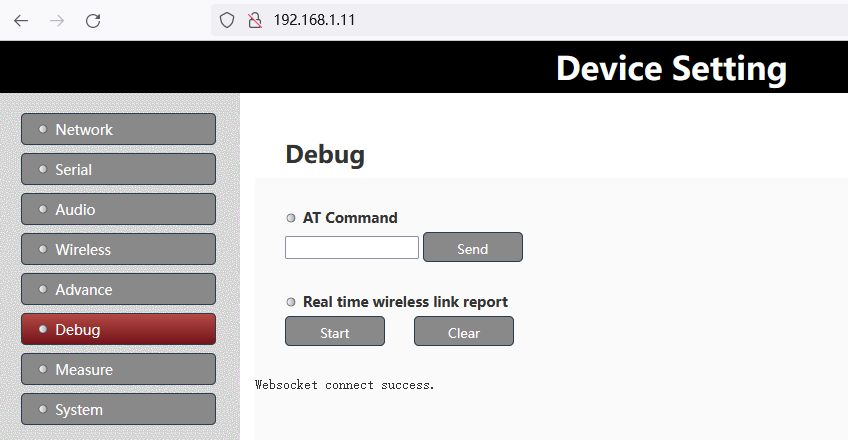
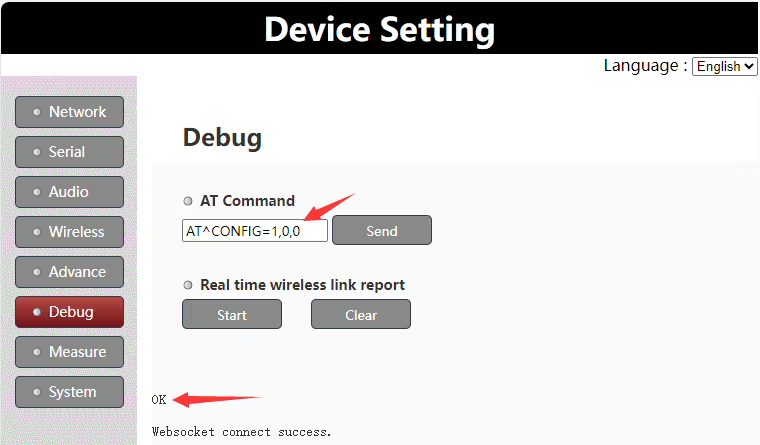
2. Մուտքագրեք “AT^CONFIG=1,0,0” հրաման է “Հրամանով” սյունակ, եւ “լավ” հուշումը կվերադարձվի հաջողության դեպքում
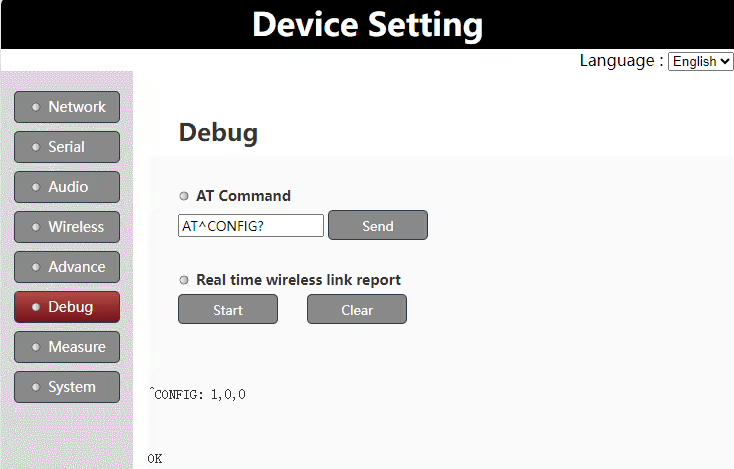
3. Մուտքագրեք “AT^CONFIG?” հրաման է “Հրամանով” սյունակը՝ նորից ստուգելու համար՝ հաստատելու, թե արդյոք կազմաձևումը հաջող է
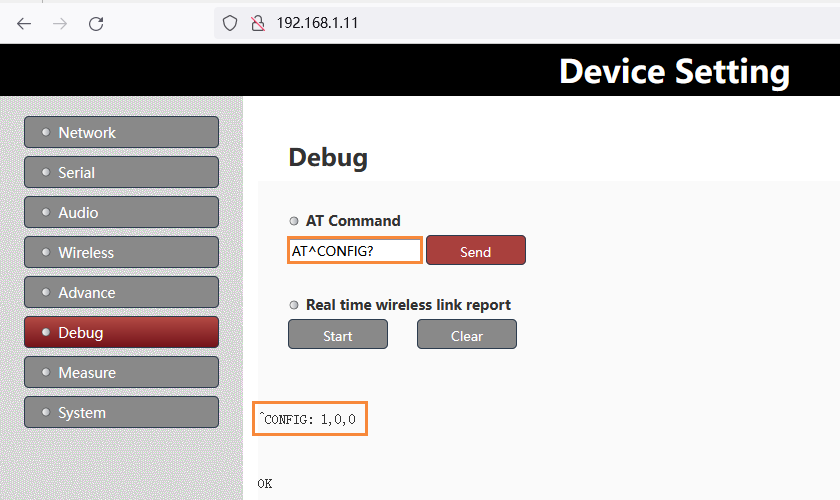
Նշում:
- Վերոնշյալ փոփոխությունից հետո, ուժի մեջ մտնելու համար անհրաժեշտ է վերագործարկել իշխանությունը
- Եթե Ձեզ անհրաժեշտ է փոփոխել D3-ը, որպեսզի նորից լինի թափանցիկ սերիական պորտ, պարզապես փոխարինեք վերը նշված AT հրամանը “AT^CONFIG=0,0,0”.
Products for Change D3 from the transparent serial port to AT command



UART3 Configuration
The UART3(or D3 UART of TX900) can work as data uart and control uart. The default factory configuration of UART3 works as data uart from version 1.4. Customers can change it as their application requirement.
Version confirmation
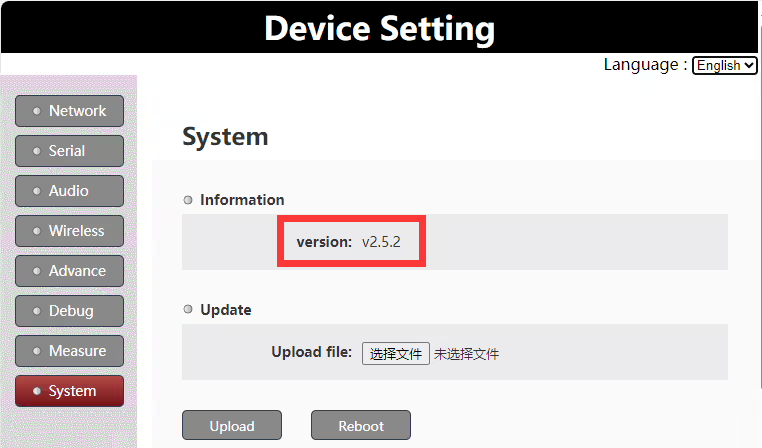
Նկատվել: this document is only valid for version 1.4 and higher versions.
Set uart3 as control uart
Customers can set uart3 working as control uart via the web UI AT command.
AT հրաման: AT^CONFIG=1,0,0
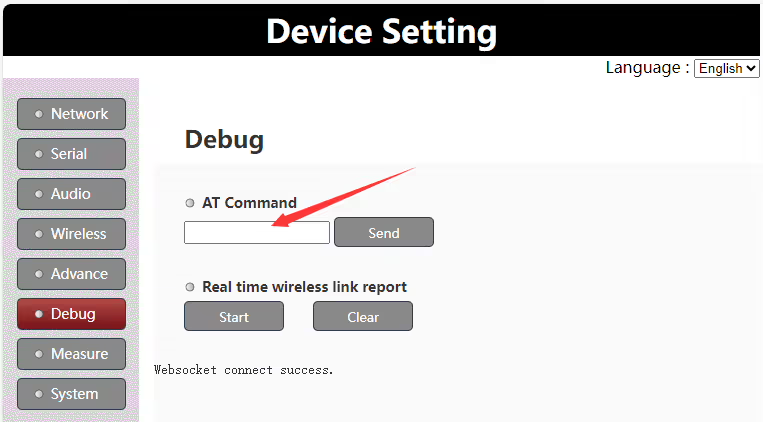
Run the AT command “AT^CONFIG=1,0,0” on web UI to set uart3 as control uart, it will return “ok” if succeeds. It needs to reboot the Vcan1681 module to enable the setting.
Set uart3 as data uart
Customers can set uart3 to work as data uart via the web UI AT command.
AT հրաման: AT^CONFIG=0,0,0
Run the AT command “AT^CONFIG=0,0,0” on web UI to set uart3 as data uart, it will return “ok” if succeeds. It needs to reboot the Vcan1681 module to enable the setting.
Uart3 working mode query
Customers can query the current uart3 working mode via the web UI AT command.
AT հրաման: AT^CONFIG?
Run the AT command “AT^CONFIG?” on the web UI to query the current uart3 working mode. It will return “ok” and the current working mode setting.
Հարց տվեք
Ձեր հաղորդագրությունն ուղարկված է