






Ασύρματη ευρυζωνική μονάδα SDR ad hoc δικτύου
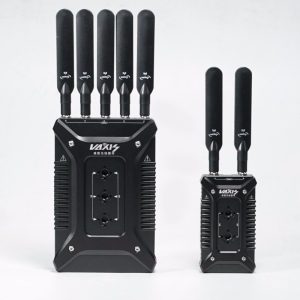
Ασύρματη ευρυζωνική μονάδα SDR ad hoc βίντεο αμφίδρομης λειτουργίας, φωνή, διαφανής μετάδοση δεδομένων
Πίνακας περιεχομένων
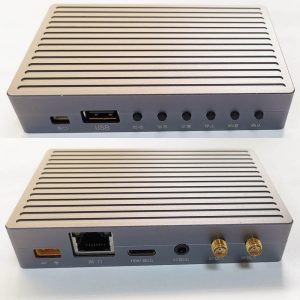
Πλεονέκτημα
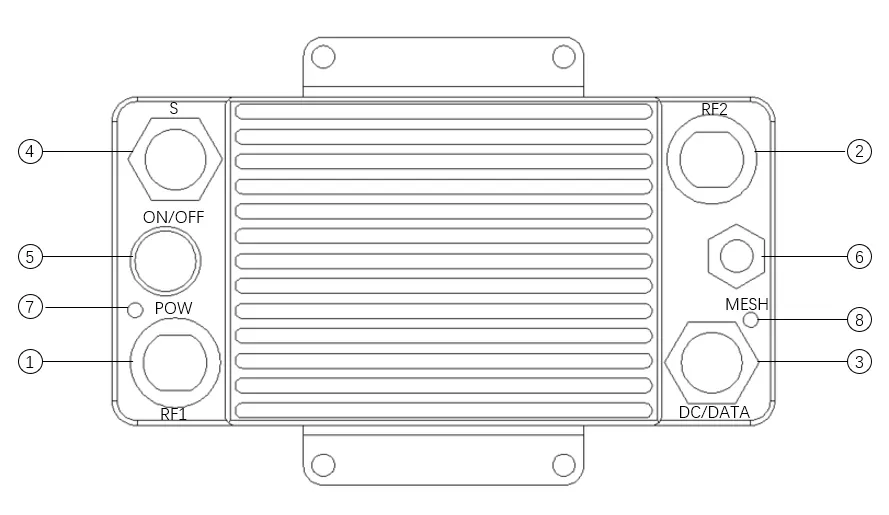
① Ad hoc radio frequency 1
② Ad hoc radio frequency 2
③ DC 12V input/network port
④ RS232/voice (επιλέγω 1 από 2)
⑤ Power switch
⑥ GPS Beidou/WIFI (επιλέγω 1 από 2)
⑦ Power Indicator
⑧ Ad hoc network indicator
Χαρακτηριστικά
- No center anti-destroy network structure: The departure or damage of any node does not affect the operation of the overall network
- Multiple business data: Βίντεο υποστήριξης, φωνή, τοποθεσία, αισθητήρας, and other IP-based data transmission
- Multiple access methods: Υποστήριξη θύρας Ethernet, και σειριακή θύρα, can support the transmission of control commands and video data at the same time
- Ισχυρή ικανότητα κατά των παρεμβολών: Support automatic spectrum migration and frequency hopping working mode
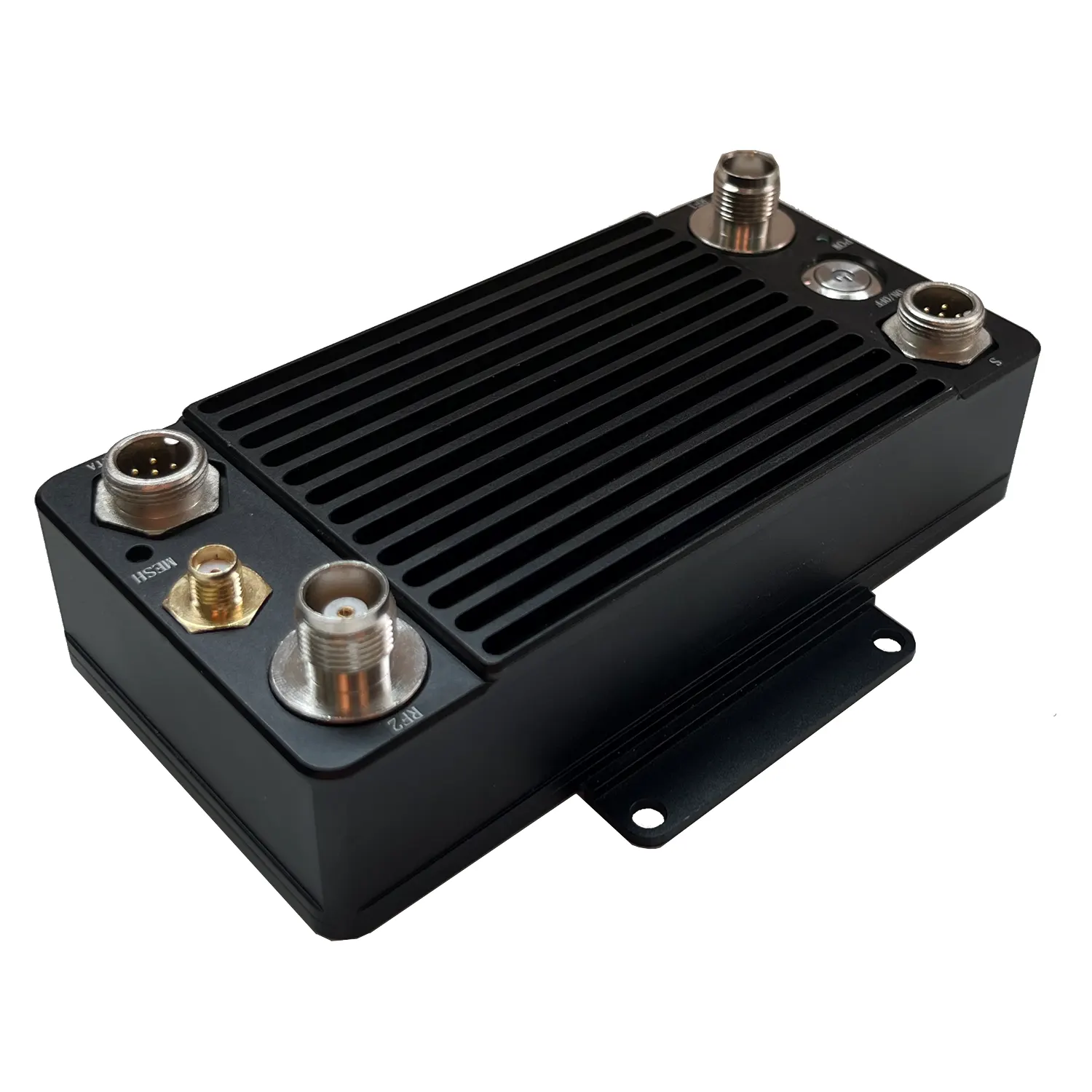
- Συμπαγές μέγεθος: Size 133×66×33mm; Weight 400g
Προσδιορισμός
Το πακέτο περιλαμβάνει
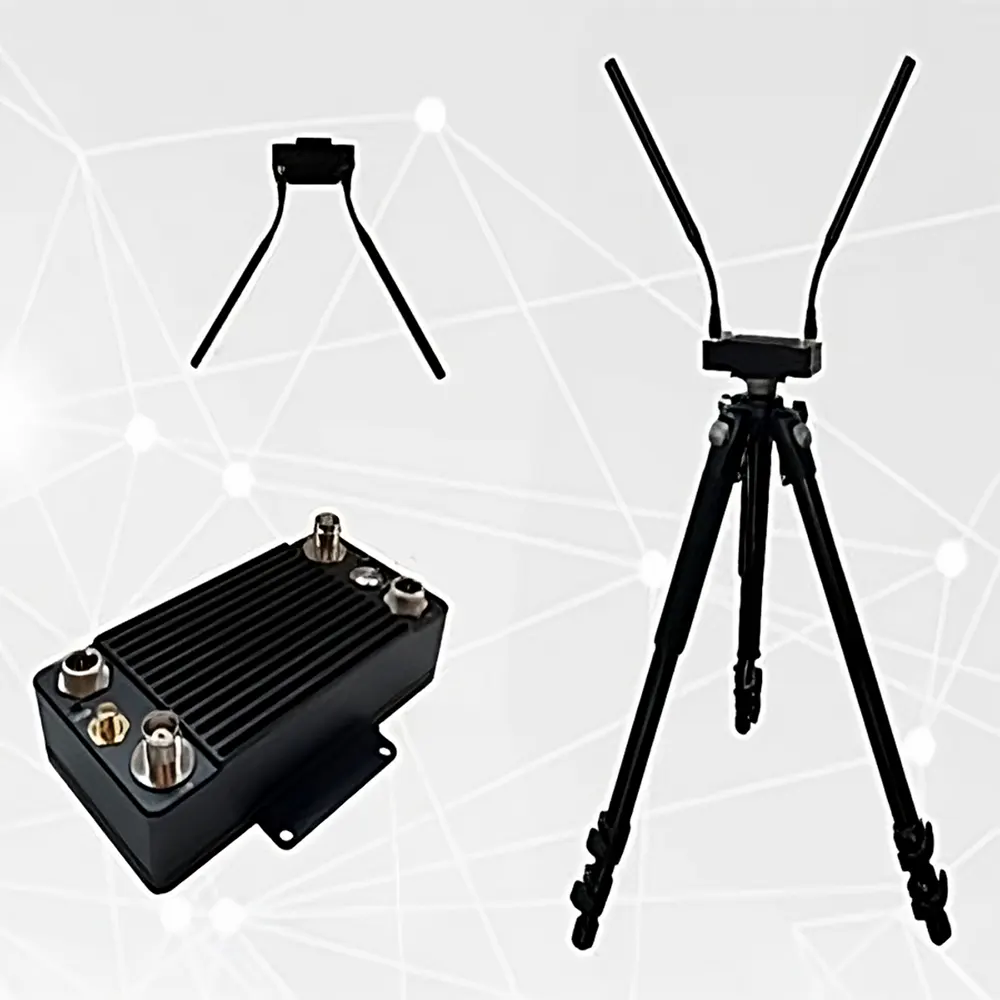
(1). One ad hoc network host
(2). 2 αποκλειστική ζώνη συχνοτήτων (1.4Ghz) κεραίες (ανάλογα με τα διαφορετικά μοντέλα, άλλοι τύποι κεραιών είναι προαιρετικοί)
(3). Common frequency band (2.4Ghz/GPS Beidou) κεραία (επιλέγω 1 από 2)
(4). Power supply/network port conversion cable 1 κομμάτι
(5). Voice/RS232 transfer cable 1 (επιλέγω 1 από 2)
(6). DC 12V adapter 1pc
Βήματα εγκατάστασης
1. Τοποθετήστε την κεραία: συνδέστε την ειδική κεραία ζώνης συχνοτήτων (ή τροφοδότη) to the TNC head (RF1/RF2), πατήστε και περιστρέψτε το για να το διορθώσετε, και βεβαιωθείτε ότι η κεραία είναι σφιγμένη και όχι χαλαρή;
2. Install the power supply/network port conversion cable: connect the aviation plug (2 πυρήνες) to the main engine aviation seat, and then tighten the nut to ensure good contact.
Βήματα εκκίνησης
- Press the switch, turn on the power, the indicator light of the power switch is on, and the system starts self-test (It is forbidden to turn on the power without connecting the antenna, and it is forbidden to use other types of adapters)
- After the self-inspection is completed after the neighbor node is found, the self-organizing network indicator is always on, indicating that the network is successfully established
Δικτύωση
The networking indicator light indicates the status of being in the network or being disconnected from the network. When the indicator light is on, it indicates that the network has been established. Green indicates that the network quality with neighboring nodes is good, orange indicates normal, and red indicates poor quality.
| αύξων αριθμός | κατάσταση | έννοια |
| 1 | light off | offline |
| 2 | green steady | good network quality |
| 3 | Orange is always on | Average network quality |
| 4 | Σταθερό κόκκινο | poor network quality |
Προφυλάξεις
- Βεβαιωθείτε ότι η κεραία είναι σφιγμένη;
- Κρατήστε την κεραία κάθετη στο έδαφος κατά τη διάρκεια της δοκιμής;
- Μην αγγίζετε την κεραία με τα χέρια σας ή άλλα αντικείμενα κατά τη διάρκεια της δοκιμής;
- Δεν συνιστάται να πλησιάζετε πολύ η μία στην άλλη μεταξύ των συσκευών, και θα πρέπει να απέχουν περισσότερο από 5M;
- Εάν υπάρχουν συνθήκες δοκιμής, επιλέξτε ένα εντολικό ύψος για να στήσετε έναν από τους κόμβους;
- Ελέγξτε εάν η σύνδεση επικοινωνίας είναι κανονική μέσω της ενδεικτικής λυχνίας δικτύου, και η ενδεικτική λυχνία δικτύου είναι πάντα αναμμένη, υποδεικνύοντας ότι το επίπεδο σύνδεσης έχει συνδεθεί με επιτυχία;
- Check the environmental noise situation through the WEB interface to know whether there is co-channel interference around;
- Σχετικά με 5 seconds after the networking is successful, you can check the network connectivity of each node through the ping packet;
- Make sure that the cameras, Η / Υ, and other devices that need to be connected are in the same IP address segment, and can communicate normally under the condition of a wired connection, without using the same address segment of NexFi devices (NexFi devices communicate through MAC addresses);
- Traffic flow, people flow, κτίρια, and trees will have varying degrees of impact on communication quality;
- When doing penetration tests inside and outside the building, the external nodes should not be too close to the building, and the distance should be more than 10M;
- Εάν πρέπει να επιτύχετε μεγαλύτερη απόσταση δοκιμής, you can adjust the bandwidth to 5Mhz through the management interface, και αν χρειάζεται να επιτύχετε μεγαλύτερο εύρος ζώνης, μπορείτε να το ρυθμίσετε στα 20Mhz;
- Εάν χρησιμοποιείται για μετάδοση βίντεο, για να αποφύγετε το πάγωμα του βίντεο, μπορείτε να βελτιστοποιήσετε το εφέ βίντεο προσαρμόζοντας την ανάλυση της κάμερας, ρυθμός καρέ, ροή διακωδικοποίησης, και άλλες παραμέτρους;
- If it is used for open-air day and night testing, Παρακαλούμε λάβετε αδιάβροχα μέτρα και εξασφαλίστε καλή επαφή απαγωγής θερμότητας.

Κριτικές
Δεν υπάρχουν σχόλια ακόμη.