






AAT ist die Abkürzung für Automatic Antenna Tracker. The good recommended AAT is Vcan 1916.
It allows the flat directional antenna to always face the drone through GPS positioning, greatly improving the signal strength of the drone’s data and video transmission links and increasing the transmission distance.
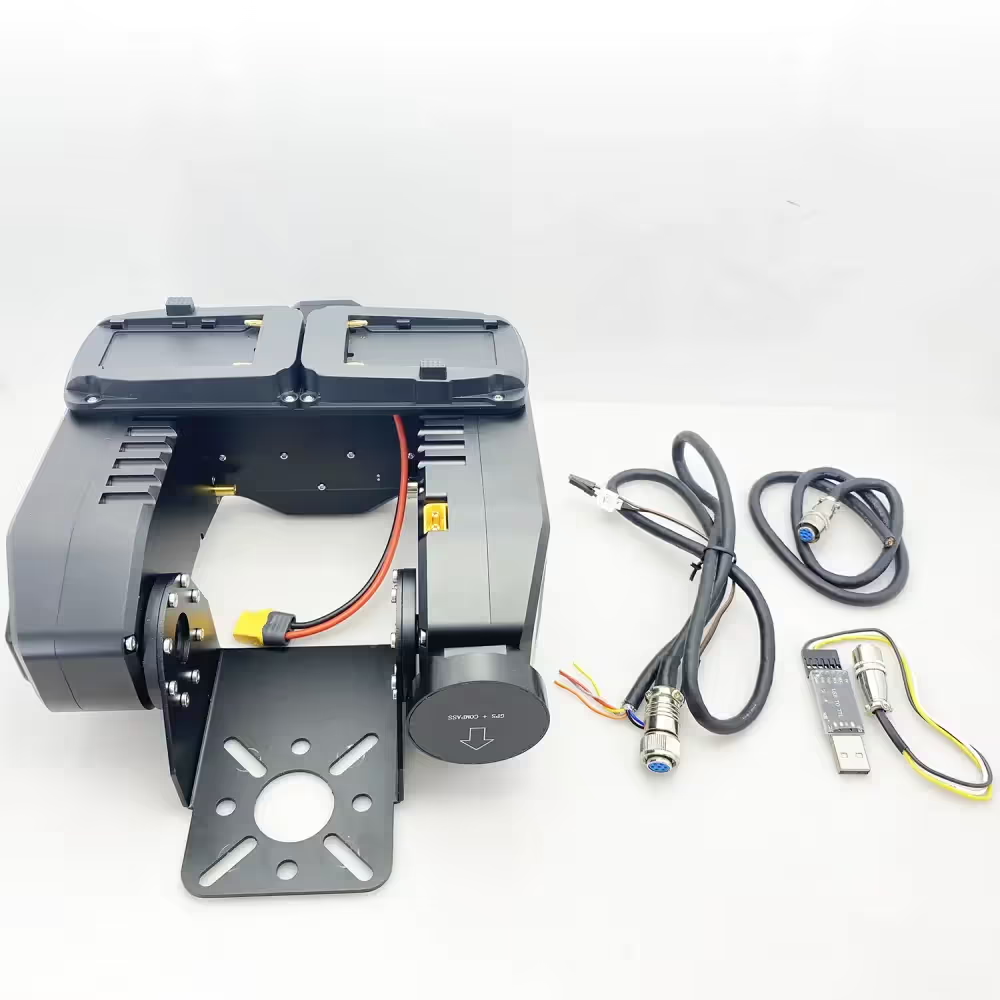
During use, customers may encounter problems of one kind or another. Customers may want to optimize or improve the integration with the GCS Ground Control Station according to their requirements or send instructions to keep a fixed angle when there is no signal in the UAV wireless video data link. These can be achieved by downloading and updating the firmware of the AAT.
So laden Sie die Firmware des automatischen Antennen-Trackers AAT herunter und aktualisieren sie?
Please download the upgrade firmware at the below link.
Inhaltsverzeichnis
MFDAATV1_92A1
https://drive.google.com/file/d/1hW5GaW3ww6wrMQt6pQN6_3qxgQMnWAM6/view?usp=drive_link
MFD_Update
https://drive.google.com/file/d/1reEgXk0NAIxr7IR1WC5QVwQo5-Xt3j42/view?usp=drive_link
USB to TTL Driver (CH341SER)
https://drive.google.com/file/d/1zidiKP21VVDbeH3mgh5MtjE7cnURndIo/view?usp=drive_link
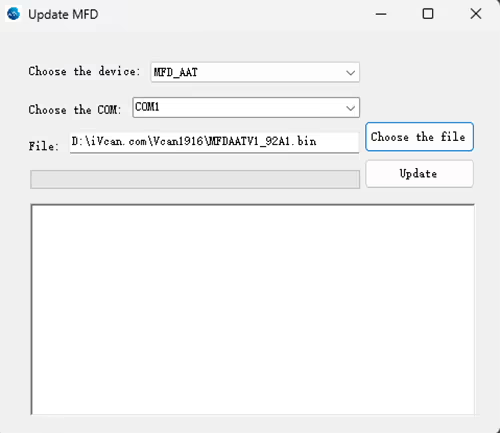
One client should download and upgrade the firmware of AAT automatic antenna tracker. Here is his process.
Klient: During the update process, my connection was lost and the update failed. How i can reset the AAT? The display doesn’t show anything. When I plug in power. I can hear some bip-bip sound.
iVcan: Continue to repeat the update process, Power off the AAT, and then update again.
Klient: The software cannot connect to the AAT, überprüfen Sie bitte das unten stehende Bild.
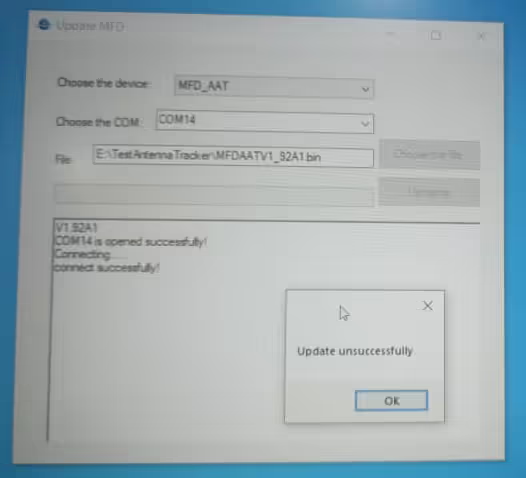
The operation step suggested by our engineer is the below:
- The operation step suggested by our engineer is the below
- Plug in the downloader and connect it to the computer.
- Turn on the power.
- Wait for the gimbal to beep 6 mal
- Start the update program again.
We just did a test locally. After the update fails, you can resume the update as I said. Pay attention to checking the TTL connection line.
Klient: My connection is ok. I hear a beep 6 mal, After I press update I hear 1 Signalton, but the result is unsuccessful.
Please check them one by one, The engineer did a test on our side, and it is ok. Would you like to take your operation video? let our engineer „sehen“ which step is wrong. We can not find the problem from text only.
The client has sent us his operation video.
Please unplug and replug the USB-TTL after your video ends and update again.
Please change our default USB TTL tool in the package accessory and test again.
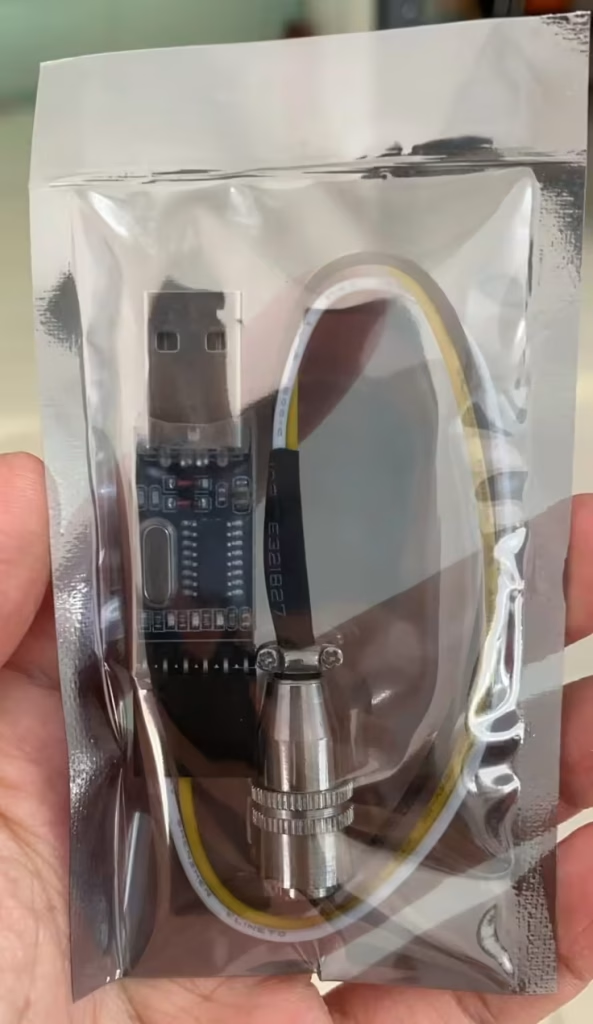
Klient: OK. I updated the firmware. And the device is ok, My TTL to USB didn’t work. The AAT work with MAVLinkProj now.
Please tell me if you have any questions about the download and upgrade of the firmware of AAT Automatic Antenna Tracker.
AAT for the flat panel directional fiberglass antenna is very useful to increase the signal strength and transmission range. As a good supplier of long-range wireless video and data transmitters and receivers, we are always online to offer you free technical support.

Häufig gestellte Fragen
Es tut uns leid, nicht.
Jetzt unterstützt der automatische Antennen-Tracker-Gimbal nur noch weniger 3G-Frequenzen.
Wenn die Frequenz über 3,3 g liegt, Ihr Receiver muss sich an einer Flachantenne befinden, überprüfen Sie bitte das unten stehende Bild.
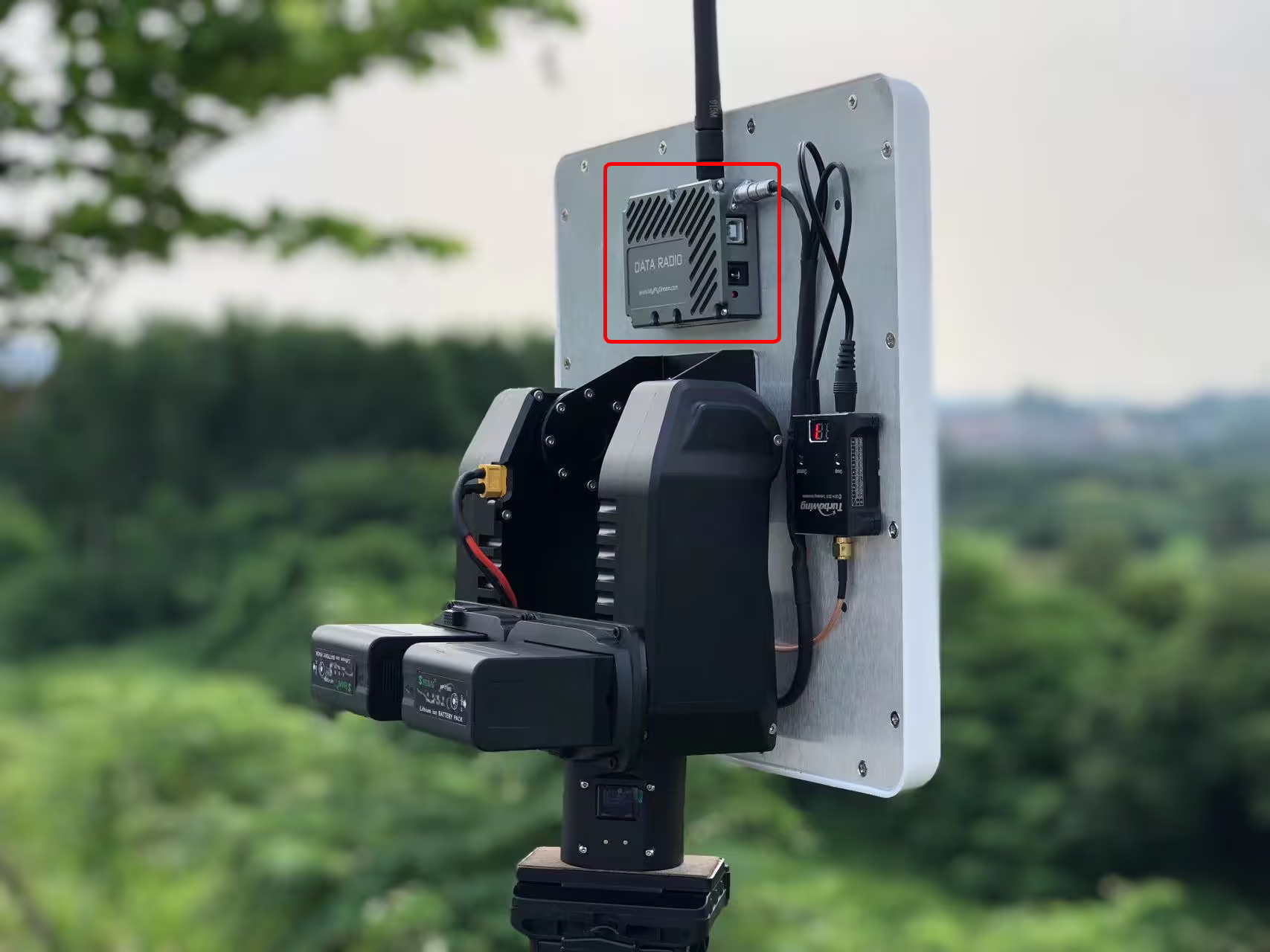
Q: Soll ich das Drehgelenk kontinuierlich vorbereiten? 360 rotierend?
EIN: Der Gimbal verfügt über einen eingebauten Schleifring und unterstützt eine 360-Grad-Drehung.
Was sind die Antennenparameter?? (gewinnen, PSbw, etc)
Was ist die Schnittstelle des Trackers? Wie steuert man den Tracker??
Wie entsteht der Nullkurs??
Q4: Ist auch RSSI-Tracking möglich?
A4: Nein, Die Drohne sendet Daten mit GPS an den Tracker, das GPS zur Ortung nutzt. Die Videodatenverbindung der Drohne kann RSSI an den Empfänger senden. aber, Die Verfolgung erfolgt anhand der GPS-Position, damit die Antenne immer auf die Drohne gerichtet ist.
Das Gewicht der Richtantenne sollte geringer sein als 2.5 kg.
Der Techniker empfahl den Kauf unseres externen GPS-Geräts, Ich fügte hinzu, dass es einen Aufpreis kosten würde $89.
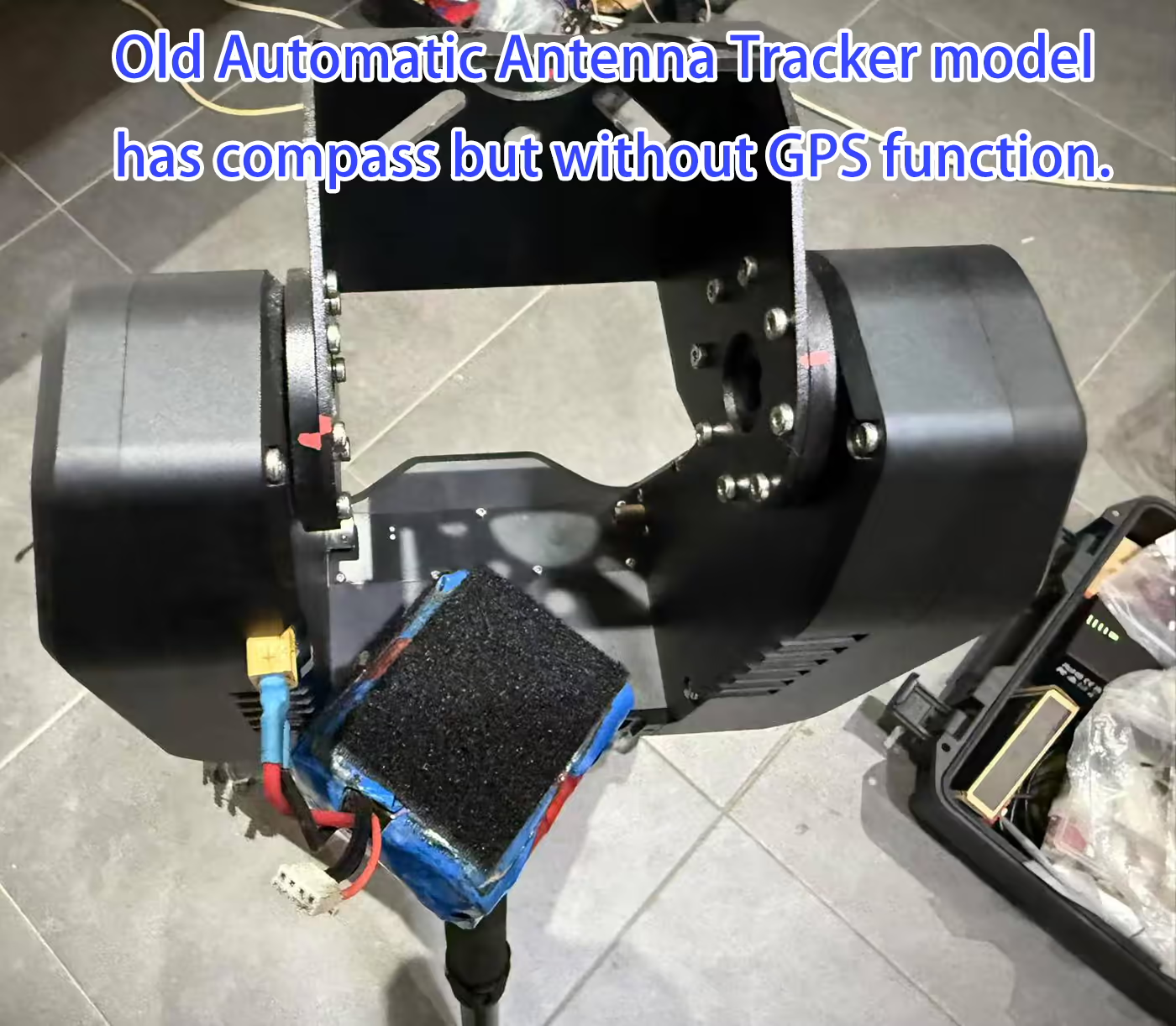
Der Tracker erfordert beide der folgenden MAVLink-Nachrichten:
-
MAVLINK_MSG_ID_GPS_RAW_INT– Stellt rohe GPS-Daten bereit, einschließlich Position und Höhe. -
MAVLINK_MSG_ID_GLOBAL_POSITION_INT– Bietet globale Positionsinformationen, einschließlich Breitengrad, Längengrad, und relative Höhe.
⚠️ Hinweis: Auch wenn Ihr Fluglotse andere MAVLink-Nachrichten sendet (z.B., Herzschlag), wenn diese beiden Meldungen fehlen, Der Tracker zeigt „DLink:1% Nachricht?” um anzuzeigen, dass die erforderlichen Daten nicht empfangen werden.
-
Mindestfrequenz: 1 Hz – stellt sicher, dass der Tracker grundlegende Positionsaktualisierungen erhält.
-
Empfohlene Häufigkeit: 5 Hz oder höher – sorgt für eine flüssigere und reaktionsschnellere Echtzeitverfolgung.
💡 Beispiel: Für ArduPilot Mega, Sie können suchen
SR1_in der Parameterliste des Mission Planners eingeben und festlegenSR1_POSITIONnach 5 Hz oder höher für Telemetrie1-Port.
-
ALT=BARO-Modus: Verwendung
GLOBAL_POSITION_INT.relative_altals Höhenquelle. Geeignet für die meisten ArduPilot-Systeme und kundenspezifischen Flugsteuerungen. -
ALT=GPS-Modus: Verwendet die Höhe vom
GPS_RAW_INTBotschaft. Geeignet für die meisten Pixhawk-Flugsteuerungen.
Benutzer können dies überprüfen
FlightInfo -> ALT/BAROum sowohl die GPS-Höhe als auch die barometrische Höhe anzuzeigen und zu bestätigen, dass der Tracker die richtige Datenquelle verwendet.
So installieren Sie die automatische Tracker-Antenne AAT am drahtlosen Videodatensender und -empfänger Ihrer Drohne
Automatische Antennenverfolgung AAT Mavlink-Protokoll für Drohnen-Videosender-Antennen-Tracker
Automatischer Antennen-Tracker-Gimbal-Aufbau und Schnittstelle
Automatische Antennenverfolgung AAT Mavlink-Protokoll für Drohnen-Videosender-Antennen-Tracker
Stelle eine Frage
Vielen Dank für deine Antwort. ✨