






Jak upgradovat modul relé COFDM nebo modulu transceiveru síťového portu?
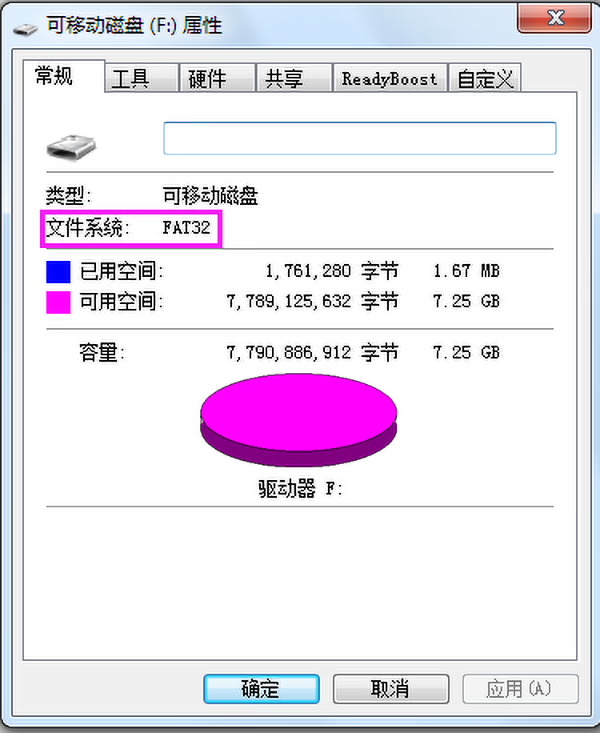
- Prepare a formatted FAT32 Format Micro SD card.
2. Ask we offer you the correct version upgrade firmware.
https://drive.google.com/file/d/1BztD-7mMy1N0WT0gfG2-fTO-7WtKTte9/view?usp=sharing
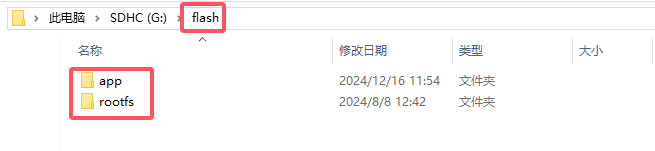
3. Rozbalit “update_image_xx_yy.zip” file and copy it to the root directory of the Micro SD card. Be careful to keep the directory structure unchanged (v kořenovém adresáři karty Micro SD je složka flash, which contains app and rootfs folders):
4. Insert the Micro SD card into board, zapněte a počkejte, až zabliká červená kontrolka na desce, což znamená, že upgrade byl úspěšný:
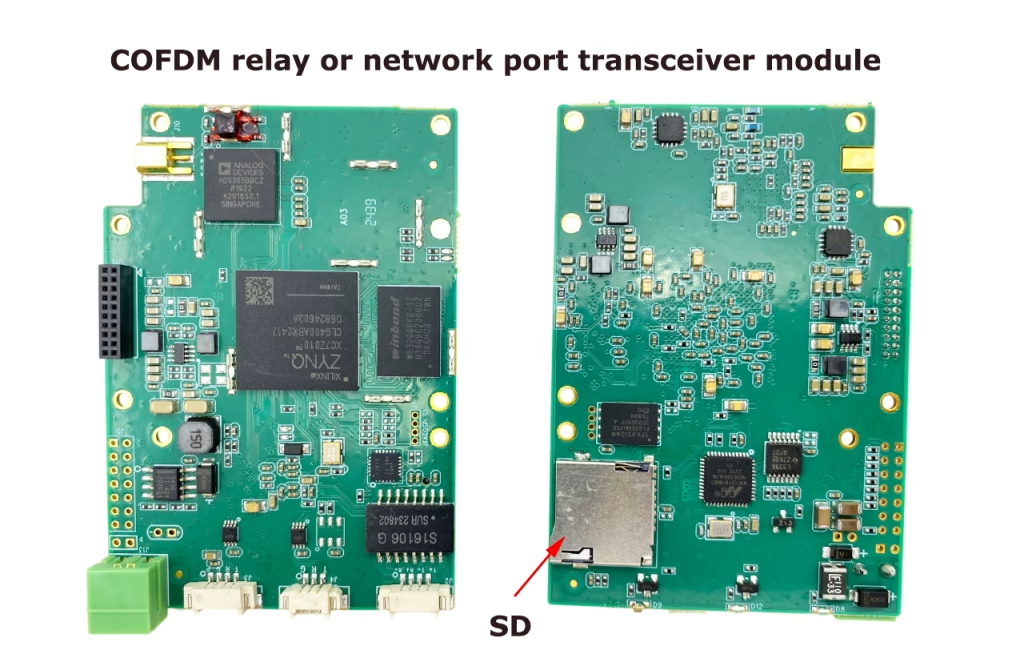
Poznámka:
Normálně, the update will be completed within 30 seconds after power-on (bliká červené světlo). Pokud červené světlo po zapnutí nebliká dlouhou dobu, please check the connection of the Micro SD and try again.
Need details of COFDM relay or network port transceiver module? Zkontrolujte prosím níže uvedený odkaz. Vcan1816

CVBS HDMI na IP Encoder
COFDM jednosměrný přenos videa nebo dat pro vysílač a přijímač protokolu UDP
Položit otázku
Děkujeme za Vaši odpověď. ✨