






دليل المستخدم VCAN1294
VCAN1294 2 الدين GPS للملاحة

دليل المستخدم VCAN1294




VCAN1294 User Manual
2 Din GPS Navigation • DVD • USB • SD • Bluetooth • Touch Screen
جدول المحتويات
1. المقدمة
Thank you for choosing the VCAN1294 2 Din GPS Navigation System.
This multimedia head unit combines تحديد المواقع والملاحة, DVD playback, بلوتوث, USB/SD media support, FM/AM radio, and a full-touch interface to enhance your in-car entertainment and driving convenience.
Please read this manual carefully before use.
2. نظرة عامة على المنتج
The VCAN1294 is designed for a wide range of 2-DIN dashboard vehicles. يتميز high-resolution touch screen, built-in GPS, multi-format media playback, و hands-free calling for a safer and more enjoyable driving experience.
Main Functions
- GPS navigation with voice guidance
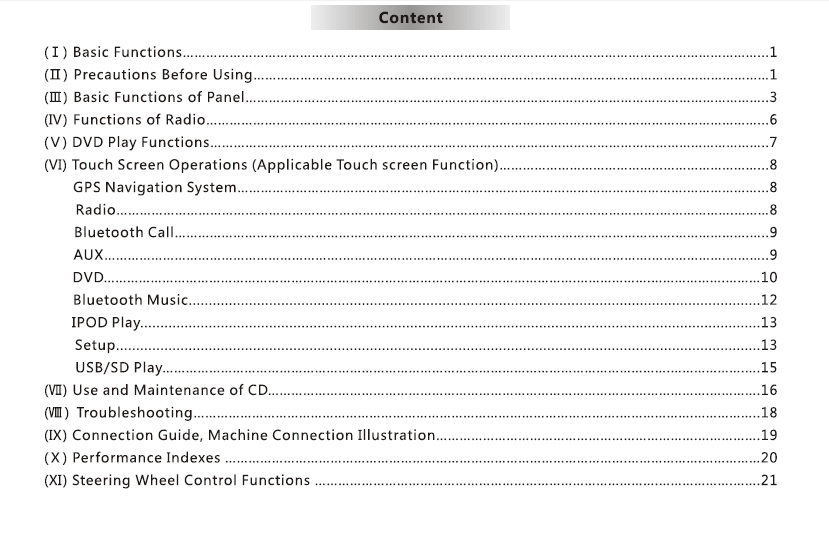
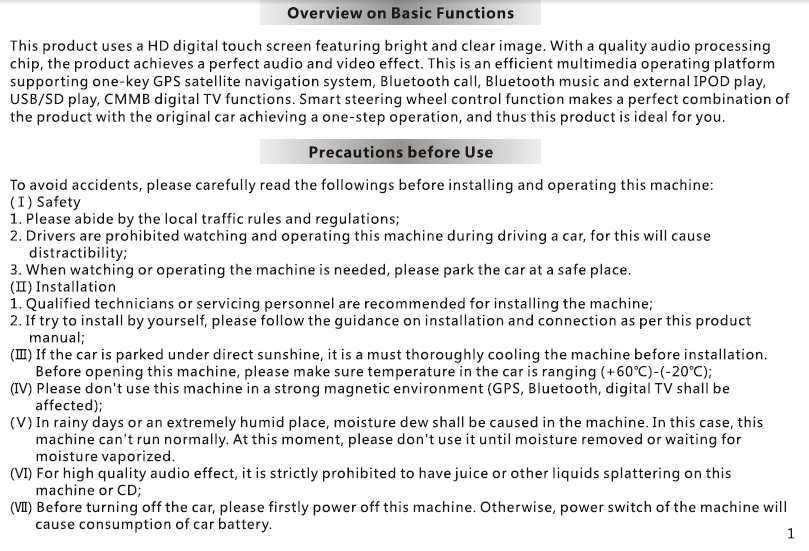
- DVD/VCD/CD playback
- يو اس بي & SD card media input
- Bluetooth hands-free calling & موسيقى
- FM/AM radio with RDS
- Rear-view camera input
- توجيه السيطرة على عجلة القيادة (SWC) الدعم
- High-power amplifier and EQ settings
3. أزرار & الموانئ
اللوحة الامامية
- قوة / Volume knob
- Touchscreen display
- فتحة لبطاقة SD
- منفذ USB
- Eject button
- Home/Menu/Back buttons (اعتمادا على النموذج)
اللوحة الخلفية
- Power harness connector
- RCA audio/video output
- Reverse camera input
- موصل الهوائي
- GPS antenna port
- Fuse
4. العمليات الأساسية
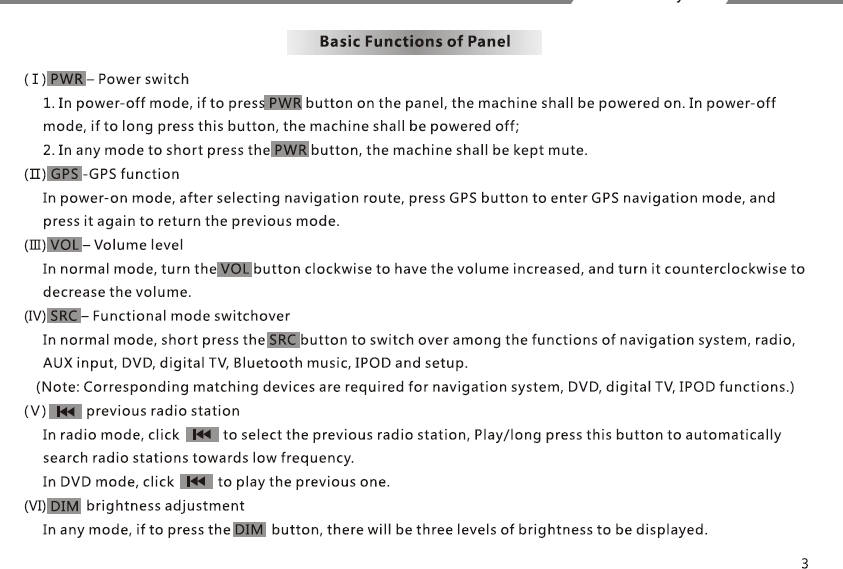
تشغيل / إيقاف
- The unit powers on automatically when the vehicle starts.
- Long press the POWER button to manually turn off.
Home Menu
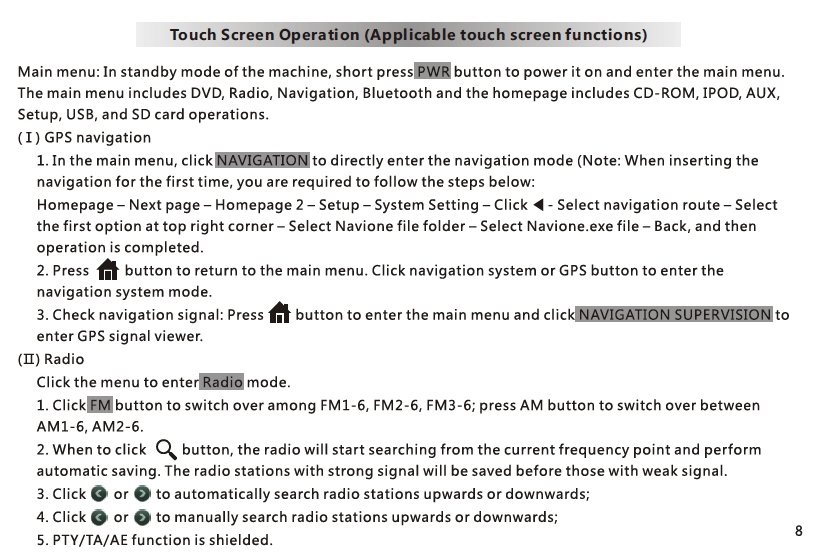
وصول: التنقل, راديو, دي في دي, يو اس بي, SD, بلوتوث, إعدادات.
التحكم في مستوى الصوت
Use the knob or on-screen slider.
5. تحديد المواقع والملاحة
- Tap NAV to enter the GPS application.
- GPS map software is stored in the بطاقة ذاكرة in the navigation slot.
- Follow the on-screen instructions for destination input.
- Voice guidance and zoom controls are available.
ملحوظة: Different map brands (iGO, Navitel, إلخ) may be used depending on region.
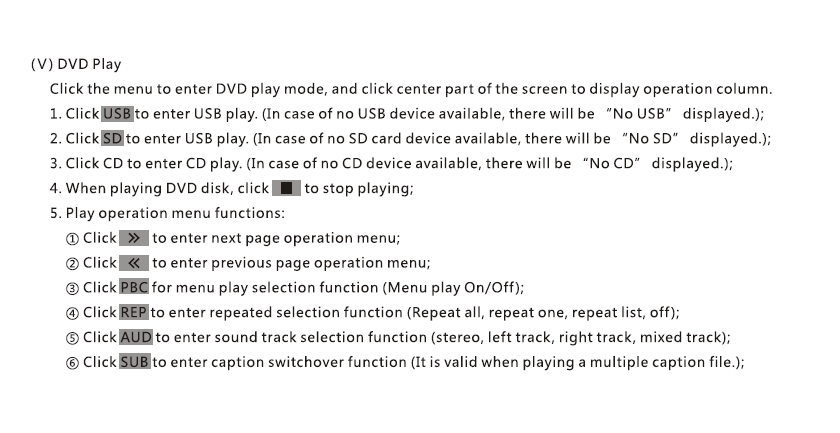
6. دي في دي / CD Playback
- Insert disc; playback begins automatically.
- Use on-screen controls: تشغيل / وقفة, التالى, سابق, عنوان فرعي, Audio Track.
- Supports DVD, VCD, القرص المضغوط, MP3 disc formats.
7. يو اس بي / SD Media Playback
- Insert a USB drive or SD card with media files.
- الدعم: MP4, AVI, MP3, WMA, JPG (format support may vary).
- File browser allows selection of folders and files.
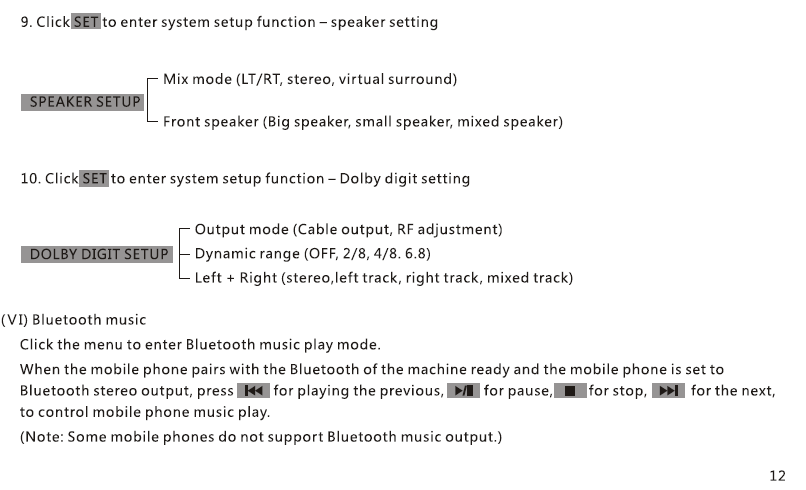
8. Bluetooth Hands-Free & Music
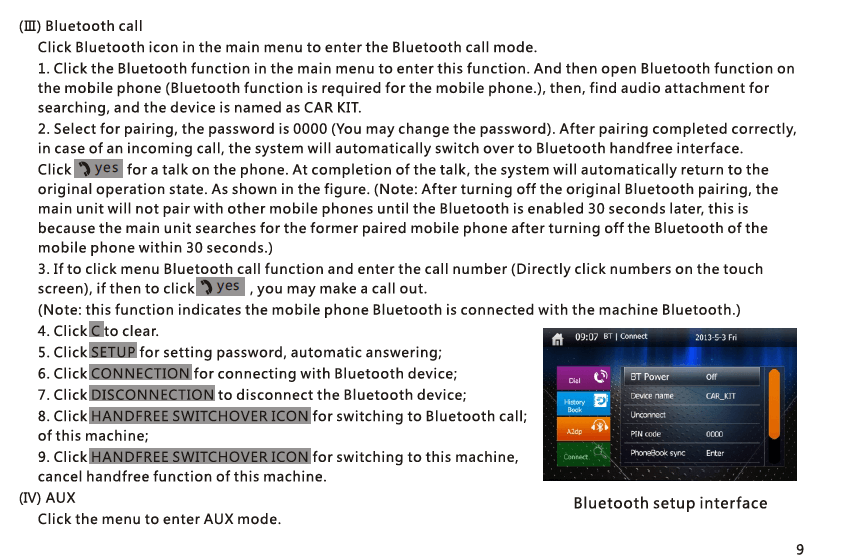
Pairing
- Turn on Bluetooth on your phone.
- Search and select “VCAN1294”.
- Confirm pairing code.
المهام
- Make/receive calls
- Sync phonebook
- Bluetooth music A2DP playback
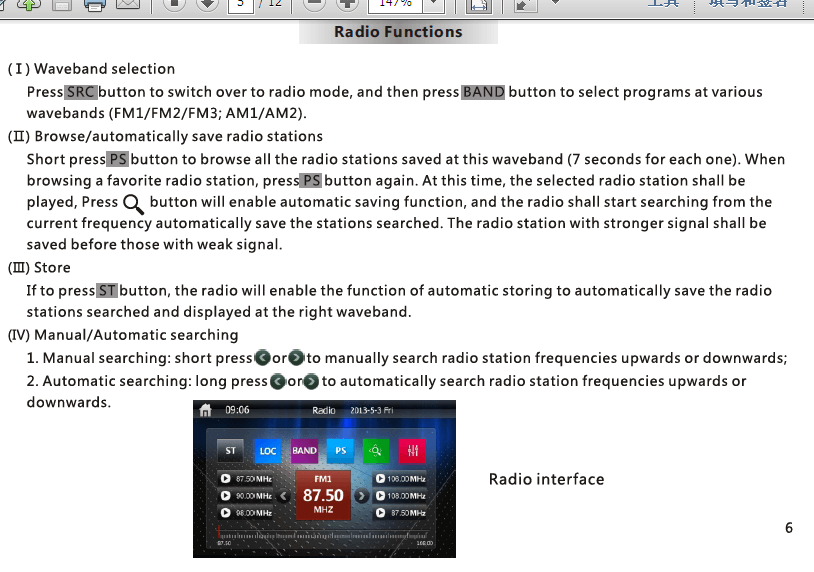
9. FM/AM Radio
- المسح التلقائي, manual tune, and preset storage
- RDS support (depending on region)
- Save up to 30 stations
10. Rear-View Camera
- Connect reverse camera to CAM-IN ميناء RCA.
- When vehicle shifts to Reverse, screen switches automatically.
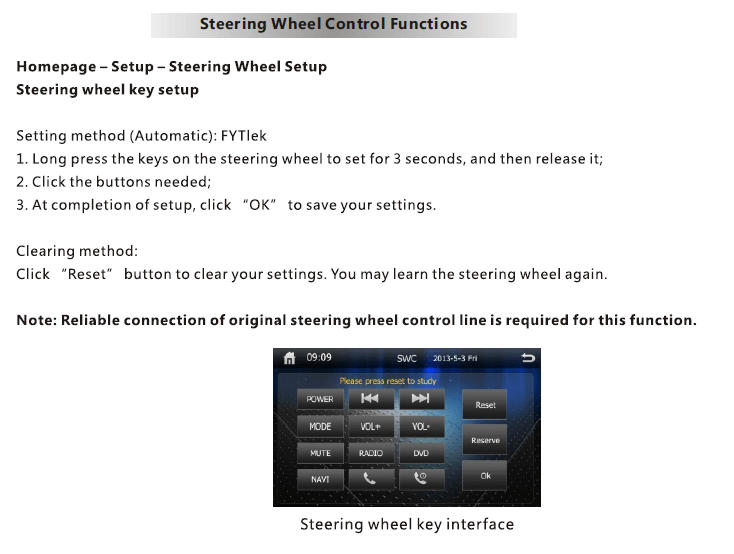
11. توجيه السيطرة على عجلة القيادة (SWC)
- يدخل Settings → SWC.
- Press each steering wheel button and assign a function (مقدار, التالى, الوضع, إلخ).
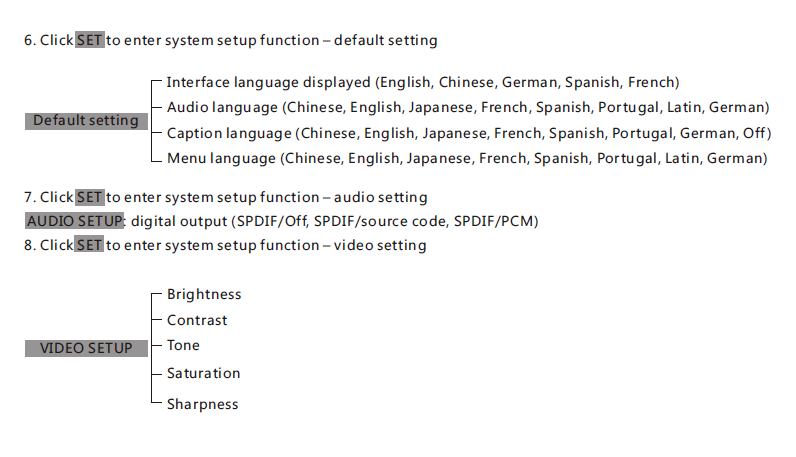
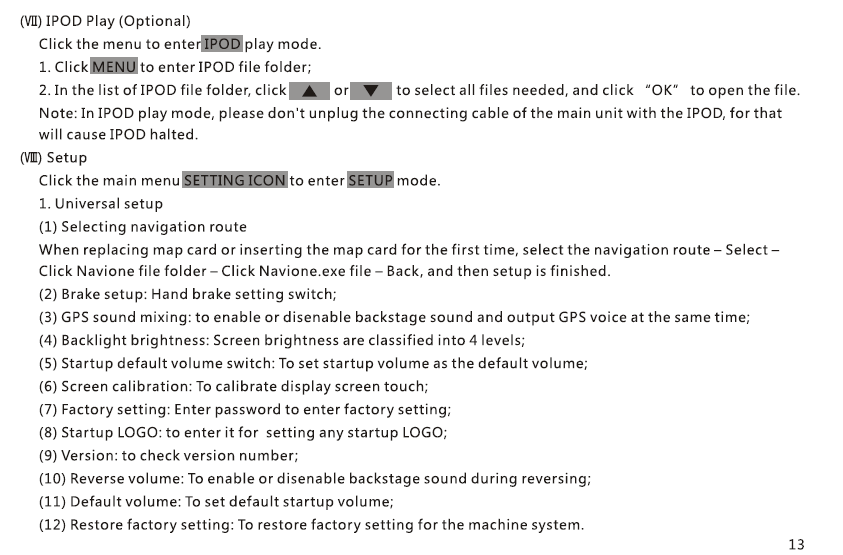
12. Settings Menu
- عرض & سطوع
- لغة
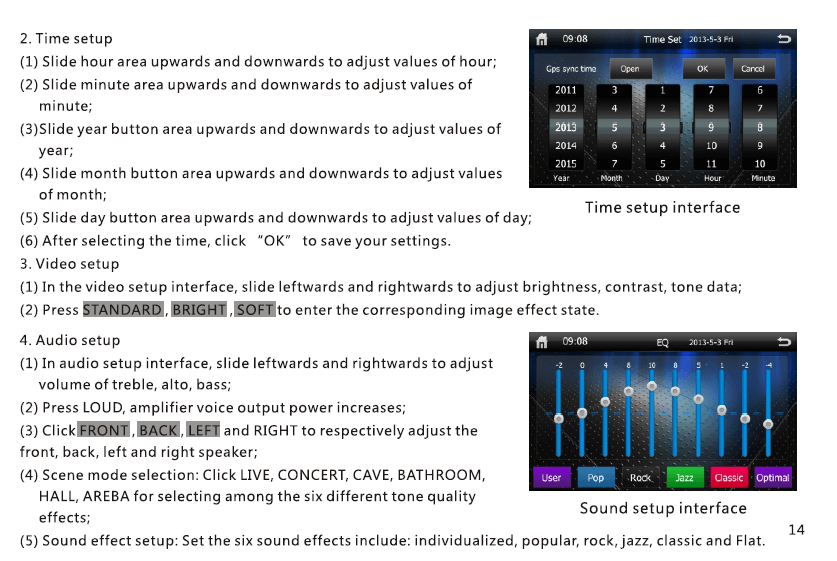
- زمن & تاريخ
- Sound EQ / Subwoofer control
- Navigation path
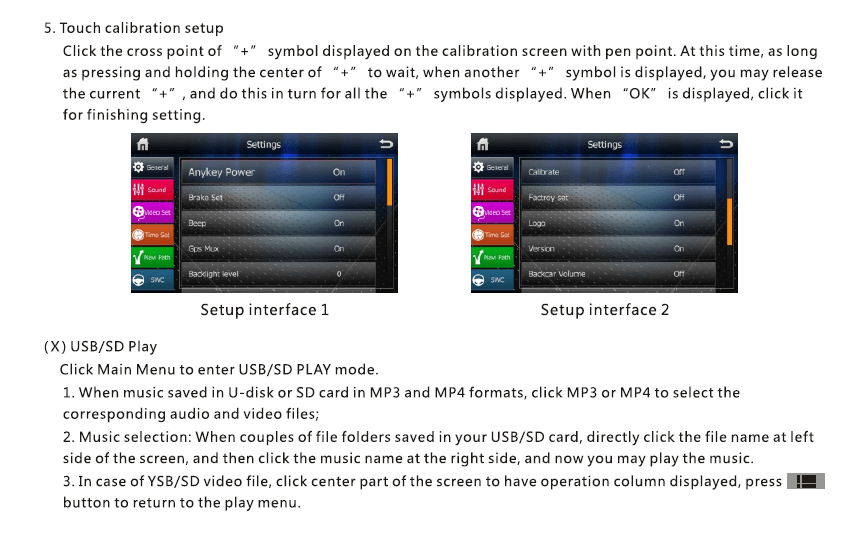
- إعادة تعيين المصنع
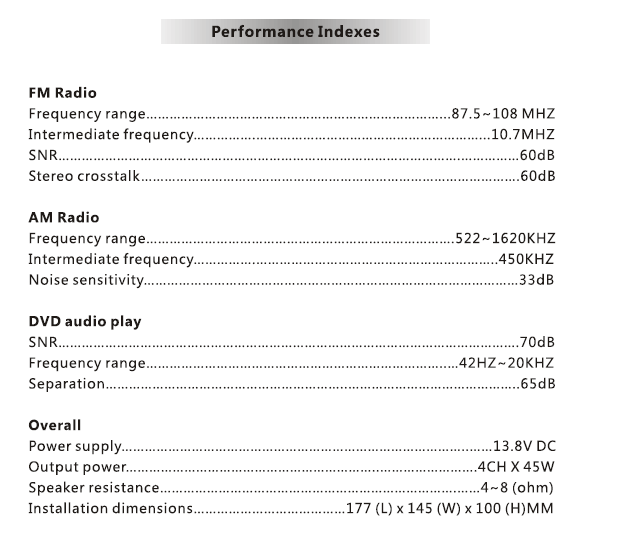
13. مواصفات
| بند | وصف |
|---|---|
| نموذج | VCAN1294 |
| عرض | 2 Din touch screen |
| التنقل | Built-in GPS, external GPS antenna |
| وسائل الإعلام | دي في دي / القرص المضغوط / يو اس بي / SD |
| بلوتوث | Hands-free + Music A2DP |
| راديو | FM/AM with RDS |
| مخرج الصوت | 4 × 45W (قمة) |
| Camera Input | نعم فعلا, rear view (RCA) |
| تخزين | USB up to 32GB, SD up to 32GB |
| THE | Proprietary embedded system |
| قوة | DC 12V vehicle power |
14. ملاحظات التركيب
- Professional installation is recommended.
- Connect the wiring harness according to the pin diagram.
- Ensure reverse trigger wire is connected to the reverse lamp.
- Use only the supplied GPS antenna.
15. استكشاف الأخطاء وإصلاحها
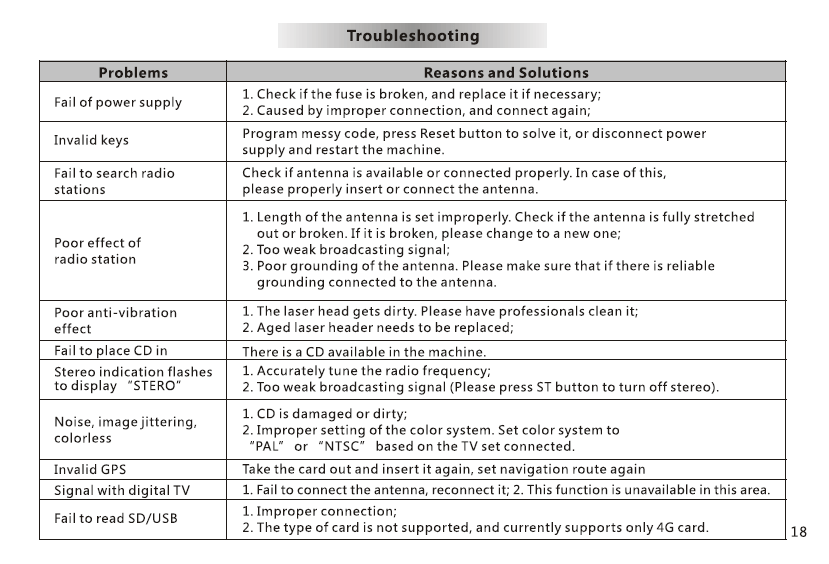
No power: Check fuse, تسخير الأسلاك, ACC/B+ connections.
No GPS signal: Ensure antenna is placed on open dashboard.
No sound: Check speaker wiring and MUTE settings.
Touchscreen misaligned: Perform touch calibration in Settings.
16. Safety Notes
- Do not operate the device while driving.
- Keep the volume at a safe level.
- Do not expose the unit to moisture or high heat.
- Use only approved accessories.
طرح سؤال
شكرًا لردكم ✨