







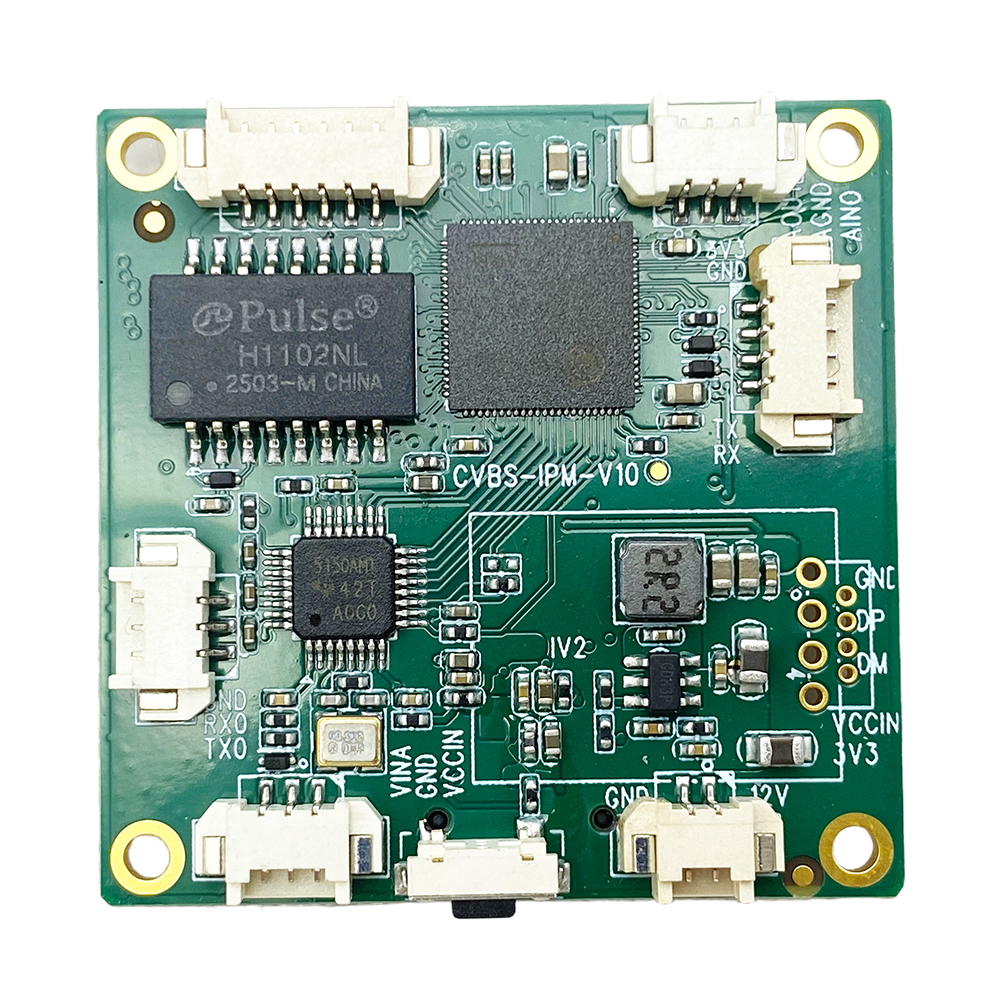
CVBS 轉乙太網路 IP 編碼器在弱訊號環境下穩定, 低訊號鎖定
目錄
概觀
該 Professional CVBS AV to IP Encoder Low Signal Stable is an upgraded industrial-grade video encoding board designed to solve a common problem in analog video transmission systems: when the RF signal quality drops, many conventional converters or capture boards freeze, 斷開, or stop streaming entirely.
This new generation encoder is specially engineered to maintain stable IP streaming output even when the analog CVBS input signal becomes weak, 嘈雜, or unstable. It intelligently handles degraded video conditions without system crash, stream interruption, or reboot.
It is ideal for applications where analog video is transmitted wirelessly via a video receiver (虛擬實境X) and then converted into IP for monitoring, 記錄, or network distribution. Even when signal quality fluctuates due to interference, 距離, or environment, the encoder continues working and keeps the stream alive.
This board converts standard CVBS composite video input into real-time Ethernet IP video stream (H.264/H.265 optional), supporting RTSP, 實時多播, HTTP, and UDP protocols. It is suitable for UAV ground stations, 無線視頻傳輸系統, 移動監控, 遠端監控, and industrial video integration.
特徵
1. Low Signal Stability Technology
- Continues streaming even when CVBS signal quality drops
- No crash or freeze under weak RF reception
- Intelligent video synchronization recovery
- Designed for unstable analog wireless video systems
2. Professional Video Encoding
- H.264 (默認), H.265 optional
- Adjustable bitrate control
- 社區康復 / VBR modes supported
- Low latency encoding
3. Standard CVBS Input
- 朋友 / NTSC auto detection
- 75阻抗Ω
- Compatible with common analog video receivers (虛擬實境X)
4. Network Streaming Support
- RTSP
- 實時多播
- HTTP
- UDP
- ONVIF optional
5. 乙太網路介面
- 10/100Mbps RJ45
- Supports LAN and internet streaming
- Web browser configuration interface
6. Industrial-Grade Design
- Wide voltage power input
- Stable operation for 24/7 使用
- Compact PCB board design
- 低功耗
產品規格
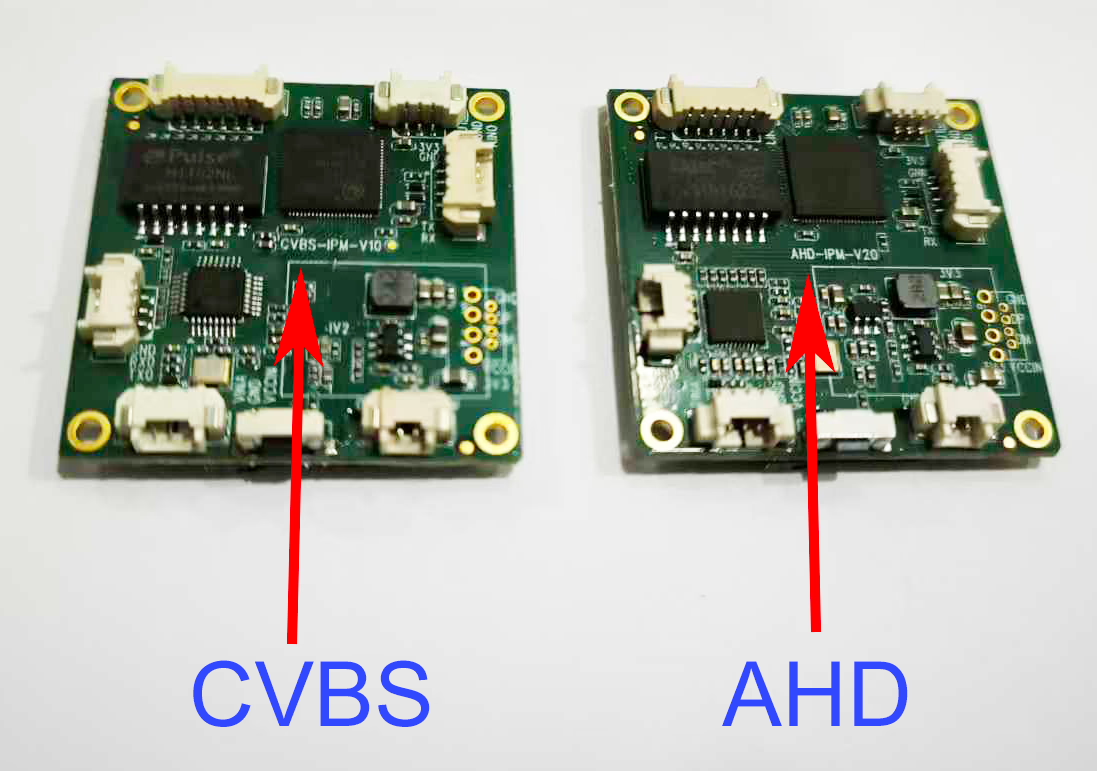
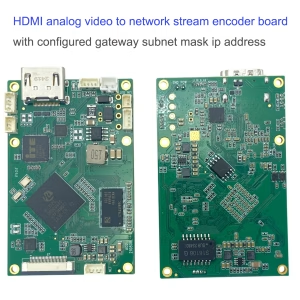
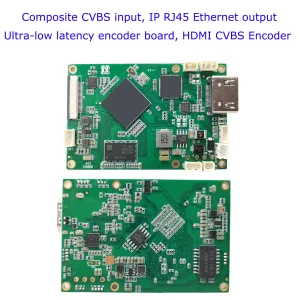
CVBS to Ethernet IP Encoder stable in weak Signal board silk print “CVBS-IPM-1.0”
視頻輸入
- 接口: CVBS (RCA or pin header optional)
- 視頻標準: 朋友 / NTSC auto-detection
- 解析度:
- 朋友: 720×576
- NTSC: 720×480
- 輸入阻抗: 75哦
視頻編碼
- 壓縮: H.264 / H.265 (可選的)
- 比特率: 32Kbps ~ 8Mbps adjustable
- 幀率: 1–30fps adjustable
- GOP setting configurable
- 社區康復 / VBR selectable
網絡
- 以太網絡: 10/100Mbps的
- 協定: RTSP / 實時多播 / HTTP / UDP
- 單播 / Multicast support
- Web configuration interface
音頻 (可選的)
- 音頻輸入: Line-in
- 壓縮: AAC / G.711
- Audio bitrate adjustable
功率
- DC 7V–24V input
- Typical consumption: <3W¯¯
操作環境
- 工作溫度: -20°C 至 +70°C
- 儲存溫度: -40°C 至 +85°C
- 濕度: 5%–95% non-condensing
物理
- PCB board size: 定制
- 淨重: depends on configuration
自定義選項
We support flexible OEM/ODM customization according to project requirements.
硬件自定義
- Add HDMI output
- Add SD card recording
- Add WiFi module
- Add 4G / 5G LTE module
- Add metal enclosure
- Customized PCB size
- Extended temperature version
軟件定制
- 私有協定集成
- Customized firmware UI
- Fixed bitrate or dynamic bitrate tuning
- SDK集成
- ONVIF support
- Cloud platform integration
Branding Customization
- Logo printing
- Customized packaging
- Private label firmware
應用
This low-signal stable encoder is ideal for systems where analog wireless video signal is not always perfect.
1. UAV Ground Station
Analog FPV receiver output → Encoder → IP streaming to monitoring center.
2. Wireless Video Receiver Systems
VRX output converted to Ethernet for NVR or PC monitoring.
3. 移動監控車
Maintain streaming even when wireless link fluctuates.
4. 工業監測
Factory or construction sites using analog camera transmission.
5. Remote Video Transmission
Long-distance RF analog transmission converted to IP network.
6. Legacy System Upgrade
Upgrade traditional analog system to IP without replacing cameras.
常問問題
Q: How can I change the default IP address of the CVBS to IP encoder board?
一個: Please download the Windows configuration tool from the link below. https://drive.google.com/file/d/13juxfwvqjsFaRCv7XUkWE2XFSz6sE5kf/view?usp=sharing
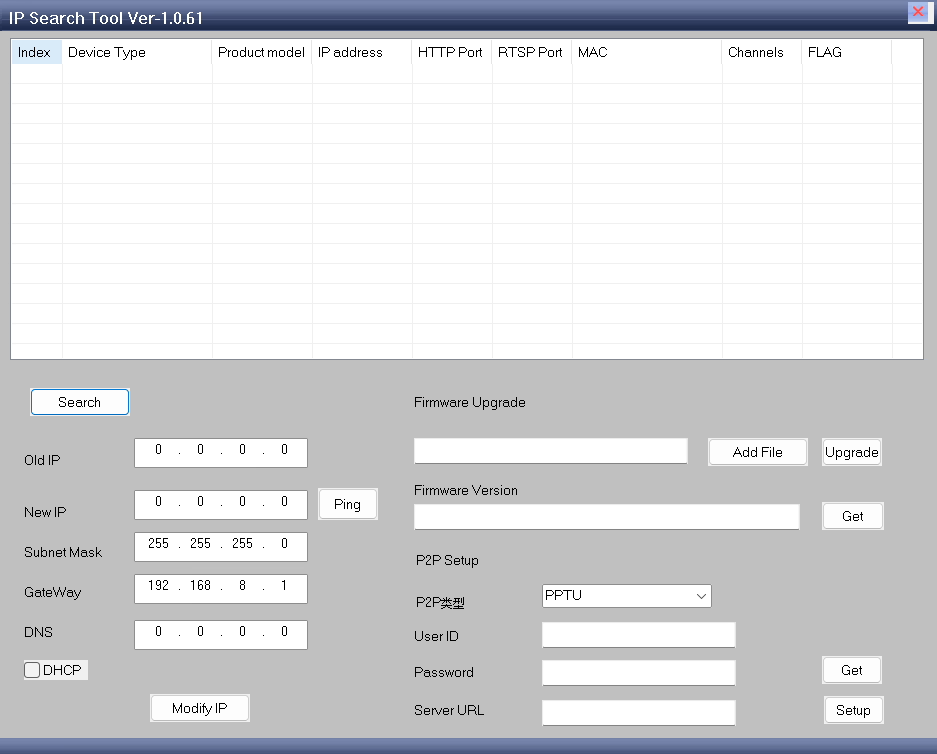
After installing and opening the program, follow these steps:
- 點擊 “Search Device” to scan for available encoder boards on the network.
- Select the encoder board whose IP address you want to modify.
- In the lower part of the program window, confirm the Old IP address displayed.
- 輸入 New IP address you want to assign.
- 點擊 “Modify IP” button to apply the change.
Once completed, the encoder board will use the new IP address.
注意: Make sure your computer and the encoder board are connected to the same network during configuration.
Q1: Why does the old converter stop working when signal quality drops?
Most conventional CVBS to IP encoders rely on stable video synchronization signals. When the RF signal becomes weak, video sync may be lost temporarily, causing system crash, freeze, or stream interruption.
Our upgraded design includes improved video sync detection and buffering logic, allowing the encoder to continue operating under unstable input conditions.
Q2: Does the encoder improve video quality?
沒有. It does not enhance RF signal quality. It ensures stable streaming output even if the analog video becomes noisy or distorted.
Q3: Will the stream disconnect when video signal disappears completely?
If the signal disappears temporarily, the encoder keeps the stream alive. When signal returns, video resumes automatically without reboot.
Q4: Is this compatible with all analog VRX receivers?
是. As long as the receiver provides standard CVBS composite output (PAL 或 NTSC), it is compatible.
Q5: Can it support internet live streaming?
是. It supports RTMP protocol and can stream to platforms or private servers.
Q6: Can I customize bitrate and frame rate?
是. 比特率, 解析度, 共和黨, and frame rate are adjustable via web interface.
Q7: What makes this version different from standard encoder boards?
The major improvement is low signal stability design, specifically optimized for unstable analog wireless transmission systems. It prevents freezing, crashing, and stream interruption when signal quality becomes poor.
Q8: Does the device display a blue screen (or black screen/NO SIGNAL screen) when there is no video signal at the AV input port, or when the signal is too weak? Will I see white noise or snowflakes instead?
When the input signal is very weak, the device will still process the video rather than showing a static “NO SIGNAL” screen. This version has been optimized compared to previous versions. We recommend ordering a sample of this version to test its performance with your specific setup.
Q9: What does the network video stream display if no video signal is connected?
If there is no video signal input at all, the network video stream will display a black screen.




iVcan.com –
We integrated this CVBS to IP encoder into our FPV VTX wireless analog video transmitter-receiver system, and it has completely solved the freezing issue we used to experience when the analog signal became weak. 先前, whenever the RF signal fluctuated, our old converter would stop streaming or show black screen. With this upgraded low-signal stable encoder, the stream stays online even when the video becomes noisy. Recovery is automatic once the signal improves. 設置很簡單, latency is low, and the performance has been very reliable in real-world field testing. Highly recommended for unstable wireless environments.