





Модуль Wi-Fi кодера відео CVBS AV аналогового в IP Ethernet
Convert Analog CVBS/AV Video to IP Stream with Built-in Wi-Fi Transmission — Lightweight, Low-Latency, Ideal for Drone FPV and Industrial Applications
Upgrade your analog video systems to IP streaming with our compact CVBS AV Analog Video Encoder + Модуль Wi-Fi, призначений для real-time encoding and wireless video transmission. Whether you’re working on системи FPV для дронів, vehicle monitoring, IoT devices, or analog CCTV upgrades, this solution provides H.265 ultra-low bitrate encoding, Wi-Fi connectivity, і ONVIF/RTSP compatibility — all in a 9.5-грам, 38×38mm board.
This board transforms legacy CVBS or AV analog video signals into high-quality IP network streams. With optional Wi-Fi or 4G modules, it can stream video wirelessly over LAN, WAN, or mobile networks. Ideal for developers and system integrators who need компактний, ефективний, і гнучкий analog-to-IP conversion.
Зміст
Overview
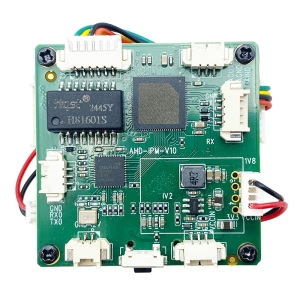
The CVBS AV Analog Video Encoder + Модуль Wi-Fi є a real-time H.265/H.264 encoding board that converts analog CVBS video input into IP video streams and transmits them over Ethernet or Wi-Fi. It is specially optimized for drone FPV transmission, mobile video surveillance, промисловий моніторинг, and IoT video networking.
With its lightweight PCB design (only 9.5g) і низьке енергоспоживання, it’s ideal for airborne or embedded environments where space and weight are critical. Він містить a powerful SSC335 main control chip і PR2000K video capture processor, пропозиція 1080p@30fps encoding with bitrates adjustable from 0.1Mbps to 8Mbps.
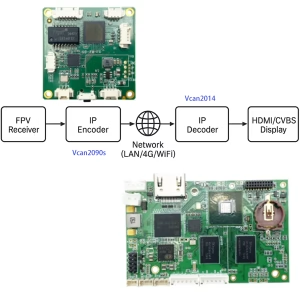
The encoder supports RTSP, ONVIF, Групова розсилка UDP, and WebRTC protocols for flexible integration with NVRs, ПК, or mobile devices. With the Wi-Fi module expansion, it can stream video wirelessly without the need for an Ethernet cable — perfect for portable or aerial systems.
Key Features
-
CVBS AV Analog Video Input
Compatible with standard composite analog signals (PAL/NTSC), auto-detecting video format. -
Real-Time IP Video Conversion
Converts analog video to IP network streams instantly with minimal latency. -
Supports H.265/H.264 Encoding
High-efficiency video compression reduces bandwidth while maintaining image quality. -
Wi-Fi Wireless Transmission
Integrated or optional 2.4GHz Wi-Fi module supports RTSP, UDP, and ONVIF streaming without cables. -
Ultra-Light and Compact
PCB measures only 38.8×38.8mm and weighs 9.5 грамів, perfect for drones and embedded systems. -
High Resolution Output
Supports Full HD 1920×1080@30fps, 1280×720@30fps, and D1/VGA sub-streams. -
ONVIF & RTSP Compatible
Easily connects with NVRs, Платформи VMS, and third-party IP camera software. -
Двосторонній аудіодомофон
Built-in MIC input and LINE_OUT with G.711/AAC encoding. -
TF Card Recording
Supports local recording up to 256GB for standalone operation. -
Multi-Protocol Support
RTSP / RTMP / UDP / HTTP / MQTT / WebRTC / GB28181 supported. -
Dual Stream Output
Основний потік (Full HD) і підпотік (VGA/D1) for different viewing devices. -
Open SDK for Developers
Provides secondary development SDK for customized applications. -
Wide Power Range
Operates on DC 6V–24V, optional PoE support. -
Industrial Reliability
Designed for -20°C~+70°C environments with anti-static and lightning protection.
специфікація
| Пункт | опис |
|---|---|
| Головний процесор | SSC335 industrial-grade SoC |
| Video Capture Chip | PR2000K (AHD/TVI/CVBS compatible) |
| Відео вхід | 1 × CVBS AV composite input (2-pin or 3-pin header) |
| Відеовихід | IP stream over Ethernet (RJ45) or Wi-Fi |
| Формат кодування | H.264 / H.265 / MJPEG |
| Resolution | 1920×1080@30fps, 1280×720@30fps, 720×576@25fps |
| Бітрейт | Adjustable 0.1Mbps – 8Mbps |
| Частота кадрів | Регульована 1 – 30fps |
| Audio Input/Output | 1 × MIC input, 1 × LINE_OUT |
| Аудіокодек | G.711 / AAC |
| Мережевий інтерфейс | 1 × RJ45 (10/100М адаптивний) |
| Модуль Wi-Fi | Optional USB 2.4GHz module, supports RTSP/ONVIF/UDP |
| Protocols Supported | RTSP, RTMP, HTTP, UDP, TCP/IP, ONVIF, MQTT, GB28181, WebRTC |
| Запис | TF карта (до 256 ГБ) |
| Послідовний інтерфейс | 1 × TTL UART port for data transmission / IoT control |
| Power Supply | DC 6–24V input (PoE optional) |
| Operating Temperature | -20°C до +70 °C |
| розміри | 38.8 × 38.8 мм |
| вага | 9.5 г |
| Скинути | 1 × hardware reset button |
| Default IP | 192.168.1.188 |
| Охолодження | Passive, no fan required |
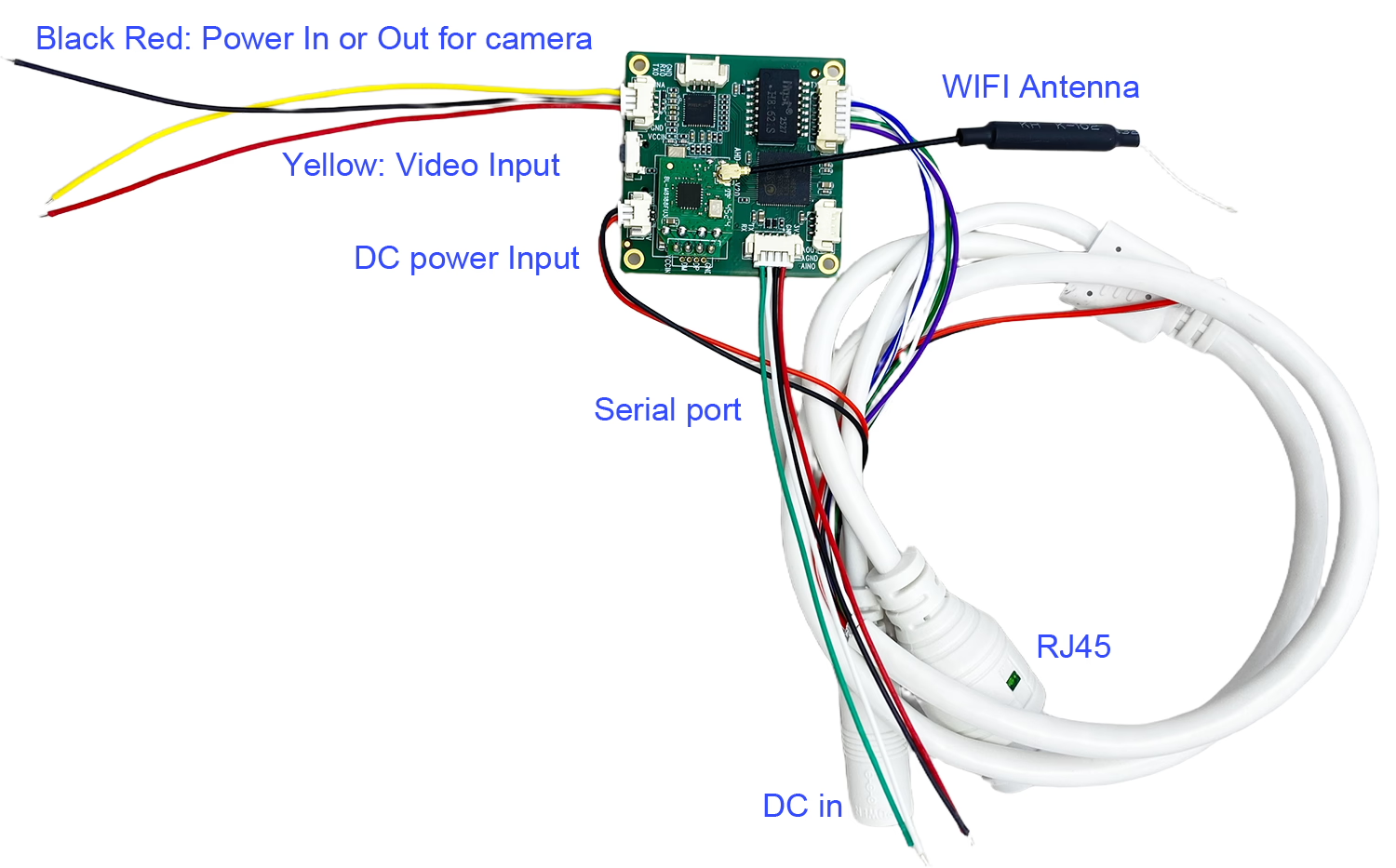
Підключення
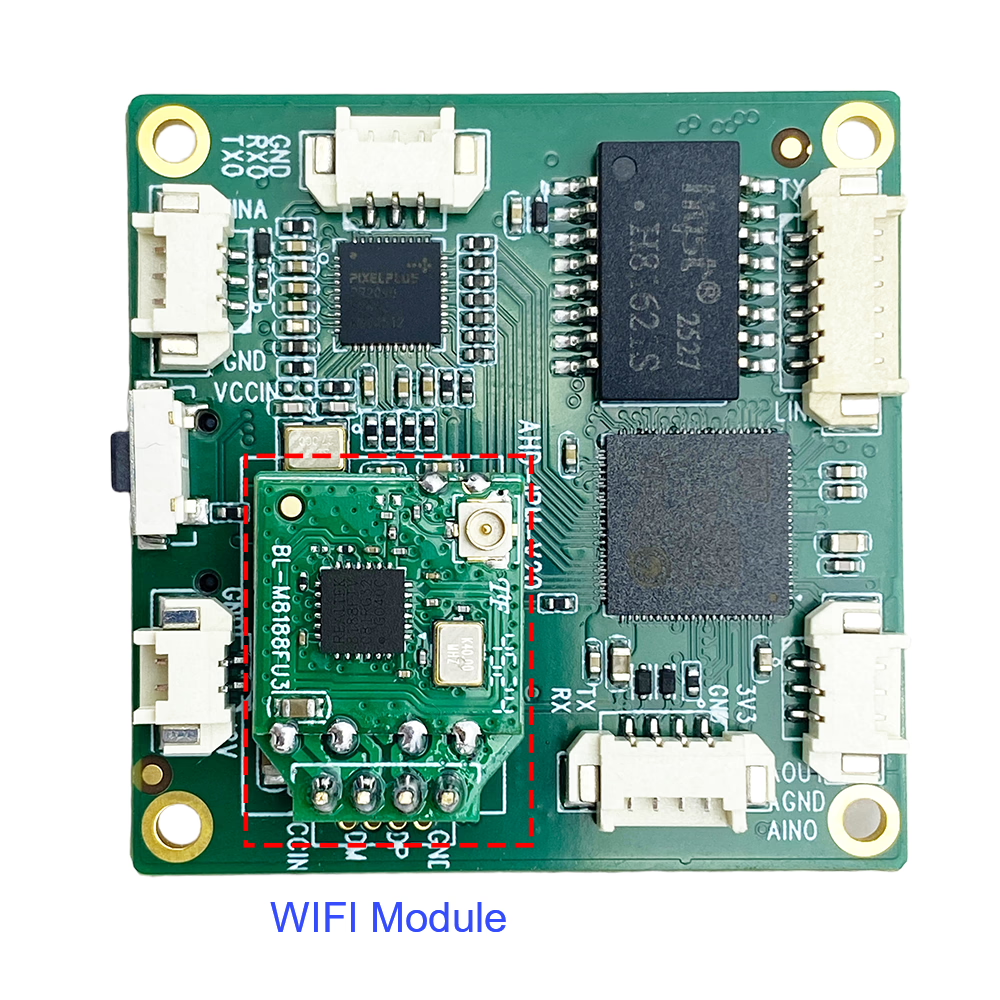
Wi-Fi Module Expansion
The integrated or optional Wi-Fi модуль enables wireless video streaming without relying on Ethernet cables.
-
Supports 2.4GHz Wi-Fi transmission
-
Supports RTSP, UDP, and ONVIF streaming protocols
-
Діапазон: up to 50–100 meters (depending on antenna and environment)
-
антена: external SMA or PCB antenna
-
Optional 4G SIM + GPS модуль for mobile applications
-
USB interface expansion for plug-and-play connectivity
This feature is ideal for drone FPV video, vehicle surveillance, і portable monitoring systems where wired connections are impractical.
Applications
1. Drone FPV and UAV Systems
Convert analog FPV camera video into IP streams and transmit over Wi-Fi or 4G.
Use for long-range drone telemetry, ground station display, or network-based video relay.
2. Бездротова передача відео
Send CVBS/AV video signals wirelessly via Wi-Fi to PC, мобільний телефон, or NVR in real-time.
3. Оновлення аналогового відеоспостереження
Modernize existing analog CCTV systems by converting old CVBS cameras into IP cameras with ONVIF support.
4. Vehicle Monitoring
Install on vehicles for front/rear camera transmission, integrating with Wi-Fi routers or mobile networks.
5. Industrial and IoT Applications
Monitor industrial processes, sensors, or robotic arms. Use TTL port and MQTT protocol for IoT device integration.
6. Broadcasting and Live Streaming
Connect analog video sources (mixers, відеокамери) to RTMP servers for live streaming over Wi-Fi or LAN.
7. Medical and Educational Systems
Stream analog camera feeds from microscopes, endoscopes, or classroom systems directly to the network.
8. Smart Home Integration
Connect analog door cameras or intercoms to IP-based smart home control systems.
Настроювані параметри
1. Відео вхід / Вихід
-
CVBS, AHD, TVI inputs (автовизначення)
-
HDMI or SDI optional (custom models)
-
Output via Ethernet, Wi-Fi, or 4G
-
Dual-stream output supported
2. Мережа & Протокол
-
RTSP / RTMP / HTTP / UDP / ONVIF / WebRTC / GB28181
-
Static IP or DHCP configuration
-
Adjustable bitrate and frame rate
-
UDP multicast and unicast support
3. Обладнання & Форм-фактор
-
Custom PCB size and connector layout
-
Optional shielding or metal enclosure
-
2-pin or 3-pin CVBS video input
-
Optional GPS tracking board
4. Функціональні особливості
-
Накладання OSD (час, текст, логотип) [Підтримується. Функції екранного меню можна реалізувати.]
-
Motion and human detection
-
Audio intercom and alarm trigger [Підтримується. Можуть бути реалізовані тривожний вхід і запис, що запускаються GPIO.]
-
SDK for integration with external systems
-
Firmware upgrade via web interface [Підтримується. Пристрій можна оновити за допомогою локальна мережа (Оновлення локальної мережі)]
5. Power and Environment
-
DC 6–24V wide voltage support
-
PoE power input optional
-
Промисловий дизайн: -20°C~+70°C
-
Optional weatherproof casing for outdoor use
Connection Guide
1. Connect the CVBS Video Input
Use either the 2-pin or 3-pin video connector (only one required).
2. Power Supply
Connect DC 6–24V to the power pins (reverse-polarity protected).
3. Network Setup
Connect via Ethernet cable or enable Wi-Fi through web interface.
4. Streaming Access
Open RTSP stream in VLC or compatible software using:rtsp://192.168.1.188:554/stream1
5. Multicast Setup (Додатково)
Enable UDP multicast for broadcasting to multiple clients simultaneously.
6. Скинути
If the IP or video format is changed, press reset or power cycle to re-detect input.
часто задаються
Q: Is it possible to have a digital zoom function in this encoder?
A: Немає, our CVBS to Ethernet IP encoder does ні support a digital zoom function. This device is designed to convert analog CVBS video signals into Ethernet (RTSP) потоки. It does not process or modify the video content itself.
Digital zoom is typically a function of the camera or the video management software (VMS), not the encoder. тому, if digital zoom is required, it should be implemented at the camera side or within the software used to view the video stream.
Q: Can you provide the serial port (UART) commands available for IoT?
A: Our encoder board supports UART (послідовний порт) передача даних, but it works in a transparent pass-through mode.This means the encoder does not define or generate specific UART commands itself. Instead, it simply transfers serial data between devices over the network.
The actual UART command set depends on your camera or connected device. If your camera supports serial control, those commands can be transmitted through our encoder without modification.
Наприклад, some of our thermal imaging cameras support UART commands to adjust settings such as color palettes and zoom in levels. You can refer to this example for more details: https://ivcan.com/how-to-modify-color-zoom-of-fpv-thermal-imaging-camera
Q: Why did the image become black and white during testing, but return to color after rebooting?
A: If the video source or camera is changed during operation, the encoder may need to restart in order to correctly detect and initialize the new video source. During this process, the image may temporarily appear in black and white. After rebooting or restarting the encoder, the system re-detects the video source and the color image should return to normal.
Q: I’m looking for a composite AV (CVBS) to IP video converter with 4G SIM, WiFi, and GPS support. I need a P2P video transmitter for a CVBS camera that can create a WiFi hotspot for connection with a Windows tablet. Does it support RTSP streaming? Can I connect using VLC player?
A: Так. Our CVBS-to-IP video encoder board supports an optional WiFi module that can be configured for P2P server functionality. The device also supports RTSP video streaming, allowing remote video access through a standard network connection. You can connect and view the video stream using VLC Media Player or other compatible RTSP clients on a Windows tablet or PC.
Q: What is the function of the red and black wires next to the video input cable?
A: The red and black wires are used for DC 5V–12V power input or output. When the encoder board is powered through the DC red/black power wires, the 3Pin wires can also provide power output to an external camera. This allows the encoder board and camera to share a single power source, simplifying the wiring and installation. Red wire: Positive (+) потужність, Black wire: Земля (GND).
Q: What does the button on the analog video-to-network video streaming encoder board do?
A: The button is a configuration reset button. If many settings have been changed and you want to restore the original factory configuration, you can press this button to reset the device to its factory default settings. This function is useful for troubleshooting, reconfiguration, or recovering from incorrect parameter settings.
Q: What is the default WiFi password for the CVBS-over-IP encoder board, and what is the RTSP video stream URL?
A: The default WiFi password is: 88888888. The default RTSP video stream URL is: rtsp://192.168.1.188:554/0. You can open the RTSP stream using VLC Media Player or any other compatible RTSP client on your PC, tablet, or mobile device.
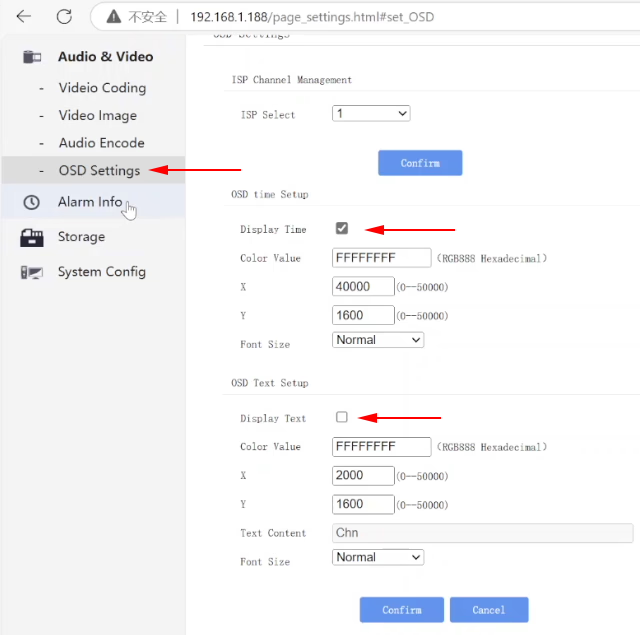
Q: Can I remove the timestamp from the video? Can I add custom text or OSD information?
A:Так. The encoder board supports both timestamp display control and custom OSD (Відображення на екрані) text settings. You can configure these options from the web configuration page: Web Page Settings → Audio Video Setting → OSD Setting

Q: What are the default login credentials for the encoder board web configuration page?
A: Облікові дані для входу за замовчуванням:: Ім'я користувача: admin Пароль: admin You can use these credentials to access the encoder board’s web configuration interface through a web browser.
Q: What connector type does the encoder board use, and what are its power consumption specifications?
A: The encoder board uses the following specifications:
- Тип роз'єму: JST-GH 1.25mm
- Wire current capacity: Approximately 100–150 mA
- Recommended power supply: 12V / 1A DC
- Encoder board power consumption: Approximately 2W
Q: I would like to control the on-screen display (OSD), including text position, колір, and content, via UART or HTTP API. Could you provide the OSD command reference or API documentation?
A:Так. The OSD control functions (including text content, положення, колір, розмір, and transparency) are supported through the device’s JSON-based control protocol.Please refer to the official documentation: Плата відеокодувальника TCP JSON протокол RTSP API Посібник
This guide includes detailed API references for: OSD text configuration (enable/disable, content editing), OSD position control (X/Y coordinates), Font size and style settings, Text and background color configuration (ARGB format), Multiple OSD text layers support, TCP/JSON command structure for remote control. If you are using UART or HTTP interface, the same JSON command structure can generally be reused depending on your integration method.
Q: How can I log in to the encoder at 192.168.1.188 and the router at 192.168.1.1?
A: You can access the device settings through a web browser using either a wired connection or WiFi hotspot mode.
метод 1: Wired Connection (Рекомендовано)
- Connect your computer to the encoder board using an Ethernet cable.
- Ensure your PC is on the same network segment (напр., 192.168.1.х).
- Open a web browser and enter the encoder IP address:http://192.168.1.188
- Log in to access the WEB configuration page.
метод 2: WiFi AP Hotspot Mode
- Connect your computer or tablet to the encoder’s WiFi hotspot (AP mode).
- Once connected, open a web browser.
- Enter the encoder IP address:http://192.168.1.188
- Access the WEB configuration interface.
Router Access (192.168.1.1)
If a router is part of the system, you can access it by connecting to the same network and entering: http://192.168.1.1 This allows you to configure network settings, WiFi parameters, and device routing options.
Q. What is the Wi-Fi password for the CVBS to IP Encoder?
A: The Wi-Fi connection details depend on whether you are using the encoder in Access Point (AP) Mode or Station (STA) Режим. Please refer to the configurations below:
-
Режим 1: Encoder acting as an AP Hotspot (AP Mode) If you are connecting your phone or computer directly to the encoder’s own Wi-Fi signal:
-
SSID (Wi-Fi Name):
YRSXA158A2600CA -
Пароль:
88888888
-
-
Режим 2: Encoder connecting to your local network (STA Mode) If you are configuring the encoder to connect to your home or office Wi-Fi router:
-
SSID (Wi-Fi Name): Your local Wi-Fi router’s name.
-
Пароль: The password for your local Wi-Fi router.
-
Q1. Does this board support both CVBS and AHD input?
Так, but not simultaneously. You must power off and restart when switching input formats.
Q2. Can I stream video wirelessly without Ethernet?
Так, the Wi-Fi module supports RTSP, ONVIF, and UDP streaming wirelessly.
Q3. What’s the default IP address?
192.168.1.188 — if forgotten, use the IP Search Tool to rediscover the device.
Q4. What is the latency performance?
Зазвичай затримка below 120ms on Ethernet and 150–200ms over Wi-Fi (depends on network conditions).
Q5. Can I connect multiple devices on the same network?
Так. Each board can be configured with a unique IP address.
Q6. Is it compatible with NVR or VMS software?
Так. Це підтримує ONVIF and RTSP, compatible with mainstream NVRs like Hikvision, Dahua, Синій ірис, and iSpy.
Q7. Can I use this with a drone analog FPV receiver?
Так. The encoder converts FPV analog receiver output into digital IP stream for real-time display or transmission.
Q8. Does it support audio?
Так. Supports MIC input, LINE_OUT, and two-way intercom via G.711/AAC.
Q9. What is the power consumption?
Типово 1.5–2.5W, depending on resolution and Wi-Fi module load.
Q10. Can I view the stream on my phone?
Так, via RTSP-capable apps or using the provided Android App R380_1.1.3.
Q11. Does it support motion detection?
Так, motion and sound detection are available with optional alert settings.
Q12. Is encryption available?
The stream itself is not encrypted, but protocols like WebRTC provide built-in secure transmission, and the web UI is password-protected.
Q13. Does it work with 5V battery power?
Немає. Це вимагає 6–24VDC. 5V or 3.7V power is not supported directly without a boost converter.
Q14. Чи можу я записати відео локально?
Так, you can record on a TF card up to 256GB or stream to a network NVR.
Q15. Does it support SDK or customization?
Так, SDK is available for developers for player-side secondary development.
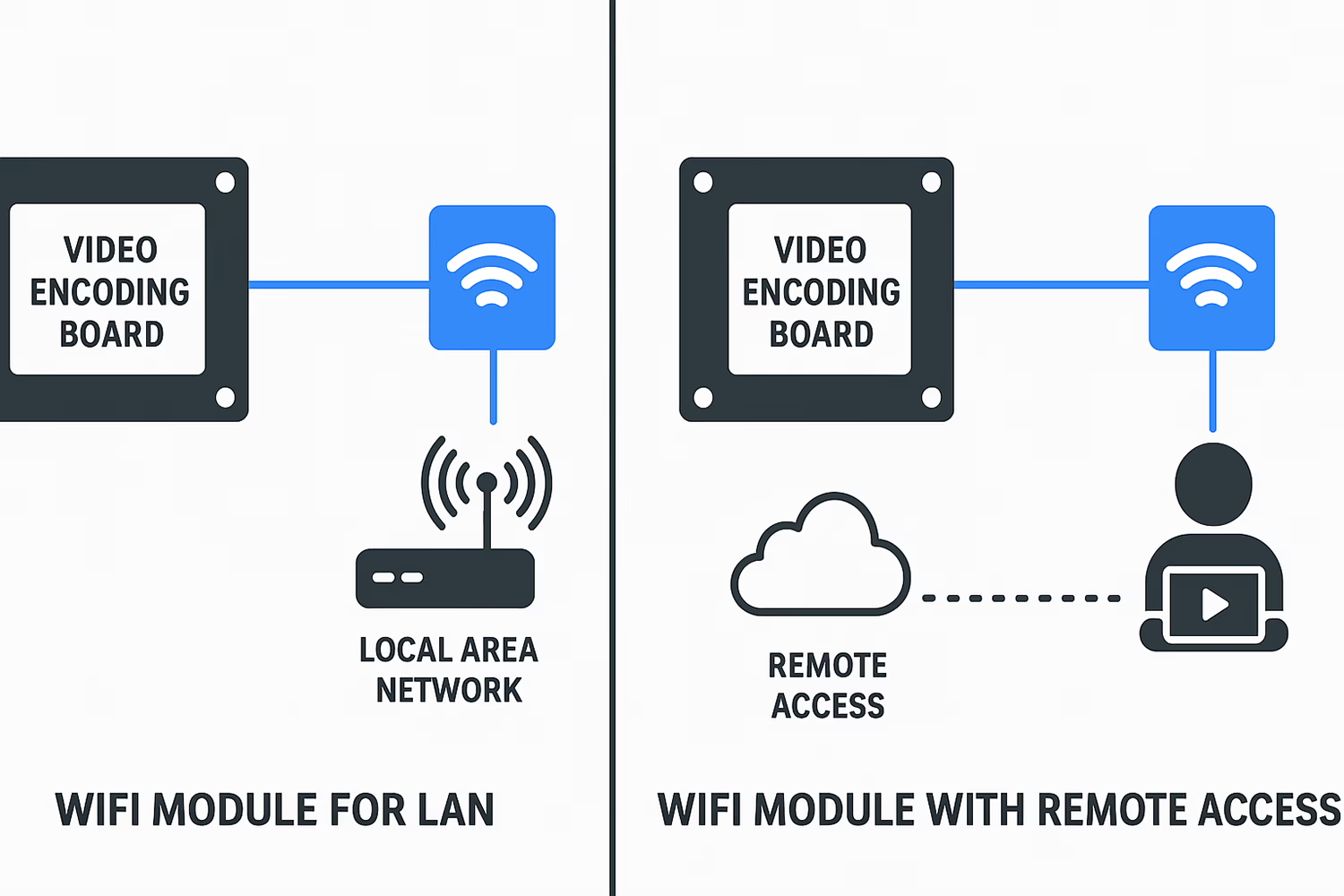
Q16. What is the difference between AP and STA modes in a Wi-Fi module?
Режим Wi-Fi AP проти STA на модулі кодера CVBS до IP
Q17: Does your video encoder board support the NDI protocol?
A: Дякуємо за запитання. Could you please clarify what you mean by NDI protocol?
-
If you are referring to the functionality:
наш video encoder board does support якісний, low-latency IP video transmission over a single Ethernet cable. It can send encoded video streams through standard network protocols, making it suitable for broadcasting, пряма трансляція, and multi-camera production environments. -
If you are referring to official NDI® protocol licensing from NewTek:
На даний момент, our product does not include official NDI® licensing. If your application specifically requires certified NDI / NDI|HX compatibility, please let us know—we can evaluate potential customization options.
Q18: Which millisecond-precision player or tool do you use to test the latency of the CVBS-to-Ethernet video encoder?
A: We use OnlyStopwatch to perform millisecond-level latency measurements.
It provides a clear, fast-refreshing timer display that allows us to accurately compare the time shown in the live video stream with the actual system time. This helps us evaluate end-to-end latency and verify the performance of the encoder under different configurations. Download OnlyStopWatch
Q19: I have enabled the motion detection settings, but recording does not start. Can I also receive notifications in the mobile app?
A: На даний момент, the encoder does ні support motion detection–triggered recording or alarm functions. Specifically:
-
Motion detection–based recording is недоступний
-
Motion detection alarms are не підтримується
-
Push notifications or alert messages in the mobile phone app are не підтримується
These functions have not yet been added to the encoder’s firmware/software. В даний час, recording must be started manually or through other supported control methods.
Q20: Are the FTP settings shown in the system currently active?
A: Немає. The FTP configuration page is for reference only and is not active at the moment.
Q21: Will FTP upload work if I fill in the FTP server information?
A: Немає. In the current firmware version: FTP upload is not enabled. Snapshot or file upload via FTP will not take effect. The FTP settings page is reserved for future functionality.
Q22: Can I connect a USB flash drive in parallel?
A: Так, the device supports recording to a USB flash drive (U-disk).
Q23: What is the pinout of the 4-contact connector?
A: The 4-pin connector has a 2.0 mm pitch. From top to bottom, the pins are:
-
GND
-
D+
-
Д-
-
VCCIN / 12 VDC
Q24: Does this board support a battery to save settings when the power is turned off?
A: Так. All settings on the board are saved automatically when power is lost. You can also use a 2–3 cell lithium battery to maintain the saved settings during power interruptions.
Q25: Will the USB interface support direct connection of a 4G module?
A: The board does support 4G modules, but only when using our compatible 4G module. Direct connection with other 4G modules is not supported.
Q26: Can you explain the LED light indications on the board?
A: The board has four LED indicators with the following functions:
-
First LED (Червоний, steady on): Індикатор потужності.
-
Second LED: Function currently undefined; lights up when powered, then turns off.
-
Third LED (Blinking): Indicates the system is operating normally.
-
Fourth LED: Function currently undefined; lights up when powered and remains on.
Резюме
The CVBS AV Analog Video Encoder + Модуль Wi-Fi є a потужний, ultra-compact solution that bridges traditional analog video systems with modern IP networks. Показуючи Кодування H.265, dual-stream output, ONVIF/RTSP/UDP support, і бездротова передача, it’s ideal for дрони, транспортних засобів, системи спостереження, and IoT video applications.
Whether you’re building a portable FPV system, retrofitting legacy CCTV cameras, or developing custom embedded video devices, this board provides a надійний, низька затримка, and developer-friendly platform for real-time analog-to-IP video transmission.
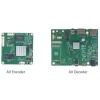
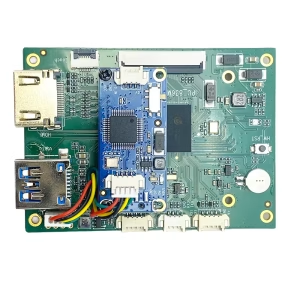
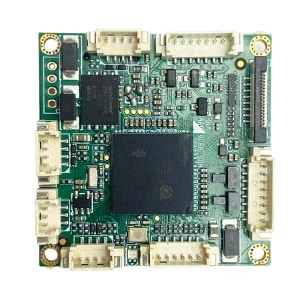
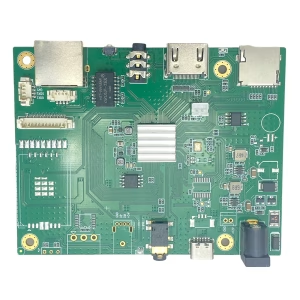
Encoder Modules Boards









Плати модулів декодера




Available for Customization
New Encoder Products
| Немає. | Product Name | Configuration | Key Features | Статус |
|---|---|---|---|---|
| 1 | Двоканальний USB UVC кодер відео у видимому світлі | 2× USB-вхід | Підтримує подвійне кодування відео з камери USB, and RTSP streaming; локальний вихід CVBS/HDMI; перемикання режимів відображення | Mass Production |
| 2 | Dual-Channel Encoder (1× USB Visible Light + 1× USB-тепловізійна камера) | 2× USB-вхід | Supports dual USB camera (видно + теплові) захоплення, encoding, and RTSP streaming; локальний вихід CVBS/HDMI; перемикання режимів відображення | Mass Production |
| 3 | Декодер RTSP, модуль дисплея HDMI/CVBS | HDMI + Вихід CVBS | Supports up to 4×1080P@30fps RTSP stream decoding; Підтримка переадресації потокового відео; Вихідний дисплей HDMI/CVBS | Sample Available |
| 4 | RTSP декодер HDMI/CVBS дисплейний модуль з 4.3"/5" ЖК | HDMI output + РК-екран | Supports up to 4×1080P@30fps RTSP stream decoding; protocol forwarding; Вихідний дисплей HDMI/CVBS | Debugging |
| 5 | Dual-Channel Encoder (1× USB Visible Light + 1× CVBS Analog) | 1× CVBS + 1× USB UVC input | Dual video (USB + CVBS), кодування та потокове передавання RTSP; локальний вихід CVBS/HDMI; перемикання режимів відображення | Debugging |
| 6 | Dual-Channel Encoder (1× USB UVC + 1× Аналог AHD) | 1× AHD + 1× USB UVC input | Dual video capture (USB + AHD), кодування та потокове передавання RTSP; локальний вихід CVBS/HDMI; перемикання режимів відображення | Debugging |
| 7 | Dual-Channel Encoder (1× CVBS + 1× AHD Analog Video) | CVBS + AHD 2 video input | Подвійний аналоговий запис відео, кодування та потокове передавання RTSP; локальний вихід CVBS/HDMI; перемикання режимів відображення | Debugging |
| 8 | Dual-Channel Encoder (1× CMOS Camera + 1× USB-тепловізійна камера) | 1× USB interface | Supports CMOS + USB thermal camera capture, кодування та потокове передавання RTSP; локальний вихід CVBS/HDMI; перемикання режимів відображення | Mass Production |
Для індивідуальних рішень для перетворення вхідного/вихідного відеосигналу, яких немає в списку наших продуктів, будь ласка, зв'яжіться з нами для підтримки OEM/ODM. We can develop tailored products based on your requirements.





iVcan.com –
This is Madhusoodan. We are looking for a compact, lightweight CVBS/HDMI to IP/Ethernet/LAN Encoder PCBA with recording feature. We understand that iVcan has such encoders, so please suggest the suitable encoder PCBA for the below mentioned requirements. Please share the datasheet/specifications of the same. IP Encoder Requirements: Input channel: CVBS or HDMI (v1.4 or higher) Input Video Resolution: 640 х 480 Output channel: Ethernet/LAN 100 Base-T min. Output Protocols: srt/utp/http/rtsp/rtmp/udp/onvif/tcp/ip etc Compression standard: H.264/H.265 Recording Feature: Yes Temperature grade: Industrial Grade Dimension and Weight: As low as possible Appreciate your quick response. Warm Regards, Madhusoodan