






တစ်လမ်းသွား Udpts transmitter နှင့် receiver ကိုဘယ်လိုစမ်းသပ်မလဲ?
Even if some IP cameras claim UDP compatibility, our testing has revealed that many RTSPs use TCP-based communication with a two-way handshake protocol.
We outline the steps involved in simulating a UDP-TS transmitter and receiver using two computers in this article, and we have verified the following product models for compatibility.

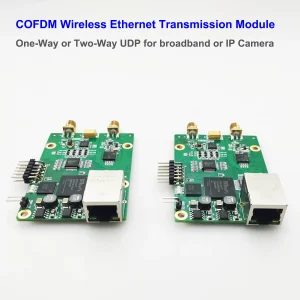
Steps for unidirectional UDP-TS input-output on COFDM wireless link
- Find two PCs and configure static IP addresses to ensure that the two PCs are on the same network segment (ဥပမာ, 192.168.0.90 နှင့် 192.168.0.215).
- Two PCs are connected to the sending end and receiving end of the cofdm one-way transparent transmission link (ဥပမာ: PC IP သည် transmitting end နှင့်ချိတ်ဆက်ထားသည်။ 192.168.0.90, နှင့် PC IP ကိုလက်ခံရရှိရေးအဆုံးနှင့်ချိတ်ဆက်ထားသည်။ 192.168.0.215)
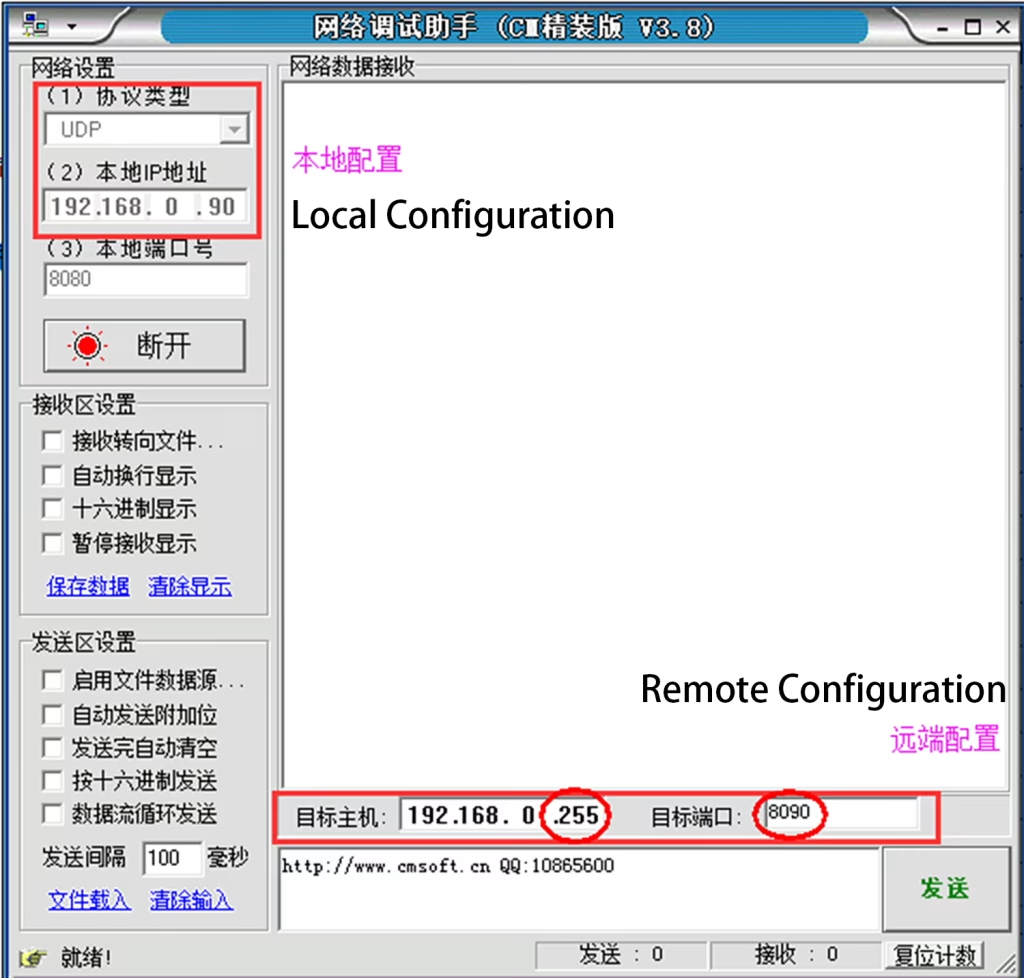
- ပြေးပါ။ “Net Assis ကိုt ကို” software on the PC connected to the transmitter and configure it to UDP sending mode (အသံလွှင်းခြင်း, ဆိပ်ကမ်းဆိပ်ကမ်း: 8090), အောက်မှာပြထားတဲ့အတိုင်း:
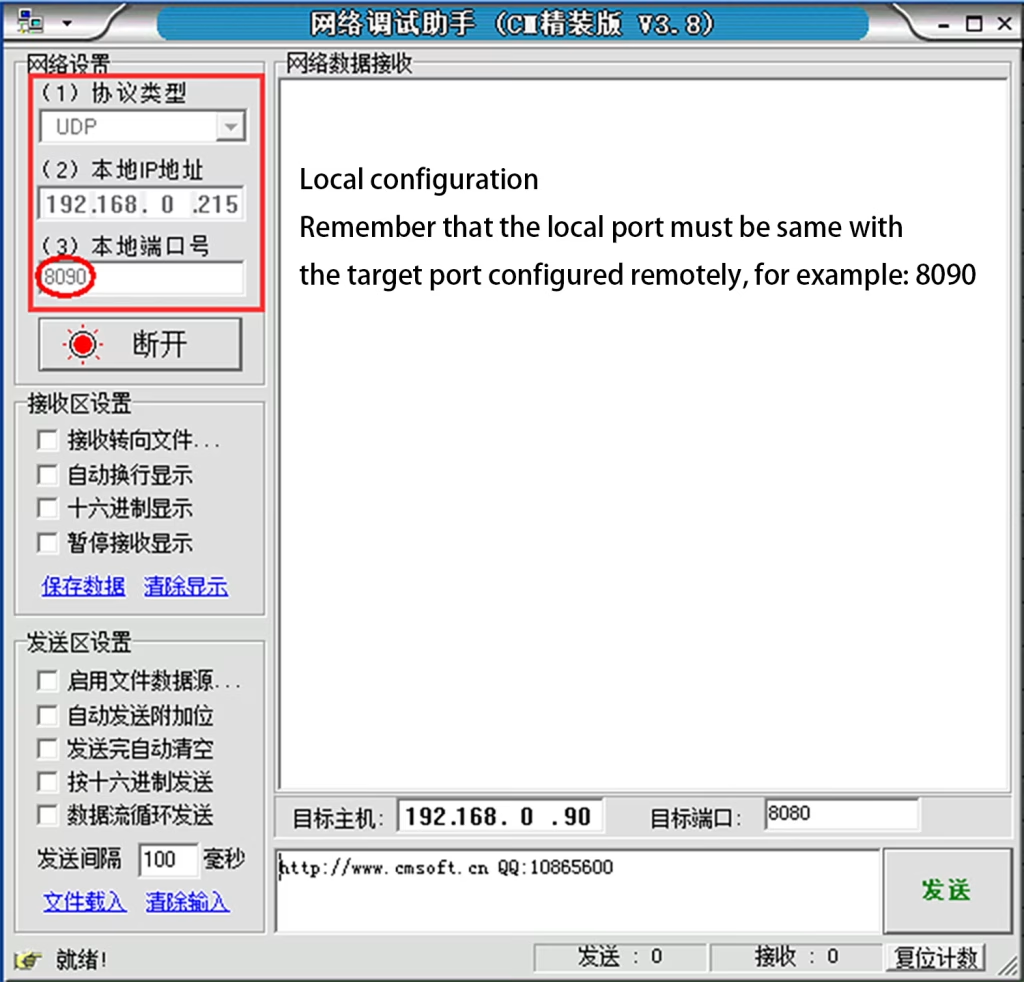
- PC တွင် လက်ခံရရှိသည့်အဆုံးကို ချိတ်ဆက်ပါ။, run ပါ။ “Net Assist” software and configure it to UDP receiving mode (ပြည်တွင်းဆိပ်ကမ်း: 8090), အောက်မှာပြထားတဲ့အတိုင်း:
- The PC connected to the transmitter sends data. With a wireless link connection, the PC connected to the receiver will receive the data sent by the sender PC.
[VF-202414]
What are the key differences between TCP and UDP protocols?
Computer Network | Understand the difference between TCP and UDP in seconds
🌟 Connectivity
TCP is connection-oriented, UDP is connectionless
TCP needs to handshake to establish a connection before transmission, just like waiting for the other person to answer the phone when making a call. UDP sends directly regardless of whether the receiver is ready, so it is connectionless.
🌟 Reliability
TCP is reliable, UDP is unreliable
TCP has a confirmation and retransmission mechanism to ensure the correct transmission of data, so it is very reliable. UDP does not care, there may be packet loss/error/duplicate, so it is unreliable.
🌟 Speed
TCP is slow, UDP is fast
TCP needs to establish a connection, check for errors, ညှိ, စသည်တို့ကို, a lot of things to do so it is slow. UDP does not care about sending directly, so it is fast.
🌟 Packet order
TCP is ordered, UDP may be out of order
TCP will ensure the order and integrity of the data packet. UDP may lose packets or the order may be wrong in the middle.
🌟 Congestion control
TCP will control, UDP will not
TCP will adjust the transmission rate according to the network situation to reduce network congestion. UDP doesn’t care, it will send messages even when there is congestion, so it may cause more congestion in the network.
🎬 Application scenarios
TCP is used in scenarios that require reliable data transmission, such as web pages, emails, and file transfers, because we don’t want to lose any data
UDP is used in real-time scenarios, such as live broadcasts, ဗွီဒီယိုခေါ်ဆိုမှုများ, and games. It doesn’t matter if a little data is lost, but don’t delay.
မေးခွန်းတစ်ခုမေး
သင့်စာကို ပို့ပြီးပါပြီ။