






AAT는 자동 안테나 추적기(Automatic Antenna Tracker)의 약어입니다.. The good recommended AAT is Vcan1916.
It allows the flat directional antenna to always face the drone through GPS positioning, greatly improving the signal strength of the drone’s data and video transmission links and increasing the transmission distance.
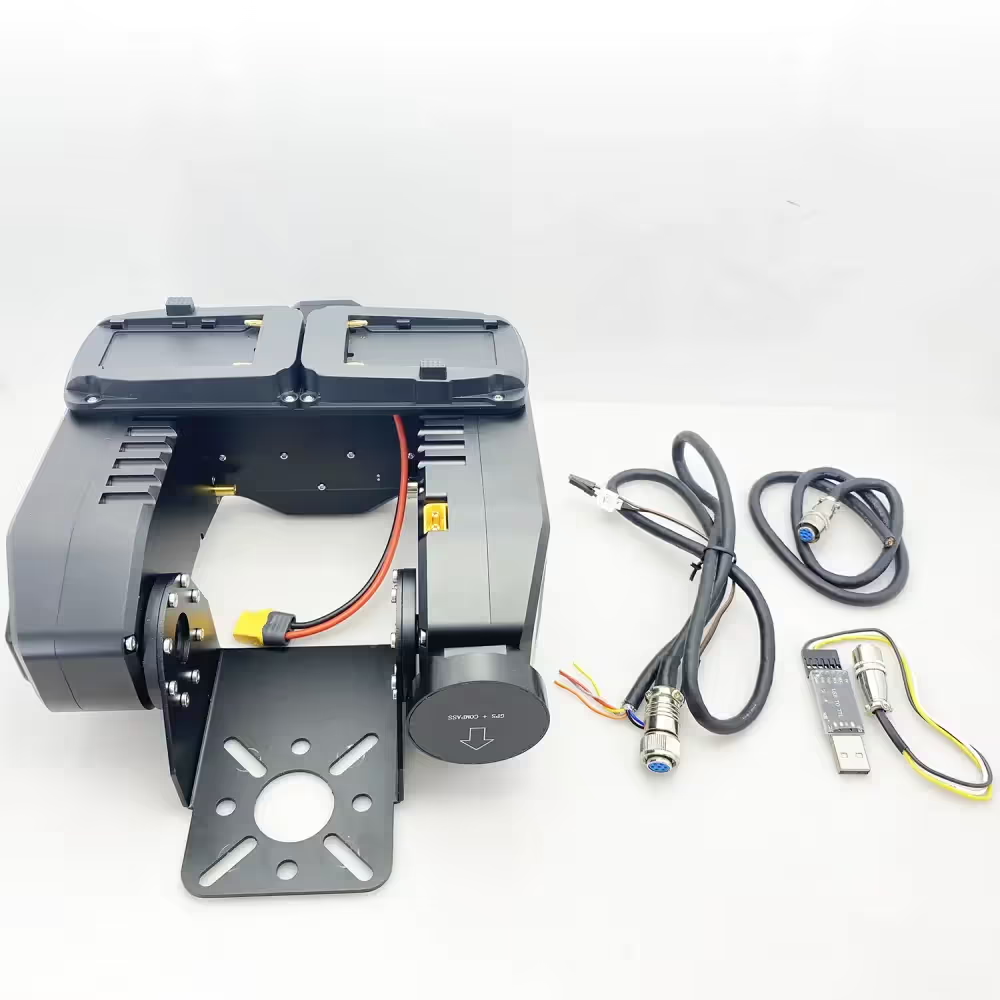
During use, customers may encounter problems of one kind or another. Customers may want to optimize or improve the integration with the GCS Ground Control Station according to their requirements or send instructions to keep a fixed angle when there is no signal in the UAV wireless video data link. These can be achieved by downloading and updating the firmware of the AAT.
AAT 자동 안테나 추적기의 펌웨어를 다운로드하고 업그레이드하는 방법?
Please download the upgrade firmware at the below link.
목차
MFDAATV1_92A1
https://drive.google.com/file/d/1hW5GaW3ww6wrMQt6pQN6_3qxgQMnWAM6/view?usp=drive_link
MFD_Update
https://drive.google.com/file/d/1reEgXk0NAIxr7IR1WC5QVwQo5-Xt3j42/view?usp=drive_link
USB to TTL Driver (CH341SER)
https://drive.google.com/file/d/1zidiKP21VVDbeH3mgh5MtjE7cnURndIo/view?usp=drive_link
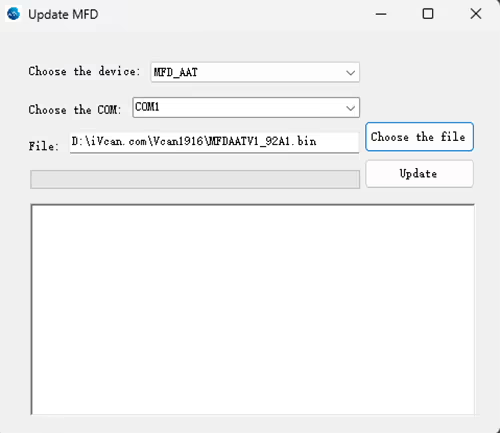
One client should download and upgrade the firmware of AAT automatic antenna tracker. Here is his process.
고객: During the update process, my connection was lost and the update failed. How i can reset the AAT? The display doesn’t show anything. When I plug in power. I can hear some bip-bip sound.
iVcan: Continue to repeat the update process, Power off the AAT, and then update again.
고객: The software cannot connect to the AAT, 아래 그림을 확인하시기 바랍니다.
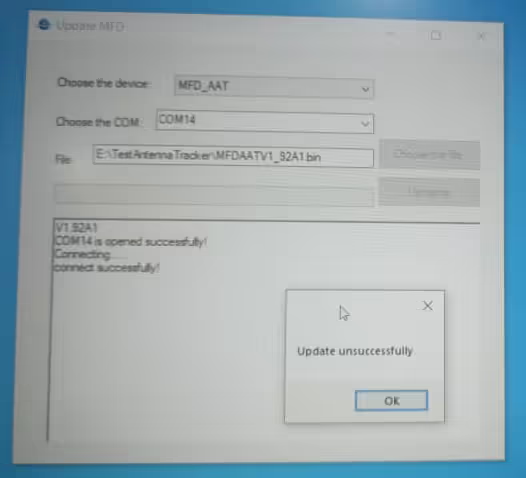
The operation step suggested by our engineer is the below:
- The operation step suggested by our engineer is the below
- Plug in the downloader and connect it to the computer.
- Turn on the power.
- Wait for the gimbal to beep 6 타임스
- Start the update program again.
We just did a test locally. After the update fails, you can resume the update as I said. Pay attention to checking the TTL connection line.
고객: My connection is ok. I hear a beep 6 타임스, After I press update I hear 1 삑 하는 소리, but the result is unsuccessful.
Please check them one by one, The engineer did a test on our side, and it is ok. Would you like to take your operation video? let our engineer “보다” which step is wrong. We can not find the problem from text only.
The client has sent us his operation video.
Please unplug and replug the USB-TTL after your video ends and update again.
Please change our default USB TTL tool in the package accessory and test again.
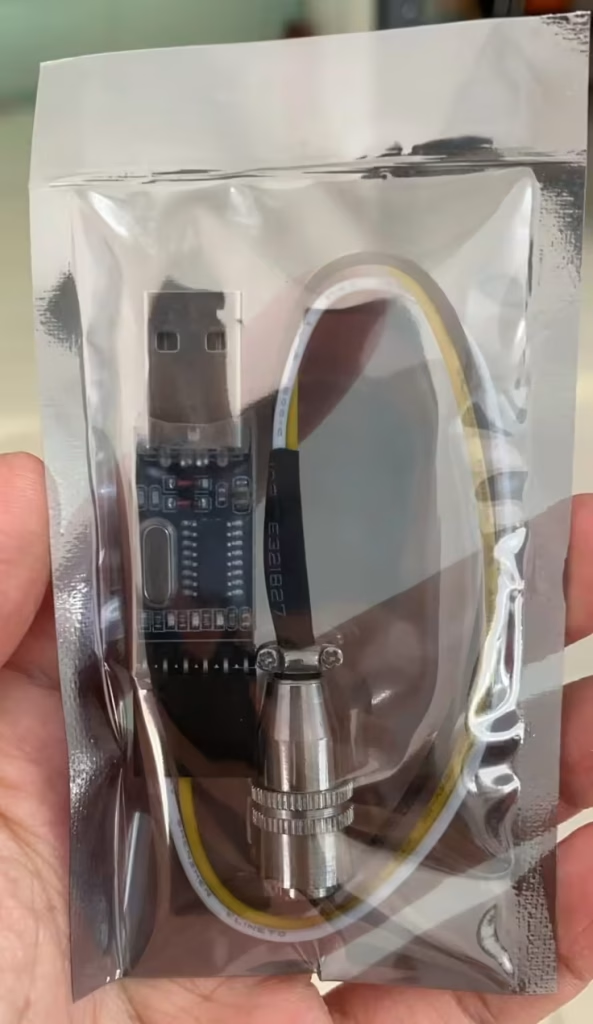
고객: 좋아요. I updated the firmware. And the device is ok, My TTL to USB didn’t work. The AAT work with MAVLinkProj now.
Please tell me if you have any questions about the download and upgrade of the firmware of AAT Automatic Antenna Tracker.
AAT for the flat panel directional fiberglass antenna is very useful to increase the signal strength and transmission range. As a good supplier of long-range wireless video and data transmitters and receivers, we are always online to offer you free technical support.

자주 묻는 질문
죄송합니다, 하지 않습니다.
이제 자동 안테나 추적기 짐벌은 더 적은 3G 주파수만 지원합니다..
주파수가 3.3g을 초과하는 경우, 수신기는 평면 안테나에 있어야 합니다., 아래 그림을 확인하시기 바랍니다.
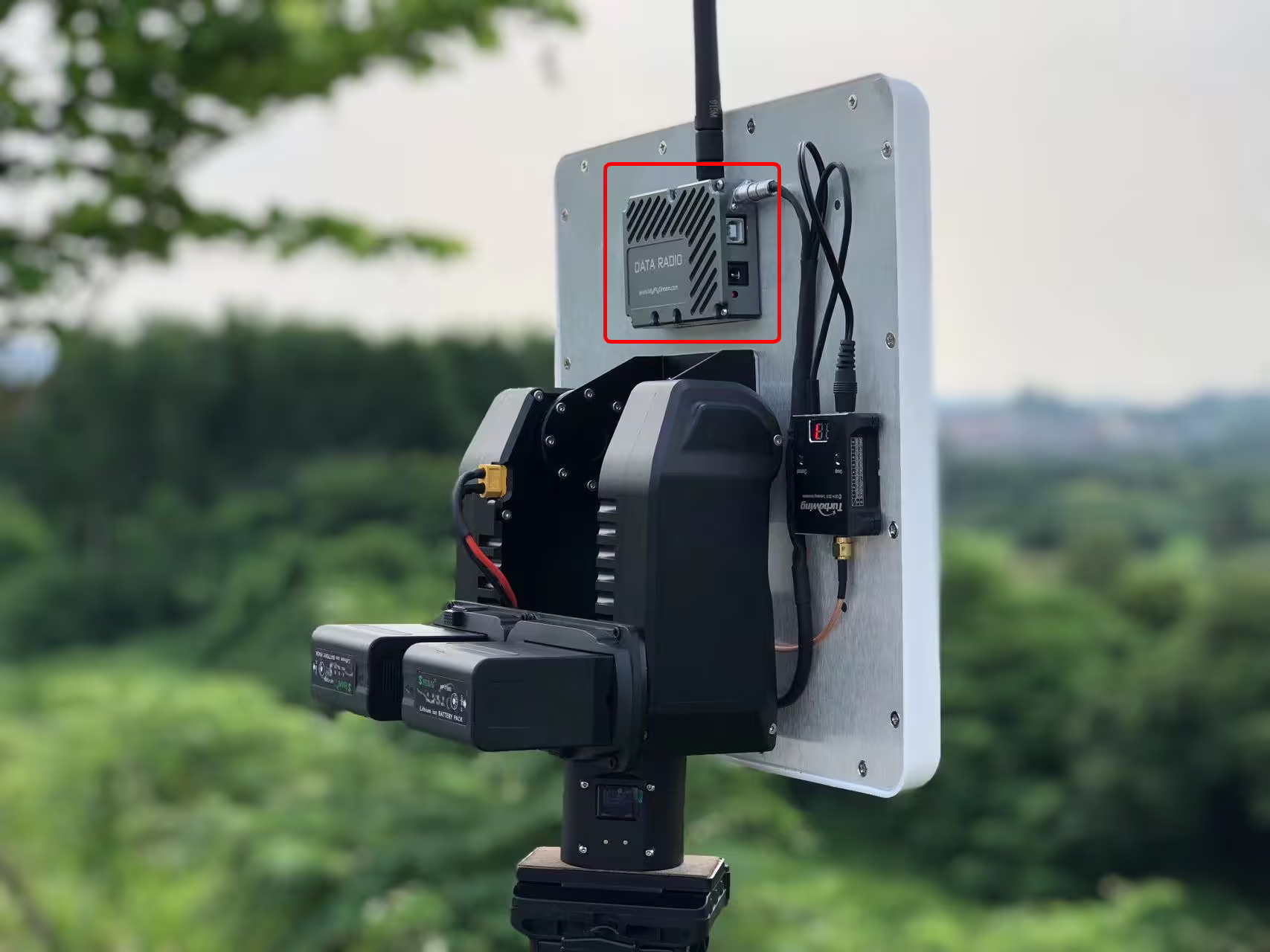
큐: 로터리 조인트를 지속적으로 준비해야 할까요? 360 회전?
에이: 짐벌에는 슬립 링이 내장되어 있으며 360도 회전을 지원합니다..
안테나 매개변수는 무엇입니까? (얻다, hpbw, 기타)
트래커의 인터페이스는 무엇입니까? 추적기를 어떻게 제어하나요??
제로 헤딩은 어떻게 만들어지나요??
Q4: RSSI 추적도 가능합니까??
A4: 아니, 드론은 GPS를 통해 데이터를 추적기로 보냅니다., 추적을 위해 GPS를 사용하는. 드론 비디오 데이터 링크는 RSSI를 수신기로 보낼 수 있습니다.. 하나, 추적은 안테나가 항상 드론을 향하도록 유지하기 위해 GPS 위치에 따라 이루어집니다..
지향성 안테나 무게는 다음보다 작아야 합니다. 2.5 킬로그램.
엔지니어는 외부 GPS 장치 구입을 권장했습니다., 추가 비용이 든다고 덧붙였습니다 $89.
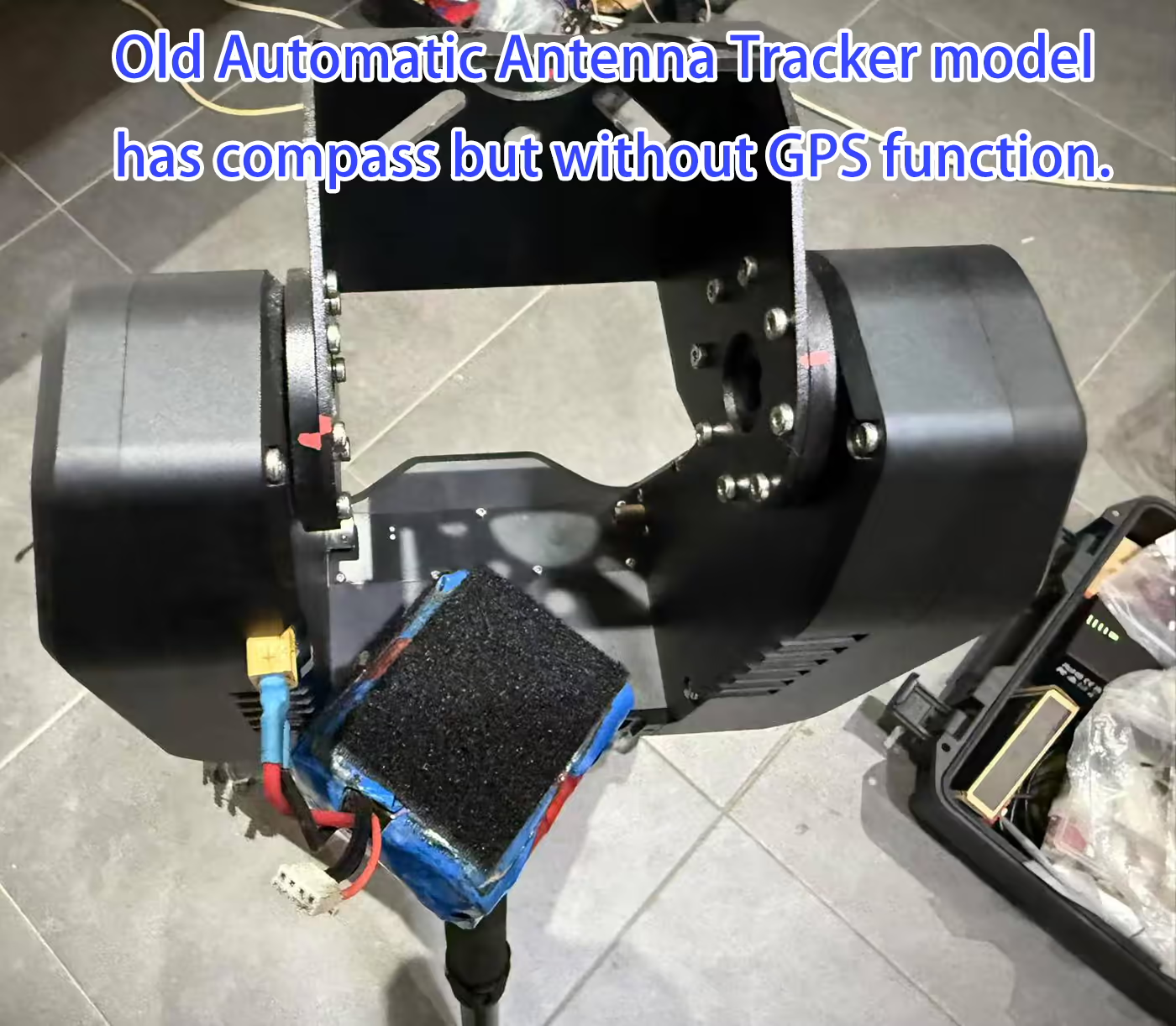
추적기에는 다음이 필요합니다. 둘 다 다음 MAVLink 메시지 중:
-
MAVLINK_MSG_ID_GPS_RAW_INT– 원시 GPS 데이터 제공, 위치와 고도를 포함한. -
MAVLINK_MSG_ID_GLOBAL_POSITION_INT– 글로벌 위치정보 제공, 위도 포함, 경도, 및 상대 고도.
⚠️ 참고: 비행 컨트롤러가 다른 MAVLink 메시지를 보내더라도 (예를 들어, 하트비트), 이 두 메시지가 누락된 경우, 추적기에 "DLink"가 표시됩니다.:1% 메시지?”는 필요한 데이터가 수신되지 않음을 나타냅니다..
-
최소 주파수: 1 Hz – 추적기가 기본 위치 업데이트를 받도록 보장합니다..
-
권장 빈도: 5 Hz 이상 – 더욱 부드럽고 반응성이 뛰어난 실시간 추적 제공.
💡 예: ArduPilot Mega의 경우, 당신은 검색 할 수 있습니다
SR1_Mission Planner의 매개변수 목록 및 설정SR1_POSITION에 5 Telemetry1 포트의 경우 Hz 이상.
-
ALT=바로 모드: 용도
GLOBAL_POSITION_INT.relative_alt고도 소스로. 대부분의 ArduPilot 시스템 및 맞춤형 비행 컨트롤러에 적합. -
ALT=GPS 모드: 의 고도를 사용합니다.
GPS_RAW_INT메시지. 대부분의 Pixhawk 비행 컨트롤러에 적합.
사용자는 확인할 수 있습니다
FlightInfo -> ALT/BARO추적기가 올바른 데이터 소스를 사용하고 있는지 확인하기 위해 GPS 고도와 기압 고도를 모두 확인합니다..
드론 무선 비디오 데이터 송신기 및 수신기에 자동 추적기 안테나 AAT를 설치하는 방법
드론 비디오 송신기 안테나 추적기를 위한 자동 안테나 추적 AAT Mavlink 프로토콜
자동 안테나 추적기 짐벌 구성 및 인터페이스
드론 비디오 송신기 안테나 추적기를 위한 자동 안테나 추적 AAT Mavlink 프로토콜
질문하기
응답해 주셔서 감사합니다. ✨