





Why Network Cameras Outperform USB Cameras in Wireless Video Transmission
When designing a wireless video transmission system, one of the most common decisions involves choosing between USB cameras and network (الملكية الفكرية) الكاميرات. While USB cameras appear to be cheaper and easier to deploy, they often fall short in efficiency, استقرار, and overall performance. This article explains the technical differences and why most professional wireless video transmitters and receivers prefer cameras with built-in hardware encoders.
جدول المحتويات
USB Cameras Transmit Raw Data
USB cameras typically send uncompressed raw video data directly to a connected computer or single-board computer, such as a Raspberry Pi or “Blueberry board.” This raw data requires real-time software compression on the host device before it can be transmitted over a wireless link.
While this approach may seem straightforward, it places a heavy computational burden on the CPU or GPU of the host device. High-resolution video in particular can cause noticeable delays, increased power consumption, and system instability. باختصار, the USB camera itself does not reduce data size; all compression work falls on the connected computer.
Network Cameras Feature Built-In Hardware Encoding
Network cameras, also known as IP cameras, include internal hardware encoding boards that compress video in real time using standards like H.264 or H.265. This hardware-based compression allows the camera to control the output bitrate efficiently, ensuring a smooth, stable video stream without relying on external computing resources.
Because the compression is handled internally, network cameras produce a stable, consistent video stream that is much easier to transmit over wireless links. They also maintain better video quality while controlling bandwidth usage, which is critical for professional applications such as drones, المراقبة الصناعية, or mobile surveillance systems.
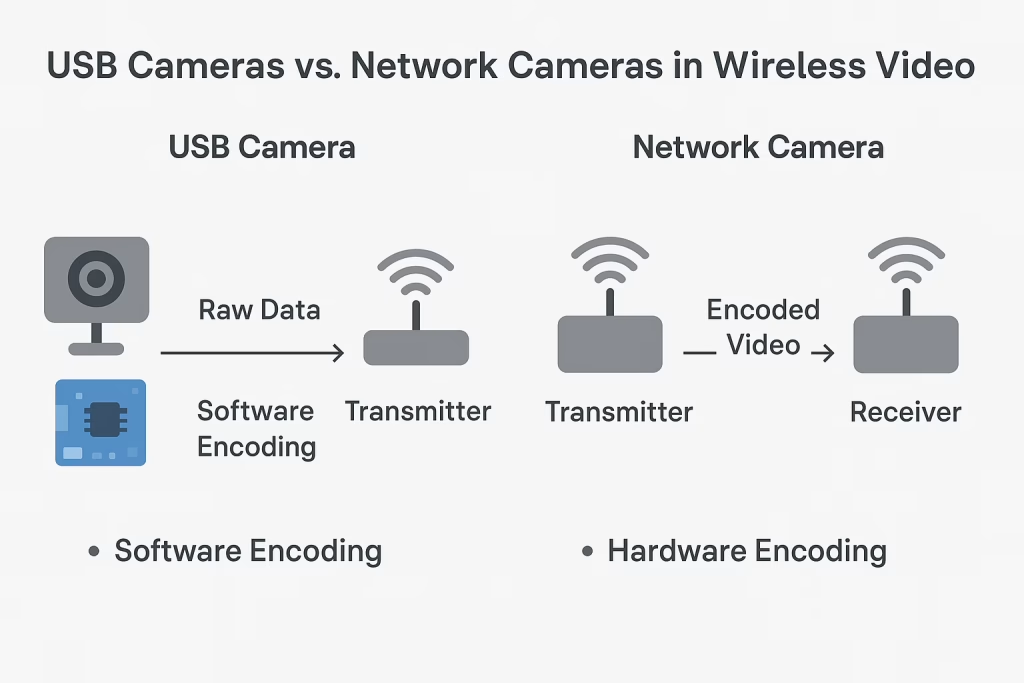
Efficiency and Stability Comparison
When comparing the two approaches in a wireless video system:
- CPU Load and Latency:
USB cameras rely on software encoding, which consumes significant CPU resources and can introduce latency, especially at higher resolutions. Network cameras offload encoding to dedicated hardware, reducing system load and minimizing delay. - Transmission Stability:
Software encoding on small boards can be unstable under high load or extended operation. Hardware-encoded streams from network cameras maintain consistent bitrate and quality over time. - Bitrate Control and Quality:
Network cameras can implement precise bitrate control (constant or variable) to match network conditions. USB cameras’ software compression may fluctuate, resulting in variable quality or dropped frames. - System Cost Considerations:
While USB cameras themselves are inexpensive, they require an additional host board for encoding, and the hidden costs—delays, استهلاك الطاقة, complexity—can outweigh initial savings. Network cameras may cost slightly more upfront, but they simplify the system, reduce latency, and improve reliability.
Practical Recommendation
For professional wireless video transmission systems, including drones, vehicle-mounted solutions, والمراقبة الصناعية, network cameras are generally the more efficient and reliable choice. USB cameras may be suitable for short-range, low-cost experimental setups, but their limitations in latency, استهلاك الطاقة, and system stability make them less ideal for long-term or mission-critical applications.
خاتمة
While a USB camera connected to a single-board computer may seem like a cost-saving solution, the real efficiency, استقرار, and quality advantages lie with network cameras featuring hardware encoding. Wireless video transmitters and receivers are optimized for these hardware-encoded streams, ensuring low-latency, سلس, ونقل الفيديو عالي الجودة.
التعليمات
س1: Can a USB camera ever match a network camera in wireless transmission?
A1: Only in very low-resolution, short-distance, or experimental setups. High-resolution or long-distance transmission requires hardware encoding to reduce latency and ensure stability.
Q2: Is the customer’s choice of USB purely cost-driven?
A2: عادة, نعم. USB cameras are cheaper upfront, but the hidden costs of CPU load, كمون, and system complexity often outweigh the initial savings.
س3: Why do wireless video systems prefer hardware encoding?
A3: Hardware encoding allows consistent bitrate control, reduced latency, lower CPU load, and higher transmission stability, which are critical for professional applications.
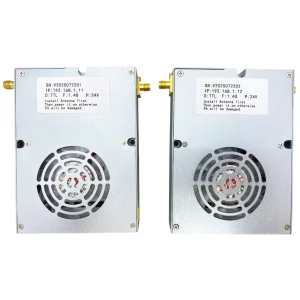
نقل فيديو لاسلكي


نقل فيديو لاسلكي

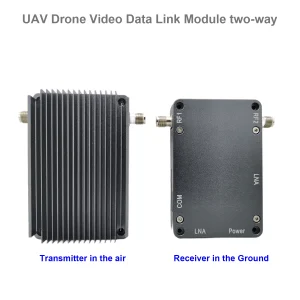
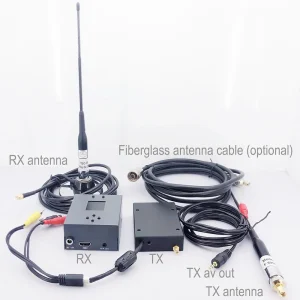

نقل فيديو لاسلكي
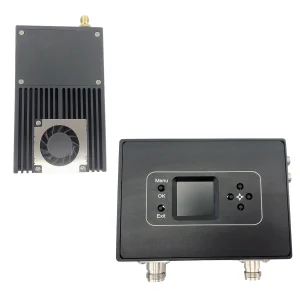
1740-1840MHZ 2WPA 30km الطائرات بدون طيار طويلة المدى جهاز إرسال ومستقبل مع SBUS TTL



Bidirectional Two-Ways
22KM 55km 80km 100km 150km 150km مسافة طويلة اللاسلكية جهاز إرسال جهاز إرسال الإرسال
لوحات وحدات التشفير









لوحات وحدات فك التشفير




متاح للتخصيص
منتجات التشفير الجديدة
| لا. | اسم المنتج | إعدادات | الميزات الرئيسية | حالة |
|---|---|---|---|---|
| 1 | جهاز تشفير الفيديو بالضوء المرئي USB UVC ثنائي القناة | 2× مدخل يو اس بي | يدعم ترميز فيديو كاميرا USB المزدوجة, and RTSP streaming; local CVBS/HDMI output; أوضاع العرض القابلة للتحويل | إنتاج متسلسل |
| 2 | Dual-Channel Encoder (1× USB Visible Light + 1× كاميرا تصوير حراري بمنفذ USB) | 2× مدخل يو اس بي | يدعم كاميرا USB مزدوجة (مرئي + الحرارية) يأسر, encoding, and RTSP streaming; local CVBS/HDMI output; أوضاع العرض القابلة للتحويل | إنتاج متسلسل |
| 3 | وحدة عرض HDMI/CVBS فك ترميز RTSP | HDMI + إخراج CVBS | يدعم ما يصل إلى 4 × 1080P @ 30fps فك تشفير دفق RTSP; دعم إعادة توجيه بروتوكول دفق الفيديو; عرض إخراج HDMI/CVBS | عينة متاحة |
| 4 | RTSP Decoder HDMI/CVBS Display Module with 4.3"/5" شاشات الكريستال السائل | مخرج اتش دي ام اي + شاشة ال سي دي | يدعم ما يصل إلى 4 × 1080P @ 30fps فك تشفير دفق RTSP; إعادة توجيه البروتوكول; عرض إخراج HDMI/CVBS | تصحيح الأخطاء |
| 5 | Dual-Channel Encoder (1× USB Visible Light + 1× CVBS التناظرية) | 1× كفبس + 1× مدخل USB UVC | فيديو مزدوج (يو اس بي + CVBS), encoding and RTSP streaming; local CVBS/HDMI output; أوضاع العرض القابلة للتحويل | تصحيح الأخطاء |
| 6 | Dual-Channel Encoder (1× USB UVC + 1× أتش دي تناظري) | 1× أهد + 1× مدخل USB UVC | التقاط الفيديو المزدوج (يو اس بي + AHD), encoding and RTSP streaming; local CVBS/HDMI output; أوضاع العرض القابلة للتحويل | تصحيح الأخطاء |
| 7 | Dual-Channel Encoder (1× كفبس + 1× AHD Analog Video) | CVBS + AHD 2 إدخال الفيديو | Dual analog video capture, encoding and RTSP streaming; local CVBS/HDMI output; أوضاع العرض القابلة للتحويل | تصحيح الأخطاء |
| 8 | Dual-Channel Encoder (1× كاميرا سيموس + 1× كاميرا تصوير حراري بمنفذ USB) | 1× USB interface | يدعم سيموس + التقاط الكاميرا الحرارية USB, encoding and RTSP streaming; local CVBS/HDMI output; أوضاع العرض القابلة للتحويل | إنتاج متسلسل |
لحلول تحويل إدخال/إخراج الفيديو المخصصة غير المدرجة في منتجاتنا, يرجى الاتصال بنا للحصول على دعم OEM/ODM. يمكننا تطوير منتجات مخصصة بناءً على متطلباتك.
اطرح سؤالاً
شكرًا لردكم ✨