İHA Video Veri Veri Hava Verici ve Zemin Alıcı Nasıl Yapılandırılır

İHA Video Veri Veri Hava Verici ve Zemin Alıcı Nasıl Yapılandırılır, Aşağıda uygun model.

Fiyat aralığı: $722.00 başından sonuna kadar $1,250.00

İHA Video Veri Veri Hava Verici Nasıl Yapılandırılır

How to set air unit UAV video data transmitter
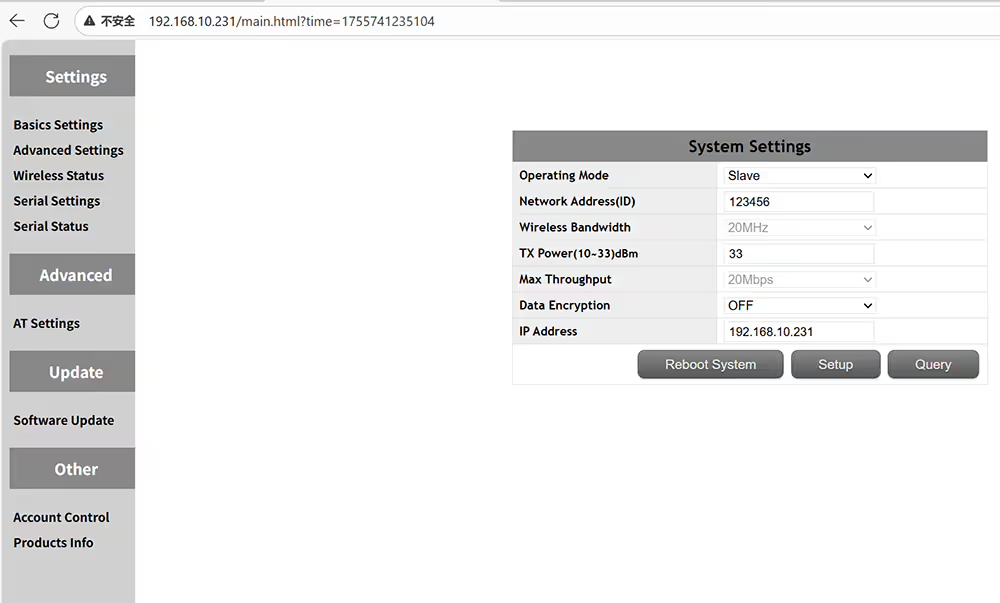
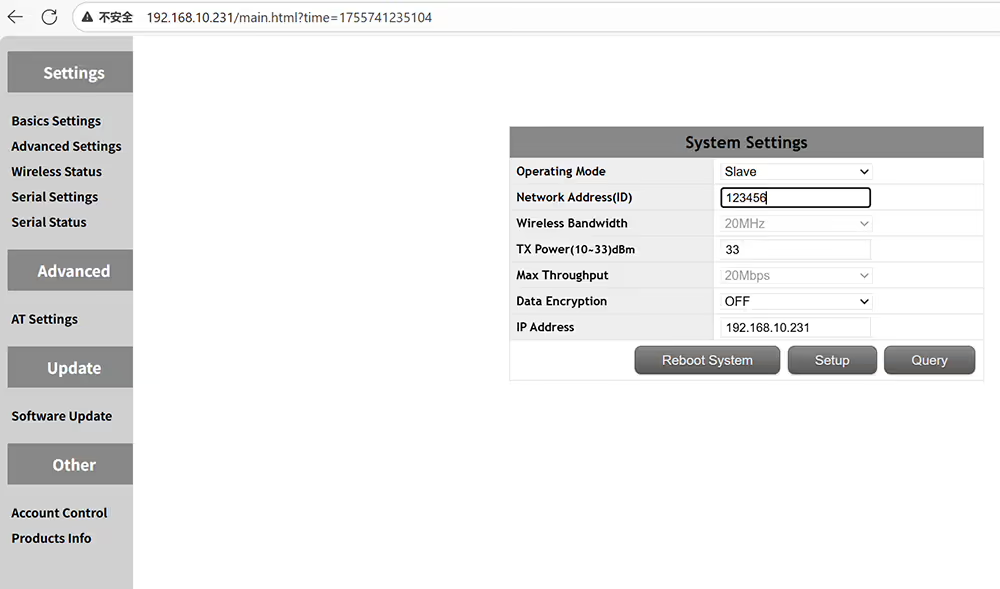
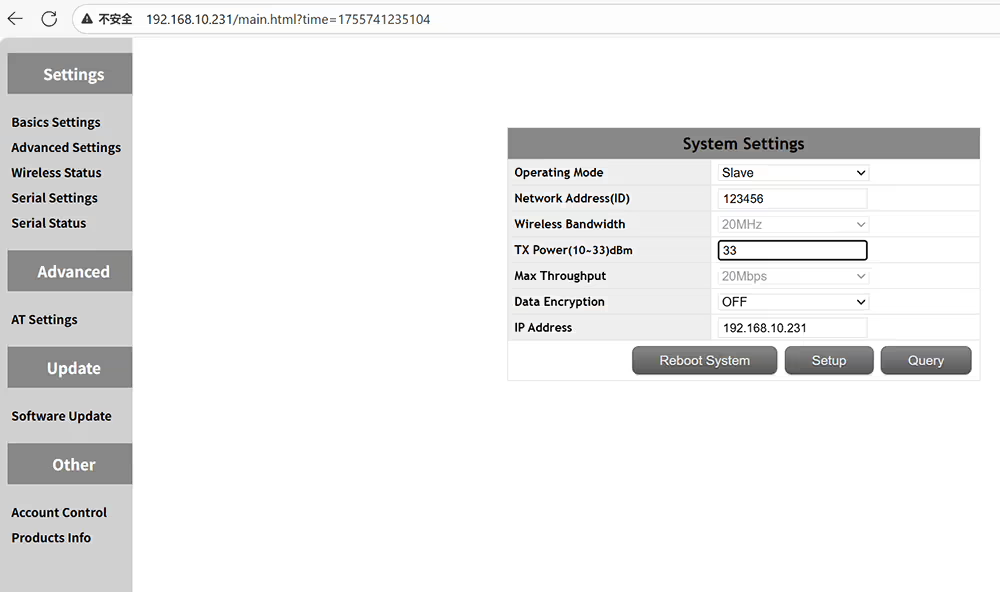
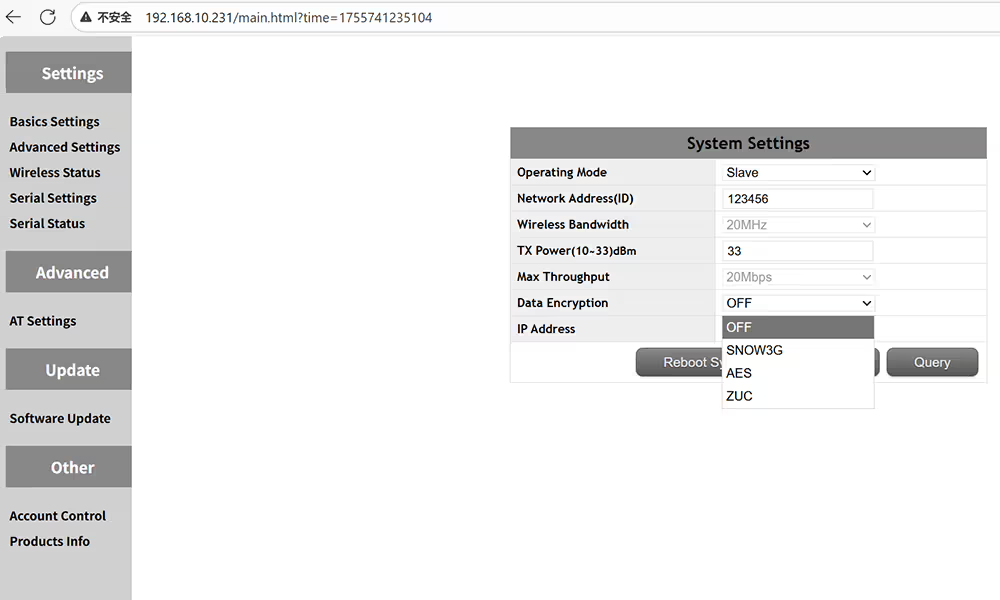
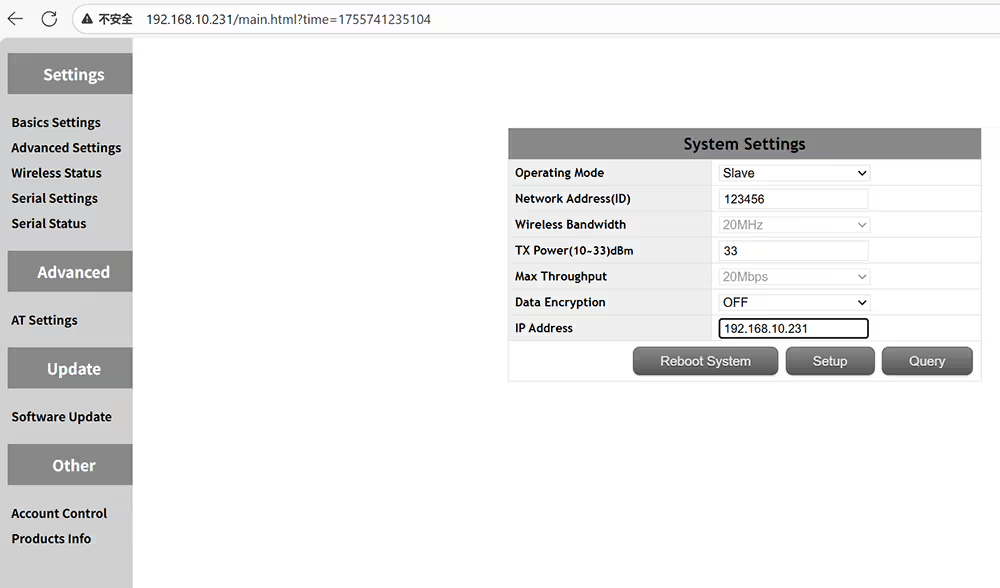
Hava Birimi İHA Video Veri Verici Nasıl Kurulur
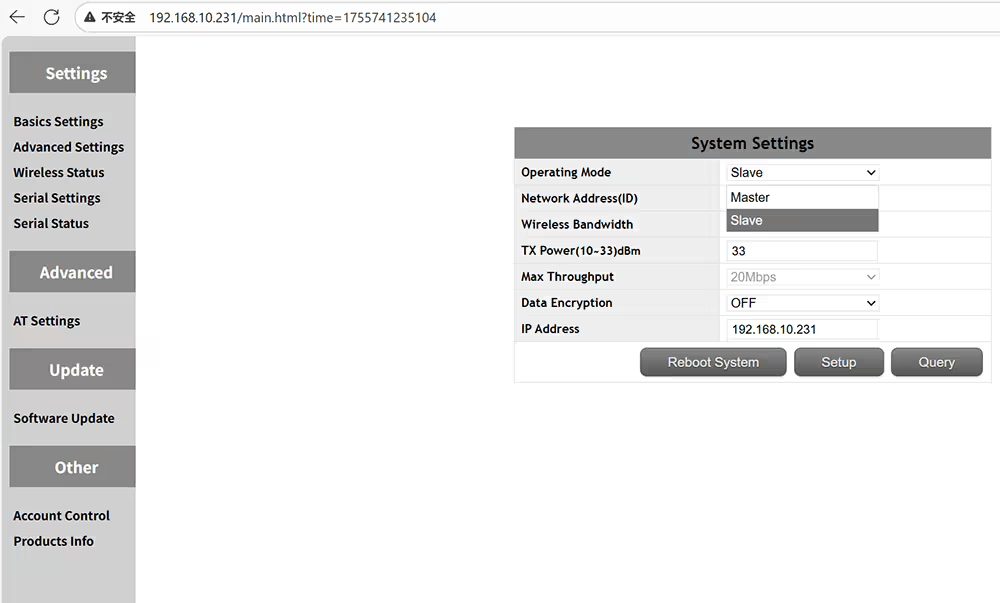
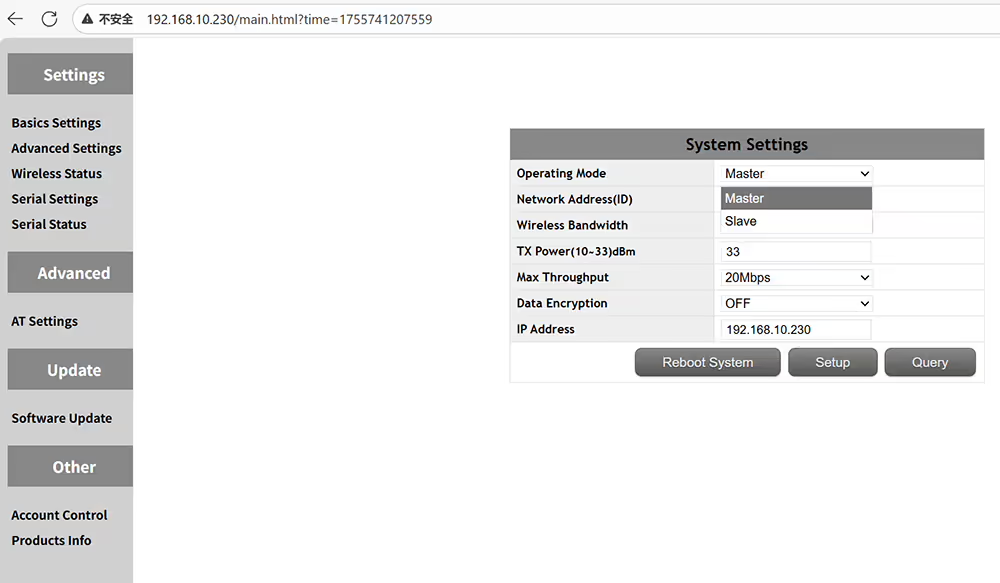
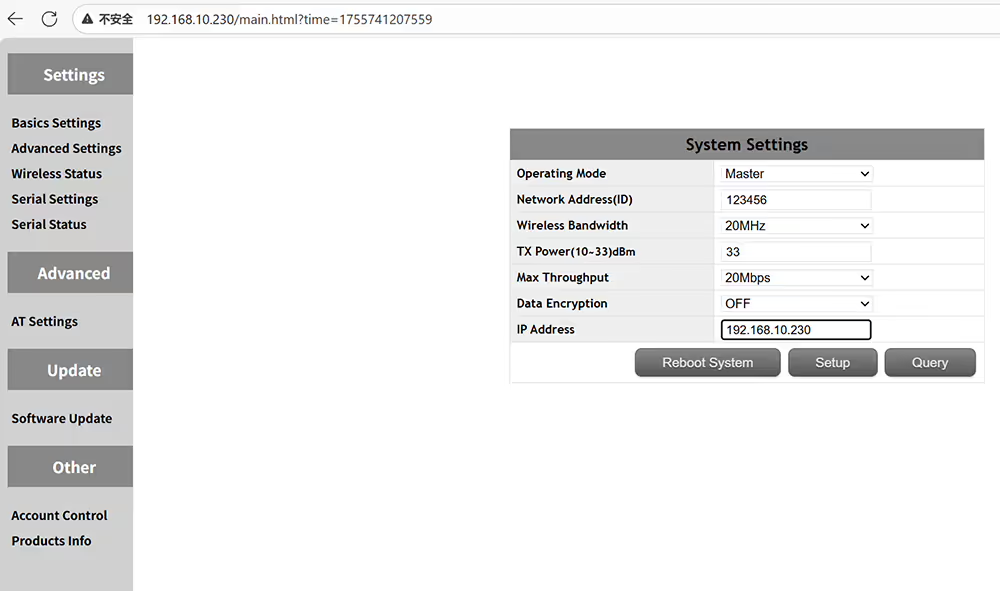
master is central node means ground receiver slave is access node means air transmitter
Master merkezi düğümdür, zemin alıcı köle erişim düğümü hava vericisi anlamına gelir
please set same id if you want to pair transmitter and receiver
Verici ve alıcıyı eşleştirmek istiyorsanız lütfen aynı kimliği ayarlayın
The output power amplifier can be set to less than 2 watts
Çıkış gücü amplifikatörü, 2 watt
Optional encryption method SNOW3G AES ZUC
İsteğe bağlı şifreleme yöntemi Snow3g AES ZUC
Customize the IP address of the device and ensure in the same network segment
Cihazın IP adresini özelleştirin ve aynı ağ segmentinde sağlayın
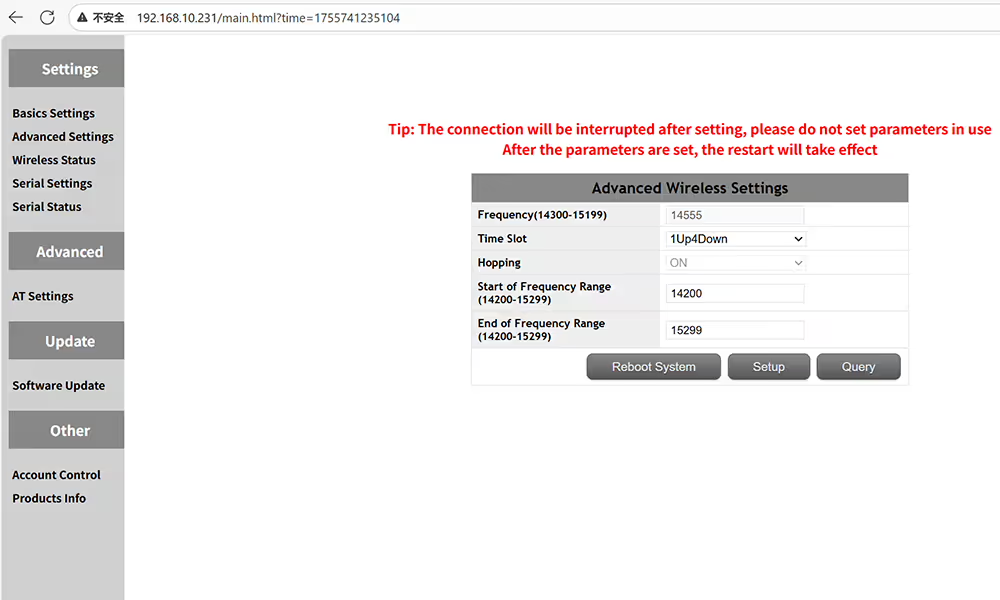
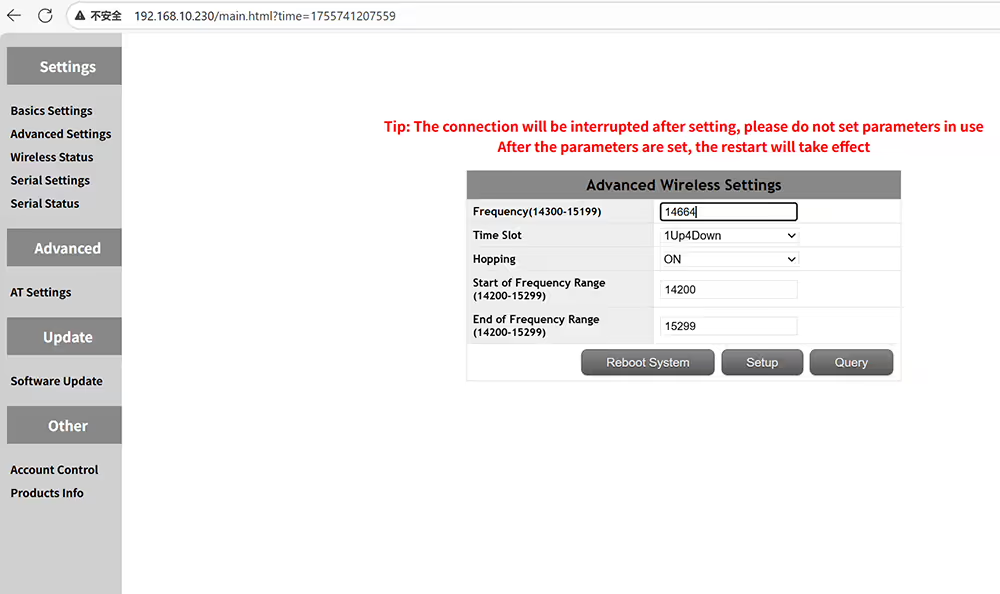
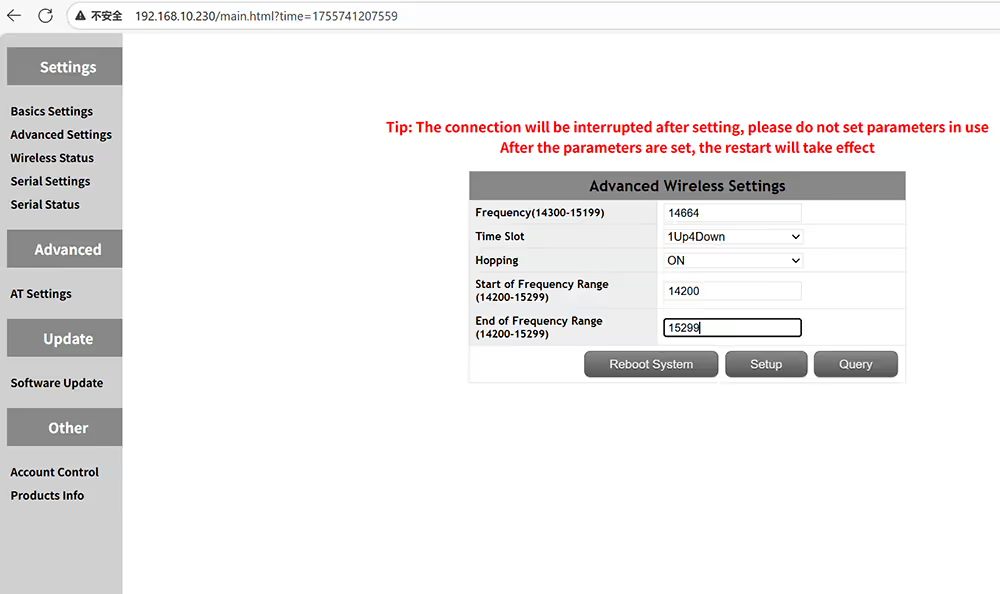
Advanced settings of frequency and time slot on the air side
Hava tarafında gelişmiş frekans ve zaman aralığı ayarları
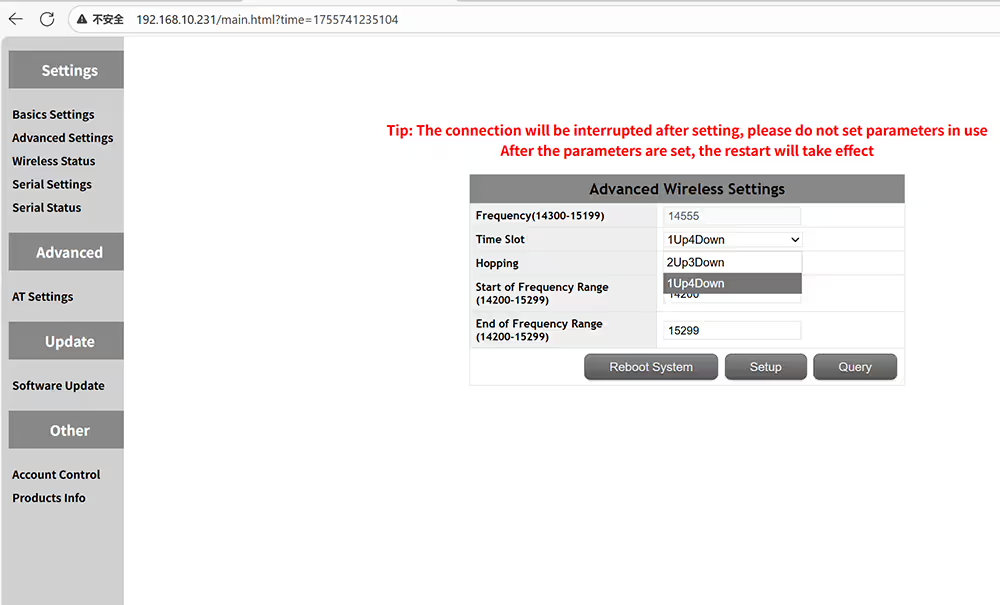
Please make sure the master and slave time slots are the same
Lütfen usta ve köle zaman aralıklarının aynı olduğundan emin olun
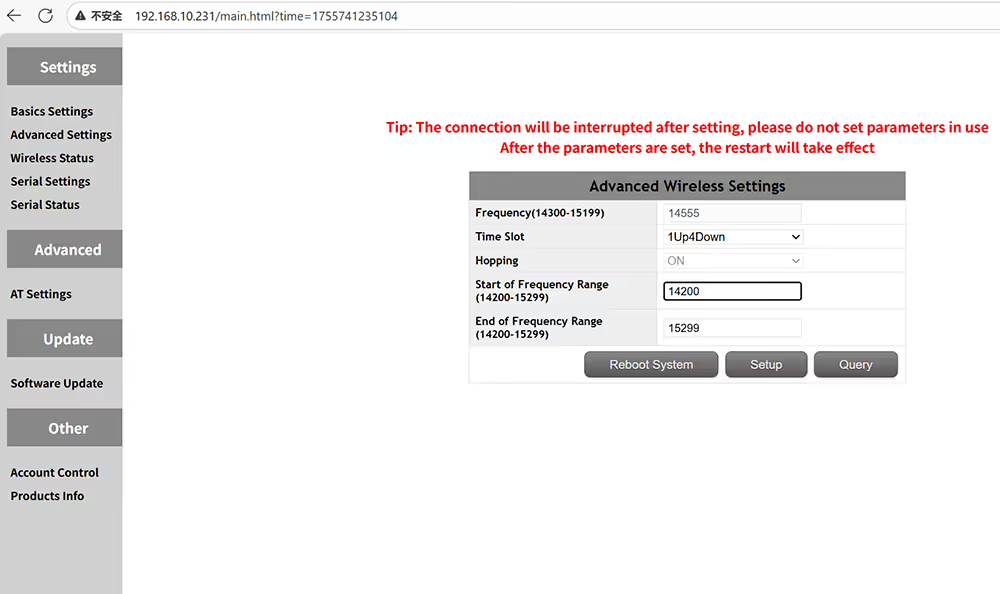
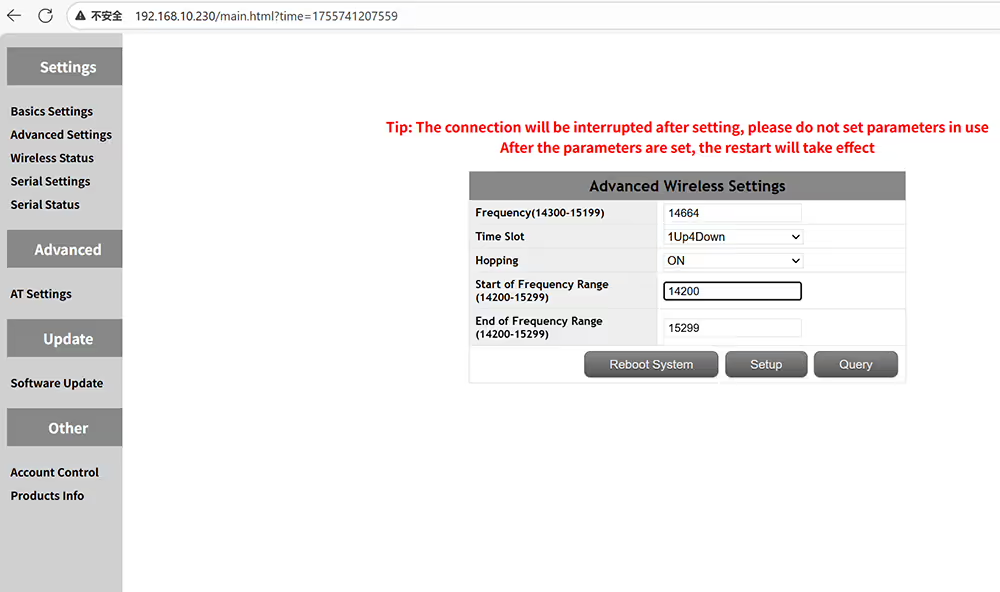
Set the start frequency of the operating frequency range
Çalışma frekansı aralığının başlangıç ​​frekansını ayarlayın
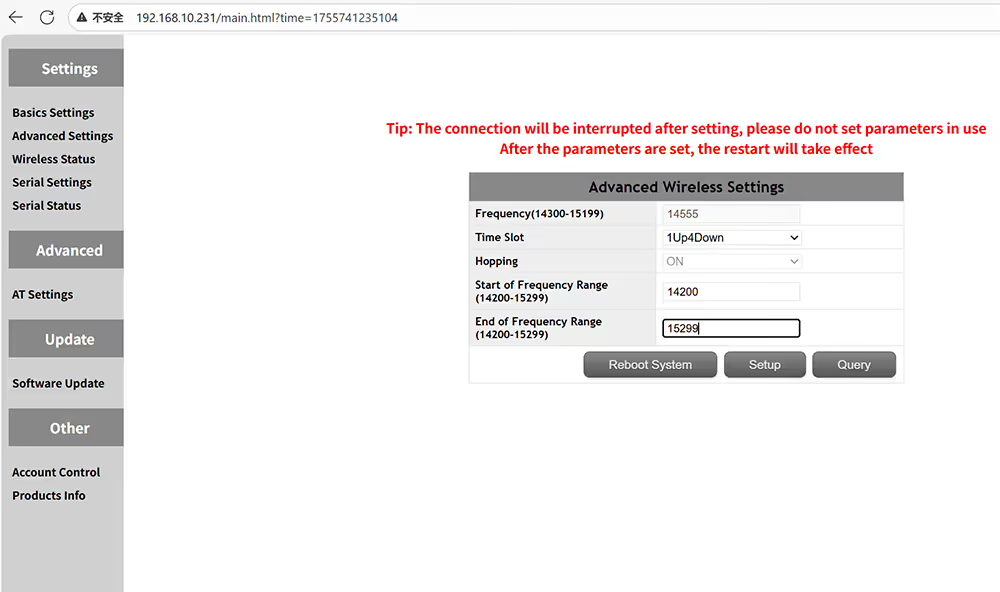
Set the end frequency of the operating frequency range
Çalışma frekansı aralığının son frekansını ayarlayın
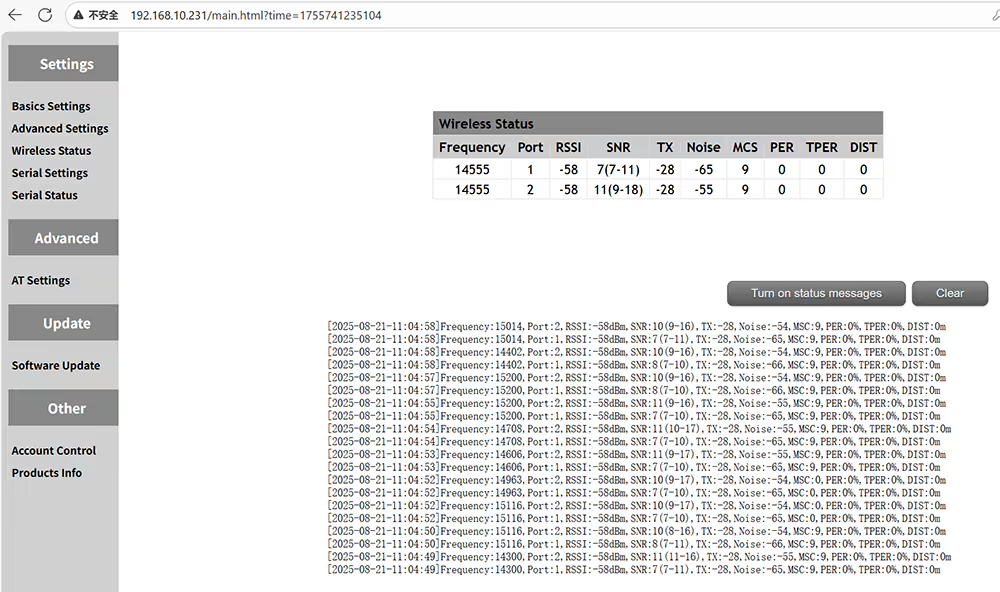
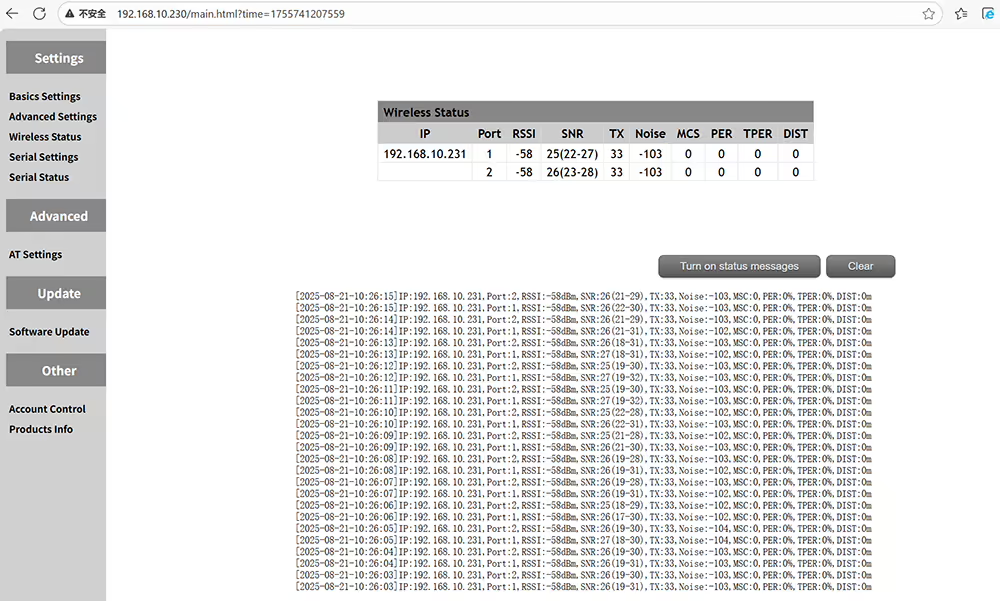
Query wireless status including frequency RSSI SNR NOISE MSC PER TPER distance
TPER mesafe başına frekans RSSI SNR gürültüsü MSC dahil olmak üzere kablosuz durum sorgu
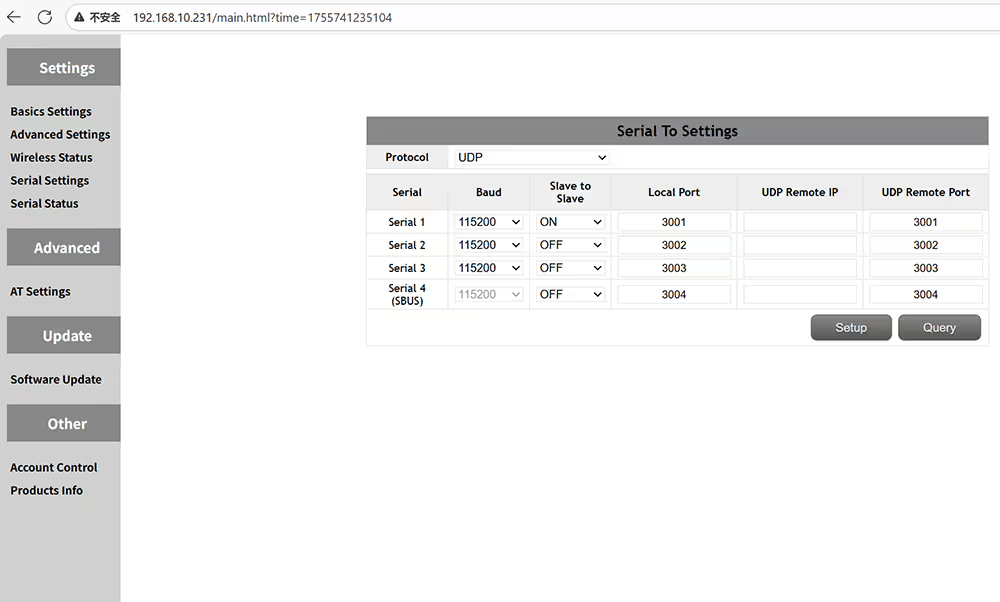
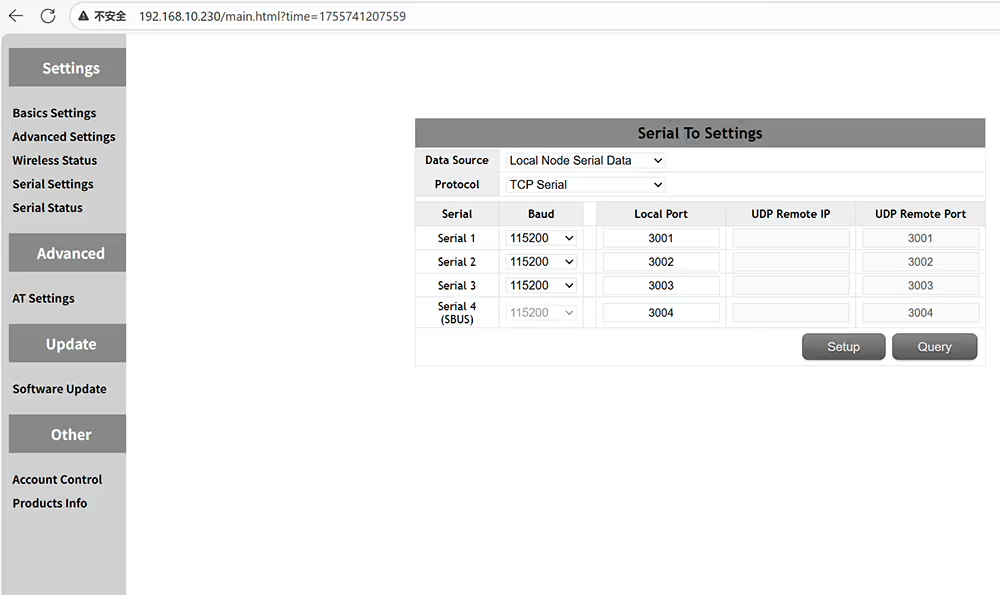
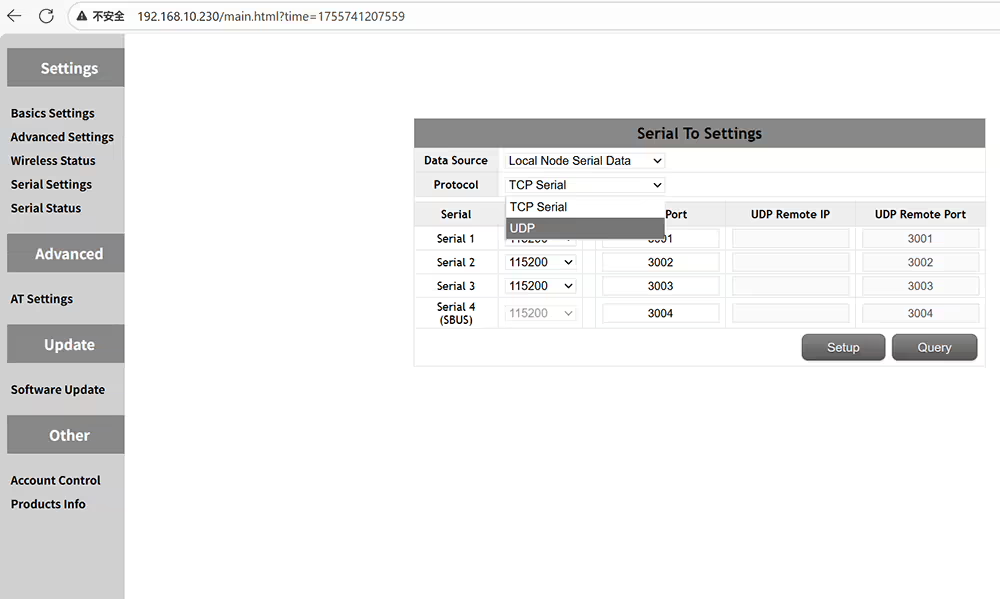
Data serial port definition settings
Veri seri bağlantı noktası tanımı ayarları
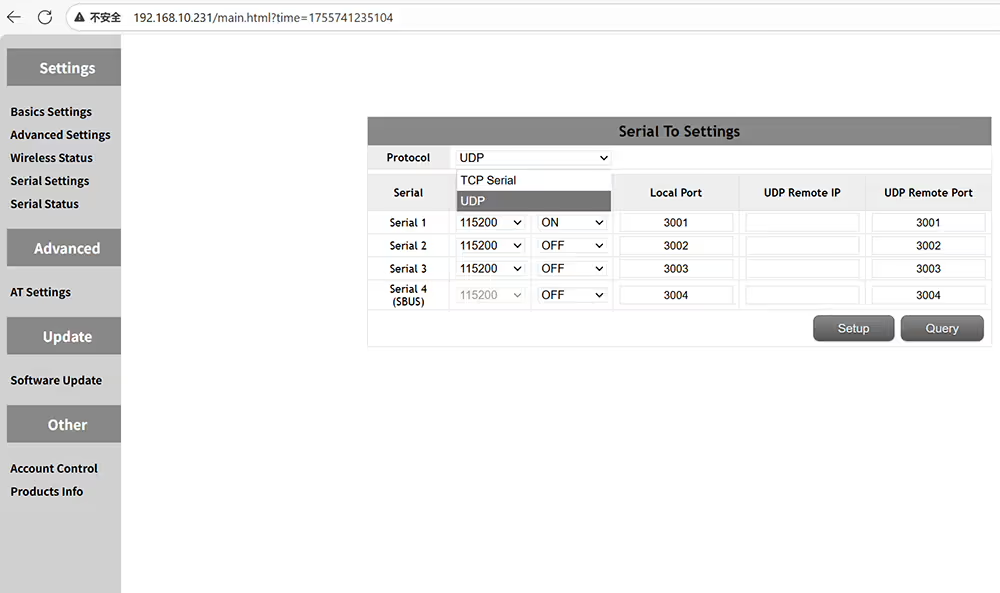
Supported protocols are TCP and UDP
Desteklenen protokoller TCP ve UDP'dir
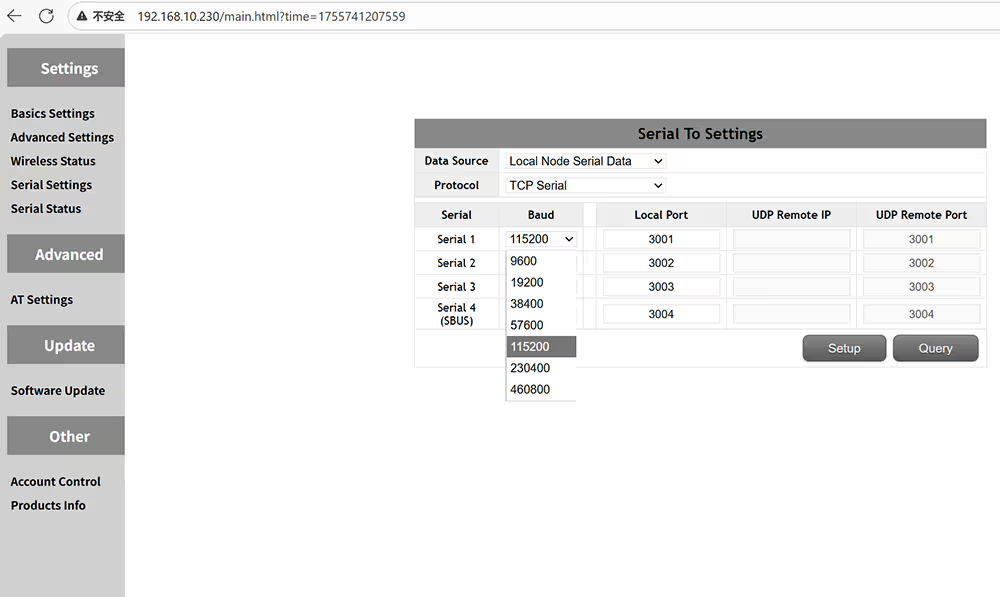
Supported baud rates include 9600, 19200, 38400, 57600, 115200, 230400, and 460800
Desteklenen baud oranları içerir 9600, 19200, 38400, 57600, 115200, 230400, ve 460800
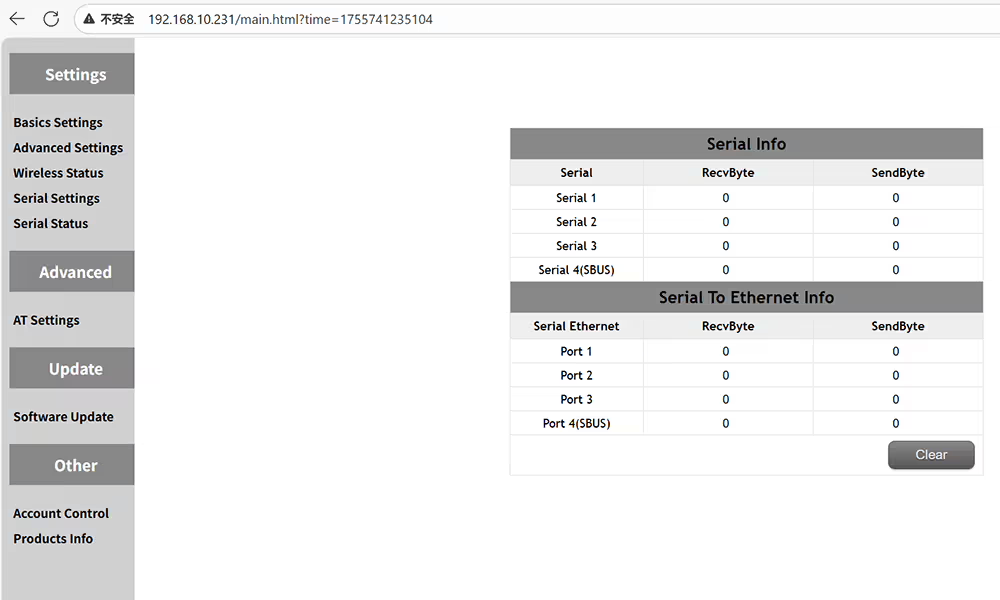
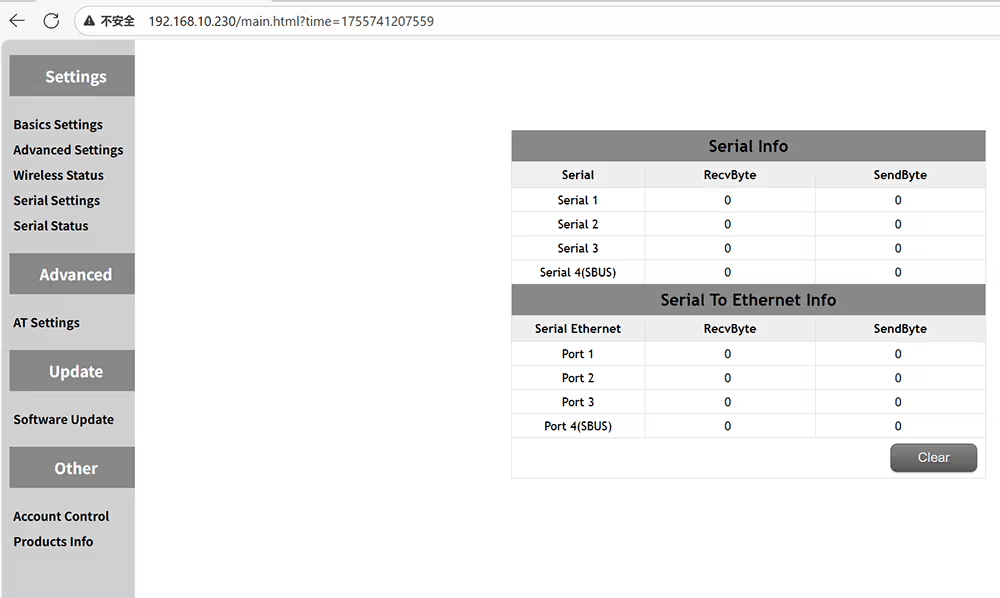
Check the status of the serial port, such as the amount of data sent and received
Seri bağlantı noktasının durumunu kontrol edin, Gönderilen ve alınan veri miktarı gibi
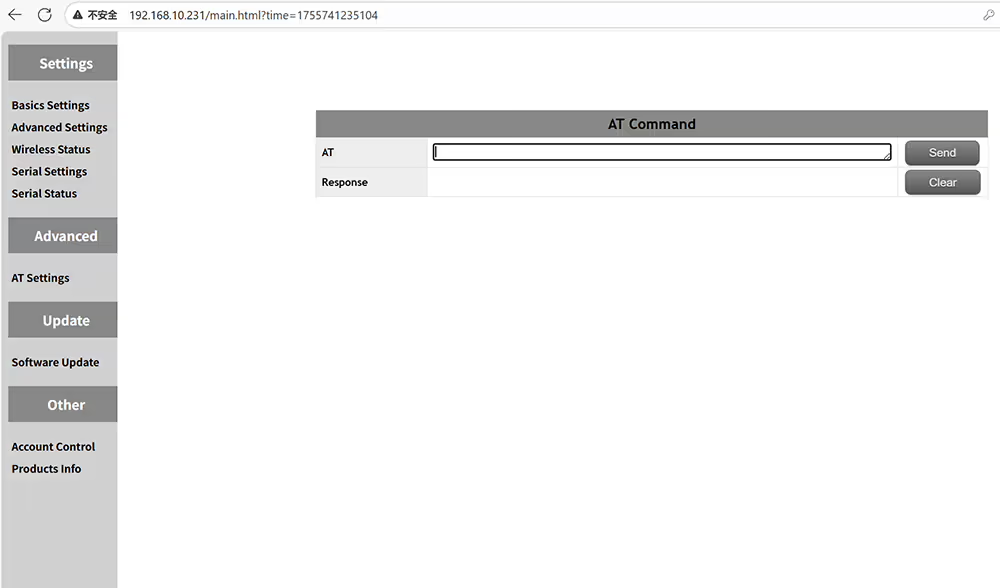
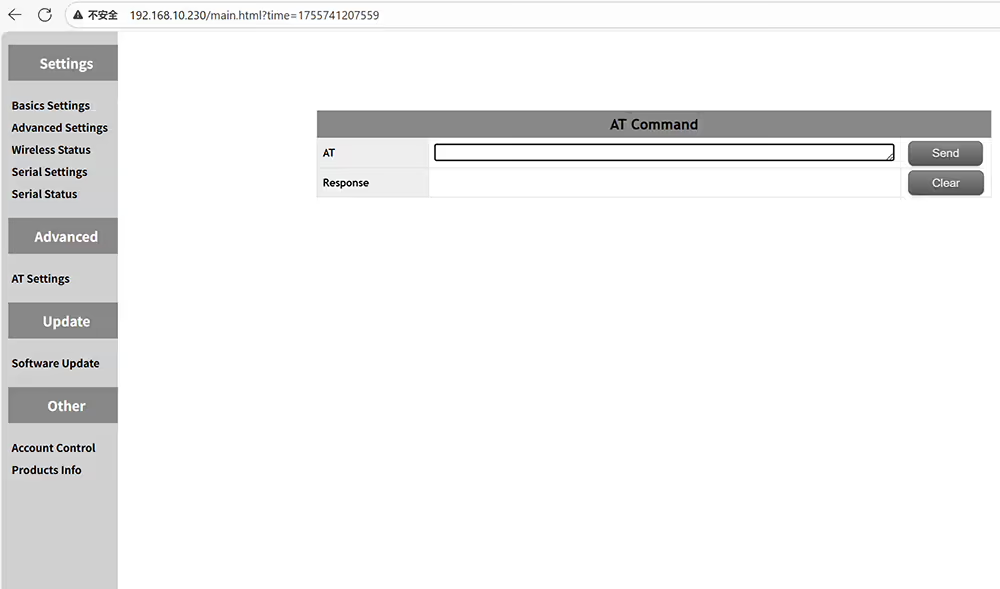
Send AT commands to get more function information
Daha fazla işlev bilgisi almak için komutları gönderin
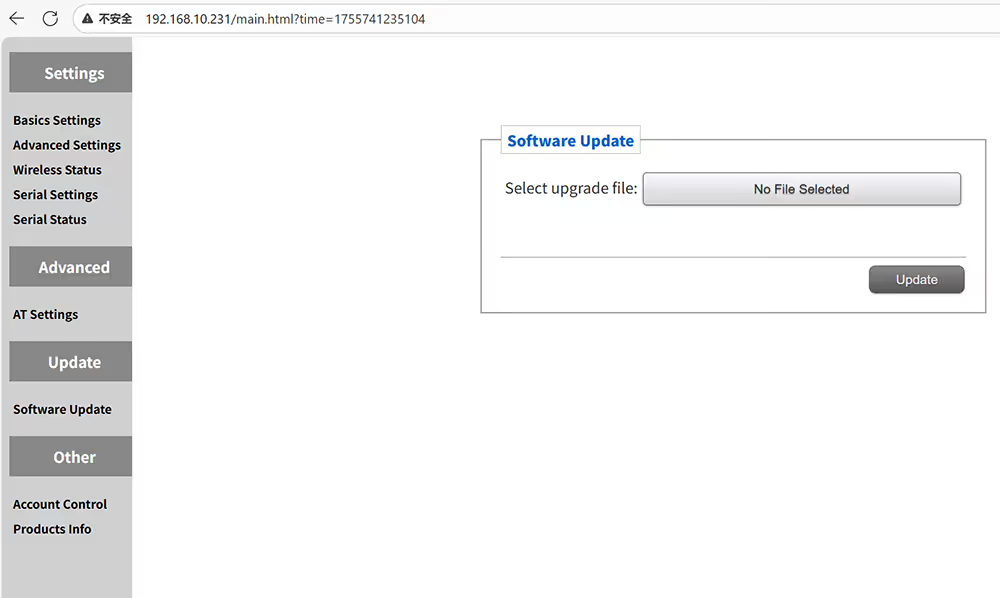
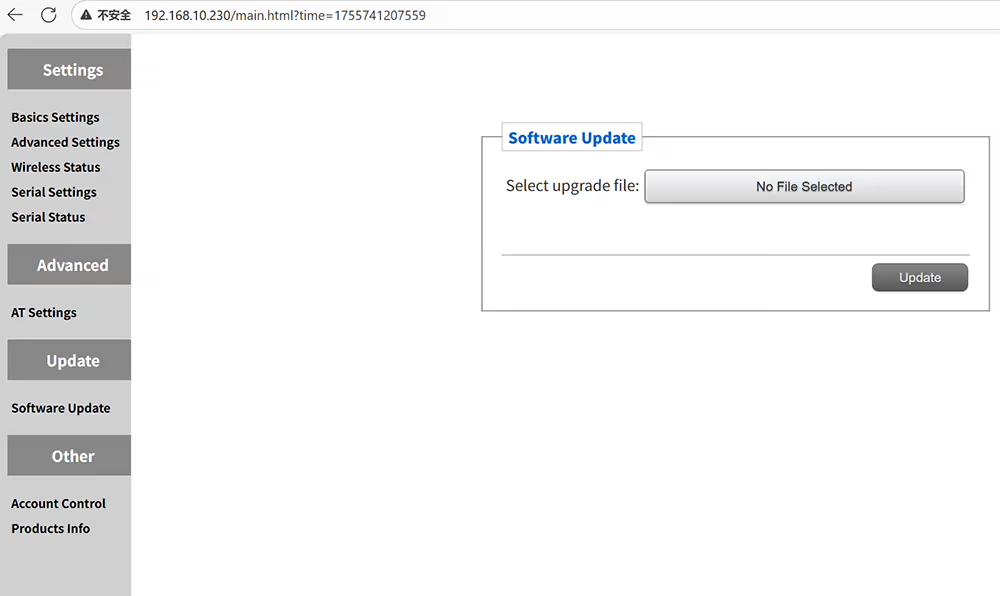
Upgrade your UAV's video data transceiver
İHA’nın Video Veri Alıcı Verici
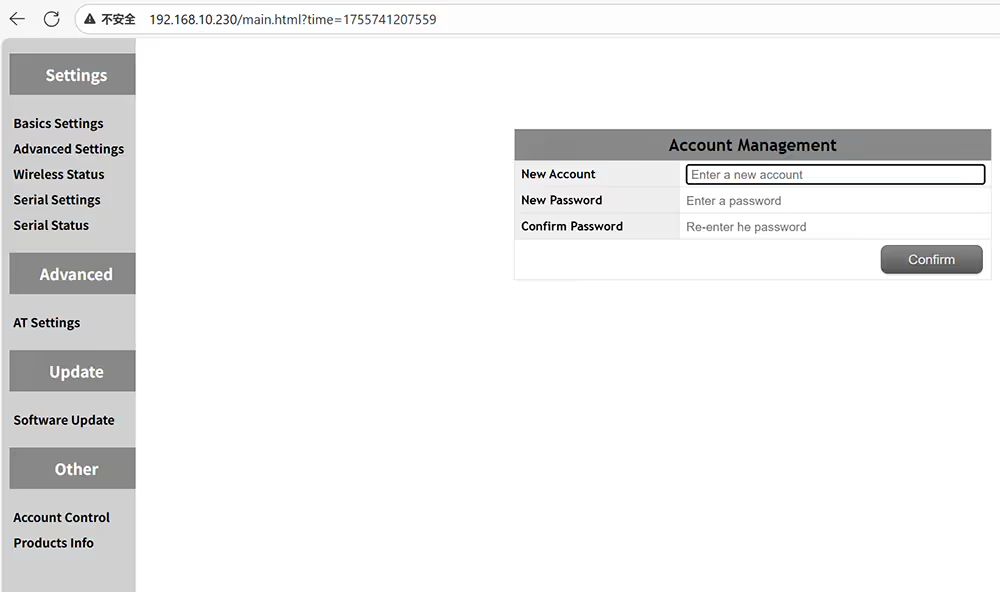
Modify the username and password of the web UI management page
Web UI Yönetimi sayfasının kullanıcı adını ve şifresini değiştirin
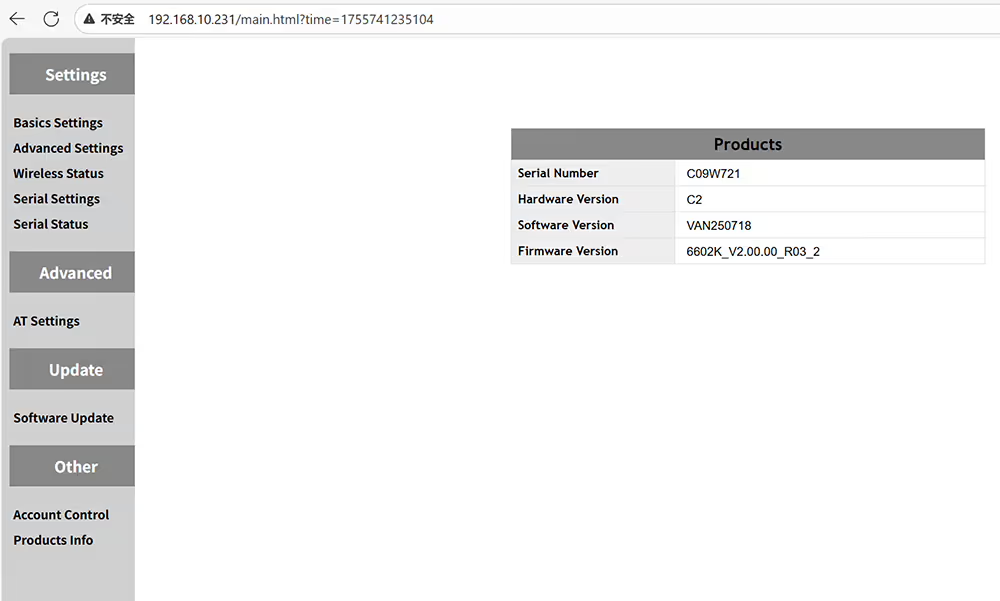
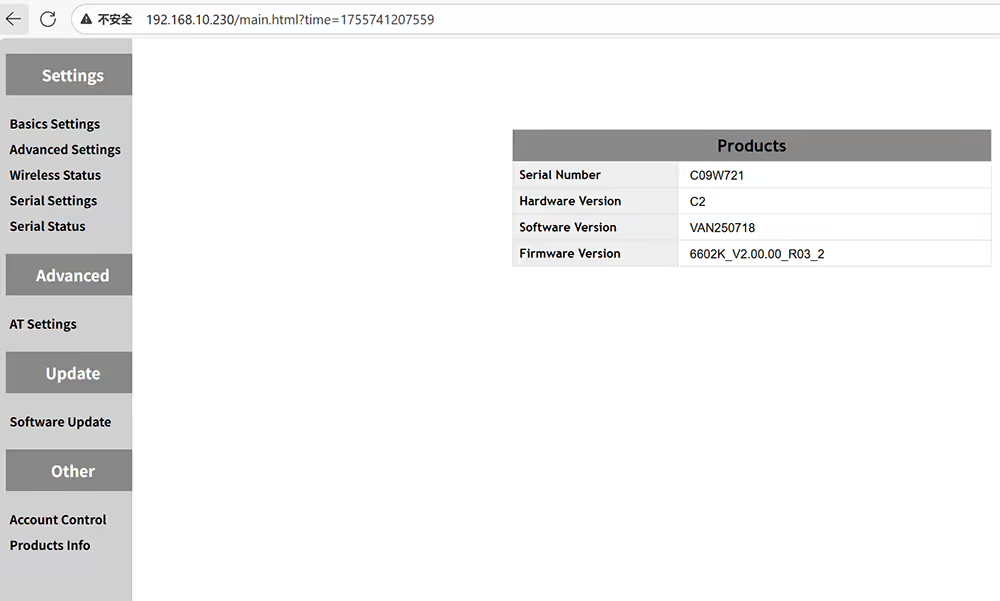
Query the hardware and software information of the current device
Geçerli cihazın donanım ve yazılım bilgilerini sorgulayın

İHA Video Veri Geri Alıcı Nasıl Yapılandırılır

How to set role ID bandwidth tx power encryption ip address of ground receiver
Rol Nasıl Ayarlanır Kimlik Bant Genişliği TX Güç Şifrelemesi Zemin alıcısının IP Adresi
drone ground receiver is master and air transmitter is slave
drone zemin alıcı master ve hava vericisi köle
Only the same ID can be used for pairing
Eşleştirme için yalnızca aynı kimlik kullanılabilir
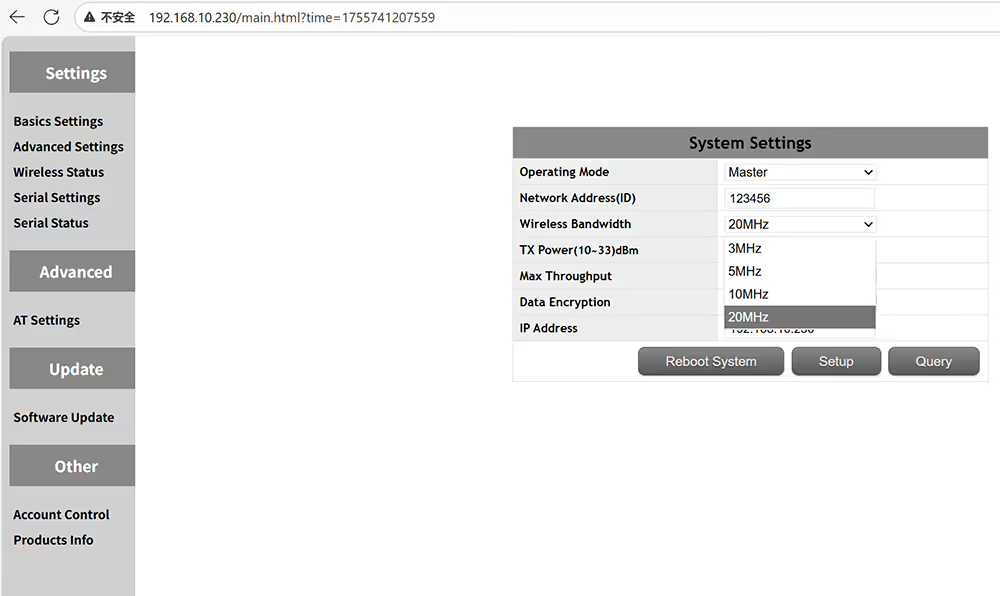
Optional transmission wireless bandwidth 3MHz 5MHz 10MHz 20MHz
İsteğe bağlı şanzıman kablosuz bant genişliği 3MHz 5MHz 10MHz 20MHz
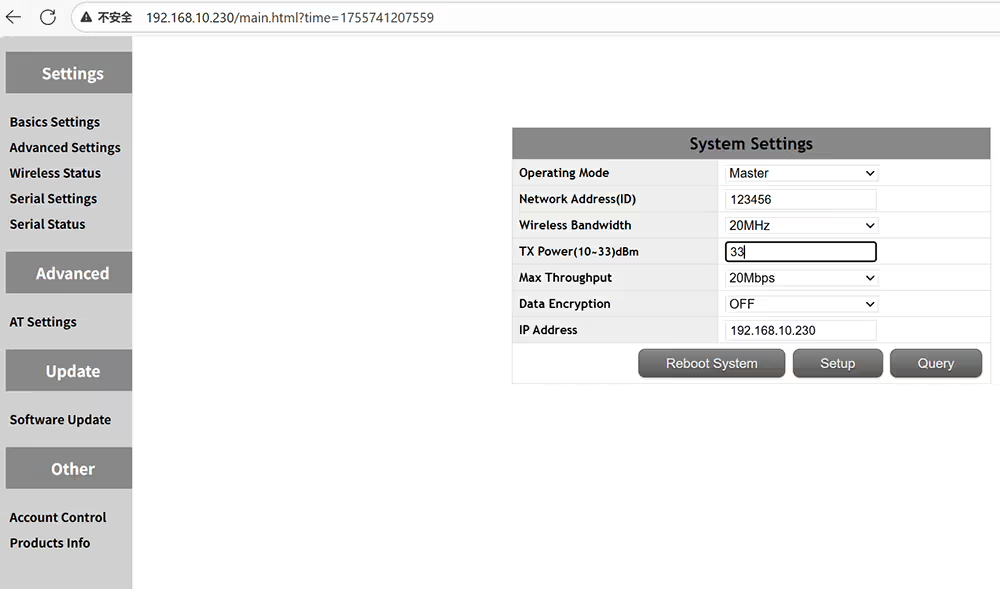
Optional transmission power output from 10-33 dBm
İsteğe bağlı iletim gücü çıkışı 10-33 dBm
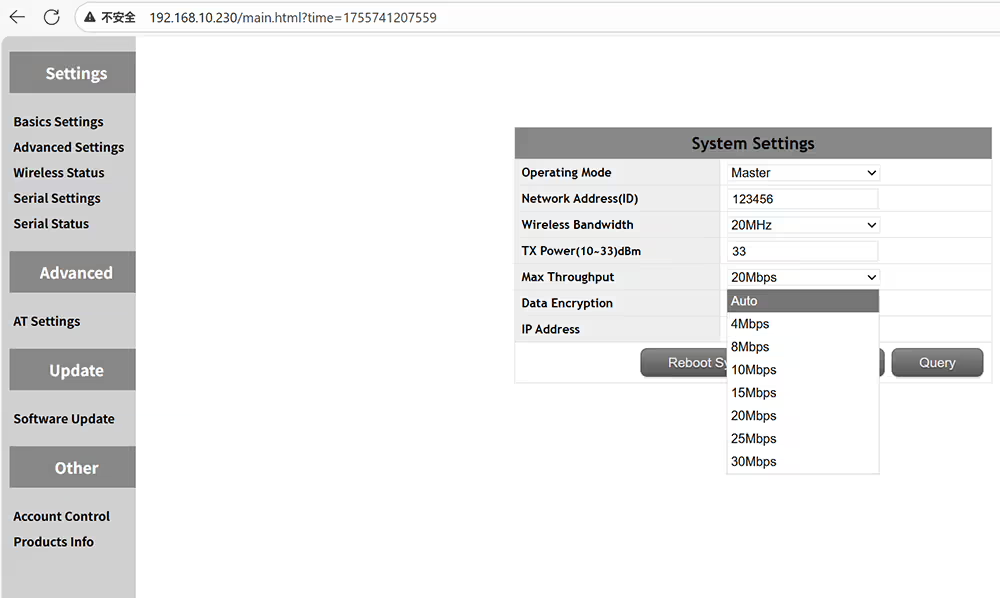
Optional transmission max throughput auto 4-8-10-15-20-25-30Mbps
İsteğe bağlı şanzıman maksimum verim otomatik 4-8-15-20-25-30Mbps
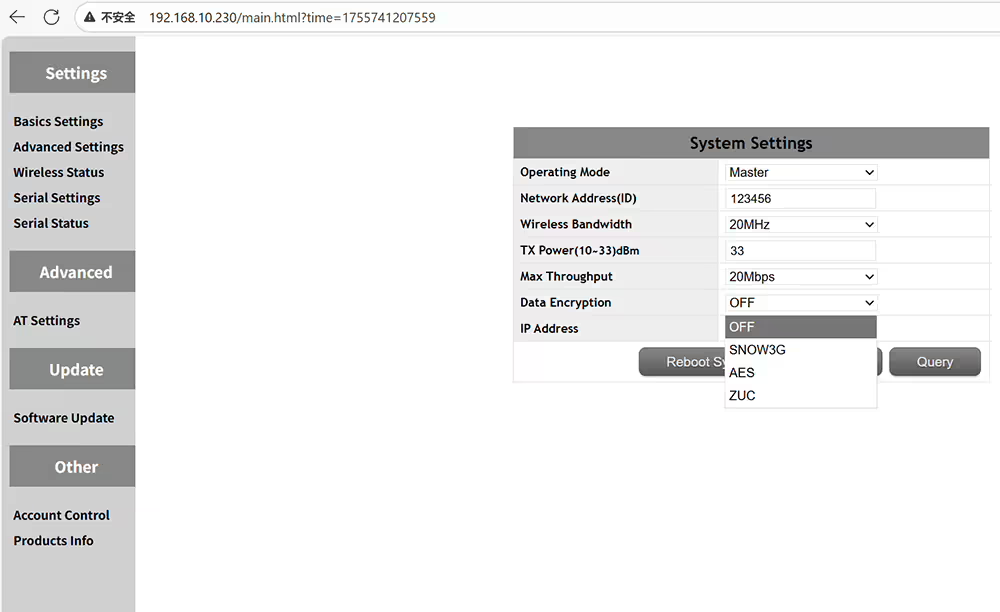
Optional data encryption method SNOW3G AES ZUC
İsteğe Bağlı Veri Şifreleme Yöntemi Snow3g AES ZUC
Set the IP address + must in the same network segment with the air transmitter
IP adresini ayarlayın + Hava vericisi ile aynı ağ segmentinde olmalı
Frequency hopping off then you can fix a working frequency
Frekans atlayarak bir çalışma frekansını düzeltebilirsiniz
time slot set on 1up4down for p2p or 2Up3Down for relay networking
Röle Ağı için P2P veya 2up3down için 1up4down'da ayarlanan zaman aralığı
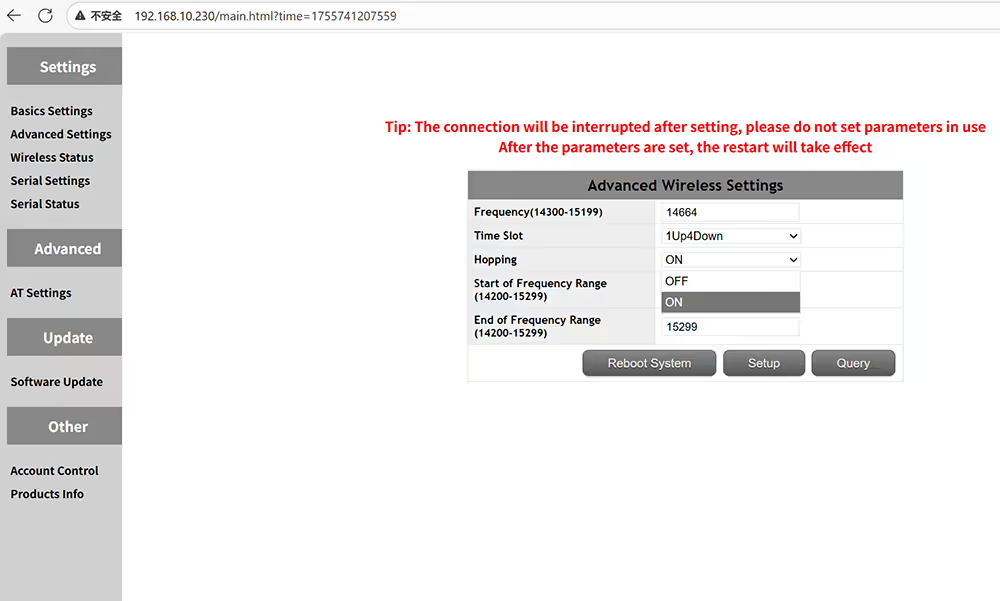
FHSS on or off to allow frequency hopping to avoid jamming
Sıkışmayı önlemek için frekans atlamasına izin vermek için FHSS açık veya kapalı
Manually enter the start frequency of the transmission frequency range
Şanzıman frekansı aralığının başlangıç ​​frekansını manuel olarak girin
Manually enter the end frequency of the transmission frequency range
Şanzıman frekansı aralığının son frekansını manuel olarak girin
wireless status for RSSI SNR and transmission distance
RSSI SNR ve İletim Mesafesi için Kablosuz Durum
four serial ports can set baud rate and port number
Dört seri bağlantı noktası baud hızını ve bağlantı noktası numarasını ayarlayabilir
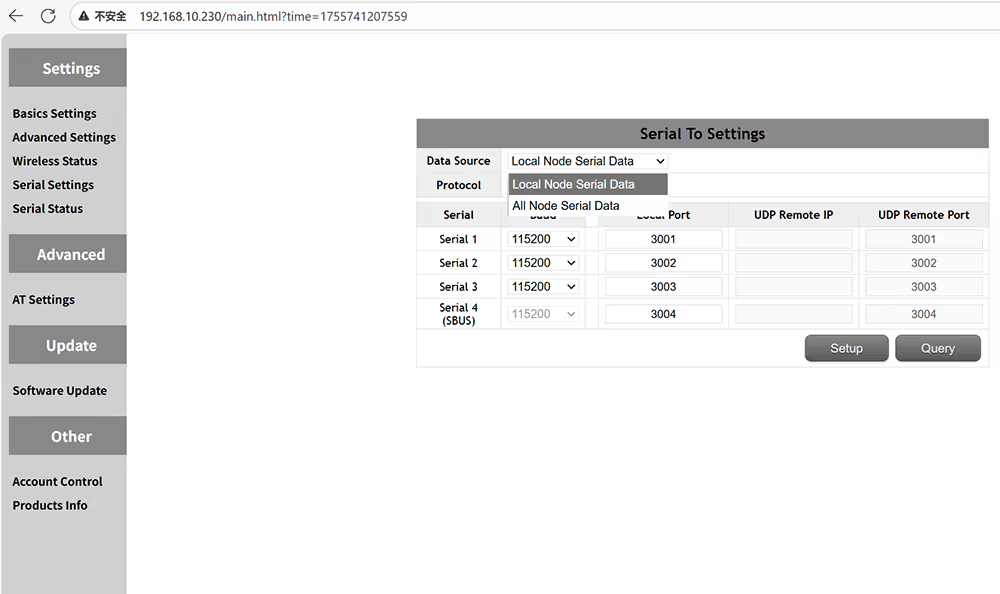
local node serial data or all nodes serial data
Yerel düğüm seri verileri veya tüm düğümler seri verileri
chooses UDP or TCP serial protocol
UDP veya TCP seri protokolünü seçer
Change the baud rate according to the flight controller or device specifications
Baud hızını uçuş denetleyicisine veya cihaz özelliklerine göre değiştirin
Check the status of data transmission and reception for the transmitter and receiver
Verici ve alıcı için veri iletim ve alım durumunu kontrol edin
AT commands can be used to query or execute additional functions
AT komutları, ek işlevleri sorgulamak veya yürütmek için kullanılabilir
It can be upgraded to the latest firmware
En son ürün yazılımına yükseltilebilir
Set a password for the admin panel to prevent unauthorized access and modifications
Yetkisiz erişimi ve değişiklikleri önlemek için yönetici paneli için bir şifre ayarlayın
Check the hardware software and firmware version of the device
Cihazın donanım yazılımını ve ürün yazılımı sürümünü kontrol edin
Fiyat aralığı: $722.00 başından sonuna kadar $1,250.00

Bir soru sor

← Geri

Yanıtınız için teşekkür ederiz. ✨