






A client told us that he hopes to increase 2dBi on the power amplifier of our COFDM wireless HDMI video transmitter and receiver.
So our engineer made a customized firmware for his wireless HDMI COFDM video transmitter, COFDM-907T.
Spis treści
Download the update power amplifier firmware of COFDM Video Transmitter
Power Update Tool
https://drive.google.com/file/d/1S0anb2a6A4XxIHyRM6XHp9CO0_Kl8rLy/view?usp=drive_link
Including stcai-isp-v6.94J.exe (update programmer on Windows PC) and UART1.hex (new power amplifier PA firmware)
Video Operation Guide about the update power amplifier firmware of COFDM Video Transmitter
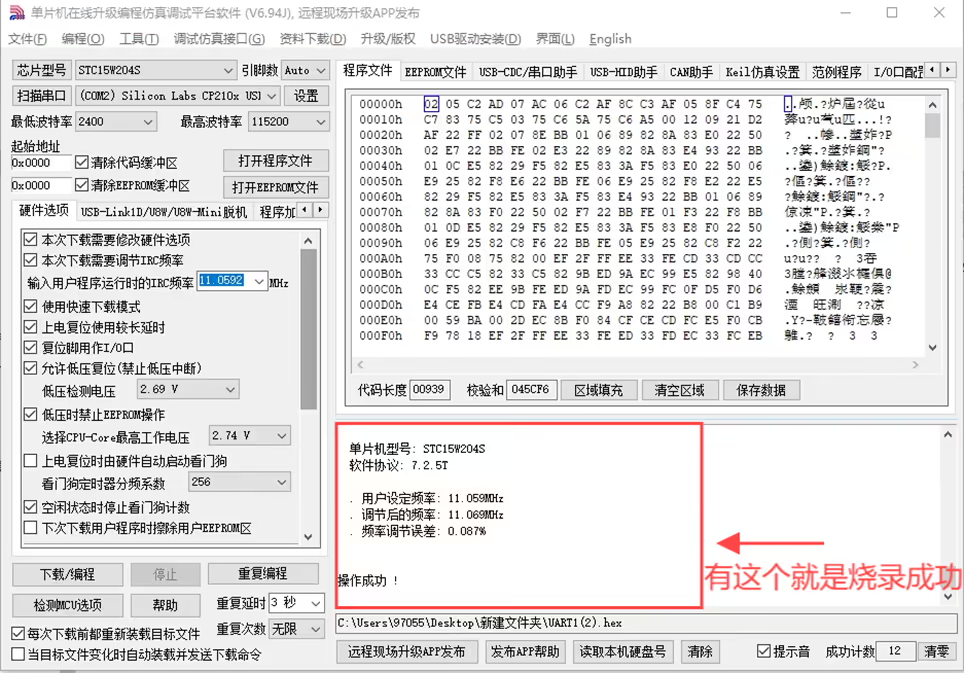
Here is the update of the power amplifier firmware flashing steps.
1: Connect the transmitter to the serial port tool, the connection method of the wire: GND to GND, TX to TX, RX to RX.
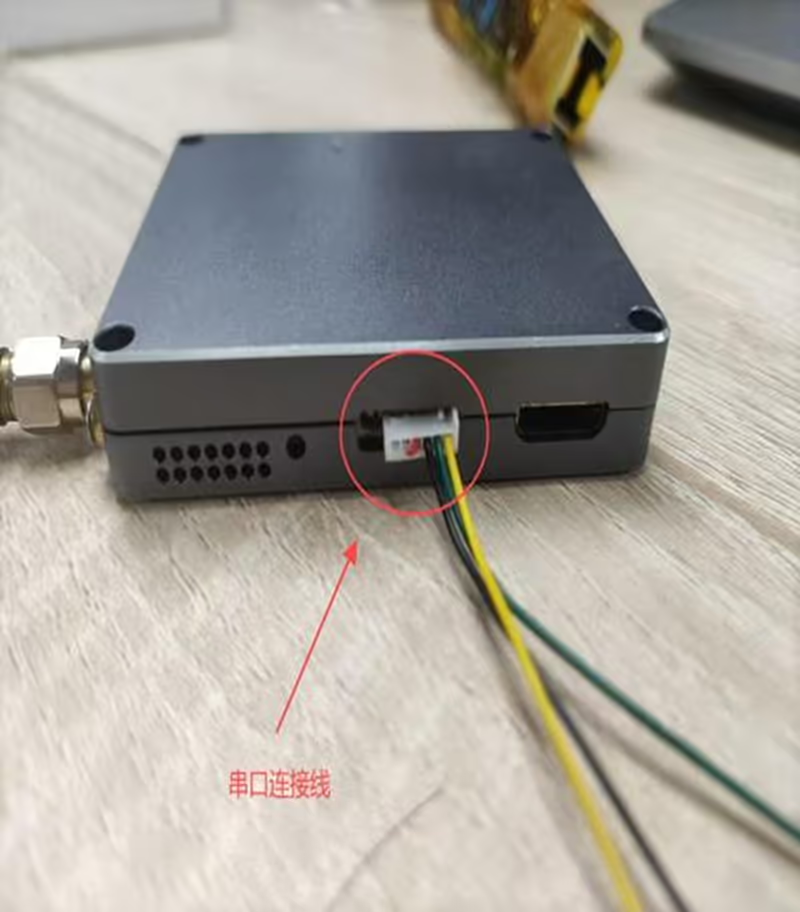
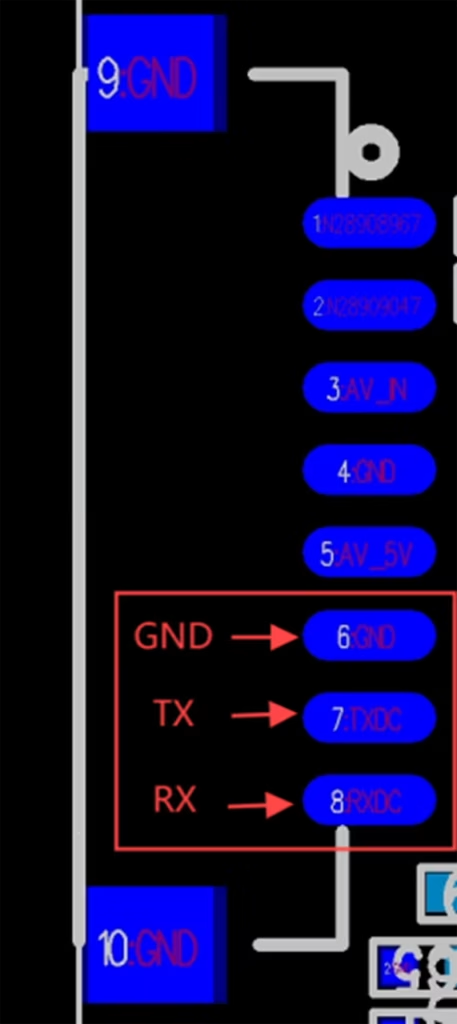
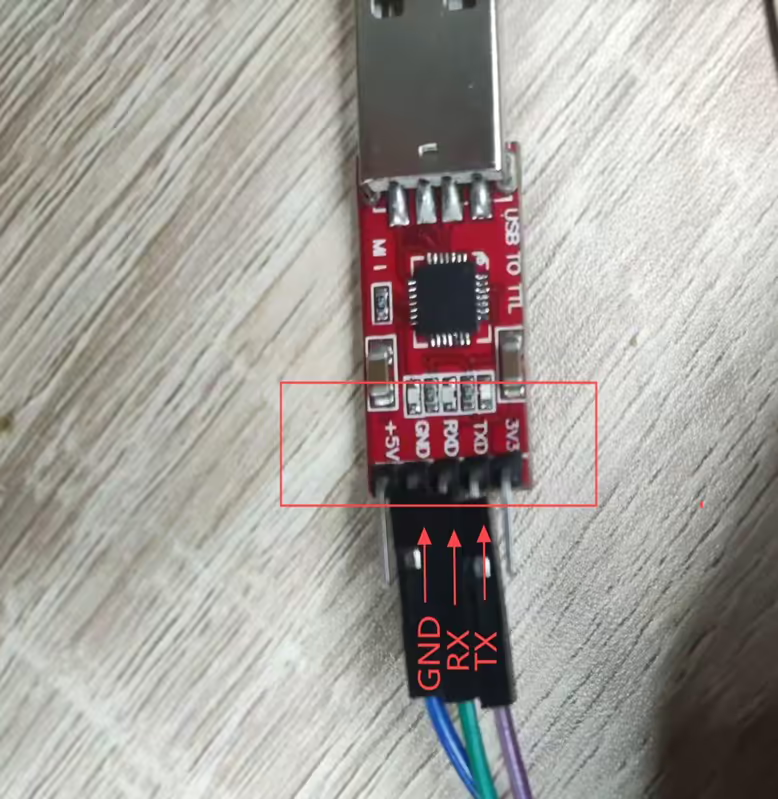
2: Otwórz i wypal stcai-isp-v6.94J.
3: Click to select the chip model.
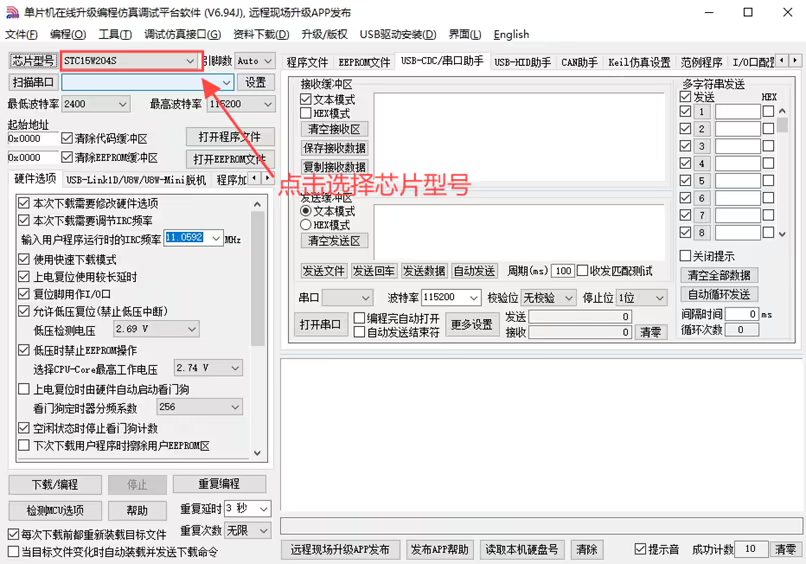
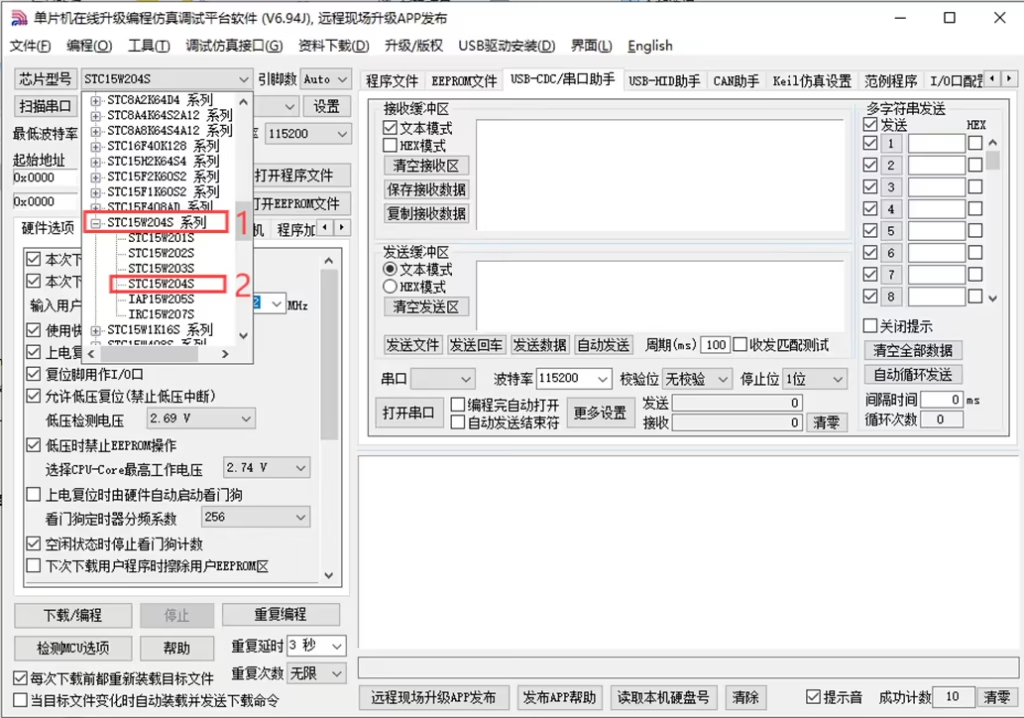
4: Kliknij, aby wybrać model układu STC15W204S.
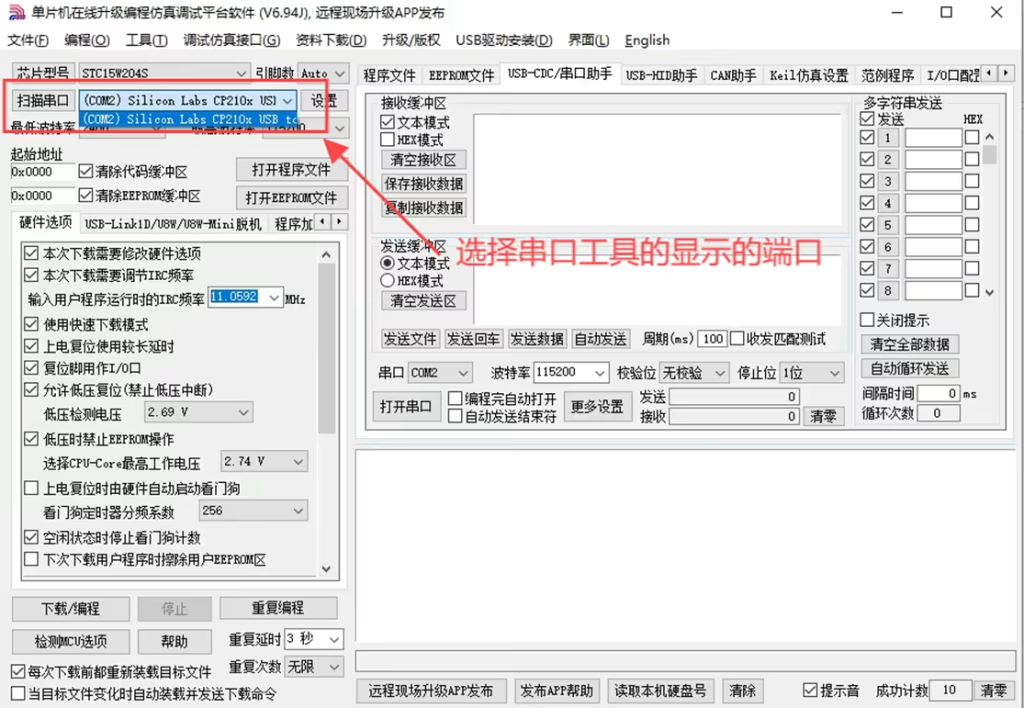
5: Kliknij opcję Skanuj port szeregowy i wybierz wyświetlony numer portu.
6: Kliknij, aby otworzyć oprogramowanie sprzętowe programu.
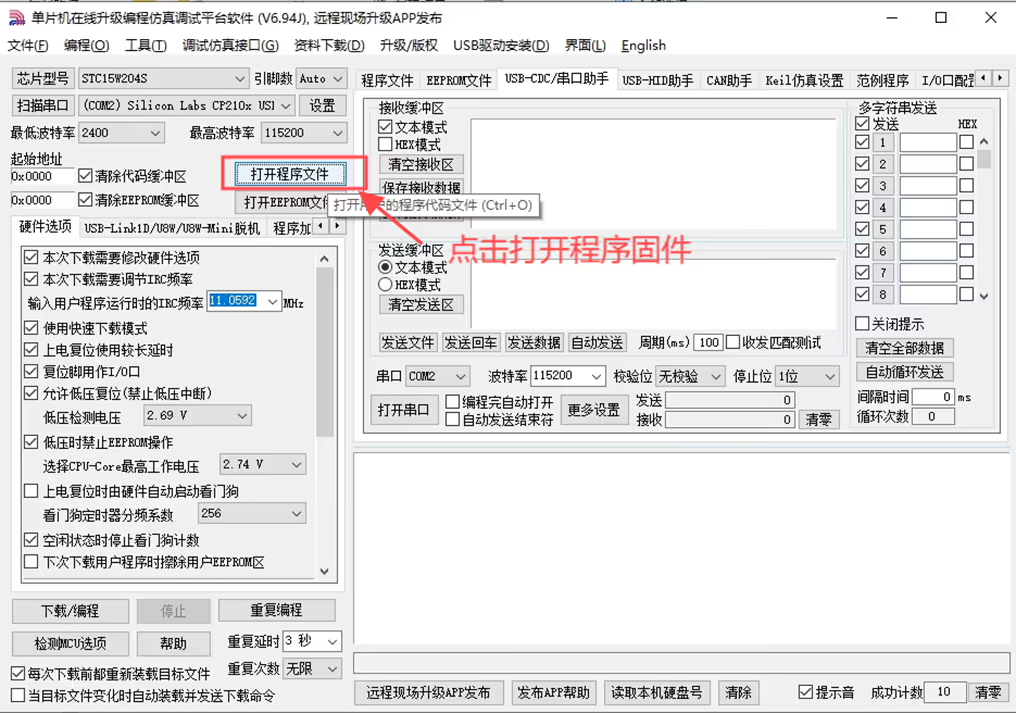
7: Wybierz oprogramowanie układowe programu i kliknij otwórz.
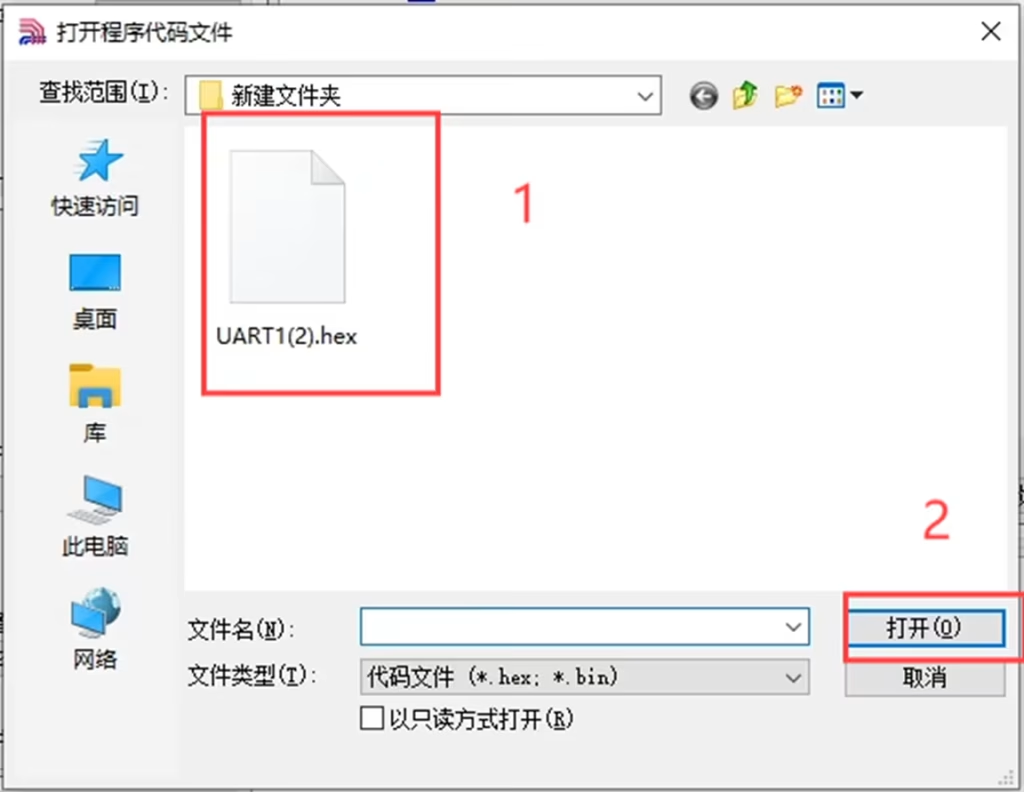
8: Znajduje się tam obszar wyświetlania oprogramowania sprzętowego programu.
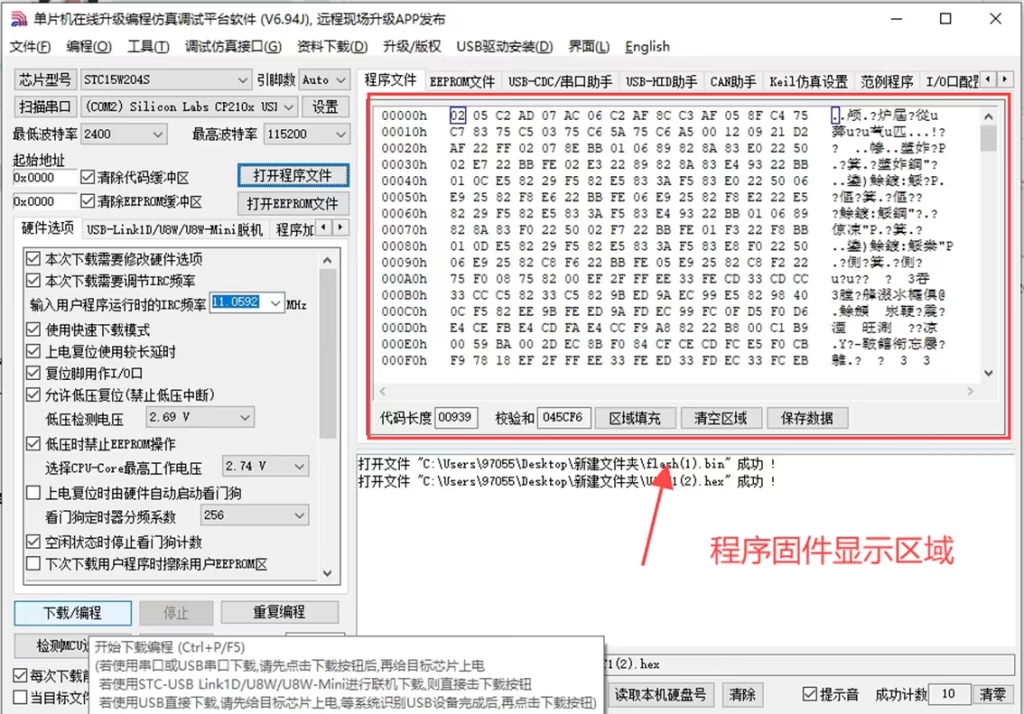
9: Kliknij Pobierz programowanie.
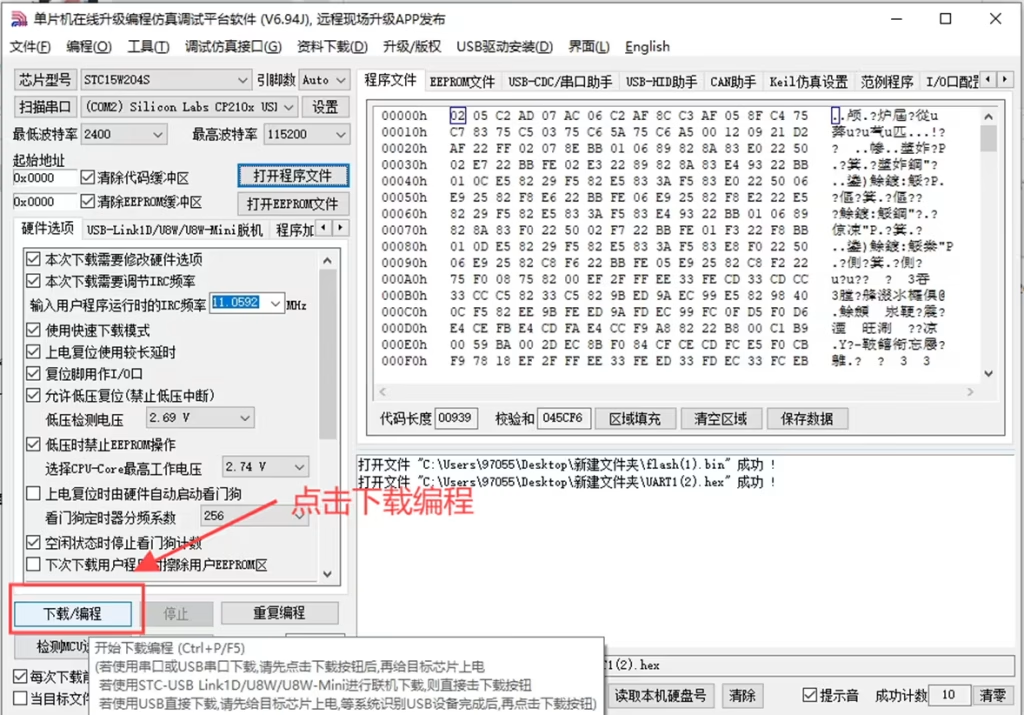
10: Znajduje się tam wyświetlacz wykrywający mikrokomputer jednoukładowy, and then power on the transmitter 12V.
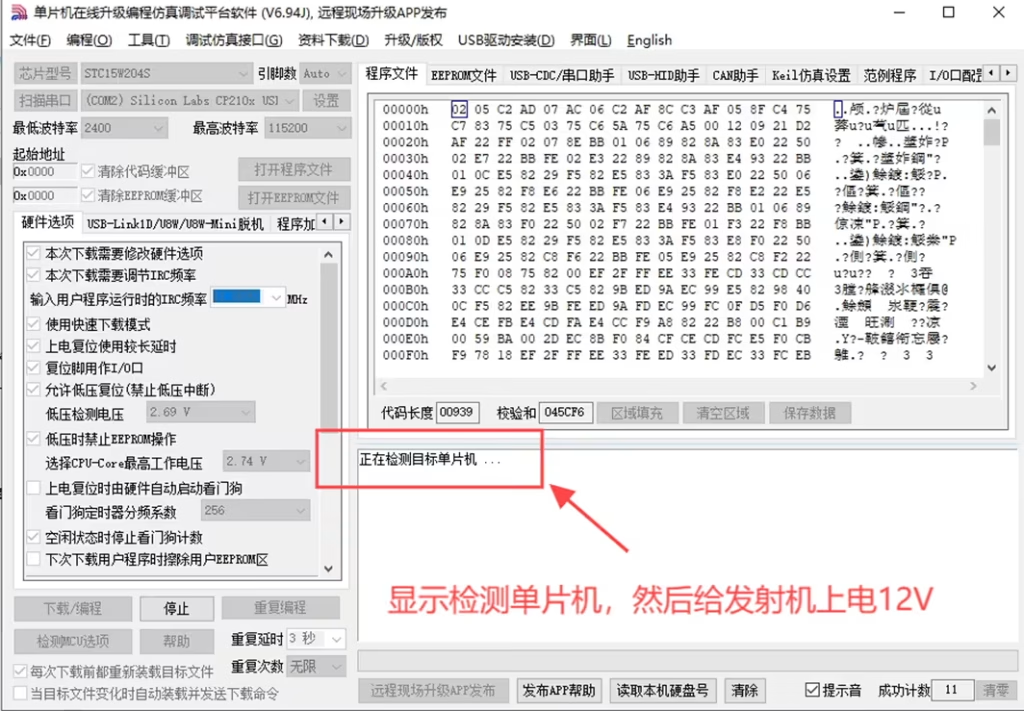
11: If the operation is successful, oprogramowanie sprzętowe zostało pomyślnie nagrane.
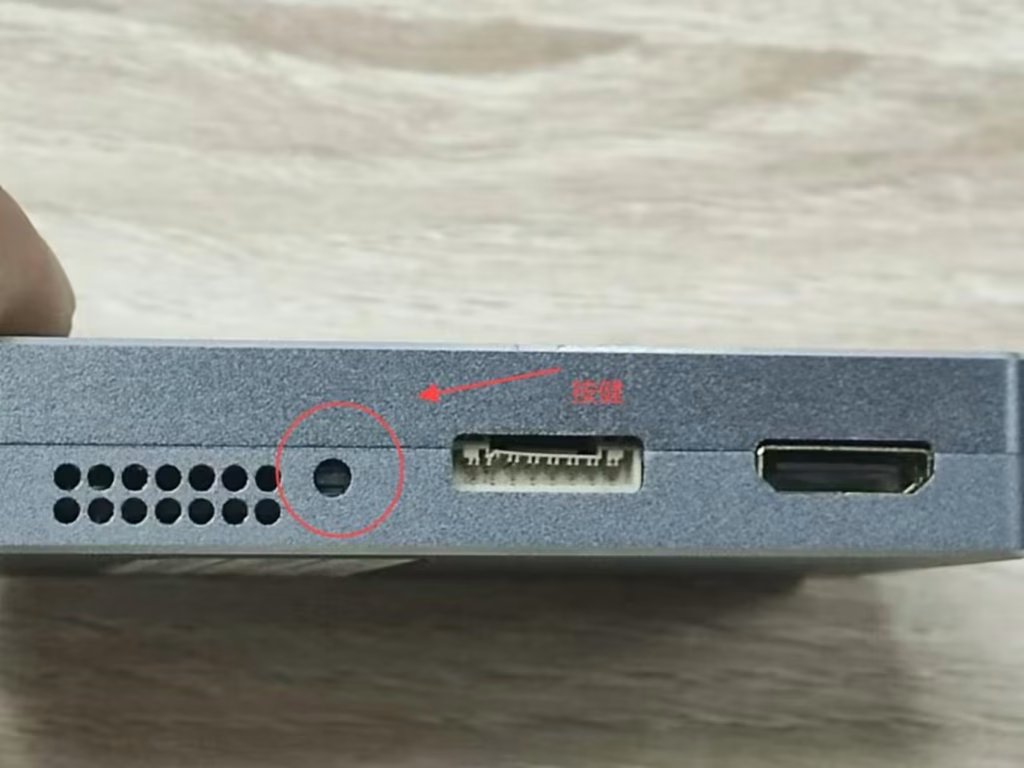
12: After the burning is completed, press the button on the transmitter to produce the effect.
Post from VF-202404
Zadać pytanie
Twoja wiadomość została wysłana