$1,200.00Oorspronkelijke prijs was: $1,200.00.$410.00Huidige prijs is: $410.00.
Hoe UAV -videogegevens Air Zender te configureren
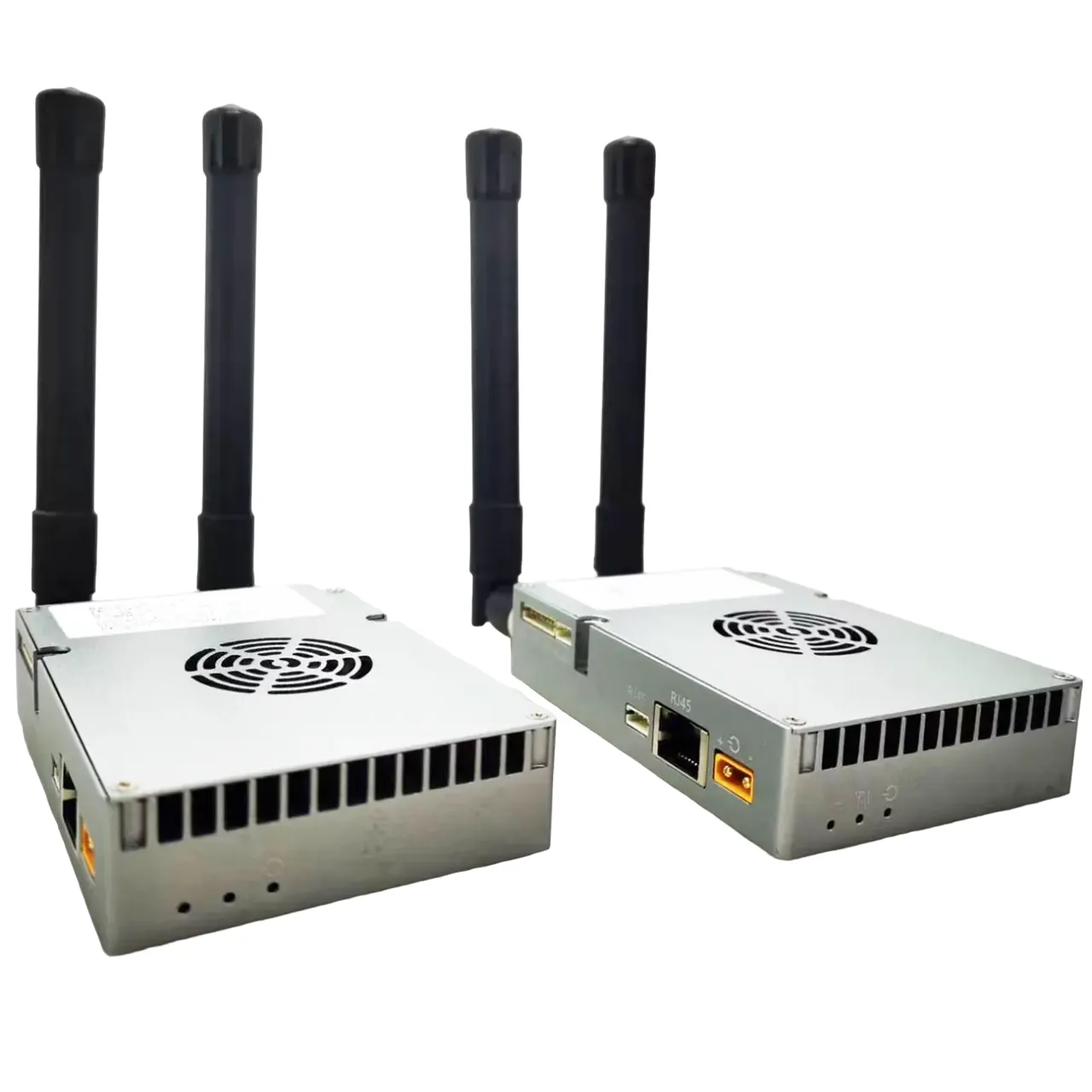
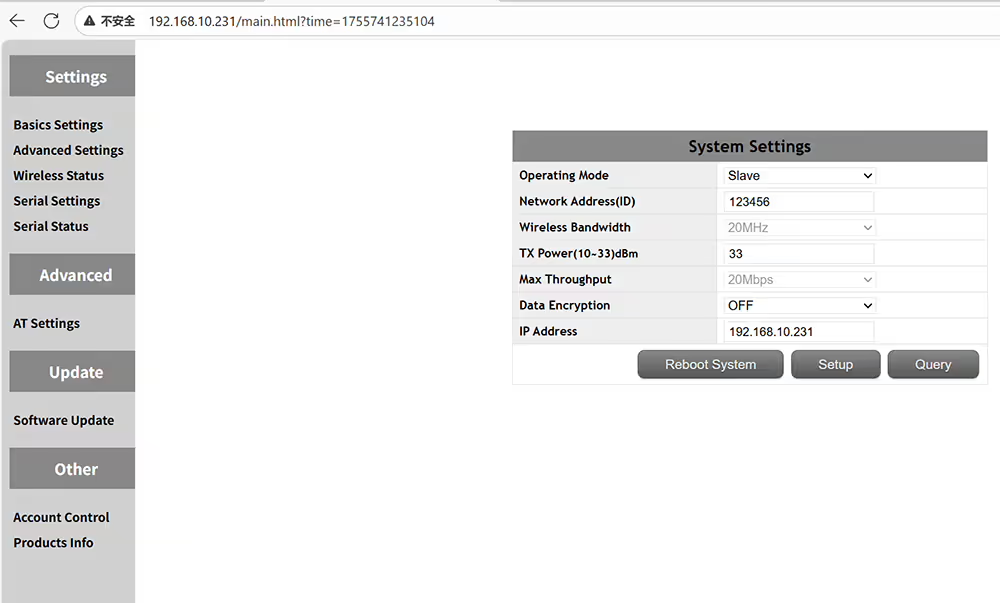
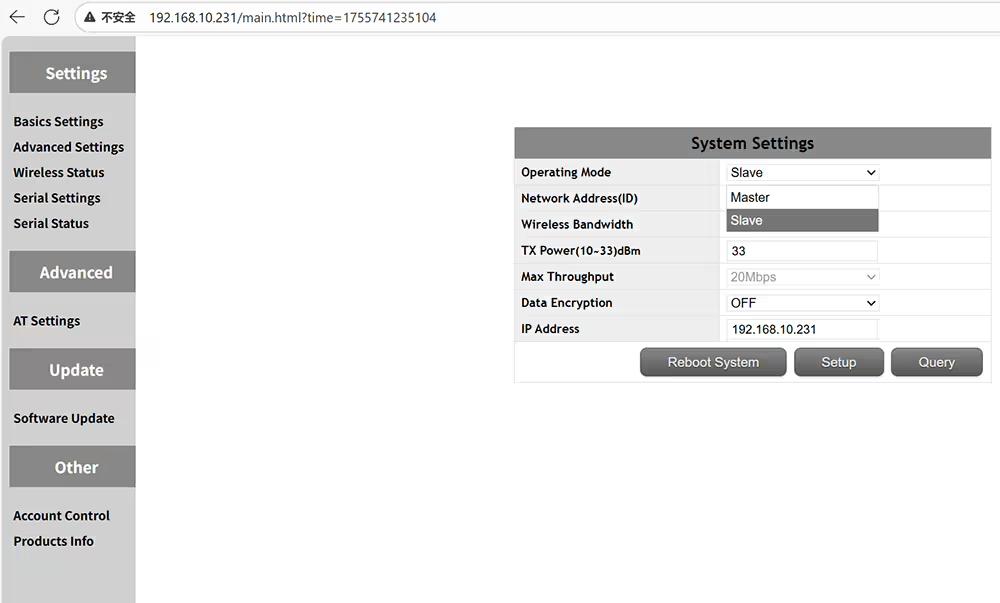
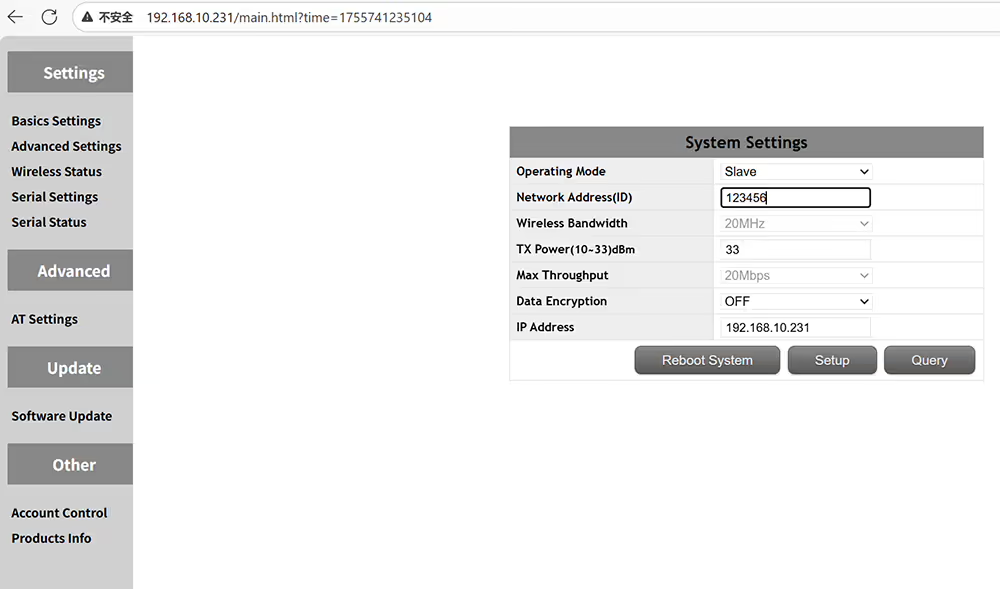
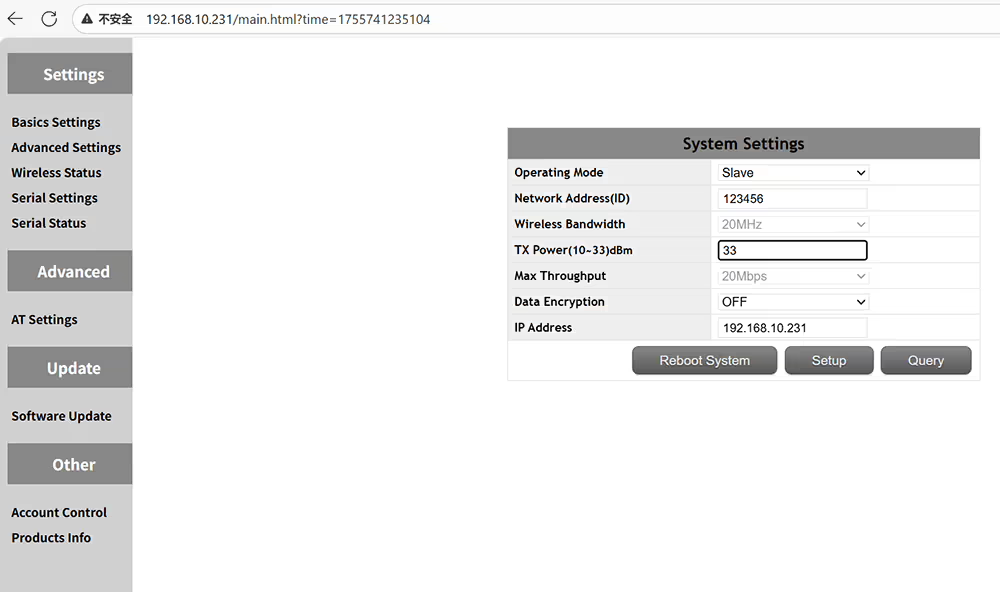
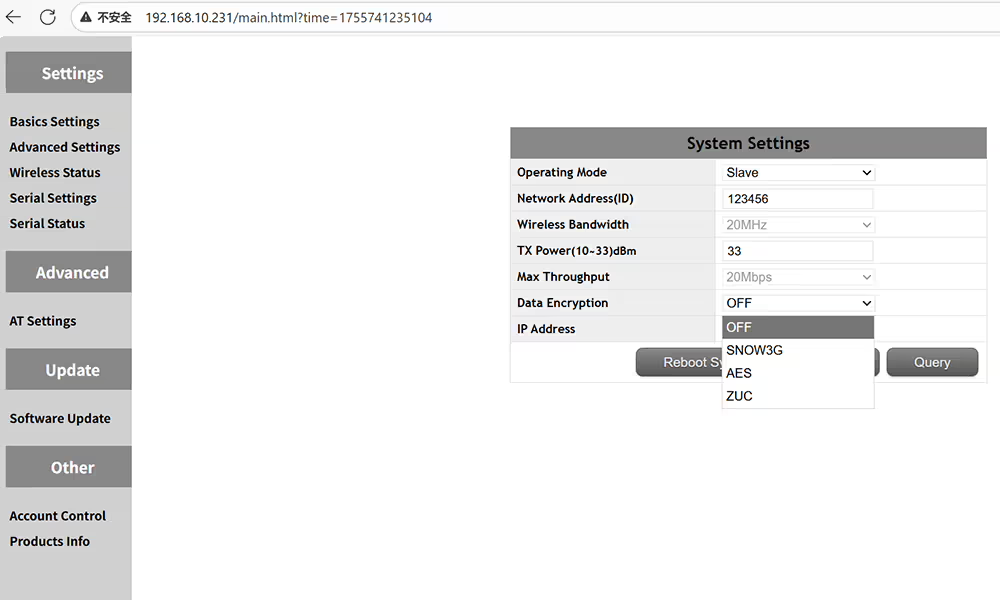
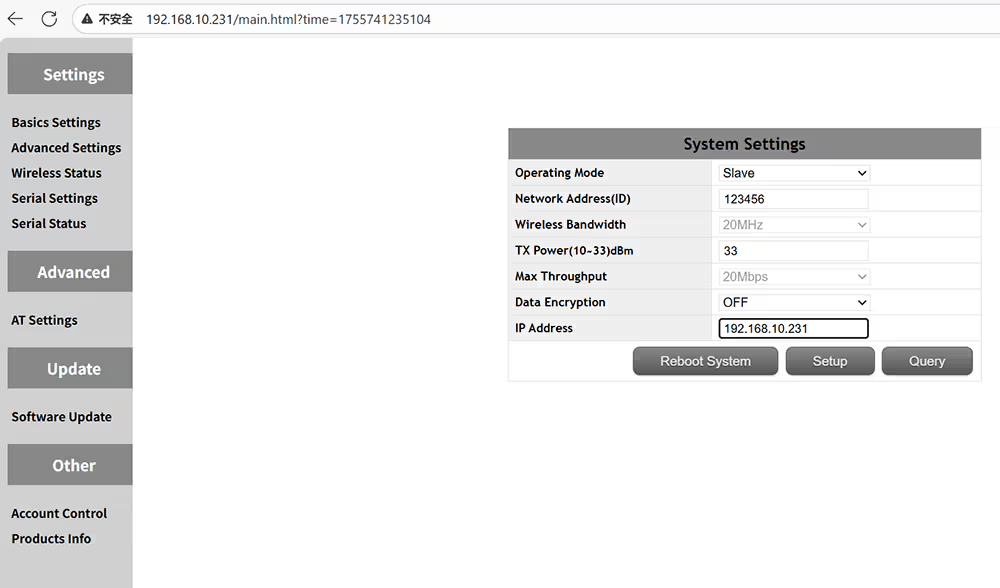
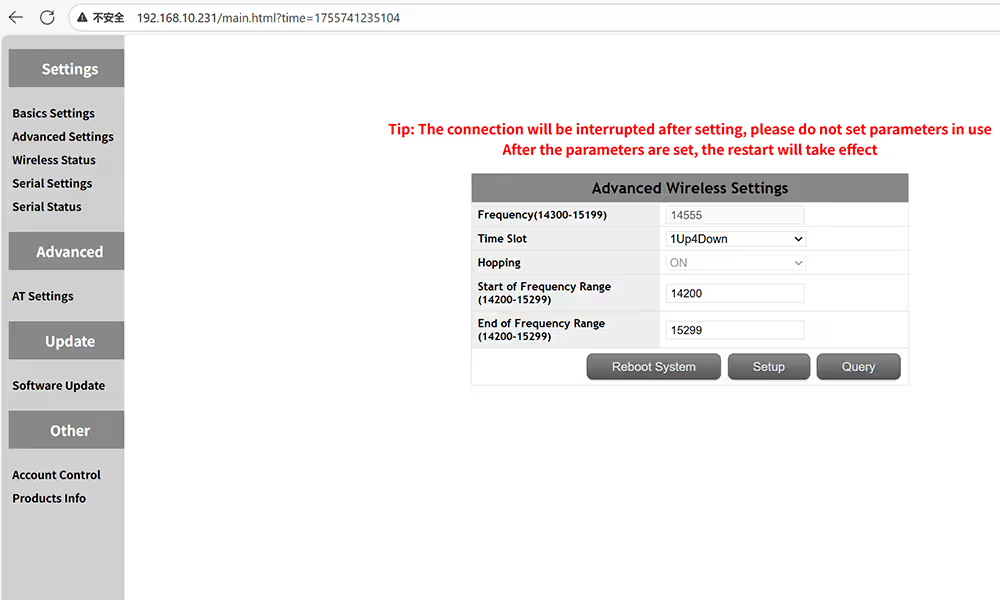
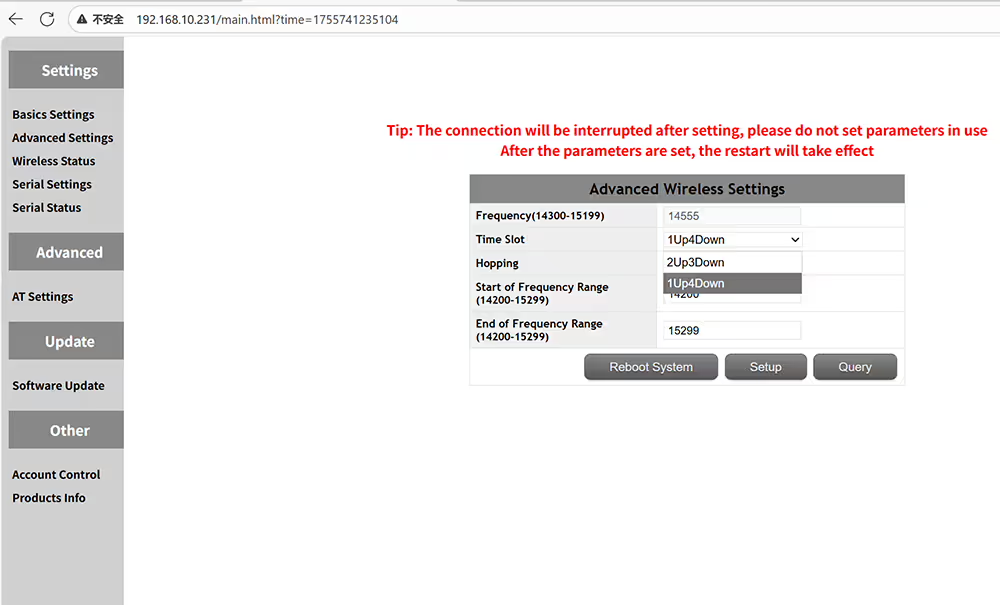
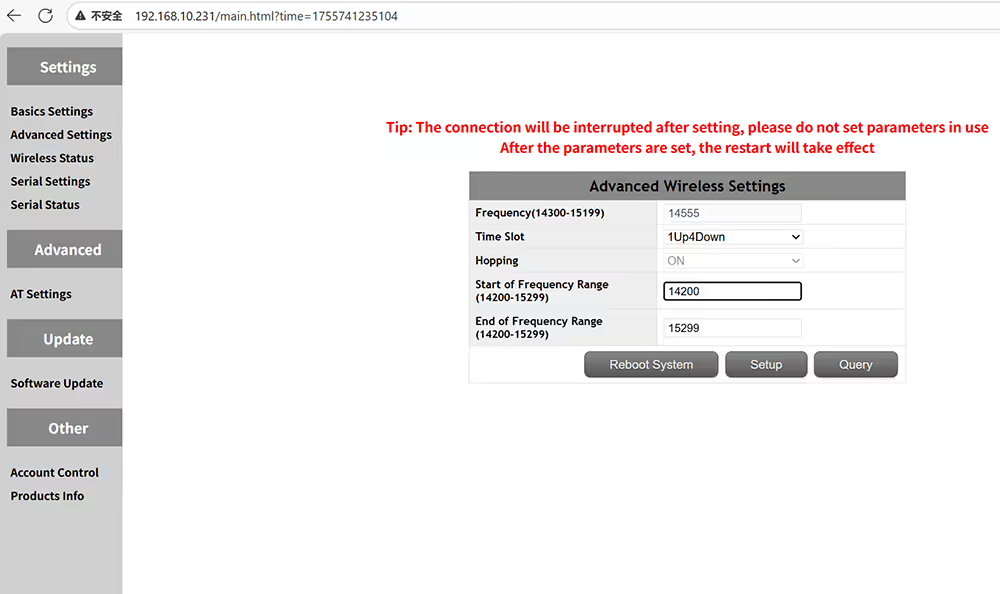
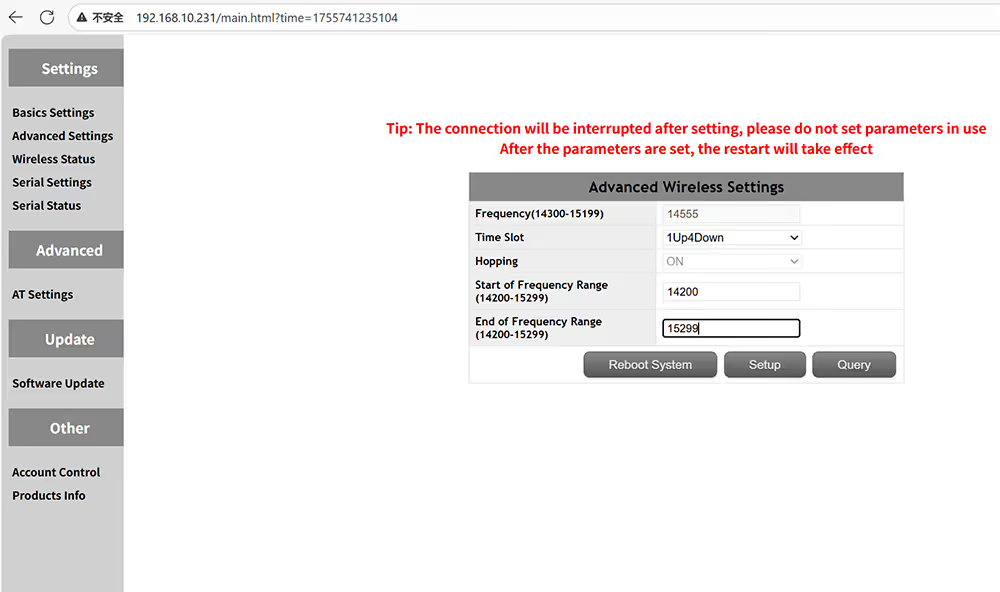
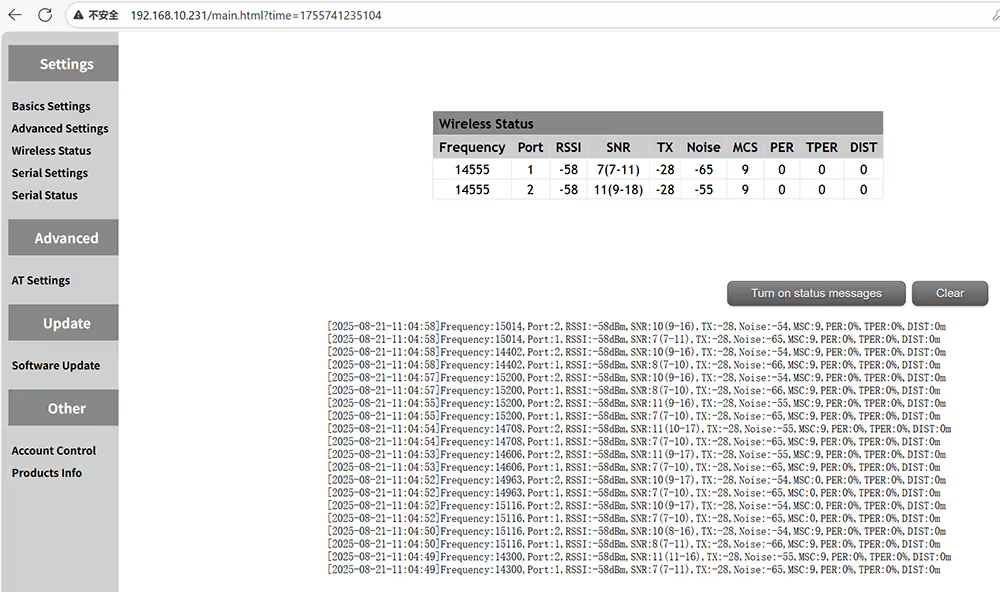
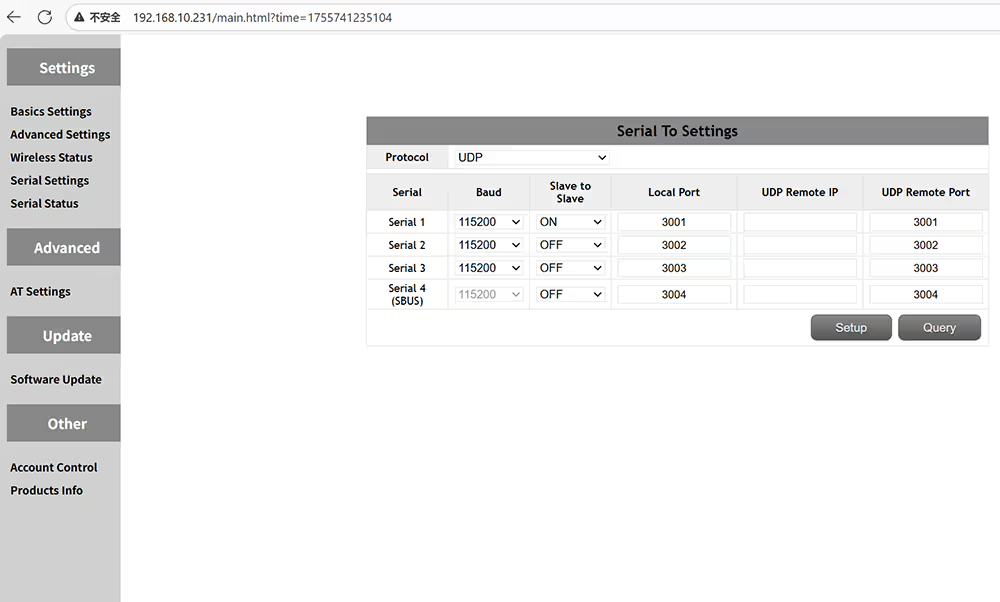
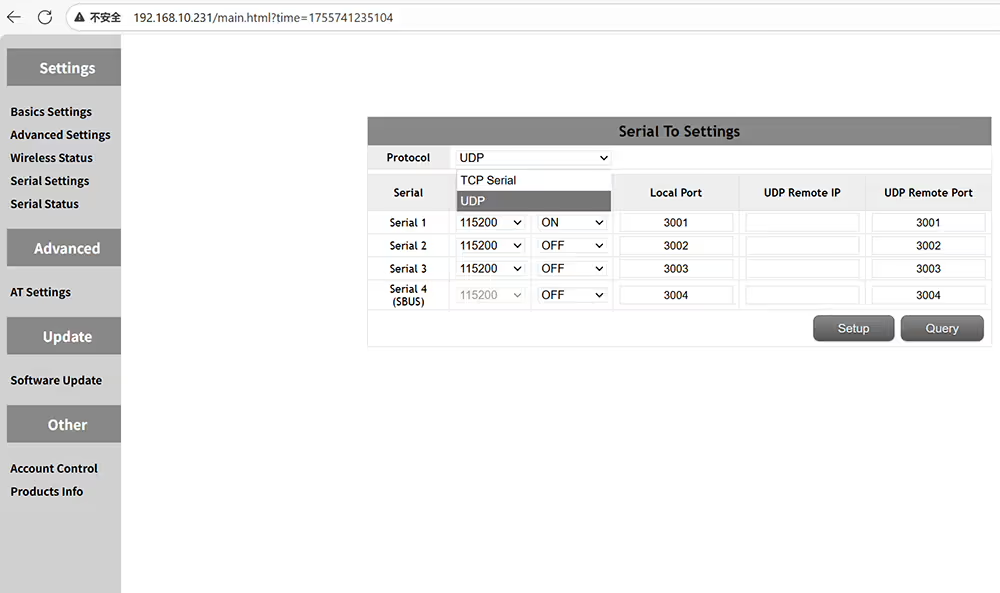
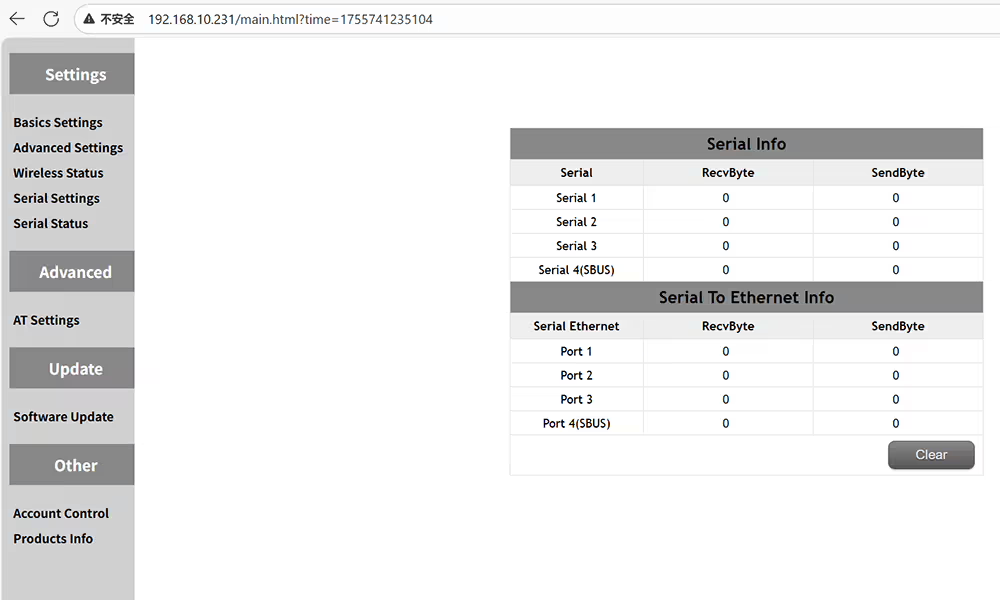
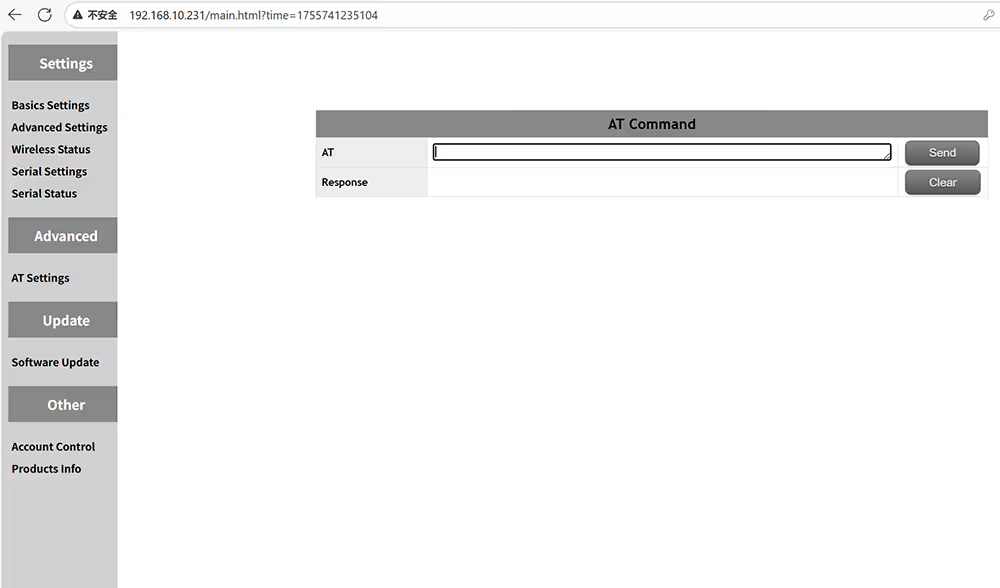
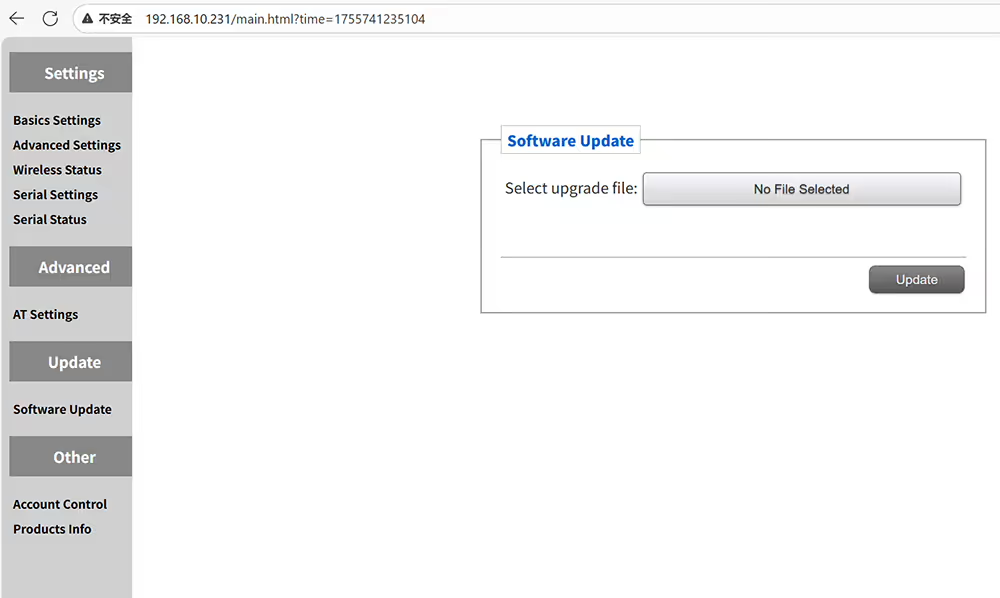
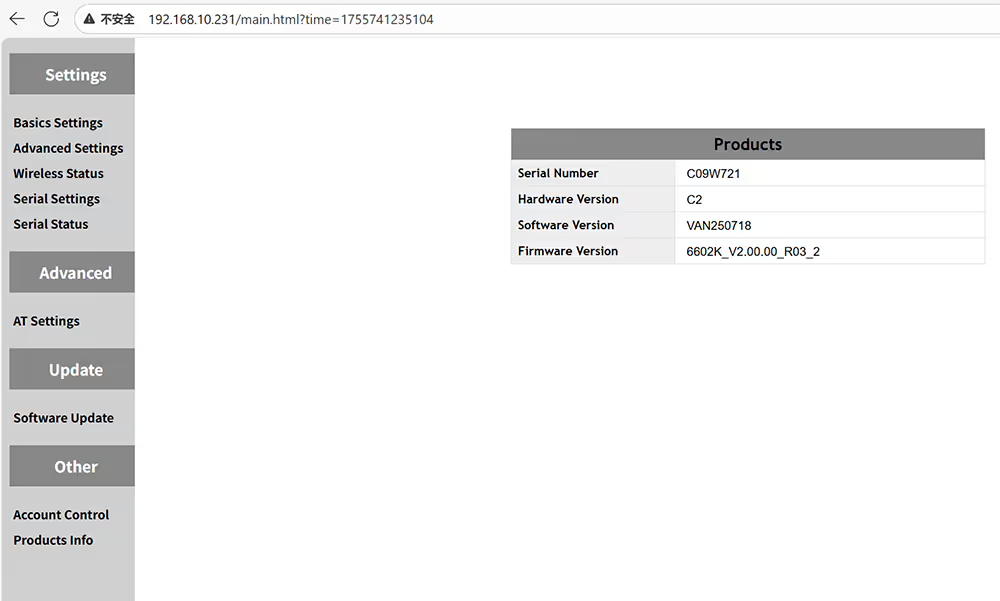
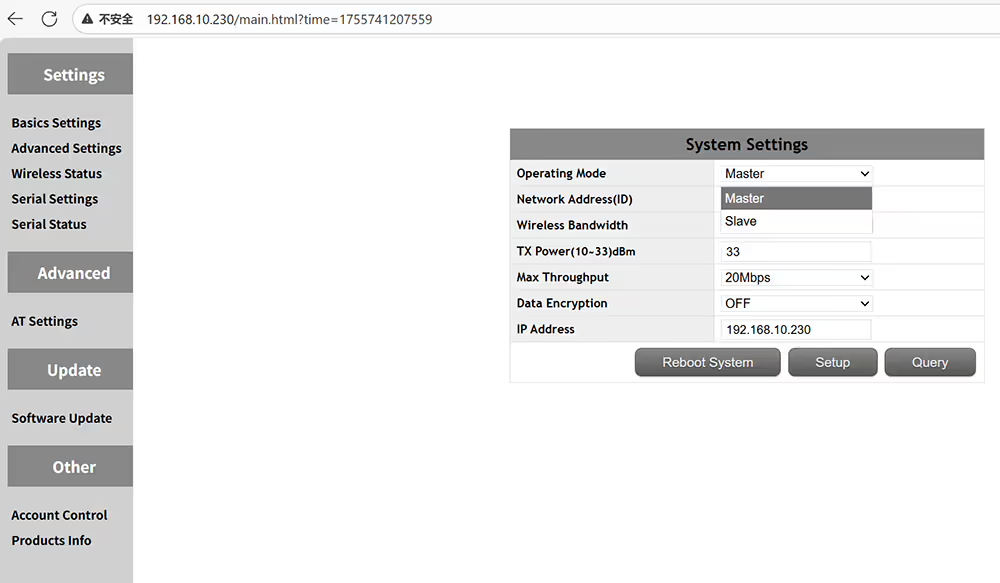
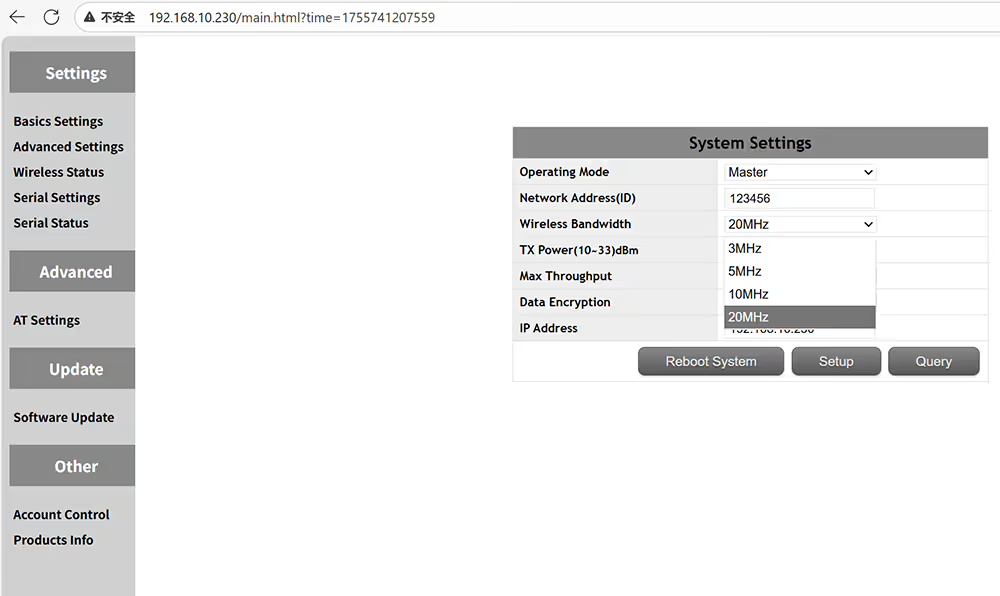
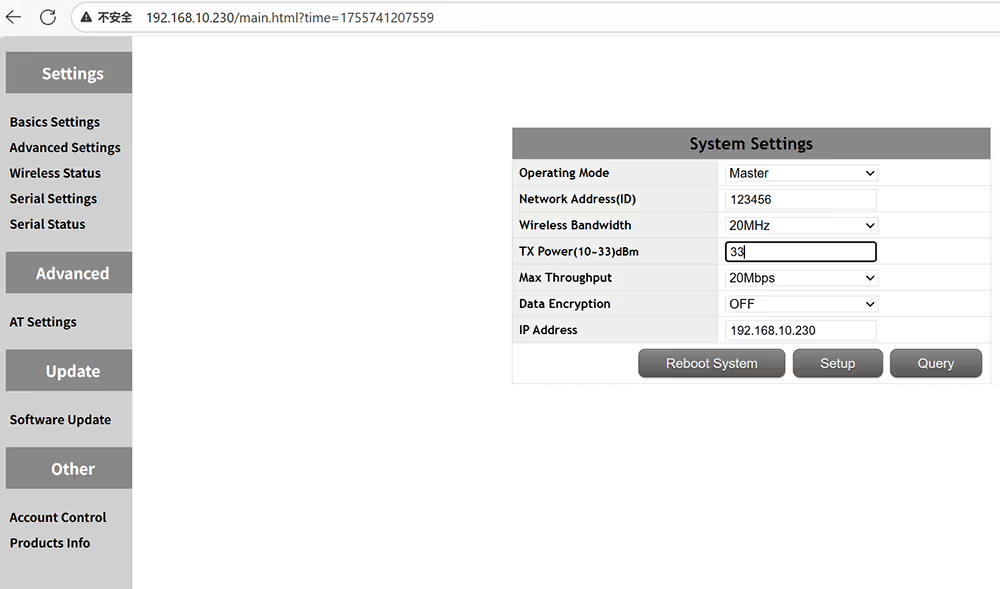
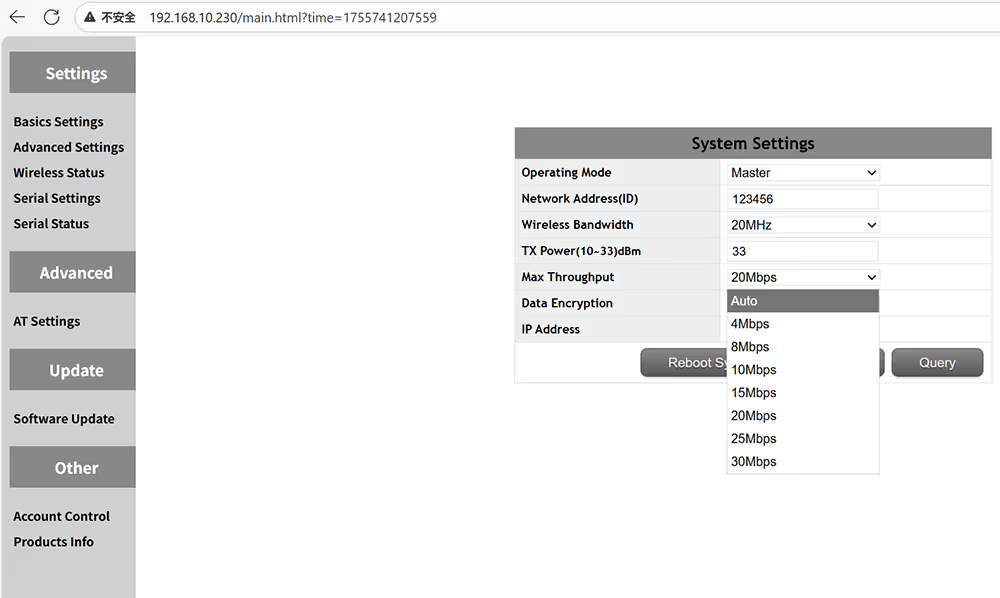
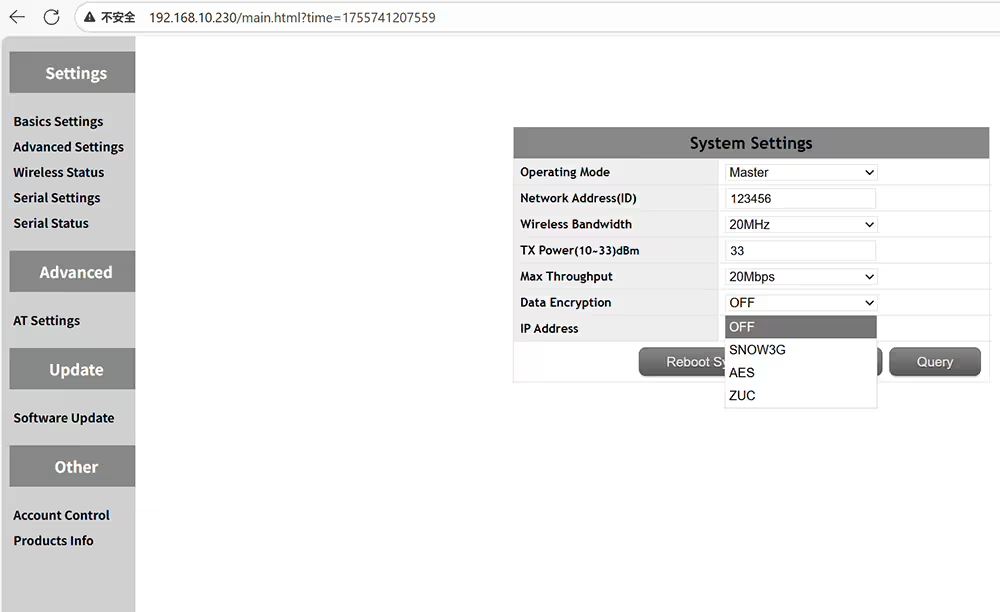
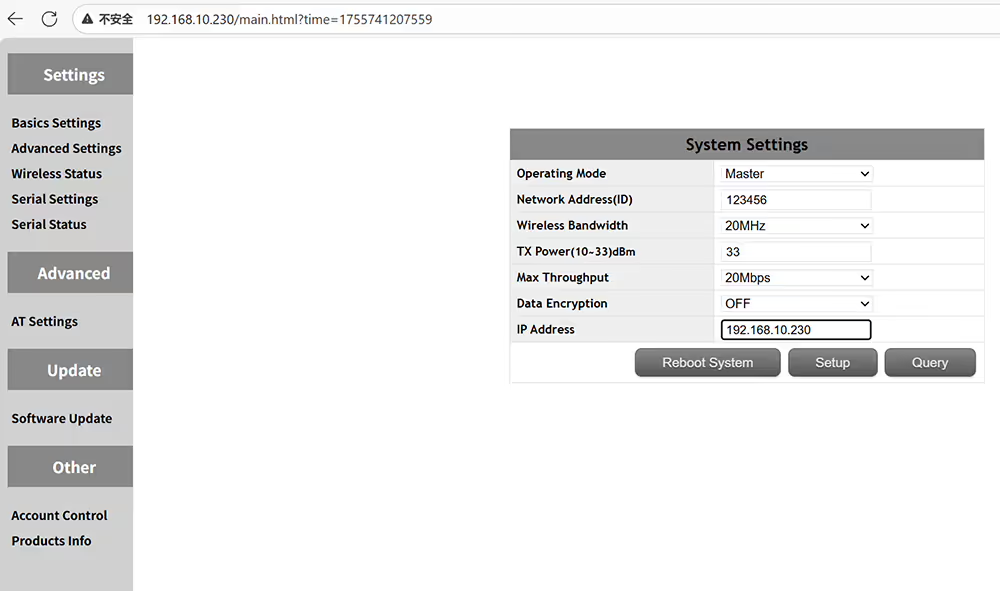
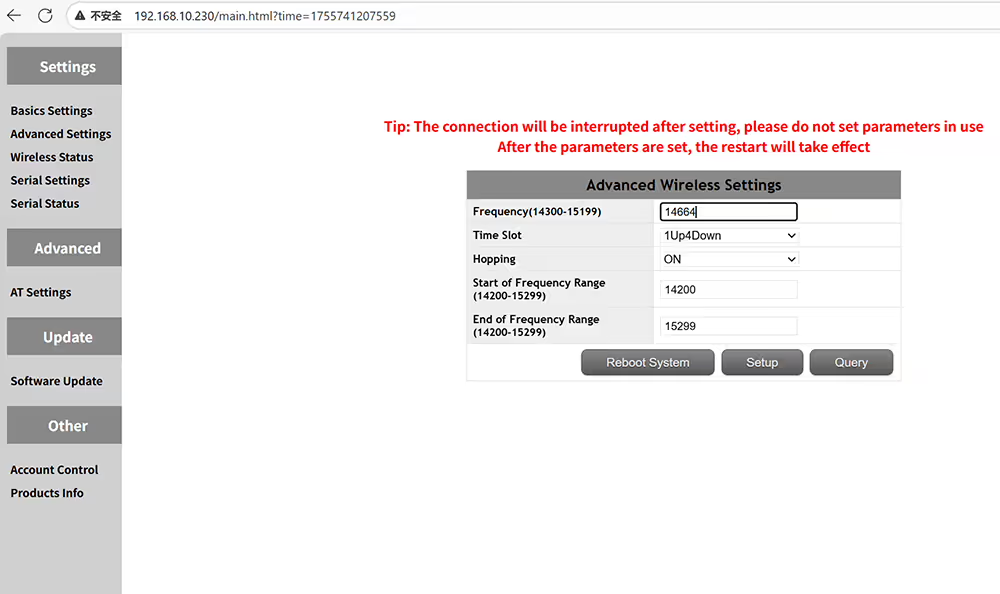
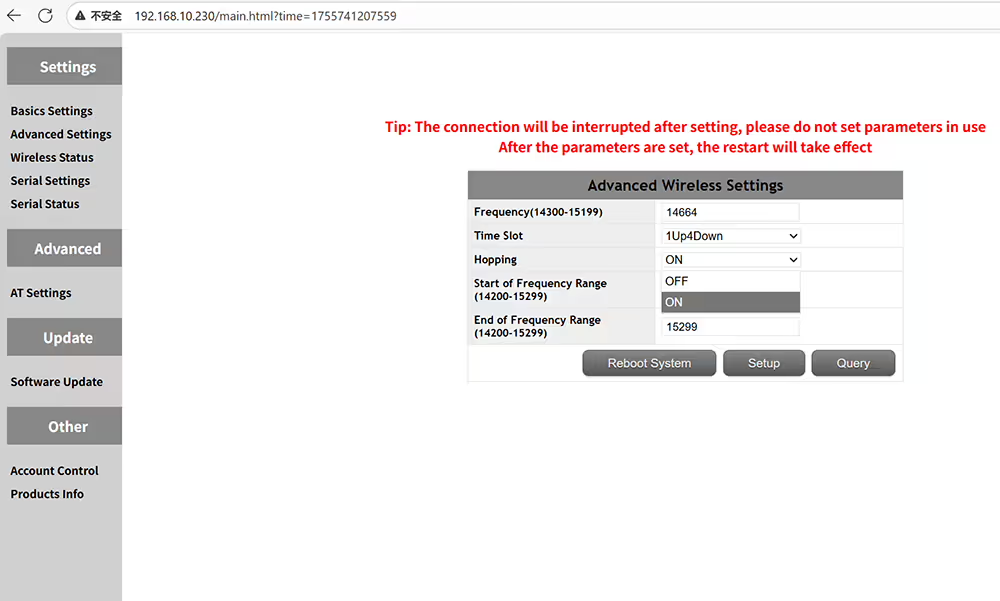
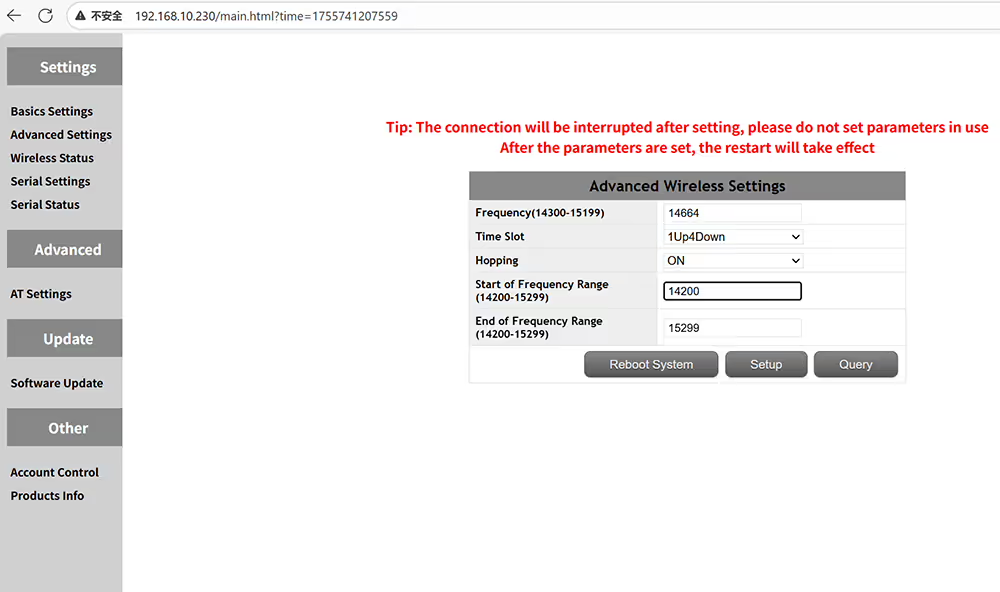
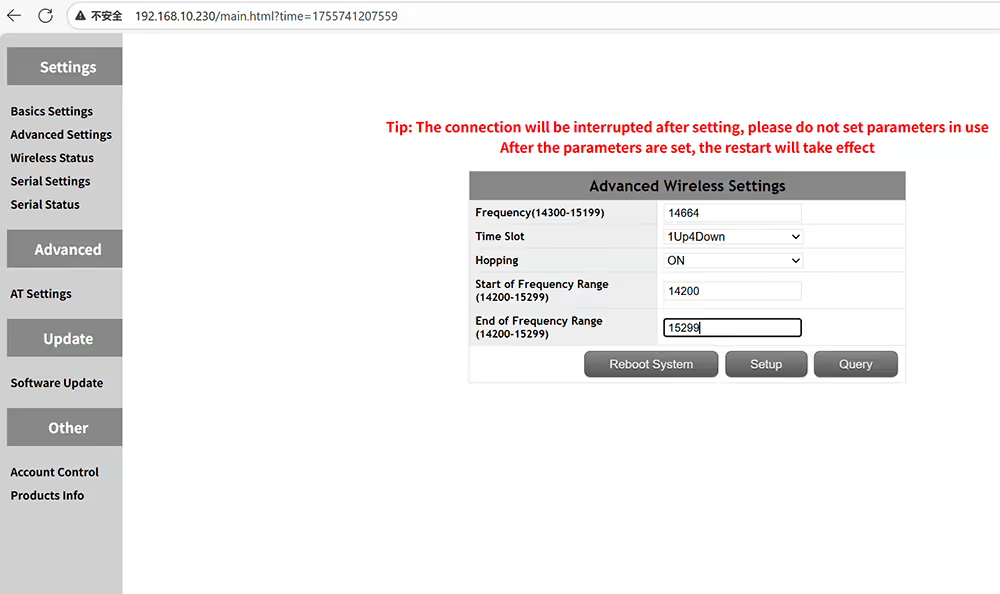
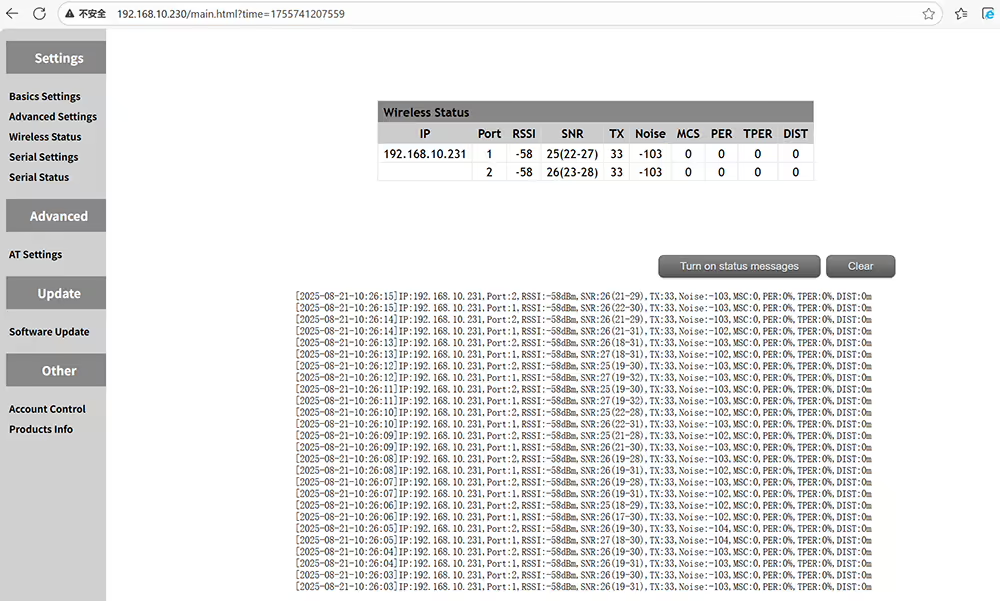
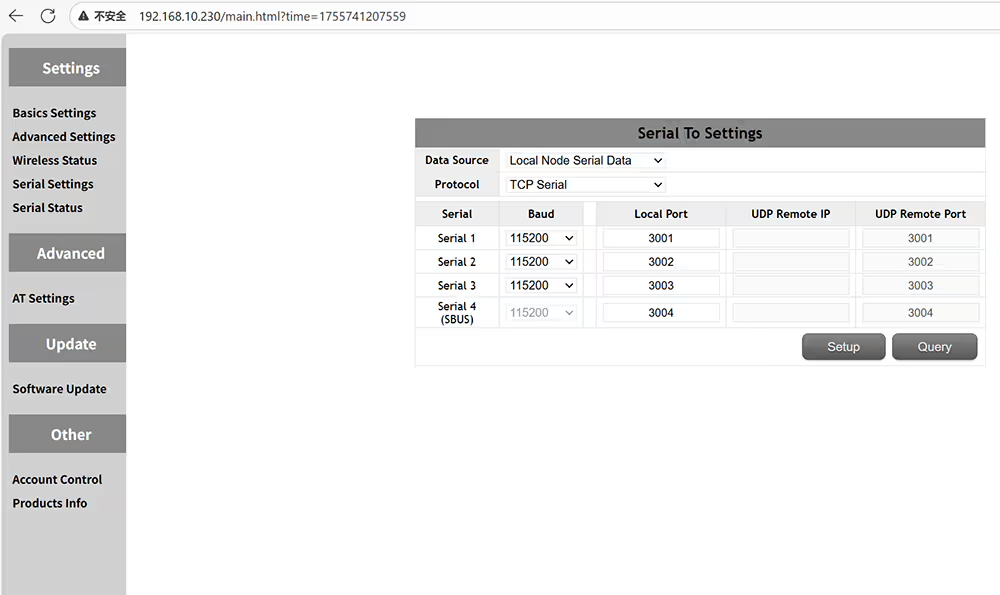
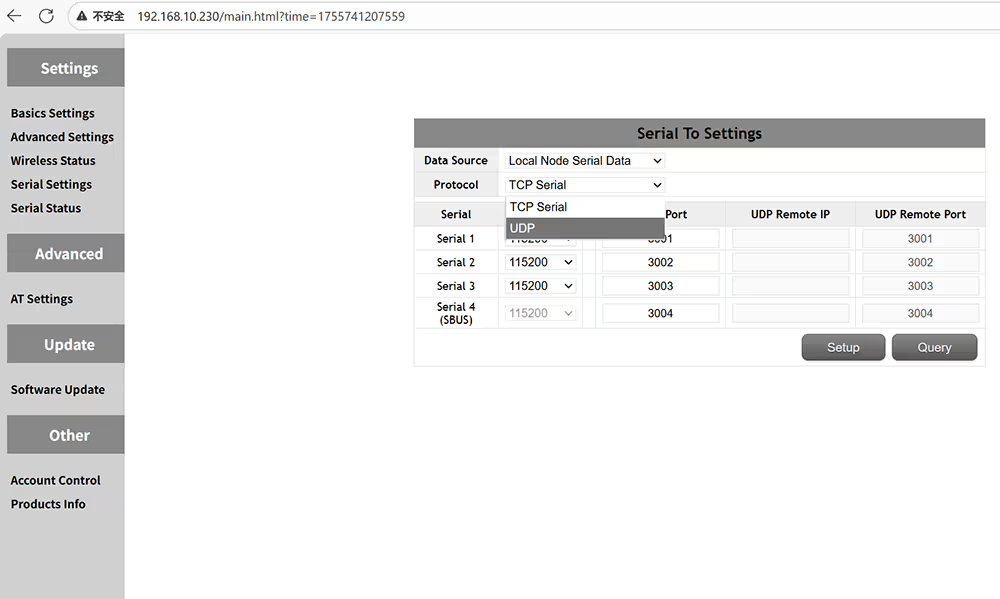
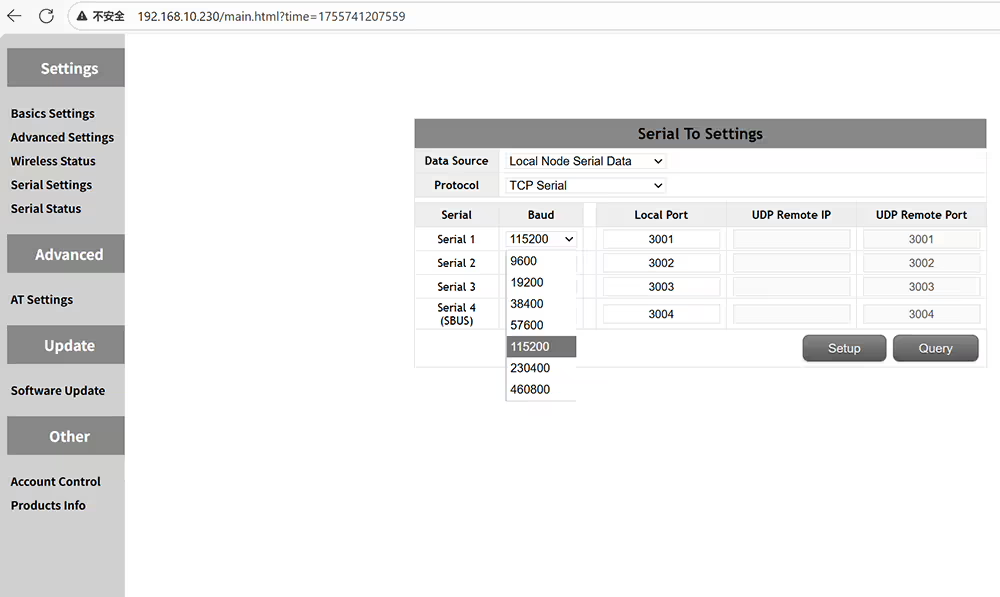
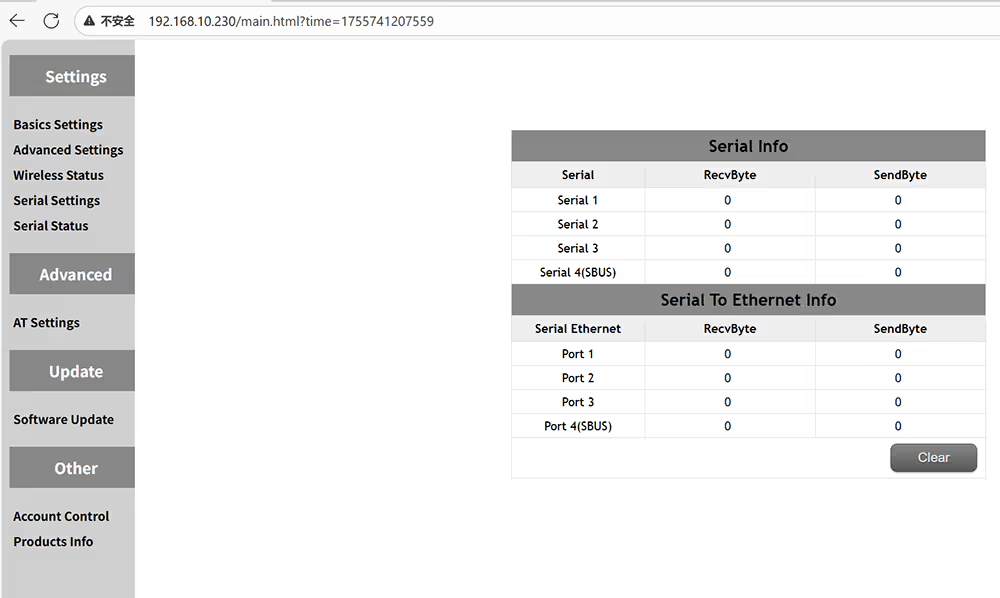
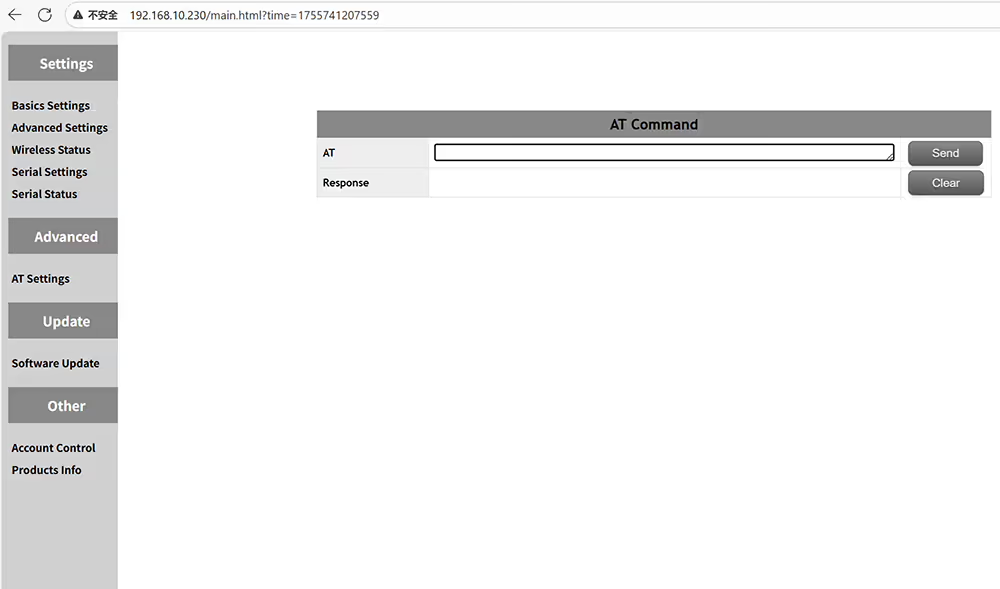
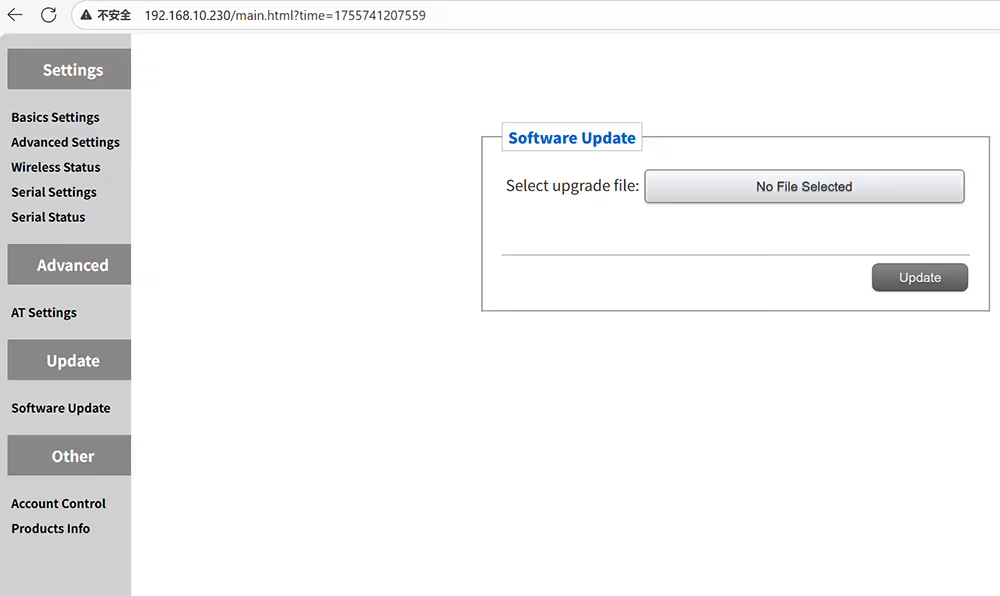
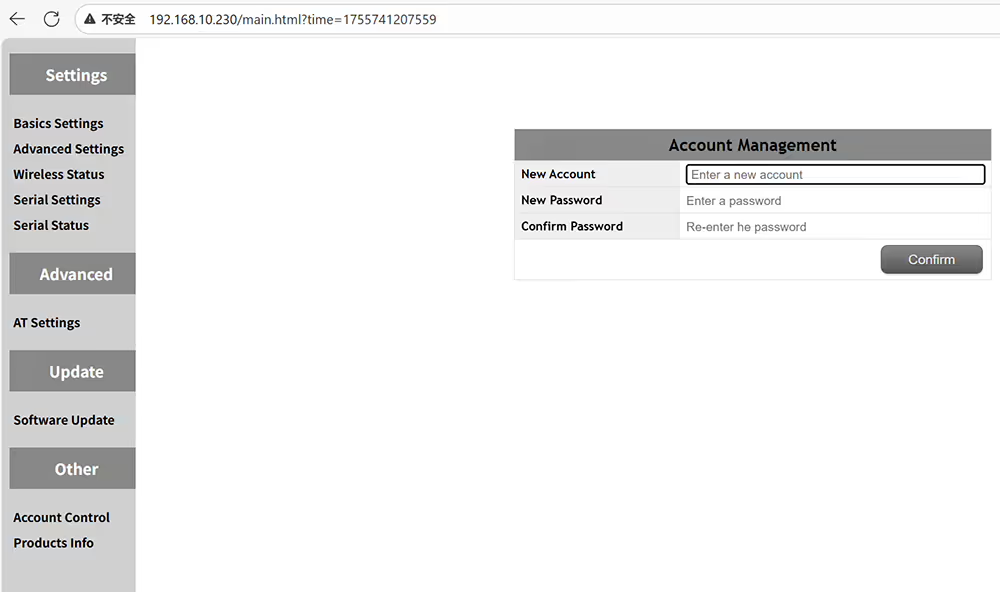
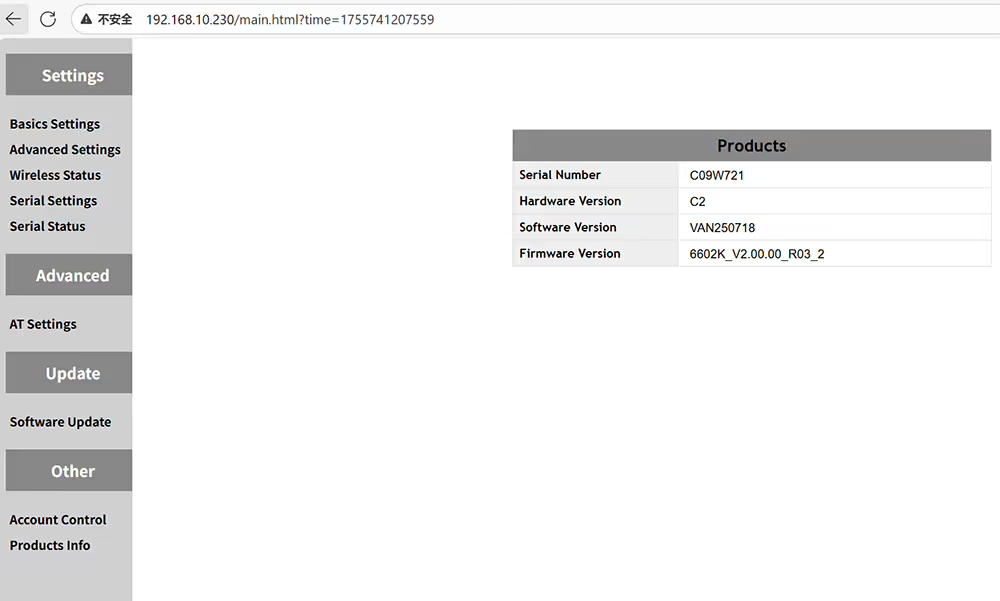
Hoe u de UAV -videogegevenszender van de lucht -eenheid insteltmaster is centrale knooppunt betekent grondontvanger slaaf is toegangsknooppunt betekent luchtzenderStel dezelfde ID in als u zender en ontvanger wilt koppelenDe uitgangsversterker kan worden ingesteld op minder dan 2 wattOptionele coderingsmethode Snow3G AES ZUGPas het IP -adres van het apparaat aan en zorg in hetzelfde netwerksegmentGeavanceerde instellingen van frequentie en tijdsleuf aan de luchtzijdeZorg ervoor dat de master- en slaventijdsleuven hetzelfde zijnStel de startfrequentie in van het werkfrequentiebereikStel de eindfrequentie in van het werkfrequentiebereikQuery draadloze status inclusief frequentie RSSI SNR -ruis MSC per Tper -afstandInstellingen voor de definitie van gegevens seriële poortenOndersteunde protocollen zijn TCP en UDPOndersteunde baudrates omvatten 9600, 19200, 38400, 57600, 115200, 230400, en 460800Controleer de status van de seriële poort, zoals de hoeveelheid verzonden en ontvangen gegevensStuur op opdrachten om meer functie -informatie te krijgenUpgrade uw UAV's Video Data TransceiverWijzig de gebruikersnaam en het wachtwoord van de pagina Web UI ManagementVraag de hardware- en software -informatie van het huidige apparaat
Hoe UAV -videogegevensontvanger te configureren
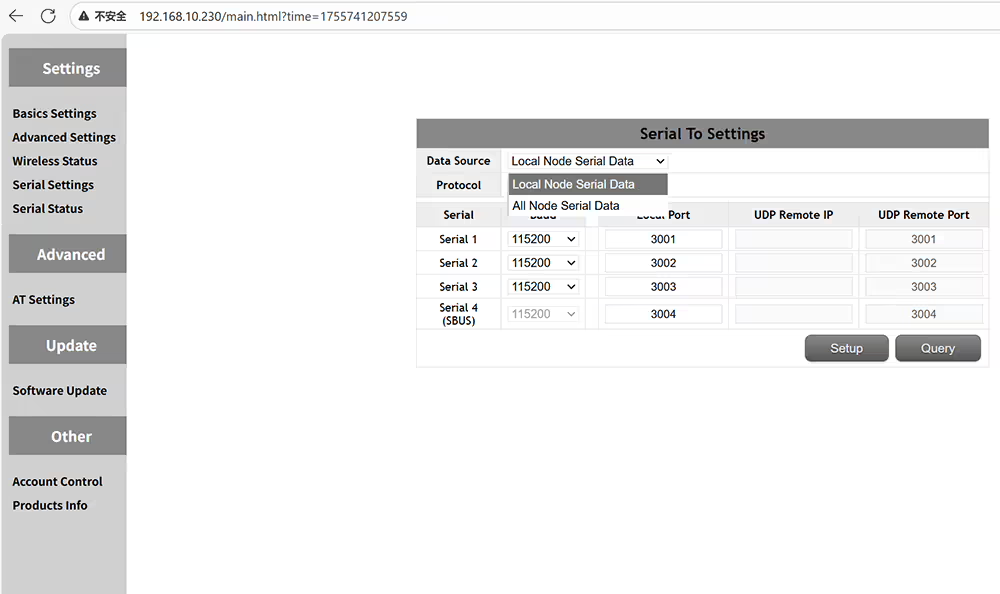
Hoe rol ik ID -bandbreedte in te stellen TX Power Encryption IP -adres van grondontvangerDrone Ground Receiver is meester en luchtzender is slaafAlleen dezelfde ID kan worden gebruikt voor het koppelenOptionele transmissie draadloze bandbreedte 3MHz 5MHz 10MHz 20MHzOptioneel transmissie -vermogen van 10-33 dBmOptionele transmissie Max doorvoer Auto 4-8-10-15-20-25-30 MbpsOptionele gegevenscoderingsmethode Snow3g AES ZUGStel het IP -adres in + moet in hetzelfde netwerksegment met de luchtzenderFrequentie -hoppen, dan kunt u een werkfrequentie verhelpenTijdslot ingesteld op 1UP4down voor P2P of 2UP3Down voor relaisnetwerkenFHSS aan of uit om frequentie te laten hoppen om te voorkomen dat ze jammenVoer handmatig de startfrequentie van het transmissiefrequentiebereik inVoer handmatig de eindfrequentie van het transmissiefrequentiebereik inDraadloze status voor RSSI SNR en transmissieafstandVier seriële poorten kunnen baudrate en poortnummer instellenLokale knoop seriële gegevens of alle seriële knooppunten van knooppuntenkiest UDP- of TCP -serieel protocolWijzig de baudrente volgens de vluchtcontroller of apparaatspecificatiesControleer de status van gegevensoverdracht en ontvangst voor de zender en ontvangerBij opdrachten kunnen worden gebruikt om extra functies op te vragen of uit te voerenHet kan worden opgewaardeerd naar de nieuwste firmwareStel een wachtwoord in voor het admin -paneel om ongeautoriseerde toegang en aanpassingen te voorkomenControleer de hardwaresoftware en firmwareversie van het apparaat










Een vraag stellen
Bedankt voor je reactie. ✨