






COFDM Mobile Video Wireless Transmission users manual for COFDM-908T and COFDM-912T
Users Manual for COFDM Mobile Video Wireless Transmission
This is a manual for COFDM-912T and COFDM-908T. If the HD input is mentioned in the text, it refers to the COFDM-908T model. If the SD input is mentioned in the text, it refers to the COFDM-912T model. Please Pay attention to the distinction.
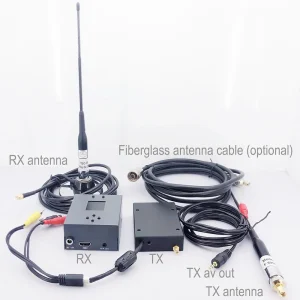
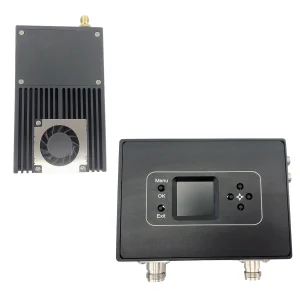
Daftar isi
1. fitur
- sangat terintegrasi, desain modular
- Mengadopsi teknologi modulasi COFDM, Teknologi pengkodean gambar H.264
- Can transmit one 1080P HDMI signal and one unidirectional data up to 230400Kbps
- latency rendah, the minimum end-to-end latency is 350ms
- Serba komunikasi, tidak takut membangun dinding
- Komunikasi perjalanan-ke-perjalanan berkecepatan tinggi,
- Casing aluminium tipe heat sink transmitter, tahan guncangan dan tahan benturan
- Non-line-of-sight (NLOS) transmisi seluler, the transmission distance of 2W power is not less than 30 kilometers under the condition of no interference, the transmission distance of 5W power is not less than 50 kilometer, and the transmission distance of 10W power is not less than 80 kilometer
- Kecepatan gerak maksimum bisa mencapai 600 Km / jam (diukur)
- Penerimaan sinyal audio dan video yang sinkron, HDMI1080P multi-format definisi tinggi opsional, kualitas gambar DVD keluaran definisi standar
- Penerima dapat mewujudkan perekaman video dan fungsi cadangan
- 128-bit enkripsi dan dekripsi AES
- Can provide full customization
2. Aplikasi
This product is mainly used in technical reconnaissance and evidence collection of public security and safety inspection departments, real-time picture transmission of drones and unmanned ships, siaran radio dan televisi, broadcasting live broadcasting: bidang penyiaran, siaran olahraga, berita sosial、aerial hidup、studio, mountaineering expeditions and more. Ini cocok untuk transmisi gambar berkualitas tinggi secara real-time di berbagai lingkungan kompleks seperti daerah perkotaan, laut, dan pegunungan.
3: Parameter Indicators
1: Pemancar (hanya gambar standar, kecuali untuk penyesuaian)


Parameter produk:
| Modulasi | COFDM |
| Tegangan operasi | DC11V~DC17V |
| saat bekerja | 1W:≤1.3A DC12V,5W:≤2.5A DC12V,10W:≤5.2A DC12V, |
| antarmuka kontrol | Antarmuka RS232 standar, 8 Data bit, 1 stop bit, bahkan paritas, baud rate: 19200 |
| antarmuka data transparan | Transmisi port serial transparan satu arah, 8 Data bit, 1 stop bit, mendukung paritas ganjil, bahkan paritas, paritas nirkabel, baud rate: 1200, 2400, 4800, 9600, 19200, 38400, 57600, 115200 、230400 |
| enkripsi | Mendukung enkripsi 128-bit |
| pemetaan modulasi | QPSK(4QAM)、16QAM、64QAM |
| koreksi kesalahan ke depan | 1/2 2/3 3/4 5/6 7/8 |
| Interval penjaga | 1/32 1/16 1/8 1/4 |
| Jumlah operator | 2k |
| bandwidth frekuensi | 2/3/4/5/6/7/8M disesuaikan |
| aliran transportasi | 2000kbs ~ 20000kbs dapat disesuaikan |
| daya pancar | 1W/5W/10W |
| frekuensi transmisi | Any frequency can be customized, the frequency is continuously adjustable, the adjustable range is ±20MHz, and the step is 1MHz |
| daya kerataan | Kurang dari 0,2dB pada pita 10MHz |
| rasio bahu | The shoulder-to-shoulder ratio is better than -28dB at full power output |
| harmonik kedua | ≤-45dB |
| MORE | 32dB |
| masukan video | 720×480 60saya(NTSC), 720×576 50saya(SAHABAT), 720 50P, 720 60P, 1080 50saya, 1080 60saya, 1080 24P, 1080 25P, 1080 30P, 1080 50P, berbagai mode adaptif. |
| Antarmuka HD | HDMI |
| format pengkodean video | H.264 |
| standar perlindungan | All-aluminium jenis radiator chassis, Anti karat, desain tahan guncangan |
| Ukuran keseluruhan | 102*80*30mm(1w)/102*90*30mm(5W)/188*47*34mm(10W)/228*55*40mm(20W) |
| Berat keseluruhan | ≤0.20KG (1W) / ≤0.27KG (5W) ≤1.5KG (10W) ≤2KG (20W) |
2: Penerima
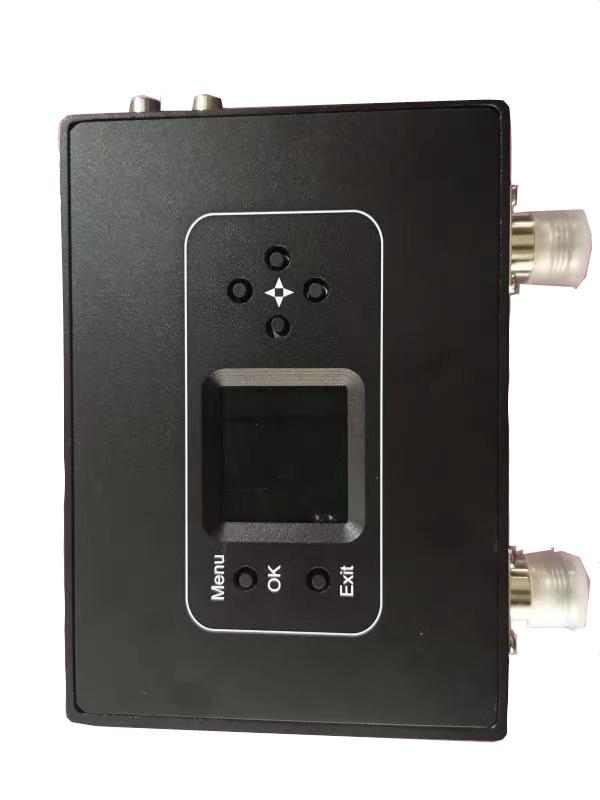
Parameter produk:
| Portable multi-bandwidth HD receiver parameters | |
| Terima rentang frekuensi | 170-860MHz VHF&UHF |
| bandwidth frekuensi | 2/3/4/5/6/7/8MHz, pilihan |
| Tingkat masukan RF | -94dBm ~ -15dBm (di 8M bandwith)/-98dBm ~ -15dBm (pada bandwidth 2M) |
| impedansi input RF | 50 ohm |
| Konektor input RF | N kepala |
| metode demodulasi | COFDM |
| Cara konstelasi | QPSK, 16QAM, 64QAM (pilihan) |
| koreksi kesalahan ke depan | 1/2,2/3,3/4,5/6,7/8 (pilihan) |
| Jumlah operator | 2k, |
| Interval penjaga | 1/32,1/16,1/8,1/4 (pilihan) |
| decoding video | MPEG-2MP@ML/H.264 |
| rasio aspek layar | 4:3 16:9 |
| Video output image | 720*576@8MHz 1080P@60P、50P、50saya、30P、 |
| mode keluaran audio | Stereo tidak seimbang 300/ 200mv |
| output audio | 2output audio + 2Video output |
| Tegangan operasi | AC220V/DC12V <0.4A |
| Suhu Operasional | -20℃ ~ + 50 ℃ |
| physical dimension | 136*115*35mm non-standard all-aluminum shell |
| berat peralatan | 0.35kg |
4: Instructions for use
1: Pemancar
- Functional area description
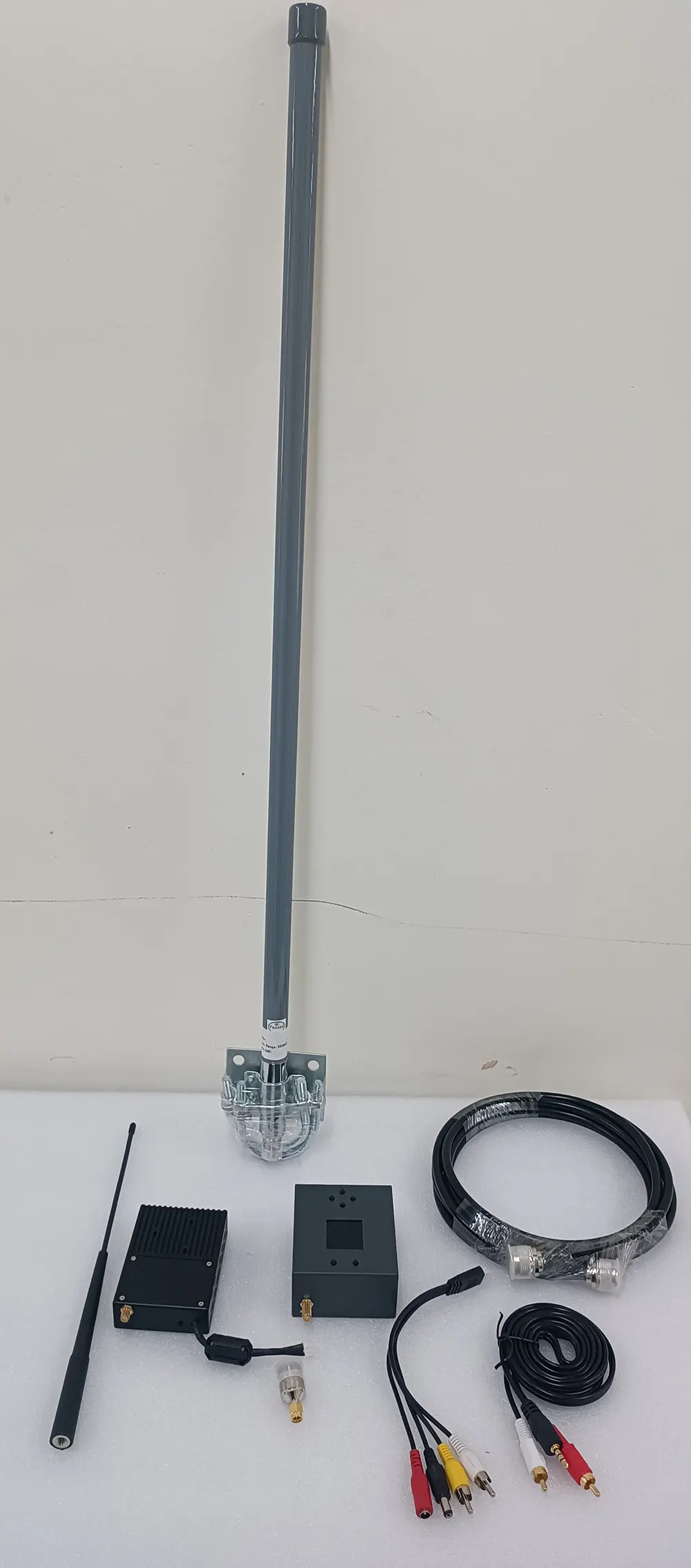
“SEMUT”: Transmisi antarmuka antena, silakan sambungkan antena sebelum menyalakan
“HDMI”: Antarmuka masukan video definisi tinggi, masukan di bawah 1080/50P
“Ctrl”: Transmitter tuner connection interface
“DC 12V”: Port masukan daya DC12V. “+” adalah kutub positif dari catu daya, “-” adalah kutub negatif dari catu daya
“DC” aku s: Lampu indikator daya, when the light is always on, itu berarti input daya modul transmisi normal
“TS”: Lampu indikator deteksi masukan video, this light is always on to indicate video input and normal encoding
- Parameter Configuration Description
Connect the transmitter parameter adjuster, tekan “MENU/OK” key to enter the menu, the encryption key and data serial port parameters are displayed first, press the left or right key to move the cursor, and the up and down keys to adjust the parameters
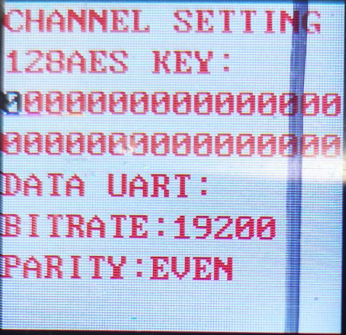
After the parameter setting is completed, tekan “MENU/OK” to enter the next menu, and the interface is displayed as shown in the figure
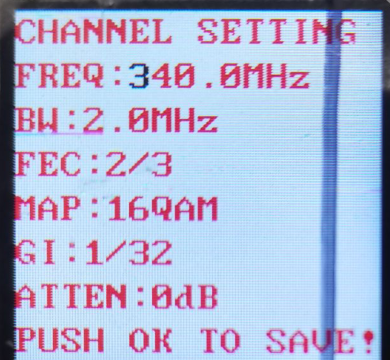
Press the left or right key to move the cursor, press the up or down key to adjust the required parameters, the interface prompts as shown in the figure
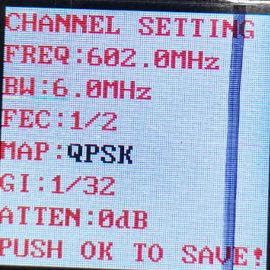
After all parameter settings are completed, tekan “MENU/OK” kunci untuk mengonfirmasi, and the display will be as shown in the figure.
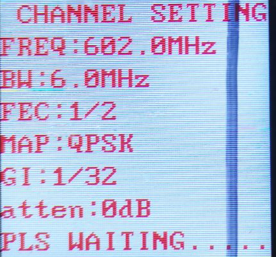
Setelah pengaturan selesai, parameter berhasil ditulis, dan tampilannya seperti pada gambar

- General Troubleshooting
Sebuah: The light is off after the power is turned on: Check whether the power input meets the standard
b: “TS” indicator light is off: Check the video input connection cable, check whether the video input format conforms, and check whether the camera is interfered with (you can judge by holding the antenna with your hand).
C: The temperature of the transmitter is very low: check whether the current is normal (the deviation can be ±0.2A within the standard current).
d: Three lights are always on, and one of them is super bright: it means that the transmitter has failed the detection, and you can try to power off and restart (uncommon)
2: Penerima
- Functional area description
“RF dalam1” “RF dalam2”: antarmuka antena penerima, it is recommended to connect the antenna and then turn on the power switch, because the static electricity of the human body may cause the receiver to crash.
“HDMI”: Antarmuka keluaran video, format video keluaran dapat disesuaikan melalui “HDMI” menu pada panel kontrol.
“DC 12V”: antarmuka input daya, harap ikuti dengan ketat persyaratan tegangan catu daya, and overvoltage input is strictly prohibited
“ON / OFF”: power switch.
“USB”: video storage interface, when the U disk is inserted, tekan “KELUAR” button to start the video recording, after the recording is successful, the video display will display the video recording time, and the stored file name is “TS”.
- LCD parameter description
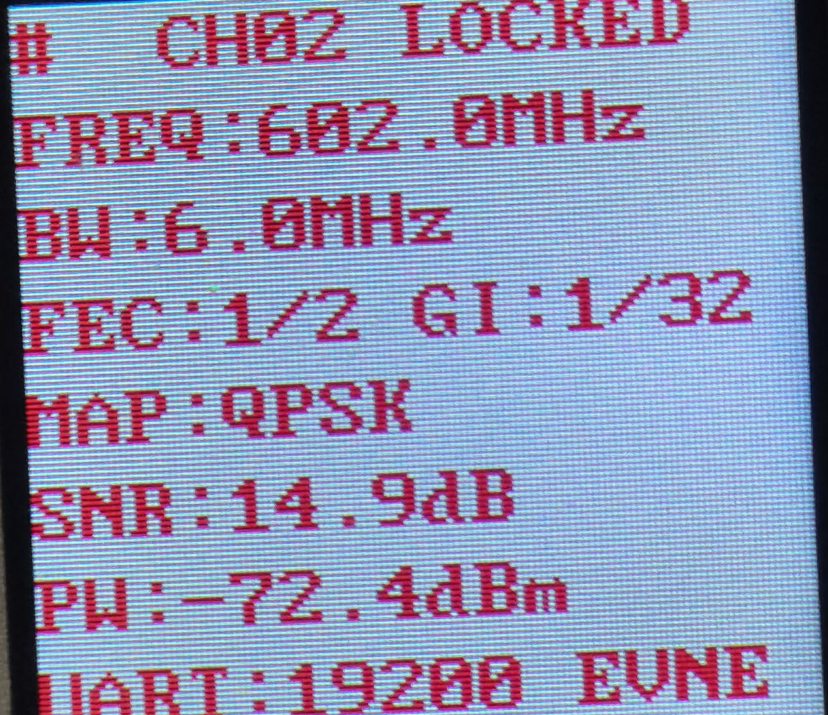
Sebuah:CH01 TIDAK TERKUNCI(TERLIHAT)
“CH01” means the channel number of the receiver, “TIDAK TERKUNCI” means the received signal is unlocked, dan “TERHADAP” means the signal is locked. “CH00” of the receiver is the initial writing channel, dan saluran default yang sesuai dengan pengoperasian normal pemancar adalah “CH001”
b: FREKUENSI:602.0MHz
“602.0MHz” adalah frekuensi penerimaan penerima, this frequency must be consistent with the frequency set by the transmitter, otherwise the receiver will not search or receive the signal from the transmitter
c: BW:6.0MHz
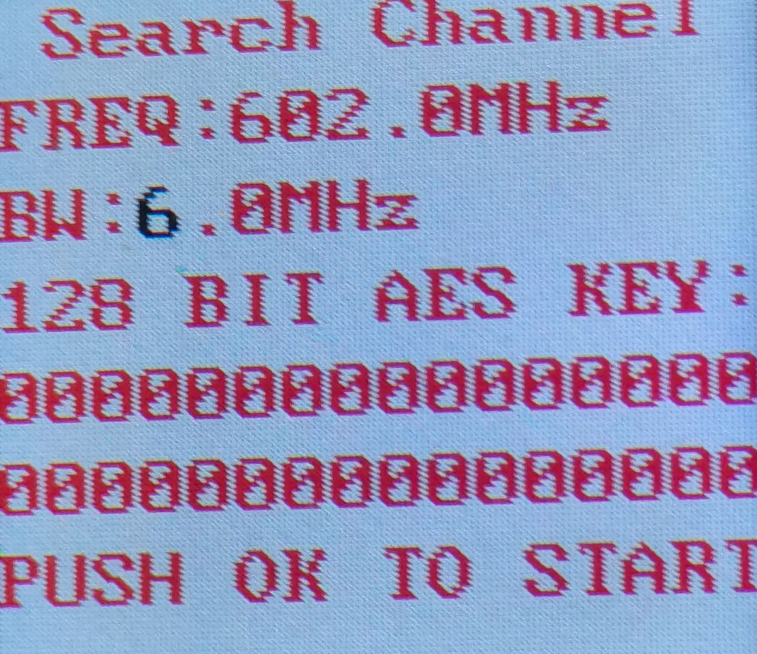
“BW” Bandwidth, seperti yang ditunjukkan pada gambar, “BW: MHz” is understood as the RF bandwidth is 6MHz, this bandwidth must be consistent with the bandwidth set by the transmitter, otherwise the receiver will search for or cannot receive the signal from the transmitter
d: FEC:1/2
“FEC: 1/2” is the channel error correction, this parameter synchronizes the parameters set by the transmitter, and the receiver cannot be modified
e: prajurit:1/32
“prajurit:1/32” adalah interval penjaga saluran, this parameter is set by the transmitter synchronously, and the receiver cannot be modified
f:PETA: QPSK
“PETA: QPSK” adalah pemetaan modulasi, this parameter number is set by the transmitter synchronously, and the receiver cannot be modified
g: SNR:0.0dB(SNR:15.0dB)
“SNR: 15.0dB” adalah kualitas sinyal (itu adalah, the signal-to-noise ratio, semakin besar nilainya, lebih baik). Kapan “0.0dB” ditampilkan, kualitas sinyalnya adalah 0, dan penerima tidak akan dapat mengunci
“(SNR:15.0dB)” berarti rasio signal-to-noise penerima lebih besar dari 15dB. Di “QPSK” keadaan pemetaan modulasi, as long as the signal-to-noise ratio is greater than 6dB, the receiver can lock
h: PW:-72.1dBm(PW:-72.1)
PW adalah kekuatan sinyal yang diterima, (nilai tingkat referensi), the farther the transceiver end is relative to the distance, the weaker the signal strength is, and the larger the displayed value is, when the transmitter is not turned on, jika kekuatan sinyal penerima lebih besar dari -90dBm (seperti -79.7dBm), itu dapat dianggap sebagai interferensi frekuensi yang berdekatan
- Parameter Configuration Description
Power on the receiver, and press the “MENU/OK” tombol untuk masuk ke menu, the first display is the menu of adjustable parameters, if you search for a specified frequency, directly press the “MENU/OK” tombol untuk masuk ke menu; if you want to remove the channel, press Press down to select “Saluran Listanbul”, lalu tekan “MENU/OK” to enter the menu operation; if you need to change the video output format, move the cursor to the “HDMI Mode” menu, tekan “MENU/OK” to enter, and select the video to be output After formatting, tekan “MENU/OK” kunci untuk mengonfirmasi.
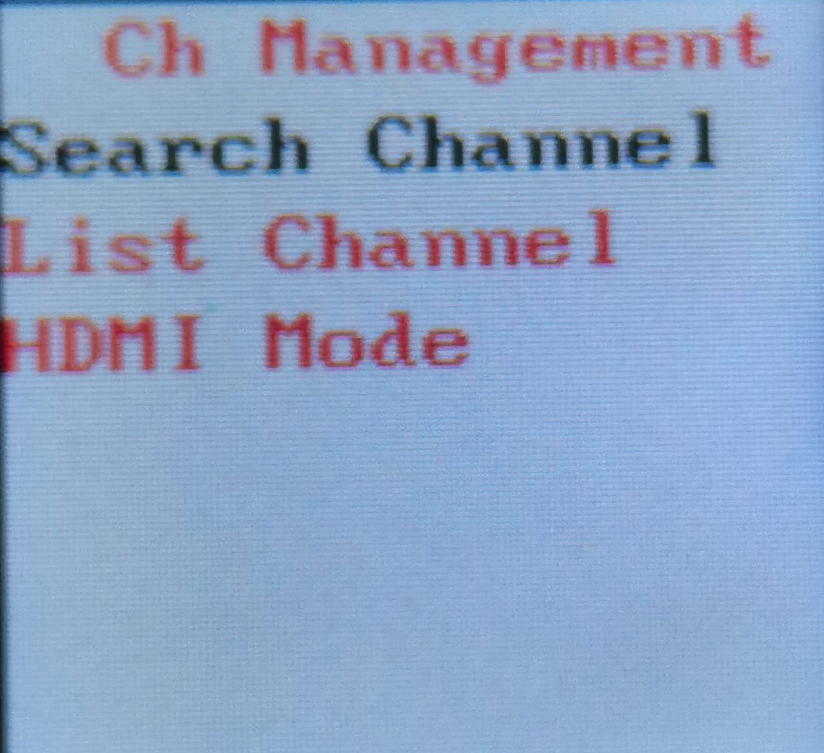
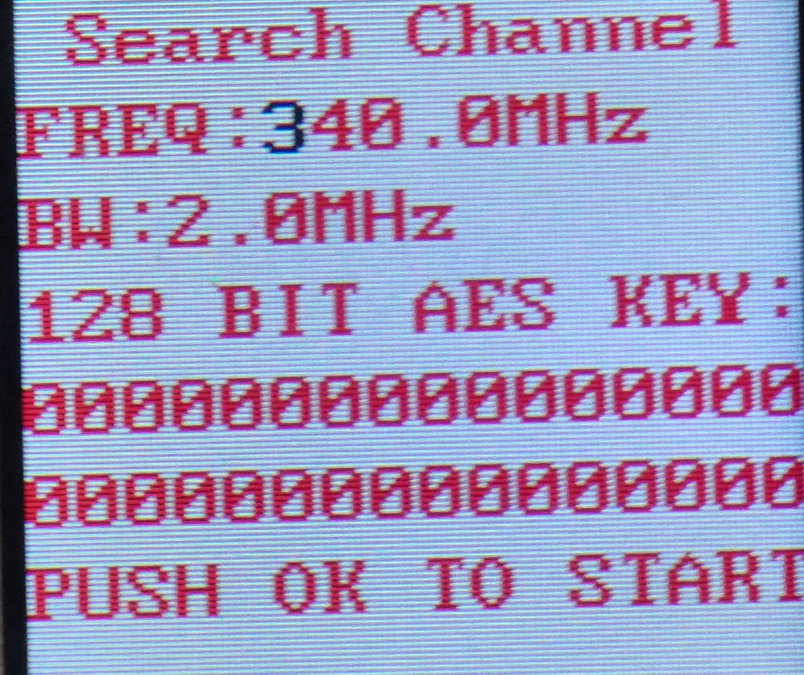
Metode pencarian frekuensi adalah sebagai berikut. Setelah masuk ke menu pengaturan frekuensi, antarmuka ditampilkan seperti yang ditunjukkan pada gambar. Press the left or right key to move the cursor, press the up or down key to adjust the frequency, Bandwidth RF, dan kunci rahasia yang cocok dengan pemancar, and press the “MENU /OK” key to search. Perhatikan bahwa pemancar harus dihidupkan saat ini, jika tidak, the receiver will not be able to lock because it cannot find the signal.
COFDM Mobile Video Wireless Transmission with a cheap price is including a transmitter and receiver for China directly
Ketika pencarian selesai, tekan “MENU/OK” untuk mengkonfirmasi, and the channel is saved in the register of the assistant board, seperti yang ditunjukkan pada gambar. To save the channel to the receiver register, tekan “MENU/OK” kunci dan kunci kanan secara bersamaan.
Setelah pengaturan parameter penerima selesai, the functions of the panel keys are as follows
“^””↓“: each individually selectable receiver channel “CH**”
“←””→“: Anda dapat memilih untuk melihat parameter tersembunyi dari receiver
“KELUAR”: memulai dan berhenti merekam
- Fungsi video
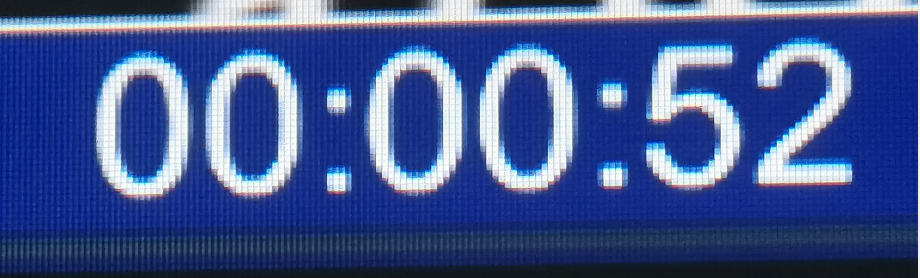
Insert the storage device into the “USB” interface of the receiver, tekan “KELUAR” button to start recording, and a blue recording time box will appear on the upper left corner of the video display as shown below
- General Troubleshooting
Sebuah: The value after the receiver displays “-” is very low (Tx is not turned on): It means that the current channel has serious electromagnetic interference, and the normal value is -90- -100.
b: Cannot record video: check the U disk or replace the U disk.
C: No signal received: Check whether the channel frequency is consistent with the transmitter.
d: Tidak ada keluaran video: Check the connection line, Kekuatan, and restart to check whether there is a boot interface.
Berikan pertanyaan
Terima kasih atas tanggapan Anda. ✨