






Talahanayan ng nilalaman
Gamitin ang build root tool upang gumawa ng RV1126 IMG firmware
Use the build root tool to package the executable file you compiled into the firmware (img file)
Introduce two common methods
Paraan 1:
Place the compiled executable file in the buildroot/board/rockchip/rv1126_rv1109/fs-overlay-sysv/etc/init.d directory of the sdk, and compile and package it all.
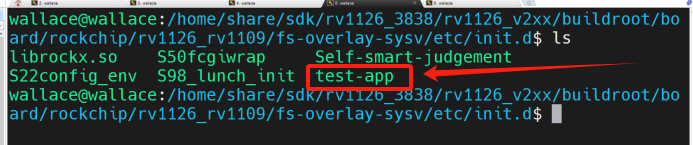
Halimbawa, here I have put the compiled executable file test-app in the directory
- Susunod, just need to re-compile the entire firmware
The command to compile firmware is
- After compiling. You will see test-app, this executable file, in the /etc/init.d directory on the board end.
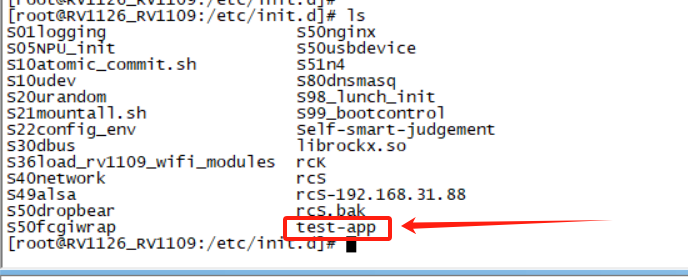
Then you can run it, or copy it to another directory and run it.
This method is the simplest and most recommended
Paraan 2:
Follow the SDK compilation rules and add your own program to buildroot.
1) Add test.c file
Sa direktoryo ng source code, lumikha ng iyong sariling APP folder gamit ang sumusunod na command:
$mkdir app/mytest
Ang mga tumatakbong resulta ay ipinapakita sa figure sa ibaba:

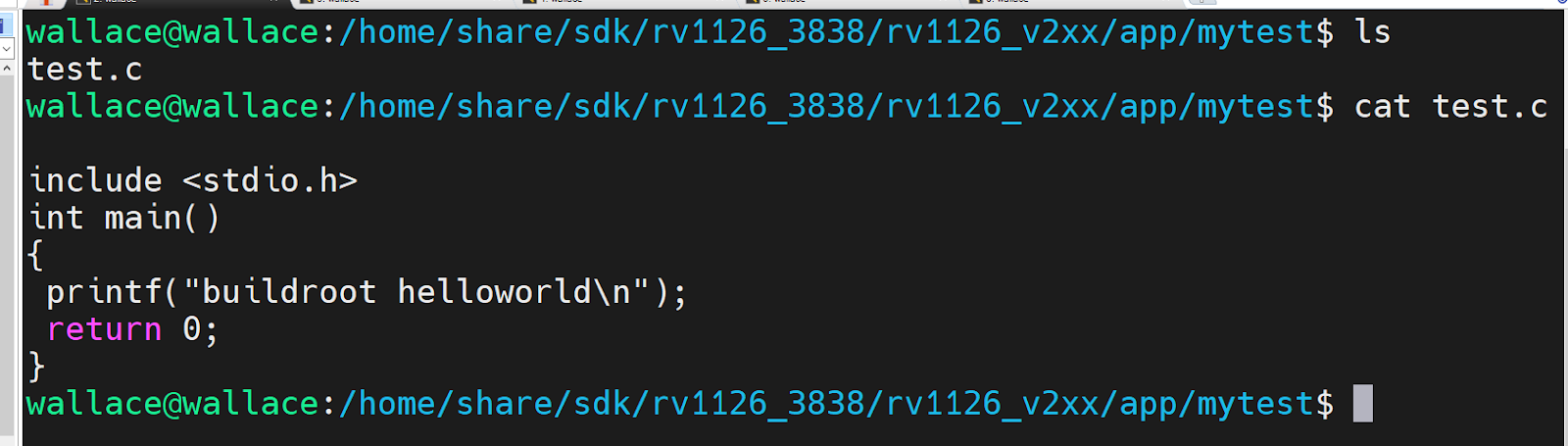
Maaari kang lumikha ng iyong sariling APP program sa mytest na direktoryo. Dito ako gagawa ng test code ng test.c, halimbawa
Ang code ay ang mga sumusunod
Pa rin, sa mytest na direktoryo, lumikha ng Makefile na nag-compile ng test.c program. Ang sample code ay ang mga sumusunod:
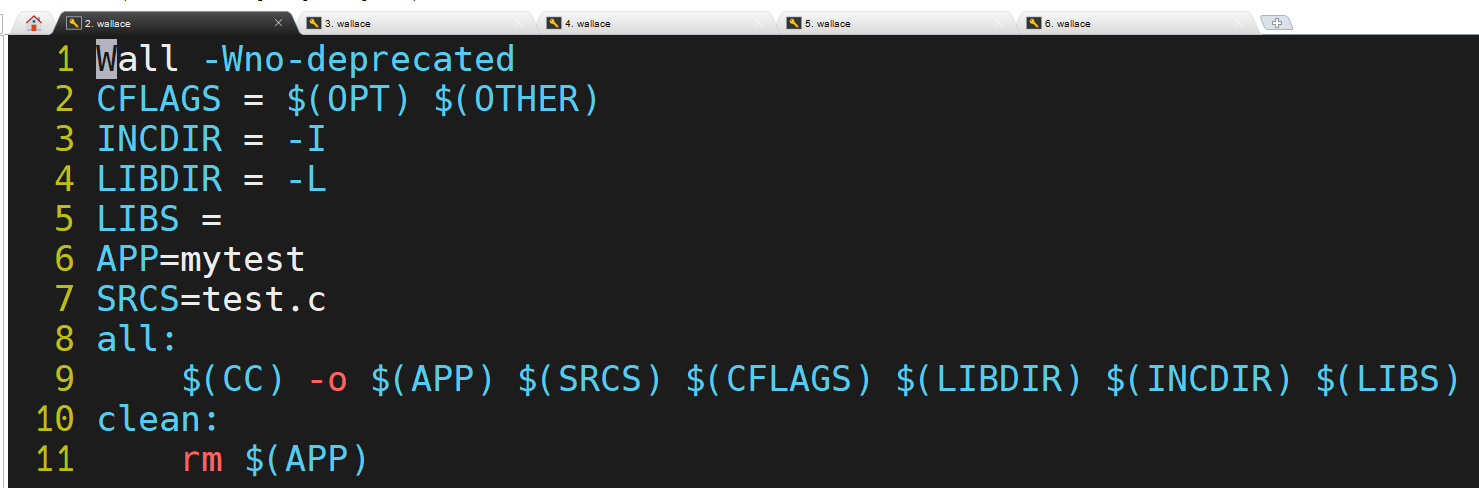
Ang resulta ng paglikha ay nakumpleto tulad ng ipinapakita sa figure sa ibaba:

2) Idagdag sa config ng menu
Kapag kino-configure ang buildroot package, kailangan ng lahat na paganahin ito sa interface ng graphical na pagsasaayos, kaya ang aming
Kailangan din ng APP na bumuo ng isang opsyon. Sa ilalim ng source code ng SDK package, buksan ang “buildroot/package/Config.in” file.
Tumalon sa huli “endmen” at idagdag ang sumusunod na sample code (tala: dapat ito ay bago ang huling endmenu ng file na ito
Add to). The code looks like this:

The result of the addition is shown below:

No.2061 OK, it’s used in itsource Cited”package/mytest/Config.in” file, so we need to create
To create this file, the command is as follows:
$mkdir buildroot/package/mytest/
After creating the directory (mytest is the name of the package package under buildroot), we need to create the mytest directory
“Config.in” file, the content is as follows:
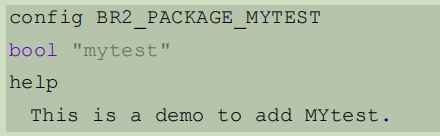
The result of the addition is shown below:
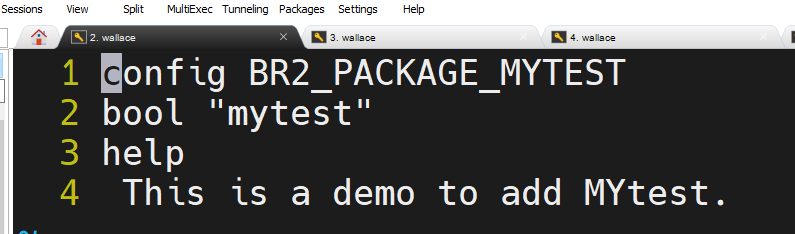
- APP version and compilation rules
In the previous section, we have added APP to the configuration options. Sa oras na ito, buildroot still does not know how to
I-download ang, extract, compile, at iba pa., we need to add a configuration file to tell buildroot how to operate, and we need to create “buildroot/
package/mytest/mytest.mk”, the name must be mytest.mk. Copy the following sample code to mytest.mk
Sample code mytest.mk code
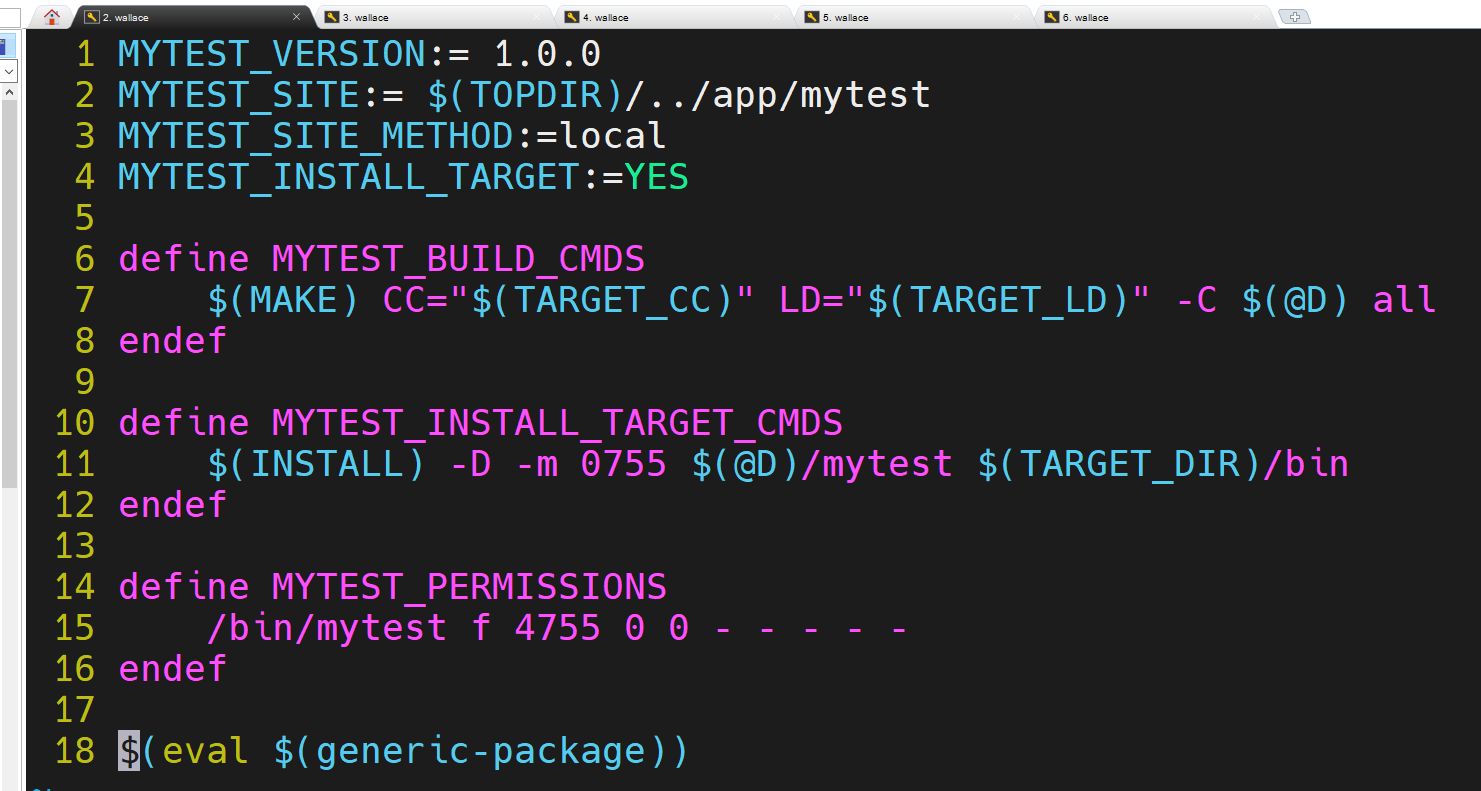
This file tells buildroot how to compile, download, kopyahin, at iba pa. All capitalized macros start with “MYTEST”
The header is determined based on the name of our package.
In line 1, the variable at the end of _VERSION is the source code version.
In line 2, the variable at the end of _SITE is the address of the source code download.
In line 3, the variable at the end of _SITE_METHOD is the source code download method, and local means local download.
Lines 4 and 10~12 automatically execute the installation and copy the files that our mytest can run into the bin directory.
Linya 6, the variables at the end of _BUILD_CMDS will be executed when the buildroot framework is compiled, and are used to add M to the source code.
akefile passes compilation options and linkage options and calls the source code’s Makefile.
Lines 14~16 give permissions to the file.
Linya 18, this function will build the entire .mk file into a script.
Ipasok ang
buildroot/output/rockchip_rv1126_rv1109_spi_nand
Execute make menuconfig
turn onmytest
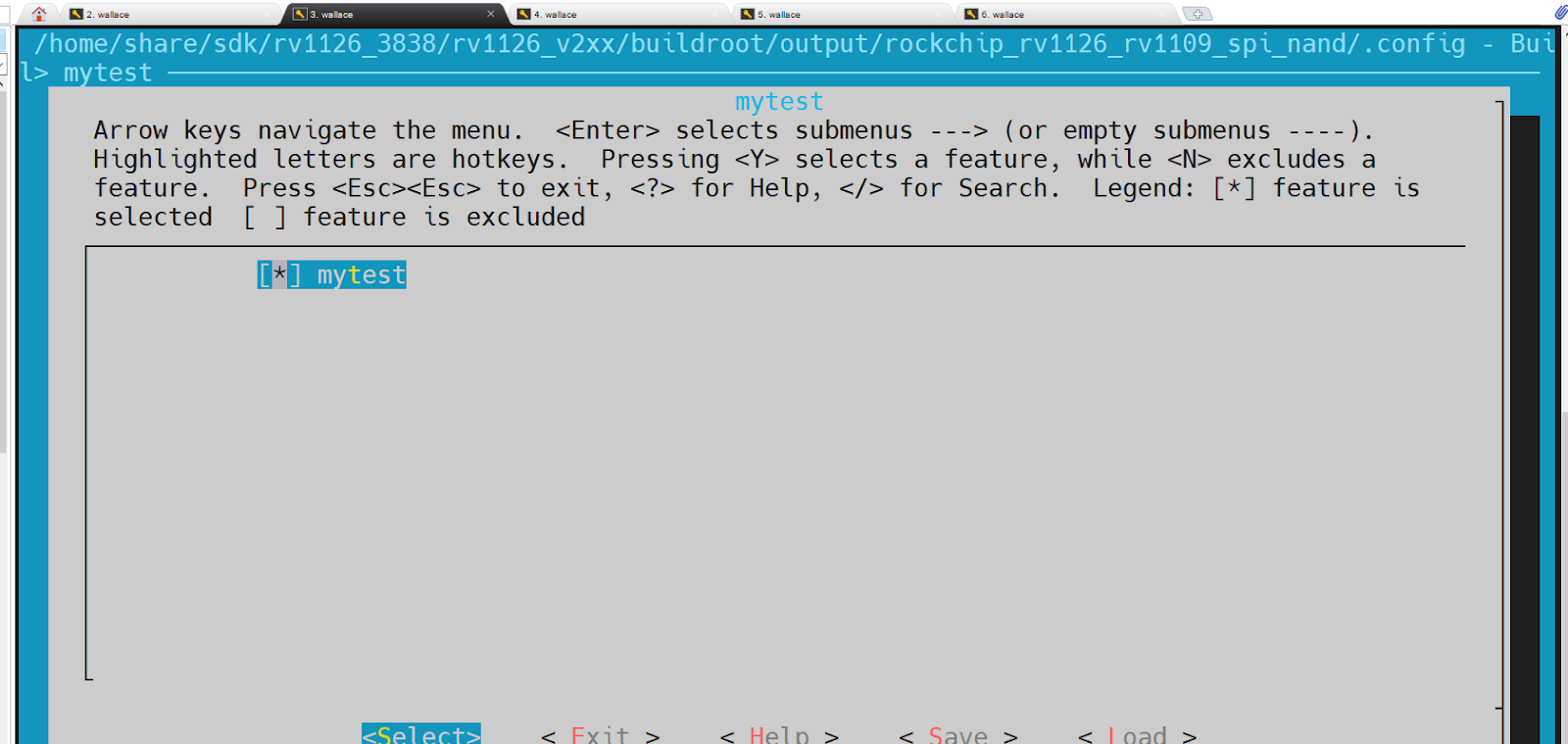
Pagkatapos makumpleto ang configuration, we can test whether our mytest can be compiled, in buildroot/output/rockchip_rv1126_rv1109_spi_nand
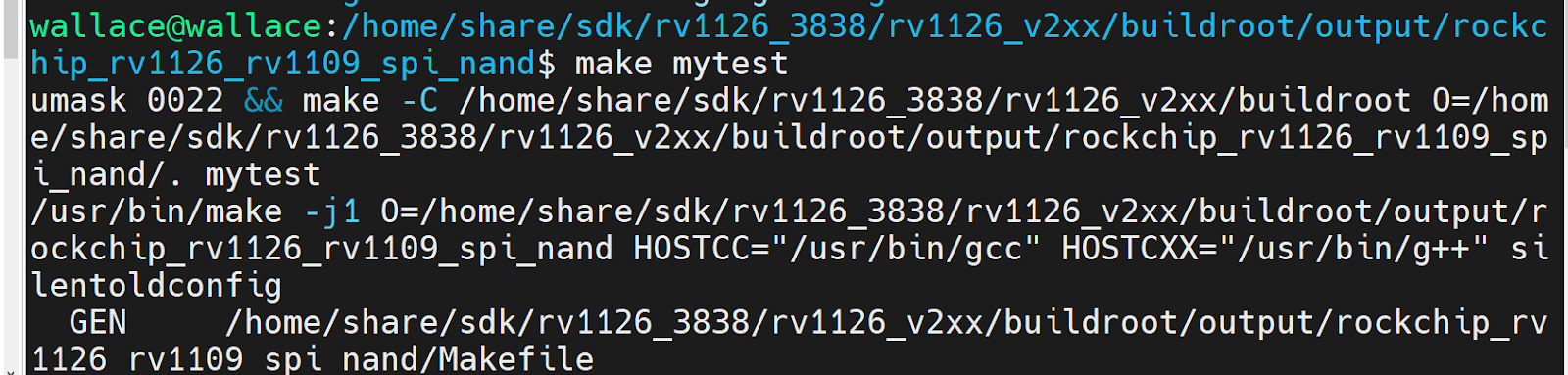
To test in the directory, the command is as follows:
$make mytest
Ang mga tumatakbong resulta ay ipinapakita sa figure sa ibaba:
Magtanong ng isang katanungan
Ipinadala ang iyong mensahe