





ترقية DVB-T2010HD: البرمجيات للبرتغال 1 قناة HD بدون صوت


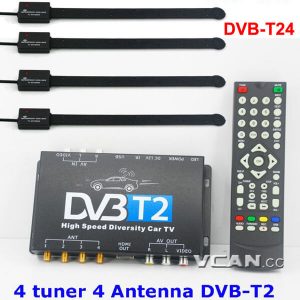
ترقية DVB-T2010HD: If some buyers from Portugal, has purchased VCAN DVB-T2010HD 3 years ago, now Portugal one HD channel without sound, so we here offer software for upgrade. (For more New products, يرجى زيارة https://ivcan.com/c/dvb-t2/)
Software download link: DVB-T2010HD-software-for-Portugal

DVB-T2010HD Upgrade Guide: (also in the above link MS word file) تحذير: Please MUST keep the power on the machine during upgrading, otherwise firmware will be lost forever. Prepare the USB with the upgrade file
- When you got the upgrade file from VCAN, please check the file, if the upgrade file name is *.img, Please rename to NEC_EMMA3SLHD.UPG
- Please prepare one USB stick, and create one root document named “upgrade”, copy the upgrade file inside. If your USB is H:, then the file should be saved as H:\ upgrade\NEC_EMMA3SLHD.UPG
- Power off DVB-T2010HD first, and connect the USB on DVB-2010HD.
- Power on DVB-T2010HD then, press menu-> Installation, يرجى الاطلاع على الصورة أدناه.
- Press OK to choose to upgrade STB, يرجى الاطلاع على الصورة أدناه.
- Press ok and will pop up Read Upgrade File, which means now reading and upgrading files from USB.
- Until pop up “Upgrade Completed”, please power off and power on again.
تحذير: Please MUST keep the power on the machine during upgrading, otherwise the firmware will be lost forever. Once you see “NO USB Device” or “NO Upgrade File”, please power off the machine and power again, or check the upgrade file has copy correctly. If you still have any questions about the upgrade, يرجى الاتصال بنا, في https://ivcan.com/contact/

اطرح سؤالاً
شكرًا لردكم ✨