






Jak nagrać oprogramowanie sprzętowe na bezprzewodowy nadajnik wideo HDMI COFDM-907T?
We will use the CH341A programming burn firmware, please check the CH341A Programming Steps for COFDM-907T
1: Connect the programming tool to the USB port of the computer, and connect the HMDI cable on the programming tool to the HDMI port of the transmitter.
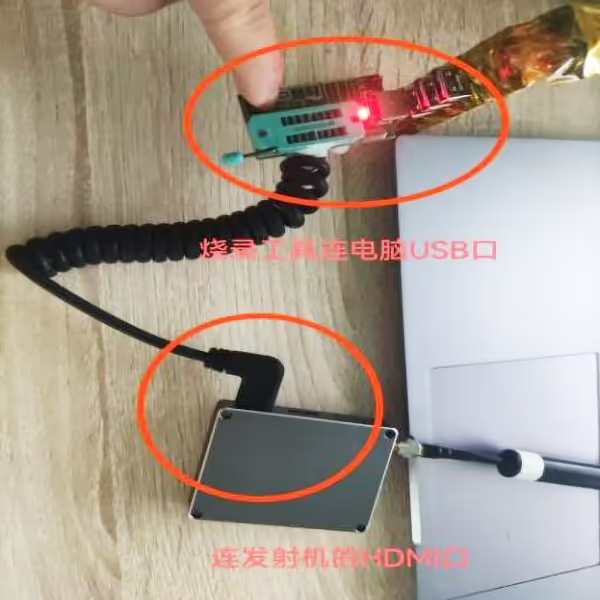
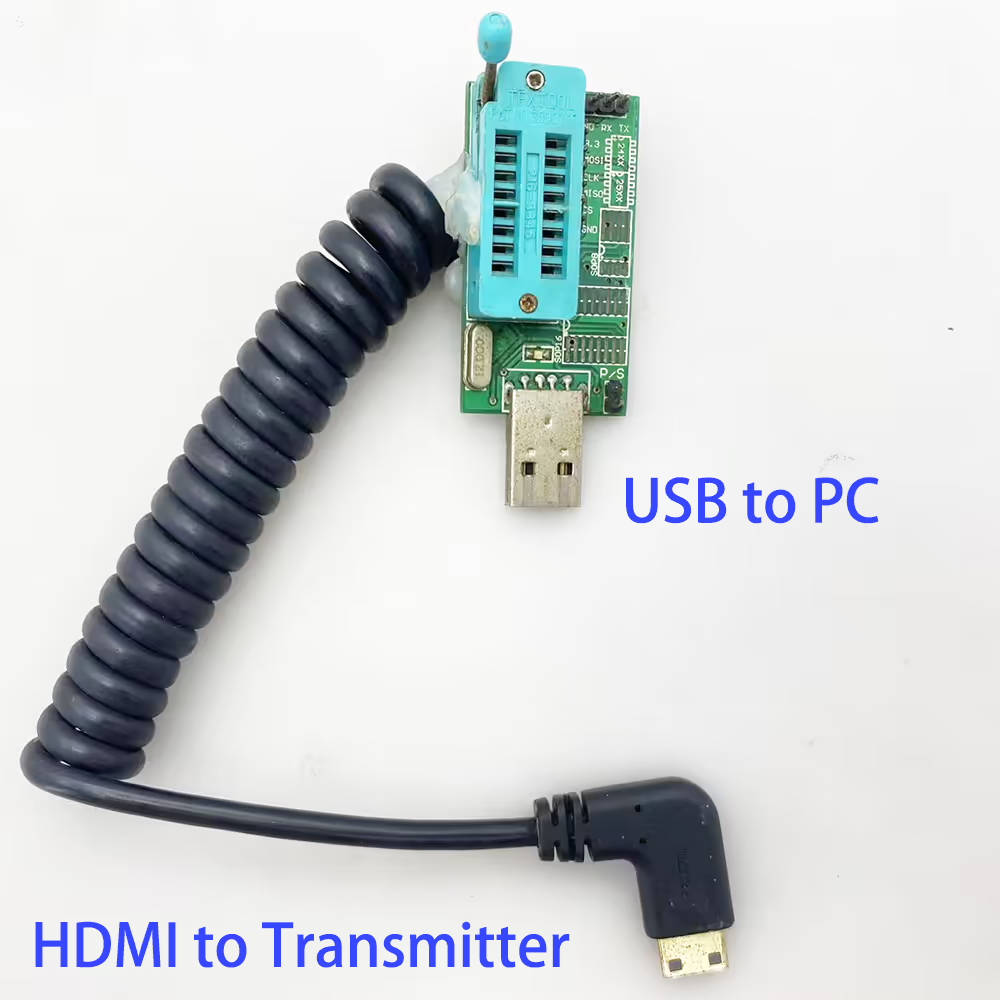
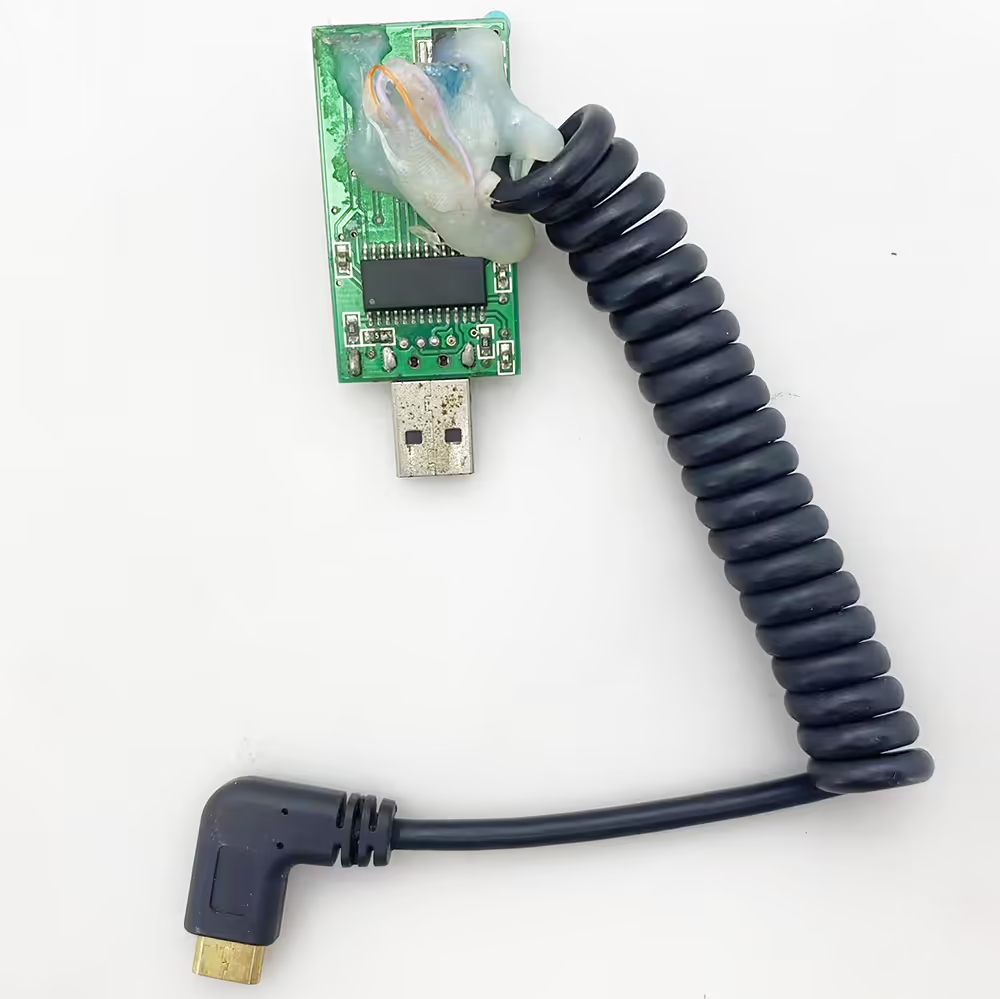
2: Download the burning software and decompress it to get the burning program and updated software. Open the programmer software folder.
ZXXY_EDID.zip (update firmware)
https://drive.google.com/file/d/1DlpqyLd6VRz7gpN1ilDDKGcQDQNKIfrM/view?usp=drive_link
CH341A Programmer (update tool driver and programmer)
https://drive.google.com/file/d/11CIHhPS_TScEByZ7V6eeC3WGVafBmJiH/view?usp=drive_link
3: Select the CH341A program to run and open.
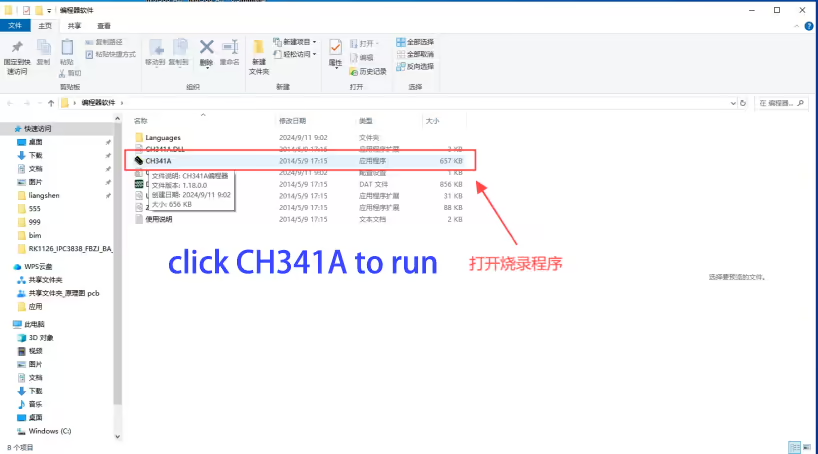
4: Kliknij na typ chipa w programatorze CH341A.
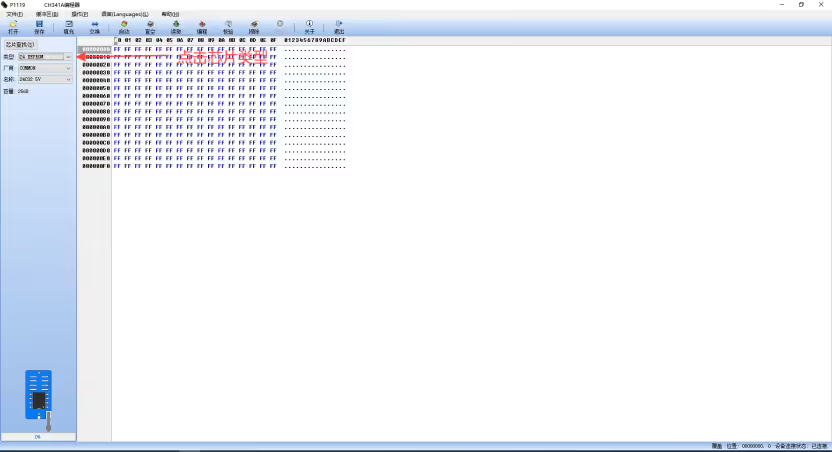
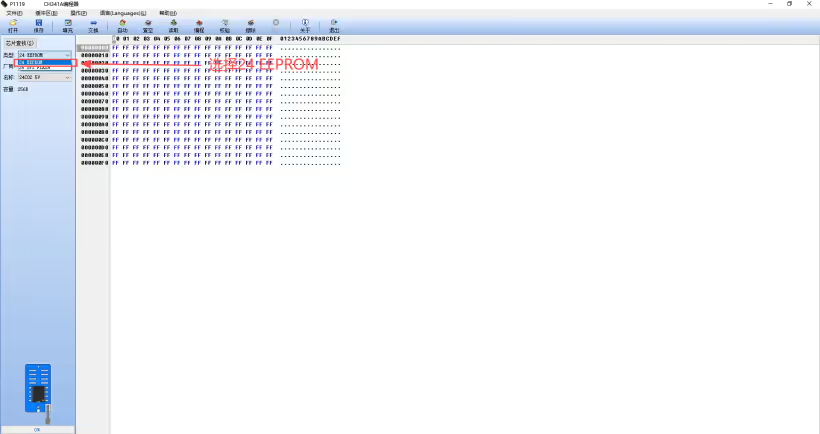
5. Wybierać 24 EEPROM w typie.
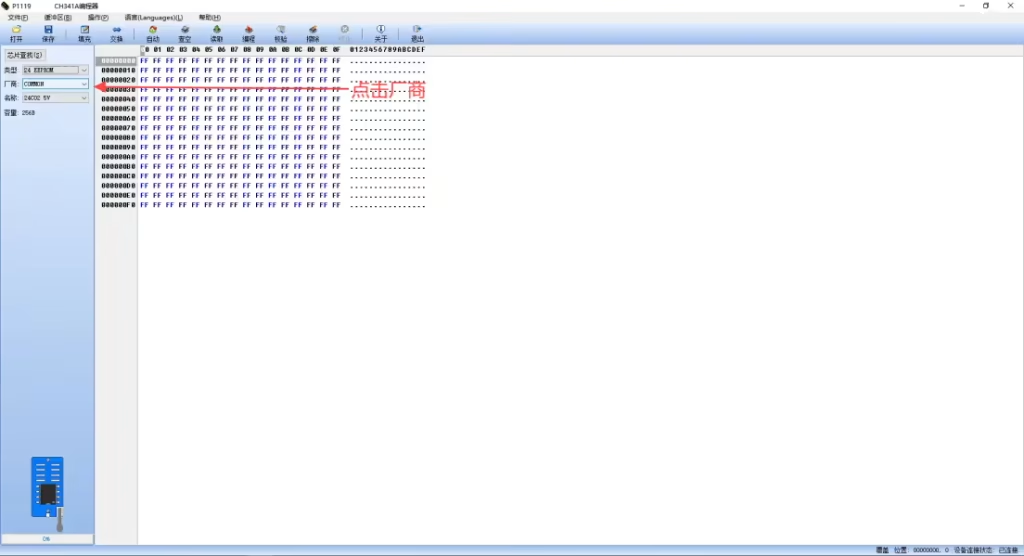
6: Kliknij twórcę w programistach CH341A.
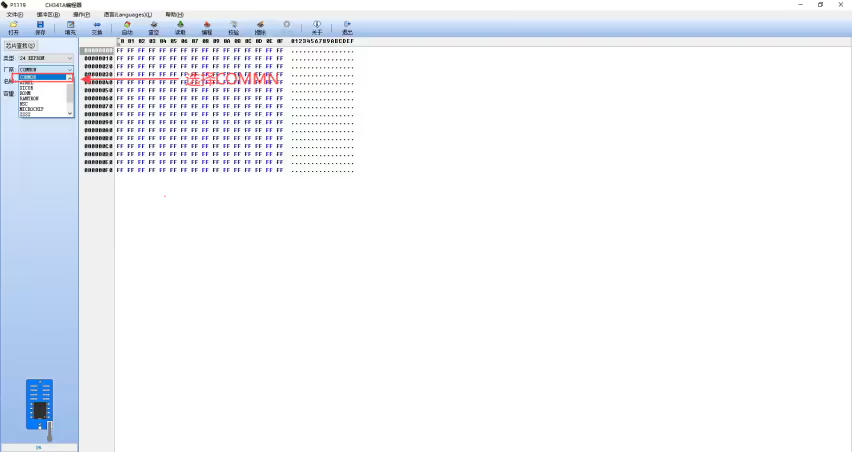
7. Wybierz COMMN u dostawcy
8: Kliknij nazwę w programistach CH341A.
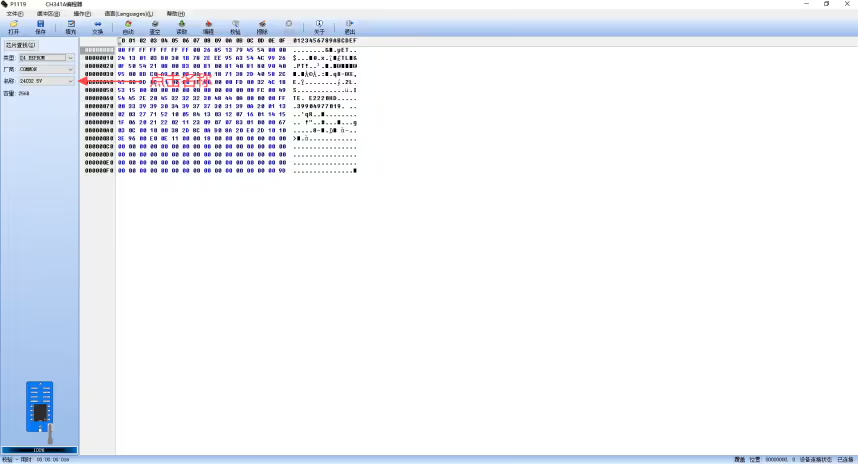
9. W nazwie wybierz 24C02_5V

10: Rozpocznij otwieranie oprogramowania sprzętowego, click Open
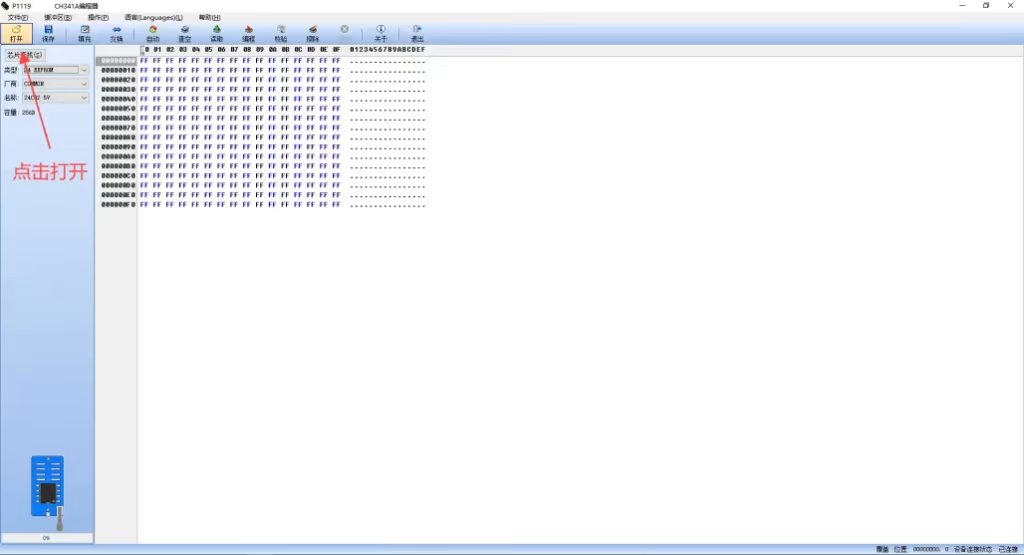
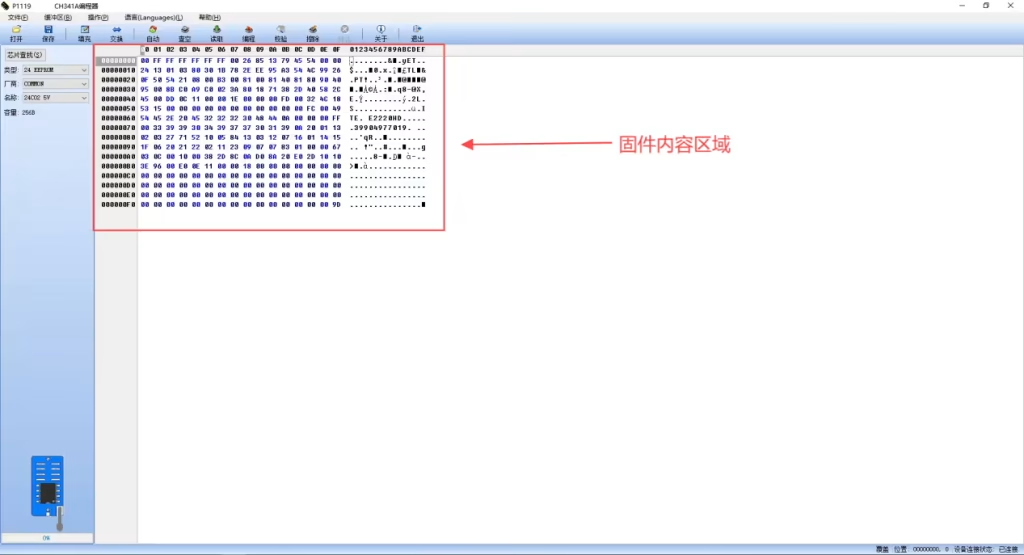
11: Wybierz oprogramowanie układowe ZXXY_EDID.Bin w folderze BIM i kliknij OK, aby go otworzyć

12: Widać, że obszar zawartości oprogramowania sprzętowego uległ zmianie, jak pokazano na rysunku
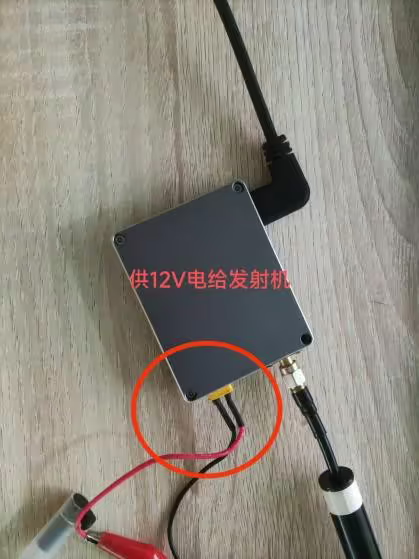
13: 12Zasilanie V na nadajniku
14: Kliknij usuń na programista CH341A.
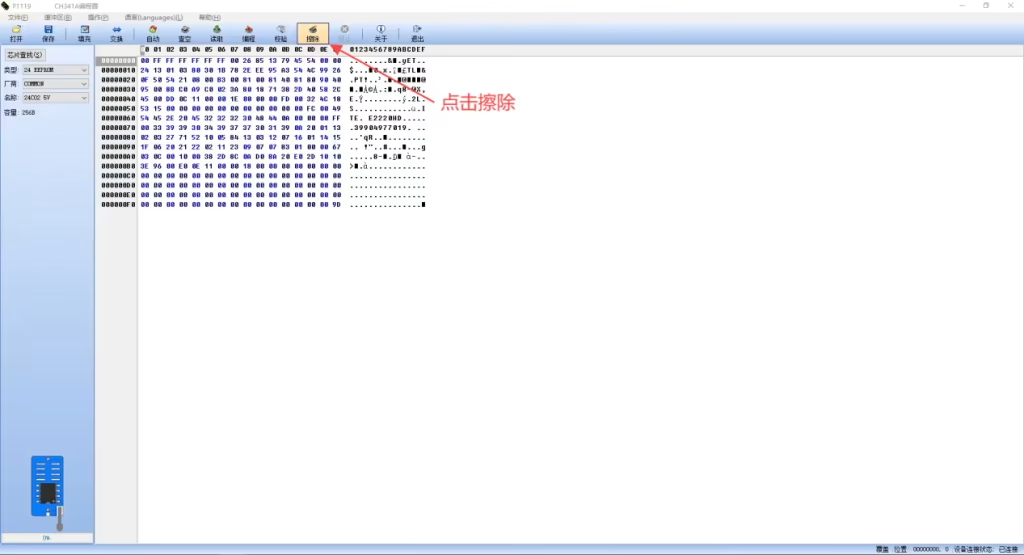
15: W programie CH341A, Możesz zobaczyć, że wymazanie jest kompletne, i kliknij OK.
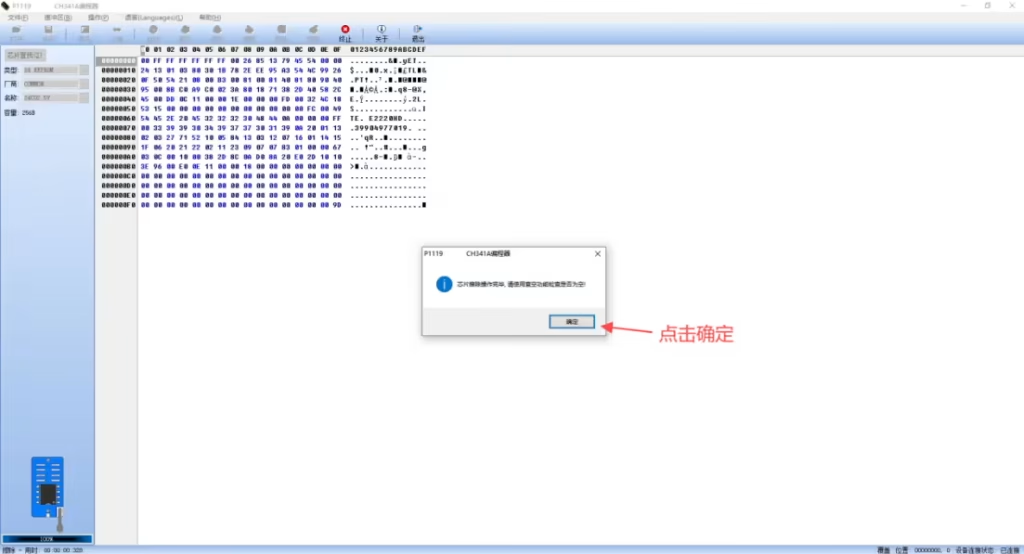
16: Kliknij programator CH341A, aby sprawdzić puste miejsce.
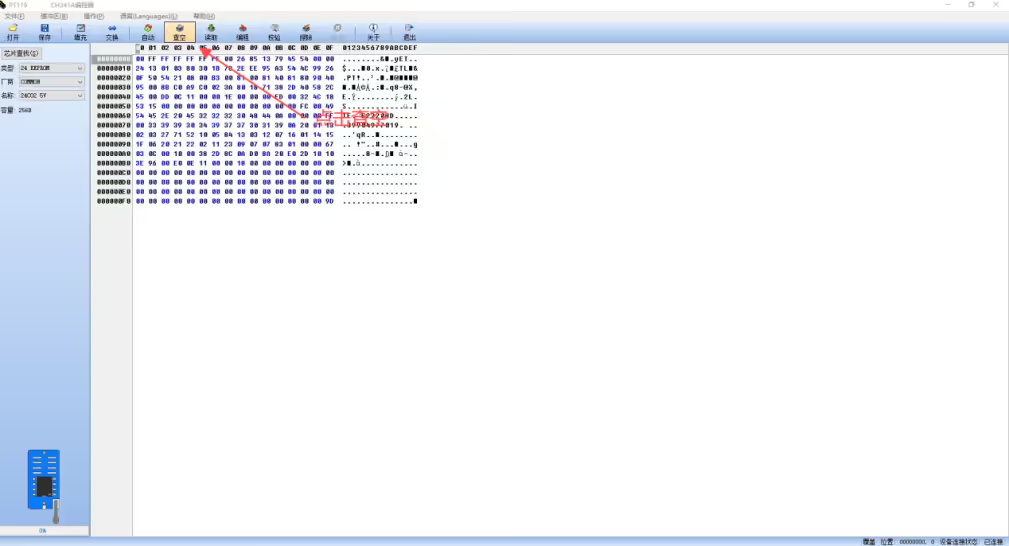
17: W programie CH341A, Jeśli widzisz, że chip jest pusty, Kliknij OK.
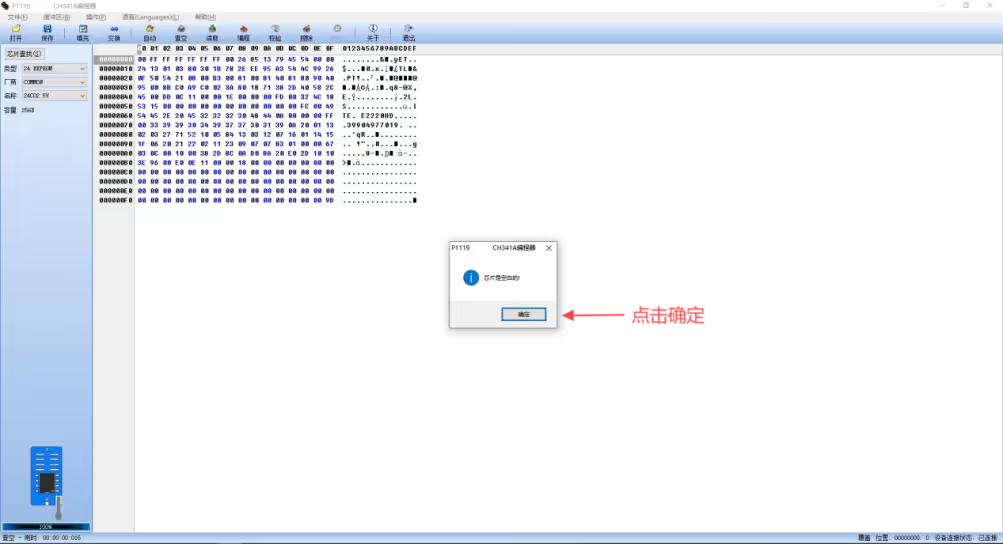
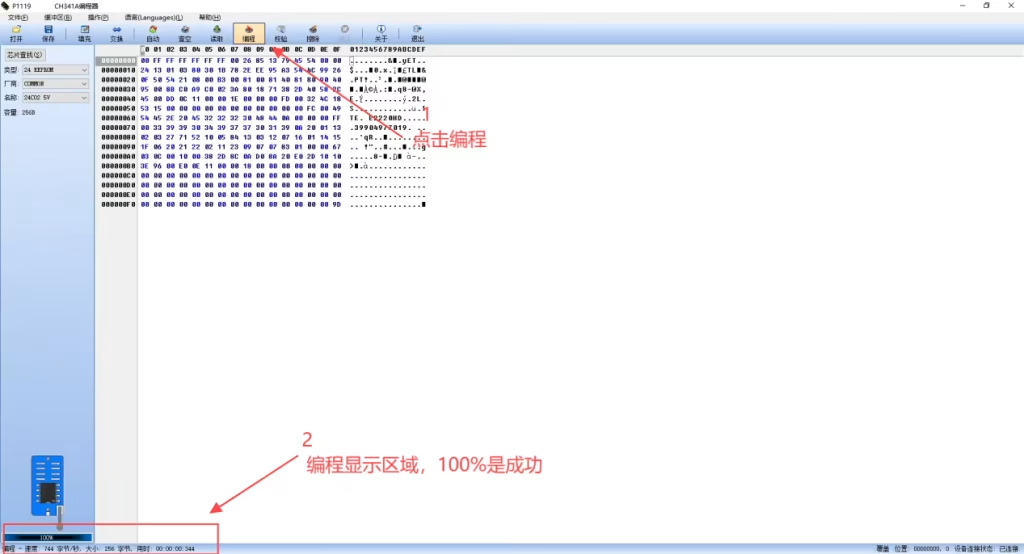
18: Click Programming in the CH341A programmer, and see that the progress bar in the programming display area is 100%, which means that the programming is OK.
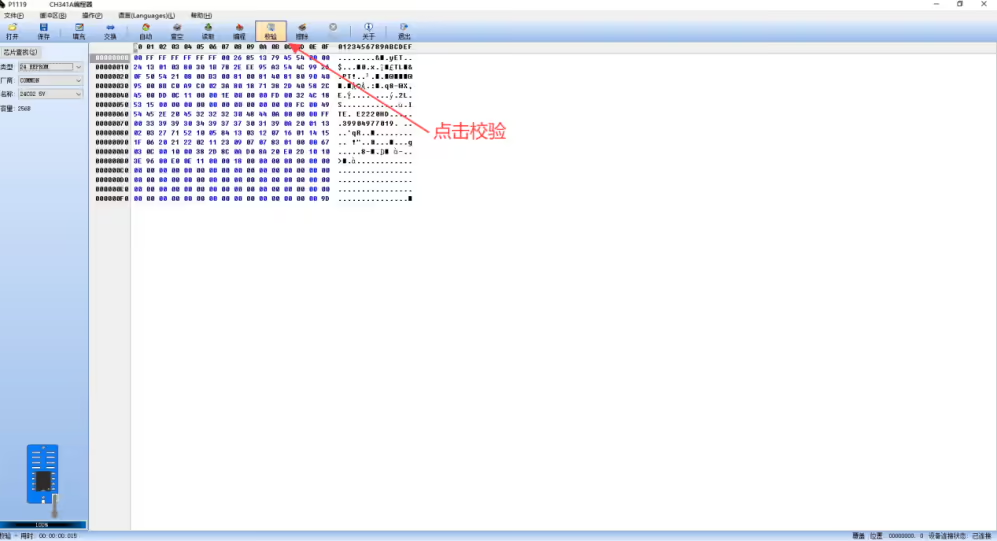
19. Click Verify in CH341A Programmer.
20: W programie CH341A, you can see that the verification content is consistent with the buffer, i kliknij OK.
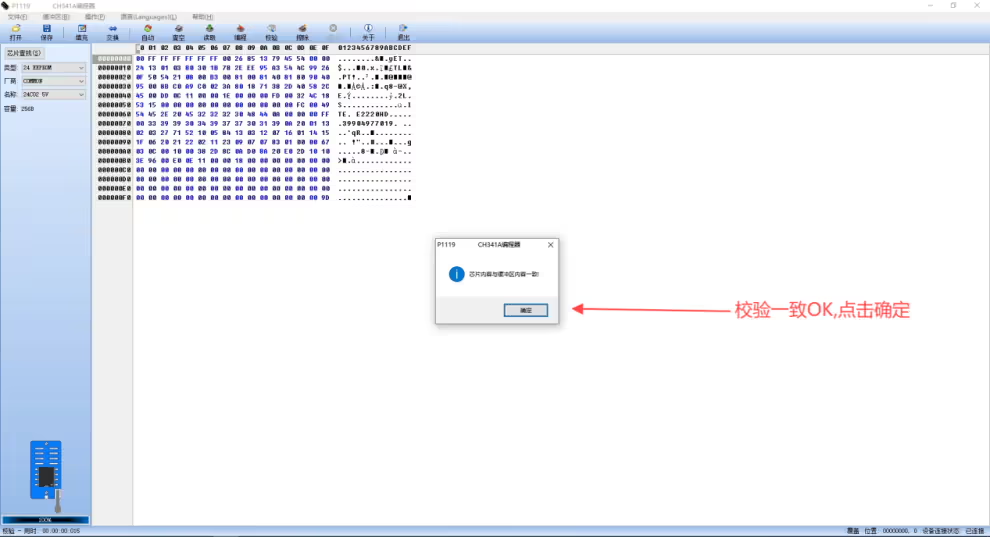
21: Wyłącz, it means that the firmware has been burned, if there is an error in 14-20, please re-operate from 14.
CH341A Software operation notes
- In the CH341A.EXE 24\25 programmer software, the detection function is only an auxiliary function. Since the datasheet of some chips cannot be found,
the identification manufacturer\chip ID information of the corresponding chip cannot be obtained, which causes this function to be incomplete, so some chips cannot be detected,
so the accuracy of the detection function is not 100%. - Regarding the detection and identification error problem (referring to MX25L6445 being identified as MX25L6405, itp.), na przykład, MX25L6405 and MX25L6406, MX25L6445,
the chip device numbers of the three models are the same, so it leads to misidentification. - When the detection target chip is “Unknown”, it does not mean that the programmer cannot burn. You can burn the chip by manually selecting it.
If there is no corresponding model in the chip list, you can directly select a similar model\brand, to jest, select the same capacity.
Jest “COMMON” in the manufacturer item, which stands for universal. The programming instructions for various brands of chips are the same (except SST and ESMT).
So in the software, model\brand can only be regarded as a name. As long as you select the right chip capacity,
you can directly burn it (except SST and ESMT). - If the chip list does not have the model you need, you can select COMMON in the manufacturer item, and then select the capacity of your corresponding chip.
- When the last four lines of the detection information content are all $FF, it means that the chip pins are not in good contact with the test socket. Please check whether the chip is placed upside down or the solder joint is poor.
- If you use the “Automatyczny” button to burn the chip, the error message “Write operation timeout failed!” will appear. W tym czasie, you should use manual operation instead.
Po kliknięciu “Erase”, you need to wait for more than ten seconds and then click “Program”. (Powód 1 may be a compatibility problem of individual chips, and you need to wait for a while to read and write;
Powód 2 The chip pins are not in good contact with the programmer test socket, The chip does not respond to the instructions issued by the computer). - During the read and write operation, it is not recommended to perform other operations (such as browsing the web\QQ\downloading, itp.), which may cause read and write data errors and data verification failure.
Post from File VF-202402
Zadać pytanie
Twoja wiadomość została wysłana