






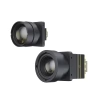
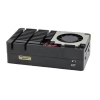

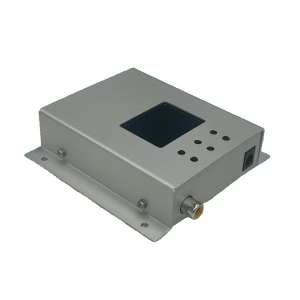
1.2G-7.2G Ultra-Wideband FPV Video Receiver VRX 1.2G 1.5G 1.8G 2.8G 3.3G 3.7G 4.2G 3-4G 6-7G
Ultra-wideband FPV receiver covering 1.2G to 7.2GHz for unmatched compatibility and flexibility.
လက်ခံသူ တယောက်, အဆုံးမဲ့ဖြစ်နိုင်ချေများ—အဓိက FPV လှိုင်းအားလုံးကို 1.2G မှ 7GHz အထိ ပံ့ပိုးပေးခြင်း.
အလိုအလျောက် ချန်နယ်ကို စကင်ဖတ်ခြင်းသည် မြန်ဆန်စေသည်။, ယုံကြည်စိတ်ချရသောအချက်ပြသော့ခတ်မှုရိုးရှင်းပြီးအားစိုက်ထုတ်ပါ။.
မာတိကာ
ခြုံငုံသုံးသပ်ချက်
ဒီ 1.2G-7.2G Ultra-Wideband FPV Video Receiver VRX FPV ပြိုင်ပွဲအတွက်ဒီဇိုင်းပြုလုပ်ထားသောပရော်ဖက်ရှင်နယ် -gerra-wideband analog ဗီဒီယိုလက်ခံသည်, မောင်းသူမဲ့လေယာဉ်ခရီးစဉ်, နှင့်ရှည်လျားသောဝေးဝေးလံခေါင်သီစောင့်ကြည့်လေ့လာရေး. ကနေကျယ်ပြန့်ကြိမ်နှုန်းကိုဖုံးလွှမ်း 1.2G to 7.2GHz, ၎င်းသည် Major Analog Gody annfrive prottocols အားလုံးကိုထောက်ပံ့သည်, NTSC နှင့် PAL အပါအဝင်. VCAN2165 သည်အကောင်းဆုံး signal ကိုအလိုအလျောက်ရွေးချယ်သည်, ဗွီဒီယိုဆူညံသံများနှင့်ဆုတ်ခွာခြင်း, တစ် ဦး တည်ငြိမ်မှုပေး, ဝါသနာရှင်များနှင့်ပရော်ဖက်ရှင်နယ်အသုံးပြုသူများအတွက်နှစ် ဦး စလုံးအတွက် latency fpv အတွေ့အကြုံ.
အင်္ဂါရပ်များ
-
Ultra-wideband လွှမ်းခြုံမှု: 900mhz ထောက်ပံ့, 1.2GHz အမြန်နှုန်း, 1.3GHz အမြန်နှုန်း, 1.5GHz အမြန်နှုန်း, 2.4GHz အမြန်နှုန်း, 2.8GHz အမြန်နှုန်း, 3.3GHz အမြန်နှုန်း, 3.7GHz အမြန်နှုန်း, 4.2GHz အမြန်နှုန်း, 3-4GHz အမြန်နှုန်း, 5.8GHz အမြန်နှုန်း, 6-7GHz အမြန်နှုန်း, 7GHz နှင့် အခြားစံနှုန်း သို့မဟုတ် စိတ်ကြိုက်လှိုင်းနှုန်းများ.
-
high sensitivity: ခြွင်းချက် enfort ည့်ခံစွမ်းဆောင်ရည်သည်ရှည်လျားသောအကွာအဝေးများ၌ပင်တည်ငြိမ်သောဗွီဒီယိုအချက်ပြမှုကိုသေချာစေသည်.
-
အလိုအလျောက်စကင်ဖတ်စစ်ဆေးသည်: Active Range တွင်တက်ကြွသောလိုင်းများကိုရှာဖွေရန် One-button ကိုစကင်ဖတ်စစ်ဆေးပါ.
-
အနိမ့်လတ်ဆတ်ဗီဒီယို: optimized analog processing သည် Real-time FPV များအတွက်အနည်းဆုံးနှောင့်နှေးစေသည်.
-
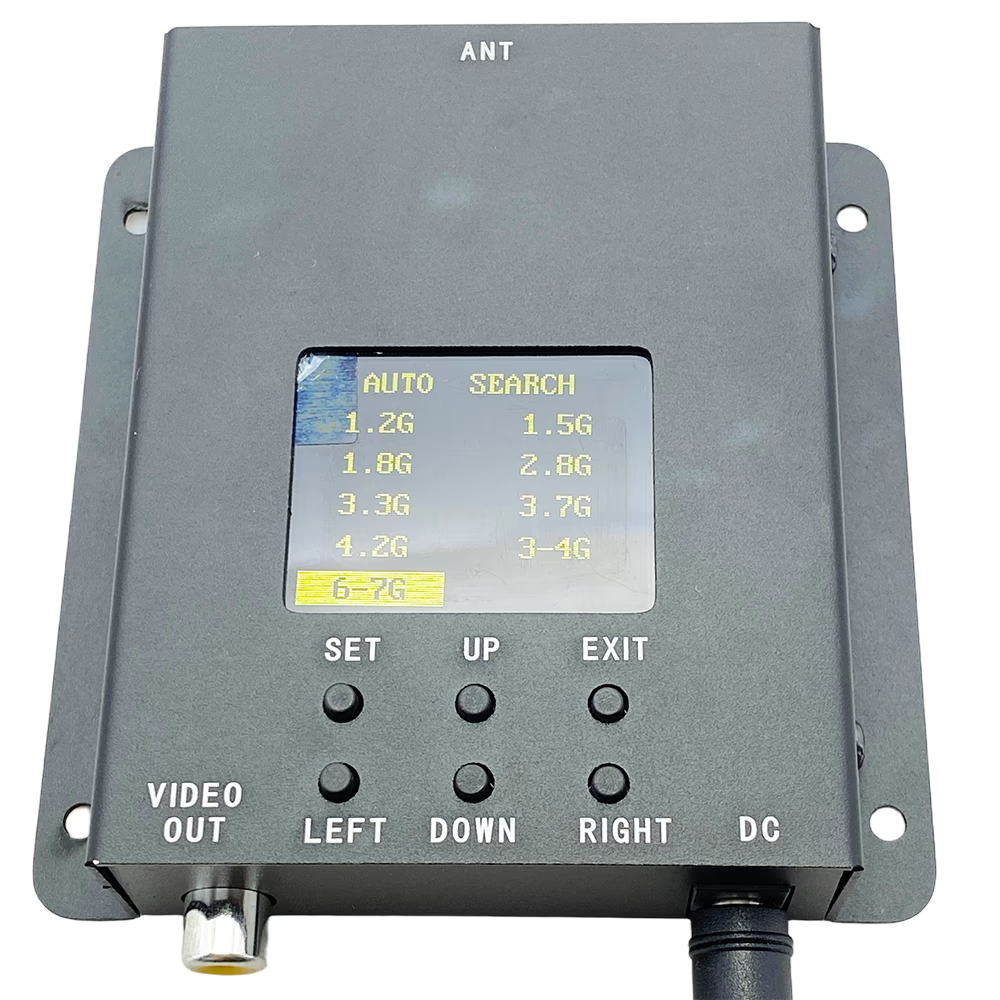
အသုံးပြုသူအတွက်လွယ်ကူသော interface: LCD မျက်နှာပြင်သည်လည်ပတ်မှုအခြေအနေကိုပြသသည်; သွားလာမှုနှင့်ရုပ်သံလိုင်းရွေးချယ်မှုများအတွက်အလိုလိုင်မားခလုတ်.
-
ကြမ်းတမ်းပြီးယုံကြည်စိတ်ချရသော: ငြိမ်သက်ခြင်းဆန့်ကျင်ရေးကာကွယ်မှုနှင့်အတူလေဝင်လေထွက်ပတ်ဝန်းကျင်တွင်အလုပ်လုပ်သည်.
အသေးစိတ်ဖော်ပြချက်
| parameter | specification |
|---|---|
| frequency Range | 500Mhz - 8GHz |
| ည့်ချက်များ mode ကို | အလိုအလျောက်ရှာဖွေခြင်း / ပုံသေ channel |
| အာရုံများကိုထိခိုက်လွယ်ခြင်း | -90 dBm |
| ည့်ခန်း | 10မီတာ - 50km (အင်တင်နာနှင့်ပတ်ဝန်းကျင်ပေါ်မူတည်သည်) |
| input ဗို့အား | 12-28V DC |
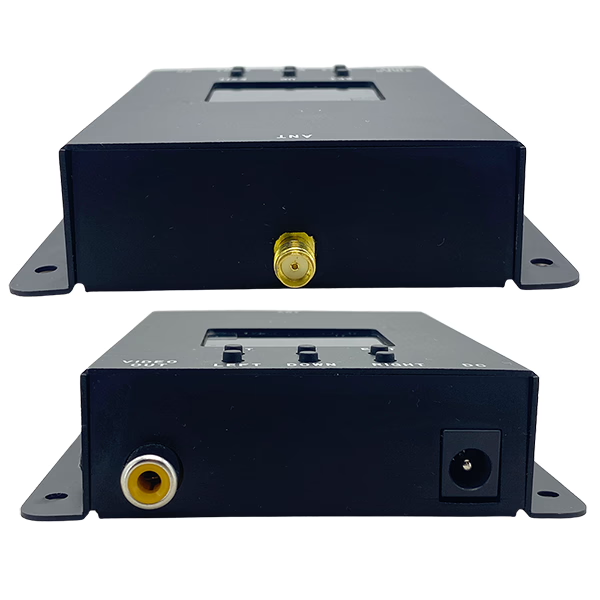
| Power က Interface | DC က-005 |
| antenna Interface | high School တွင် |
| ဗီဒီယိုကို Output | RCA (ဝါသော) |
| ဗီဒီယိုကို Format ကို | NTSC / PAL (အလိုအလျောက်ထောက်လှမ်းခြင်း။) |
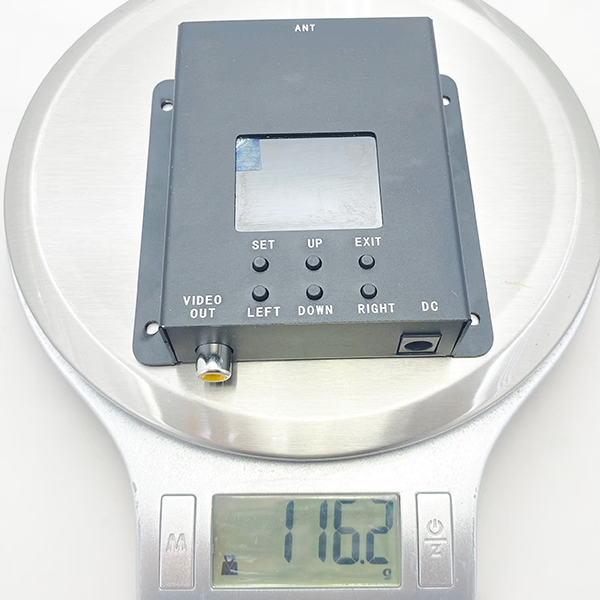
| ရှုထောင့် | 90 x က 92 x က 24 မီလီမီတာ |
| အလေးချိန် | 119.5 ဆ |
ခလုတ်များနှင့် interfaces များ
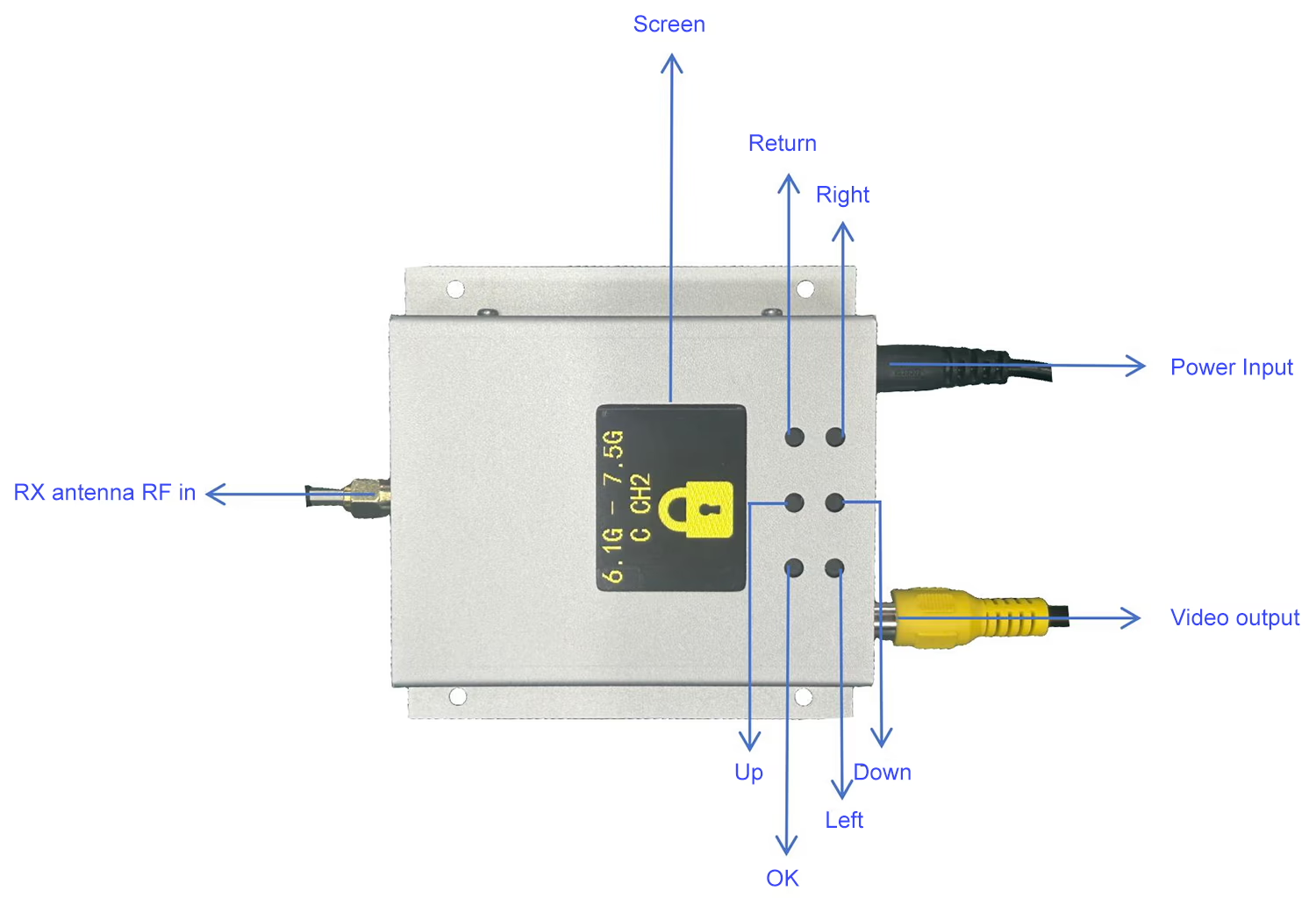
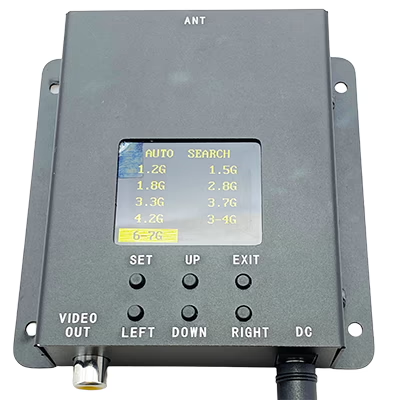
LCD မျက်နှာပြင်: operating status ကိုပြသထားတယ်.
ခလုတ် area ရိယာ:
· t Key ကိုပြန်သွားပါ: အဆိုပါပြန်လာစစ်ဆင်ရေးလုပ်ဆောင်ပြီးသော့ခတ်ကြိမ်နှုန်းတီးဝိုင်းထွက်ပေါက်.
· t အိုကေ: စစ်ဆင်ရေးကိုအတည်ပြုပြီးကြိမ်နှုန်းကိုသော့ခတ်.
· t သော့: အထက်သို့ရွေ့လျား.
· t သော့ချက်: အောက်သို့ရွေ့လျား.
· t လက်ဝဲသော့: left လှုံ့ဆော်.
· t ညာဘက်သော့: ညာဘက်ရွေ့လျား.
အသုံးပြုသူလမ်းညွှန်
1. တပ်ဆင်ခြင်းနှင့်ဆက်သွယ်မှု
သက်ဆိုင်ရာအင်တင်နာကိုဝက်မြွက်ပါ (e.g., 7, G) အင်တင်နာဆိပ်ကမ်းပေါ်သို့.
· 12-28V DC input ကိုပေးရန် Regulated Power Supply Module ကိုသုံးပါ.
· RCA Video Output ကိုဗွီဒီယိုကေဘယ် သုံး. display device တစ်ခုသို့ချိတ်ဆက်ပါ.
2. အခြေခံစစ်ဆင်ရေး
· t အပေါ်ပါဝါ: ပါဝါထောက်ပံ့ရေးနှင့်ချိတ်ဆက်သောအခါလက်ခံနိုင်သည့်လက်ခံအာဏာအင်အားကြီး.
· t ရုပ်သံလိုင်းရွေးချယ်ရေး:
-
မြှားသော့ကိုသုံးပါ (up ကို, နှိမ့်ချ, လက်ဝဲ, မှန်သော) ကြိမ်နှုန်း browse နှင့်ရွေးချယ်ရန်.
-
ကိုနှိပ်ပါ ဝင်ရောက် ရွေးချယ်ထားသောကြိမ်နှုန်းကိုအတည်ပြုရန်နှင့်သော့ခတ်ရန်သော့ချက်.
-
ကိုနှိပ်ပါ ကျော လက်ရှိစစ်ဆင်ရေးကိုပြန်လာရန်သို့မဟုတ်ထွက်ရန်သော့ချက်.
· t အော်တိုစကင်ဖတ်စစ်ဆေးမှု: -
လက်ခံသူကိုအနီးအနားရှိဗီဒီယိုထုတ်လွှင့်လိုင်းများကိုအလိုအလျောက်စစ်ဆေးရန် "Auto Search" mode ကိုရွေးချယ်ပါ.
-
တစ်ခုချင်းစီကိုရှာဖွေတွေ့ရှိ channel သည်၎င်း၏ဗီဒီယိုကိုပြသပါလိမ့်မယ် 5 လာမယ့်တစ်ခုသို့ switching မတိုင်မီစက္ကန့်.
-
ကိုနှိပ်ပါ ဝင်ရောက် လိုချင်သောပုံရိပ်ကိုပေါ်သို့သော့ခတ်ရန်သော့ချက်.
frequency
| No.\ CH | 0 | 1 | 2 | 3 | 4 | 5 | 6 | 7 |
| 1 | 6110 | 6130 | 6150 | 6170 | 6190 | 6210 | 6230 | 6250 |
| 2 | 6270 | 6290 | 6310 | 6330 | 6350 | 6370 | 6390 | 6410 |
| 3 | 6430 | 6450 | 6470 | 6490 | 6510 | 6530 | 6550 | 6570 |
| 4 | 6590 | 6610 | 6630 | 6650 | 6670 | 6690 | 6710 | 6730 |
| 5 | 6750 | 6770 | 6790 | 6810 | 6830 | 6850 | 6870 | 6890 |
| 6 | 6910 | 6930 | 6950 | 6970 | 6990 | 7010 | 7030 | 7050 |
| 7 | 7070 | 7090 | 7110 | 7130 | 7150 | 7170 | 7190 | 7210 |
| 8 | 6115 | 6265 | 6425 | 6585 | 6745 | 6905 | 7065 | 7185 |
လျှောက်လွှာများ
-
FPV ပြိုင်ကားမောင်းသူမဲ့လေယာဉ်များ
-
ဝေဟင်ဓာတ်ပုံနှင့်ဗီဒီယို
-
ဝေးလံခေါင်သီစောင့်ကြည့်လေ့လာခြင်းနှင့်စောင့်ကြည့်ခြင်း
-
မောင်းသူမဲ့လေယာဉ်သုတေသနနှင့်ဖွံ့ဖြိုးတိုးတက်မှု
-
ပရော်ဖက်ရှင်နယ် FPV သင်တန်းနှင့်ပြိုင်ပွဲများ
စိတ်ကြိုက်ရွေးချယ်စရာများ
-
ကြိမ်နှုန်းခညျြအနှော: သုံးစွဲသူများသည် 5.8GHz ကိုသာသို့မဟုတ် Band Multi-band configurations ကဲ့သို့သောသီးခြားအဖွဲ့များကိုရွေးချယ်နိုင်သည်.
-
အင်တင်နာအမျိုးအစားများ: ကွဲပြားခြားနားသောအကွာအဝေးနှင့် directional လိုအပ်ချက်များကိုများအတွက် SMA antennas နှင့်အတူသဟဇာတ.
-
ဗွီဒီယို output ကို formated: NTSC သို့မဟုတ်ဒေသဆိုင်ရာလိုက်ဖက်မှုအတွက် PAL.
အမြဲမေးလေ့ရှိသောမေးခွန်းများ
Q1: Does the video signal search run continuously in a loop from 500 MHz to 8000 MHz, or do I need to press the search button each time?
A1: အဆိုပါ Wideband FPV VRX supports continuous auto-scanning. During the search process:
- If a video signal is detected, the VRX display will show a clear video feed.
- To lock onto this frequency, ကိုနှိပ်ပါ။ SET ကြယ်သီး. Without locking, the receiver will automatically move to the next frequency after 3 စက္ကန့်.
- Pressing SET again unlocks the current frequency and resumes the automatic scanning process.
- When the scan reaches 8000 မေှျာ်လင့် without finding a video signal, it will automatically restart from 500 မေှျာ်လင့်, continuously looping through the frequency range.
- The search will keep cycling until a signal is locked manually using the SET ကြယ်သီး.
This ensures uninterrupted scanning across all bands while giving you control to lock onto any active FPV video channel.
မေး: Can I connect an external device (e.g., ESP32) to the receiver to read or modify the frequency?
တစ်ဦးက: ဟုတ်ကဲ့, it is technically possible. Some customers have purchased samples and implemented their own custom modifications. သို့သျောလညျး, please note that we do not provide technical support for such secondary development. Customers would need to handle this independently.
မေး: Does the receiver support frequencies that are not included in the preloaded channel list?
တစ်ဦးက: ဟုတ်ကဲ့. For frequencies outside of the preloaded channel list, the receiver supports automatic scanning within the 500–7300 MHz range.
Q1: မည်သည့်ဗီဒီယိုအချက်ပြအမျိုးအစားကို 500MHz-8000MHz 8G Ultra-WideBand FPV ဗီဒီယိုလက်ခံမှုပံ့ပိုးမှုအထောက်အပံ့များ?
A1: ၎င်းသည်စံအလားတူပင်ဗွီဒီယိုများကို NTSC နှင့် PAL ကိုထောက်ပံ့သည်။ မှန်ကန်သောပုံစံကိုအလိုအလျောက်ရှာဖွေသည်.
Q2: ရှည်လျားသောအကွာအဝေးကျော်မောင်းသူမဲ့လေယာဉ်များနှင့်အတူအလုပ်လုပ်နိုင်သလား?
A2: ဟုတ်ကဲ့, အင်တင်နာနှင့်ပတ်ဝန်းကျင်ပေါ် မူတည်., ဒါဟာအထိအချက်ပြမှုများကိုလက်ခံရရှိနိုင်ပါတယ် 50 ကီလိုမီတာ.
Q3: မည်သည့်စွမ်းအင်ထောက်ပံ့မှုလိုအပ်ပါသည်?
A3: စည်းမျဉ်းသတ်မှတ်ထားသည့် 12-28V DC ပါဝါအရင်းအမြစ်လိုအပ်သည်.
Q4: ကိရိယာသည်အင်တင်နာမရှိဘဲလုပ်ကိုင်ရန်အန္တရာယ်ကင်းသည်?
A4: အဘယ်သူမျှမ, ပျက်စီးမှုကိုကာကွယ်ရန်အတွက်အစဉ်မပြတ်ချိတ်ဆက်ထားသည့်အင်တင်နာကိုအမြဲတမ်းတပ်ဆင်ထားပါ.
Q5: ငါတိကျတဲ့ရုပ်သံလိုင်းပေါ်သို့သော့ခတ်နိုင်သလား?
A5: ဟုတ်ကဲ့, ၎င်းသည်အလိုအလျောက်စကင်ဖတ်စစ်ဆေးမှုနှင့်လက်စွဲ Channel ကိုနှစ် ဦး စလုံးတည်ငြိမ်သော reception ည့်ခံရန်ခွင့်ပြုသည်.
Q6: ၎င်းကိုအပူချိန်မြင့်မားသောပတ်ဝန်းကျင်တွင်အသုံးပြုနိုင်ပါသလား?
A6: အပူလွန်ကဲခြင်းကိုကာကွယ်ရန်လေဝင်လေထွက်ပတ်ဝန်းကျင်တွင်အသုံးပြုသင့်သည်.
Q7: သင်၏ VRX သည် 6-7 GHz အကွာအဝေးပြင်ပရှိ အနာဂတ်ထုတ်လွှင့်ကိရိယာများနှင့် အလုပ်လုပ်နိုင်ပါသလား။?
A7: ဟုတ်ကဲ့. ကျွန်ုပ်တို့၏ VRX ကြိမ်နှုန်းအကွာအဝေးသည် 500-8000 MHz, 6-7 GHz လှိုင်းနှုန်းကို ကန့်သတ်မထားပါ။. ဆိုလိုသည်မှာ ပိုမိုကျယ်ပြန့်သော ကြိမ်နှုန်းအကွာအဝေးကို ပံ့ပိုးပေးသည့် အနာဂတ်ထုတ်လွှတ်စက်များသည် ကျွန်ုပ်တို့၏ လက်ခံသူများနှင့် တွဲဖက်အသုံးပြုနိုင်မည်ဖြစ်သည်။, ရေရှည်အဆင့်မြှင့်တင်မှုများနှင့် မတူကွဲပြားသောအပလီကေးရှင်းများအတွက် ပြောင်းလွယ်ပြင်လွယ်ရှိစေရန်.
မေး: သတ်မှတ်ချက်တွင် လက်ခံသူသည် 500 မှ 8000 MHz မှ အလုပ်လုပ်သည်ဟု ဖော်ပြထားသည်။, သို့သော် ထုတ်ကုန်ဖော်ပြချက်သည် ဤအပိုင်းအခြား၏ တစ်စိတ်တစ်ပိုင်းကိုသာ ပြသသည်။. Can you provide the full frequency range and explain how to tune it?
တစ်ဦးက: ဟုတ်ကဲ့. The receiver fully supports 500-8000 MHz.
-
If you do not know the transmitter’s frequency:
You can use the 500–8000 MHz automatic search function to scan and lock onto the active signal. -
If you already know the transmitter’s approximate frequency:
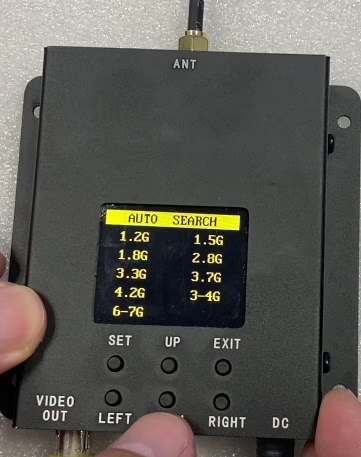
You can enter the menu and select the closest preset frequency band, then perform a search within that band for faster and more accurate tuning.Available preset Channel options in the menu: 1.2 GHz အမြန်နှုန်း, 1.5 GHz အမြန်နှုန်း, 1.8 GHz အမြန်နှုန်း, 2.8 GHz အမြန်နှုန်း, 3.3 GHz အမြန်နှုန်း, 3.7 GHz အမြန်နှုန်း, 4.2 GHz အမြန်နှုန်း, 3-4 GHz အမြန်နှုန်း, 6-7 GH
- Check the preset frequency list for each channel.
These presets help the receiver focus its scan in the correct segment of the full 500–8000 MHz range.
မေး: Does this 500–8000 MHz FPV VRX come with a remote control? so I can manually enter a frequency to search channels.
တစ်ဦးက: ယခု, ၎င်းတွင် manual frequency ထည့်သွင်းမှုအတွက် အဝေးထိန်းခလုတ် မပါဝင်ပါ။. လက်ခံသူသည် အသုံးများသော ကြိမ်နှုန်းများ၏ ကြိုတင်သတ်မှတ်ထားသော အကွာအဝေးအတွင်း ချန်နယ်များကို အလိုအလျောက် စကင်န်ဖတ်သည်။. နမူနာကို အရင်စမ်းသပ်ပါ။. ၎င်းကို အတည်ပြုပါက manual frequency ထည့်သွင်းရန် လိုအပ်ပါသည်။, ကျွန်ုပ်တို့သည် သင့်အတွက် ဤအင်္ဂါရပ်ကို ပြုစုပျိုးထောင်ပြီး ချန်နယ်ရှာဖွေခြင်းအတွက် လူကိုယ်တိုင် ကြိမ်နှုန်းထည့်သွင်းမှုကို ပံ့ပိုးရန်အတွက် စက်ပစ္စည်းကို စိတ်ကြိုက်ပြင်ဆင်နိုင်ပါသည်။.
မေး: UWB VRX သည် မတူညီသော VTX လှိုင်းများကြားတွင် အလိုအလျောက်ခုန်နေသော ကြိမ်နှုန်းကို ပံ့ပိုးပေးပါသလား။ (e.g. 1.2 GHz နှင့် 3.3 GHz အမြန်နှုန်း)?
တစ်ဦးက: ငါတို့ UWB ဆိုပေမယ့် (Ultra-Wideband) VRX သည် ကျယ်ပြန့်သော tuning range ကို ပံ့ပိုးပေးသည်။ 1.2 GHz မှ 7.2 GHz အမြန်နှုန်း, ဖြစ်နိုင်ပါသည် တစ်ကြိမ်လျှင် ကြိမ်နှုန်းတစ်ခုတည်းဖြင့်သာ လုပ်ဆောင်သည်။.
VRX မတူညီသော လှိုင်းနှုန်းစဉ်များပေါ်တွင် လုပ်ဆောင်နေသော VTX များမှ FPV ဗီဒီယို အချက်ပြမှုများကို တစ်ပြိုင်နက် မရရှိပါ။, ကဲ့သို့ 1.2 GHz နှင့် 3.3 GHz အမြန်နှုန်း. VTX မှာ အလုပ်လုပ်နေချိန် 1.2 GHz အမြန်နှုန်း, VRX ကို ချိန်ညှိခြင်း သို့မဟုတ် စကင်န်ဖတ်ပြီး တွဲချိတ်ရပါမည်။ 1.2 GHz အမြန်နှုန်း. အကယ်၍ VTX ကိုပြောင်းပါ။ 3.3 GHz အမြန်နှုန်း, VRX ကိုလည်း ပြန်လည်ချိန်ညှိရန် သို့မဟုတ် ပြန်လည်စကင်န်ပြုလုပ်ရပါမည်။ 3.3 GHz အမြန်နှုန်း, နှင့် ယခင် 1.2 GHz လင့်ခ်ကို ဖြုတ်လိုက်ပါမည်။.
ထိုကွောငျ့, အလိုအလျောက် ပြန်လည်ရယူခြင်း သို့မဟုတ် မတူညီသော လှိုင်းလုံးများကြားတွင် ခုန်နေသော ကြိမ်နှုန်းကို မပံ့ပိုးပါ။. VRX က ပံ့ပိုးပေးပါတယ်။ တူညီသောလှိုင်းအတွင်း၌ ကြိမ်နှုန်းစကင်န်ဖတ်ခြင်းနှင့် ချိန်ညှိခြင်း။, ဒါပေမယ့် တစ်ပြိုင်နက် တီးဝိုင်း လည်ပတ်မှု သို့မဟုတ် တစ်ပြိုင်နက် ဘက်စုံ တီးဝိုင်း လက်ခံခြင်းကို မပံ့ပိုးပါ။.
မေး: UWB အင်တင်နာ၏ အကျိုးကျေးဇူးကား အဘယ်နည်း? အဲဒါက omni ဒါမှမဟုတ် ဦးတည်ချက်လား။?
တစ်ဦးက: ပုံသေဖွဲ့စည်းပုံသည် a ကိုအသုံးပြုသည်။ ဦးတည်ချက်အင်တင်နာ အမြတ်နှင့်အတူ 6 dBi. သင့်ကိုယ်ပိုင်အင်တင်နာကိုလည်း သင်အသုံးပြုနိုင်ပါသည်။. အကောင်းဆုံးစွမ်းဆောင်ရည်သည်, a သုံးရန် အကြံပြုထားသည်။ ကြိုးကျဉ်းအင်တင်နာ သင်၏ပစ်မှတ်ကြိမ်နှုန်းအကွာအဝေးအတွက် အကောင်းဆုံးဖြစ်အောင်ပြုလုပ်ထားသည်—ဥပမာ, အင်တာနာများအတွက် အထူးဒီဇိုင်းထုတ်ထားသည်။ 6.1– 7.2 GHz ပေးနိုင်တယ်။ VSWR နိမ့်ပြီး အမြတ်မြင့်သည်။ ယေဘူယျရည်ရွယ်ချက် UWB အင်တင်နာထက်.
မေး: အချက်ပြနှစ်ခုကို တည်ငြိမ်သောရုပ်ပုံတစ်ပုံအဖြစ် ပေါင်းစပ်ထားသည့် အကြိမ်ပေါင်းများစွာ ပေါင်းစပ်မှု VTX/VRX ကို ပေးဆောင်ပါသလား။?
တစ်ဦးက: ယခု, ကျွန်ုပ်တို့၏ FPV VTX နှင့် VRX စနစ်များ do not support cross-band operation. Even with a high-power amplifier (e.g., 5 W+), ဒါဟာ not possible to achieve 50 ကီလိုမီတာ အကွာအဝေး using analog 1.2 GHZ စနစ်များ.
For extended range and stable cross-band operation, we recommend using our digital video transmission solutions. These systems support frequency hopping across bands, ဝင်ရောက်စွက်ဖက်ခြင်းကို ရှောင်ရှားခြင်း။, and can maintain clear image quality and reliable links over distances of 50–200 km.
မေး: Can I remotely change the frequency of this FPV drone repeater?
တစ်ဦးက: ယခု, the frequency must be adjusted manually using the buttons on the receiver and the on-screen parameters. If remote frequency control is required, your software engineer can implement it by reading the frequency-setting commands and connecting a microcontroller. Through a 100-meter Ethernet connection, the frequency adjustment commands can be transmitted remotely, allowing the operator and the remote controller to stay in a safe location while modifying video signal settings.
မေး: I want to receive good signal strength from a drone without knowing its exact direction. Can I use an omnidirectional antenna for this purpose?
တစ်ဦးက: ယခု, there is no single omnidirectional antenna that can cover an extremely wide frequency range from 500 MHz to 8 GHz. To achieve full coverage across the receiver’s frequency range (1.2–7 GHz), engineers recommend using four separate receiver units, each with its own omnidirectional antenna, tuned to different frequency bands.
Recommended Setup:
| frequency Range | antenna အမျိုးအစား | အရေအတွက် | ခန့်မှန်းခြေ. အရှည် | Typical Gain |
|---|---|---|---|---|
| 1.2 - 1.8 GHz အမြန်နှုန်း | omnnidireal | 1 | 200 မီလီမီတာ | 2-3 dBi |
| 2.8 - 3.3 GHz အမြန်နှုန်း | omnnidireal | 1 | 150 မီလီမီတာ | 2-3 dBi |
| 3.7 - 4.2 GHz အမြန်နှုန်း | omnnidireal | 1 | 150 မီလီမီတာ | 2-3 dBi |
| 6 - 7 GHz အမြန်နှုန်း | omnnidireal | 1 | 150 မီလီမီတာ | 2-3 dBi |
မှတ်စုများ:
- Each antenna covers a specific frequency range with relatively low gain.
- Using multiple antennas ensures the receiver can maintain omnidirectional coverage without needing to know the drone’s direction.
Relative Post ပါ။
YouTube ဗီဒီယို
7GHz FPV VTX အသံလွှင့်စက်
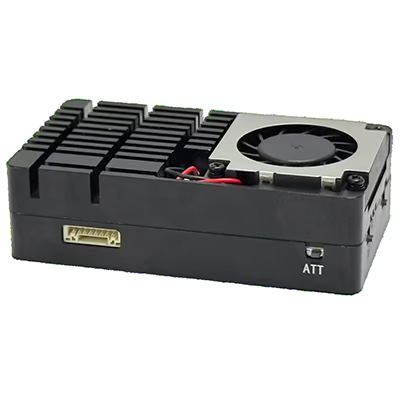
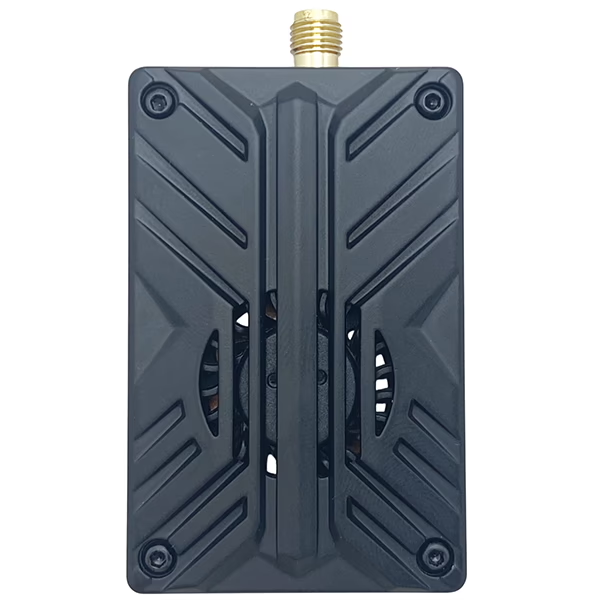
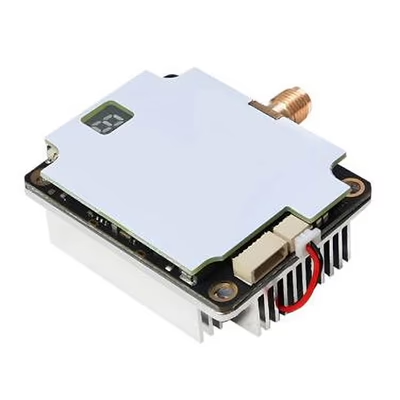
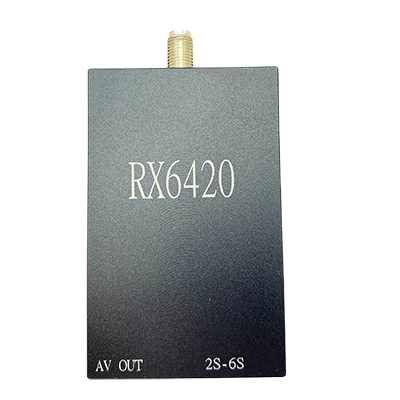
7GHz FPV VRX လက်ခံကိရိယာ
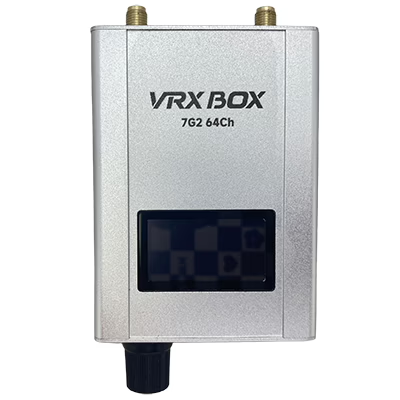
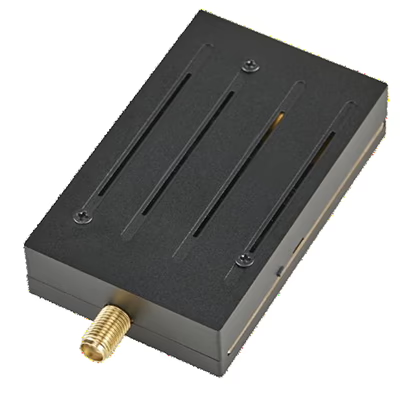
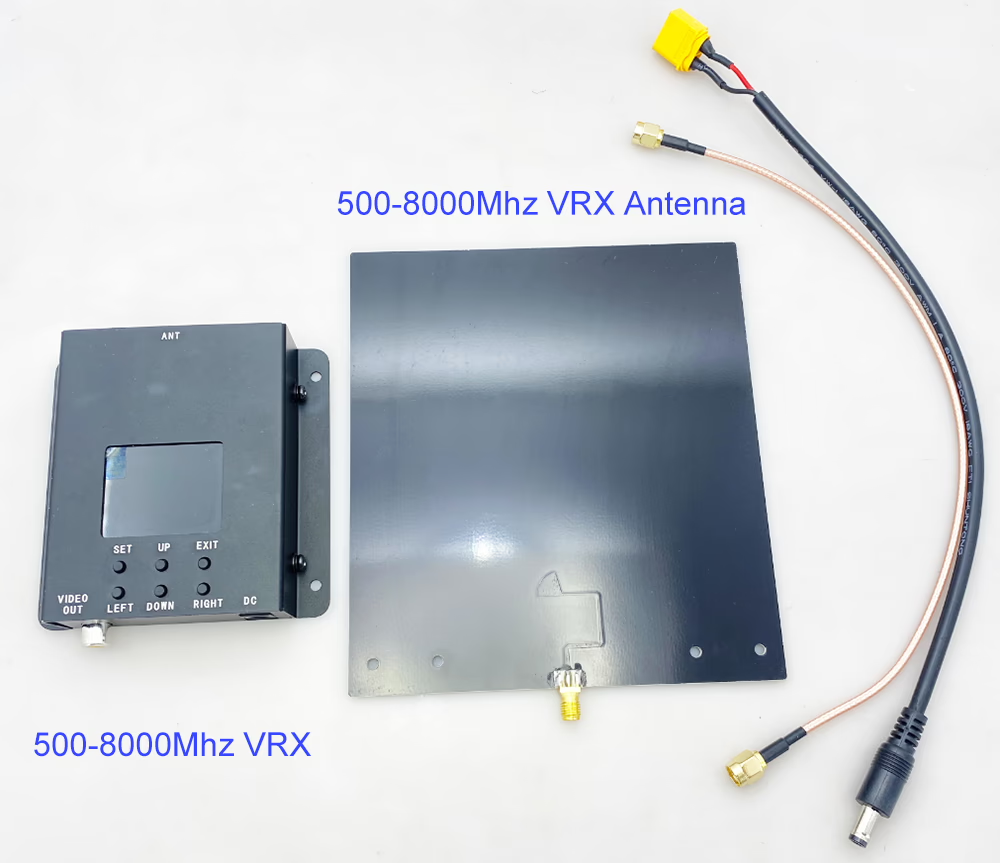
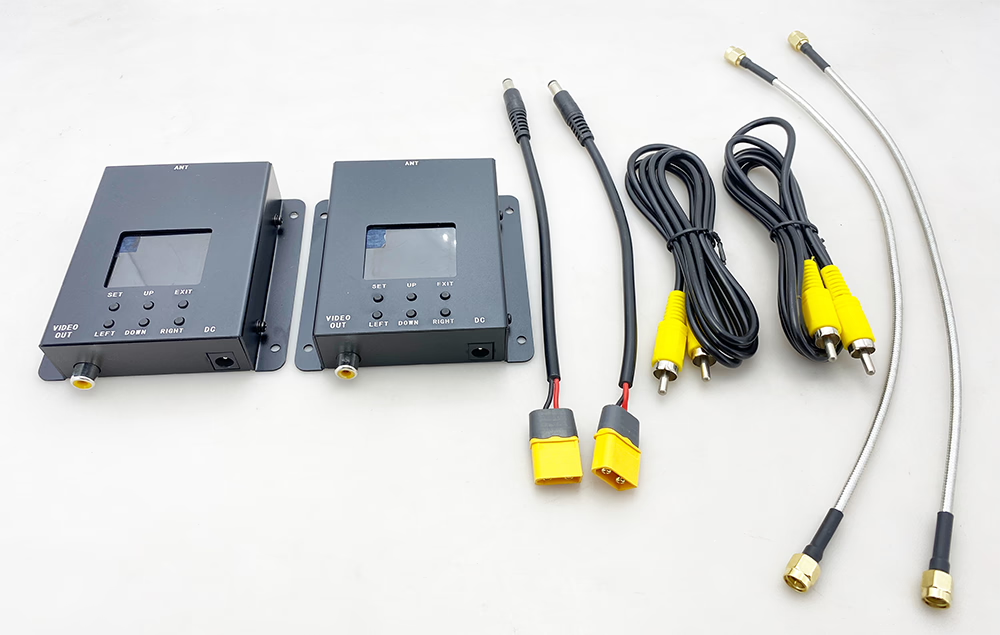
Future-proof your FPV system with a 500–8000MHz receiver ready for new transmitters.
ကြမ်းတမ်းသောဒီဇိုင်း, smart scanning, and ultra-wide coverage for demanding FPV environments.
Unlock clean analog video across multiple bands with one powerful FPV video receiver.
Simplify your setup with a single FPV VRX that supports nearly every analog band.




iVcan.com –
ဒီ Workband FPV ဗီဒီယိုလက်ခံသူသည်ကျွန်ုပ်၏စွမ်းဆောင်ရည်နှင့်ဘက်စုံသုံးမှုနှင့်အတူကျွန်ုပ်ကိုအမှန်တကယ်သဘောကျသည်. 500MHz မှ 8GHz မှကြိမ်နှုန်းအမျိုးမျိုးကိုဖုံးလွှမ်းထားသည်, ၎င်းသည်ကျွန်ုပ်၏ FPV Transmitters အားလုံးနီးပါးနှင့်သဟဇာတဖြစ်စေခြင်း. အလိုအလျောက်စကင်ဖတ်စစ်ဆေးမှု function ကိုလျင်မြန်စွာအကောင်းဆုံး signal ကိုတက်သော့ခတ်, နှင့်ဗွီဒီယိုအရည်အသွေးတည်ငြိမ်ပြီးလုံးဝနီးပါးနှောင့်နှေးနှင့်အတူရှင်းပါတယ်. အဆိုပါတည်ဆောက်အရည်အသွေးအစိုင်အခဲခံစားရတယ်, နှင့် setup ကိုရိုးရှင်းပါတယ် - အင်တင်နာနှင့်အာဏာကိုရုံချိတ်ဆက်ရုံပါပဲ. ၎င်းသည်ချောချောမွေ့မွေ့နှင့်ရှည်လျားသောဗီဒီယို rece ည့်ခံသူများအတွက်တန်ဖိုးရှိသောမောင်းသူမဲ့ဗာဒန်လေယာဉ်များနှင့် FPV ဝါသနာရှင်များအတွက်ယုံကြည်စိတ်ချရသောရွေးချယ်မှုဖြစ်သည်.